
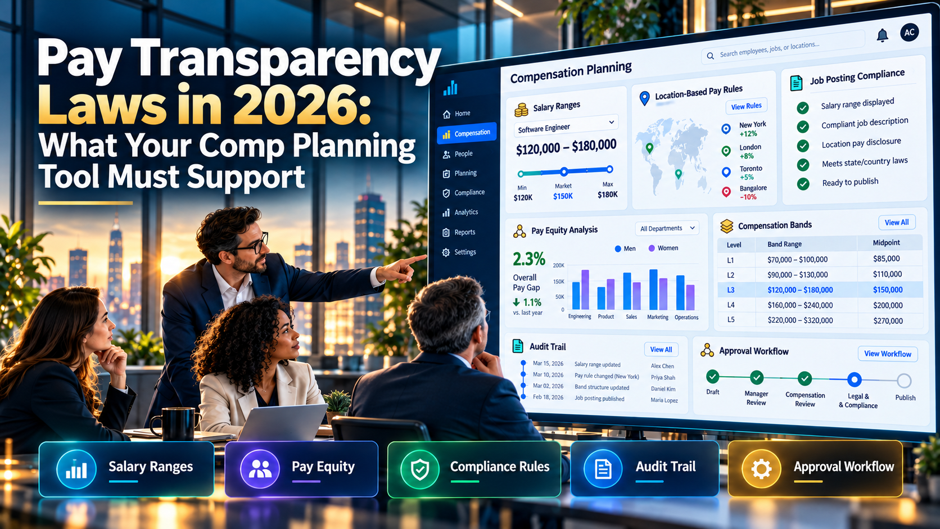
A recruiter in your company posts a remote analyst role with a range of $60,000 to $140,000, pulled from a spreadsheet that nobody has updated since 2023. The posting goes live in 9 states. Within a week, a candidate in Washington emails to ask which part of the range applies to her, a colleague in Colorado asks why his own pay sits below the posted floor, and legal asks who approved the numbers. The comp team can answer none of it quickly, because the data lives in 4 files and 2 inboxes.
This guide translates pay transparency rules into requirements for your compensation planning tool. It covers the 2026 landscape in the US and the EU, the capabilities a tool needs for each obligation, the questions to ask vendors and the cost of staying on spreadsheets. The legal summaries come from law firm and compliance articles that sometimes disagree, so they’re starting points only. Confirm every threshold and date with counsel. The hours and dollar figures are illustrative assumptions.
TL;DR
- The law has moved from posting ranges to proving them. California’s SB 642, effective January 1, 2026, asks for a good faith estimate of what an employer expects to pay a new hire, and broad placeholder ranges invite scrutiny. Your tool needs ranges that tie to real job levels and locations, with approval records.
- Obligations now touch postings, promotions, requests and reporting. US states add internal promotion notices, written pay notices and pay data reports. The EU Pay Transparency Directive adds a right to pay information and gap reporting, with first reports due on 7 June 2027 for larger employers.
- A tool earns its place by cutting manual checks. In the illustrative model, a 600-person company spends about 390 hours a year, or $25,350 at $65 an hour, on pay transparency tasks done by hand. Halving that saves roughly $12,675 a year, and the bigger gain is fewer wrong ranges in public. Ask counsel which rules apply to you before you set requirements.
Why the law lands in the comp tool
Pay transparency rules ask a simple question that’s hard to answer in practice: what does this job pay, for whom, and where? Postings need a range, promotions need a notice, employees may ask how their pay compares and regulators may ask you to prove the numbers. All of those answers come from the same place, which is the structure of jobs, levels, locations and pay decisions inside your compensation planning tool. If that structure is wrong, every downstream disclosure is wrong too.
That makes the comp tool the system of record for compliance, even when HR doesn’t think of it that way. A recruiting system can publish a range, but the range has to come from somewhere defensible. An HRIS can store pay, but it rarely holds the logic behind a range, the approval history or the planning assumptions. The tool that holds those pieces is the system regulators and plaintiffs’ lawyers will ask about, so it should be built to answer their questions.
The 2026 landscape at a glance
| Jurisdiction | Who it covers | What it asks for | What it means for your tool |
| California | Employers with 15 or more employees | Pay scale in postings, with a good faith estimate under SB 642 | Ranges tied to the expected starting pay, with a log of how they were set |
| Colorado | Employers with at least 1 employee in the state | Pay range, other compensation, benefits and posting duration, plus promotion notices | Fields for bonus and benefits text, and an internal notice workflow |
| Illinois | Employers with 15 or more employees | Pay scale and benefits, plus notice of promotion opportunities within 14 days of an external posting | A timer on internal notices and a record of who received them |
| Massachusetts | Employers with 25 or more employees | Pay range in postings and on request | Range lookup by role and location, with an audit trail |
| Minnesota | Employers with 30 or more employees at a state site | Starting salary range and general benefits | Starting range separate from the full job range |
| New Jersey | Employers with 10 or more employees | Pay range, benefits and other compensation | Benefit descriptions stored with each posting |
| New York | Employers with 4 or more employees | Compensation range and job description | Range and job description kept in sync |
| Washington | Employers with 15 or more employees | Salary range, other compensation and benefits, with a cure period for some first violations | Posting history, and quick correction of errors |
| EU member states | Rules vary, with gap reporting for employers of 100 or more workers | Pay in job ads, no salary history questions, pay information on request and gap reporting | Gender pay gap analysis, request tracking and reporting by grade |
The table draws on a Jackson Lewis summary of US thresholds and a secondary EU summary citing the Trusaic transposition tracker. Other places, such as Hawaii, Vermont, Maryland, Nevada, Connecticut and Rhode Island, have their own rules, and Delaware’s takes effect on September 26, 2027. Treat the table as a map for planning, and have counsel confirm the rule for each state where you hire. Update the table each quarter, because several of these rules are new and guidance is still developing.
What changed or arrives in 2026
California tightened its definition of a pay scale. SB 642 took effect on January 1, 2026. According to a CDF Labor Law summary, employers must give a good faith estimate of the salary or wage range they reasonably expect to pay a new hire on day 1. The law also extends the period for recovering unequal pay to as long as 6 years and widens “wages” to cover bonuses and stock. For a comp tool, that means ranges need a documented basis, and pay comparisons need to include more than base pay.
Rhode Island added a written pay notice. Per the Jackson Lewis summary, employers need to provide written pay notice for new hires starting January 1, 2026, in addition to the existing range disclosures at hire and on a role change. A tool that already stores the hire range and the offer can generate that notice automatically. A spreadsheet process depends on someone remembering to attach the right document to each new hire file.
Washington built in a temporary cure period. The same summary notes a 5-business-day cure period for certain first violations that runs through July 27, 2027. A cure period is useful only if you can find and fix the error fast, which means knowing which postings used which range and when they went live. Ask whether the tool keeps a posting history and can push a correction to the recruiting system.
The EU deadline passed on 7 June 2026, with an uneven result. A secondary article citing the Trusaic tracker says Slovakia, Italy, Lithuania and Malta transposed the Directive on time, several others set dates of 1 January 2027, and Germany and Spain had no draft law published. It also says the European Commission isn’t granting extensions. Treat those details as unverified, and plan for a common standard across the countries where you employ people. The Directive’s transposition deadline was 7 June 2026.
Capabilities the tool must have
- Ranges by job family and location. The tool should store a pay range for every posted role, tied to a job architecture and a geography, with a minimum and a maximum. It should let you set different ranges for different states or labor markets, and show which range applies to a remote role. A single national range for a multi-state role is the setup most likely to fail a check.
- Approval and version history. Every range needs an owner and an approval date, plus a record of changes, so you can show how a number was set and when it changed. If a range was approved in March and the posting went live in June, the tool should show both dates. This history is your evidence if a regulator or a candidate challenges a range. Keep the log for as long as your counsel advises, since claims can reach back several years.
- Fields for the rest of the package. Many laws ask for more than base pay, including bonus, commission, equity, benefits and posting duration. The tool should hold standard text for each element and attach it to the range, so a recruiter doesn’t retype it. Free-text fields invite inconsistency, and inconsistency is what makes a posting look careless. Check how the tool handles a posting with different benefits by location. Store the posting duration too, where a state asks for it.
- Employee-level comparison. Planners need to see where each person sits in the range and against peers in the same job family and location. The comparison should include all forms of pay that the law treats as wages, which in California now means bonuses and stock for equal pay purposes. A base-pay-only view leaves gaps you won’t see until a claim arrives. Ask the vendor to show a comparison for a person with a large bonus and a small base.
- Exports and APIs. Ranges must flow to the recruiting system, career site and offer letter tools without retyping. Ask for a documented integration and an error report. A range that’s right in the comp tool and wrong on the career site is still a wrong range in public. Ask how the platform handles data connections, who gets the alert when a sync fails, and how fast the failure shows up. Test it with a deliberate error before you sign, and keep a log of every push.
Build ranges that hold up
Start from the principle that the posted range should reflect what you actually expect to pay. The compliance article from Comp-port warns that, in California, ranges must reflect the actual expected compensation on hire and that broad or placeholder ranges may be non-compliant. The tool can help by calculating range spread, which is the maximum minus the minimum, divided by the minimum. A range of $90,000 to $120,000 has a spread of 33%, while the $60,000 to $140,000 range in our opening story has a spread of 133%.
Set a spread guideline by job family and flag outliers for review. The numbers are illustrative: many companies use narrower spreads for entry roles and wider ones for senior roles, and the right level depends on your market data. What matters is that a person can explain why a range has the width it has. Pair each range with the market source and the person who signed off, then let the tool warn when a range hasn’t been reviewed in 12 months.
Requirement-to-capability checklist
| Requirement | Capability to look for | How to test it in a demo |
| Range in every posting | Range library linked to job and location | Create a role in a new state and see which range appears |
| Good faith estimate | Documented basis and approval date | Ask to see the history for a range changed last quarter |
| Benefits and other pay in postings | Standard text blocks attached to ranges | Publish a posting and check that every element appears |
| Internal promotion notices | Notice workflow with timers and recipients | Open a role and show the 14 day countdown |
| Written pay notice at hire | Template filled from hire data | Generate a notice for a new hire in Rhode Island |
| Pay information on request | Request log with deadline and response record | Log a request and show the response clock |
| Gap analysis | Cohort comparison by job family and location | Run an analysis on sample data and export the results |
| Audit trail | Change log for ranges and pay | Edit a range and show who changed what and when |
Internal postings and promotion notices
Promotion notices need a clock. Illinois, per the Jackson Lewis summary, asks employers to tell employees about promotion opportunities within 14 days of an external posting, with limited exceptions. Colorado has its own notice rules for promotions and internal opportunities. A tool should generate the notice when a role is posted, show the deadline, track who was told and keep the record. If your recruiting system owns the posting, make sure both systems agree on dates.
Internal and external ranges must match. Maryland, per the same summary, covers internal postings as well as public ones, and Nevada’s rules apply to internal moves. If a role is posted internally with a range and externally with another, you’ve created a documented inconsistency. The comp tool should be the only place a range comes from, while a structured Talent Match process can support internal role matching. A single source avoids a long cleanup after a complaint.
Pay conversations need a script and a record. Managers will field questions as soon as ranges become public, and some laws let employees ask about the range for their own role. Give managers a short guide with the range and the factors that set pay inside it. Use the tool to log requests and answers, so HR can see patterns, such as a team that generates most of the complaints. Colorado has its own notice rules for job opportunities and pay transparency, so counsel should confirm how those requirements apply to your workforce.
Pay equity analysis and the EU gap rules
- Run cohort analysis on a schedule. Compare pay for people in the same job family and location, adjusted for legitimate factors such as tenure and performance. Run it at least once a year and before each planning cycle. The tool should let you define cohorts and save the results with the date and the parameters, so you can reproduce a finding later. Document the factors you allow as legitimate, and have counsel review the list once a year.
- Know the 5% trigger. Under the EU Directive, as summarized in the secondary article, a gap of 5% or more between women’s and men’s average pay that you can’t justify objectively triggers a joint pay assessment with workers’ representatives and a remediation plan. As an illustration, the average pay of $80,000 for men and $75,000 for women is a gap of 6.25%. Your tool should calculate gaps by category of workers doing equal or equivalent work.
- Keep analysis privileged where you can. Counsel often wants equity analysis run under legal privilege. Ask whether the tool can restrict access to a legal team, separate privileged runs from routine reports and export results to counsel without exposing individual records. Role-based access matters here, and Business Intelligence Dashboards can help centralize controlled reporting. Confirm with counsel how to label and store the output before the first run, and who may see it.
- Track remediation. Finding a gap is the start. The tool should record the proposed adjustment, the budget, the approval and the date it took effect. That record shows regulators and employees that you acted. A finding with no recorded fix is a liability, and it’s worse than not having run the analysis. Link each adjustment to the cohort that triggered it, so the next analysis shows whether the gap closed. Report the result to the sponsor each cycle.
Data model and governance
A transparent pay program rests on a clean job architecture. Each job needs a stable code, a family, a level and a clear definition, so 2 roles with the same title but different scope don’t share a range. A defined competency framework can support consistent role and skill definitions across jobs. Locations need a defined structure, such as states, metro areas or pay zones, mapped to the geographies the laws use. Remote roles need a rule that says which location’s range applies, because several laws reach employees working remotely from the state.
Effective dating is the feature that most often separates strong tools from weak ones. You need to know which range was in force on the day a posting went live, which pay applied on the day of a promotion and what a person earned when a request arrived. Ask to see how the tool handles a retroactive change, a future-dated range and a correction. Then check who can edit ranges, who can approve changes and how the tool logs access to pay data.
Reporting and deadline calendar
| Obligation | Date | Who is affected |
| California SB 642 changes | January 1, 2026 | Employers with 15 or more employees posting jobs for California roles |
| Rhode Island written pay notice | January 1, 2026 | New hires in Rhode Island |
| Washington cure period ends | July 27, 2027 | Employers with certain first violations |
| EU first reports, 250 or more workers | 7 June 2027, covering 2026 | Larger EU employers |
| EU first reports, 150 to 249 workers | 7 June 2027, then every 3 years | Mid-sized EU employers |
| Delaware law takes effect | September 26, 2027 | Employers with 26 or more employees |
| EU first reports, 100 to 149 workers | 7 June 2031 | Smaller EU employers |
The EU dates come from a secondary article citing the Trusaic tracker, and member states can set lower thresholds or earlier dates. Build your calendar from your own counsel’s list, then load it into the tool or your project plan with owners. Work back from each date: for a report due 7 June 2027 that covers 2026 pay, data cleanup should finish by the fourth quarter of this year, and the analysis should run by the first quarter of 2027.
Employee-facing features and requests
Requests for pay information need a process. The EU Directive gives workers a right to request information about their individual pay level and the average pay for workers doing the same work, broken down by sex. The Directive sets a response period, which counsel should confirm, and some US states let employees ask for the range. The tool should log each request, assign an owner, show the deadline and store the response.
Self-service views must respect privacy. Employees may eventually see their own range position or a summary of pay for their job. Any such view has to hide individual colleagues’ pay and handle small groups carefully, since a cohort of 2 people can reveal what each earns. Ask whether the tool applies a minimum group size before showing averages, and whether administrators can set that threshold. Test it with a cohort of 2 or 3 people before launch.
Manager views should explain as well as display. A manager who sees a number without context will struggle to explain it. Look for a view that shows the employee’s position in the range, the factors that set the pay and the date of the last review. Pair it with a plain-language summary managers can use in a conversation, while talent development and coaching tools can support the broader manager conversation. Keep a record of what was shared for HR to review later.
Questions for your vendor
- How do you model ranges by location? Ask the vendor to show a role with 3 location ranges, a remote exception and a change made after posting. Look for effective dating and approvals, with a clean export to the recruiting system. A vendor that can show this in a live sandbox is well ahead of a vendor that shows slides. Ask them to repeat the test with a state whose rules changed this year, and watch how long it takes.
- What does the audit trail record? Ask for a demonstration of the change log for ranges, individual pay and access. You want the user, time, old value, new value and reason in a single view. Ask how long the log is kept and whether you can export it, since a regulator may ask for history that goes back several years. Ask whether auditors can receive a read-only export without a support ticket, and keep a copy of the sample.
- How do you stay current on the law? Ask who tracks legal changes and how updates reach customers. Ask for the last 3 updates and the dates. Be wary of a vendor that treats compliance as a launch feature, since the rules change several times a year. Ask how the vendor tells customers which configuration changes they need to make after a legal update, and who does that work. A good answer names an owner and a process.
- What happens to our data? Ask about hosting and retention, and whether the vendor uses customer pay data for benchmarks. Pay data is sensitive, and the vendor’s terms should say what it can do with it. Ask what happens to the data if the vendor is acquired or if you leave. Ask whether the vendor can show the data processing terms and the list of sub-processors before you sign, and how it handles requests to delete pay data after you go.
What manual compliance costs
| Task | Annual volume | Time each | Hours a year |
| Check ranges and wording in postings | 240 postings | 30 minutes | 120 |
| Send and log internal promotion notices | 90 notices | 20 minutes | 30 |
| Answer employee pay information requests | 60 requests | 2 hours | 120 |
| Run pay equity analysis in spreadsheets | 1 annual cycle | 80 hours | 80 |
| Audit ranges against market data | 1 annual review | 40 hours | 40 |
| Total | 390 |
At an assumed $65 an hour, the 390 hours cost $25,350 a year. If a tool cut the time by half through range libraries and notice workflows, the saving would be 195 hours, or $12,675 a year. Every figure is an illustrative assumption for a company of about 600 employees, and the volumes depend on how much you hire. The model leaves out the larger cost of a wrong range or a missed notice, which is a penalty plus the time to fix it.
A 90-day roll-out plan
Start with ranges, because every other obligation depends on them. In the first 30 days, clean up the job architecture, define locations and load current ranges with their sources and approves. Fix the worst outliers first, such as ranges with a spread above 100% or ranges that haven’t been reviewed in over a year. Use workforce planning to keep role, staffing and organizational planning connected where relevant. Name an owner for each job family, and agree on a single process for creating or changing a range.
In days 31 to 60, connect the tool to recruiting and the career site, and build the notice and request workflows. Test each integration with real roles, and have recruiters try to break it. In days 61 to 90, run a first pay equity analysis under counsel’s direction, set up the audit trail and train managers. Finish with a review against the checklist above, and keep a list of gaps with owners and dates for the next quarter.
Mistakes that cause trouble
Treating the range as a recruiting problem. Recruiters publish ranges, and compensation owns the logic behind them. When recruiters set their own numbers, ranges drift away from the comp structure, and the first complaint exposes it. Make the comp tool the source, give recruiters read access and require approval for exceptions. The approval step feels slow until the first time it prevents a bad posting. Review the exception log each quarter with the head of recruiting, and retire exceptions that keep coming back.
Posting a wide range to stay safe. A wide range looks like a shield, and it can look like evasion to a candidate or a regulator. The compliance article from Comp-port warns that placeholder ranges may fail in California. Use a range you’d be willing to explain, and keep the evidence of how you set it. Bullseye guidance on compensation planning practices also covers how compensation structures connect with wider workforce decisions. If the real range is narrower, publish the narrower range. Spread guidelines help here, as the earlier section shows.
Ignoring pay outside base salary. Bonuses and equity count as pay in several laws, and California’s SB 642 widened what counts as wages for equal pay purposes. A tool or process that tracks only base pay will miss gaps and mislead candidates. Store every element, and include them in comparisons and in the text of postings where the law asks for them. Ask counsel which elements each state counts, and record the answer in the tool’s configuration notes.
Waiting for the last state to settle. Laws will keep arriving, and the rules differ in the details. Companies that wait for a final answer end up reacting to each new law under pressure. Build to the strictest rule you face, keep the configuration flexible and review the calendar each quarter. The EU article recommends applying the highest common standard across jurisdictions, and the same logic works inside the US.
FAQs
Which states require pay ranges in job postings in 2026?
Many do, including California, Colorado, Illinois, Massachusetts, Minnesota, New Jersey, New York, Vermont, Washington, Hawaii and Washington, D.C., with varying thresholds and rules, per the Jackson Lewis summary. Others, such as Connecticut, Nevada and Rhode Island, require disclosure on request or at a stage of hiring, and Delaware’s law takes effect on September 26, 2027. Lists change, so have counsel confirm the states where you hire, including remote roles. Check the list again before each hiring push.
Do these laws apply to remote jobs?
Often, yes. Several state laws reach roles that are performed in the state or that report to a supervisor or office there, and the Jackson Lewis summary notes coverage of some remote roles in California, Colorado, Washington, Massachusetts and others. The practical rule is to treat a remote posting as covered by every state where you’d consider hiring unless counsel advises otherwise, and store the range for each location in your tool.
What counts as a good faith pay range in California?
According to a CDF Labor Law summary of SB 642, employers must give a good faith estimate of the salary or wage range they reasonably expect to pay a new hire on day 1. A Comp-port article adds that broad or placeholder ranges may be non-compliant. Keep the basis for each range, including the market data, the approve and the date, and ask counsel to review your approach. Review the basis each year, or sooner when market data moves.
Does the EU Pay Transparency Directive apply to a US company?
It can, if you employ workers in EU member states. The Directive creates duties for employers of workers in the EU, including pay information in job ads, a ban on asking about salary history, a right to pay information and gap reporting by employer size. A secondary article puts first reports for employers of 250 or more workers at 7 June 2027. Confirm applicability and dates with EU counsel. Check whether any remote hires are covered even without an office there.
What’s the 5% pay gap rule?
Under the Directive, as summarized in a secondary article, a gender pay gap of 5% or more in a category of workers that you can’t justify with objective, gender-neutral criteria triggers a joint pay assessment with workers’ representatives. The employer must then remediate within a reasonable period. As an illustration, a gap between $80,000 and $75,000 is 6.25%, and your tool should calculate these gaps automatically. Counsel can confirm which categories of workers apply and which method you should use.
Can a spreadsheet still work?
For a small company hiring in 1 or 2 states, maybe. Spreadsheets struggle with version history, approvals, location logic and request tracking, which is where compliance questions land. If you keep a spreadsheet, lock it down with controlled access, a change log and a single owner. The illustrative model above shows about 390 hours a year of manual work at 600 employees, so the cost rises quickly as hiring grows.
How often should we review ranges?
At least once a year, and when market data, job scope or location changes. Many teams also review before each major planning cycle. The tool should flag ranges that haven’t been reviewed within a set period, such as 12 months, and show the source and date of the market data. Document each review, even when nothing changes, so you can show a pattern of care. Keep the review notes with the range, so a later question has an answer on file.
What should we ask counsel before buying a tool?
Ask which jurisdictions apply, what each requires, what the penalties are and how to treat remote roles. Ask how to run pay equity analysis under privilege, how long to keep records and what to tell employees. Share the vendor’s capabilities and contract terms for review. The answers shape your requirements list, and they’re cheaper to get before you sign than after you’ve configured the tool. Bring the vendor’s contract draft to the same meeting, so a single review covers both topics.
