
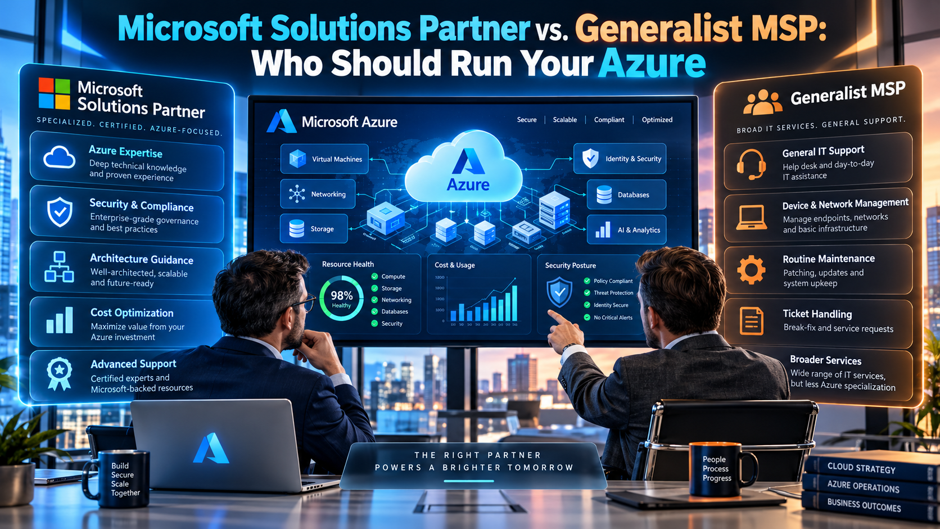
A 400-person distribution company moves its ERP, file servers and a data warehouse into Azure over 18 months. The IT director’s managed service provider has handled the help desk and endpoints for years, and it offers to run Azure too, at a monthly fee well below the quote from a Microsoft Solutions Partner. After the first cost surprise and a slow response to an overnight outage, she wonders which provider type actually fits her environment.
This guide compares the 2 options on evidence rather than labels. Microsoft’s partner documentation supplies the designation mechanics, while vendor articles from CloudBolt and BCS365 supply the expert-tier claims and Opsio supplies the pricing, and all 3 sell competing services or software. Treat their figures as vendor estimates. I couldn’t read Microsoft’s own Azure Expert MSP page, so confirm those requirements directly with Microsoft. The cost scenario is my illustration. Confirm every price and contract term with the providers you’re considering.
TL;DR
| Question | Short answer |
| Does a Solutions Partner designation prove a firm can run my Azure? | Partly. It’s a score of at least 70 out of 100 built from certifications, net customer adds and usage growth. It shows trained staff and customer momentum, not operating quality, so verify incident, change and security processes yourself. |
| Is Azure Expert MSP stronger? | Per CloudBolt, it adds 3 designations, $350,000 in monthly Azure revenue, 15 certified staff and an annual audit of more than 300 hours. Confirm this against Microsoft, since the vendor wrote the source. |
| What does managed Azure cost? | Opsio, which sells the service, puts mid-market scope at $9,000 to $30,000 a month, with hybrid adding 15% to 30%. Quotes far below that range often signal limited coverage. |
| When does a generalist fit? | Small, stable environments with business-hours needs, or hybrid arrangements where a designated partner handles architecture. This is my reasoning, not a sourced rule. |
What the 2 labels actually tell you
A Microsoft Solutions Partner designation is a status Microsoft grants after a partner meets a scoring threshold in a solution area. For Azure, 3 areas matter: Infrastructure, Data and AI, and Digital and App Innovation. Each designation is separate, so a partner can hold 1 and lack the others. The label tells you Microsoft has measured something about the firm’s certified staff and customer growth. It doesn’t tell you how fast the firm answers a page at night or how it handles change control.
A generalist MSP is a provider whose core business is broader IT operations, such as help desk, endpoints, networking and backup, with Azure as 1 service among many. Some generalists hold designations and some don’t, so “generalist” describes focus rather than credentials. That distinction matters because the real question isn’t which label wins. It’s whether the provider can show evidence of Azure operating skill, whether anyone has audited that evidence, and whether the fee matches the scope you need.
What a designation proves and what it doesn’t
- It proves trained people exist. The skilling metrics count certified individuals linked to the partner, such as Azure Administrator Associates and Azure Solutions Architect Experts, according to Microsoft Learn. That’s a real signal about knowledge, but it counts people on the roster rather than the engineers assigned to your account. Certifications also measure exam knowledge, not judgment during an outage, so ask which named engineers will work on your tenant.
- It proves customer growth, not satisfaction. Performance points come from net customer adds, 10 points each up to a maximum of 30, and customer success points come from usage growth and deployments. Those measure expansion across the partner’s portfolio. A partner can grow quickly while service quality slips, so growth tells you the firm is active, not that customers are happy. Request references that have stayed with the provider for more than 2 years.
- It doesn’t audit operations. Microsoft’s capability score page says the score is calculated from information already captured in the Partner Center, and the pages I read describe no review of incident and change processes. That gap is the main reason a separate, audited expert tier exists. A designated partner may run excellent operations, but the designation alone gives you no way to confirm it. Ask the provider to show its own incident reports and change records as proof.
- It doesn’t set price or scope. A designation says nothing about SLA tiers, hours of coverage or what’s billed separately. Designated partners can quote very differently for the same environment, because after-hours support, ticket limits and tooling pass-through differ. Ask each provider to price the same written scope so the comparison is fair, and compare quotes line by line. Differences in scope often explain a price gap better than the quality of the provider does.
How the partner capability score is built
Microsoft’s partner capability score gives each solution area up to 100 points across 3 categories, and a partner needs at least 70 points plus at least 1 point in every metric. The table shows the Infrastructure scoring for an Enterprise-track partner, based on Microsoft Learn, and the maximum points add up to 100. Data and AI works differently because advanced certifications don’t apply there, so its intermediate certification points rise to 40 instead.
| Metric | Category | Maximum points | How points are earned |
| Net customer adds | Performance | 30 | 10 points per net new eligible customer |
| Intermediate certifications | Skilling | 20 | Up to 4 points each for 5 individuals, after mandatory gates |
| Advanced certifications | Skilling | 20 | Up to 4 points each for 5 individuals, after mandatory gates |
| Usage growth | Customer success | 20 | 1 point per 1% growth in qualifying Azure consumed revenue |
| Deployments | Customer success | 10 | 2 points per eligible deployment |
| Total | 100 | Minimum 70, and at least 1 point per metric |
A few definitions matter. A partner is classed as SMB only if its Azure consumed revenue over the last 12 months is under $1M and more than 80% of its customers are SMB; otherwise it’s Enterprise, and thresholds differ by track. An eligible customer on the Enterprise track is a unique tenant with at least $1,000 in Azure consumed revenue in 1 of the last 2 months, or $500 on the SMB track. Virtual machines are excluded when deployments are counted.
What the score rewards in practice
Work through the arithmetic and a pattern shows up. Performance and customer success together offer a maximum of 60 points (30 plus 20 plus 10), so a partner needs at least 10 points of skill to reach 70 even with perfect business metrics. Alternatively, skilling’s 40-point maximum plus 30 points from 3 net new customers gets to exactly 70, and the rule that every metric must score at least 1 point adds a few more. A small, well-certified firm with a modest customer base can clear the threshold.
That doesn’t make the designation meaningless. It means the bar measures breadth of certified staff and customer momentum rather than depth of operations. For a buyer, the practical reading is that the designation works as a minimum filter. Use it to remove providers with no measured Azure skill, then compare the survivors on references, response SLAs and audited processes. The Microsoft pages I read don’t publish what the designation costs a partner or what benefits it brings, so don’t assume either.
The audited tier above the designation
The program. Azure Expert MSP is a separate Microsoft program for managed service providers that, per CloudBolt, requires an application, an evidence review and an audit. BCS365 says the status goes to a small group of partners worldwide, lasts 1 year and requires re-audit. CloudBolt’s November 2025 article counts 127 Azure Expert MSPs worldwide at the time of writing, and it tells readers to check Microsoft’s directory for a current number.
The audit. CloudBolt says the audit can take more than 300 hours, which equals 7.5 weeks of a single person’s 40-hour weeks. It covers knowledge of architecture, security, performance, monitoring and automation, plus processes for incident, change and capacity management, SLA compliance and disaster recovery. It also reviews tooling and interviews staff. The outcome is pass or fail. This is the part that tests operations rather than exam scores. That’s a deep review by any measure.
The timeline. CloudBolt reports that Microsoft recommends allowing at least 6 to 12 months for the application and requirements, and that the status is re-evaluated annually. For a buyer, that history matters in my reasoning: a provider that has passed several annual audits has repeatedly shown its processes to an outside examiner, while a provider that just joined has passed once. Ask each provider when it was first audited and when it last renewed.
The caution. CloudBolt and BCS365 both sell competing services or software and have a commercial interest in promoting the program, and BCS365 claims the status for itself. Microsoft’s own program page was blocked from my tools, so I couldn’t confirm CloudBolt’s requirements against it. Verify status in Microsoft’s partner directory and the Azure Marketplace listing, which BCS365 also recommends, and ask for the audit date in writing. Treat every vendor claim in this guide the same way.
Published prerequisites for the expert tier
CloudBolt lists the prerequisites in the table below. Because CloudBolt is a vendor and Microsoft’s own page wasn’t readable, treat the list as a claim to verify rather than a rule. Even so, it shows how different the bar is from the designation alone. The designation score can be met with a handful of customers and a small certified team, while the published expert prerequisites require scale and references that a small firm would struggle to assemble in a single year.
| Prerequisite | Published requirement (CloudBolt) | What it signals to a buyer |
| Designations | Active Solutions Partner designations in Data and AI, Digital and App Innovation, and Infrastructure | Breadth across all 3 Azure areas |
| Staff | 15 FTEs, each holding at least 1 of 4 named Azure certifications | A bench rather than a single expert |
| Azure revenue | At least $350,000 in monthly Azure consumed revenue | About $4.2M a year of customer Azure usage |
| References | 4 customer references, 1 of them public with a case study | Customers you can check |
| Support and contracts | Advanced Support or Premier Support for Partners covering Azure, plus an active CSP reseller contract | An escalation path to Microsoft |
| Marketplace | A listed MSP offer in AppSource or Azure Marketplace | A public offer you can inspect |
| Audit | More than 300 hours, with annual re-evaluation | Operational processes tested externally |
At $350,000 a month, annual consumption would be $4.2M across the partner’s customers, so an expert-tier provider has real operating scale. Scale cuts both ways for a small customer. A provider with a large portfolio may prioritize bigger accounts, so ask where a customer of your size ranks, who your escalation contact is and how many clients each engineer supports. Staffing ratios predict attention better than total portfolio size, so ask for both numbers.
Where a generalist MSP is the better fit
- Small, stable environments. Opsio describes small business engagements with a single subscription and business-hours support at $3,500 to $9,000 a month. If your Azure footprint is a few virtual machines, a backup target and identity, a generalist already managing your endpoints and network may run it well at lower cost, and nobody needs a 24/7 incident command. Confirm the generalist has at least 1 certified Azure administrator on staff. Write the limits of the scope into the contract.
- Environments tied to your wider IT. When Azure mostly extends existing infrastructure, such as site-to-site connectivity and file shares, a provider that already knows your network and identity design avoids handoffs between 2 vendors. That context is hard to transfer, and a specialist who sees only the cloud side may miss on-premises dependencies. Ask the generalist to document the Azure runbooks as if a second provider had to take over.
- Budget-limited organizations. A designated or expert provider may cost more, though the sources I found don’t quantify the premium. Opsio says only that quotes well below its ranges often indicate limited 24/7 capability or scope gaps. A lower quote can be a good fit if the scope is deliberately limited and written down. Treat it as acceptable when the missing coverage is a conscious choice rather than an unnoticed gap.
- Split arrangements. Some organizations keep the generalist for daily operations and hire a designated partner for architecture or migration reviews on a project basis. That split caps the premium and puts specialist skill where mistakes are costly. It needs clear boundaries on who owns change approval, otherwise 2 vendors can each assume the other is responsible when a change fails. Review the split annually, because a project vendor’s work often becomes the daily operator’s problem within months.
How managed cloud pricing works
Providers price Azure management in several ways, and the model matters as much as the number. The table combines Opsio’s ranges, which come from a vendor that sells the service, with CloudBolt’s illustrative examples, which its own page doesn’t offer as market benchmarks. Use it as a vocabulary for quotes rather than a price list. Azure consumption is billed separately, either by Microsoft directly or through the MSP acting as a reseller under the Cloud Solution Provider program.
| Model | How it works | Reported figures | Source |
| Flat monthly retainer | Fixed fee set by scope and SLA tier | Small scope $3,500 to $9,000; mid-market $9,000 to $30,000; enterprise $30,000 to $120,000 or more, per month | Opsio |
| Percentage of Azure spend | Share of monthly consumption | 10% to 25% (Opsio); 10% of $20,000 is $2,000 (CloudBolt example) | Opsio, CloudBolt |
| Tiered packages | Named tiers with preset resources and services | Tiers named, no prices given | Opsio, CloudBolt |
| Gain-sharing | MSP keeps a share of savings | 20% to 30% of savings-plan savings (CloudBolt example) | CloudBolt |
| Performance-based | Fee tied to SLA results | $5,000 base with a 10% discount if 99.9% uptime is missed (illustration) | CloudBolt |
| CSP-bundled | MSP resells Azure and bundles management | No figure given | Opsio |
Annualized, Opsio’s ranges are $42,000 to $108,000 for small scope, $108,000 to $360,000 for mid-market and $360,000 to $1.44M or more for enterprise scope. Opsio also lists add-ons: Microsoft 365 and Defender at $3,000 to $15,000 a month, hybrid scope at 15% to 30% more, and SAP on Azure at roughly 30% to 60% above standard scope. It adds that Azure managed services often cost a small premium over AWS for equivalent scope.
A worked cost example
Take the distribution company from the opening, which has 6 subscriptions, 24/7 coverage, hybrid connectivity and $90,000 a month in Azure consumption. I’m assuming a base fee of $18,000 a month, inside Opsio’s $9,000 to $30,000 mid-market range, plus 20% for hybrid, which is $3,600, and a $6,000 Defender add-on. That’s $27,600 a month, or $331,200 a year, on top of the Azure bill. Opsio’s full bounds for that scope run from $13,350 to $54,000 a month, so my pick sits in the lower half. Every input is my assumption.
Now compare a percentage model. At 10% of $90,000 the fee is $9,000 a month, at 25% it’s $22,500, and at 15% it’s $13,500. A flat $18,000 base would equal a 25% fee at $72,000 of spend and a 10% fee at $180,000. If the MSP cuts your consumption 20%, to $72,000, a 15% fee falls from $13,500 to $10,800. That’s a $2,700 monthly loss for the MSP, or $32,400 a year, which is the incentive problem with percentage pricing.
Incentives hidden inside the pricing model
Flat retainer. A fixed fee is predictable and simple to budget, but CloudBolt notes it ignores consumption swings and may need renegotiation every few months. The MSP has no direct financial reason to cut your Azure spend or to grow it. If you choose a flat fee, ask what the retainer includes for cost reviews, how often they happen and who signs off on reservations or savings plans. Cost reviews are easy to promise and easy to skip.
Percentage of spend. This model is transparent and scales with your size, but savings reduce the MSP’s revenue, as the $32,400 example above shows. CloudBolt’s page contradicts itself on whether this model aligns incentives. If you accept it, ask for a written commitment to quarterly cost reviews and a savings target, so the fee doesn’t reward a provider for leaving waste in place. Also ask what happens to the fee when you retire a workload or move it to another platform.
Gain-sharing. CloudBolt describes an MSP keeping 20% to 30% of savings-plan savings. If a 20% cut in $90,000 of spend saves $18,000 a month, that share is $3,600 to $5,400 a month, or $43,200 to $64,800 a year. The model rewards finding waste, but it invites disputes about the baseline. Define the baseline month, the savings method and the payment period in writing before work begins. Both sides should agree on how to treat savings that would have happened anyway.
Performance-based fees. CloudBolt’s illustration pairs a $5,000 base fee with a 10% discount if 99.9% uptime is missed, a $500 credit. A credit that small is minor compared with the cost of an outage. Check that SLA credits are meaningful and that targets are financially backed, a question BCS365 also recommends asking, and confirm how the provider measures uptime. Also ask whether planned maintenance counts against uptime, since exclusions can shrink the guarantee considerably.
What’s usually extra on the quote
- After-hours changes and ticket caps. Opsio lists after-hours change fees and ticket caps among the items that may be billed extra. A quote that looks cheap can become expensive if your team needs changes outside business hours or exceeds a monthly ticket allowance. Ask for the allowance, the overage rate and the definition of an after-hours change, and test them against how often your environment actually changes. Ask for 12 months of the provider’s own ticket history as a benchmark.
- Monitoring and security tooling. Opsio says Azure Monitor and Sentinel costs may be bundled or passed through with markup, and that out-of-scope professional services are billed separately. Ask whether tooling is billed at cost or with a margin, and who owns the tool subscriptions if you leave. Tools in the provider’s tenant can disappear with the contract, along with the history they contain. Request a sample invoice that shows how tooling appears, so you can see markup before you commit.
- Reservations and savings plans. Opsio says reservation analysis is usually included, but purchasing requires approval, and some providers charge a shared-savings add-on for reservation management. Clarify who decides, who carries the commitment risk and whether the add-on duplicates a gain-sharing clause elsewhere in the contract. Overlapping fees on the same savings are easy to miss. Savings commitments run for 1 or 3 years, so a mistake locks in cost long after the contract ends. Ask who bears that risk, and get the answer in writing.
- Scope uplifts. On an $18,000 base fee, Opsio’s 15% to 30% hybrid uplift adds $2,700 to $5,400 a month, and its 30% to 60% SAP uplift adds $5,400 to $10,800. Microsoft 365 and Defender add $3,000 to $15,000. Disclose hybrid connectivity and SAP up front, because each item moves the quote and the SLA. The uplifts compound with your base fee, so a quote that omits them is understating the total. Ask the provider to list every uplift that applies to your environment.
Which provider type fits which situation
The matrix below is my judgment, built from the sources above and labeled as such. It isn’t a Microsoft rule or a vendor claim. “Fits” means the provider type is a reasonable first choice if the checks in the next sections pass, and “Overkill” means the extra cost may not buy much for that situation. Use it to decide which provider types to invite to bid, then let the evidence decide among them.
| Situation | Generalist MSP | Solutions Partner | Expert-tier MSP |
| Single subscription, business-hours support | Fits | Fits | Often overkill |
| Hybrid extension of on-premises IT | Fits if it knows your network | Fits with a clear change owner | Fits for large estates |
| Mid-market, several subscriptions, 24/7 coverage | Risky without named Azure engineers | Fits | Fits |
| Regulated or compliance-driven data workloads | Risky | Fits with audit evidence | Strongest fit on evidence |
| Migration project with a defined end date | Risky | Fits | Fits |
| SAP or a large data platform on Azure | Risky | Fits with relevant references | Fits |
Notice that the Solutions Partner column carries most of the “fits” ratings. That reflects the designation’s role as a filter rather than a guarantee. Where the cost of failure is high, ask for evidence beyond the badge, such as references from similar workloads and a sample of the incident reports and change records the provider produces for customers. In other words, the middle column is the safest default for mid-market buyers in my judgment, and the outer columns need a reason to be chosen.
How to verify what a provider claims
Check the directory and the listing. BCS365 recommends confirming expert status in Microsoft’s partner directory and the Azure Marketplace listing. Apply the same habit to designations: ask for the Partner Center profile and the solution areas held. A claim that can’t be traced to a Microsoft-controlled page deserves skepticism, whatever the size of the logo on the sales deck. Save a dated screenshot or export of what you find, so you can compare it against later claims.
Ask for named engineers. Request the names and certifications of the people who’ll work on your environment, and confirm they won’t be replaced without notice. A designation counts certified individuals across the firm, so a strong roster may not translate to your account. Ask how many clients each engineer supports, since attention thins as the load rises. Put the key people in the contract as named resources, with a notice period before any swap.
Ask for evidence of the process. BCS365 suggests asking for documented change management and incident response, a sanitized strategic roadmap for a similar client, and examples of monthly and quarterly reporting. These artifacts show how the provider actually works. A provider with mature processes can produce them quickly, while a provider without them will talk in generalities. Have your own security lead review the documents before you rely on them, and note any gaps for the contract.
Ask for references like you. Match on size and workloads, and ask each reference about the last major incident: how quickly the provider responded, who led the fix and what changed afterward. A reference that has stayed for more than 2 years tells you more than a case study. Confirm contract terms with counsel before signing. Ask for 2 references, not 1, and call both before you sign, ideally without the provider on the line.
Red flags in proposals
- A quote far below the range with no explanation. Opsio says quotes well below its ranges often indicate limited 24/7 capability or scope gaps. Ask what’s missing: overnight coverage, security operations, change windows or monthly reviews. A low price isn’t a red flag when the limited scope is written down and intentional, but it’s when the gap is discovered during an outage. Get the answer in writing, with each excluded item listed by name.
- Expert status without an audit date. A provider claiming expert status should be able to name when it was audited and show a directory listing. CloudBolt says the status is re-evaluated annually, so a claim with no date may be stale. Check the claim against Microsoft’s directory yourself, and treat a refusal to share the audit date as a reason to pause. A current directory listing and a recent audit date are cheap for a legitimate provider to supply.
- Undisclosed tooling markup. Opsio notes that monitoring and security tooling may be passed through with markup. A proposal that bundles tools into a single fee without itemizing them makes it hard to compare quotes or to leave. Ask for tooling costs separately, along with ownership of the subscriptions and the data they hold. Also check whether the provider’s fee changes if you bring your own licenses. Pass-through markup is a normal commercial practice, but it should be visible and agreed before signing, not found on the third invoice.
- Vague or unbacked SLAs. An SLA that promises response times without credits, or without a definition of uptime, is a statement of intent rather than a commitment. BCS365 recommends asking whether SLAs are financially backed and about escalation paths to senior engineers. Get response and credit terms in the contract, and review them with counsel. Check how uptime is measured, which events are excluded and how quickly credits are applied, since weak definitions make strong numbers meaningless.
A 30-day selection plan
In the first week, write the scope: subscriptions, workloads, hybrid links, compliance needs, coverage hours and monthly Azure spend. In the second week, invite quotes from at least 3 providers, ideally a generalist, a designated partner and an expert-tier MSP, and send the same scope to each. Ask every provider to itemize the base fee and every add-on. Equal inputs make the comparison fair, and itemized outputs make the differences visible.
In the third week, verify claims through the partner directory, the Marketplace listing and 2 or 3 reference calls. Then score the providers on evidence, SLA terms, total annual cost and incentives. In the fourth week, negotiate the contract: SLA credits, exit terms, ownership of runbooks and tooling, a cost-review cadence and a notice period for staff changes. Have counsel review the final agreement, and confirm every price in writing before you sign.
FAQs
Is a Microsoft Solutions Partner better than a generalist MSP for Azure?
Not automatically. A designation shows that Microsoft measured a partner’s certified staff, customer growth and usage growth against a 70-point threshold. It doesn’t audit operations or set price. A designated partner is a reasonable filter for mid-market and complex environments, while a generalist can fit small, stable ones. Judge each provider on named engineers, references, SLA terms and itemized quotes, and treat the badge as a starting point. Ask for evidence beyond the badge, including references and incident records.
What does the partner capability score measure?
Microsoft Learn says each solution area scores up to 100 points across performance, skilling and customer success, and a partner needs at least 70 points with at least 1 point in every metric. Performance counts net customer adds, skilling counts certified individuals, and customer success counts usage growth and deployments. The score is built from data in Partner Center, so it measures scale and training rather than how well a provider runs incidents or changes.
What’s the difference between a Solutions Partner and an Azure Expert MSP?
Per CloudBolt, an expert MSP must hold 3 Azure designations, show $350,000 in monthly Azure revenue, employ 15 certified staff, provide 4 references and pass an annual audit that can take more than 300 hours. A designation alone has a scoring threshold and no operational audit in the pages I read. CloudBolt sells competing software, and Microsoft’s own page was unavailable to me, so verify these requirements with Microsoft. Always confirm status in Microsoft’s own directory, not a sales deck.
How much does managed Azure cost?
Opsio, which sells the service, reports $3,500 to $9,000 a month for small single-subscription scope, $9,000 to $30,000 for mid-market scope with 24/7 coverage and $30,000 to $120,000 or more for enterprise scope. Hybrid adds 15% to 30%, SAP adds roughly 30% to 60%, and Microsoft 365 and Defender add $3,000 to $15,000. Azure consumption is billed separately. These are vendor estimates, so confirm with written quotes. Treat all of them as ranges to test, not quotes to accept.
Should I pay a percentage of Azure spend or a flat fee?
It depends on what you want the provider to do. Opsio reports percentage fees of 10% to 25% of consumption, but savings reduce the provider’s revenue: in my example, a 20% cut in $90,000 of spend costs a 15% fee provider $32,400 a year. A flat fee removes that tension but ignores usage swings. Whichever you choose, write cost reviews and savings targets into the contract. Review the arrangement every year as your spend and workloads change.
Can a small business use a generalist MSP for Azure?
Often yes. Opsio describes small single-subscription engagements with business-hours support at $3,500 to $9,000 a month, a scope many generalists can handle. Confirm the generalist has certified Azure administrators on staff, documents its runbooks and will give you access to the tenant and tooling if you leave. If your needs grow to 24/7 coverage or compliance workloads, revisit the decision with itemized quotes from a designated partner. Insist that runbooks are documented from the first month.
How do I verify a provider’s Microsoft status?
BCS365 recommends confirming expert status in Microsoft’s partner directory and the Azure Marketplace listing, and the same habit works for designations through the partner’s Partner Center profile. Ask for the solution areas held, the audit date for expert status and the named engineers on your account. Claims that can’t be traced to a Microsoft-controlled page should be treated as unverified, even when they appear on a polished sales deck. Keep copies of whatever evidence you receive.
Do I need a separate provider for Azure and Microsoft 365?
Not necessarily, and none of the sources I found says you must. Opsio treats Microsoft 365 and Defender as an add-on of $3,000 to $15,000 a month to Azure management, which suggests many providers bundle them. A single provider can reduce handoffs on identity and security, while separate providers can bring deeper skill in each area. Decide based on named engineers and references, and define who owns identity changes. Ask each provider to quote both options.
