
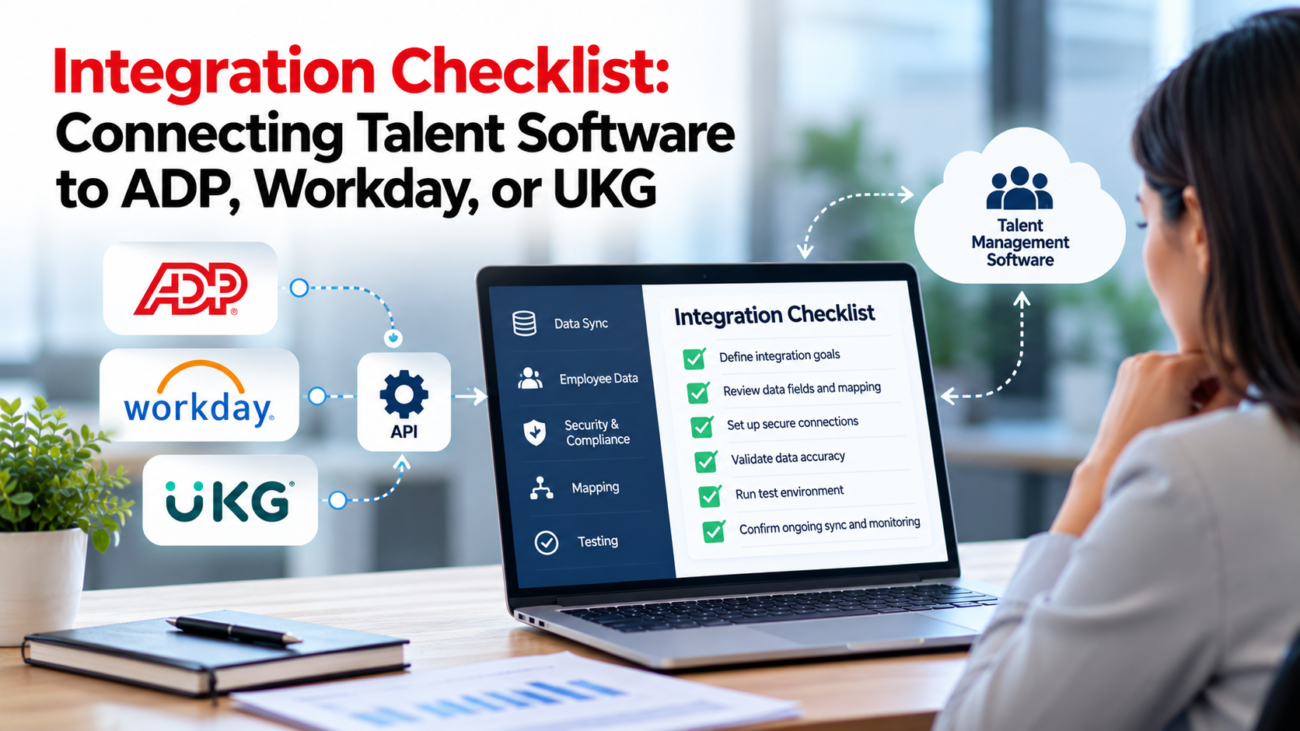
An employee accepts an offer on Friday. By Monday, their HR record exists, but the learning platform still lists them as a candidate. Their manager can’t assign onboarding tasks, and the performance tool shows an empty team. Someone exports a spreadsheet to fix the issue. A week later, the same person appears twice.
These failures often begin before anyone writes an API call. Teams haven’t agreed which system owns the record, what a status change means, or how to recover when a message fails. This talent software integration checklist covers those decisions for organizations connecting recruiting, learning, performance, or succession tools to ADP, Workday, or UKG. It focuses on the work buyers and implementation teams can verify before launch.
TL;DR
A sound talent software integration checklist starts with the business events that must move between systems and the owner of each field. Confirm the exact ADP, Workday, or UKG product and licensed access before choosing a connector. Map employee identifiers, effective dates, worker status, manager relationships, and organizational codes. Then define authentication, privacy limits, retries, reconciliation, test cases, and support ownership. One-way employee updates often need fewer controls than two-way transactions, but every connection needs a documented way to find and repair missed changes. Don’t approve go-live until hires, transfers, leaves, terminations, and correction scenarios work with real business rules.
What the integration must achieve before anyone builds it
Start with the result people need, rather than the brand name of the connector. A learning system may need a new hire’s identity, start date, role, manager, and location so it can assign training. A performance system may need the same worker’s current department and reporting line. An applicant tracking system has a different requirement: transfer an approved hire into the payroll or HR system without creating another employee record.
Write 5 or 6 representative events in business language. For each event, describe its trigger, the source of the change, the receiving action, and the deadline for the receiving system to reflect it. “New employee ready for onboarding within the agreed processing window” is testable. “Real-time HR integration” isn’t specific enough because it doesn’t describe whose clock starts when or what happens during downtime.
The NIST cybersecurity framework puts business context and shared responsibility within a wider risk-management process. That matters here because the payroll owner, HR operations lead, application owner, and security team may each approve a different part of the connection. Assigning those responsibilities at the beginning keeps an apparently small API project from turning into an unresolved policy debate near launch.
The talent software integration checklist should record the first use case and any excluded use cases. A connector that reads worker profiles isn’t evidence that it can create a hire, change payroll information, or retrieve completed learning records. Ask for the actual operation, object, and permission that will support each requirement. Put unsupported operations into a separate decision log instead of assuming the provider will add them.
Also define success in plain terms. The receiver should recognize the right person, show current information, and preserve the right history. Staff should know how long to wait before reporting a missing update.
Decide which system owns each record
Payroll and core HR systems often hold the approved employee identity and job assignment. A recruiting system may own candidate stages until the person is hired. A talent application might own performance goals or course completions after the worker begins. Those are common patterns, but every company must confirm its actual process.
A useful HRIS integration plan marks each field as authoritative, copied, calculated, or entered locally. If the receiving platform can edit a copied job title, decide whether that edit is temporary, rejected, or sent back for approval. Without this rule, the next scheduled sync may silently erase what an administrator changed. A two-way connection makes the question harder because both systems can appear to own the latest value.
Identity data needs special care. A person’s email address can change after a name correction, merger, or domain move. A name isn’t unique. Use an immutable employee or worker identifier where available, and keep a cross-reference table when applications issue their own IDs. That table must handle rehires and employees with multiple assignments. It shouldn’t create a new person simply because the worker receives another job record.
The SCIM protocol specification defines a standard way to manage identities across systems, including user creation and updates. SCIM can be useful for account provisioning when supported, but it shouldn’t be confused with an employment-data feed. A SCIM user may have access to a platform without carrying the assignment, compensation, or organizational detail needed by talent operations.
Use your talent software integration checklist to capture field ownership beside every mapping. Include a named business approver who can answer questions about exceptions.
Check what ADP, Workday, and UKG actually support
ADP Workforce Now and other ADP products have distinct API catalogs and permissions. Workday offers several integration methods that depend on the task and tenant setup. UKG Pro HCM and UKG Pro Workforce Management also differ in how customers manage API access. The relevant question is which product, edition, tenant, and licensed capability the organization has today.
ADP: Confirm the product and entitlement
For an ADP integration, identify the precise product and whether the connection is customer-built, partner-delivered, or available through an approved marketplace arrangement. ADP API Central and its developer resources describe product-specific worker and workforce interfaces, but availability can depend on customer access and the relevant API catalog. Ask for a working example against the actual customer environment rather than a generic product slide.
The ADP integration review should confirm how worker IDs are represented, how employment changes are exposed, which attributes may be written, and who approves application access. Certificate or credential setup can affect scheduling, so involve the ADP account or technical owner early.
Workday: Select the right integration route
A Workday integration may use Workday Web Services, supported REST interfaces, a custom report exposed through Reports as a Service, or an integration tool such as Enterprise Interface Builder. These options have different strengths. A report is useful for a controlled outbound dataset. A transaction that creates or updates a business object needs a supported operation and the appropriate tenant security.
The Workday integration owner should verify the report fields or service operation, integration-system permissions, effective-dated behavior, and availability of a test tenant. Confirm the exact data contract and whether the chosen route fits the permitted data flow.
UKG: Separate HCM from workforce management
For a UKG integration, confirm whether the source is UKG Pro HCM, UKG Pro WFM, or another UKG product. The platform’s developer documentation describes credential and permission administration, including a Developer Console for relevant environments. Don’t assume one set of credentials can read every employee, time, and organizational object across these products.
A UKG integration review should identify the base URL, tenant-specific setup, API permissions, rate or usage limits, available events, and support arrangement for the purchased product. Record gaps explicitly. The talent software integration checklist should treat a vendor’s advertised connection as a starting point for verification, not a promise that every object flows both ways.
Map worker data and effective dates carefully
Field mapping determines whether an apparently successful sync produces useful records. The source might call a person a worker, associate, or employee. The receiving tool may offer only “active” and “inactive.” If the source distinguishes paid leave, unpaid leave, future hire, contractor, and terminated worker, collapsing those values too early can send the wrong assignment or remove necessary access.
Build the mapping from business events rather than copying the full source schema. For a learning platform, job code, required location, manager ID, and hire date may matter. Compensation history probably doesn’t. For a performance tool, an effective-dated reporting-line change matters because a review may cover 2 managers. For recruiting, the approved conversion from candidate to employee needs a stable handoff key.
| Data Group | Mapping Question | Failure To Test |
| Identity | Which ID survives name and email changes? | Duplicate worker after rename |
| Employment status | Which values grant or suspend access? | Leave treated as termination |
| Assignment | How are multiple jobs represented? | Secondary position overwritten |
| Manager | Is the relationship effective-dated? | Review routed to old manager |
| Organization | Who owns cost-center and job codes? | Invalid value rejected downstream |
| Dates | Which timezone and date meaning apply? | Future hire made active early |
An API event may be created today while the job change takes effect next month. Store both the event timestamp and the effective date when supported. A sync must not let a late-arriving event replace a newer approved state merely because it arrived after it. Specify how corrections to historical records will be applied.
The OWASP API risk list includes problems involving excessive exposure and weak authorization around API objects. That supports a narrower mapping design: request the fields needed for the use case and reject unexpected attributes rather than collecting every property the endpoint returns. The receiving product should also validate code lists, mandatory fields, and dates before applying an update.
A good talent software integration checklist includes sample source and destination values for each field, not just their labels. The samples should cover blank fields, changed identifiers, invalid codes, and historical corrections. Have HR review the meaning of every status value before developers lock the mapping.
Choose the data exchange method and sync timing
An HRIS integration can run through a supported API, a scheduled file, an event notification, a vendor-managed connector, or an integration service. None is inherently right for every transaction. The choice depends on what the source can publish, the receiver can accept, and how quickly a business decision must appear elsewhere.
Use a scheduled feed when updates can be batched and the process has a stable window. An API is useful when a receiving tool must request a specific object or submit an approved transaction. Events can signal that something changed, but a consumer may still need to fetch the current record or perform reconciliation after an outage. The architecture should separate the notification from the authoritative data it points to.
A sensible ADP integration design may use a permitted worker-data feed for regular updates while keeping hire submission as a separate controlled transaction. A Workday connection might use a report for broad outbound data and an approved service for a narrower write operation. A UKG integration might use different methods for HCM personnel data and workforce-management events. Those are architecture examples, not claims that any one route is available under every customer license.
Define the required delay for each event. Same-day department updates may be acceptable for one tool. Access removal after termination may need a much shorter window under the organization’s security policy. The technical specification should say how long the integration can be unavailable before an escalation begins, and whether a manual workaround exists for urgent cases.
The HTTP semantics standard describes status responses and retry behavior, including the Retry-After header used with certain responses. Integration code should respect service guidance, back off after rate limits, and avoid treating every error as permission to resend immediately. Retrying an unsafe write without a duplicate-prevention mechanism can create 2 records from 1 business event.
Ask how many workers exist, how many daily changes occur, and whether a full historical load is required. A design that handles 30 daily updates can still fail when it tries to import thousands of old records during cutover. Capacity testing should use planned batch sizes and the permitted limits for the actual endpoint.
Set authentication and authorization rules
Keep system-to-system credentials separate from a human administrator’s daily account whenever the platform supports an appropriate service identity. Grant only the operations needed by that connection. A read-only worker sync shouldn’t have access to alter payroll data. If a separate workflow writes approved hires, give it its own permissions and an approval trail.
NIST’s digital identity guidelines address authentication and identity federation in networked systems. They provide a useful basis for asking how people and systems prove identity, although each HR platform has its own supported mechanism. Confirm whether OAuth, certificates, signed requests, or another approach applies to the chosen product and operation.
Store tokens and secrets in approved secret management rather than in spreadsheets or shared scripts. The OWASP secrets guidance recommends controlled storage, rotation, audit records, and limited access. Ask who rotates a credential before expiry and how the team proves the replacement works without interrupting a scheduled payroll-related feed.
An ADP integration may require credentials or certificate management tied to its selected access route. A Workday integration commonly relies on tenant-defined integration permissions. A UKG integration requires the roles and credentials supported by its particular product. Treat those as platform-specific configuration questions. Don’t copy authentication assumptions from one customer environment into another.
Check authorization at the record and field level. The OWASP object-access guidance explains why accepting an object ID isn’t enough to prove permission to access that record. Test whether one tenant or business unit can query another’s worker. If the connector handles several customers, tenant isolation deserves its own security test.
The talent software integration checklist should require a credential owner, rotation plan, allowed network path, and tested response to revoked access. Successful sign-in is only the beginning of a secure connection.
Handle hires, transfers, leave, and terminations
Employee lifecycle events expose the weaknesses that a static employee export can hide. A new hire may have a future start date, incomplete tax data, and an assigned manager who changes before day 1. A transfer may change department and location without changing the employee’s identity. A rehire may need access restored without losing an older training history.
For an ADP integration, test the distinction between creating a new worker and updating an existing worker or work assignment. For a Workday integration, test how effective-dated job changes reach the destination. For a UKG integration, verify how the selected product represents employment status and whether a worker has more than 1 assignment. The test must follow the customer’s configured process, not an assumption from a sample payload.
Terminations need a clear sequence. Decide whether the talent system should disable interactive access immediately, retain review records, or permit limited administrator access for recordkeeping. A termination feed that deletes the person outright may break audit records and produce orphaned approvals. Account removal and historical record retention are separate decisions.
Some records must stay available for legal reasons. The EEOC recordkeeping summary explains retention duties for covered US employers and notes circumstances involving charges that require longer preservation. A company should apply the rules that cover its records and jurisdictions rather than treating every employee object as disposable at termination.
Payroll and time records have their own requirements. The DOL recordkeeping fact sheet describes US FLSA record retention rules for covered employers, including different periods for payroll records and records used to compute wages. Talent-system archives shouldn’t be used to change payroll record retention without HR and legal approval.
An HRIS integration plan must include a decision table for the lifecycle, from approved candidate conversion through final departure. Assign an owner to each exception. A system can pass an API test and still fail when a manager tries to approve a pending review for an employee who moved teams last week.
Limit personal data and define retention
Move only data that the receiving system needs to perform its approved task. A performance application often needs a worker ID and manager relationship; it rarely needs bank details or tax identifiers. Ask why each sensitive field is required and whether a less revealing value can do the same job. Record that decision so later enhancements don’t quietly expand the feed.
The European Commission’s data protection principles describe purpose limits, data minimization, and accuracy under the GDPR. These obligations apply where relevant to the processing, not automatically to every US-only deployment. Teams with cross-border employees should review the lawful basis, processor terms, international transfers, and required employee notices with legal advisers.
Retention needs to be stated separately for live employee profiles, applicant records, integration logs, and error queues. A failed message can contain personal information even when the destination never accepted the record. If the integration platform copies entire payloads into logs for troubleshooting, its data holdings may exceed what the talent tool was intended to store.
The NIST privacy framework provides a voluntary way to examine risks across the data lifecycle, including collection, use, and disposal. Use it to ask what can harm an employee if a copied record is wrong or shared with the wrong person. A duplicated worker can affect training and manager visibility even without an external data breach.
For the talent software integration checklist, specify who can view payloads, whether test data is anonymized or synthetic, where backups reside, and when old copies are purged. Preserve legal holds where required. Confirm deletion behavior with each service provider, including downstream subprocessors when applicable.
Make errors visible and recovery safe
A failed integration should leave a clear, repairable record. Without that control, HR discovers problems from employees who can’t log in or managers who see missing people. Build error handling around the business event, not only the technical request. An accepted HTTP response may still lead to a downstream validation failure or an incomplete person record.
Give every event an identifier and record its source timestamp, attempted operation, result, and next action. For repeatable writes, use an idempotency method supported by the receiving service or maintain a unique source-event reference. If a timeout occurs after the destination has committed a change, the retry should check whether the target record already exists before creating another.
The API problem-details standard defines a machine-readable format for HTTP error information. A provider may use a different format, but the integration should still separate authentication failures, invalid business values, temporary outages, and permanently unsupported operations. Each type needs a different recovery path; endlessly retrying an invalid job code doesn’t repair it.
Reconciliation compares what the source says should exist with what the destination currently holds. Count expected active workers, missing identifiers, unmatched manager links, and changes older than the agreed processing window. Full record comparison may be necessary for high-risk fields, while targeted checks can cover other objects. Give HR a readable exception report rather than a raw stack trace.
The CISA logging guidance explains why access and system activity logs are useful for detecting abnormal behavior. Apply the same care to integration monitoring, with alerts for failed credentials, sudden drops in event volume, and repeated rejects. Avoid placing secrets or unnecessary employee details in log messages.
An HRIS integration is maintainable when someone owns the exception queue and has permission to fix the underlying value. Document whether HR, payroll operations, the vendor, or IT must act. A queue that collects errors without an owner is only a delayed failure report.
Test business scenarios instead of a happy path
The receiving application must show the right worker under the right manager and enforce the expected access rules. Use representative records built for testing, with realistic status values and dates. Include people with multiple jobs, workers on leave, and employees whose details have been corrected.
Use this acceptance matrix for the talent software integration checklist. The result column should contain a screenshot, exported record, or another piece of evidence rather than a check mark entered from memory.
| Test Scenario | Expected Result | Evidence Owner |
| Future-dated hire | Record appears at agreed stage and date | HR operations |
| Name or email update | Same worker ID remains linked | Application owner |
| Manager transfer | Correct owner receives future approvals | Talent operations |
| Leave and return | Access follows approved policy | HR and security |
| Duplicate event | No second worker is created | Integration engineer |
| Source API outage | Queue retries without lost changes | IT operations |
| Termination | Access changes while required history remains | Security and HR |
| Rehire | Existing history is linked as approved | HR operations |
An ADP integration should be tested against the product’s actual worker and assignment events. A Workday integration should include a late correction to an effective-dated change. A UKG integration should use the selected HCM or workforce-management status codes.
For software delivery controls, the NIST secure development guidance recommends practices for reducing software vulnerabilities during development and release. Its principles support version control, reviewed changes, and repeatable tests for integration code. It doesn’t replace the HR acceptance process: business owners must still sign off on what each worker state means.
Capture expected and observed results, known defects, and who accepted any residual risk. A test that was skipped because the source tenant lacked sample data is an open item. The acceptance test plan should make that visible before production access is approved.
Plan cutover, reconciliation, and rollback
Launch work begins before the first production sync. Decide whether existing worker records will be replaced, merged, or matched to an authoritative ID. Inventory manual integrations and scheduled exports that may keep running after the new feed goes live. Two active feeds updating the same fields can produce confusing reversals even when each feed is working as designed.
Create a cutover schedule that identifies the final legacy export, the initial import, the point at which changes begin to flow, and the first reconciliation. Protect a window for payroll-critical periods and other business deadlines. A delayed learning assignment is inconvenient; a mistaken change to a payroll-related record may require a different approval and response process.
Before production, run a preview that reports records to create, update, disable, and reject. Have the application owner approve unusual changes. Preserve a known-good export and the mapping version used at cutover. Once writes start, record exactly which objects changed so the team can reverse a faulty update where the platform supports it.
A rollback isn’t always a database restore. It may involve pausing the feed, removing a recent permission, correcting destination records, and replaying valid events after the mapping is fixed. Describe those steps by object and business event. The talent software integration checklist should also define who can order a pause if the wrong workers begin appearing in a manager’s team.
Set an initial observation period after launch. HR should confirm real hires and transfers, while IT watches event volume and error rates. A project can finish technical deployment and still need several cycles to prove that changes arrive consistently.
Check cost, support, and ongoing change management
Integration cost includes more than a connector fee. Ask about API access charges where applicable, integration-platform subscriptions, implementation work, security reviews, data cleanup, support, and future change requests. A prebuilt connector can reduce custom coding while still requiring substantial mapping and business testing. An inexpensive file feed may demand more manual repair after a failure.
For the ADP integration estimate, confirm product-specific entitlements and any marketplace or implementation charges in writing. For the Workday integration estimate, identify whether the scope calls for a report, an existing connector, or more involved integration work. For the UKG integration estimate, check which product interfaces and support services are included.
Put operational obligations in the contract or support agreement. Identify who notices failed jobs after hours, who handles source schema changes, and how long support has to acknowledge a high-impact defect. When a vendor updates an API, the organization needs advance notice where available and a safe way to validate the change before production deployment.
Measure performance using the business result. Track delayed worker updates, unmatched IDs, rejected records, average repair time, and unresolved exceptions older than the agreed limit. Raw API-call success is useful for engineers, but HR needs to know whether employees have accurate manager relationships and can complete required tasks.
Review the HRIS integration every time the company changes payroll or HR systems, merges business units, or introduces a new talent product. Recheck permissions after reorganizations and when administrators leave. The talent software integration checklist should remain a maintained record of how the connection works, rather than a document filed away on launch day.
Integration sign-off checklist before go-live
Use these 9 checks to approve production access. Keep the evidence and named owner for every sign-off; record open exceptions before launch.
☐ Product access: Confirm the ADP, Workday, or UKG product, tenant, licensed interfaces, permissions, and supported operations.
☐ Field ownership: Record each authoritative source, editing rule, and business approver.
☐ Mapping: Verify worker IDs, status codes, effective dates, managers, and organizational values, including exceptions.
☐ Authentication: Approve service identity, permissions, secret storage, and credential rotation.
☐ Lifecycle events: Verify hires, transfers, leave, rehires, terminations, and late corrections.
☐ Recovery: Demonstrate safe retries, duplicate prevention, reconciliation, exception handling, and rollback.
☐ Security: Check data minimization, tenant isolation, logs, retention, and test-data handling.
☐ Testing: Complete the acceptance matrix with results, evidence, defects, and owners.
☐ Launch approval: Record HR, application, IT, and security sign-off, plus cutover and support ownership.
A reliable integration begins with clear ownership
ADP, Workday, and UKG each provide ways to exchange workforce data, but customer product choices and access rights shape what a connection can do. The most costly mistakes usually appear in business rules: mismatched worker IDs, confusing status codes, unplanned effective dates, and unresolved errors. A reliable design makes those rules explicit before records start moving.
Use the talent software integration checklist to approve scope, field ownership, access, lifecycle handling, recovery, and business tests. Keep evidence of what the destination actually received. A connection is ready for regular use when HR can trust the worker record and IT can explain what happened when an update fails.
Frequently asked questions
What Is A Talent Software Integration Checklist?
A talent software integration checklist is a set of business and technical checks used before connecting recruiting, learning, performance, or succession tools to an HR system. It covers the fields to exchange, record owners, access permissions, errors, testing, and long-term support. Its value comes from recorded decisions and tested evidence.
Can Talent Software Connect To ADP Workforce Now?
Many talent products can exchange supported information with ADP Workforce Now through approved integration routes. The available endpoints and permissions depend on the customer’s product and access. An ADP integration should be checked against the actual tenant, use case, and subscribed interface before a delivery date is promised.
What Is The Best Way To Connect Talent Software To Workday?
The best method depends on the direction and purpose of the data. A Workday integration may use approved APIs, Reports as a Service, or a Workday integration tool. Confirm security, required fields, frequency, and effective-dated behavior before selecting the method. A report and a transactional write aren’t interchangeable.
Does UKG Pro Offer APIs For Talent Systems?
UKG provides developer capabilities for supported products, but available endpoints and permissions vary across UKG environments. A UKG integration needs the exact product name, tenant settings, credentials, and permitted worker objects. UKG Pro HCM and UKG Pro WFM shouldn’t be treated as one identical interface.
Should Employee Data Sync One Way Or Both Ways?
Start with one-way movement where the receiving system only needs a copy. Two-way changes require rules for approval, field ownership, and conflicts. The HRIS integration design should show which system wins if both are edited, and whether a write-back action is allowed at all.
Which Employee Identifier Should The Integration Use?
Use a stable, unique worker identifier provided by the authoritative system whenever possible. Email and name are weak matching keys because both can change. Keep a mapping between system IDs and define how to handle rehires and multiple assignments without losing historical records.
How Often Should Talent Data Be Updated?
The interval depends on the event. A department label may tolerate daily updates, while urgent access changes need a faster process under company policy. Agree on a measurable deadline for each feed. The talent software integration checklist should also define when a missed update requires escalation.
Is A Prebuilt Connector Better Than A Custom API?
A supported connector may reduce initial coding and maintenance. Custom development can be justified when a required event or field isn’t available through the connector. Compare the real supported operations, total cost, exception handling, and vendor support. A connector name alone proves very little.
How Are Future-Dated Changes Handled?
Store the effective date separately from the time the system learned about the change when available. Decide whether the destination should show a future assignment or wait until it takes effect. Test late corrections and out-of-order updates so newer records aren’t overwritten by stale events.
What Happens If The HR System API Goes Down?
A suitable design records pending changes and retries temporary failures within the provider’s limits. It raises an alert if the delay exceeds the agreed window. Don’t assume that successful retries automatically mean the receiving records are correct.
How Can Teams Prevent Duplicate Employee Records?
Match on stable authoritative identifiers and maintain system-to-system ID references. Make repeat writes safe and check for a target record after uncertain timeouts. Test name changes, rehires, and duplicate event delivery. Don’t use email as the only key for person creation.
Does SSO Replace An HRIS Integration?
No. Single sign-on authenticates users, and provisioning tools may manage accounts. An HRIS integration moves the employment and organizational data that talent workflows need. The 2 can work together, but a successful sign-in doesn’t prove that a worker’s status, manager, or job record is accurate.
What Security Controls Should An HR Connector Have?
Require approved service authentication, narrow permissions, protected credentials, encryption in transit, and usable audit logs. Test tenant and field access. Define credential rotation and incident response responsibilities. Security needs to cover stored error payloads as well as the main data transfer.
How Long Does An HR Software Integration Take?
There’s no fixed timeline that fits every product and customer. Access approvals, source cleanup, custom fields, test environments, and payroll or review cycles affect delivery. A small read-only feed may require less work than a two-way hire transaction. Scope and test evidence are more useful than a generic estimate.
What Must Be Approved Before Go-Live?
HR should approve field meanings and lifecycle behavior. Security should approve access and privacy controls. IT should demonstrate recovery, monitoring, and rollback. Business users should verify hires, moves, leave, and terminations in the destination. Open defects and their owners must be recorded before the final approval.
