
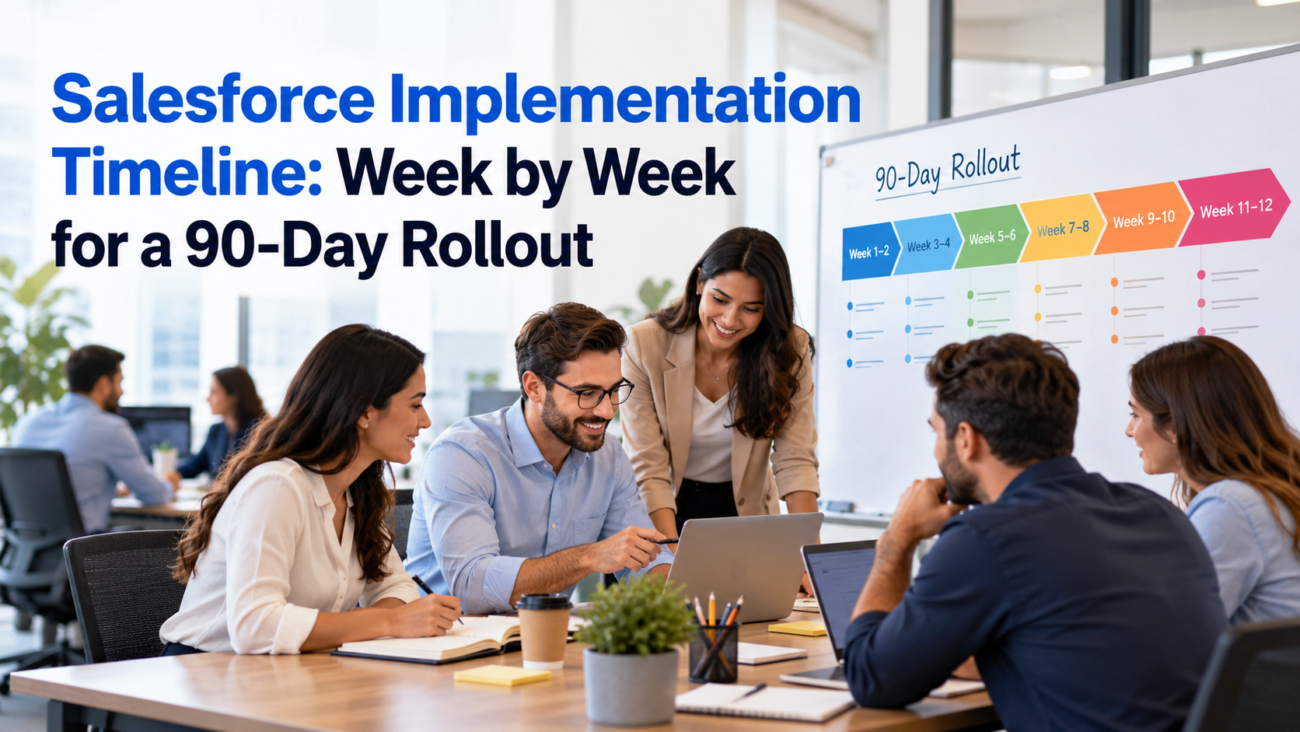
A sales manager can approve a new CRM in one meeting. Getting the sales team to use it every day takes much longer. The setup must reflect how deals move through the business. Customer records need to arrive in the right accounts, reports must use agreed definitions, and managers need enough time to test the system before salespeople depend on it.
A realistic Salesforce implementation timeline makes those jobs visible. For a mid-market sales team, 90 calendar days can cover discovery, a defined Sales Cloud build, one controlled launch, and a short period of post-launch support. It cannot cover every possible Salesforce project. A complicated quoting system or several unfinished ERP connections may need a different schedule.
This guide follows an illustrative company rolling out Salesforce to 50 internal users. It shows what should happen each week, which tasks overlap, who approves the work, and what evidence the team needs before moving ahead. The schedule is a planning model, not a Salesforce delivery guarantee.
TL;DR
A workable Salesforce implementation timeline uses roughly 13 weeks, with the first 3 weeks for requirements and design, Weeks 4–7 for configuration, data trials, and integrations, Weeks 8–10 for testing and launch readiness, Week 11 for production cutover, and the remaining days for stabilization. This assumes a defined Sales Cloud scope, available source data, and business owners who can make decisions quickly. Start cleaning data during discovery rather than waiting for the migration week. Test permissions with ordinary users, rehearse the final data load, and block launch if essential sales actions fail. Reserve the final 13 days for real usage and support. The 90-day schedule works only when scope, ownership, and acceptance criteria stay clear.
Can Salesforce Really Be Implemented in 90 Days?
Yes, for some projects. A 90-day window is reasonable for a Sales Cloud rollout that replaces one modest CRM or a set of spreadsheets. It becomes less reliable when the company hasn’t defined its sales process, needs extensive custom development, or must connect several outside systems that other teams control. The first question is what the company expects to do on Day 90.
Salesforce’s rollout planning guidance tells project owners to plan milestones and adoption measures around their own organization. It notes that schedule length varies with complexity, user population, and change management. A fixed 90-day program should therefore state its assumptions before anyone approves a launch date.
For this Salesforce implementation timeline, the business has 50 internal sales and management users. It needs leads, accounts, contacts, and opportunities; 2 familiar sales pipelines; a limited number of Flow automations; basic role-based permissions; and standard reports. It also has a prepared customer export and up to 2 well-defined integrations. The company can appoint a sales operations owner and release people for testing.
A Salesforce 90-day implementation plan cannot absorb unlimited extra requests. Rebuilding a complex commission system, implementing CPQ, or redesigning the full customer-service process belongs in a separate scope assessment. Custom requirements can be added later when they are properly designed. A project becomes risky when teams keep adding work but refuse to change the deadline.
The 90-Day Salesforce Rollout at a Glance
Ninety calendar days are 12 complete weeks plus 6 days. This schedule labels the last period Week 13 because that’s how most project teams report weekly work. It assumes the launch happens during Week 11, by Day 77, with Days 78–90 set aside for support and ownership transfer. Weekends and holidays affect the actual number of working days, so a real plan must account for local calendars.
| Week | Days | Main Activity | Approval or Evidence |
| 1 | 1–7 | Kickoff and scope | Charter and named owners |
| 2 | 8–14 | Process discovery | Signed process requirements |
| 3 | 15–21 | Data and access design | Approved solution design |
| 4 | 22–28 | CRM foundation | Core records and permissions working |
| 5 | 29–35 | Automation and reports | Tested primary workflows |
| 6 | 36–42 | Trial data load | Reconciled sample migration |
| 7 | 43–49 | Integration completion | Feature-complete test release |
| 8 | 50–56 | System testing | Defects and reconciliation results |
| 9 | 57–63 | User acceptance | Sales-owner sign-off or open issues |
| 10 | 64–70 | Repair and rehearsal | Readiness decision |
| 11 | 71–77 | Production launch | Cutover and smoke tests |
| 12 | 78–84 | Intensive support | Critical issues resolved |
| 13 | 85–90 | Stabilization | Handover and adoption baseline |
The Salesforce rollout plan should show dependencies alongside dates. For example, final import mapping depends on the approved field model. User acceptance depends on a usable test environment. Launch depends on accepted business scenarios and a rehearsed data cutover. The Salesforce implementation timeline table is a calendar view of those decisions; it isn’t permission to bypass them.
Weeks 1–3: Kickoff, Discovery, and Design
Week 1: Agree on What Launch Means
The Salesforce implementation timeline begins on Days 1–7 with a kickoff that identifies the executive sponsor, project manager, Salesforce lead, sales operations owner, and data owner. Set a decision schedule while those people are still available. Agree on which teams will use Salesforce in the first release and name the business activity that must work on launch day. A useful scope statement might say that sales representatives must create opportunities, update stages, and report their forecast through Salesforce. Salesforce’s environment setup guidance also covers preparing project environments and access, which should be assigned an owner at kickoff.
Record known exclusions as carefully as inclusions. A requested customer portal or commission rewrite shouldn’t reappear midway through the build as an assumed requirement. The Salesforce 90-day implementation plan needs a change process: assess new work for cost and schedule impact, then either approve it formally or place it in a later release.
Week 1 exit: A signed charter lists the scope, key measures, licenses, working environments, project owners, and unresolved dependencies. The sponsor knows who makes final decisions if departments disagree.
Week 2: Map the Sales Process and Start Data Cleanup
On Days 8–14, examine how leads enter the company, what creates an opportunity, when a deal becomes committed, and how ownership changes. Meet people who do the work rather than relying only on managers’ descriptions. Look at existing reports to find conflicting definitions, such as whether a renewal counts as new pipeline. Identify any spreadsheets that people rely on outside the current CRM.
Data preparation is part of these Salesforce implementation steps and starts during discovery. Profile the exports for duplicate accounts, missing identifiers, invalid dates, and contacts linked to the wrong business. The data preparation lesson explains why source records should be cleaned before import. A small trial file later in the project can confirm mapping, but it cannot repair weeks of neglected source data.
Week 2 exit: Sales operations signs the workflow map, while the data owner accepts a cleanup plan with dates. These Salesforce implementation steps define the actual processes the CRM must support.
Week 3: Approve the Data Model and Access Design
On Days 15–21, turn process decisions into Salesforce objects, fields, record types, stage values, page layouts, and reports. Decide which fields are required at each step rather than making every field mandatory on Day 1. Design the role hierarchy and sharing rules, then check whether each user group can see the correct records. Agree on the source for each field exchanged with another system.
The Salesforce security guidance recommends least-privilege permissions and separate controls for fields and individual records. Apply those principles in design, not as a quick test before launch. A regional rep shouldn’t gain access to another region’s restricted opportunities merely because a dashboard requires a total.
Week 3 exit: Business and technical owners approve the design and the first migration mapping. Any open decision with the power to change core objects receives an owner and a deadline. The Salesforce rollout plan should treat unresolved architecture decisions as visible risks.
Weeks 4–5: Configure Sales Cloud and Test Workflows
Week 4: Build the CRM Foundation
Within the Salesforce implementation timeline, Days 22–28 cover the agreed objects, fields, page layouts, and sales stages in a suitable development environment. Configure queues where needed and assign access through permission sets and sharing. Set up lead handling and opportunity ownership. Build a small dataset containing accounts with different reporting relationships so testing reveals gaps in visibility.
Week 4 exit: A representative user can create and update the core sales records. Permissions work for the intended user roles, and key field definitions match the signed design.
Week 5: Add Automation and Manager Reporting
During Days 29–35, build a small number of approved Flow automations. Examples include lead assignment based on territory or a reminder when an opportunity reaches a specified stage. Use the Flow Builder walkthrough as a reference for creating and debugging record-triggered automation. Avoid automating an unclear process merely because the technology allows it.
The next Salesforce implementation steps involve creating manager reports using agreed definitions for open pipeline, close dates, forecast categories, and owner. Compare report totals with known sample data rather than assuming the chart is correct. Review exceptions such as an opportunity changing owner or a record failing a validation rule. Reports may need changes after trial data arrives, so record any assumptions clearly.
Week 5 exit: Core automation passes designed scenarios and draft dashboards reconcile against the sample records. For a Salesforce 90-day implementation plan, this is the point to stop accepting casual feature requests. Open defects are handled within scope; new capabilities wait for a separate decision.
Weeks 6–7: Prove the Data Load and Connected Systems
Week 6: Run the Trial Migration
The Salesforce implementation timeline places a trial import on Days 36–42. Use a sample that includes easy records and awkward cases: duplicate names, account-parent relationships, missing contact details, and opportunities linked to existing customers. Check field mappings and the order in which related records load. Where possible, retain source identifiers in a documented mapping so later reconciliation can trace a Salesforce record to its origin.
The Data Import Wizard reference allows up to 50,000 records at a time for supported types. It doesn’t support importing opportunities through that wizard, so another suitable import method is needed for those records. Select tools by object and volume rather than assuming a single wizard handles the full CRM migration.
Compare the input population with successful Salesforce records. Investigate failures and duplicate matches, and rerun samples after corrections. The data owner should sign off on account ownership and important monetary fields. Those Salesforce implementation steps must be documented before cutover. A successful import job isn’t proof that every relationship is correct. The final production load occurs in Week 11, but the problems should be found now.
Week 6 exit: The trial migration is repeatable, exceptions are documented, and the data owner has approved reconciliation rules. Salesforce implementation steps that involve source records are incomplete without this evidence.
Week 7: Finish and Stress the Integrations
During Days 43–49, connect the agreed outside systems in the test environment and run representative transactions. If accounting owns customer credit status, confirm that Salesforce displays a reliable value and that failure is visible. If the integration writes data, check that retries don’t create duplicates. Test permissions for dedicated integration users as well as interactive sales users.
Salesforce’s integration patterns guidance addresses request timing, error handling, and system ownership. This work requires early cooperation from outside system teams. API credentials obtained in Week 7 are too late if the integration was supposed to be tested that same week.
Week 7 exit: Connected processes work end to end under test conditions, known exceptions have owners, and the combined release is ready for formal testing. The Salesforce rollout plan now moves from building features to proving that the approved work is safe to use.
Weeks 8–9: System Testing and Business Acceptance
Week 8: Test the Complete Process
Days 50–56 of the Salesforce implementation timeline are reserved for testing what happens when a lead becomes an opportunity and then changes status or owner. Include failures. An account may be missing a required value; a user may lack permission; a workflow may run twice; an external system may be unavailable. Record what happened, how severe it is, and who will fix it. Every defect should have a repeatable test case and a retest result.
Salesforce’s Flow test guidance explains how automated tests can simulate record-triggered flow behavior. They help with repeatability, but they don’t replace testing of actual integrations or business outcomes. Automated checks should complement human review of the full sales process.
Check data reconciliation once more with the migrated sample. Compare record counts, parent-child relationships, required fields, and totals in important reports. Security testing should use real permission profiles rather than a system administrator’s account. A user who can view an expected opportunity must also be blocked from seeing one outside their access rights.
Week 8 exit: The team has a defect register and evidence for the tested scenarios. Critical failures are resolved or have explicit release-blocking status. A Salesforce go-live checklist shouldn’t allow unresolved essential business actions to be reclassified as minor solely to protect the calendar.
Week 9: Let Business Users Accept the System
During Days 57–63, selected representatives and managers run the tasks they will perform in production. Give them scenarios, not a demonstration led by the build team. Have a new lead assigned, an opportunity updated, a forecast reviewed, and an exception approved. Watch for steps users can’t complete without special administrator help.
The sales operations lead owns acceptance. Salesforce’s UAT pipeline stage separates business testing from development so changes are checked before release. Developers can prove that a button saves a record, but the business owner must decide if the saved information meets the agreed sales rule. Train test users enough to understand the interface while still recording genuine confusion. Log usability issues separately from functional defects so the team knows which require a change before launch.
Week 9 exit: Business owners accept critical journeys or identify the issues that prevent approval. The Salesforce 90-day implementation plan should leave Week 10 for correction and launch rehearsal, so open acceptance issues must be prioritized quickly.
Weeks 10–11: Make the Release Decision and Go Live
Week 10: Repair, Rehearse, and Freeze the Release
Days 64–70 of the Salesforce implementation timeline are reserved for fixing critical defects and retesting the affected processes. Freeze new functionality for the launch build. Rehearse the production sequence in a suitable environment: export source changes, perform the load, reconcile results, verify configuration, and confirm integration connections. Assign one person to authorize the start and one to confirm business readiness afterward.
Salesforce’s pipeline planning guide describes separate integration, user acceptance, staging, and release stages where appropriate. Smaller teams can use fewer stages, but they still need independent validation before production changes. A deployment pipeline controls configuration movement; the business data cutover remains a separate job.
A Salesforce go-live checklist should record decisions against agreed thresholds. For example, all launch-critical tests must pass and imported accounts must reconcile under the approved rules. Include a documented response if a serious issue appears during cutover. Reverting metadata doesn’t automatically reverse a data import or an action sent to an ERP, so recovery steps must match the actual change.
Week 10 exit: The sponsor authorizes launch only after sales operations, data owners, and the technical lead provide their sign-offs. Unresolved noncritical items move to a named post-launch backlog. A Salesforce rollout plan without this gate risks treating a deployment date as proof of readiness.
Week 11: Deploy and Confirm Production Behavior
On Days 71–77, communicate the cutover window and confirm when users should stop changing the old system. Capture the final data extract and run the approved migration procedure. Deploy the tested Salesforce changes, reconnect integrations, and check critical paths using controlled production records. Release user access only after smoke tests confirm that necessary work is available.
The Salesforce go-live checklist must cover logins, creation and updates of opportunities, ownership changes, report visibility, and the required connected systems. Track any data changes made after the extract so they can be reconciled. If a severe problem blocks sales work, use the rehearsed incident and recovery plan rather than improvising production edits.
Week 11 exit: Salespeople can complete core tasks in production, the data owner approves final reconciliation, and the support team has an active issue channel. A successful Salesforce implementation timeline protects this launch window by leaving most large changes behind.
Weeks 12–13: Support Real Usage and Transfer Ownership
Week 12: Watch the First Working Days
During Days 78–84, the support group should monitor how people actually use the CRM. Sales reps may report that a field rule prevents an ordinary case, or managers may find that a dashboard excludes transferred deals. Look for repeated errors and fix critical problems ahead of cosmetic requests. Assign every issue to a person who can decide whether it affects the production release or a later improvement.
Salesforce’s launch training guidance recommends clear communications and training suited to different user groups. In practice, a representative needs help with entering and advancing a deal, while a manager needs to understand forecast definitions. Training should be available during rollout and reflected in support answers when users get stuck.
Week 12 exit: Critical issues have been addressed and the remaining queue has priorities. The Salesforce 90-day implementation plan is now measured against real work rather than test cases alone. Don’t interpret a few active logins as evidence that the team has moved its sales process into Salesforce.
Week 13: Hand Off to the Operating Team
The Salesforce implementation timeline closes on Days 85–90 with a handover. Confirm who will manage users, permissions, reports, and changes after the project ends. Hand over configuration notes, data mappings, integration credentials through approved secure procedures, and open issue records. Document the release process so another administrator can repeat common changes without relying on a contractor’s memory.
Use the post-launch adoption lesson to frame ongoing measurement. The company can compare active-user behavior, data quality, and report adoption with the baseline agreed at kickoff. It should avoid claiming a return on investment during the first weeks if the financial effect hasn’t had time to appear.
Week 13 exit: Operations accepts responsibility and a later improvement backlog is scheduled. The Salesforce rollout plan has achieved its purpose when the system is usable and someone can maintain it without keeping the implementation team indefinitely attached.
The Critical Path and Why Some Work Must Overlap
The Salesforce implementation timeline is vulnerable when a dependent task begins before its prerequisite is ready. Configuration needs signed field and process definitions. Final data loading requires approved mappings. UAT needs a stable environment. Launch needs accepted scenarios and an agreed cutover. If an upstream task slips, the project manager must show which later milestone is affected. Salesforce’s secure development patterns also call for security checks throughout delivery, rather than at the end.
The Salesforce rollout plan should also reserve an explicit owner for each dependency outside the build team. Finance may need to approve an invoice field. IT security may need to provision single sign-on. An ERP team may control the test endpoint. If those people aren’t available, developers can’t compensate by working longer hours on unrelated configuration.
Data, Security, and Integration Risks That Can Break the Schedule
A 90-day Salesforce project can lose time to problems that aren’t visible in the user interface. Source data may be harder to match than expected. The identity team may require a new single sign-on setup. A connected accounting system may not have a safe test environment. Each issue can be managed if it is identified early and treated as an owned dependency.
For data, agree on authoritative identifiers and duplicate treatment before the main import. Keep a rejected-record file with a reason code, not a collection of screenshots. Check contacts and opportunities against account relationships after each trial load. This is more informative than looking only at the number of imported rows.
For security, confirm the access model for both normal staff and integration users. A dedicated service account should have only the permissions needed by its connection. The identity access patterns describe service-account safeguards and the dangers of excessive access. These checks may be invisible in a feature demonstration but matter to the company’s production data.
For integrations, specify retry handling and the owner of any failed transaction. If Salesforce sends a customer update but the outside system rejects it, someone must know how to investigate and repair the mismatch. A Salesforce go-live checklist should include a test for this case rather than checking only successful requests.
| Risk | Early Signal | Control Before Launch |
| Duplicate customer records | Conflicting account identifiers | Matching policy and reviewed exceptions |
| Missing source history | Required records absent from export | Written migration boundary |
| Incorrect access | Test users see another team’s records | Negative-permission tests |
| Failed integration | Retry creates duplicate changes | Failure and replay test |
| Late feature requests | Signed scope keeps changing | Approved change process |
| Poor user adoption | Reps still rely on spreadsheets | Role-based training and manager ownership |
Who Owns Each Milestone and the Launch Decision?
Responsibility can’t sit entirely with a Salesforce developer. Sales operations defines business stages; data owners approve the transferred records; security teams approve access controls. An executive sponsor settles conflicts over priorities and resources. A project manager keeps the decisions, defects, and dates visible to the group. One person may hold several roles in a small company, but no critical decision should be ownerless.
| Owner | Decision or Evidence Required |
| Executive sponsor | Scope changes and final business authorization |
| Sales operations lead | Sales processes and UAT acceptance |
| Salesforce solution lead | Technical design and deployment quality |
| Data owner | Import mapping and reconciliation |
| Integration owner | Connected-system behavior and failure response |
| Security owner | Roles, sharing, authentication, and approvals |
| Training and support lead | User readiness and handover |
The Salesforce 90-day implementation plan should have an approval point at the end of discovery, another after user acceptance, and a final go-live decision. Those decisions prevent a narrow project from growing through informal requests. They also protect business users from being asked to approve a system after it is already deployed.
Use a Salesforce go-live checklist that names the owner beside each item. An unsigned item shouldn’t be marked finished merely because a developer says the task is done. If the sponsor accepts a limited defect, record the reason, the temporary control, and its repair date. Serious failures involving access to restricted records or essential sales transactions should remain release blockers.
Measuring Progress and Knowing When 90 Days Is Not Enough
Measure delivery during the project and adoption after launch. Before go-live, monitor acceptance of requirements, successful test cases, data reconciliation, and the number of launch-critical defects. After go-live, check whether intended users complete their sales work in Salesforce and whether required pipeline fields remain up to date. A login count tells only a small part of the story.
A sensible baseline might record the percentage of active deals represented in the previous system and the number of opportunities missing close dates. Those measures can be repeated after launch. Targets should be approved by the company; there is no reliable universal adoption percentage that proves a 90-day implementation succeeded. The Salesforce go-live checklist establishes readiness, while later measures show whether the CRM is becoming the working system.
The Salesforce implementation steps need revisiting if significant requirements remain unsigned after Week 3, if trial migration reveals data that cannot be reconciled, or if essential integration tests still fail during Week 9. Moving the date can be cheaper than shipping a system users cannot trust. Another option is to reduce launch scope and schedule the remaining capabilities later, provided the reduced release still satisfies its approved purpose.
Conclusion: Protect the Testing and Handover Weeks
A Salesforce implementation timeline works when it begins with a narrow approved scope and ends with a business-owned system. The 90-day model reserves the early weeks for decisions, gives the build team time to prove data and integrations, and protects Weeks 8–10 for real testing. Launch then happens with a rehearsed cutover and clear support responsibility. A Salesforce rollout plan that ignores those gates may meet its deployment date while missing its business purpose.
Frequently Asked Questions
How Long Does a Salesforce Implementation Usually Take?
There is no universal duration. A limited Sales Cloud rollout can fit a short project, while complex data models and connected systems need more work. The schedule should be based on approved requirements, migration scope, and business-user availability. Salesforce doesn’t guarantee a 90-day delivery for every organization.
Can Salesforce Be Implemented in 90 Days?
Yes, when the scope is defined, data is prepared, and decision-makers are available. The 90-day example covers core Sales Cloud work and a controlled launch. Extensive quoting, service transformation, or several unfinished integrations may require a longer schedule or a smaller first release.
What Does a 90-Day Salesforce Rollout Include?
A Salesforce 90-day implementation plan can include requirements, Sales Cloud configuration, limited automation, migration trials, integrations, testing, production deployment, and support. Its exact features must be written down before the project starts. The plan should also exclude work that cannot be safely delivered within the available window.
What Happens During the First Week of Salesforce Implementation?
The team agrees on scope, outcomes, owners, and major dependencies. It confirms the launch population and the decisions that need executive approval. By the end of Week 1, the project should have a signed charter and a workable decision schedule.
When Should Salesforce Data Migration Begin?
Data discovery and cleaning should begin during the requirements phase, often around Week 2. A trial import can occur after the target data model is approved. Final migration takes place near cutover, after mapping and reconciliation have been tested. Waiting until launch week to inspect source data is risky.
How Long Does Salesforce Configuration Take?
There isn’t a standard duration for all orgs. In this model, core configuration and the first set of automations occupy Weeks 4–5. More custom objects, complex sharing, or many workflows can extend that work. These Salesforce implementation steps also need testing before business users accept them.
Can Integrations Be Completed Within a 90-Day Implementation?
They can when requirements, credentials, and test systems are available early. The project should test failures and repeated requests, especially when another system accepts writes. Several complex or unfinished integrations may exceed the example schedule. Include interface owners in discovery.
When Should Salesforce User Acceptance Testing Start?
Formal UAT starts once the combined system is stable enough for business tasks. In this schedule, Week 9 follows system and integration testing in Week 8. Salespeople and managers should test their own workflows. Their acceptance is needed before the production release is approved.
What Should a Salesforce Go-Live Checklist Include?
A Salesforce go-live checklist should confirm accepted critical workflows, reconciled data, tested permissions, working integrations, user training, and an approved cutover procedure. It also needs named support owners and a response plan if launch fails. Each item should have evidence rather than a verbal assurance.
When Should Salesforce Users Receive Training?
Introduce the new process before the system goes live, then train by role as the release becomes stable. Sales representatives and managers need different examples. Support should remain available during the first working days. Training only after the production switch can delay adoption.
How Long Should Salesforce Post-Launch Support Continue?
This 90-day schedule reserves Days 78–90 for intensive support and handover. More complex organizations may require a longer period. The support team should resolve critical problems, identify owners for remaining requests, and document how the system will be maintained after the rollout team leaves.
Why Do Salesforce Implementations Run Late?
Common causes include unclear requirements, poor source data, delayed integration access, and late business decisions. Testing can also reveal access or workflow problems that need redesign. Track these risks early and decide whether to reduce scope or change the schedule rather than bypass critical tests.
Is 90 Days Enough for Sales Cloud and Service Cloud Together?
It depends on scope. A limited service process added to a straightforward Sales Cloud project may fit, but a broad service deployment with complex routing and integrations may not. Treat both products as one combined set of requirements and test the dependencies before committing to 90 days.
Who Should Manage the Salesforce Implementation?
A project manager coordinates delivery, while the executive sponsor owns major priorities. Sales operations approves business workflows, the data owner approves migration, and the technical lead manages configuration. A support owner should be identified before launch. Each decision requires a named responsible person.
How Do You Measure Salesforce Rollout Success?
Measure accepted business workflows and accurate migrated records before launch. Afterward, review whether staff use Salesforce for active opportunities, whether key fields are complete, and whether integration failures remain under control. Compare results with a baseline instead of assuming that logins alone prove success.
