
A managed IT quote can look reasonable until the second invoice arrives. The monthly fee may cover employee support but exclude servers, after-hours incidents, cloud backups, or the work needed to restore a failed system. Two providers can quote the same company at very different prices because they’re selling different responsibilities.
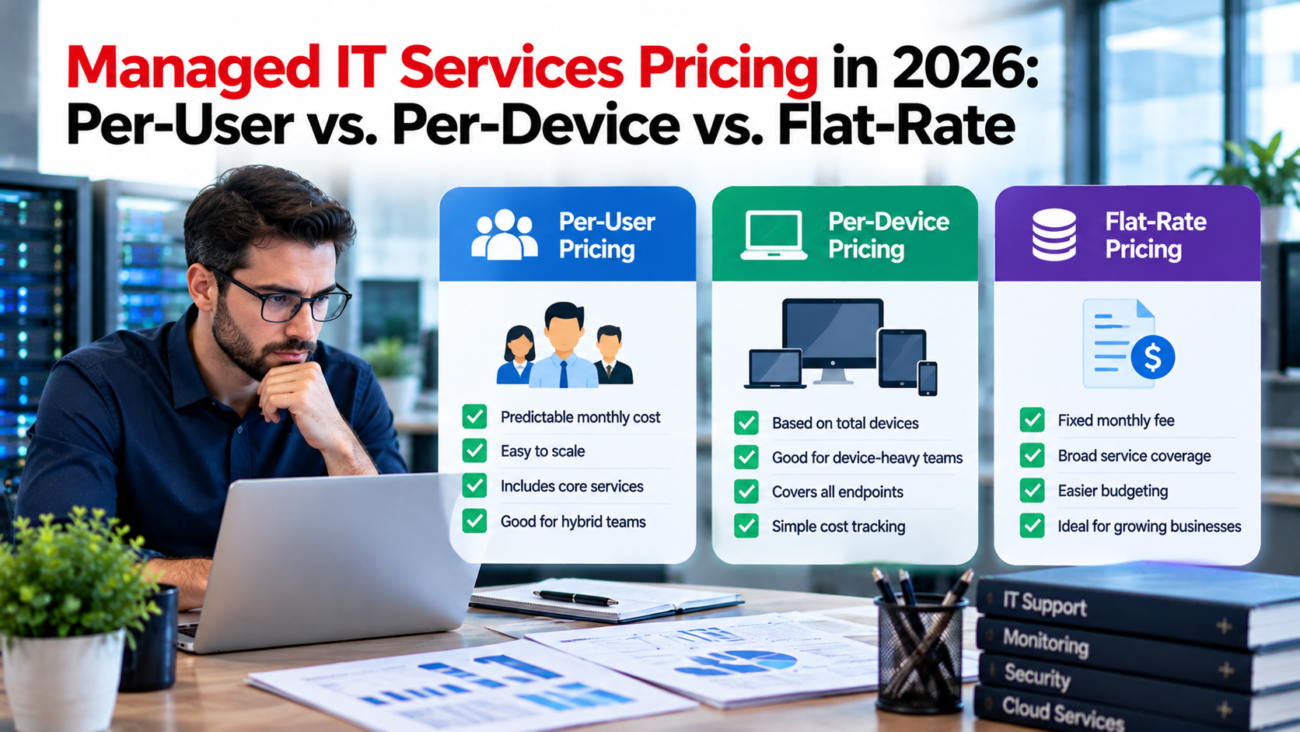
That makes managed IT services pricing a purchasing decision about coverage as much as cost. In 2026, businesses commonly encounter 3 billing structures: a monthly amount for each supported person, a charge for each managed device, or a fixed fee for a defined environment. Each creates a different bill when the company hires, adds equipment, or needs urgent support.
This guide explains what the models actually charge for, how to calculate a fair comparison, and where contract terms change the real cost. It focuses on US small and midsize businesses buying ongoing IT support, rather than providers setting their own margins.
TL;DR
Per-user billing tends to fit office teams with several devices per employee. Per-device billing can make sense where many employees share equipment or a business needs support for a limited set of assets. Flat-rate billing offers a stable monthly number when the covered systems and change rules are clearly defined. No model guarantees that security monitoring, backups, project work, or around-the-clock response is included. Compare annual totals for the same services, confirm which people and assets count, and examine what happens when the business changes. A low base fee can become the most expensive option once excluded work is added.
What Managed IT Pricing Actually Covers
Managed IT services usually combine recurring operational work with a contractual promise about support. The exact combination varies. A provider may monitor computers, apply approved patches, help employees access applications, administer user accounts, and manage selected network equipment. A fuller contract might also include security alerts, backup checks, supplier coordination, and technology planning.
For managed IT services pricing, the billing unit tells you how a provider calculates its base fee. It doesn’t tell you what work is included. Per-user IT support pricing may include a support desk and endpoint protection but exclude restoring cloud data. A device-based quote may include workstation patching but bill separately for employee account problems. A fixed monthly contract may cap covered sites, cloud systems, or support hours.
A useful starting point is to separate 4 things: routine support, security work, recovery obligations, and projects. Routine support keeps day-to-day systems running. Security work helps prevent and detect threats. Recovery work gets the business operating after an outage. Projects change the environment through migrations, deployments, or major replacements. Providers often charge for the last category separately even under an extensive monthly plan.
The distinction matters because managed service provider costs are affected by the job a provider has agreed to do, not simply the number of employees. A 25-person law office with strict access controls and substantial cloud data may need more work than a larger company with standardized computers and a simple application setup. Asking for the same scope is the first step toward a fair price comparison.
Typical Managed IT Services Pricing Ranges in 2026
Publicly advertised US rates vary substantially by location and service scope. A June 2026 buyer guide from ITreviews reports $75 to $200 per supported user per month for fully managed IT and $250 to $300 for compliance-heavy plans. These figures are published planning ranges, not a government price index or a verified national average. Per-device quotes are harder to summarize because workstations and servers carry different support needs.
These published ranges also show why the billing structures can lead to different totals. The important comparison is the work each provider promises to perform, not whether it bills per user, per device, or under a fixed monthly fee.
| Pricing Basis | How the Base Bill Works | Common Fit | Main Budget Risk |
| Per user | Supported users × monthly rate | Office and remote teams | Unclear user definitions or separate infrastructure fees |
| Per device | Each covered asset × category rate | Shared-device or equipment-heavy sites | More assets and separate cloud support charges |
| Flat rate | Fixed monthly amount for agreed scope | Stable environments seeking predictable spending | Change fees and broad exclusions |
Managed IT services pricing ranges should be treated as a starting point for questions. A $110-per-user agreement that includes a staffed help desk, security monitoring, and backup recovery may represent a different service from a $90 offer limited to business-hour support. Neither is automatically a better buy.
Location also matters when an MSP must staff on-site work. In BLS regional wage data released July 2026, the mean hourly wage for computer and mathematical occupations was $80.51 in the San Francisco area versus $57.73 nationally in May 2025. Those figures don’t measure MSP rates, but they show why local labor costs deserve attention when comparing on-site support quotes.
How Per-User Managed IT Pricing Works
Under a per-user model, the company pays a monthly amount for each defined supported person. If 40 employees qualify and the rate is $140, the starting monthly total is $5,600. The annual base is $67,200 before additional services or fees. Those figures are a worked calculation, not a quoted market offer.
Per-user IT support pricing is most straightforward when each employee has a similar support profile. An office worker may use a laptop, phone, and cloud applications but create only 1 billable user. That can reduce disputes over replacement laptops or additional personal devices, provided the contract really covers them.
Define Who Counts as a User
Contracts differ on whether they count named accounts, active employees, licensed email users, contractors, seasonal staff, or everyone who can request help. Some exclude shared mailboxes while others charge for shared identities or privileged accounts. A monthly reconciliation rule should explain how new hires are added, when former staff stop counting, and whether a minimum seat commitment applies.
A per-user rate also doesn’t automatically cover the servers and network appliances those employees rely on. A provider might charge a separate infrastructure fee. Confirm whether identity management, cloud administration, remote workers, and personal devices fall inside the monthly service.
For teams that hire steadily, managed IT services pricing based on user count is easy to forecast: every 10 additional covered people at $140 adds $1,400 each month, assuming the rate and included scope stay unchanged. The weakness is that headcount can grow faster than the support workload, or the other way around. Check whether the provider has fair-use terms and what happens if ticket volume rises sharply.
How Per-Device IT Pricing Works
Per-device billing attaches a recurring charge to each managed asset. A typical schedule may distinguish laptops from servers and network equipment. The provider should supply an asset inventory so every recurring line item can be matched to equipment it actually manages.
Per-device IT pricing can suit a warehouse with 50 workers sharing 12 terminals. Billing 50 people for full employee support may cost more than supporting the terminals and a small group of named administrators. This works only if staff support and cloud identity issues are either included or priced separately in a sensible way.
Consider a sample environment with 25 workstations at $65 each, 2 servers at $225 each, and 3 network devices at $55 each. The modeled monthly cost is $2,240, or $26,880 annually. Those rates exist only to illustrate the math. A real quote may charge for backup, email administration, mobile endpoints, and help desk services as separate items.
Keep the Device Inventory Honest
The biggest weakness in per-device IT pricing is inventory drift. Laptops get replaced, test machines remain online, and remote equipment may disappear from the list. A company can keep paying for retired machines or leave an active device outside the managed estate.
A clear inventory is also a security need. The Center for Internet Security’s asset inventory guidance calls for a current record of enterprise devices, including portable systems and network equipment. The billing inventory and the security inventory don’t have to be identical, but differences should be explained and approved.
Before signing, ask who maintains the list, how assets are discovered, and how the monthly bill changes after a device is removed. Also ask whether cloud-only users are supported when they don’t have a managed workstation. A cheap endpoint fee can lose its value if common employee requests trigger hourly charges.
How Flat-Rate Managed IT Services Work
Flat-rate managed IT services use a fixed recurring amount for a stated group of systems, users, and support duties. For example, a provider might quote $6,000 per month for a 40-person office with 45 endpoints, 2 servers, and 1 site. The business pays $72,000 a year if the covered environment and fees don’t change.
Flat-rate managed IT services appeal to finance teams because the base line is easy to budget. It can also reduce invoice disputes when a busy support month follows a quiet one. But the monthly price is fixed only inside the agreed scope. Hardware purchases, major changes, and exceptional incidents may still create separate bills.
The main test of managed IT services pricing under a fixed-fee contract is what makes the price move. Some agreements allow a small range of employee changes before repricing. Others permit annual rate adjustments, immediate fees for another office, or new charges whenever the number of supported devices rises. None of these terms is inherently unreasonable. They need to be plain enough for the buyer to model.
Fixed Fee Does Not Mean Unlimited Work
An agreement labeled all-inclusive may still have limits on visits, after-hours assistance, restoration labor, and application support. The contract should distinguish ordinary incidents from approved projects, with examples of each. A new employee setup might be covered while a company-wide device migration is outside scope.
NIST’s small business guide gives organizations a practical way to think about security risks and responsibilities. It helps buyers describe the baseline work they expect from a provider, even when the invoice itself is a single number.
Flat-rate managed IT services work best when the current environment is documented and the provider has inspected it. Without a reliable inventory, both sides are guessing how much work the fixed fee must cover. That uncertainty may appear as a higher initial price or later arguments about exclusions.
Per-User vs. Per-Device vs. Flat-Rate: Which Costs Less?
The cheapest managed IT services pricing structure depends on user density, asset count, and the scope of support. Compare actual annual costs after every option has been adjusted to cover the same work. A per-device quote may seem lower because it excludes cloud administration; a flat-rate quote may seem higher because it includes that work.
Use a hypothetical business with 40 supported people, 55 ordinary endpoints, 2 servers, and 3 network devices. The following examples are calculation assumptions only. They aren’t vendor proposals or market averages.
| Model | Assumed Billing | Base Monthly Cost | Base Annual Cost |
| Per user | 40 × $140 | $5,600 | $67,200 |
| Per device | 55 × $65 + 2 × $225 + 3 × $55 | $4,190 | $50,280 |
| Flat rate | Agreed environment | $5,900 | $70,800 |
At first glance, per-device IT pricing saves $16,920 annually against the per-user example. That difference is meaningful only if the device quote includes the same help desk hours, identity management, security work, and backup duties. If it leaves those out, the comparison is incomplete.
For a like-for-like view, add all missing services to each column. Suppose the device proposal requires a separate $1,250 monthly charge for employee help desk and cloud administration. Its adjusted monthly cost becomes $5,440. The annual gap against the per-user model shrinks to $1,920. This second figure is also a worked assumption, shown to explain normalization.
Managed IT services pricing comparisons should display both the starting fee and the adjusted fee. This prevents a decision from turning on different service definitions. It also reveals whether the main savings come from the billing model or from accepting narrower protection.
The Best Pricing Model for Different Business Setups
When assessing managed service provider costs, a professional services company with 30 staff may have 50 or more devices when remote laptops and secondary machines are counted. If almost everyone needs cloud application support, per-user IT support pricing can be easier to manage than a long endpoint schedule. Still, a provider may quote infrastructure separately, so the headcount calculation is only part of the bill.
A manufacturing site presents another pattern. It may employ many shift workers who use shared terminals, while a smaller office team needs normal desktop support. A device-focused agreement for production endpoints plus per-user support for office staff can reflect the real work more closely. The provider must also clarify which operational technology is outside its control.
A healthcare office may value a fixed bill, but patient information and recovery needs should shape the contract before the billing structure does. Flat-rate managed IT services can fit such a practice if the fee describes the systems covered and the security obligations the provider accepts. A fixed price without clear duties adds little protection.
When a Hybrid Contract Makes Sense
A hybrid agreement might charge per user for normal workplace support, per server for specialized maintenance, and a defined monthly fee for security monitoring. This can be fair if every component is distinct. It becomes difficult to audit when the same patching or monitoring task appears in 2 charges.
The current NIST Cybersecurity Framework helps organizations organize work around risk management outcomes. It gives buyers a useful way to decide which controls they need even when the provider’s commercial package uses a different structure.
Choose the model that reflects how support is consumed today and how the environment will change next year. A company opening 2 offices may care more about site-addition terms than saving a small amount per user. The best quote stays understandable after those changes.
The Extra Charges That Change the Real Monthly Bill
Recurring managed service provider costs often extend beyond the headline support fee. The most common gap is the distance between ongoing maintenance and one-time work. A monthly agreement may include routine patching while charging separately to replace aging servers or migrate email. Both can be legitimate, but finance needs to see them in the first-year budget.
Onboarding deserves close attention. An MSP may need to document accounts, deploy management tools, remove unsupported software, and address inherited problems. Ask for a written onboarding statement showing fixed charges, hourly items, and what happens if serious defects are found after work begins.
Other managed service provider costs may include cloud subscriptions, backup storage, advanced security tools, site visits, warranty handling, and charges for calls outside normal support hours. Some providers pass through software costs at a stated rate; others include selected licenses. Neither practice should be assumed from a tier name.
The Cybersecurity and Infrastructure Security Agency’s MSP customer guidance recommends clear agreements on responsibilities and service levels. Those same boundaries make the commercial bill more predictable: the contract should say who does the work and which tasks cause new charges.
A complete first-year estimate adds the annual recurring fee, one-time setup, required software, planned projects, and an allowance for known excluded activities. Avoid assigning a made-up percentage to unspecified extras. Request priced scenarios instead, such as a new office, a lost laptop, or an after-hours network outage.
Security and Compliance: What Must Be in the Price?
Security language in managed IT services pricing offers is often too broad to support a buying decision. A plan may include antivirus software but leave alert investigation outside the fee. Another may monitor threats around the clock but charge separately to contain an actual incident. The buyer needs a list of actions and the party responsible for each one.
At a minimum, confirm responsibilities for account access, multi-factor authentication, endpoint protection, patch scheduling, vulnerability follow-up, and security reporting. Then establish who investigates suspicious activity and who can approve emergency changes. A licensed tool with no clear response owner may be less useful than the quote suggests.
NIST’s supplier risk guidance recommends defining requirements for technology suppliers and communicating them clearly. That applies directly to outsourced IT. A provider’s own access to administrative systems can make it an important part of the customer’s risk exposure.
Response Obligations Matter More Than Labels
An agreement that says 24/7 monitoring may promise only that software collects alerts. It may not promise a human response within a defined window. Ask whether the service includes triage, customer notification, initial containment, and help during recovery. Each activity should have a named owner.
NIST’s 2025 incident response guidance places response work within the broader risk program. Buyers can use that approach to test whether the proposed service has preparation and recovery procedures, instead of relying on a general statement about security.
Regulated industries need a separate duty map. The FTC’s Safeguards Rule guide describes obligations for financial institutions subject to that rule, including oversight of service providers. The buyer should confirm whether the rule applies to its activities before writing requirements into an MSP agreement.
Healthcare organizations have different obligations. The HHS cybersecurity guidance addresses HIPAA covered entities and business associates, including incident response considerations. The contract should make each party’s work clear, because outsourcing IT doesn’t automatically transfer the customer’s legal obligations.
Security-heavy work can raise managed IT services pricing because it changes staffing and response needs. Require an explicit security schedule, not a promise hidden inside a package name.
Backup, Recovery, and Downtime Need Separate Answers
A major source of managed service provider costs is recovery work. A provider that checks backup logs may have very different duties from one that performs emergency restores. The agreement should identify which systems are backed up, how often copies are made, where they’re stored, and who checks that a usable restore is possible. Backup storage fees and recovery labor should each be addressed.
Two measures help buyers test the proposal. Recovery point objective, or RPO, describes how much recent data a business can tolerate losing. Recovery time objective, or RTO, describes the target time for restoring an operation. These are planning targets, not automatic guarantees. A provider should state dependencies and limits before accepting them.
NIST’s contingency planning guide explains how recovery priorities follow business impact. It is useful when a buyer must decide whether restoring payroll within 1 day matters more than restoring a low-use file archive within that period.
The CISA ransomware response guide also emphasizes preparation and recovery planning. In practical contract terms, the business needs to know who can isolate machines, who contacts outside specialists, and whether the regular monthly fee covers any response labor.
Managed service provider costs can change sharply after a serious outage if these duties weren’t priced in advance. A service credit for missed response time also doesn’t necessarily pay for lost sales or other business losses. Read those provisions separately, and don’t confuse a response-time target with a promise to fix the problem by a certain hour.
Contract Terms That Determine Long-Term Cost
Managed IT services pricing becomes easier to enforce when the proposal attaches service descriptions to clear contract terms. Pay close attention to how a provider measures response time. A promised 30-minute response may mean acknowledging a ticket, not starting repair or restoring a system. Critical incidents should have clear priority definitions and an escalation process.
Look for a straightforward rule for adding or removing supported users. The same applies to devices and sites. A 36-month commitment with a high minimum seat count can make per-user IT support pricing expensive after layoffs. A fixed-fee agreement can have the opposite problem if the provider can reprice after modest growth.
Service agreements should state annual price increases, renewal terms, termination notice periods, and the cost of leaving. Some providers charge for transferring documentation or assisting a replacement provider. Reasonable transition work may cost money, but a buyer should understand how administrative access and records will be returned.
The FTC’s breach response guide stresses evidence preservation and coordinated action after a data incident. This makes contract clauses about logs, notification, access, and assistance especially important when a provider controls key systems.
A useful review also asks whether software subscriptions belong to the customer, how passwords and configurations are handed over, and which service records can be exported. An unusually low recurring fee may lose value if it locks the business into a costly exit. Total managed IT services pricing should therefore include switching costs and the likely cost of planned growth.
How to Compare MSP Quotes on the Same Basis
Start with a list of what the business actually runs. Count active staff, shared devices, servers, cloud workloads, sites, and major applications. Mark systems that need support outside normal hours. Then give every bidder the same list and ask for the same service objectives. That removes much of the guesswork from comparing proposals.
For managed IT services pricing, a quote worksheet should have 1 row for each service or billing trigger. Record whether the provider includes the task, charges extra, or excludes it completely. If the offer says an activity is included, request the limit. Examples include a cap on site visits or restrictions on support for third-party applications.
| Comparison Item | What to Record | Why It Matters |
| Base support | Billable users or devices and monthly rate | Establishes recurring cost |
| Security | Monitoring hours and response duties | Separates tools from actual work |
| Backups | Covered systems and restore labor | Exposes recovery gaps |
| Onboarding | Fixed fee and cleanup exceptions | Shows first-year cash needs |
| Changes | Fees for hires, equipment, and sites | Tests growth scenarios |
| Contract exit | Notice, data transfer, transition fees | Shows switching exposure |
Compare 3 totals: first-year cash outlay, a steady-state year, and a growth or change scenario. The first exposes onboarding; the second makes recurring spend clear; the third tests what the pricing model does when the company changes. Consider 2 support-demand scenarios if after-hours incidents or major changes are likely.
CISA’s security performance goals give smaller organizations a set of baseline practices to consider. They can help establish a consistent minimum security requirement for each quote, so that a lower security standard doesn’t appear as a pricing advantage.
Managed IT services pricing becomes easier to judge when every provider responds to the same worksheet. If one bidder won’t specify exclusions or responsibilities, mark the proposal as incomplete instead of filling the gaps with favorable assumptions.
How to Choose the Right Model for the Next 3 Years
A sound managed IT services pricing decision favors acceptable coverage and understandable future costs. First decide what must be handled by the MSP and what can remain with internal staff. Then compare the models against your actual employee and asset mix. Only then should the base monthly number determine which offer is competitive.
Per-user IT support pricing is often suitable when most workers have individual accounts and several devices. Per-device IT pricing is often more sensible when equipment is shared or only part of the fleet requires managed support. Flat-rate managed IT services can work when the systems and expected changes are known well enough for both sides to agree on a stable scope.
A business should also forecast changes the provider will have to absorb. Planned acquisitions, new offices, or a move to cloud applications can change support needs. Ask each bidder to price those changes using its existing contract rules. An offer that looks best this quarter may be costly after a planned expansion.
Build a simple 3-year model: 36 months of forecast recurring charges, one-time costs, required additional services, and likely price increases permitted by the agreement. Keep taxes and hardware purchases consistent across providers. If future hiring is uncertain, show a low and high headcount case rather than pretending to know an exact figure.
The final check on managed service provider costs is operational. Will staff know whom to call? Does the provider own the work needed to recover a critical system? Can finance explain why the bill went up? Answers to those questions often reveal more about the practical value of a contract than a small difference in monthly rate.
The Price That Matters Is the Cost of the Agreed Service
A managed IT services pricing agreement should make business support easier to understand and budget. The billing label alone can’t do that. Per-user, per-device, and fixed-fee contracts can each be fair when the service list reflects how a company works and the provider accepts clear duties.
For 2026 buying decisions, treat the monthly rate as the beginning of the comparison. Confirm what counts as a billable unit, what support and security work is included, and how changes affect the fee. Test the first year, a normal year, and a year with growth or an outage. The strongest proposal is the one whose price still makes sense under those real operating conditions.
Frequently Asked Questions
What Is the Typical Cost of Managed IT Services in 2026?
A June 2026 pricing guide reports $75 to $200 per user monthly for standard fully managed US support and $250 to $300 for compliance-heavy plans. These are published planning bands rather than a verified national average. Compare the actual service schedule before using either range to judge a quote.
Is Per-User or Per-Device Billing Cheaper?
It depends on the number of devices per employee and the help desk services included. A company with shared terminals may save under per-device IT pricing. An office where each employee has multiple devices may prefer a per-user plan after the quotes are adjusted for the same scope.
What Does Per-User IT Support Pricing Usually Include?
Per-user IT support pricing often covers employee help desk assistance and selected account or device tasks. The exact package differs by provider. Servers, network equipment, advanced security response, and backup restoration may cost extra, so the service schedule matters more than the billing unit.
What Counts as a Billable User?
A contract may count active employees, named accounts, contractors, or licensed users. Shared identities and part-time staff can be treated differently. Ask for the written user definition, the minimum seat commitment, and the rule for removing departed workers from the bill.
What Counts as a Managed Device?
Per-device IT pricing usually assigns fees to equipment such as laptops, servers, and network appliances. Providers may price asset types separately and exclude personal devices. Ask for an approved asset list and a monthly process for adding and retiring equipment.
Does Flat-Rate Mean Unlimited IT Support?
No. Flat-rate managed IT services normally cover a defined environment and work scope. Project work, new sites, unusual support hours, or major incidents may fall outside the fee. Review exclusions and change clauses before assuming the bill can’t rise.
Are Cybersecurity Tools Included in MSP Pricing?
Some plans include endpoint protection and security monitoring, while others charge separately. More important, a monitoring subscription may not include human investigation or response. Ask which actions the provider takes when an alert appears and what incident labor costs.
Do Managed Services Include Microsoft 365 Licenses?
Sometimes. An MSP may manage Microsoft 365 while the licenses remain a separate charge paid directly or through the provider. Check whether the quoted fee includes licenses, account administration, cloud backup, and support for the applications themselves.
How Much Do MSP Onboarding Fees Cost?
There isn’t a single reliable onboarding rate that applies to every provider. Costs depend on documentation, the number of systems, tool setup, and required repairs. Request a written fixed-fee or itemized estimate and a separate approval rule for unexpected cleanup work.
Are Backups and Disaster Recovery Included?
They’re often separate services. A provider might monitor backups but exclude storage or restoration labor. Verify covered systems, retention rules, restore testing, recovery targets, and charges during an outage. A successful backup check isn’t proof that the company can recover on time.
Can a Small Business Use a Hybrid Pricing Model?
Yes. A hybrid can combine user support with server or network fees. It may fit a business with office workers and shared production equipment. The contract must make each item distinct so the buyer doesn’t pay twice for the same work.
How Does Hiring Affect Managed IT Costs?
Under a per-user agreement, additional supported employees usually increase the recurring bill. Device contracts change when more covered assets are added. Flat-rate plans may allow limited growth before repricing. Use each proposal’s change rules to model planned hiring before signing.
What Is the Difference Between Managed IT and Break-Fix Support?
Managed IT typically involves ongoing services for a recurring fee. Break-fix support bills for specific work or incidents as needed. Break-fix can suit narrow needs, but it may not include routine patching, monitoring, or other preventive work unless separately purchased.
How Can a Business Avoid Hidden MSP Fees?
Require written pricing for onboarding, support outside regular hours, software, backups, on-site visits, projects, and termination assistance. Ask each provider to calculate a sample first-year invoice. The goal is to identify costs before they become emergency approvals.
How Often Should an MSP Contract Be Reviewed?
Review the bill and service results at least annually, and sooner after major changes in headcount, applications, or sites. Check recurring charges against current user and asset counts. Also revisit security needs and the terms governing renewal, price increases, and exit assistance.
