
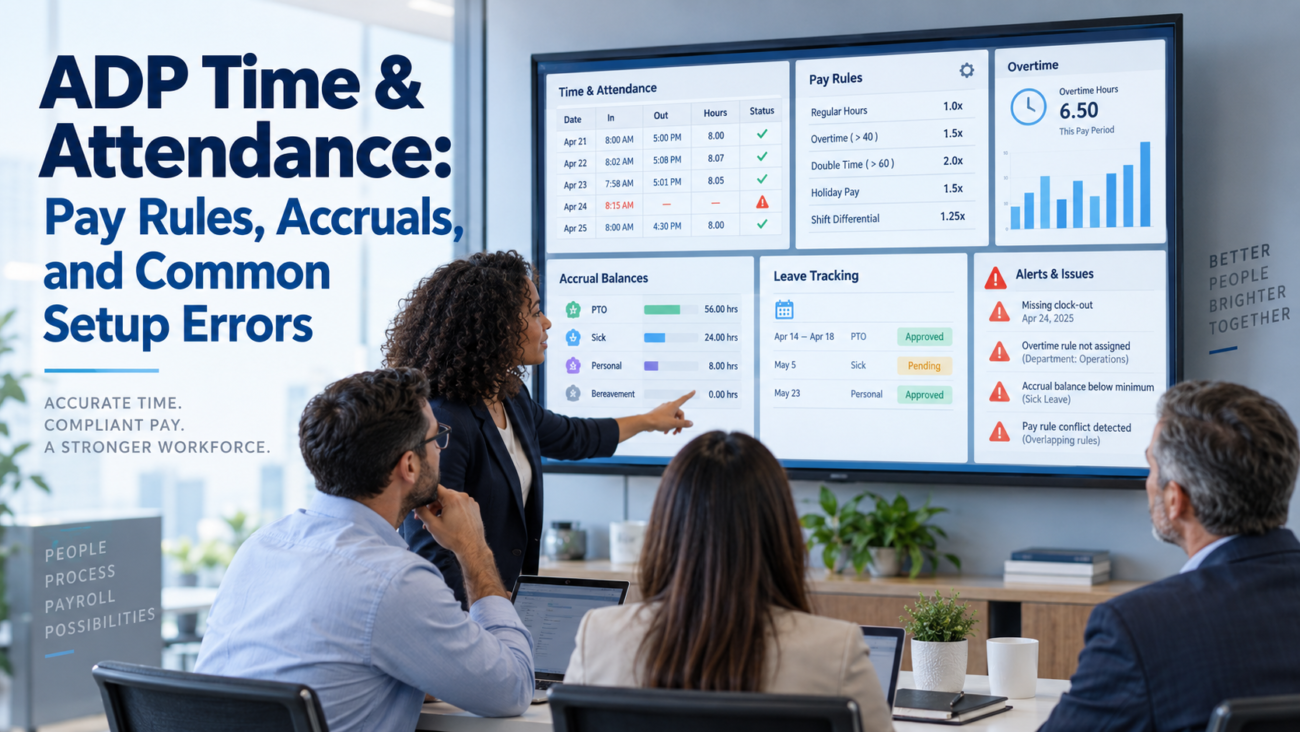
Timecards can look correct and still produce the wrong payroll result. That usually happens because the punch itself is only the first input. The system still has to decide which hours count as regular time, when overtime starts, whether a premium applies, how breaks are treated, and which pay code receives the result. That is the core challenge in ADP Time and Attendance setup. A similar chain controls paid time off. The balance an employee sees depends on eligibility, earning rules, caps, carryover, and effective dates.
TL;DR
ADP Time and Attendance works best when the rule behind each employee matches the policy that should apply to that employee. Pay rules control how worked time is calculated. Accrual rules control how paid leave is earned and used. Payroll mapping decides where those calculated hours land when payroll is processed. Most recurring setup problems come from a correct rule assigned to the wrong person, a rule that no longer matches policy, or an effective date that causes an otherwise correct change to start at the wrong time.
How ADP Time & Attendance Turns Punches Into Pay
A punch records an event. It does not decide how that event should be paid. When an employee clocks in at 7:58 a.m. and clocks out at 5:04 p.m., the system still has to apply the rules attached to that employee. Those rules may address schedules, meal treatment, overtime thresholds, premiums, rounding, and other conditions. ADP describes its time and attendance tools as calculating hourly totals from payroll policies and then sending those totals to payroll. Its current time and attendance overview also explains that time, PTO, holiday, and other information can flow into payroll rather than being re-entered by hand. The value of that flow depends on the rule configuration behind it. A useful way to think about the process is as a calculation chain. First, the employee records time. Next, the system evaluates that time against the assigned rules. Exceptions are then reviewed and approved. After approval, hours or pay codes move into payroll. Each stage can be technically successful while the final result is still wrong. A punch can be valid, the timecard can be approved, and the paycheck can still be off because the wrong rule or mapping was used. IgniteHCM’s existing guide to ADP Time & Attendance errors focuses on visible problems such as missed punches, duplicate punches, balance questions, and incorrect rule assignments. Those symptoms are useful clues. For setup work, the next question is which layer created the symptom and whether it will affect other employees who share the same configuration. This is where ADP Time and Attendance setup becomes a control issue rather than a simple clock issue. A manager can correct a missed punch for one employee. A payroll or system owner must fix a rule if the same calculation logic is wrong for an entire employee group. The larger the affected group, the more important testing becomes before the next payroll closes.
What ADP Pay Rules Actually Control
ADP pay rules determine how recorded time should be treated for the employees assigned to them. Exact available settings depend on the ADP time product and client configuration, so companies should work from their own environment and current ADP guidance. At a practical level, the rule is the layer that turns time into payable categories. That can include overtime behavior, schedule-related treatment, premiums, and meal or break handling. The important distinction is between the rule itself and the assignment of that rule. A company may build an ADP pay rules structure that matches its written policy perfectly, then assign the wrong rule to workers who change shifts or locations. The configuration is correct. The employee-level connection is not. IgniteHCM describes this exact pattern in its time and attendance content, where employees can remain on an old pay rule after a shift change and receive the wrong differential even though their punches look normal. A rule should therefore answer a defined business question. Which workweek applies to this population? When does overtime begin? Does a night shift premium apply, and during which hours? How should a meal be recorded? What happens when an employee transfers jobs during a shift? Those decisions should be documented outside the software before they are translated into ADP Time and Attendance setup. If the policy is unclear, the configuration will usually become a collection of exceptions that no one can explain later. An ADP optimization consultant typically starts by reviewing how the system is built and how people use it before changing settings. That approach is especially important for time rules because one calculation can feed every pay period. The goal is to confirm what the rule is intended to do, who should receive it, and what downstream payroll result should appear when the rule is triggered. Good pay-rule configuration also needs ownership. Someone should be able to say why a rule exists, which employee population it covers, and which policy approved the logic. If those answers live only in one administrator’s memory, the setup will become harder to maintain as staff changes and new policies are added.
How Overtime, Premiums, Breaks, and Rounding Affect Calculated Time
Overtime setup starts with the workweek. Under the federal Fair Labor Standards Act, covered nonexempt employees generally must receive overtime for hours worked above 40 in a fixed, regularly recurring 168-hour workweek. The U.S. Department of Labor’s overtime fact sheet also states that hours generally cannot be averaged across 2 or more workweeks. A pay period and a workweek are therefore different concepts, even when payroll is biweekly or semimonthly. ADP also notes that state rules can differ from the federal weekly test. Its current overtime calculation guidance points out that some jurisdictions have requirements that go beyond the FLSA. That is why ADP overtime rules should reflect the law and policy that apply to the specific workforce rather than using one companywide assumption for every location. Premiums need the same level of care. A shift differential may depend on the employee’s scheduled shift, the actual hours worked, the job performed, or another policy condition. A weekend premium may apply only during a defined window. When employees transfer between shifts, departments, or locations, the old rule can remain attached unless the change process includes a timekeeping review. That is one reason the payroll result can be wrong even when the timecard shows the correct hours. Meal and break treatment can create less visible errors. The Department of Labor explains in its hours worked guidance that short rest periods are generally counted as working time, while bona fide meal periods can generally be unpaid when the employee is fully relieved of duty. A time system can apply an automatic deduction exactly as configured and still understate payable time if an employee actually worked through the meal and the exception process fails to restore those minutes. Rounding also needs a written rule and a testing plan. ADP’s current timekeeping do’s and don’ts notes that employers should consider applicable law before using rounding practices because requirements can differ by jurisdiction. In ADP Time and Attendance, test punches just before and after each rounding boundary. The expected result should be documented so administrators know whether the system is behaving as intended. The safest design principle is to treat every pay calculation as a policy implementation. The software should not be the first place where the policy is defined. HR, payroll, and legal advisers should settle the requirement first. The system should then apply that decision consistently to the right population.
How Accrual Rules Build PTO Balances
Accruals are calculated records, not static buckets. An employee’s displayed PTO balance can change because time was earned, time was used, a pending request was counted, a cap stopped additional earning, or a carryover rule changed the balance at a defined date. That is why balance disputes should start with the rule and transaction history rather than with the final number alone. ADP explains in its PTO accrual guide that employers need to define who is eligible, how much time can be earned, and when accrual begins. Those choices are the base of ADP accrual setup. The rest of the design determines how the balance behaves as employees move through service milestones and policy events. IgniteHCM’s guide to PTO and accruals in ADP Workforce Now describes common methods such as per-pay-period accrual, hours-worked accrual, and annual grants. It also covers waiting periods, caps, carryover, and employee-facing balance clarity. For this topic, the key setup question is whether each of those policy choices is represented by the correct rule and assigned to the right employees. A complete ADP accrual setup should answer more than how many hours an employee receives each year. It should define when the employee becomes eligible, when earning starts, whether use can begin immediately, how service anniversaries change the rate, what balance stops further earning, and what happens at year-end or another reset date. It should also define what happens when an employee changes status or moves into a different policy group.
| Accrual Decision | Setup Question | Common Failure |
| Eligibility | Who receives the plan? | Wrong employee group assigned |
| Earning method | How does time build? | Rate does not match policy |
| Start date | When does earning begin? | Waiting period starts or ends incorrectly |
| Tenure tier | Does the rate change with service? | Step-up never triggers |
| Cap | When should earning stop? | Balance grows beyond policy limit |
| Carryover | What moves into the next period? | Too much or too little carries forward |
| Reset | When is a balance reduced or restarted? | Reset occurs on the wrong date |
| Usage | When can earned time be used? | Available balance differs from policy |
Accrual logic should be tested around boundaries because most errors show up there. A new hire may accrue correctly for months, then fail at the 1-year step-up. Another employee may earn correctly until the balance reaches the cap. A third may look fine until year-end carryover runs. Normal cases prove the rule can work. Boundary cases prove the rule keeps working when the policy changes state.
Common Pay Rule Setup Errors
Most pay-rule errors fall into a few patterns. The first is the wrong rule assigned to the employee. This often happens after a shift, job, location, or status change. The employee still records time normally, so the issue can remain hidden until someone notices a missing premium or an overtime result that does not make sense. The second error is an incorrect workweek definition. Because overtime under the federal rule is generally evaluated by workweek, the configured workweek needs to match the employer’s established workweek for that group. A payroll frequency should not be used as a substitute simply because payroll is processed on that schedule. ADP pay rules should be checked whenever organizations acquire another business, open a location, or inherit a workforce with different established practices. A third error is a rule that contains old assumptions. Businesses change faster than payroll configuration. A night shift may move by 1 hour, a premium may be revised, or a department may stop using an automatic meal deduction. If no one reviews the related rule, the system continues applying the old logic correctly. That is a classic configuration problem because the calculation is internally consistent while the business requirement has changed. Configuration age matters enough that IgniteHCM has a separate guide on cleaning up ADP Workforce Now configuration drift. Timekeeping rules belong in the same review. A rule created for a temporary schedule can remain active years later. Duplicate rules can make assignments harder to understand. Old naming conventions can leave administrators unsure which version should be used. Another common error is incomplete testing. Administrators test an ordinary 8-hour day but not the overtime threshold. They test a weekday but not a weekend premium. They test a complete meal break but not an exception where the employee worked through part of it. The rule passes because the easy case works. Payroll later finds the failure when a real employee reaches the boundary that was never tested. A useful pay-rule review therefore asks 4 questions for each active rule: What policy does it represent? Which employees should receive it? Which events change the calculation? What result should payroll receive when those events happen? If any answer is unclear, the rule needs investigation before it is copied or assigned more widely.
Common Accrual Setup Errors
Accrual errors often appear as employee questions because the balance is visible to the employee before the setup logic is visible to anyone else. The employee sees 42 hours and expects 50. HR then has to work backward through the policy, accrual history, requests, and rule assignment to find the difference. Good ADP Workforce Now time tracking should make that history explainable. The most common ADP accrual setup problem is a rate that does not match the written policy. This can happen when a policy changes and the old rate stays active, or when a new employee group is copied from an older plan. The system then repeats the wrong calculation every earning period until someone catches it. A 1-time balance adjustment can correct today’s number while leaving tomorrow’s calculation broken. Tenure tiers are another trouble point. An employee may earn at one rate for the first year and another after a service milestone. If the service date, tier rule, or effective date is wrong, the expected step-up may not occur. The same issue can work in reverse if the higher tier begins too early. The safest test uses employees immediately before and immediately after each milestone. Caps can fail quietly because the balance has to grow long enough to reach them. If the cap is missing, employees may continue earning above the policy limit. If the cap is too low, earning stops early. Carryover and reset rules have a similar delay. A setup can appear correct for most of the year and then affect a large employee group at once when the year-end event runs. Employee population errors are just as important as rule logic. A full-time plan may be assigned to a part-time employee. A worker may move to a location with a different sick-leave policy but remain on the prior accrual profile. A status change can occur in HR without a corresponding change in ADP accrual setup. These cases should be part of the employee-change checklist, not left for employees to discover through balance questions. When a balance has already become wrong, document both the balance correction and the configuration correction. The adjustment fixes history. The rule change fixes future earning. Keeping those as separate actions makes it easier to audit what happened later.
Why Employee Changes and Effective Dates Break Good Rules
A good rule can produce a bad result when the employee’s assignment is stale. This is one of the most important ideas in ADP Time and Attendance because employee changes happen constantly. People move between shifts, become part-time, transfer locations, change jobs, or move under a new policy. Each change can affect time or accrual logic even when the employee’s base pay does not change. Effective dates decide when those changes take effect. A pay-rule change that starts 1 pay period late can produce another incorrect payroll before anyone notices. An accrual plan that starts too early can grant time before an employee becomes eligible. A tenure rate that uses the wrong service date can change the balance months before the intended milestone. The best control is an employee-change matrix. For each common HR event, list the fields and rules that should be reviewed. A shift change may require a pay-rule review. A location transfer may require overtime, sick-leave, or meal-policy review. A full-time to part-time change may affect both ADP pay rules and ADP accrual setup. The matrix turns timekeeping maintenance into part of the personnel-change process rather than a separate task that someone remembers later. IgniteHCM’s broader Technology and Process Review looks at workflows, practices, roles, reporting needs, and risk before changes are planned. Timekeeping benefits from that wider view because the error may start outside Time & Attendance. HR may update an employee correctly while the downstream rule assignment remains untouched because the change process never named the timekeeping owner. Effective dating should also be part of testing. Build a test where the employee changes status in the middle of a pay period if that is possible in your business. Confirm which rule applies before the change and which applies after it. If the system or process does not support the expected split cleanly, define the manual control before a real employee reaches that case.
How Time Codes Map Into Payroll
ADP Time and Attendance is not finished when a manager approves the timecard. Approved hours still have to reach payroll in the intended pay categories. ADP Time and Attendance can calculate regular hours, overtime, PTO, or other time correctly, but the payroll result can still be wrong if a time category maps to the wrong earnings or pay code. This is why payroll mapping should be tested with the rule itself. ADP Workforce Now time tracking and payroll should be checked as one flow. If an employee has 40 regular hours and 5 overtime hours, confirm the payroll preview receives those hours in the expected categories. If a PTO request is approved, confirm the paid-time code reaches the intended payroll item. If a shift premium is generated, confirm the premium reaches payroll and does not disappear at the interface step. IgniteHCM’s payroll processing service is built around keeping payroll running when teams need operational support. For internal teams, the same lesson applies: timekeeping setup should be validated from punch through payroll rather than ending the test at timecard approval. The payroll preview is where calculation and mapping meet. A practical test should include gross-pay reasonableness. You do not need to recalculate every paycheck by hand, but you should know what the test case is expected to produce. If an overtime test should create a defined number of premium hours, verify those hours and the related pay result. If an accrual test uses 8 hours of PTO, verify the timecard, the balance reduction, and the payroll code all agree. The handoff also matters when corrections happen late. IgniteHCM’s current guide to retro pay and payroll corrections in ADP explains how timecard problems can turn into payroll corrections after the fact. Fixing the setup before payroll closes is usually easier than correcting pay later, which is why exception review and payroll preview should be treated as control points rather than routine clicks.
How to Test Pay Rules and Accruals Before Payroll
Testing should be scenario-based. A single normal employee proves almost nothing because the most expensive setup mistakes live at boundaries. Build a small test matrix that mirrors the situations your workforce actually creates, then document the expected result before running the test. For ADP Time and Attendance setup in ADP Workforce Now time tracking, include a normal shift first so you have a baseline. Then test the overtime threshold, a premium window, a meal exception, and any common transfer or overnight case. If different states or locations use different rules, repeat the tests for each rule family. The goal is to prove the configured logic changes behavior at the right point. For ADP accrual setup, choose employees or test records at different points in the policy lifecycle. Use a new hire, an employee near a waiting-period end, an employee near a tenure step-up, and an employee close to the cap. Add a carryover or reset test before the event occurs in production. If the company uses hours-worked accruals, test both a normal period and a period with fewer eligible hours. A simple test sheet can use these columns:
| Test Case | Expected Result | Actual Result | Pass/Fail | Owner |
| Employee crosses weekly overtime threshold | Overtime starts at defined threshold | Record result | Pass or fail | Payroll |
| Night shift enters premium window | Premium applies only to qualifying hours | Record result | Pass or fail | Payroll |
| Employee works through meal exception | Worked time remains payable | Record result | Pass or fail | Time admin |
| Employee reaches tenure milestone | New accrual rate begins on correct date | Record result | Pass or fail | HR |
| Employee reaches accrual cap | Additional earning stops as policy states | Record result | Pass or fail | HR |
| Approved PTO transfers to payroll | Correct PTO code and hours appear | Record result | Pass or fail | Payroll |
Keep the expected result specific. “Looks right” is not a test. Write the exact hours, balance change, or payroll category you expect to see. That makes failures easier to diagnose and gives future administrators a reference when the rule is changed later. Retest after any meaningful rule change. A small edit can affect another condition inside the same rule. Regression testing is especially important when a shared rule covers a large employee group. The test file should show the date, what changed, who approved it, and which cases passed before the change moved into normal payroll use.
How to Review Existing Time & Attendance Configuration
Start with an inventory. List active pay rules, accrual plans, employee groups, key pay codes, and any known exceptions. The list should be understandable without opening the system. If 2 rules have nearly identical names, note what makes them different. If no one can explain the difference, that is a review item. Next, map rules to employee populations. A useful ADP Workforce Now time tracking review checks assignments before changing calculation logic. Pull or review assignment information and look for patterns that do not fit the workforce. Employees at one location may be split across old and new rules. Workers who transferred months ago may still carry a prior assignment. This is where ADP Workforce Now time tracking problems often reveal themselves as population problems rather than calculation problems. Then compare each active rule with the current written policy. Do not use last year’s handbook, an old implementation worksheet, or an administrator’s memory as the only source. Confirm which policy is current and who owns it. Where legal requirements affect the rule, confirm the interpretation with qualified counsel or the appropriate adviser rather than assuming the software setting answers the legal question. Finally, inspect records and retention practices. The Department of Labor’s FLSA recordkeeping guidance says covered employers must maintain accurate records that include daily hours and total workweek hours for nonexempt workers. It also states that payroll records generally must be retained for at least 3 years and records used to compute wages, including timecards and schedules, generally for 2 years. ADP Workforce Now time tracking should support the employer’s record process, but the employer remains responsible for the accuracy and retention of required records.
What Good Timekeeping Governance Looks Like
Good ADP Time and Attendance governance keeps the setup understandable after the implementation team is gone. Every active rule should have an owner, a short purpose statement, and a link to the policy or requirement it implements. Employee-change processes should say when timekeeping assignments need review. Rule changes should be tested before payroll, and retired rules should be documented rather than left as unexplained clutter. ADP Time and Attendance setup should also be reviewed on a schedule. An annual review is a reasonable starting point for many organizations, with additional checks after major policy changes, acquisitions, or entry into new jurisdictions. The point is to catch a rule that no longer matches the business before employees or payroll staff discover it through repeated corrections. Good governance also separates policy decisions from system administration. The administrator should not be asked to decide whether a meal deduction is legally appropriate or whether a worker is exempt from overtime. The right business or legal owner makes that decision. The administrator’s job is to configure the approved rule, test it, and document how it is applied.
Conclusion
ADP Time and Attendance can record time accurately and still produce the wrong pay or PTO result when the rule behind the record is wrong. The most common causes are stale employee assignments, pay rules that no longer match policy, accrual logic that fails at a boundary, or payroll mappings that send correct time to the wrong category. The practical fix is to review the calculation chain. Define the policy first. Confirm which rule represents it. Confirm which employees receive that rule. Test the cases where behavior should change, especially overtime thresholds, premium windows, accrual milestones, caps, and carryover events. Then confirm the result reaches payroll as expected. ADP Workforce Now time tracking becomes easier to manage when recurring corrections are treated as signals rather than routine work. A manual fix solves one pay period. A corrected rule, assignment process, or mapping can stop the same issue from returning across future payrolls.
FAQs
What is ADP Time & Attendance?
ADP Time & Attendance refers to ADP tools used to capture employee time, manage timecards, track time off, and send calculated time information into payroll. The exact features depend on the ADP product and the employer’s configuration. The important point is that recorded punches are evaluated against configured rules before payroll receives the final hours or pay categories.
What are ADP pay rules?
ADP pay rules are configuration rules that determine how recorded time should be treated for assigned employees. They can affect items such as overtime behavior, premiums, schedules, and break handling. A rule may be built correctly but still create wrong results if it is assigned to an employee who should be on a different rule.
What is the most common ADP Time and Attendance setup error?
One of the most common errors is a mismatch between the employee and the rule assigned to that employee. This often appears after a shift, job, location, or status change. The employee continues punching normally, but overtime, premiums, or another calculation follows the old setup.
Why can a timecard look right while payroll is wrong?
A timecard can display the correct worked hours while the calculation or payroll mapping is wrong. The system may apply the wrong pay rule, generate the wrong premium, or transfer the hours to an incorrect payroll code. That is why testing should continue through payroll preview rather than stopping at timecard approval.
How do ADP overtime rules relate to the workweek?
Overtime rules need to reflect the workweek and legal requirements that apply to the employee population. Under the federal FLSA, overtime for covered nonexempt employees is generally based on hours above 40 in a fixed 168-hour workweek. State or local rules may add other requirements, so the setup should be reviewed for each relevant jurisdiction.
Can a pay period be used as the overtime workweek?
A pay period and a workweek are separate concepts. Under the federal FLSA, the workweek is a fixed and recurring 168-hour period. A biweekly or semimonthly payroll schedule does not automatically become the overtime measurement period. Employers should confirm their established workweek and applicable law before configuring overtime logic.
What should ADP accrual setup include?
ADP accrual setup should cover eligibility, the earning method, start dates, service-based rate changes, caps, carryover, reset rules, and when employees can use earned time. It should also define what happens when employees change status or move into a different policy group.
Why do PTO balances become wrong after an anniversary?
Anniversary-related errors often point to tenure logic. The employee may have the wrong service date, the next accrual tier may start on the wrong date, or the employee may be assigned to the wrong plan. Testing employees immediately before and after each service milestone can expose these problems before they affect many balances.
What is the difference between an accrual cap and carryover limit?
An accrual cap limits how much balance an employee can build before additional earning stops. A carryover limit controls how much unused balance can move into a new plan year or period. They serve different purposes and can both exist in the same policy, so each needs its own setup and test.
Can time rounding cause payroll errors?
Yes. Rounding can change payable time if the configured rule does not match the employer’s policy or applicable legal requirements. Employers should test punches around each rounding boundary and confirm the expected result. They should also review current law in the jurisdictions where the practice is used.
Why are automatic meal deductions risky when setup is weak?
An automatic deduction can remove meal time even when an employee actually worked through the meal. A sound process needs a reliable way to record and correct that exception. The system can apply the deduction exactly as configured, so the employer still needs controls that ensure actual worked time is captured and paid.
How often should ADP pay rules be reviewed?
A scheduled review at least annually can help catch outdated rules, with additional review after policy changes, acquisitions, location changes, or other events that affect working-time rules. Employee assignments should also be checked whenever workers change shifts, jobs, status, or locations.
How should a company test ADP Time and Attendance setup?
Use scenario tests with a written expected result. Test normal time first, then boundary cases such as crossing an overtime threshold, entering a premium window, reaching an accrual milestone, hitting a cap, or passing a carryover date. Confirm both the timecard result and the payroll output.
Should a company adjust a PTO balance or fix the accrual rule first?
Both may be necessary. A balance adjustment corrects the employee’s current history, while a rule correction fixes future earning. If only the balance is changed, the bad rule can create the same problem again. Document the historical correction separately from the configuration change.
Who should own ADP Time and Attendance configuration?
Ownership should be clear across HR, payroll, and system administration. Policy owners decide what the rule should be. Administrators configure and test the approved rule. Payroll confirms the output reaches pay correctly. Employee-change processes should name who reviews timekeeping assignments when a worker’s situation changes.
