
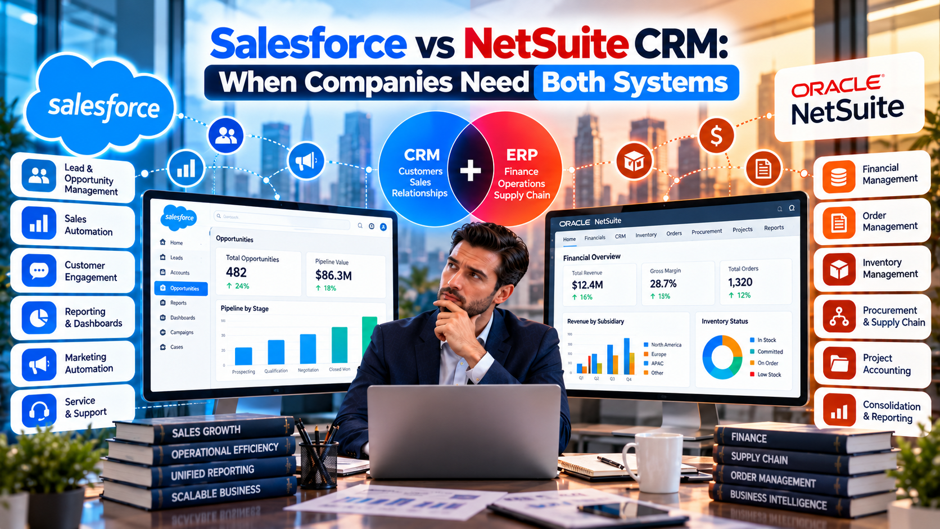
A mid-market company signs a NetSuite contract to run finance, inventory and order fulfillment, and within a few weeks someone in the leadership meeting asks a fair question: since NetSuite already includes a CRM module, can it replace the Salesforce org the sales team has spent years building out? The question sounds like a simple software decision, but the answer touches pipeline management, quote approvals, invoicing, customer service and the integration work that connects all of them, and getting it wrong means either paying for 2 systems that duplicate each other or forcing a sales team onto a tool it never chose.
This post works through that decision in practical terms. It covers what each platform was originally built to do, where NetSuite CRM holds up well, where Salesforce pulls ahead, the specific situations where running 1 system is enough, the signals that point toward running both, and the integration and cost decisions that follow once a company commits to the 2-system path. Features and pricing change regularly, so treat the comparisons here as a framework for your own evaluation and confirm current details directly with each vendor before signing anything, ideally by testing a scenario drawn from your own business records.
TL;DR
- The 2 platforms start from opposite places. Salesforce is a CRM-first platform that connects outward to finance and operations systems, while NetSuite is an ERP platform that includes a CRM module, so the real question is whether your revenue process is led by sales activity or by order-to-cash operations, and that answer shapes every other choice in the evaluation.
- 1 system is often enough, and checking that first is the honest starting point. NetSuite CRM covers sales force automation, quotes and forecasting natively, so a company with straightforward CRM needs should evaluate it carefully and with real workflows before paying for a second CRM plus the integration, administration and ongoing monitoring needed to connect the 2 platforms together.
- Running both makes sense when the front office and back office have different needs. Salesforce typically owns pipeline, marketing and service, NetSuite owns finance, inventory, order management and fulfillment, and the integration between them, especially record ownership and the quote-to-cash handoff, decides whether the whole setup actually works in daily practice for the sales, finance and operations teams that depend on it every single day.
The Real Question Behind Salesforce vs NetSuite CRM
Most comparisons frame this as a contest, but the 2 products solve different problems, and the cleanest way to see that is to ask what each 1 includes by default. Salesforce is a CRM for sales, service and marketing, and it doesn’t include accounting or inventory management. NetSuite is an ERP platform that includes a CRM module as part of that suite. A company comparing them is rarely choosing between 2 equivalent tools. It’s usually deciding how much of its customer-facing work belongs inside the same system that runs its books.
That framing explains why the searches behind this topic tend to come from 3 situations. A growing company may be evaluating systems for the first time and wondering whether it needs both. A company adopting NetSuite for the financial side may be asking whether the built-in CRM can retire an existing Salesforce investment. And a company that already runs both may be trying to understand why the integration between them keeps producing reconciliation headaches. Each situation has a different right answer, which is why a simple winner-takes-all verdict rarely helps anyone, and why the sections below focus on situations and signals instead of declaring a single champion.
The most useful single question to ask is whether your business runs on ERP-led revenue operations or CRM-led sales operations. In an ERP-led model, the order, the invoice, the inventory commitment and the payment are the center of gravity, and sales activity feeds that process. In a CRM-led model, pipeline, relationships and customer engagement are the center of gravity, and finance follows after the deal closes. Neither model is better. They simply point toward different platforms as the natural home for the primary workflow, and recognizing which model describes your company is the fastest way to narrow the field before any demos or proposals begin.
What Each Platform Is Built For
| Dimension | Salesforce | NetSuite CRM |
| Starting point | CRM-first platform that connects outward to other systems | ERP platform with a CRM module included |
| Core strength | Pipeline management, customer engagement, sales, service and marketing | Lead-to-cash flow, quote-to-order conversion and financial visibility |
| Financials and inventory | Not included, so it connects to outside accounting and operations systems | Native, living in the same platform as the CRM data |
| Ecosystem | Large AppExchange marketplace and free Trailhead training | Modules within the NetSuite suite, with a smaller set of outside add-ons |
| Customization | Deep and flexible, with a wide range of configuration options | Customizable, though with more structure than Salesforce |
| Productivity tool links | Broad integrations with marketing, finance automation and support tools | No native links to tools like Slack, Google Workspace or Microsoft Teams, according to 1 comparison |
Reading this table across any single row shows the pattern clearly, and the pattern repeats from the first row to the last. Almost every difference traces back to the starting point, which is worth keeping in mind whenever a vendor presents a long feature checklist. Because Salesforce began as a CRM, it grew an enormous ecosystem of add-ons and a deep set of configuration options for customer-facing work, and it relies on connectors to reach finance and operations data. Because NetSuite began as an ERP, its CRM data sits in the same database as orders, invoices and inventory, which removes the integration burden but also means the CRM inherits the structured, more opinionated design of the surrounding suite, including its permissions model, its reporting layer and its release cadence.
Where NetSuite CRM Is Genuinely Strong
Won Opportunities Convert Directly Into Sales Orders The most cited advantage of NetSuite CRM is the quote-to-cash path. When a sales rep marks an opportunity as won, the record converts into a sales order inside the same system, with no export, no connector and no second data entry step. For companies with complex order-to-cash workflows, such as those selling configured products, managing inventory commitments or invoicing on schedules, that single continuous path removes a whole category of errors that appear whenever a deal has to be re-keyed or synchronized into a different system.
Sales and Finance Look at the Same Data Because the CRM lives inside the ERP, sales sees financial reality and finance sees the pipeline without reconciling 2 sources. A rep can see whether a customer has overdue invoices before promising a new discount, and a finance leader can see forecasted deals alongside actual receivables. This shared view is the practical meaning of a lead-to-cash cycle managed in 1 platform, and it matters most in companies where credit holds, payment terms or inventory availability regularly change what sales can commit to.
Quote, Incentive and Partner Management Come Built In NetSuite CRM includes quote management, incentive and compensation management, and partner relationship capabilities as part of the platform, which suits companies that sell through channel partners or pay complex commissions. Teams that would otherwise assemble these capabilities from separate add-ons around a standalone CRM get them in the same suite, covered by the same permissions model and the same reporting layer, which also simplifies audit conversations about how commissions were calculated.
The Integration Burden Is Effectively Zero NetSuite CRM ships with the platform and covers sales force automation, quotes and forecasting natively, so a company using it has no connector to build, monitor or repair. That matters more than it first appears, because integrations between a CRM and an ERP are a common source of silent data problems. Every integration is a system someone has to own, test and fix when either platform changes, and avoiding that ongoing work is a legitimate reason to stay inside 1 suite.
Where Salesforce Pulls Ahead
- Salesforce is commonly regarded as the deeper CRM for sales process work. A front-office team that needs detailed stage logic, territory management, forecasting rules and flexible automation generally finds more configuration depth in Salesforce, which is why NetSuite’s CRM is often described as capable of the basics but lighter on advanced sales process tooling than a dedicated CRM platform.
- The AppExchange marketplace gives Salesforce a very large ecosystem. Companies can add marketing platforms, finance automation tools, support systems and industry-specific packages through AppExchange without custom development, and that breadth lets a sales organization assemble the exact stack it wants instead of adapting its process to whatever modules a suite happens to include, which becomes a real advantage as needs evolve.
- Trailhead lowers the cost of training and hiring. Salesforce offers free, hands-on learning paths for administrators, developers and end users, and a large pool of people already know the platform, which makes it easier to staff an admin team, onboard new reps and find qualified consultants whenever something needs to change in the configuration, which lowers both hiring risk and ongoing support cost.
- Salesforce covers the whole front office, beyond sales alone. Service, marketing and customer engagement tools sit alongside sales in 1 family of products, so companies that run large support operations or complex marketing programs often prefer to keep all of that customer-facing work together on a single platform designed around it from the very start, with a connected view of each customer.
When 1 System Is Enough
Many companies don’t need both, and the honest first step is to evaluate native NetSuite CRM before buying a separate CRM and the integration to connect it. If the sales process is straightforward, a handful of pipeline stages, standard quoting, basic forecasting, then NetSuite CRM may cover everything the team needs, and the savings are real: 1 license relationship, 1 admin skill set, 1 data model, 1 permissions structure and no integration to maintain or monitor over the years. Companies in this position sometimes discover they were planning to buy a second platform out of habit rather than need, and the evaluation saves them a significant recurring expense they would never have missed.
The reverse case is just as real. A company with no ERP, or one that runs its finances on a different platform entirely, has no reason to consider NetSuite CRM in the first place, and Salesforce on its own can serve as the customer system of record with whatever accounting tool the company already uses. Plenty of organizations run a modern CRM beside a lightweight accounting package for years without needing a full ERP, and adding NetSuite only to gain a CRM module would be a strange reason to take on a large Salesforce implementation, with its data migration, training and change management demands.
A useful test for the single-system path is to list the sales workflows the team actually performs every week and mark which ones NetSuite CRM handles comfortably. If the list is mostly basic stages, quoting and forecasting, the case for staying in 1 suite is strong. If the list includes advanced territory rules, heavy marketing automation, large support operations or a deep set of third-party integrations the sales team relies on daily, the gap between the platforms starts to matter, and that is where the conversation shifts toward running both.
Business Models Where the Split Shows Up Most
Companies With Complex Order-to-Cash Processes Lean Toward NetSuite Businesses that configure products to order, commit inventory at the time of sale, invoice on schedules or manage credit holds feel the benefit of a continuous quote-to-cash path most sharply. In these environments the order is the center of the business, and every handoff between systems is a place where an order can be delayed, duplicated or priced incorrectly. For them, the built-in CRM is worth serious attention before a second platform enters the picture.
Sales-Led Organizations Lean Toward Salesforce Companies where relationships, pipeline velocity and customer engagement drive revenue, such as those with large field sales teams, long consultative cycles or extensive marketing programs, usually want the deeper tooling a Salesforce Sales Cloud platform provides. The sales team’s productivity depends on a tool built around their daily work, and the cost of forcing a lighter CRM onto a team that sells for a living can exceed the cost of maintaining an integration.
Companies With Both Pressures Usually End Up Running Both Many mid-market organizations sit in the middle, with a sales team that needs a strong CRM and a finance team that needs a unified ERP, and neither group is willing to give up the tool that fits its daily work. In healthy mid-market companies, both systems coexist, each doing the job it was built for. The question then shifts from which platform to choose toward how well the 2 are connected, since the quality of that connection decides whether the company gets the benefits of both or the headaches of each.
Signs a Company Needs Both Systems
| Signal | What It Looks Like in Practice | Why 1 System Falls Short |
| Sales team is deeply invested in Salesforce | Years of custom fields, automation, reports and trained users | Moving to a different CRM would cost more in lost productivity than an integration costs to maintain |
| Front-office needs span sales, service and marketing | Large support queues, campaign tools and a connected customer view | NetSuite CRM covers the basics but a dedicated platform offers more depth across these areas |
| Finance requires NetSuite as the book of record | Revenue recognition, inventory and fulfillment already run there | The back office needs 1 authoritative source for financial and operational data |
| Heavy reliance on AppExchange tools | Daily use of marketing, enablement or industry-specific add-ons | Equivalent tools may not exist inside the NetSuite suite |
| An acquisition brought a second stack | Newly acquired teams already run on the other platform | Forcing a migration mid-integration adds risk to an already disruptive period |
Each of these signals points to the same underlying logic. The front office and the back office are built for different jobs, and forcing both onto 1 platform means accepting a compromise on 1 side. Running both systems accepts the cost of an integration in exchange for letting each team use the tool built for its work. That tradeoff pays off when the compromise on either side would be large, and it stops paying off once the sales needs are modest enough for the built-in CRM to handle comfortably.
How the Front-Office and Back-Office Split Works
Salesforce Owns Pipeline, Marketing and Customer Experience In a healthy 2-system setup, Salesforce is where leads are captured, opportunities are worked, campaigns run and support cases are handled. These are the front-of-house activities where speed, flexibility and user experience matter most, and where a sales team’s daily habits live. Keeping them in Salesforce lets reps work in the tool they know while the company benefits from the depth of the platform’s sales, service and marketing capabilities.
NetSuite Owns the Books of Record NetSuite is where finance, inventory, order management and fulfillment live. These back-of-house functions need 1 authoritative source of truth, because the numbers that come out of them feed financial statements, audits and operational decisions. The setup works best when everyone agrees that if Salesforce and NetSuite ever disagree about an invoice, a payment or an inventory level, NetSuite wins, and the integration is designed around that rule.
The Handoff Happens at Closed-Won The critical moment in the split is the point where a won opportunity in Salesforce becomes a sales order in NetSuite. Account details, line items, pricing, terms and shipping information all need to cross that boundary accurately, with a clear record of what was sent and when it arrived. A common pattern syncs Salesforce accounts to NetSuite customers and closed-won opportunities to sales orders, and most of the design effort in a 2-system setup goes into making that single transition reliable, auditable and easy to troubleshoot when something looks wrong.
Financial Status Flows Back to Sales The return path matters just as much as the outbound handoff, and it’s the half that teams most often underbuild. Invoice status, payment status, credit holds and shipment updates need to flow from NetSuite back to Salesforce, so that reps and account managers see the financial reality of a customer without logging into the ERP. Without that return flow, sales teams work from stale information, quote to customers who are on credit hold, and learn about payment problems from angry phone calls instead of from their own CRM.
The Integration Decisions That Matter Most
- Decide which system owns each record before building anything. Customer, contact, product, price and order data all need a clearly designated system of record, since leaving ownership ambiguous produces conflicting edits and endless reconciliation arguments between sales and finance. The hard design questions in a Salesforce-NetSuite integration are record ownership and the quote-to-cash handoff, and tools can’t answer them for you.
- Choose the integration method deliberately. Neither vendor provides a native connector between the 2 platforms, so companies use middleware platforms such as Boomi or Celigo, packaged connectors, or ERP integration with Salesforce through custom-built integrations, and each option trades build speed against flexibility and long-term maintenance. The right choice depends on volume, how standard the process is and who will own the integration after launch.
- Verify the depth of an integration, not merely its existence. Nearly every vendor claims to integrate with NetSuite, but the differences show up in which objects sync, how errors are handled, how often data moves and whether custom fields are supported. Asking for a demonstration of your specific quote-to-cash scenario reveals far more than a feature checklist ever will.
- Normalize pricing across vendors before comparing quotes. Integration pricing models differ, with some charging per user, others per data volume and others per connected entity, so a quote that looks cheap on 1 basis can become expensive at your actual usage. Converting every proposal to your expected volumes is the only reliable way to compare them fairly across vendors.
- Plan for internal IDs and identifiers from day 1. Salesforce records commonly store NetSuite internal IDs so future updates can find the right record, and those references become fragile if either system is ever rebuilt or migrated. Documenting where identifiers live, and what happens when they change, saves a great deal of painful cleanup work later on, especially if either platform is ever rebuilt or consolidated.
What Running Both Actually Costs
The visible cost of the 2-system model is licensing for both platforms, and Salesforce is commonly described as the more expensive of the 2 on a per-user basis, though actual pricing depends on products, editions and negotiated terms. Adding NetSuite on top of an existing Salesforce investment, or the reverse, means 2 vendor relationships, 2 renewal cycles and 2 sets of user licenses to manage. Finance teams reviewing the combined spend should compare it against the full cost of the alternative, including the productivity and process compromises, instead of comparing it only against the price of a single license.
The less visible costs are often larger. An integration has to be built, tested, monitored and repaired for as long as both systems run, it needs a clear owner, and it needs a budget that continues well beyond the original implementation project. A company also needs administrative skill across 2 platforms, which usually means either 2 specialists or a smaller number of people who carry deep knowledge of both, and people with that dual expertise tend to be harder to hire and more expensive to retain. Data reconciliation, the routine work of confirming that the 2 systems agree, becomes a recurring task that managed services support may need to cover over the long term.
Against those costs sits the value of keeping each team in the tool that fits its work. A sales organization that stays productive in the platform it knows, and a finance team that keeps 1 authoritative ledger, may produce more value than the integration costs. The comparison that matters in the end is the total annual cost of running both, including integration upkeep and administration, against the total cost of the compromises that a single-system choice would force on sales or finance.
A Practical Process for Making the Decision
Map the Workflows the Sales Team Actually Performs Start with a written list of the tasks reps, managers and support staff perform each week, then mark which ones the built-in NetSuite CRM would handle comfortably and which ones depend on capabilities specific to Salesforce or its add-ons. This exercise replaces opinions with evidence, and it frequently reveals that the real gaps are far fewer, or far larger, than anyone assumed at the start of the conversation.
Test the Quote-to-Cash Path With a Real Scenario Ask each vendor or integration partner to demonstrate a genuine deal from your business, with your products, your pricing rules and your approval steps, moving from opportunity to order to invoice. Demonstrations built around generic data hide the complications that cause problems after launch, while a scenario drawn from your own records exposes weaknesses in field mapping, error handling and status updates before any contract is signed.
Price the Full Cost of Each Path Over Several Years Compare the single-system path and the 2-system path using total annual cost, including licenses, integration build and upkeep, administration and training. Include the cost of compromises as well, such as lost sales productivity or manual workarounds in finance. A multi-year view prevents a low first-year quote from hiding the recurring costs that make the cheaper-looking option more expensive in practice.
Common Mistakes When Running Both Systems
- Treating the integration as a 1-time project instead of an ongoing system. Integrations need monitoring, error handling and updates whenever either platform changes, and companies that assign no owner after launch usually discover problems only when finance notices numbers that don’t reconcile. Naming a clear owner and a monitoring routine before go-live prevents most of those unpleasant surprises down the road.
- Letting both systems edit the same data. When Salesforce and NetSuite can both change customer or pricing fields, conflicting updates are inevitable, and the resulting cleanup is tedious. Choosing a single master for each record type and restricting edits on the other side keeps the data trustworthy over time, even as teams, processes and reporting requirements change around it.
- Skipping the return flow of financial status to sales. Companies often build the handoff from closed-won to sales order carefully and then neglect the reverse path, leaving reps blind to invoices, payments and credit holds. Building both directions in the original scope costs far less than adding the missing flow after sales has already lost trust in the data.
- Buying the second platform without evaluating the first. Some organizations purchase a separate CRM out of habit before testing whether the built-in NetSuite CRM would meet their needs, and others adopt NetSuite without asking whether the existing CRM already works. A structured side-by-side evaluation of real workflows avoids paying for capability the company never actually needed in the first place.
- Underestimating the people cost of 2 platforms. Administration, training and ongoing change management roughly double when 2 systems run in parallel, and budgets that only count licenses badly understate the real expense of the arrangement, so planning should include headcount and training from the beginning. Planning early for the skills, hiring and training that 2 platforms require keeps the whole project from stalling soon after launch.
FAQs
Can NetSuite CRM fully replace Salesforce?
For companies with straightforward sales processes, it can. NetSuite CRM covers sales force automation, quotes and forecasting natively, and it converts won opportunities directly into sales orders. Organizations with advanced pipeline needs, large service operations, heavy marketing programs or deep reliance on third-party add-ons often find Salesforce offers more depth, which is why many mid-market companies keep both and connect them through an integration.
Does Salesforce include accounting or inventory features?
No. Salesforce is a CRM for sales, service and marketing, and it doesn’t include accounting, financial management or inventory capabilities. Companies that use it connect it to a separate finance or ERP system. Salesforce also doesn’t include a built-in configure, price, quote feature in the way a full ERP suite does, so teams commonly add a separate product to cover quote-to-cash needs.
Why would a company pay for both platforms?
The main reason is that the front office and back office have different jobs. Salesforce typically serves sales, marketing and service teams that value flexibility and a large ecosystem, while NetSuite serves finance, inventory, order management and fulfillment where 1 authoritative record matters most. When replacing either side would force a costly compromise, paying for both and integrating them is often the more sensible path.
What is the biggest risk in a Salesforce-NetSuite setup? Ambiguous record ownership is the most common source of trouble. When both systems can change the same customer, product or pricing data, conflicting edits and reconciliation problems follow. Deciding up front which system owns each record, and designing the quote-to-cash handoff around that rule, prevents most of the data quality problems that make dual-system setups frustrating for both sales and finance teams.
How do companies usually connect Salesforce and NetSuite?
Neither vendor offers a native connector between the 2 platforms, so companies typically use middleware such as Boomi or Celigo, a packaged connector, or a custom-built integration. Many businesses choose a middleware platform for standard quote-to-cash flows and reserve custom development for unusual data models, since a packaged approach usually costs less to build and is easier to hand over to a new administrator. The right method depends on transaction volume, process complexity and who will maintain the integration afterward.
Is NetSuite CRM easier to implement than running both systems?
Usually, yes, since the CRM ships with the platform and requires no integration. A company implementing NetSuite already has the CRM module available, so the work centers on configuration and user training. Running both adds an integration project, a second platform to administer and ongoing synchronization to monitor, which is why evaluating the built-in CRM first is a sensible starting point, even for companies that already expect the answer to be running both.
Which system should be the source of truth for customer data?
There’s no universal answer, though many companies treat Salesforce as the master for contact and relationship data while NetSuite owns financial and fulfillment data tied to the customer account. What matters is making an explicit decision for each record type and enforcing it. A written ownership map shared by sales, finance and the integration team prevents most disputes about which number is correct, and it gives new employees a reference when they inherit the process.
How long does it take to integrate Salesforce and NetSuite?
It varies with complexity. Simple one-directional flows on a packaged connector can move quickly, while multi-entity setups, custom data models and high volumes take longer and need more testing. Timelines also depend on how clearly the team has defined record ownership and the quote-to-cash handoff beforehand. Settling those decisions early usually shortens the build, reduces rework after go-live, and gives the implementation team a clear definition of done that sales and finance both agree on.
