
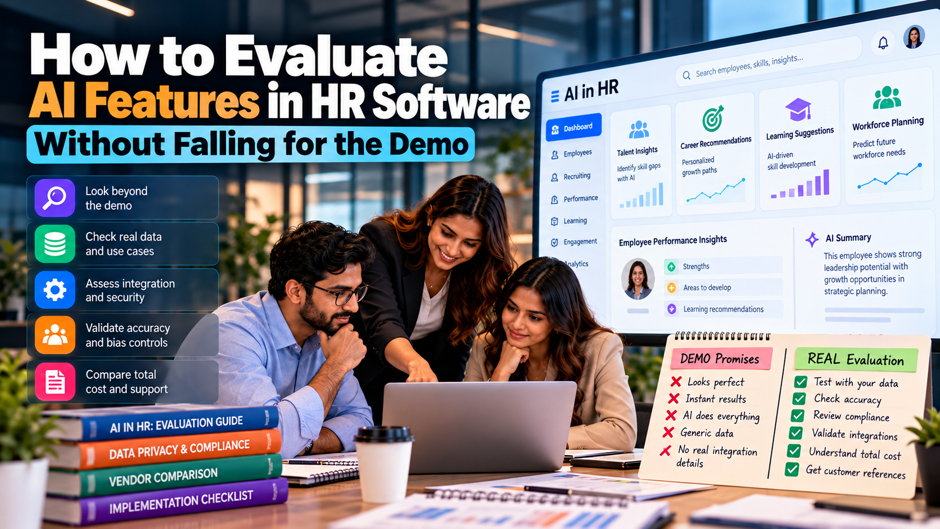
A vendor demo shows an assistant answering a benefits question in 2 seconds and drafting a performance review from a few rough notes. A heat map then flags flight risks in red, and the room nods. By week 6 of the pilot, the assistant is citing a leave policy that was retired in 2023, every drafted review sounds the same, and nobody can say why the heat map flagged the people it did. The demo showed a best case, and a best case is all a demo can show.
This guide gives you a method for finding out what an AI feature does on an ordinary Tuesday. You’ll sort vendor claims by type, ask the right questions before the first call, rerun the demo on your own data, build a test set, score vendors on a written rubric and check the legal and contract points. The legal summaries reflect law firm and news sources as of October 2026, and they aren’t legal advice. Confirm specifics with counsel, and treat every dollar figure here as an illustrative assumption.
TL;DR
- Treat the demo as a claim, not as evidence. Demos run on clean data, rehearsed prompts and best-case answers. Ask for a second session on a masked extract of your own data, with your own questions, and score what you see on a written rubric before anyone talks price. Treat any answer you can’t reproduce yourself as unproven.
- Test accuracy with a set of your own cases. Build 100 to 200 real questions and records with known answers. At 100 cases, a measured 80% accuracy carries a margin of roughly 8 points either way, so small gaps between vendors are noise until the set grows. Rerun each prompt 3 times to check that answers stay consistent.
- Liability stays with you, so buy the paper trail. Mobley v. Workday let an agent theory against a vendor proceed, yet employers remain exposed. Get bias audits, audit logs, notice support and indemnity terms in writing, and confirm the legal details with counsel.
Why the demo is the weakest evidence you’ll see
A demo is a performance, and performances are built to succeed. Vendors rehearse the prompts, load clean sample data and pick the 5 questions the model answers best. Nothing in that setup tells you how the feature behaves with your messy job titles and your 14 versions of a leave policy. The evidence that matters shows up later, when real users ask real questions and the feature has to be right without a presenter standing next to it.
AI features add a second problem: the same prompt can produce different answers on different days. Traditional software either does the task or it doesn’t, so a single good demo is decent evidence. A generative feature can be right 9 times and wrong on the 10th, and the demo only shows the 9. ChartHop’s buyer guide cites 65% of HR leaders naming lack of trust in AI outputs as the top adoption barrier, and that trust has to come from repeated testing rather than a single showing.
Demo tricks to expect, and how to counter them
| Trick | What you see | Counter |
| Rehearsed prompts | Perfect answers to questions that look spontaneous | Hand over 10 of your own questions on the day |
| Synthetic data | Clean names, tidy org charts and complete records | Ask for a sandbox loaded with a masked extract of your data |
| Hidden human work | Answers prepared or edited off screen | Ask the presenter to share the screen and show raw output with no edits |
| Best-case speed | Instant replies on a tiny dataset | Test with your full record count and note response times at peak hours |
| Rules sold as AI | A decision tree labeled as machine learning | Ask which model and which training data sit behind the feature |
| Roadmap as product | Features shown from a beta or a mockup | Ask which parts run in production today, and ask for 3 customer references |
| Accuracy without a method | A percentage with no test set described | Ask for sample size and test method |
| Admin view only | A demo run with full permissions turned on | Repeat as a regular employee and as a manager to see what the AI reveals |
Sort the AI claims into 4 types
Generative assistants answer questions and draft text. They respond to policy questions, summarize records and write items such as review comments or job descriptions. The main risk is wrong or invented content, delivered in a confident tone. Test them with questions that have known answers, and check whether each answer points to the source record or policy so a person can verify it in under a minute. Keep a list of the questions it got wrong, because repeated failures show where the source documents need cleanup.
Predictive scores rank and flag people. Attrition risk and promotion readiness scores all belong here. The main risks are bias and opacity, because a score with no stated reason can’t be defended to an employee or a regulator. Ask for the inputs, the training data, the audit results and a plain-language explanation of any single score, then check that the explanation holds up when you change an input. Retest it after every model update.
Agents take actions on your behalf. They update records, route approvals, schedule interviews or send messages. The risk is a wrong action repeated at scale before anyone notices. Ask for permission limits, approval steps for sensitive actions, a log of every action taken and an undo path. A feature that can change a salary field deserves far stricter testing than a feature that drafts an email. Start with a read-only trial, and grant write access only after the logs look clean.
Relabeled rules are old features with a new name. Keyword matching and workflow automation are legitimate and often cheap to run, but they shouldn’t be priced as AI. Ask what changed technically in the last 12 months. If the honest answer is “nothing, we renamed it,” that’s fine as a product, and it’s a reason to negotiate the price down. Rules aren’t a problem when they work, and a vendor that admits what’s under the hood earns more trust than a vendor that hides it.
Questions to ask before the first demo
- Data use. Ask whether the vendor trains models on your data, and expect a clear no in writing along with documentation of how your data is isolated from other customers. ChartHop’s guide makes the same point: your compensation philosophy and workforce plans shouldn’t shape answers served to competitors. Also ask where prompts and outputs are stored and for how long. Ask for the data isolation documentation, and have your security team read it before the second session.
- Source and explanation. Ask whether every answer can show the records or policy text behind it, and ask the vendor to demonstrate that live. An answer that can’t point to a source forces your team to verify by hand, which wipes out the time savings. For scores, ask for the reason behind a single result in terms a manager could repeat to an employee. Spot-check 10 answers during the demo by opening the cited record yourself.
- Error handling. Ask how wrong outputs get reported and fixed, and what the vendor’s measured error rate is on HR tasks. Be wary of anyone who claims the system doesn’t hallucinate or who quotes a single accuracy number with no method. Look for an error-reporting process that reaches the team that can change the model. Ask for the vendor’s last 3 fixes to a reported error, including how long each took, because a real process leaves a track record you can inspect.
- Bias testing. Ask for the most recent independent audit and the method behind it. ChartHop’s guide treats internal testing alone as a red flag and cites 29% of employers pausing AI after finding bias. Also ask how often testing repeats and what the vendor does when a result looks wrong. Ask which groups were tested and how small groups were handled, since averages can hide poor results for a few people.
- Maturity and cost. Ask how long the feature has run in production, how many customers use it and what its known limits are. Ask how pricing scales, since usage-based charges and features locked behind higher tiers can push costs up quickly. Request cost scenarios at your current headcount and at double that number. Ask for references who’ve used the feature for at least 6 months, and call them. A customer who went live last week can’t tell you how it holds up during a review cycle.
Run the demo again with your data and your script
Ask for a second session 1 to 2 weeks after the first, held in a sandbox loaded with a masked extract of your records. Use about 200 employee records that include your real quirks: missing managers and old job titles. Write a script of 20 prompts, with 15 routine or edge cases and 5 adversarial ones, such as asking for another employee’s salary or a manager’s rating of a peer. Run the prompts yourself, with the vendor watching.
Score each answer on a 3-point scale: correct and sourced, partly correct, or wrong or unsafe. Use 2 scorers per answer and compare. If the scorers disagree on more than 1 in 5 answers, tighten the rubric before you score anything else. Agree on the weights in the scoring model below before the second session, and keep the raw outputs for every vendor, because you’ll compare them side by side weeks later and memory fades fast.
Build a test set that can tell vendors apart
Start with 100 to 200 real cases. Pull questions from help desk tickets, policy lookups and masked review text, and have an HR expert write the right answer for each. Make about 20% of them hard: conflicting policies and outdated documents. A test set built only from easy questions will give every vendor a high score, and you’ll learn nothing about which vendor fails when it matters. Keep the answer key hidden from the vendor.
Measure more than accuracy. Track 4 outcomes for every case: correct, wrong, refused and invented source. For policy answers, the invented-source rate matters most, because a refusal costs a few minutes and a confident wrong answer can cost a grievance. Record how long each answer takes and how many follow-up questions a user needs, since a correct answer that takes 6 prompts to extract isn’t saving anyone time. Keep a separate column for answers that were right but badly worded.
Know your margin of error. With 100 cases and a measured 80% accuracy, the 95% confidence interval runs about 7.8 points either way. With 200 cases it narrows to 5.5 points, and with 400 cases to 3.9 points. A 5-point gap between 2 vendors on a 100-case set is therefore noise, and choosing between them on that gap is a coin toss with a spreadsheet attached. Plan for at least 200 cases if you expect vendors to land within 5 points of each other.
Rerun the same prompts 3 times. Consistency is part of quality. If a vendor gives a different answer to the same prompt on each run, your users will get inconsistent policy guidance. Rerun the whole set after every model update, and write a notice requirement for model changes into the contract, so a quiet upgrade in month 4 doesn’t undo the testing you did in month 1. Store the outputs with a date, since you’ll want proof of how the feature behaved at each stage.
Scoring model for the shortlist
| Criterion | Weight | What earns a top score |
| Accuracy on your test set | 25 | Meets your written threshold on routine cases and refuses when unsure |
| Source citations and explainability | 15 | Every answer links to a record, and every score has a plain-language reason |
| Data handling and access controls | 15 | No training on your data, field-level permissions respected in every test |
| Bias testing and compliance support | 15 | Independent audit with method shared, plus notice templates |
| Admin controls and audit logs | 10 | Features switch on per use case, and every prompt and output is logged |
| Integration with your HR data | 10 | Works on your live data model without a custom build |
| Cost transparency | 5 | Clear pricing at your headcount and at double it, with no hidden tiers |
| Vendor maturity and references | 5 | Production history and 3 comparable references |
Data handling and security checks
- Permission inheritance. The AI should respect your existing field-level permissions, so it can’t become a back door around them. Test this directly. Log in as a regular employee and ask for a colleague’s pay, then log in as a manager and ask about a rating from another team. ChartHop’s guide uses a similar example: a question like “Who is at risk of leaving?” shouldn’t surface restricted ratings. Repeat the test after every configuration change.
- Training and retention. Get written answers on whether your prompts and uploaded documents are used for training, how long they’re stored and who can read them. Ask which outside model providers process your data, and whether those providers keep any of it. Your security team should review the answers, since vendor summaries often skip the subprocessors. Ask for the data processing agreement early, since legal review of it can take longer than the technical evaluation.
- Audit logs. Every prompt and output should land in a log you can export, along with the source record, with a retention period that matches your own policy. If a manager challenges a draft review or an employee disputes a score, the log is how you reconstruct what the system saw and said. A feature with no log can’t be defended later. Ask to see a sample log during the demo, and check that it records the user, the time, the prompt and the sources.
- Switches and defaults. Ask whether AI features ship turned on, and whether admins can enable each feature by role or use case. A feature you haven’t tested shouldn’t reach employees by default. Confirm that turning a feature off removes its access to your data, instead of only hiding the button. Review the vendor’s release notes each quarter, because new AI features often arrive in an update and appear in your tenant before anyone has tested them.
The legal map in October 2026
| Rule | Status | What it means for buying |
| NYC Local Law 144 | In force. Requires an annual independent bias audit, a public summary and candidate notice for automated tools that screen candidates or evaluate employees for promotion. Civil penalties reach $1,500 per violation per day, per DLA Piper. A December 2025 state comptroller audit called enforcement ineffective. | Ask for the current audit and notice language. Weak enforcement today isn’t a reason to skip the paperwork. |
| Illinois HB 3773 | In effect since January 1, 2026. Requires notice when AI is used in employment decisions, bars zip codes as a proxy for protected classes, and makes discriminatory effect unlawful, per Seyfarth. | Ask whether the vendor supports notice and proxy review for location fields. |
| Colorado SB 26-189 | Signed May 14, 2026, replacing the earlier act, with an effective date of January 1, 2027. Covers notice, disclosure within 30 days of an adverse outcome, human review rights and 3 years of records, per Eckert Seamans. Enforcement timing is uncertain. | Ask for records export and an explanation of adverse decisions that you can share within 30 days. |
| EU AI Act | Employment AI is high risk under Annex III. Regulation (EU) 2026/1744 moved the application date from 2 August 2026 to 2 December 2027, per Mondaq. | If you hire in the EU, ask for the vendor’s conformity plan and timeline. |
| Mobley v. Workday | Federal case. In July 2024 the court let an agent theory proceed against the vendor, and in May 2025 it granted preliminary collective certification under the ADEA, per Seyfarth and Fisher Phillips. | Vendor tools can create employer exposure, so keep your own records and review. |
Most of these rules focus on decisions about hiring and promotion. The more an AI feature influences who gets hired or promoted, the more documentation you need from the vendor and from your own team. A policy chatbot carries less legal exposure but more privacy and accuracy exposure, so the checks differ. Laws in this area change several times a year, so confirm the current rules with counsel in each state and country where you employ people.
Why liability stays with you
On July 12, 2024, Judge Rita Lin in the Northern District of California let claims proceed in Mobley v. Workday on the theory that the vendor acted as the employers’ agent. The court rejected the argument that Workday only supplied a tool, noting that the software recommends candidates to advance and others to reject. In May 2025 the court granted preliminary certification of an age discrimination collective of applicants 40 and older. Those rulings decide whether the case moves forward, and they don’t decide whether the tool discriminated.
The practical lesson for buyers is that exposure can reach both the vendor and the employer. ChartHop’s guide makes the same point: employers stay exposed even when the AI comes from a vendor. Fisher Phillips lists the steps worth taking: audit vendors for bias testing, keep human review over automated rejections, document hiring criteria and analyze outcomes across protected groups regularly. A vendor’s audit helps, and your own outcome analysis on your own applicants is the check nobody else can run.
Contract terms that match the risk
Data use and training. Write in that the vendor won’t train models on your data without a separate opt-in, and that you can delete your data on request and on exit. List the subprocessors and the right to be told when they change. If the vendor offers a private model instance, ask what it costs and what it isolates, since the label alone doesn’t guarantee separation. Ask for deletion confirmation in writing within a fixed period after exit.
Model change notice. Vendors swap underlying models, and answer quality can shift overnight. Ask for advance notice of material changes, a number you negotiate such as 30 days, and a right to retest before the change reaches your users. Add a remedy if quality drops below the thresholds you set in the pilot, such as a fee credit or the right to turn the feature off without penalty. Keep copies of your test results to support any claim.
Audit and cooperation. Require the vendor to share its latest bias audit, provide logs for any complaint or regulator inquiry within a fixed number of days and help you answer data subject requests. Specify who pays for a re-audit if a result looks wrong. These clauses cost the vendor little when nothing goes wrong, and they save you weeks when something does. Ask for named contacts and set response times for urgent issues, such as 5 business days for a regulator request.
Liability and indemnity. Read the limit of liability closely. Many contracts cap damages at the fees paid in the last 12 months, which may be small next to a class claim. Ask for specific indemnity for AI-related discrimination and privacy claims, and ask what insurance backs it. Vendors that deflect this question tell you something about how they see the risk. Counsel can tell you whether the cap fits your exposure. Confirm all terms with counsel.
Run a 6-week pilot with written exit criteria
- Week 1: baseline. Measure how the current process performs before the AI touches it. Record average ticket handling time, first-contact resolution rate, minutes spent drafting a review and the number of policy questions that bounce between teams. Without a baseline, every claim of time saved after launch is a guess, and every vendor will say the number is large. Pull at least 4 weeks of past data for the same measures, so a single busy week doesn’t distort the comparison.
- Weeks 2 and 3: limited users. Give 25 to 50 users access to 1 use case, with full logging turned on. Review every wrong answer weekly with the vendor in the room, and record each with a cause: bad source data or a model error. Causes tell you whether the fix sits with your team or with the vendor. Share a 1 page weekly summary with the sponsor so decisions don’t wait for the final week.
- Weeks 4 and 5: widened and stressed. Add managers and a second location, and repeat the adversarial prompts from the demo script. Rerun the full test set after any model or configuration change. Ask a few users to try to break the feature, and log every permission leak as a blocker regardless of how rarely it happens. Track support requests from users too, because confusion about how to phrase a question is a quality signal that points to training needs.
- Week 6: decide against the criteria. Compare results with the thresholds you wrote before the pilot began: accuracy on the test set, no permission leaks, user satisfaction and measured time saved. Decide before the pilot starts what counts as a pass, because after 6 weeks of effort everyone will want to say yes. Hold the decision meeting with finance and legal present, and record the reasons so anyone who asks in 6 months can see the logic.
Cost math: what the add-on has to earn back
| Line | Assumption | Result |
| HR tickets per month | 1,500 | 1,500 |
| Share the AI resolves correctly | 30% | 450 tickets |
| Minutes saved per resolved ticket | 8 | 60 hours a month |
| Loaded hourly cost of HR time | $45 | $2,700 a month |
| Annual gross value | 12 months | $32,400 |
| Quality review by an HR specialist | 6 hours a month | $3,240 a year |
| Net annual value | Gross minus review | $29,160 |
| Break-even price for 600 employees | Net value divided by headcount | About $48.60 a year, or $4.05 a month per employee |
Every figure above is an illustrative assumption for a 600-person company, and your ticket volume, resolution rate and hourly cost will differ. The point is the method. Work out what the feature saves in hours, subtract the cost of reviewing its output, and compare the result with the vendor’s price per employee. In this scenario, an add-on priced above about $4 per employee per month loses money on time savings alone. Ask vendors for pricing under usage-based and per-seat models, and confirm the numbers in writing.
When the vendor can’t answer
Some answers should end the conversation. A vendor that calls its training data proprietary and won’t describe it at all, quotes accuracy with no sample size, blames your data when the sandbox fails or refuses a sandbox altogether is telling you how production support will feel. ChartHop’s guide adds claims of “live in days” and assurances that every rollout is smooth to the list. A defensive reply to a direct question about errors predicts a defensive reply to your first real error.
Good signs look different. The vendor shows you a failure before you ask, offers a sandbox without a long approval process, shares a bias audit with its method and gives you references with a similar size and complexity. A plain “we don’t do that yet” is worth more than a confident yes, because it lets you plan around the gap. Treat the vendor’s honesty about limits as a scored criterion, not as a courtesy.
Mistakes that derail AI buying
Buying the roadmap. A feature shown from a beta or a slide deck is a promise, and promises slip. Price what runs in production today, and write roadmap items into the contract with dates and remedies if you want them to count. If the vendor won’t commit a date in writing, assume the feature arrives later than the sales cycle suggests, or never. Put a date and a remedy in the contract for anything unreleased.
Letting a single champion decide. An enthusiastic HR leader can fall for a demo as easily as anyone. Put HR, IT, security, legal and 2 frontline managers on the evaluation group, and give each of them a scored view of the criteria in their area. A security reviewer who sees the permissions test fail is more convincing than any later memo. Share the scored results with the whole group before the final meeting, and record any dissent in the decision memo.
Skipping the human-review design. Teams test the model and forget to design the review step. Decide who checks AI output, how often, with what sample size and what happens when they find an error. For decisions about people, a named human should be able to override the result, and employees should know how to ask for that review. Test the override path in the pilot, and time how long it takes a manager to use it.
Measuring only time saved. Time saved matters, and it’s an incomplete score. Track errors found, complaints raised, adoption by role and the hours spent on review. A feature that saves 60 hours a month and creates a serious privacy incident has a poor return, so put the downside in the same table as the benefit. Include the hours spent on review and training in your cost math, since both reduce the net benefit.
FAQs
How long should an AI evaluation take?
Plan on 4 to 6 weeks for the evaluation and 6 weeks for the pilot, though the 2 phases can overlap by 1 to 2 weeks. The evaluation covers claim sorting, vendor questions, the scripted demo on your data, test set scoring and the legal and contract review. These durations are illustrative and depend on how many vendors you test. Skipping the pilot to save time usually costs more, because the defects it finds show up in production instead.
Do we need a bias audit for every AI feature?
Not for every feature. Focus on tools that screen or score people for hiring, promotion, pay or discipline, since those are the decisions the laws above target. A policy chatbot or a document summarizer carries less discrimination risk but still needs privacy and accuracy checks. Ask counsel which of your features fall under rules in the states and countries where you employ people, because the definitions vary. Ask the vendor which of its features it considers covered.
What accuracy should we require?
No universal threshold exists, so set a threshold per task before you see any results. As an illustration, you might require 95% on routine policy questions, a refusal whenever the source is missing and no tolerance for permission leaks. A draft-writing tool with a human editor can tolerate more error than a tool that answers questions directly. Write the thresholds down first, and don’t move them after the pilot. Review the thresholds once a year as models and use cases change.
Can we trust vendor benchmarks?
Treat them as marketing until the vendor describes the method. Ask how many cases were in the test, what data they came from, who scored the results and whether the set included hard cases. A single percentage with no method can’t be compared across vendors. If the vendor ran the test on its own favorable data, that tells you the feature can work somewhere, which says little about your data.
Who should sit on the evaluation group?
Include an HR lead who owns the use case, an HRIS admin who knows the data, someone from IT or security, a privacy or legal reviewer and 2 frontline managers or employee representatives. Finance should join when pricing is usage-based. Give each person a scored section of the rubric, so that responsibility is clear and no single enthusiastic voice decides the outcome. Rotate the reviewer role if the evaluation runs longer than 8 weeks, to keep fresh eyes on the results.
How do we check for bias ourselves?
Compare outcome rates across groups using your own data. An impact ratio divides the selection or score rate of a group by the rate of the highest group, and the 4/5 rule of 0.8 is a common screening threshold in US guidance. Small groups produce unstable ratios, so involve a statistician and your counsel before drawing conclusions. This check complements the vendor’s audit, and it doesn’t replace an independent audit.
Should we switch off AI features we won’t use?
Yes. Enable features for a single use case at a time, and leave the rest off until they’ve passed your testing. Ask the vendor which features the ship turned on and whether admins can control them by role or location. Unused features still add risk if they can reach your data, so confirm in writing that disabling a feature also cuts its data access. Keep a register of enabled features, with an owner and a review date for each.
What if the vendor changes the model mid-contract?
Treat it as a new product until you retest. Your contract should require advance notice of material model changes and give you time to rerun your test set before the change reaches users. Keep the test set and scoring sheets from the evaluation, since they’re what lets you compare before and after in a day instead of a month. If quality drops, the contract should give you a remedy. Ask for a version number in each release note.
