
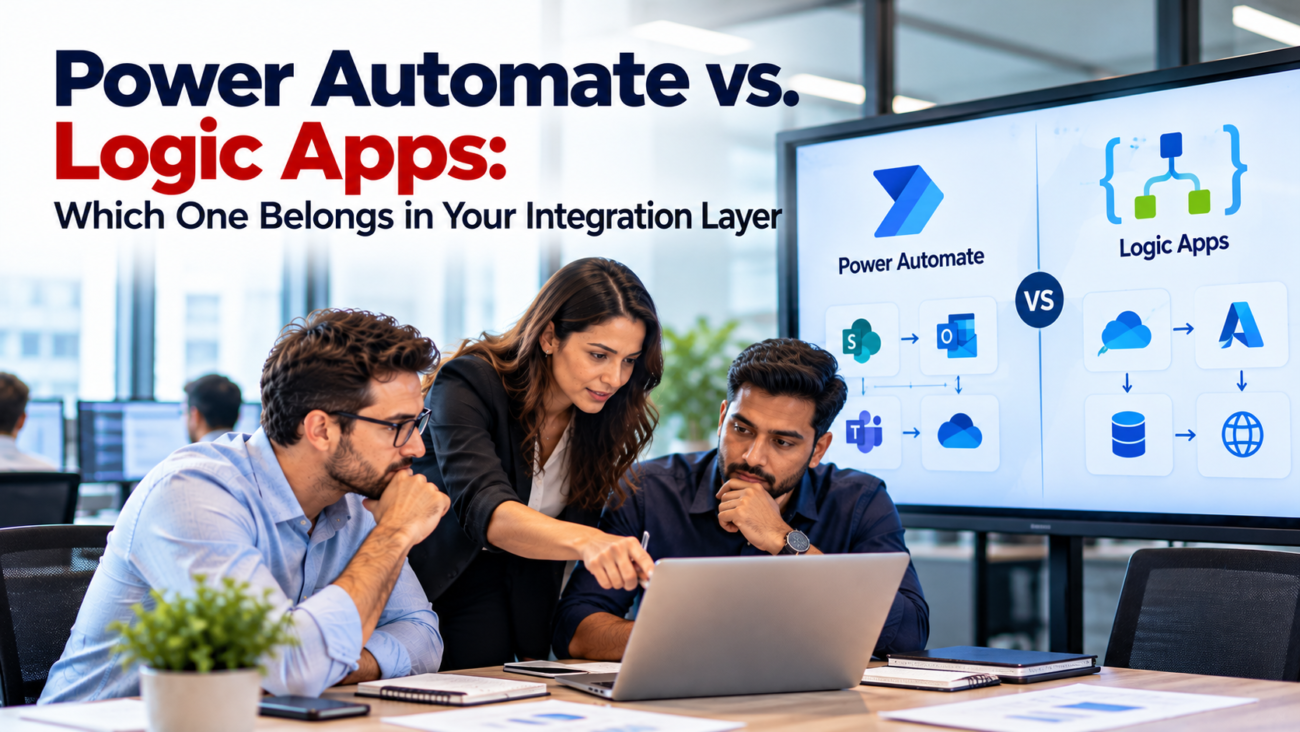
An approval flow that fails may delay 1 manager. An order integration that fails may stop shipping for an entire business. Both workflows can be built with Microsoft tools, but they need different levels of ownership and recovery. That difference matters more than how similar their designers look.
The Power Automate vs Logic Apps decision starts with the role of the workflow. Does it help employees complete a task, or does it provide an interface that other systems depend on? The answer shapes how the workflow should be deployed, monitored, secured, and paid for. It also helps prevent department automations from becoming unsupported company-wide integrations.
TL;DR
Power Automate usually fits employee-led work such as approvals, Microsoft 365 notifications, and processes managed by Power Platform teams. Azure Logic Apps is often the stronger home for shared system integrations that need Azure-managed deployment, enterprise messaging, or specialized runtime controls. Both can handle serious production work, and both can use connectors. Logic Apps Standard and Consumption have different cost and hosting models, while Power Automate licensing depends on user or process entitlements. Use both when a business approval should trigger a separate, IT-owned backend service. Choose by ownership, failure impact, and operating requirements before comparing license prices.
Power Automate and Logic Apps: What Actually Differs?
The Power Automate vs Logic Apps comparison begins with shared foundations. A workflow starts from a trigger and then performs actions. It may branch according to a condition, call an application, wait for a result, or record an error. Both products offer visual design tools. A person familiar with 1 may recognize the other, but a similar-looking workflow isn’t evidence that it belongs on the same platform.
Power Automate is part of Power Platform. Its cloud flows are commonly used with Teams, SharePoint, Outlook, Power Apps, and Dynamics 365. Business application owners can build and maintain many flows inside governed Power Platform environments. Azure Logic Apps is an Azure integration service. It fits teams that manage interfaces as Azure resources and connect them to APIs, messaging services, and enterprise systems. Microsoft’s platform comparison guidance describes these different audiences and deployment models. It also discusses when moving an existing flow to Logic Apps Standard may help.
| Area | Power Automate | Azure Logic Apps |
| Typical owner | Business applications or Power Platform team | Integration or Azure operations team |
| Common purpose | Approvals and employee-facing work | Shared application interfaces |
| Deployment | Solutions and Power Platform environments | Azure resources and deployment tooling |
| Runtime choice | Microsoft-managed cloud flows | Consumption or Standard hosting |
| Billing approach | User or process entitlements | Operations or hosting capacity |
| Core concern | Business task completion | System communication and recovery |
The table describes common fits, not hard boundaries. Power Automate can run backend cloud flows licensed at the process level. Logic Apps can send notifications and coordinate human work through connected services. A platform decision needs the full operating context rather than an assumption that one tool is for small jobs and the other is for large jobs.
In Azure Logic Apps vs Power Automate discussions, the most useful question is who gets called when the workflow breaks at 2 AM. If the answer is the team responsible for company-wide system interfaces, that points toward an integration service managed through the IT operating model. If the answer is the business application team that owns an approval, a Power Platform flow may be a more direct fit.
What Belongs in a Company’s Integration Layer?
An integration layer connects applications without making every application understand every other application’s internal rules. It can accept an event, validate its contents, convert it into the target format, and send the result to another system. Some integrations must return a response at once. Others are safer when a message can wait until a destination system is available.
Consider a company using a CRM, an ERP, and a warehouse system. A new customer order may need to reach the ERP, then trigger fulfillment. If the ERP is offline, the business still needs a record of the order and a way to resume work. The integration layer should define message ownership, error handling, and duplicate prevention. Microsoft’s enterprise integration reference shows Logic Apps coordinating backend calls with API Management controlling access to services. The design can grow to include messaging when callers and destinations shouldn’t depend on being available at the same instant.
For Power Automate vs Logic Apps, shared ownership is a stronger selection signal than the number of steps in a workflow. A 4-action flow that posts payment records could be more sensitive than a 40-action approval sequence. The first may need technical controls around retries and financial records. The second may mostly need people to approve requests within a set period.
A Power Automate vs Logic Apps integration review should start by listing the interfaces other systems rely on. For each interface, record its source, target, data owner, expected volume, and required recovery behavior. State whether the interface is used by 1 department or by several applications. This inventory prevents a convenience flow from quietly becoming an official route for important records.
When Power Automate Is the Right Fit
The Power Automate vs Logic Apps choice is easiest to see in work started by a person or a business application event. A request may enter through Microsoft Forms or Power Apps. A manager approves it, and the flow records the outcome in SharePoint or Dataverse. These activities benefit from being close to the business team that owns the rules and approval experience.
This fit extends to repeatable departmental tasks. A sales team might need a notification when a deal moves to a new stage. HR might need to collect onboarding responses and route missing details to the correct employee. Finance might need to obtain approval before sending an expense for posting. The flow can be maintained alongside the application as long as the organization defines its owners and access rules.
Power Automate can also follow formal development practices. Microsoft’s solution-aware flows documentation explains how cloud flows can be created inside solutions and moved between environments. Connection references and environment variables help keep environment-specific settings out of the main flow design. This matters when a workflow moves from testing to production and must use different accounts or endpoints.
Production Flows Need Named Owners
A business flow doesn’t become safe merely because its first run succeeds. Someone must know who can edit it, which connection it uses, and what happens when the primary owner leaves. A group or service-owned approach may fit critical flows, with Power Automate licensing checked against the actual configuration. The business should also define who reviews failed runs and who can approve a new version.
Power Platform offers more deployment control than many older comparisons acknowledge. The Power Platform pipelines documentation explains how administrators can govern solution deployment across environments. Pipelines support repeatable release steps and approvals rather than requiring users to edit production flows directly. That’s meaningful for regulated departments as well as larger Power Platform programs.
Logic Apps vs Power Automate use cases become less clear when a department flow starts serving several systems. A workflow that sends an employee an approval request still belongs near that employee experience. A workflow that becomes the only route for updating the master customer record deserves a deeper architecture review. The system-of-record interface may need separate ownership even if Power Automate continues to handle the initial business task.
When Azure Logic Apps Has the Stronger Case
In Power Automate vs Logic Apps decisions, Azure Logic Apps comes into focus when the workflow serves as an application interface instead of a departmental task. A common case is order transfer between a cloud commerce system and an ERP. Another is synchronizing records across services after a message arrives on an Azure queue. These interfaces often need repeatable releases, central diagnostics, and a clear incident owner.
Logic Apps also has specific support for business-to-business messaging. Its B2B integration documentation describes working with trading partners and formats such as AS2, X12, and EDIFACT. An organization exchanging formal electronic purchase orders with suppliers may need agreement settings, schemas, and acknowledgments. A basic employee flow would be an awkward place to own that capability.
An integration team may also need to call Azure Functions for custom code or place API Management in front of a workflow. The visual designer remains useful, but the workflow forms part of a larger architecture. Its deployment and security decisions need to match the surrounding Azure services. This makes Logic Apps a common choice for integration teams that already operate those components.
A System-to-System Example
Suppose a distributor receives orders from a partner every few minutes. Each order needs a format check, a customer lookup, and a submission to the ERP. The workflow must identify rejected orders without silently losing them. A Logic Apps design can coordinate that work and use Azure messaging where a temporary ERP outage mustn’t block intake. The team still needs to decide how duplicate orders are detected and how failed submissions are reviewed.
This is where Power Automate vs Logic Apps integration decisions have business consequences. If an order interface fails, revenue or fulfillment may be affected. Keeping it under the integration team’s operating controls can be more important than the speed of building the first version.
Logic Apps Consumption vs. Standard Changes the Answer
Power Automate vs Logic Apps is only the first decision. Consumption and Standard use different hosting and charging models. Consumption is a multitenant option that meters executed operations. Standard runs on a selected hosting plan and supports multiple workflows within a logic app resource. The right model depends on usage patterns and technical requirements.
Microsoft’s hosting model comparison explains the Standard runtime, local development, and stateful and stateless workflow support. It also lists features that vary between hosting choices. Buyers should check exact feature support rather than treating Standard as the same workflow with a different bill.
| Question | Consumption | Standard |
| How is core capacity charged? | By metered operations | By selected hosting capacity |
| How many workflows per logic app resource? | 1 | Multiple |
| Is direct VNet integration available in the same way? | No | Supported in relevant hosting arrangements |
| Are stateless workflows supported? | Not the same Standard model | Yes, alongside stateful |
| Is idle hosting capacity a cost consideration? | Less of a fixed hosting concern | Yes |
Logic Apps Standard’s stateful workflows preserve execution information used for recovery and investigation. Stateless workflows avoid the same durable run state and fit short operations where that persistence isn’t needed. Microsoft generally recommends short-running work for stateless design. Neither option removes the need to consider the target application’s behavior when requests are repeated.
Connectors create another difference within Logic Apps. The connector runtime explanation distinguishes built-in operations, which run in the Standard runtime, from shared managed connectors hosted separately. Their networking behavior and billing may differ. A plan that looks inexpensive with built-in operations can change when it calls managed enterprise connectors many times.
Security and Private Connectivity: Compare Actual Requirements
A Power Automate vs Logic Apps security review must follow the data path. The first question is which identity calls the target service. The next is where the traffic travels and which administrators can change the workflow. A secure business flow and a secure Azure workflow may look different in their configuration, even when they protect the same records.
Power Automate isn’t limited to public network endpoints in every scenario. Microsoft’s Power Platform VNet support describes private outbound connectivity for supported services and connectors, including certain SQL and custom API scenarios. The environment, region, and connector must meet the stated conditions. A design review should check those requirements instead of assuming private connectivity is impossible.
Power Platform administrators can also restrict how connectors are used. Microsoft’s data policy guidance explains controls that can prevent unwanted combinations of business and nonbusiness connectors. Policies apply across eligible environments and can affect existing flows. That makes policy planning important before moving a flow into production.
Logic Apps supports Azure access controls and can use managed identities for supported connections to Microsoft Entra-protected resources. Microsoft’s managed identity instructions explain how a workflow can authenticate without storing a traditional password for that connection. This is useful when Azure services and integration operations already follow managed-identity policies.
Network Reach Isn’t the Whole Security Design
Azure Logic Apps vs Power Automate decisions sometimes focus too heavily on whether a private endpoint exists. A private route can’t correct excessive permissions or a workflow that exposes sensitive fields in its run history. Review which data appears in logs, how secrets are handled, and whether administrators have more access than they need.
Both products require connector-specific checks. A connection may support managed identity in 1 context but another authentication method elsewhere. Some managed connectors execute in a shared service even when the Logic Apps Standard workflow itself uses VNet integration. The chosen connector can therefore change the traffic path. A successful network diagram needs to cover the complete call chain.
Limits, Failures, and Recovery Matter More Than Flow Size
For Power Automate vs Logic Apps, reliability depends on knowing what can fail and how work resumes. The number of actions is a poor proxy for this. A 3-step payment workflow may require stronger recovery controls than a long sequence of low-risk notifications. Test the dangerous failure conditions before making broad claims about performance.
Power Automate licensing is one limit to check. Cloud flows also have documented run limits. The current cloud flow limits include a 30-day maximum run duration and a standard 30-day run retention period. Pending approvals count toward run duration. Request allowances also depend on licensing, while individual connectors can impose separate restrictions. These details matter for long approval cycles and flows that loop through large record sets.
Logic Apps has runtime and connector limits of its own. It can coordinate high-volume system work, but an external CRM may still reject requests sent too quickly. HTTP 429 responses mean the called service is throttling requests. An architect should design backoff behavior and the business response to work that remains incomplete. Switching products doesn’t raise the CRM’s API allowance.
Delivery Isn’t the Same as Exactly-Once Processing
Message-based integration can protect incoming work when a downstream service is temporarily unavailable. Yet messages may be delivered again after a failure. The receiving process should recognize when a transaction has already been applied. This is often called idempotency, but the practical rule is simple: repeating the same order mustn’t create a second order.
Consider a flow that submits an invoice to an ERP. The ERP accepts it, but the network connection drops before the success response arrives. The workflow sees a timeout. Blindly resending the invoice might create a duplicate. A safer design checks a stable invoice identifier in the target system or uses an agreed duplicate-rejection method. The details depend on the ERP interface.
Deployment, Monitoring, and Long-Term Ownership
In Power Automate vs Logic Apps projects, production support begins before launch. A team needs a way to see which version is running and a record of what changed. It also needs a named incident owner and a recovery procedure that a colleague can follow. Otherwise, every failed run becomes an investigation from scratch.
Logic Apps can send workflow events to Azure monitoring services. Microsoft’s workflow diagnostic guidance explains sending trigger and action events to destinations such as Log Analytics and storage. Integration teams can use that data with their existing alerting arrangements. Logs still need useful transaction identifiers and careful handling of sensitive fields.
Power Automate provides run history and administrative views. It can also support additional telemetry in eligible configurations. The presence of a monitoring feature matters less than whether someone is responsible for checking it. For an employee approval flow, a business application team may be the right owner. For an order interface used by several applications, the central integration team may need direct operational visibility.
A useful operating agreement identifies acceptable delay for each interface. A failed weekly report may wait until the next morning. A failed order feed may require immediate attention. Alerts should reflect that difference, and support documentation should tell staff whether retrying an action could create duplicate data. The chosen platform should fit the team’s ability to meet those commitments.
Power Automate vs Logic Apps Pricing: The Real Cost Model
Pricing comparisons fail when they compare 1 Power Automate seat with 1 Logic Apps execution. They are different units. Power Automate licensing often depends on user or process capacity. Logic Apps Consumption meters operations, while Standard charges for selected hosting capacity and may add connector and storage costs. The monthly total follows the workload design. Power Automate licensing must also match the flow owner and connector use.
Microsoft’s Power Automate licensing explain Premium user licensing and Process capacity. Process licenses can be assigned to cloud flows, so they shouldn’t be described only as desktop bot licenses. Some Microsoft 365 subscriptions include limited flow use rights. Premium connectors and broader organizational use need a license review against the specific process.
For budgeting, current US public list prices show Power Automate Premium at $15 per user per month and Process at $150 per bot per month, with annual payment terms. Hosted Process is listed at $215 per bot per month. These are software list prices, not complete project estimates, and purchasing agreements or taxes can change the amount. The relevant unit is the person or process that needs the entitlement.
Microsoft’s Logic Apps billing guidance explains the difference between Consumption operation charges and Standard hosting. Logic Apps Standard includes built-in operations under its hosting model, while managed connector calls can still create charges. Storage and other Azure services can contribute to the final bill. A hosting plan can cost money even when few workflows run.
An Illustrative Cost Comparison
Assume a workflow runs 12,000 times per month and executes 8 actions each time. That is 96,000 action executions before counting extra trigger behavior, retries, or connector details. This is a calculation, not a measured customer workload. It gives the architect a starting point for a Logic Apps cost estimate and for checking Power Automate request entitlements.
Power Automate vs Logic Apps pricing depends on what those actions are. Built-in Logic Apps actions and shared managed connector operations aren’t always metered the same way. A Power Automate flow may need a Process license rather than a user license. A backend design might add a queue, logging, or support effort. Comparing only the headline monthly rates hides these costs.
| Cost Driver | Question for the Estimate |
| User or process license | Which people or flows need premium rights? |
| Workflow volume | How many runs occur in normal and peak periods? |
| Action mix | Which calls use managed or enterprise connectors? |
| Hosting | Is Standard capacity required when idle? |
| Recovery | What retry or replay work adds executions? |
| Operations | Who maintains alerts and fixes failed runs? |
Real Business Scenarios and Better-Fit Choices
The clearest way to answer a platform question is to follow a real process. An employee request and an order interface may both begin with an application event, yet their recovery requirements differ. The examples below are architecture patterns, not tested vendor performance results.
| Scenario | Likely Fit | Reason |
| SharePoint document approval | Power Automate | Human response is the center of the work |
| Power Apps request form | Power Automate | Closely linked business application |
| Supplier EDI exchange | Logic Apps | Trading-partner formats and agreements |
| Shared order API | Logic Apps | IT-owned interface serving other systems |
| ERP update after manager approval | Both | Separate people workflow and backend interface |
| Scheduled notification to a department | Power Automate | Low-dependency business automation |
| Azure event routed to several services | Logic Apps | Shared system orchestration |
Approval Followed by an ERP Transaction
A buyer submits a purchase request through Power Apps. Power Automate sends it to a manager and records the decision. Once approved, the system must create a purchase order in the ERP. If several channels need that same ERP interface, Logic Apps can own the backend call. The approval team controls the human workflow, and IT controls how the ERP transaction is validated and recovered.
Customer Data Synchronization
A company needs to update customer records across its CRM and billing system. If this is a departmental convenience task with limited impact, a governed Power Automate flow may be enough. If billing depends on it, the design needs strict duplicate checks and support ownership. Logic Apps may fit better because the interface serves a shared business record and could be used by more than 1 application.
Using Both Platforms Without Building Extra Complexity
An integration layer can use a mixed design to keep the business interaction close to its users while placing shared backend work under integration operations. The integration layer boundary should be a defined API or message contract. Power Automate passes the approved request; the backend accepts it and returns a stable tracking reference. Each team then knows which part it owns.
In this arrangement, Power Automate can handle notifications and approval reminders. Logic Apps can validate data, coordinate calls to internal services, and record technical failures. Azure API Management or messaging may sit between them where the integration calls for those components. The choice depends on security and whether the caller must wait for the result.
The chief risk is adding 2 systems to operate where 1 would suffice. A small notification flow shouldn’t require a queue, API gateway, and second workflow service merely to look architecturally tidy. Every extra component creates another deployment step and possible failure. A mixed design earns its place when there is a genuine separation between employee experience and shared system integration.
Power Automate vs Logic Apps integration planning should make the handoff explicit. Define the request format, authentication method, tracking identifier, expected response, and handling of duplicates. Decide whether Power Automate should wait for a final ERP result or receive an acceptance response while backend processing continues. That choice affects user messages and failure recovery.
A Decision Checklist and the Mistakes to Avoid
Start with the business consequence of failure. A notification that can run again tomorrow needs different controls from a payment interface that must be reconciled before close. Then identify the operator. The chosen team must have permission to inspect failures and the knowledge to change the workflow safely.
Use these checks before committing to either tool:
1. Owner: Is this a business application workflow or an IT-managed system interface?
2. Dependency: Would several systems stop working if it failed?
3. Security: Which identity and network route can reach the target?
4. Recovery: Can failed work be replayed without creating duplicates?
5. Release: How will changes reach production and be rolled back?
6. Cost: What do licenses, operations, hosting, and support total?
Common mistakes are easy to identify. Teams sometimes assume every flow built by a business user is temporary. Others move simple approvals into Azure without a clear reason. Some use a service account without checking license rules, or treat a successful API response as proof that a transaction was committed. The remedy is an agreed design and an operating owner, not a preference for a particular product.
For Azure Logic Apps vs Power Automate, run a short proof using a realistic failure rather than only a normal transaction. Disconnect the destination system, send the same business record twice, and inspect what appears in monitoring. The test should establish who can see the error and what must happen before replay. This shows whether the service fits the organization more clearly than feature comparisons alone.
Final Verdict: Put Ownership Before the Tool
Power Automate belongs near business tasks when employees own the decisions and Power Platform teams can manage the flow. Logic Apps belongs more naturally in a shared integration layer when applications depend on an IT-owned interface and Azure-oriented operations. Neither rule is absolute. Security configuration, connector support, and real transaction needs must still be tested.
Power Automate vs Logic Apps becomes easier to decide when a company names the system owner and documents how a failed transaction is recovered. That work also reveals when a hybrid design is justified. The best architecture gives each workflow a clear place to run and a clear team responsible for keeping it working.
FAQs
What Is the Main Difference Between Power Automate and Logic Apps?
Power Automate is commonly used for business process work inside Power Platform. Logic Apps is designed for workflows that connect applications and services under Azure management. Both can use triggers and connectors. The better choice depends on ownership, deployment controls, and how a failed workflow must be recovered.
Is Power Automate Suitable for Enterprise Integration?
Yes, some enterprise processes can run well in Power Automate with the right licensing and governance. Solution-aware flows, connection controls, and deployment pipelines support managed production use. Shared interfaces that serve several systems may still be easier to own in Logic Apps. The transaction risk matters more than the company size.
When Should a Company Choose Logic Apps Instead?
Logic Apps is often a better fit when IT owns a system interface used by several applications. It also offers enterprise messaging options and Azure runtime controls. Check the required connectors and network design first. A simple employee approval rarely needs those extra arrangements.
Can Power Automate and Logic Apps Work Together?
Yes. Power Automate can handle an employee request and pass an approved action to a controlled backend interface. Logic Apps can process the system transaction and return a result or tracking reference. The handoff needs authentication and a clear way to handle duplicate requests. Both teams should know their support responsibilities.
Which Is Cheaper, Power Automate or Logic Apps?
There is no single cheaper choice for every workload. Power Automate licensing often depends on users or process capacity. Logic Apps Consumption charges for operations, while Standard adds hosting capacity charges. Connector use and operations support also affect the total. Estimate both with the same expected workload.
Does Logic Apps Always Perform Better Than Power Automate?
No general performance ranking applies to every workflow. Results depend on the connector, the target service, and execution settings. An external system may limit requests no matter which product makes them. Test peak traffic and failure behavior for the actual integration before setting performance targets.
What Is the Difference Between Logic Apps Standard and Consumption?
Consumption meters workflow operations in a shared Azure environment. Logic Apps Standard uses selected hosting capacity and can contain multiple workflows in 1 resource. Standard also has built-in and stateless workflow options that differ from Consumption. The best choice depends on workload patterns and required network controls.
Can Power Automate Connect to On-Premises Systems?
Yes. Supported connectors can use the on-premises data gateway to reach local services. The connector’s capabilities and licensing still need review. Administrators should also confirm where credentials are held and how gateway availability is monitored.
Does Power Automate Support Private Networking?
Power Platform supports private outbound connectivity for selected connectors and environments through Azure VNet support. Availability depends on the supported scenario and configuration. This doesn’t mean every connector can reach every private endpoint. Check the chosen connector and region against Microsoft’s current guidance.
Is Logic Apps Better for High-Volume Integration?
Logic Apps is often considered for high-volume, IT-managed interfaces, especially when Azure messaging and runtime controls are needed. It still has throughput limits and connector-specific restrictions. A target API can throttle calls from either product. Capacity testing and a recovery plan are essential.
Which Tool Is Better for SAP or ERP Integration?
The answer depends on the interface. An employee approval that triggers a limited ERP action may fit Power Automate. A shared ERP integration handling several application feeds may fit Logic Apps. Check the connector version, authentication options, transaction controls, and support ownership before choosing.
Can Existing Power Automate Flows Be Moved to Logic Apps?
Some flows can be redesigned or migrated, but feature and connector differences must be reviewed. Approval actions, ownership arrangements, and licensing may not transfer directly. Treat a move as an engineering project with testing, rather than assuming a designer export is sufficient.
Which Platform Has Better Monitoring?
Both offer run information and administrative capabilities. Logic Apps integrates with Azure monitoring services, while Power Automate provides platform run history and other monitoring options. The useful question is which team can detect a failed business transaction and safely recover it. Monitoring should reflect those responsibilities.
Can Power Automate Use Deployment Pipelines?
Yes. Power Platform supports pipelines for solution deployment across managed environments. Teams can use approvals and environment-specific settings to control releases. The flow should be created in or added to a solution and checked against the required pipeline prerequisites.
Should an Enterprise Use Both Platforms?
Often, but only where their responsibilities are genuinely different. Power Automate can own employee interaction, while Logic Apps manages an IT-controlled backend interface. A shared API contract keeps that boundary clear. Small workflows may be simpler and cheaper to support on 1 platform.
