
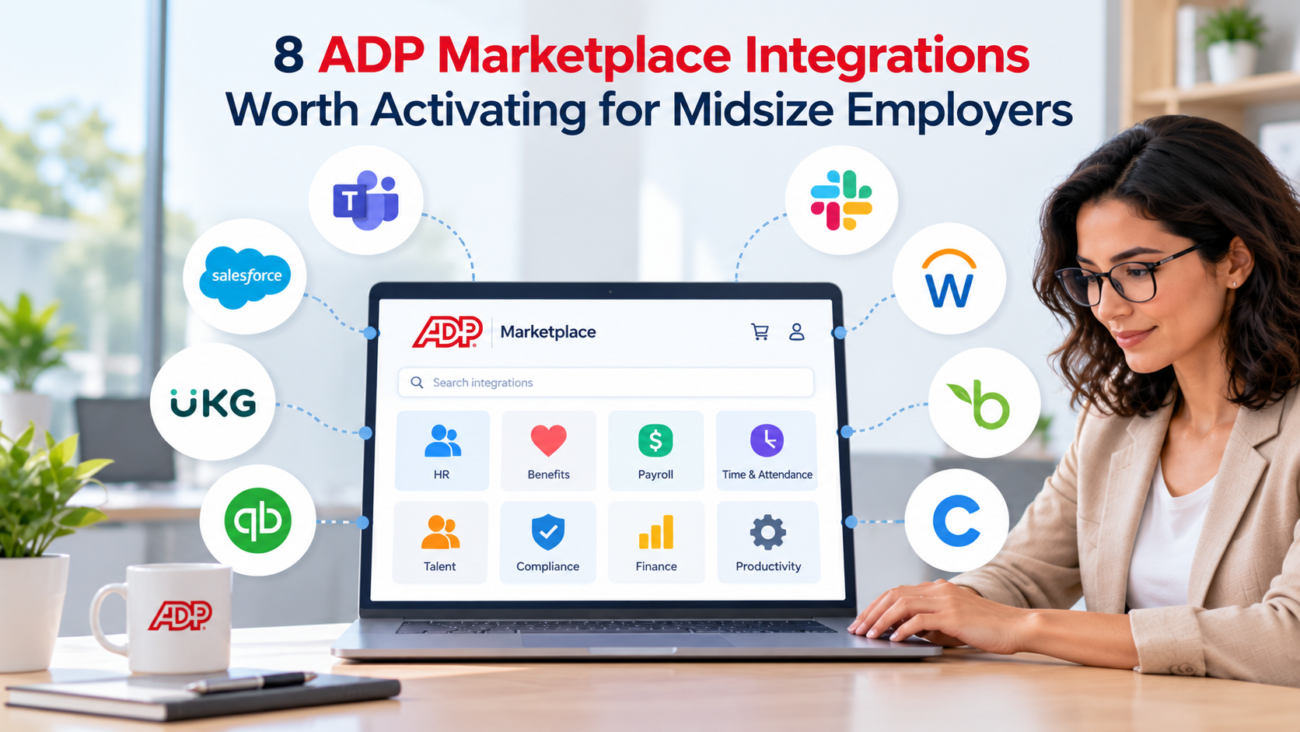
Midsize employers usually reach a point where payroll is no longer the main systems problem. The harder problem is keeping payroll, benefits, recruiting, time, learning, identity access, and employee service tools aligned as headcount grows. ADP Workforce Now can remain the system of record, but the surrounding stack still needs clean data movement and clear ownership.
That is where ADP Marketplace integrations can earn their place. ADP describes Marketplace as a digital HR storefront for apps, data connectors, and APIs that exchange data with ADP platforms. The current catalog spans recruiting, benefits, compliance, workforce management, financial wellness, and other HR functions, as the official ADP Marketplace overview explains. The important question for a midsize employer is not how many connections are available. It is which connections remove repeated work without adding another system that HR has to babysit.
This guide focuses on 8 ADP Workforce Now integrations that solve common problems for midsize employers. Each choice is judged on the work it removes, the data it moves, the operating fit, public cost information, and the conditions that should make an employer skip it.
TL;DR
· Start with ADP Marketplace integrations that remove a repeated handoff between 2 systems you already use.
· Benefits, recruiting, time, retirement, and identity access usually create the clearest business case because errors in those areas can affect payroll or employee access.
· Employee Navigator, Greenhouse, WorkSync, DailyPay, 360 401(k), Litmos, Aquera, and ADP Assist for Microsoft Teams cover 8 different needs rather than competing for the same job.
· A connector is worth activating when the source system is clear, the data direction is understood, and someone owns exception handling.
· Public Marketplace pricing varies. Some connectors publish per-employee or annual fees, while others require login or separate vendor contracts.
· Roll out the connections with the largest manual workload first. Add lower-impact convenience apps after payroll-critical flows are stable.
What ADP Marketplace Integrations Change For Midsize Employers
The strongest reason to add a connector is simple: a person should not have to re-key the same employee event into multiple systems. New hires, job changes, terminations, benefit deductions, time records, and account access all create downstream work. Once a company has several hundred employees, even a small manual step can recur often enough to become a control problem. ADP’s own integration material centers on sharing worker data between systems so teams can reduce duplicate entry and keep records aligned.
Midsize employers have little room for a fragmented HR stack. One person may own payroll and HRIS work while IT controls identity systems. HR integrations for midsize employers matter most when they remove a recurring handoff or keep a downstream system current without weekly file work.
An ADP case study shows how costly repeated file work can become. International Vitamin Corporation reported using Marketplace connectors for systems including iCIMS and SAP Concur, and its HRIS leader estimated at least $60,000 in savings from moving away from manual processes. She also said a custom API connection had been priced at at least $20,000. Those figures apply only to that company, but the ADP integration case study gives a useful example of the economics behind prebuilt connections.
A useful filter for ADP Marketplace apps has 5 questions. Which system owns the field? Which direction should the field move? How soon does the receiving system need the change? What happens when a record fails? Who reviews the failure? If those answers are vague, the connection is not ready for production even if the setup looks easy.
The 8 HR integrations for midsize employers below address different problems in the 50 to 999 employee midsize segment this article focuses on. Existing contracts, workforce mix, and the version of ADP Workforce Now you use should decide which ones belong in your stack.
Employee Navigator Connector For Benefits Administration
Employee Navigator is one of the clearest choices when benefits administration sits outside ADP but payroll deductions still have to land in ADP Workforce Now. Its connector exchanges demographic, compensation, and deduction information between the systems. ADP lists the integration as bidirectional, with real-time and scheduled updates depending on the field and event. The Employee Navigator connector can send deduction amount, deduction code, and effective date from Employee Navigator to ADP while worker details move from ADP to Employee Navigator.
That data pattern matters because benefit elections can become payroll inputs. When coverage changes, HR needs the benefit record and payroll deduction to agree. The connector can remove a second entry step at the point where an election turns into a deduction, which is why it stands out among ADP Workforce Now integrations used for benefits work.
The best fit is an employer already using Employee Navigator through its broker or benefits process. The connector can reduce duplicate census maintenance and gives employees ADP single sign-on access to the benefit portal. ADP currently lists $1.50 per employee per month for 1 to 20,000 employees on the connector pricing page. Confirm the live Marketplace offer before using that figure for a budget.
This is one of the ADP payroll integrations that deserves early attention when open enrollment creates spreadsheet work, deduction changes are keyed by hand, or HR spends time reconciling census fields with payroll. It is less compelling if benefits are already administered inside the ADP environment or if your broker uses a different enrollment platform with a direct connection you already trust.
Before activation, decide which system wins when the same demographic field can be changed in both places. Bidirectional movement is useful, but it also creates a governance question. A midsize employer should document which team owns worker identity data, which team owns benefit elections, and how retroactive changes will be reviewed before payroll closes.
Greenhouse Connector For Recruiting And New-Hire Data
Recruiting systems often create one of the first major data handoffs in the employee lifecycle. A candidate becomes an employee, and HR must move legal name, address, job, department, pay, start date, and other fields into the HCM system. Re-keying that record slows onboarding and increases the chance that a field in payroll differs from the offer or onboarding record.
The Greenhouse Recruiting and Onboarding Connector can send new-hire data from Greenhouse to ADP Workforce Now and can also pull selected user data from ADP back to Greenhouse. ADP lists the connection as bidirectional with real-time data exchange. The Greenhouse connector details include standard fields such as legal name, email address, hire date, job title, department, cost center, location, salary, and hourly pay rate. Current vendor documentation differs on international-hire support. ADP Marketplace says the connector supports US-based hires, while Greenhouse’s March 2026 HRIS Link documentation says ADP U.S. customers can support both U.S. and international hires. Confirm international-hire support for your setup before purchase.
For employers already committed to Greenhouse, this is one of the ADP Workforce Now integrations with a direct operational payoff. Recruiters can finish their work in the ATS, and HR receives a structured hire record in ADP instead of copying a packet field by field. Optional user sync in the other direction can also keep Greenhouse access aligned with the employee population.
Public Marketplace configuration currently shows $200 per month plus a $1,350 setup fee for the connector. The Greenhouse pricing page also requires existing Greenhouse and ADP Workforce Now accounts. The employer still carries its Greenhouse subscription and the internal field-mapping work.
Map recruiting and payroll codes before go-live. Department, location, worker type, and job values may differ between systems. Test salaried hires, hourly hires, remote workers, and rehires so the connector does not move the wrong code faster.
Greenhouse belongs high on the list of HR integrations for midsize employers when hiring volume is steady and the ATS already owns candidate-to-hire data. Skip it if you use ADP’s own recruiting module or another ATS with a cleaner connection for your existing process.
WorkSync Connector For Time, Scheduling, And Payroll Handoffs
Hourly work creates a different integration problem. Payroll depends on time records, but schedules, leave balances, and employee details may live in a workforce management system. When managers export files or payroll teams rebuild hours before every run, the handoff becomes a recurring close process.
WorkSync connects ADP Workforce Now employee data to WorkSync, brings ADP time-off balances into scheduling, and can send timesheet data back to ADP payroll. ADP lists the connector as real-time and bidirectional. The WorkSync integration details show that WorkSync reads worker fields such as location, pay rate type, pay rate amount, and identifiers, then sends payroll export values such as earning code and hours into ADP.
Among ADP Marketplace integrations, WorkSync is useful for employers with shift-based teams where scheduling and payroll are tightly linked. It can reduce a common break point: a schedule changes, a person works different hours, and payroll receives the change through a separate file process. The connector does not remove the need for supervisor approval or payroll review. It reduces the mechanical transfer between systems after those controls happen.
WorkSync is also one of the ADP Marketplace apps with public per-employee connector pricing. ADP’s current configuration page lists $0.25 per employee per month and states that the customer needs an existing WorkSync subscription. That price is easy to understand, but the business case should still be based on payroll effort and error exposure rather than subscription cost alone.
Among HR integrations for midsize employers, WorkSync fits best where hourly staffing changes often. A salaried office workforce with simple time entry may get little value from another scheduling layer. For ADP payroll integrations, the reason to buy should be removal of a real transfer, not the existence of a Marketplace listing.
Before activation, test earning codes, overtime handling, time-off balances, employee transfers between locations, and termination timing. Payroll should also own a reconciliation report that compares accepted hours with the source time system before the pay run is finalized.
DailyPay Connector For Earned Wage Access
Earned wage access is different from most integrations in this list because the main user is the employee. The operational requirement is still data movement. DailyPay needs current worker, time, pay cycle, and payment information so eligible earnings can be calculated, while pay distribution data can flow back to ADP.
ADP lists the DailyPay Connector as a real-time, bidirectional data exchange for ADP Workforce Now and several other ADP platforms. The DailyPay connector page shows that the data read can include employee identifiers, work assignment details, remuneration, pay cycle information, payday data, and timecard information for Workforce Now clients. DailyPay can send pay distribution and related account information back to ADP.
This is one of the ADP payroll integrations to consider only after an employer has decided to offer earned wage access. The policy decision comes first. HR and payroll should define eligibility, employee communication, support ownership, and any legal review before activation.
ADP’s Marketplace pricing page currently describes the ADP Workforce Now connector as having no cost to businesses under a transaction model, with login required for additional pricing detail. The DailyPay pricing listing is useful for confirming the connector structure, but employers should review the full commercial model and employee-facing fees or options in their own agreement.
DailyPay may fit employers with large hourly populations, but it is not essential for every midsize company. If demand for early wage access is low, another payroll-connected service may create support work without solving an important problem. Measure adoption and payroll exceptions after launch.
Among employee benefits integrations, this one needs particularly clear communication because the employee experience sits close to pay. Treat payroll data accuracy as the first control. A delay or mismatch in time data can affect what an employee expects to see in the earned wage access service.
360 401(k) Integration For Retirement Data Exchange
Retirement administration creates a less visible but high-consequence data flow. Deferrals, loan repayments, demographic data, and provider changes need to match payroll. Manual uploads can work at small scale, but they add recurring reconciliation work and make exception tracking harder as employee counts rise.
ADP’s 360 401(k) Integration for ADP Workforce Now supports movement in both directions. Payroll deduction data can be transmitted to the 401(k) provider, while deferral and loan changes can be sent back into ADP Workforce Now. The 360 401(k) features page also describes online reconciliation and secure file transmission.
The fit is unusually specific. ADP states that this connection is available for companies with 50 to 999 employees, requires ADP Workforce Now and a provider reverse file feed, and is not compatible with ADP TotalSource. That makes it directly relevant to many midsize employers, but only if the retirement provider can participate in the required data exchange.
The business case goes beyond saving key strokes. Retirement records support contributions, loans, and plan administration. The IRS says plan sponsors need accurate recordkeeping and should maintain participant contribution, compensation, and loan records. The IRS recordkeeping guidance does not require a particular connector, but it explains why a controlled payroll-to-plan data process matters.
This is one of the ADP payroll integrations that should move up the priority list when payroll staff manually upload contribution files, enter loan changes, or spend time comparing provider records with payroll after each cycle. It should move down the list if your recordkeeper already has a stable direct feed that covers the same work.
Before go-live, test deferral changes, loans, new hires, terminations, and the plan-specific contribution cases that apply to you. Among ADP Workforce Now integrations, retirement feeds deserve strict exception review because payroll and provider records must reconcile before the cycle closes.
Litmos Training Connector For Learning Administration
Learning systems become harder to maintain when course access depends on job, department, location, or employment status. The main integration need is usually user provisioning. New employees need accounts, role changes can alter course assignments, and terminated workers should no longer appear as active learners.
The Litmos Training Connector reads employee data from ADP Workforce Now and updates Litmos on a scheduled basis. ADP’s Litmos connector details say the connection performs a nightly sync, supports ADP single sign-on, and can use mapped employee fields for course or learning-path assignment when the relevant Litmos feature is in place.
This connection earns its place when learning assignments depend on employee attributes. Safety training, manager training, certification, or regulated learning can all create repeated roster work. If HR exports a roster from ADP and uploads it to the LMS each week, this is a direct candidate for removal.
Public connector pricing is based on user tiers for existing Litmos customers. ADP currently lists $500 per year for up to 500 users, $1,000 for up to 1,000 users, $2,000 for up to 2,000 users, and $3,000 for up to 3,000 users. The underlying Litmos subscription remains separate, so the connector fee should be viewed as the cost of keeping HR data aligned rather than the full LMS cost.
Litmos is one of the ADP Workforce Now integrations that may sit below payroll-critical connections in the rollout order. A failed learning sync is important, but it usually does not stop payroll. That makes it a good second-wave project after benefits, time, recruiting, or retirement flows are stable.
The setup should define assignment rules before turning on automatic learning flows. Avoid using broad fields that create accidental enrollments. Test how the LMS handles department changes, leave status, rehires, and terminations so training records stay useful without creating unnecessary learner accounts.
Aquera Identity Directory Sync Bridge For Joiner And Leaver Access
HR data can become the trigger for IT access when ADP is the worker system of record. That connection matters because the delay between a hire, job change, or termination and the matching IT action creates avoidable support work and access risk.
Aquera’s Identity Directory Sync Bridge can sync ADP Workforce Now worker information with identity and directory platforms that include Microsoft Entra ID, Active Directory, Okta, Google Workspace, Microsoft 365, and others. The Aquera sync bridge can support account provisioning and deprovisioning based on employee changes in ADP, with certain attributes also able to write back to ADP where allowed.
This is one of the strongest HR integrations for midsize employers that have an internal IT team and a meaningful SaaS footprint. A new hire record can trigger account creation before the start date. A role change can update access. A termination can trigger removal rather than waiting for an email from HR to the help desk.
NIST identity guidance describes HR-driven workflows that provision access for new roles and remove access when employment ends. The connector does not replace access policy or approvals. It gives those controls a more reliable worker-event source.
Aquera’s public Marketplace pricing varies by employee band and notes that additional Aquera components are required for inbound orchestration. Current listings show $3,500 per year for 1 to 250 employees, $4,000 per year for 251 to 500, and $4,500 per year for 501 to 1,000 employees. Midsize employers should review the current listing for their exact tier and separate platform requirements.
This is one of the ADP Marketplace apps where ownership must be shared. HR owns worker status and effective dates. IT owns access rules and the target systems. Security should review privileged access, service accounts, and exception paths. If those teams are not aligned, automated provisioning can move bad source data faster.
ADP Assist For Microsoft Teams For Employee Self-Service
Some integrations move data between back-office systems. ADP Assist for Microsoft Teams brings HR and payroll help into the collaboration tool employees already use. That changes the value test. The question is whether it can reduce routine HR and payroll questions enough to justify another employee-facing channel.
ADP says its Microsoft Teams app can help employees with pay schedules, time-off balances, employment details, timecard questions, benefits information, personal information updates, documents, and other self-service tasks. The ADP Assist features page describes those functions inside Microsoft Teams. ADP also says the app is available for ADP Workforce Now in both current and next-generation versions, along with other ADP systems.
This connection is most useful when Microsoft Teams already has high employee adoption. Employees should not have to learn a new channel for a handful of HR questions. If Teams is already where managers and staff spend the day, placing common payroll and HR tasks there can reduce context switching and may reduce basic tickets.
ADP Assist also reflects a newer direction for connected HR tools. ADP announced a Marketplace destination for AI agents in March 2026. Employers should still judge the experience by access rights, source data, audit needs, and escalation paths rather than novelty.
This app should sit later in the rollout sequence than payroll-critical connectors. A midsize employer will usually get more immediate control from fixing benefits deductions, hire data, time exports, retirement feeds, or identity access first. Once those flows are stable, employee self-service can reduce the visible support load around them.
Among ADP Marketplace apps, this one is also highly dependent on workforce behavior. A company with desk-based Teams users may see strong usage. A field workforce that rarely opens Teams may get little value even if the app works well.
Cost And Deployment Comparison
Cost across ADP Marketplace integrations is only one part of the decision. The larger cost often sits in field mapping, testing, vendor contracts, support ownership, exception review, and process changes. Public Marketplace prices also change, and some listings show pricing only after login. Use the table below as a current planning reference, then confirm the live Marketplace and vendor contract before approval.
| Integration | Main Data Flow | Public Connector Cost Seen | Best Fit | Main Watch-Out |
| Employee Navigator | Bidirectional benefits and worker data | $1.50 per employee per month | Employers already using Employee Navigator | Field ownership and retroactive deduction changes |
| Greenhouse | New-hire data to ADP plus selected user sync | $200 per month plus $1,350 setup | Employers already using Greenhouse Recruiting and Onboarding | International-hire support needs confirmation and code mapping |
| WorkSync | Worker and leave data out; time data back to payroll | $0.25 per employee per month | Hourly or shift-based workforces | Earning codes and time approval controls |
| DailyPay | Bidirectional pay-related data | Connector described as no cost to business under a transaction model | Employers offering earned wage access | Employee policy and support model |
| 360 401(k) | Payroll deductions out; deferral and loan changes back | Login required | 50 to 999 employee employers with supported provider feeds | Provider prerequisites and exception review |
| Litmos | ADP worker data to LMS | $500 to $3,000 per year by user tier | Existing Litmos customers | Assignment rules and account cleanup |
| Aquera | Worker data to identity and directory systems | Annual fee varies by employee tier plus other Aquera components | Employers with IT identity workflows | Access policy and cross-team ownership |
| ADP Assist for Teams | HR and payroll self-service in Teams | Pricing not shown in reviewed public listing | Teams-heavy workforces using ADP Assist | Adoption and escalation design |
Price alone does not decide value. WorkSync may have a low published rate, but a poor earning-code map can create payroll corrections. Greenhouse costs more, yet a high-volume hiring team may remove far more manual work. DailyPay may show no business connector cost under its transaction model, but the employer still needs a clear policy.
For budgeting, separate 4 cost buckets: connector fee, base vendor subscription, implementation work, and ongoing admin. Then estimate the manual hours and errors the connection is expected to remove. That makes ADP Marketplace integrations easier to compare with other projects competing for HRIS and IT time.
Integration Risks That Matter More Than Features
Failures across ADP Marketplace integrations often come from unclear ownership, bad source data, or weak exception handling. Midsize teams are exposed because the same person may be both system owner and daily operator.
Start with source-of-truth rules. If job title can be edited in the ATS, ADP, and an identity system, decide where the authoritative value lives. ADP Workforce Now integrations work best when each field has a primary owner and downstream systems consume that value. Bidirectional sync should be used only when there is a clear reason for data to move back.
Next, define effective-date behavior. A termination entered today for next Friday should not shut off access today. A future pay change should not appear in a benefit eligibility calculation before its effective date unless that is the intended rule. Test future-dated hires, rehires, transfers, and terminations because those events expose timing errors that a simple same-day test will miss.
Third, build exception ownership. Every connection can encounter missing codes, invalid values, unavailable target records, or permission problems. HR integrations for midsize employers need a named person who checks failures and a backup person who knows the process. An unattended error queue can be worse than a manual workflow because the team assumes the automation succeeded.
Finally, control access to integration administration. The connector may move pay, Social Security numbers, banking data, demographic records, or other sensitive employee information depending on the app. Give integration privileges only to roles that need them. Review vendor access, administrator roles, and offboarding the same way you would review access to payroll itself.
How To Roll Out ADP Marketplace Apps Without Creating Integration Debt
A good rollout starts with the current process. Map who enters the data, where it starts, where it ends, how often the handoff happens, and how errors are found. That baseline shows whether the connector actually improved the process.
Start With Payroll-Critical Flows
Benefits deductions, time data, retirement contributions, and new-hire records can all affect pay or payroll setup. Those connections should normally be tested before convenience-focused apps. ADP payroll integrations deserve stricter acceptance criteria because a small mapping error can affect many employees in a single run.
For ADP payroll integrations, run parallel checks during the first cycles. Compare the source file or source records with what arrived in ADP. Do not remove the old reconciliation step until the new path has passed enough cycles to show that mappings and effective dates behave as expected.
Add Identity And Learning Next
Once core payroll inputs are stable, identity and learning connections can remove recurring HR-to-IT and HR-to-LMS work. These flows are often high value but can tolerate a more staged rollout. Start with a limited population or one business unit when the connector allows it.
For identity, test joiner, mover, and leaver events separately. For learning, test assignment rules and deactivation. These ADP Workforce Now integrations need clear rules around timing and user status.
Finish With Employee-Facing Convenience
Employee self-service connections such as ADP Assist for Microsoft Teams are easier to judge after back-end data is dependable. Employees notice stale PTO, missing pay information, or incorrect profile data quickly. A self-service layer magnifies the quality of the systems behind it.
Track adoption and ticket volume after launch. If employees keep using the old HR channel, the integration may need better placement or clearer guidance. If the app creates more questions than it resolves, fix the workflow before rolling it out further.
A quarterly review is enough for most ADP Marketplace apps. Check failed syncs, owner contacts, field mappings, and whether the original business problem still exists. Remove connections that no longer have a clear owner or purpose.
Which ADP Marketplace Integrations Should Midsize Employers Activate First?
The right first connection is the one attached to the most expensive repeated handoff. For an hourly employer, that may be WorkSync because time feeds payroll every cycle. For a company with complex benefits, Employee Navigator may remove more risk. A fast-growing employer using Greenhouse may get the clearest gain from fixing the candidate-to-employee transfer, while an IT-heavy company may care most about Aquera and account lifecycle control.
Give priority to a connector when you already use both systems, the same data is entered twice, and mistakes create real downstream work. Put it later when the use case is occasional or the connection introduces more administration than it removes.
The strongest HR integrations for midsize employers usually sit close to payroll inputs or employee lifecycle events. ADP payroll integrations should come first when bad handoffs can create pay corrections or repeated reconciliation. Learning and employee self-service can follow once those flows are stable.
The goal is a smaller amount of manual work and a clearer ownership model. Eight integrations activated at once can create 8 new failure paths. A smaller set with tested mappings, named owners, and reliable exception handling will usually produce a better operating result.
FAQs
What Is ADP Marketplace?
ADP Marketplace is ADP’s catalog for apps, data connectors, and APIs that work with ADP products. Employers can connect outside HR systems to ADP or add related tools. Availability depends on the ADP product and app.
What Are ADP Marketplace Integrations?
ADP Marketplace integrations connect an ADP platform with another system. An app may read data from ADP, write data to ADP, exchange data in both directions, provide single sign-on, or surface ADP functions inside another work tool.
Which ADP Marketplace Integrations Are Best For Midsize Employers?
The best fit depends on the systems already in use and the manual work that needs to disappear. Favor connections that replace frequent re-entry or file transfers and have a clear owner after launch.
Does ADP Workforce Now Support Third-Party Integrations?
Yes. ADP Workforce Now supports many third-party connections through ADP Marketplace, and ADP also provides API options for custom work. Each listing states supported ADP products and data direction.
Are ADP Marketplace Apps Included With ADP Workforce Now?
Not necessarily. Some apps have connector fees, and many require an existing contract with the outside vendor. Price the connector and the underlying vendor service separately.
How Much Do ADP Marketplace Integrations Cost?
Costs vary by app. Public listings may show per-employee fees, annual user-band pricing, setup fees, or pricing only after login. Confirm the current Marketplace offer before approval.
Can ADP Marketplace Integrations Update Payroll Automatically?
Some can send payroll-related data into ADP, but fields and timing vary by connector. Payroll teams should still reconcile critical inputs before finalizing payroll.
Are ADP Workforce Now Integrations Real-Time?
Some are real-time. Others run nightly or on another schedule. Check the Marketplace listing and match the sync frequency to the business need.
Can ADP Marketplace Connect Benefits Systems To Payroll?
Yes. Supported benefits connectors can exchange worker data and payroll deduction information. The exact fields and direction of data movement vary by product.
Can ADP Integrate With Recruiting Software?
Yes. Recruiting and onboarding connectors can move hired-candidate data into ADP Workforce Now. Some also sync selected user data back to the recruiting platform. Test field mapping before go-live.
Can ADP Connect To Microsoft Teams?
Yes. ADP Assist for Microsoft Teams brings selected HR and payroll self-service functions into Teams for supported customers. Available functions depend on the ADP setup.
Can ADP Trigger Employee Account Provisioning?
Yes, through supported identity and directory integrations. Worker events in ADP can help create, update, or deactivate accounts. Employers still need access rules, approvals, and exception handling.
Should A Company Activate Every Useful ADP Marketplace App?
No. Each connector adds a dependency and support path. Activate an app when it removes enough repeated work or risk to justify that dependency and has a clear owner.
How Should ADP Integrations Be Tested Before Go-Live?
Test normal records and exceptions, including future-dated changes and terminations. Compare source data with the receiving system, confirm timing, and make sure an owner can resolve failed records.
How Often Should ADP Marketplace Integrations Be Reviewed?
A quarterly review works for many midsize employers. Check failed syncs, mapping changes, access, support ownership, and whether the original manual process is still gone. Review sooner after major system changes.
