
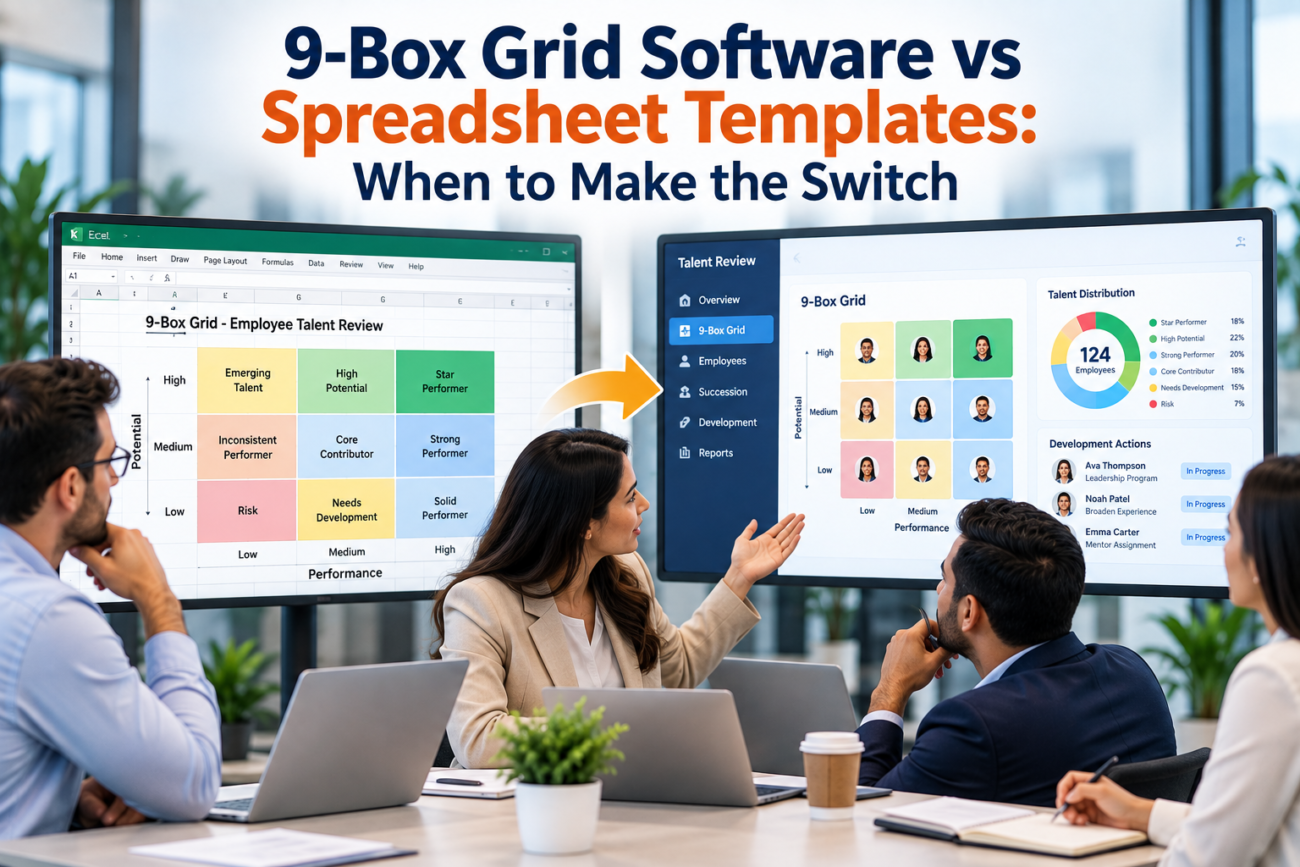
A 9-box grid can begin as a single worksheet and still support a useful talent discussion. A manager rates performance and potential, HR plots the names, leaders discuss the placements, and someone records the agreed result. For a small review population, that can be enough. The problem starts when the grid becomes part of a recurring process that has to preserve evidence, record calibration changes, connect people to future roles, and carry actions into the next cycle.
That is the real decision behind 9-box grid software versus a spreadsheet. The question isn’t whether a spreadsheet can draw a 3-by-3 matrix. It can. The question is whether the workbook can still support the operating rules around the talent process without creating version confusion, missing history, or manual consolidation every time leaders want a wider view.
For most organizations, the switch shouldn’t be tied to employee count. A company with 2,000 employees may review only a small executive group and remain comfortable with a workbook. A company with 350 employees may run several business-unit reviews, track successors for critical roles, compare movement across cycles, and require restricted access. The smaller company can reach the limits of a 9-box grid template much sooner.
This guide explains where a spreadsheet remains practical, what changes when the process grows, and when a digital 9-box system starts solving a real management problem rather than adding another HR system.
TL;DR
A spreadsheet works well when the 9-box is a periodic discussion aid for a small population, one HR owner controls the file, and leaders mainly need a current snapshot. It is also useful while HR is still testing definitions for performance and potential. A workbook gives the team room to change labels, rating rules, notes, and meeting formats without configuring a larger system.
The switch becomes easier to justify when the 9-box talent review turns into a recurring talent process. The strongest signals are separate files across business units, repeated talent calibration sessions, a need to compare placements across years, direct links to succession planning, restricted access, evidence behind ratings, and development actions that need owners and due dates. In that environment, the cost comes from maintaining the process rather than drawing the grid.
A good decision rule is simple: keep the spreadsheet while it remains a controlled working document. Consider software when the grid needs to behave like a record system with history, permissions, workflow, and reporting.
What the 9-Box Grid Actually Measures
The traditional 9-box grid places employees on 2 axes: current performance and future potential. The combination creates 9 positions that leaders can use to structure a talent discussion. SHRM’s 9-box succession planning explainer describes the model as a way to compare performance and potential, but the useful part comes from the discussion that follows the placement. The grid is a decision aid, and the organization still has to define what each axis means in its own context.
Performance is usually easier to anchor because organizations already have goals, outcomes, or performance-review evidence. Potential is harder. A July 2026 SHRM article on rethinking high-potential identification questions vague uses of potential and argues for clearer evidence about whether someone can handle greater scope or complexity. That concern matters before any technology choice because software can store a weak rating just as easily as a strong one.
The process usually has 4 distinct steps. Managers prepare an initial view. HR checks the inputs and facilitates the review. Leaders compare people across teams and adjust placements where needed. The group then decides what action should follow. Those actions may include a development assignment, a readiness discussion for a critical role, or a closer performance conversation.
A 9-box talent review is therefore broader than the colored matrix shown on a slide. The actual process includes definitions, ratings, supporting evidence, calibration decisions, and follow-up. A spreadsheet can support all of those at a small scale, but each added relationship makes the workbook harder to govern.
What a Spreadsheet Template Does Well
A 9-box grid template is usually the better starting point when an organization is still learning how it wants to run the process. HR can change the rating scale, rewrite box labels, adjust formulas, add note fields, and test different meeting formats without waiting for system changes. That flexibility matters during the first few cycles because the design often changes after leaders see how the framework behaves in a real calibration meeting.
A workbook is also easy to inspect. HR can see the source data, formulas, placement logic, and notes in one place. If 25 leaders are being reviewed once a year by one executive team, a carefully controlled file may remain practical for a long time. There is little benefit in adding succession planning software if the organization only needs a current snapshot and has no need to connect the results to other talent processes.
Spreadsheets also make it easy to pilot a new definition of potential. HR can add a short evidence field, ask managers to explain their rating, and see whether the discussion improves. If the organization later decides to use role readiness instead of a general potential score, the workbook can change quickly. That makes the spreadsheet useful as a design environment before the process becomes fixed enough to automate.
The key is controlled ownership. A single source file, a clear review calendar, and one HR owner can keep a 9-box grid template dependable. Problems tend to appear when copies multiply, many people edit different versions, or the organization expects the same file to serve as a year-over-year talent record.
Where Spreadsheets Start to Break
The first warning sign is usually version control. One business unit creates a copy, another changes the labels, a third adds columns, and HR receives several files marked “final.” The grid may still look correct, but the organization no longer has one agreed record of the review. Manual consolidation then becomes part of every cycle.
The second warning sign is relationship complexity. A single employee can have a current box, a prior box, a manager rating, a calibrated rating, a target role, a readiness state, development actions, and evidence behind the decision. A workbook can store all of that, but maintaining the links becomes difficult when many people move between roles or business units.
The third warning sign is recurring use. A file created for one annual meeting is simple. A file that has to support quarterly updates, leadership changes, succession reviews, and development follow-up is a different kind of artifact. CIPD’s current talent management guidance describes talent management as an ongoing process involving identification, development, retention, and deployment. Once the 9-box is used across that wider cycle, isolated worksheets can become a weak foundation.
The fourth warning sign is reporting. Leaders begin asking questions that require data across teams and across time. Which critical roles have no ready successor? Which employees moved into higher-responsibility roles after being identified as high potential? Which managers consistently rate everyone high before talent calibration? Those questions require more than a current-state grid.
The spreadsheet stops being comfortable when HR spends more time reconciling files and rebuilding history than facilitating the talent decisions themselves.
Calibration Is Usually the First Scaling Problem
Talent calibration is where a simple template starts behaving like a workflow. Managers may arrive with different standards for performance or potential, so leaders compare evidence and agree on a common bar. SHRM’s 2026 guidance on calibration bias recommends clear criteria and records of decisions and rating changes, which makes the meeting history part of the process rather than an optional note.
That history matters because an initial manager rating and the final calibrated rating answer different questions. The initial rating shows how the manager saw the employee. The final rating shows what the leadership group agreed after comparing people and evidence. If the placement changes, HR may need to know why. A workbook can preserve both values, but it requires deliberate columns and disciplined editing.
Calibration also introduces human risk. Research summarized by Harvard Business Review on bias in calibration meetings describes how group discussion can introduce its own distortions. A system won’t remove those risks. What it can do is give reviewers the same criteria, preserve evidence, and record the final rationale so HR can inspect patterns later.
This is one area where 9-box grid software can be useful even before the organization has a formal succession program. If several groups run a 9-box talent review and HR needs a consistent pre-review input, a final calibrated placement, and a record of what changed, a central system reduces the dependence on copied files.
The technology still needs a strong facilitation process. Calibration remains a leadership discussion, and the software should support that discussion rather than turn a judgment into an automatic score.
The Grid Becomes a Succession System
A 9-box placement and a succession decision are related, but they aren’t the same. An employee can be a strong performer with high future capacity and still be the wrong successor for a particular critical role. Succession planning asks whether a person fits a future role, how ready they are, and what must happen before they can step into it.
CIPD’s succession planning factsheet describes succession as identifying and growing people for leadership and business-critical positions, including the use of talent pools rather than only named replacements. That creates a data structure that goes beyond the 9-box. One role can have several possible successors, and one employee can be considered for more than one role.
Readiness adds another dimension. HR may need to distinguish someone who could step in now from someone who needs more experience. OPM’s current succession planning guidance similarly connects succession work with identifying, assessing, and developing talent for continuity. The important point is that succession planning is a separate relationship layer rather than another box label.
This is where succession planning software starts to have a clearer role. The system can hold the 9-box placement, then connect the employee to a critical role, a readiness state, and a development plan without forcing HR to maintain several cross-referenced tabs.
The switch is especially useful when leaders want successor depth views. A current grid can show many high-potential employees while still hiding the fact that a critical role has no credible successor. Once that question matters, succession planning software can help keep those role relationships in one record, and the organization needs more than a 9-box grid template.
Historical Movement Changes the Data Model
A current placement is only one observation. Once HR wants to know whether someone moved from one box to another, the process needs history. That changes the workbook design because overwriting last year’s value destroys information the organization may later need.
Historical movement can answer useful questions. A person may move from medium performance and high potential to high performance and high potential after a stretch assignment. Another may remain in a “ready soon” succession state for several cycles without receiving the experience leaders said was needed. SHRM’s 2026 discussion of succession status and high-potential employees emphasizes the connection between identification and actual development, which makes follow-through part of the process.
History also lets HR test whether earlier judgments were useful. If many employees labeled as high potential never move into broader roles, the organization may need to revisit its definition or development process. If certain managers’ initial ratings are frequently changed during talent calibration, HR may need to improve manager guidance.
A spreadsheet can preserve history by adding a sheet per cycle or creating dated records. That approach works while the population remains small. It becomes harder when employees change managers, organizations restructure, and leaders expect reports that compare several cycles without manual reconstruction.
A central record makes this easier because each review event can be stored as a dated observation rather than overwriting the previous one. This is one of the most practical reasons to move to 9-box grid software. The value isn’t the visual grid. It is the ability to retain the decision trail behind the grid.
Access Control Matters More as the Process Expands
Talent data can be sensitive because it may include judgments about potential, promotion readiness, successor status, or performance concerns. A single HR-owned workbook is easy to control. The challenge grows when managers, HRBPs, talent leaders, and executives need different views of the same process.
An HRBP may need to see a full business unit. A manager may need access only to direct and indirect reports. A senior leadership team may need a wider succession view. Some successor discussions may be restricted further because they concern senior positions. Those differences are difficult to maintain when access is based mainly on who received a file link.
OPM’s career development guidance connects career paths with succession planning and employee development, which illustrates why talent records can cross several HR processes. As soon as the same information is reused for development or future-role planning, the audience can widen while the need for controlled access remains.
This is a stronger reason to consider software than the number of employees alone. The system can apply role-based access to the same underlying records instead of creating separate workbook copies for each audience.
Permission design still needs thought. A system shouldn’t expose every talent judgment simply because it can. HR needs to decide who may enter an initial rating, who can change a calibrated result, who can view successor information, and what employees themselves are told. Technology can enforce those choices only after the organization makes them.
Development Follow-Through Separates a Grid From a Process
A useful 9-box talent review should produce action. If an employee is identified as capable of broader responsibility, leaders need to decide what experience or development would test and build that capacity. If someone is a strong performer who wants to deepen expertise rather than move into management, the action may look different.
CIPD’s succession guidance notes that succession programs often include practical work experience for future roles. That matters because a label such as “high potential” has little value if the employee never receives the assignment or exposure that could prepare them for the next step.
Spreadsheets often lose this part of the process. A note such as “give regional project exposure” may sit beside the grid, but there is no action owner or review date. By the next cycle, leaders may discuss the same gap again. OPM’s leadership development guidance similarly treats employee development as part of succession management rather than a separate afterthought.
Once the organization expects every talent decision to create a tracked action, succession planning software or a wider talent platform can reduce manual follow-up. It can connect a development action to the employee, assign ownership, and preserve the result for the next discussion.
This is also where the business case becomes easier to measure. The question changes from “Can software draw our grid?” to “Can we see whether the decisions made in the review led to completed development and stronger readiness?” That is a much more useful test.
What 9-Box Grid Software Should Actually Do
The product should solve process problems that already exist. If HR has no difficulty with history, permissions, calibration, or follow-up, replacing a spreadsheet may add administration without adding much value. If those problems are recurring, the feature list should map directly to them.
At minimum, useful 9-box grid software should preserve one employee record across review cycles. It should separate an initial manager assessment from the final calibrated result. It should allow HR to retain the rationale or evidence behind important changes. It should also let reviewers filter by organizational group without creating separate copies of the underlying record.
The next layer is succession. If the organization uses the grid to identify future leaders or critical-role talent, the system should be able to connect people with possible roles and readiness states. OPM’s training and development guidance describes succession planning as a structured process for identifying critical positions and developing capable employees, which supports keeping development and succession relationships visible rather than scattered across files.
Historical views matter as well. HR should be able to see where a person was placed in prior cycles and whether the final calibration changed from the manager’s initial view. The system should preserve that history instead of rewriting it.
Permissions are another core requirement. Managers, HR, and senior leaders may need different access. The tool should support that without forcing HR to produce separate extracts every time a review population changes.
Finally, the system should make follow-up visible. A development action, target role, readiness gap, or agreed next step should remain attached to the employee until it is reviewed or completed. These functions are what distinguish a useful talent process from a digital version of the same spreadsheet.
Spreadsheet vs Software: A Practical Comparison
The choice becomes clearer when the organization compares operating needs rather than visual features.
| Process Need | Spreadsheet Template | 9-Box Grid Software |
| First pilot cycle | Easy to change and test | May require premature setup |
| Small review population | Usually sufficient | Often unnecessary |
| One HR owner | Easy to control | Also works but adds system overhead |
| Several business units | Copies can multiply | Shared records can support separate views |
| Talent calibration history | Possible with careful design | Easier to preserve by cycle |
| Successor-role links | Requires extra tabs and manual joins | Can connect people to roles and readiness |
| Development actions | Can be tracked manually | Can assign owners and preserve status |
| Restricted access | File-based controls can become awkward | Role-based access is easier to maintain |
| Year-over-year movement | Requires disciplined archive structure | Historical views can be built into the record |
| Enterprise reporting | Manual consolidation is common | Central records reduce consolidation work |
A 9-box grid template remains a sensible choice when most of the needs on the left side are simple. The switch becomes more attractive as the same process has to serve several audiences and several cycles.
There is also an important middle ground. HR can keep the spreadsheet for the meeting while storing final results in an existing HR platform. The organization doesn’t need to buy standalone succession planning software just because a workbook has become inconvenient. The right answer may be to use functionality already available in the HRIS or talent suite.
The decision should therefore compare total process effort. If the system removes hours of file preparation but creates a larger configuration burden, the gain may be small. If it removes recurring reconciliation, protects history, and keeps actions visible, the value is easier to defend.
How to Decide When to Switch
The best decision test is based on operational friction. Start with the current 9-box talent review and identify where HR spends time before, during, and after the meeting. If most effort goes into thoughtful discussion and development choices, the spreadsheet may still be doing its job. If most effort goes into preparing files and rebuilding history, the process has probably outgrown it.
Use these questions as a practical check:
• Are several business units maintaining their own files?
• Does HR need to preserve initial and calibrated ratings separately?
• Do leaders compare movement across review cycles?
• Does the grid feed named succession decisions or talent pools?
• Do different audiences require different levels of access?
• Are development actions assigned and reviewed later?
• Does HR repeatedly import the same employee data from another system?
• Do leaders expect enterprise views without manual consolidation?
• Does HR need to explain why a placement changed?
• Are prior “ready now” or high-potential decisions reviewed against what later happened?
If only 1 or 2 of these issues appear occasionally, a better-designed spreadsheet may be enough. If many of them are recurring every cycle, the organization is managing a process that behaves like a system of record.
SHRM’s succession planning material connects 9-box reviews with identifying key roles, high-potential talent, calibration, and successor planning. That wider process explains why the software decision should be based on how the organization uses the grid after placement rather than how many names appear on it.
The strongest switch signal is simple: HR can no longer answer important talent questions without opening several files, reconciling versions, or rebuilding past decisions by hand.
How to Move Without Rebuilding the Process
Moving from a workbook to the new system should preserve the parts of the process that already work. A tool migration isn’t the right moment to change every rating definition, meeting rule, succession method, and development workflow at once. Too many changes make it hard to tell whether the new system improved the process.
Start by freezing the definitions. Document how performance is determined and what potential means. Decide whether the organization will continue to use potential or use a more specific measure such as readiness for broader scope. SHRM’s performance-review scoring guidance is useful here because it shows why rating categories need explicit criteria before they become part of a repeatable talent process. The software should receive a clear rule, not be expected to create one.
Next, define the record you need to preserve. That usually includes the employee identifier, review cycle, initial rating, calibrated rating, rationale, target role if applicable, readiness, and development action. Avoid migrating every old free-text comment if nobody uses it. Move the information that supports future decisions.
Then design permissions. Decide what managers can see before talent calibration, what becomes visible during the meeting, who can change a final result, and who can view successor information. This step should happen before rollout because access problems can undermine trust quickly.
Pilot with one review population. Run the meeting, capture the actions, and compare the administrative effort with the old workbook process. If the system adds steps without solving a known problem, fix the configuration before expanding it.
Finally, keep the review human. The tool should organize evidence and preserve decisions. It shouldn’t replace discussion about performance, future capacity, role fit, or development needs.
Why Software Won’t Fix a Weak 9-Box Process
Technology can’t rescue unclear criteria. If managers don’t share a common definition of performance or potential, digitizing the grid simply stores inconsistent judgments more neatly. The first improvement should be better decision rules and stronger evidence.
Calibration also remains vulnerable to group dynamics. SHRM’s current calibration guidance recommends consistent criteria and documentation because a group can still reinforce assumptions or give unequal attention to different employees. A system can show the same data to everyone, but it can’t force leaders to challenge a weak argument.
The organization also needs a clear purpose for the 9-box. Is it mainly a development conversation? Is it an input to critical-role succession? Is it used to identify a talent pool? Mixing several purposes without explaining them can create confusion about what a box means.
OPM’s succession planning essentials treats talent-pipeline assessment as part of a wider planning process linked to critical positions and workforce needs. That framing is useful because it keeps the grid in context. The grid can inform a decision, but the decision needs role information and development evidence that sit outside the matrix.
Software is most useful after the organization has a repeatable method. If the method changes every cycle because leaders still disagree on definitions, the spreadsheet may remain the better design tool until those questions are settled.
Conclusion
A spreadsheet and 9-box grid software can both support good talent decisions. The difference is the amount of process the organization expects the tool to carry.
A 9-box grid template works well when the review population is limited, ownership is clear, one current snapshot is enough, and follow-up happens somewhere else. It is flexible and easy to change, which makes it especially useful during early cycles.
Software becomes more useful when the organization needs reliable history, controlled access, several calibration groups, successor-role relationships, and tracked development actions. At that point, the spreadsheet may still be able to hold the information, but HR has to spend increasing effort keeping those relationships accurate.
The switch shouldn’t happen because the company reached a certain headcount. It should happen because the 9-box talent review has become a recurring talent process and the workbook is now the weakest part of that process. When leaders depend on prior-cycle history, succession links, and follow-up data, 9-box grid software can provide a clearer record than a collection of templates.
FAQs
What Is 9-Box Grid Software?
9-box grid software is a digital tool for managing performance-and-potential reviews, calibration decisions, and related talent information. Depending on the product, it may also store prior placements, succession links, readiness, development actions, and access rules. Its main value comes from managing the process around the grid rather than drawing the matrix itself.
What Is a 9-Box Grid Template?
A 9-box grid template is usually a spreadsheet or worksheet that places employees across performance and potential axes. It can include formulas, notes, placement labels, and action fields. It is often enough for a small or early-stage talent review where one HR owner controls the process.
Is Excel Enough for a 9-Box Talent Review?
Yes, Excel can be enough when the review population is limited, the process runs infrequently, one file can be controlled, and there is little need for historical tracking or complex permissions. The decision depends more on workflow complexity than employee count.
When Should a Company Move From a Spreadsheet to 9-Box Grid Software?
The switch becomes useful when separate files are hard to reconcile, calibration history matters, several audiences need different access, the grid feeds succession decisions, or development actions need ongoing tracking. These are signs that the process has moved beyond a one-time worksheet.
How Many Employees Justify 9-Box Grid Software?
There is no reliable universal threshold. A large organization may review only a small leadership group and remain comfortable with a spreadsheet. A smaller organization may need software sooner if it runs several review cycles, manages many critical roles, or needs detailed history and permissions.
Does 9-Box Grid Software Reduce Bias?
Software can make criteria, evidence, and decision history more visible, but it doesn’t remove human bias. Managers and calibration groups can still make inconsistent judgments. Clear definitions, evidence standards, thoughtful facilitation, and periodic review of outcomes remain necessary.
Is a 9-Box Grid the Same as Succession Planning?
No. The grid is an assessment view based on performance and potential or another future-oriented measure. Succession planning connects people to critical roles, considers readiness, and identifies development needs. The grid can inform succession planning, but it doesn’t replace it.
What Is Talent Calibration in a 9-Box Review?
Talent calibration is the discussion in which leaders compare employee assessments across managers and agree on a common standard. The group may confirm or change initial placements based on evidence. A strong process records the final decision and the reason for meaningful changes.
Should Employees See Their 9-Box Placement?
Organizations handle this differently. Some keep the grid as an internal planning tool while discussing development goals and career opportunities with employees. Whatever approach is chosen should be consistent and should avoid making promises about promotion that the organization can’t guarantee.
Can a Spreadsheet Track 9-Box History?
Yes, but it requires discipline. HR can create a dated record for each cycle or maintain separate archived sheets. The approach becomes harder when employees change roles or managers and when leaders want reports across several years without manual reconstruction.
What Should Succession Planning Software Add Beyond a 9-Box Grid?
Useful succession planning software should connect employees to critical roles or talent pools, record readiness, preserve development gaps, and show successor depth. These functions extend beyond the performance-and-potential placement itself.
How Often Should a 9-Box Talent Review Be Run?
There is no single correct schedule. Many organizations align the review with an annual talent cycle, while others revisit critical populations more often. The cadence should match how quickly roles, performance evidence, and succession needs change.
Can 9-Box Grid Software Replace Calibration Meetings?
No. Software can prepare the information, display the grid, record changes, and preserve rationale. Leaders still need to discuss evidence, challenge inconsistent standards, and agree on actions. The meeting remains a judgment process.
What Data Should Be Stored With a 9-Box Placement?
Useful records often include the employee identifier, review date, initial performance and potential assessments, final calibrated placement, supporting rationale, and agreed next action. Where succession planning is in scope, target roles and readiness may also need to be recorded.
What Is the Biggest Sign That a Spreadsheet Has Stopped Working?
The clearest sign is that HR can no longer answer important talent questions without opening several files, reconciling versions, or rebuilding history manually. At that point, the administrative work around the spreadsheet is getting in the way of the talent process itself.
