
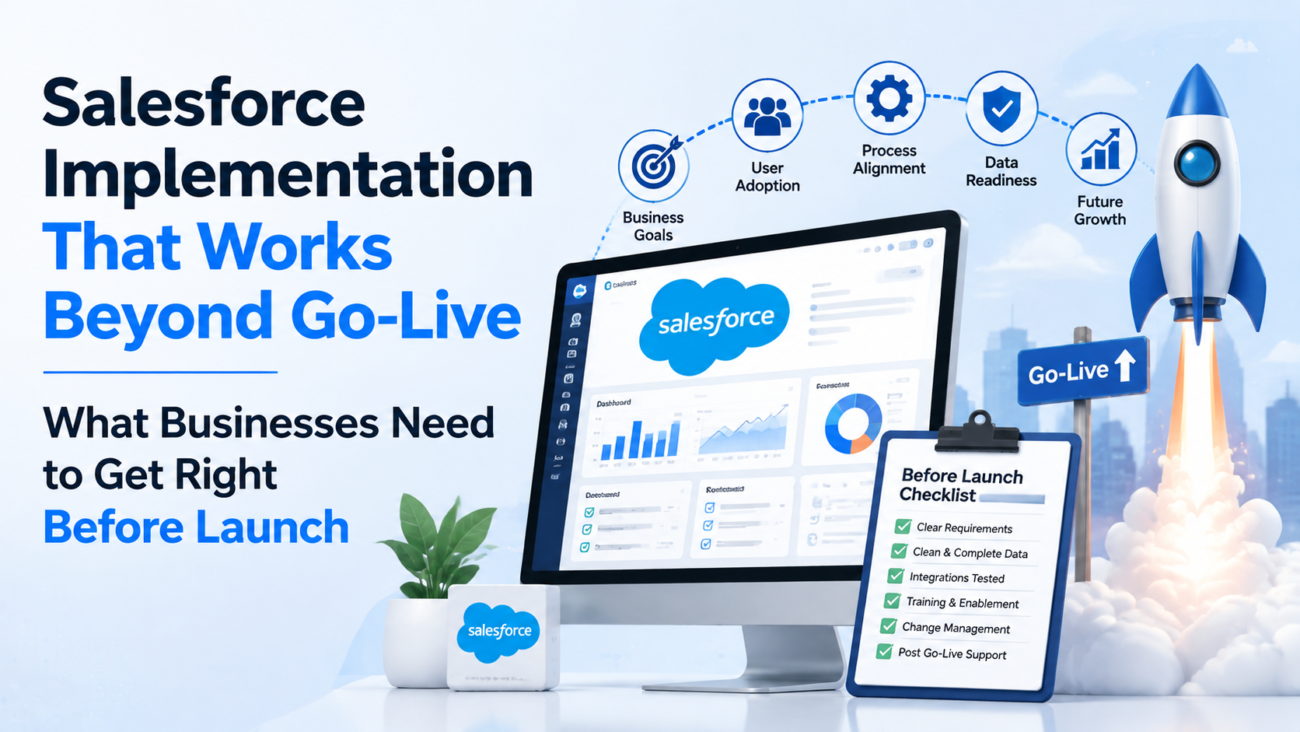
Salesforce implementation decisions keep changing after launch because the platform itself keeps changing. Salesforce says its major seasonal releases arrive 3 times a year, in Spring, Summer, and Winter, while some products now receive updates more often. That makes go-live a checkpoint rather than a finish line. A CRM that works on launch day can still become hard to maintain when permissions, automations, integrations, data volumes, user habits, and release changes begin interacting. The safer standard is to build an org that can absorb change without forcing teams into repeated rework, and the current Salesforce release guidance makes that need easy to see.
TL;DR
A good Salesforce implementation starts with the business process and ownership model, then turns those decisions into an architecture that can be tested, governed, and maintained. Data migration needs reconciliation rules before records move, integrations need failure handling before interfaces are built, and user adoption needs to be designed before training begins. Security decisions should follow least-privilege access, while deployment plans should respect Salesforce testing and sandbox constraints. The right partner should be able to show how requirements become working acceptance criteria, how risks are surfaced early, and how ownership moves to the internal team after launch.
A Salesforce implementation has to survive change after launch
The hardest implementation problems often appear after the project team has declared success. A workflow that looked correct in a demo can become slow when real users handle exceptions. A field that seemed harmless can create reporting confusion when teams interpret it differently. An integration can appear stable until a downstream system fails, retries build up, or ownership for error queues is unclear. These problems come from design decisions that were technically valid but operationally weak.
Salesforce’s own architecture guidance gives businesses a useful way to judge implementation quality. The Salesforce Well-Architected framework groups healthy solutions around being trusted, easy, and adaptable, then connects those qualities to security, reliability, maintainability, data integrity, incident response, and interoperability. Those categories matter because implementation quality is broader than whether configuration works in a sandbox. It includes whether the org remains understandable when new people join, when requirements change, and when a release alters platform behavior.
A durable implementation therefore needs 2 views at the same time. The first is the immediate delivery view: what must work for the agreed launch scope. The second is the operating view: who will own the org after launch, how changes will be approved, how issues will be monitored, and how future releases will be tested. Teams that decide both early are less likely to treat post-launch maintenance as an unexpected second project.
Start with the operating model before you configure the org
Configuration should begin only after the business has agreed how work is meant to move. Discovery needs to identify who creates a record, who changes it, which exceptions require approval, what data is authoritative, and where responsibility moves between teams. A Salesforce Implementation should turn those answers into a working system model before fields, Flows, objects, or custom code start multiplying. HyphenX describes its implementation scope as beginning with discovery, architecture, requirements, data planning, testing, training, and go-live support, which is the right sequence to inspect when judging whether a delivery plan has enough depth.
A useful discovery process should settle the main operating questions before build work moves far. The answers should be specific enough that a process owner can approve them and a technical team can test them. The following questions expose the gaps that usually create rework later:
- Which business outcome will define whether the project worked, and how will that outcome be measured inside or outside Salesforce?
- Which process steps are mandatory, which are policy choices, which are historical habits, and which can be removed?
- Which system owns each important data element, and what happens when Salesforce disagrees with another source?
- Which user groups need different permissions, record visibility, approval rights, or reporting access?
- Which exceptions occur often enough to deserve system support, and which should remain manual with documented handling?
- Which integrations are required for launch, which can follow later, and what business activity stops if one becomes unavailable?
The operating model also needs a named decision owner. Project teams lose time when every unresolved detail returns to a broad committee. A product owner or process owner should be able to decide how the business wants Salesforce to behave within agreed governance. That person does not need to make every technical choice, but they do need authority to settle process questions and approve tradeoffs when schedule, cost, and scope collide.
Requirements should describe work, ownership, and exceptions
Strong requirements describe observable behavior. A statement such as “improve pipeline visibility” gives a project team almost nothing to test. A better requirement identifies which pipeline stages exist, who can move an opportunity, which fields are required at each stage, how forecast categories are assigned, what exceptions are allowed, and which report proves the process is working. Requirements become valuable when another person can read them and decide whether the delivered behavior passes or fails.
This is where early Salesforce consulting services can matter. The consulting task should connect business language to system choices without letting technical vocabulary hide unresolved process decisions. A discovery document that lists objects and features but leaves ownership, exceptions, and acceptance criteria vague will push uncertainty into build and testing, where corrections become more expensive.
| Requirement area | What the requirement should state | Evidence needed before approval | Acceptance signal |
| Business process | Trigger, owner, handoff, exception path | Current process map and policy rules | Users can complete the agreed process without side work |
| Data | Source, field meaning, quality rule, retention need | Sample records and source-system definitions | Loaded records reconcile to approved totals and rules |
| Access | User group, record visibility, edit rights, sensitive fields | Role map and policy constraints | Test users see and change only approved information |
| Automation | Start condition, action, stop condition, error route | Decision logic and exception examples | Expected cases run correctly and failed cases are visible |
| Reporting | Metric definition, source fields, timing, ownership | Existing report logic and target decisions | Report totals match agreed business definitions |
| Integration | Direction, frequency, ownership, retry behavior | System inventory and interface details | Data moves correctly and failures create actionable alerts |
Acceptance criteria should be written while requirements are being agreed, not after development. Doing this early exposes ambiguity before it turns into configuration. It also gives user acceptance testing a concrete basis later, because testers can compare the system with an approved behavior rather than relying on memory or preference.
Scope and budget need a formal path for change
Scope changes are normal in CRM work because discovery continues after users see working screens and migrated data. The risk comes from accepting those changes without recording what they replace, what they delay, or which dependencies they create. A project can stay busy while quietly moving away from the business case that funded it. Change control keeps that movement visible and gives sponsors a way to choose rather than letting the backlog choose for them.
A useful change request should contain enough information for a decision without turning into a long document. It should identify the business problem, the requested behavior, the affected process, the delivery effort, and any effect on data, access, testing, training, integrations, or launch timing. It should also state what happens if the change is deferred. That last point helps decision makers separate a real launch dependency from a preference that can wait for a later release.
The approval path should use a small set of decision outcomes so requests do not sit in an undefined middle state. Each outcome should tell the team what happens next and who owns the follow-up. A 4-part decision model keeps those choices visible:
- Accept for current scope: The change is required for the approved launch outcome, and its effect on schedule and cost is accepted.
- Swap with existing scope: The change matters more than another planned item, so the team removes or defers lower-value work instead of quietly expanding the release.
- Move to the post-launch backlog: The request is useful but does not block the launch objective, and it receives a named owner plus a future review point.
- Reject with a recorded reason: The request conflicts with policy, adds avoidable complexity, duplicates another capability, or does not support the agreed process.
Budget tracking should follow the same logic. A project should distinguish planned delivery work from rework caused by unclear requirements, newly discovered source-data problems, external-system changes, or added business requests. That distinction gives leaders a better explanation of cost movement and helps them see where future planning needs to improve. It also prevents every overrun from being described as technical complexity when the actual cause may be delayed decisions or changing scope.
The project manager, product owner, and technical lead should review the change record together at a cadence that fits the project. Their jobs are different: the business owner decides value and priority, delivery leadership explains timing and cost, while technical leadership explains design impact and risk. A clear record of those decisions becomes useful later when administrators ask why a field, automation, exception, or custom component exists.
Security and access design belong in the architecture phase
Security gets harder when it is added after objects, automations, and integrations already exist. The implementation team should define record visibility, field access, administrative privileges, integration identities, audit needs, and exception handling while the data model is being designed. NIST’s AC-6 least privilege guidance states that users and processes should receive only the access needed for assigned work. That principle maps directly to Salesforce roles, permission sets, sharing rules, integration users, and administrative access.
Build access from tasks, not job titles alone
Job titles are often too broad to drive permissions. Two people with the same title can work in different regions, handle different account types, or need different access to financial and personal information. Start from tasks and records: what must this user read, create, edit, approve, export, or administer? Then group users into access patterns that can be maintained without one-off exceptions becoming the default.
Separate privileged access from daily work
Administrative permissions should be limited and traceable. People who need privileged access for configuration do not automatically need to use those privileges for routine sales or service activity. Integration accounts should have clear owners, defined scopes, and monitoring that shows when authentication or authorization fails. Where stronger authentication is available, CISA recommends phishing-resistant MFA as the target state and describes MFA as requiring 2 or more forms of verification.
A capable Salesforce Implementation Partner should be able to explain the permission model in business terms before go-live. The partner should also document who can grant access, how access reviews will work, and how emergency changes will be recorded. Security becomes easier to maintain when the design has fewer special cases and every privileged permission has a clear reason.
Data migration needs a reconciliation plan before loading starts
Data migration quality is decided before the final load. The team needs to know which records will move, which will be archived, how duplicates will be handled, how relationships will be preserved, and how totals will be checked after import. A migration plan that focuses only on mapping source columns to Salesforce fields misses the business question: can users trust the records when they begin working in the new org?
Salesforce’s Data Import Wizard can import up to 50,000 records at a time for supported objects. That limit is a practical reminder that tool choice should follow data volume and migration complexity. Large or relational migrations usually need a more controlled approach with staged loads, external IDs, parent-child sequencing, logging, and repeatable scripts.
A sound migration plan should separate preparation from movement. Preparation covers profiling, cleanup, deduplication, mapping, ownership, transformations, and rejected-record rules. Movement covers test loads, final extraction, import sequence, validation, and rollback decisions. Salesforce data migration services are most useful when they address both sides, because a fast load of poor source data simply moves old problems into a new system.
| Migration gate | Question to answer | Evidence to keep |
| Scope gate | Which objects and date ranges are moving? | Approved object list and volume counts |
| Quality gate | Which duplicates, invalid values, and obsolete records must be fixed? | Profiling report and cleanup rules |
| Mapping gate | How does each source field map to the target model? | Signed mapping document and transformation logic |
| Dry-run gate | Can a repeatable test load preserve relationships and ownership? | Load logs, error files, and reconciliation results |
| Cutover gate | What freezes, who approves the final extract, and when can users enter the new org? | Cutover checklist and owner list |
| Validation gate | Do totals, relationships, sample records, and reports match expectations? | Reconciliation report and business signoff |
Reconciliation should use more than a record count. The team should compare totals by object, ownership, status, region, or another business grouping that can expose incorrect mappings. Sample records should include ordinary cases and edge cases. If the business cannot explain what a successful reconciliation looks like before the migration, it is not ready for the final load.
Integration design should define failure behavior before build
An integration is an operating dependency, so its failure path deserves the same attention as its happy path. The design should state which system owns each field, whether updates are synchronous or asynchronous, how often data moves, how duplicates are prevented, and what happens when a request is rejected. Teams also need to know how long errors can remain unresolved before the business feels the impact.
Security belongs inside that design. The OWASP API Security Top 10 for 2023 lists risks that include broken object-level authorization, broken authentication, unrestricted resource consumption, security misconfiguration, and unsafe consumption of APIs. Those risks matter when Salesforce exchanges customer, order, service, or financial information with other applications. Integration design should therefore cover authorization, request limits, validation, secrets management, logging, and ownership of failed transactions.
A practical integration specification should be clear before development begins. It should give developers enough detail to build the exchange and give operations enough detail to support it later. The specification should answer these points:
- Which system is authoritative for every shared field, and can ownership change during a process?
- What event starts the exchange, and what maximum delay can the business tolerate?
- What should happen when the target system is unavailable, returns a partial error, or accepts a duplicate request?
- Where are failures logged, who receives the alert, and what information is required to correct the issue?
- How are credentials stored, rotated, and revoked when staff or vendors change?
- What volume is expected at normal load and peak load, and which platform limits could affect the design?
The Salesforce API integration services used during implementation should leave the business with monitoring and recovery procedures alongside the working endpoint. A connection that moves data successfully during testing still needs a clear operational owner after launch. That owner should know where to look when sync totals drift, queues build, or authentication stops working.
Reporting design should settle metric definitions before dashboards are built
Reporting problems usually start with unclear business definitions rather than the dashboard tool. A pipeline report can be technically correct and still mislead leaders if teams disagree about stage meaning, close-date rules, ownership, currency handling, or which records belong in the metric. The implementation team should settle those definitions while requirements and data models are still open. Waiting until dashboard build creates pressure to encode unresolved policy choices inside formulas, filters, or hidden report logic.
Define the metric before choosing the chart
Every important metric needs a short definition that a business owner can approve. The definition should state what is counted, what is excluded, when the value changes, which date controls the period, and which system or field provides the source. Forecasting, case response, conversion, renewal, and activity measures often look simple until teams compare the rules they have been using in spreadsheets or legacy systems. Those differences should be resolved before a dashboard becomes the new source of truth.
A useful reporting specification starts with the business decision behind the metric. It should make the inclusion rules and data source clear enough that another analyst can reproduce the result. The specification should answer these questions:
- Which decision will this report support, and who is expected to act on it?
- Which records are included or excluded, and which status or date rules control that decision?
- Which field is authoritative when 2 sources contain different values for the same business concept?
- How often should the measure change, and does the audience need current, daily, weekly, or period-end information?
- Which user groups can see the underlying records, and should the report respect that visibility or use a controlled management view?
- How will the team confirm that Salesforce totals match the approved business definition after migration and go-live?
Reporting also provides an early test of the data model. If a required management question needs complicated formulas, repeated manual exports, or fields whose meaning changes by team, the underlying model may still be unsettled. The project should fix that weakness before producing a polished dashboard. A simple report built on consistent definitions is more useful than a visually impressive dashboard whose totals need explanation every month.
Make report ownership explicit
Every important report or dashboard needs an owner who is responsible for its business definition, not merely its technical maintenance. That owner should approve definition changes and explain why a metric moved when process rules change. Administrators can maintain folders, permissions, and formulas, but the business should own the meaning of the numbers. This separation prevents administrators from becoming the default decision makers for sales policy, service policy, or financial interpretation.
Testing must prove the business process and the configuration
Testing should prove that the full process works under realistic conditions. Unit tests, system tests, integration tests, security tests, migration validation, and user acceptance testing answer different questions. Combining them into a single late testing period makes defects harder to diagnose because the team cannot tell whether the problem came from configuration, code, data, permissions, or an interface.
Use sandboxes according to the work they support
Salesforce publishes different refresh intervals for its sandbox types. According to its sandbox limits and refresh intervals, Developer and Developer Pro sandboxes can refresh after 1 day, Partial Copy after 5 days, and Full after 29 days. Those intervals affect test planning because a Full sandbox cannot be treated like an environment that can be rebuilt on demand after every major test cycle.
Environment planning should therefore be tied to purpose. Development work needs isolated spaces where changes can be made quickly. Integration and system testing need stable configurations plus representative data. User acceptance testing needs a controlled build with known test cases and a change freeze long enough for users to produce meaningful results. When teams use the same environment for unrelated work, one group’s change can invalidate another group’s test.
Make UAT a business decision gate
User acceptance testing should be run by people who understand the real process and its exceptions. Test cases should trace back to approved requirements, include expected outcomes, and record who accepted the result. A defect should be separated from a change request. If the system fails an agreed requirement, it is a defect; if a user asks for behavior that was never approved, the team needs a scope decision rather than quietly adding work.
Treat deployment validation as a release requirement
Custom Apex adds another measurable gate. Salesforce’s CLI deployment testing requirements state that production deployments using specified tests require at least 75% code coverage for each class and trigger in the deployment package, while other production test levels use their own coverage rules. That threshold should be treated as a platform minimum, while the real test goal remains coverage of business behavior, error cases, bulk conditions, and permission effects.
Good Salesforce Implementation Services should connect these test layers into a release gate that business and technical owners can understand. A release should have known test evidence, unresolved defects should have explicit disposition, and rollback or recovery steps should be written before production changes begin. That discipline makes go-live a controlled decision instead of a date the team feels forced to meet.
User adoption should be designed into the build
Adoption begins with workflow fit, not with a training calendar. Users resist systems when Salesforce adds steps that do not help them complete work, when field definitions are unclear, or when the system asks for information they cannot know at that point in the process. Training can explain a good design, but it cannot permanently compensate for a bad one.
The implementation team should test usability while features are still being built. A sales representative, service agent, manager, or operations user should be able to complete common work with representative data and explain where the process feels unclear. Feedback should be sorted into defects, usability improvements, policy questions, and future requests. That classification prevents every comment from becoming an immediate build change.
A simple adoption design should connect user tasks to training and post-launch measurement. Each stage should produce evidence that the workflow makes sense to the people who will use it. The sequence can follow these steps:
- Identify the tasks each user group must complete in Salesforce during a normal week.
- Build screens and automations around those tasks with only the required inputs and decisions.
- Test the process with real users before the final UAT cycle begins.
- Train users by role with examples that match their records, approvals, reports, and exception paths.
- Track usage and data quality after launch so low adoption can be traced to a specific process or design issue.
Post-launch Salesforce adoption and user enablement should focus on behavior that matters to the operating model. Login counts alone say little about whether the system is being used correctly. Better signals include required-field completion, stage movement, case handling, report usage, exception rates, and how often users return to spreadsheets or side tools for work Salesforce was meant to support.
Governance should control change after the project team leaves
Governance is the mechanism that keeps a working org from drifting into a collection of local fixes. After launch, users will request new fields, managers will ask for new reports, integrations will change, and Salesforce releases will introduce platform changes. Salesforce currently ships 3 major seasonal releases each year, with some products changing more often, so the business needs a repeatable way to decide which changes enter the org and how they are tested.
A practical governance model does not need a large committee. It needs clear decision rights and a small set of records that show why a change was approved. The exact process can vary with company size, but the following control points should be visible. This keeps governance proportionate while preserving a record of the decisions that shape the org:
| Governance control | Decision it should answer | Record to keep |
| Intake | What problem is the request trying to solve? | Request with business owner and affected process |
| Priority | Why should this work happen before other requests? | Ranked backlog with reason and expected value |
| Design review | Does the change fit existing data, security, automation, and integration rules? | Design note with dependencies and chosen approach |
| Test approval | What evidence shows the change works and does not break agreed behavior? | Test results, defect decisions, and approver |
| Release approval | When can the change enter production, and who owns the release? | Release record with deployment and recovery plan |
| Post-release review | Did the change solve the original problem without creating new issues? | Outcome note, support findings, and follow-up actions |
The backlog should distinguish defects from enhancements. A defect means the system fails behavior that was previously approved or expected. An enhancement changes or extends that behavior. Treating every request as a defect creates false urgency, while treating genuine failures as future enhancements damages user trust. The governance process should make that distinction visible so teams can allocate support capacity with a shared understanding of impact.
Technical debt should also be recorded instead of being left as informal knowledge. A temporary Flow, a manual data correction, a skipped automation, or an integration workaround may be reasonable under a deadline if the risk is understood. The debt becomes dangerous when no one records the reason, owner, consequence, and removal plan. A simple technical-debt register gives future administrators context they would otherwise have to reconstruct from configuration history.
Release management should connect governance to the environments used for testing. Changes that affect permissions, automation, integrations, data models, or custom code need the right level of regression testing before production. Small changes can use a lighter path when risk is low, while high-impact releases should require broader business validation. The purpose is consistency: teams should know which evidence is required before a change moves forward, even when the people making the change are different from those who built the original implementation.
Choose a Salesforce implementation partner by delivery evidence
The best partner selection questions reveal how the team works when the project becomes uncertain. Certifications and platform experience matter, but they do not show how requirements are challenged, how data issues are handled, or how a partner responds when testing exposes a design mistake. Buyers should ask for working examples of governance, acceptance criteria, migration reconciliation, release control, and handoff documentation.
A serious partner evaluation should ask for evidence from the way the delivery team works. The goal is to see how the partner handles ambiguity, defects, and handoff when the project is under pressure. The following evidence table gives buyers a practical review structure:
| Decision area | What to ask the partner to show | Warning sign |
| Discovery | Example of a requirement moving from business process to acceptance criteria | Requirements stay at feature level with little process detail |
| Architecture | How standard configuration, automation, custom code, and integrations are chosen | Custom work is proposed before standard options are assessed |
| Data | Migration mapping, error handling, dry-run evidence, and reconciliation method | Success is defined mainly as records loaded |
| Security | Permission design method, privileged access rules, and review process | Access is copied from job titles without task analysis |
| Testing | Traceability from requirement to test result and defect decision | UAT is described as a short demo near launch |
| Go-live | Cutover ownership, rollback thinking, support route, and knowledge transfer | Handoff starts only after production deployment |
| Change after launch | Release review, backlog governance, and internal ownership model | The plan assumes the org will remain mostly unchanged |
Commercial structure should also match uncertainty. A fixed scope can work when requirements are stable and dependencies are known. Time-and-materials work can fit discovery-heavy or evolving areas, but it needs clear backlog control and spending visibility. Phased delivery can reduce exposure by proving one process or business unit before the next begins. The right choice depends on how much is known, how quickly the business needs usable outcomes, and how much change is expected during delivery.
Go-live should be a controlled handoff, not an end date
A launch plan should state exactly what must be true before users enter production. The team needs approved data reconciliation, passed business test cases, confirmed access, working integrations, support ownership, user communications, and a decision path for unresolved issues. Every item should have an owner and evidence. A checklist without ownership becomes a ceremonial document rather than a release control.
The cutover plan should cover work in a clear order and assign an owner to every gate. Each step should have evidence that tells the release owner whether the next step can begin. The plan should cover these activities:
- Freeze or control source-system changes at the agreed point, then record any exceptions that must be carried forward.
- Run the final data extract and load using the same tested scripts, mappings, and sequence used in dry runs.
- Validate record totals, relationships, ownership, permissions, and the reports that business leaders will use first.
- Confirm integrations with production credentials and monitor the first transactions rather than assuming sandbox behavior will repeat.
- Open user access only after the agreed release owner confirms that blocking conditions are cleared or formally accepted.
- Route early issues through one support process so duplicate fixes and conflicting changes do not appear during hypercare.
Hypercare should have an exit condition. The project team can define a period, but time alone should not decide when the launch is stable. A better exit uses operational evidence such as defect severity, failed integrations, support volume, data exceptions, and adoption behavior. Ownership should then move into the normal governance model with a backlog, release process, security review, and documented support route.
What a durable implementation leaves behind
A successful Salesforce implementation leaves the business with more than configured features. It leaves clear process ownership, a maintainable architecture, trusted data, tested integrations, controlled access, usable documentation, and a release method that can handle change after the project team steps away. Those assets reduce the risk that every new requirement turns into an emergency fix.
The decision standard is straightforward: ask whether the org can still be understood, tested, changed, and supported 6 months after go-live by people who were not in every project meeting. If the answer depends on one consultant’s memory or a collection of undocumented exceptions, the implementation is still carrying hidden risk. If the system has traceable requirements, clear ownership, repeatable tests, and documented operating controls, the business has a foundation it can keep using as Salesforce changes.
Frequently asked questions
What should a business complete before a Salesforce implementation starts?
A business should define the process in scope, decision ownership, source systems, user groups, and the outcomes that will prove the project worked. It should also identify major data issues, required integrations, security constraints, and known policy exceptions before configuration begins. Every detail does not need to be solved on day 1, but unresolved items should be visible and assigned to an owner. That gives discovery a clear starting point and keeps early build work from being based on assumptions.
How long should Salesforce implementation take?
There is no reliable universal duration because the schedule depends on process count, data condition, integration complexity, custom development, testing depth, and business availability for decisions. A small single-process setup can move much faster than a multi-cloud program with legacy migration and several external systems. The better planning method is to estimate each delivery stage with its dependencies and decision gates rather than choose a launch date first. Time should also be reserved for data dry runs, UAT corrections, cutover rehearsal, and post-launch support.
How much customization should be used in Salesforce?
Customization should be used when standard configuration cannot meet an approved business requirement without creating unacceptable workarounds. The team should first test whether standard objects, permission tools, Flow, layouts, and platform features can support the process in a maintainable way. Custom code can be appropriate for complex logic, specialized interfaces, or technical requirements, but it adds testing and maintenance responsibility. Every custom component should therefore have a documented reason, owner, test coverage, and future support plan.
What is the biggest data risk during Salesforce implementation?
The biggest data risk is moving records that are technically loadable but unreliable for real work. Duplicate accounts, inconsistent statuses, missing ownership, broken relationships, old values, and unclear field meanings can damage reporting and user trust immediately after launch. Migration planning should define cleanup rules, mapping logic, rejection handling, and reconciliation before the final extract. Business owners should sign off on the meaning and usability of migrated data as well as the technical completion of the import.
How should a company measure Salesforce adoption after go-live?
Adoption should be measured through the business behaviors Salesforce was introduced to support. Useful measures can include completion of required fields, movement through approved stages, case handling, report usage, data-error rates, and the continued use of side spreadsheets for core work. Login counts can show access, but they do not prove correct usage. Teams should connect adoption measures to specific processes so they can tell whether a problem comes from training, workflow design, unclear policy, or missing functionality.
What should businesses expect from a Salesforce implementation partner after launch?
Businesses should expect a clear handoff of system knowledge, open issues, support ownership, release procedures, and the backlog of approved future work. The partner should provide enough documentation for internal administrators and technical teams to understand important configuration, integrations, permissions, and deployment practices. Early support should focus on production defects, data exceptions, integration failures, and user blockers, then move into the agreed steady-state support model. A strong handoff reduces dependence on individual consultants and gives the business a workable way to govern future change.
