
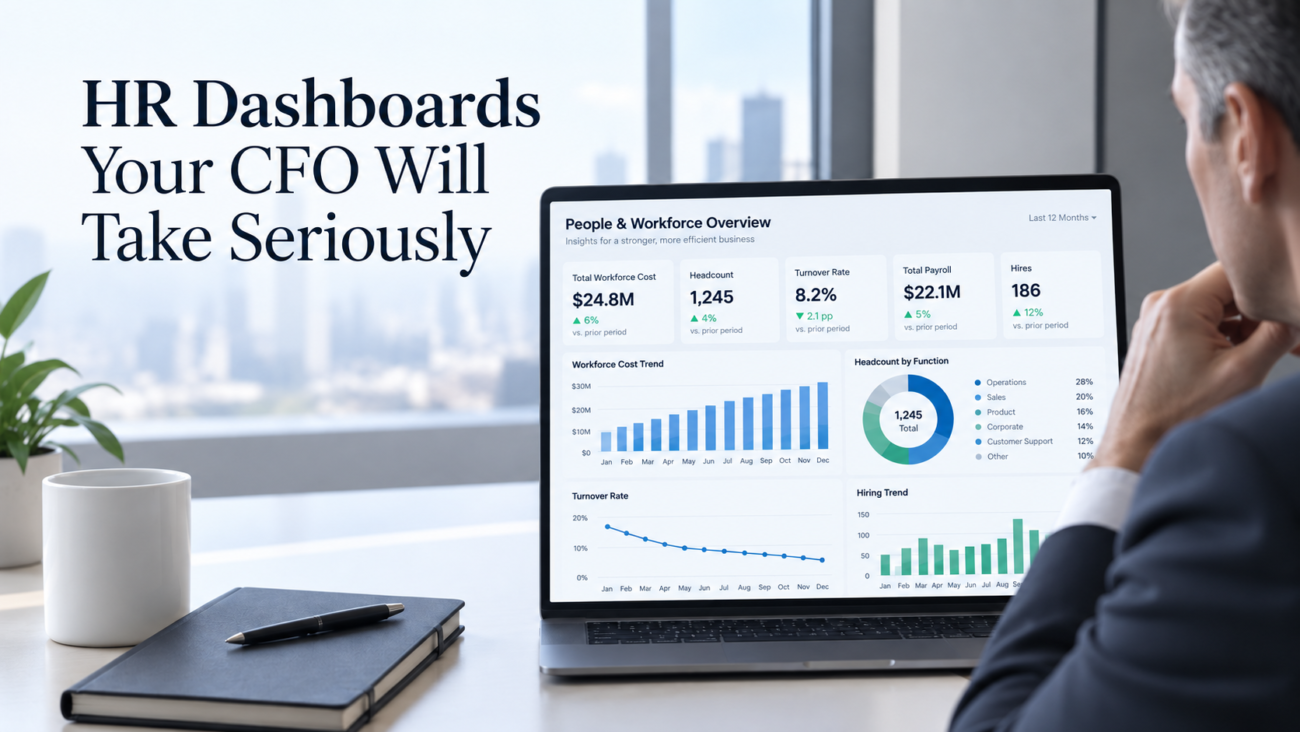
Most HR reporting fails in the executive room for a simple reason: it describes the workforce without showing what the numbers mean for cost, plan, capacity, or risk. A CFO can respect employee measures and still reject a dashboard that can’t reconcile to the budget, explain a variance, or show the assumptions behind a forecast.
Good HR dashboards fix that problem by turning workforce information into a management view finance can question and use. The best version keeps definitions stable, limits the page to decision-relevant measures, and makes the source of each important number clear.
This guide covers the measures, calculations, controls, and design choices that make the output useful in a monthly operating review.
TL;DR
A CFO-ready dashboard starts with business questions, not charts. It should show what changed, how much it matters in dollars or capacity, whether the movement was planned, and what decision now needs attention. That requires shared definitions for headcount, FTE, labor cost, turnover, vacancy, hiring, and productivity.
The strongest HR dashboards reconcile to finance where they should, keep HR-only measures clearly defined, separate actuals from budget and forecast, and let leaders drill into the business unit or workforce segment behind a change.
Useful HR metrics usually cover workforce size and cost, movement, output, risk, and forward capacity. Workforce analytics adds value when those measures connect to plan assumptions. People analytics becomes credible when each important metric has an owner, formula, source, and refresh date. HR KPIs should earn their place by helping someone make or test a decision.
Why Most HR Dashboards Lose CFO Attention
Many dashboards are built from the HR system outward. The team starts with fields that are easy to export, then turns those fields into charts. That approach can produce clean reporting, but it often leaves finance with unanswered questions. A turnover chart may be correct and still be hard to use if it doesn’t show which roles left, whether the exits were planned, how replacement hiring affects payroll, or whether the pattern changes the operating forecast.
The first credibility gap is definition. Finance may count an employee when payroll expense begins, while HR may use a hire date or active status field. Contractors may sit outside HR headcount but inside departmental expense. Leave status and acquisitions can create more mismatches. When the same label covers different populations, the discussion shifts to whose number is right.
The second gap is financial context. A CFO usually needs to see variance against a reference point. A headcount of 1,840 means little by itself. A headcount of 1,840 against a budget of 1,910, with 42 approved openings and a projected year-end count of 1,885, tells a planning story. That is where HR metrics begin to function as management information.
The third gap is traceability. Finance teams ask where a number came from and what changed in the calculation. HR reporting needs the same discipline. For public companies, the SEC’s human capital disclosure requirements also make material human capital resources part of the business disclosure framework, which increases the value of consistent internal definitions.
HR dashboards gain executive trust when they make those questions easy to answer. A polished visual can help, but credibility comes from the operating logic under the visual.
What Makes an HR Dashboard Finance-Grade
A finance-grade dashboard has 5 traits. Each one sounds basic, but together they change how the report is used.
First, the dashboard ties workforce measures to a business reference point. That reference may be budget, forecast, prior year, approved plan, capacity target, or another stated baseline. The reader shouldn’t have to guess whether a change is favorable, expected, or outside plan.
Second, the measures have fixed definitions. “Headcount” should specify who is included, which date is used, and how leave or contingent workers are handled. “Turnover” should state the population, exit types, and denominator. “Labor cost” should identify the cost categories included. The same rules should apply from one reporting period to the next unless a documented definition changes.
Third, the dashboard supports a path from summary to cause. BullseyeEngagement’s Leadership Human Capital BI Dashboard is designed around configurable human capital KPIs, benchmarking, historical trends, and drill-down views. That model reflects an important principle for executive reporting: summary measures need enough underlying detail to explain movement without forcing leaders into raw data.
Fourth, the dashboard separates facts from estimates. Payroll expense, current headcount, and recorded exits are observed values. Vacancy cost, future hiring, and year-end labor cost may rely on assumptions, so those assumptions should sit beside the forecast.
Fifth, ownership is clear. Finance may own budget, HR may own worker status, payroll may own paid compensation, and operations may own output. People analytics can combine the sources, but source quality and metric logic still need named owners.
This is the line between reporting and decision support. A finance-grade view doesn’t try to make every HR measure look financial. It shows the relationship clearly enough for finance to test the conclusion.
Start With the Questions Finance Needs Answered
The fastest way to improve a dashboard is to write the CFO questions before choosing the HR KPIs. A monthly view should answer questions that connect people movement to the operating plan.
| CFO question | What the dashboard should show |
| What changed since last month? | Actual movement in headcount, labor cost, hiring, exits, overtime, and key capacity measures |
| Was the change planned? | Actual versus budget or forecast, with the variance split by business unit or cost center |
| What is the financial effect? | Current-period cost, run-rate effect, or modeled impact with assumptions shown |
| Where is the risk concentrated? | Roles, locations, teams, or cost centers driving the variance or exposure |
| What decision is needed? | A clear exception, threshold breach, or scenario that requires management action |
This question-first method keeps HR dashboards from becoming metric catalogs. It also forces the team to distinguish measures that describe activity from measures that test an operating assumption.
For example, time to fill matters when it explains hiring-plan slippage or delayed capacity. It is weaker as a company-wide average with no link to role criticality. Engagement scores matter more when segmented and reviewed beside retention or performance. Training completion matters when it controls a requirement or affects role readiness.
Workforce analytics should make the gap between plan and reality visible. If revenue assumptions require a sales team to reach a certain productive capacity by Q3, the dashboard should show approved roles, filled roles, start dates, ramp assumptions, and expected productive capacity. That is a finance conversation because the workforce plan sits inside the business plan.
The same logic helps reduce debate over HR metrics. A measure stays because it answers a recurring executive question. If it doesn’t, move it to an operational HR view rather than the CFO page.
The HR Metrics That Belong on a CFO Dashboard
The right set depends on the business model, but most CFO views need a core layer of workforce size, cost, movement, output, and risk. ISO’s current ISO 30414:2025 human capital reporting standard covers areas such as workforce composition, costs, productivity, recruitment, turnover, succession, skills, and well-being. That breadth is useful as a reference, but an executive dashboard should still select measures based on management decisions.
A practical core set is below.
| Metric | Basic calculation or definition | Why finance cares |
| Headcount | Active workers under the agreed workforce definition | Establishes current workforce size and plan variance |
| FTE | Full-time-equivalent capacity under a stated hours rule | Improves comparison when part-time work is material |
| Total workforce cost | Defined payroll, benefits, taxes, contingent labor, and related cost categories | Connects workforce decisions to expense |
| Workforce cost as % of revenue | Workforce cost / revenue x 100 | Shows cost intensity over time |
| Revenue per FTE | Revenue / average FTE | Adds a high-level productivity lens |
| Headcount plan variance | Actual headcount minus approved plan | Shows hiring or reduction variance |
| Voluntary turnover | Voluntary exits / average in-scope headcount x 100 | Tracks employee-driven loss under a fixed definition |
| Hiring plan attainment | Filled approved positions / planned fills x 100 | Tests whether staffing assumptions are landing |
| Vacancy exposure | Open critical roles and age of vacancy | Surfaces capacity and continuity risk |
| Overtime rate | Overtime cost or hours / agreed base | Flags labor pressure or staffing imbalance |
| Critical-role succession coverage | Critical roles with ready or near-ready successors / in-scope critical roles | Shows continuity risk |
These HR metrics need business context. Revenue per FTE can rise because output improved or because headcount fell faster than revenue. Turnover can improve while a company still loses people in critical roles. A hiring plan can look healthy in aggregate while one function remains far behind.
HR KPIs therefore need agreed segmentation. Finance will often want the measures by cost center, location, worker type, or business unit. People analytics teams should set those cuts in advance so executive reviews don’t become one-off spreadsheet work.
Keep more detail behind the page. The CFO view should stay selective.
Headcount and Labor Cost: Build One Version of the Number
Headcount is the first test of whether HR and finance can operate from the same workforce picture. The number needs a defined population, a point-in-time rule, and a clear relationship to payroll and the general ledger. If HR says 2,150 employees and finance sees 2,118 paid workers, the dashboard should explain the difference rather than choose one number silently.
Start with a reconciliation table that separates employee headcount, FTE, contingent labor, approved openings, and any excluded worker groups. Show hires and exits during the period. Then connect workforce movement to cost. BullseyeEngagement’s Compensation Planning capability centers salary and bonus planning around budget guidelines, approvals, and projected impact, which is the same bridge a CFO dashboard needs when workforce changes affect planned spend.
Labor cost should be defined carefully. Base pay is only part of the employer expense. The U.S. Bureau of Labor Statistics reported in its June 2026 Employer Costs for Employee Compensation release that private-industry compensation averaged $46.89 per hour worked, with wages and salaries accounting for 70.0% of total compensation and benefits accounting for 30.0%. The exact mix will differ by company, but the benchmark shows why salary alone is an incomplete cost view.
Your internal measure may include wages, incentive pay, employer payroll taxes, benefits, and contingent labor. Some firms may track recruiting or training separately. The important point is consistency. If the cost measure changes, prior periods may need restatement or a visible note so the trend remains interpretable.
Workforce analytics becomes more useful when labor cost appears as both period expense and forward run rate. A late-month hire may add little current expense but a full annualized cost going forward. A reduction can create severance before lowering the run rate. A CFO needs both views because current expense and the forward plan answer different questions.
Show actual versus budget where managers control spending. An enterprise-level favorable variance can hide overstaffing in one unit and delayed hiring in another.
Turnover and Hiring: Translate Movement Into Financial Effect
Turnover is easy to chart and easy to misread. The rate depends on which exits count, which workers are in scope, and which denominator is used. A CFO should be able to see those rules without opening a methodology document.
Separate voluntary exits from employer-initiated exits when the distinction matters. Consider a second view for regrettable turnover if the organization has a stable definition tied to role criticality or performance. Then segment the measure by function or other business unit. A single enterprise rate can hide the places where loss affects revenue capacity, customer continuity, or specialized knowledge.
External context can help, but it shouldn’t replace company history. The Bureau of Labor Statistics Job Openings and Labor Turnover Survey publishes current data on job openings, hires, quits, layoffs and discharges, and other separations. Those series can help a company understand broad labor-market movement, while internal trends remain the right source for management targets and budget decisions.
Hiring deserves the same financial treatment. Track approved openings, open roles, offers accepted, starts, canceled requisitions, and planned versus actual start dates where those stages affect the forecast. Use employee engagement survey findings as supporting context only when the survey design and segmentation can reasonably explain a retention pattern. An engagement score shouldn’t be presented as proof that it caused turnover.
The hiring model should stay explicit. A delayed hire may reduce near-term payroll expense while delaying productive capacity. A backfill can protect service levels but still carry recruiting cost and ramp time. Workforce analysis helps most when those trade-offs stay visible instead of being buried in one turnover-cost estimate.
Separate recorded facts from modeled effects. Record exits, vacancy days, start dates, and paid compensation as facts. Model lost capacity or vacancy cost only when the business has a defensible method, and show the assumptions.
Productivity and Performance: Connect People Measures to Operating Output
Productivity is where HR reporting often becomes too abstract. A finance audience will take the measure seriously only when the numerator and denominator reflect how the business creates value.
Revenue per FTE is a useful top-level ratio, but it isn’t a full productivity measure. Revenue can move because of pricing, market demand, acquisitions, or product mix. FTE can move because of outsourcing or role redesign. Use the ratio as a signal, then add an operating measure that fits the function. A support operation may use cases resolved per paid hour. A plant may use units per labor hour. A sales organization may compare productive capacity with quota coverage or gross profit contribution.
Performance information can add context if the rating process is stable. BullseyeEngagement’s Performance Management tools support configurable criteria, rating scales, workflows, and links to goals. In a CFO view, that information is most useful when aggregated carefully and tied to a decision such as capacity planning or merit allocation.
Don’t turn performance ratings into a financial formula just because both data sets exist. A rating is a management judgment and should remain one input.
Workforce analytics should focus on relationships the company can monitor over time. If overtime rises while output stays flat, that pattern deserves attention. If revenue grows while workforce cost grows faster for several periods, finance may want to test staffing mix or productivity assumptions. If a team misses output targets while vacancy rates remain high, the hiring plan may need a different priority.
Workforce measures gain weight when the dashboard preserves this chain of evidence. Key measures show the workforce condition. Operating measures show the business result. The discussion then centers on what the pattern means and what assumption should change.
Workforce Planning: Put Actuals, Budget, and Scenarios Together
A CFO dashboard should look forward as well as backward. Workforce planning is the bridge because headcount, compensation, timing, and role mix are major inputs to the operating forecast.
Start with a simple monthly bridge: opening headcount, planned hires, planned exits, unplanned exits, transfers, and closing headcount. Add budgeted and forecast headcount beside actuals. Then translate the movement into labor cost using compensation assumptions that finance has reviewed.
Scenario modeling becomes useful when leaders need to compare choices. BullseyeEngagement’s Workforce Planning module supports staffing models, pro forma organization views, cost forecasts, and what-if scenarios. A CFO-facing scenario should state the business question, the workforce change, the timing assumption, and the modeled cost or capacity effect.
For example, a company may compare hiring 20 technical employees in Q1 with splitting those starts between Q1 and Q2. The dashboard can show the payroll difference and capacity timing without claiming a precise revenue result unless the company has a validated model.
Succession risk also belongs in forward planning when a small number of roles can disrupt execution. BullseyeEngagement’s Succession Planning capability uses critical positions, candidate readiness, talent views, and development planning. At executive level, the finance question is narrower: which critical roles have weak coverage, and what business exposure would a vacancy create?
Scenario analysis can add depth, but the model should remain understandable. If a CFO can’t restate the assumptions after reading the page, the model is too opaque for an executive dashboard. HR dashboards work best when forecasts can be challenged without needing the analyst who built them in the room.
Risk, Compliance, and Data Governance
A CFO will discount a dashboard if the underlying data can’t survive basic control questions. Governance therefore belongs inside the product, even when the controls aren’t visible on the main page.
Start with a metric dictionary. Each HR metric should have a name, business definition, formula, source systems, refresh schedule, owner, inclusion rules, exclusions, and change history. HR metrics that use sensitive demographic, health, or performance information also need access rules that match the purpose of the dashboard.
Regulatory obligations can shape what must be accurate and retained. The EEOC’s EEO data collections guidance states that EEO-1 Component 1 reporting applies to private employers with 100 or more employees and certain federal contractors with 50 or more employees. A dashboard doesn’t replace that filing, but consistent worker classifications and controlled demographic data reduce the chance that internal reporting drifts away from formal reporting processes.
Pay and time records deserve similar discipline. The Department of Labor’s FLSA recordkeeping guidance requires covered employers to keep specified records for covered nonexempt workers, including hours worked and wages earned. If HR dashboards display overtime, paid hours, or wage-related measures, the reporting layer should use defined sources rather than informal manager estimates.
Privacy matters because people data can become identifying even in a chart. NIST’s Privacy Framework gives organizations a risk-management structure for identifying and managing privacy risk. In practice, a CFO dashboard should use role-based access, appropriate aggregation, suppressed small groups where needed, and controlled drill-down paths.
Analytics teams also need data quality checks. Reconcile headcount, flag missing cost centers, test duplicate worker IDs, and monitor late source feeds. A dashboard that shows its refresh time and known exceptions is more credible than one that silently presents stale data.
Executive measures should have the same change discipline. If the turnover formula changes in July, the team should decide whether to restate January through June or mark a break in the series. Quietly changing logic destroys trust because the chart may move even when the business didn’t.
Design HR Dashboards for Executive Decisions
Executive design should reduce the time between seeing a change and understanding why it matters. That means fewer visuals, stronger labels, and a clear hierarchy.
The first view should lead with the measures that test the operating plan. Show actual, plan, variance, and trend where each adds meaning. Use units consistently. Put dollars beside cost measures, percentages beside rates, and absolute counts beside workforce size. Avoid mixing different scales in one chart unless the relationship is clear.
A good layout often starts with a compact summary row, followed by 2 or 4 trend visuals, then an exception table. The exception table is where managers can see which cost centers, locations, or workforce groups drive movement. BullseyeEngagement’s Business Intelligence Dashboards support configurable operational and human capital views, multiple data sources, targets, trends, and controlled access, which are useful design traits for an executive reporting layer.
Use labels that state the business meaning. “Headcount 1,840” is weaker than “Headcount 70 below plan.” “Turnover 12.4%” is weaker than “Voluntary turnover 2.1 points above 12-month baseline.” The second form gives the reader a reference point without forcing a mental calculation.
Keep color meaningful. Reserve strong visual treatment for exceptions. Don’t use a red threshold unless it has an agreed meaning. An upward arrow on headcount isn’t inherently good or bad because the plan determines whether the movement is favorable.
The analysis layer should also preserve drill-down order. Company to business unit to cost center is usually easier to follow than a dashboard with many unrelated filters. HR dashboards should make the common path obvious and leave less common analysis to a secondary page.
Build the Dashboard in 8 Practical Steps
A CFO-ready build works best as a reporting product with a defined owner, release rhythm, and change process. These 8 steps keep the project grounded.
Step 1: Define the decisions
List the recurring decisions the dashboard should support. Examples include approving hiring changes, adjusting labor-cost forecasts, reviewing retention risk, or reallocating positions. Avoid starting with every field the HRIS can export.
Step 2: Agree on the workforce population
Define employee, FTE, contractor, intern, seasonal worker, leave status, and any other category that affects totals. Decide which date determines active status. Document how acquisitions and divestitures enter the series.
Step 3: Reconcile HR and finance
Match HR headcount to payroll and cost-center structures. Map compensation elements to the cost view. Identify timing differences and keep a reconciliation note for items that won’t match by design.
Step 4: Lock the metric dictionary
Write the formula, numerator, denominator, source, owner, refresh timing, and exclusions for every executive metric. Use the same definitions in recurring reviews. The analytics team should own the dictionary process even when source ownership sits elsewhere.
Step 5: Build actual, plan, and forecast views
Create a common time grain. Monthly is often the right executive cadence, with weekly operational detail behind it where useful. Make sure budget and forecast periods line up with actuals before calculating variance.
Step 6: Add business segmentation
Use the organizational dimensions finance already recognizes, such as cost center or business unit. Add HR-specific cuts only when they answer a real decision question. Workforce measures become easier to discuss when the segmentation matches existing accountability.
Step 7: Test the exceptions
Use several known events to test the dashboard. A hiring freeze, acquisition, reorganization, bonus cycle, or large turnover month should appear in the right measures. If the page can’t explain a period leaders already understand, the logic needs work.
Step 8: Run the monthly review as a control loop
Record which key measures triggered discussion, which assumptions changed, and which actions followed. Remove measures that never affect a decision. Add detail only when a repeated question proves that the existing view is too thin.
This process helps executive workforce reporting mature without becoming crowded. The goal is stable management reporting that gets better through controlled changes, not a new design every month.
Common Mistakes That Kill Credibility
The most damaging mistakes are usually basic. They signal that the reporting process isn’t controlled.
Using a metric without a reference point. Show budget, forecast, prior period, baseline, or target when the comparison matters.
Mixing populations across measures. Headcount may cover employees while labor cost includes contractors. That can be valid, but the dashboard must say so. Ratios need compatible populations.
Treating modeled estimates as recorded facts. Turnover cost, lost productivity, and future capacity can be useful estimates. Label assumptions and ranges clearly.
Changing definitions quietly. Workforce KPIs lose trend value when calculation rules shift without restatement or a visible break. Keep a definition history.
Using averages that hide operating risk. Average time to fill can improve while critical-role vacancies get older. Average compensation can stay flat while one cost center exceeds plan. Segment where decisions are made.
Overloading the first page. A CFO dashboard isn’t the place for every measure HR tracks. Keep supporting detail behind the summary.
Ignoring refresh timing. Payroll, HRIS, ATS, and performance systems may close on different schedules. State the refresh date and control how partial periods appear.
Forcing causation from correlation. Analysis may show that engagement and turnover move together in a segment. That doesn’t prove one caused the other. Use the pattern to form a question, then investigate.
Using finance language without finance reconciliation. Calling a chart “workforce cost” doesn’t make it finance-ready. Agree on the included cost categories and reconcile material differences.
Building the dashboard without the CFO’s team. Workforce analytics becomes much stronger when FP&A helps define budget views, variance logic, scenario timing, and the monthly review cadence.
The fix is discipline. These dashboards become credible through definitions, reconciliation, ownership, and repeatable review. Design matters after those foundations are sound.
Conclusion
HR reporting earns CFO attention when it behaves like management reporting. The dashboard should explain what changed, show whether it was planned, connect workforce movement to cost or capacity, and preserve enough detail for the number to be tested.
That requires a shared workforce definition, consistent HR metrics, finance-aligned reference points, and clear treatment of assumptions. Workforce analytics should connect actual workforce movement with budget and forecast. People analytics should add diagnostic depth without overstating causation. The selected KPIs should stay only when they support a recurring decision.
BullseyeEngagement can support this model by bringing human capital measures into configurable dashboard views and connecting them with planning, compensation, performance, engagement, and succession information. The value still depends on the reporting discipline around the system. HR dashboards that reconcile, explain, and forecast are the ones a CFO can use in the same room as the rest of the operating plan.
FAQs
What Should an HR Dashboard Show a CFO First?
Start with workforce size, labor cost, actual versus plan, hiring and exit movement, and the exceptions behind the largest variances. The first screen should show what changed and whether it affects the forecast. More detailed workforce measures can sit behind the summary because finance usually needs the size of the issue before the HR explanation.
How Many HR KPIs Should Be on a CFO Dashboard?
There isn’t a universal number. Use the smallest set that covers recurring executive decisions, then keep diagnostic detail on secondary pages. HR KPIs that never affect a forecast, risk discussion, or resource choice probably belong in an operational HR report instead of the CFO view.
What Is the Difference Between an HR Dashboard and Workforce Analytics?
An HR dashboard is the presentation layer for selected measures and exceptions. Workforce analytics is the broader work of defining measures, combining sources, explaining movement, and building forecasts or scenarios. A dashboard can exist without strong analysis, but it will remain mostly descriptive.
Which HR Metrics Matter Most to a CFO?
The core set usually includes headcount, FTE, total workforce cost, workforce cost versus budget, hiring plan variance, voluntary turnover, overtime, vacancy exposure, and a productivity measure suited to the business. The exact list should follow the operating model and the decisions leaders make.
How Should HR and Finance Reconcile Headcount?
Agree on the worker population first, then compare HRIS active records with payroll and finance cost-center structures for the same date. Document timing differences, leave rules, contingent labor treatment, and acquisitions. More than one workforce measure can be valid if the definitions remain stable and the relationship is clear.
Should a CFO Dashboard Include Employee Engagement?
Yes, when the measure supports a business question and the survey method is sound. Engagement can sit beside retention or performance trends, especially when segmented. It should remain a workforce signal rather than a financial outcome. People analytics can test relationships without claiming that a survey score caused a financial result.
How Often Should HR Dashboards Refresh?
Refresh timing should match the decisions and the reliability of each source. Monthly data often fits executive planning because payroll, finance actuals, and forecasts follow monthly cycles. Some operational measures may update more often. Show the latest complete period and the refresh date so leaders know what is current.
What Is a Good Way to Show Labor Cost?
Show current-period cost, budget or forecast, variance, and a forward run-rate view when timing matters. Define which employer-cost elements are included. If contingent labor is material, show it clearly. HR dashboards should also identify the cost centers or business units behind a material variance.
How Should Turnover Be Calculated for Executive Reporting?
Use a fixed population, clearly defined exit types, and a consistent denominator based on average in-scope headcount. Separate voluntary and employer-initiated exits when the distinction affects decisions. If the company tracks regrettable turnover, define the criteria before reporting it and keep the method stable.
What Is the Role of People Analytics in CFO Reporting?
People analytics explains patterns behind headline measures. It can segment turnover, test hiring-plan slippage, compare workforce cost with output, or examine how workforce conditions cluster with business results. For CFO reporting, the method should stay transparent and should distinguish observed data from modeled conclusions.
Can HR Dashboards Be Used for Workforce Forecasting?
Yes. Combine opening headcount, planned hires, planned exits, start dates, compensation assumptions, and approved positions to estimate future headcount and labor cost. The forecast works best when HR and finance share the planning calendar. Scenario views can compare staffing choices as long as the assumptions remain visible.
How Do HR KPIs Support Budget Planning?
HR KPIs can test whether workforce assumptions inside the budget are happening as planned. Headcount variance shows staffing timing, hiring attainment shows whether approved roles are filling, and overtime can signal capacity pressure. These measures help FP&A adjust labor-cost forecasts before a variance becomes a year-end surprise.
What Data Sources Should Feed a CFO-Facing HR Dashboard?
Typical sources include the HRIS, payroll, applicant tracking system, finance or ERP data, timekeeping, performance systems, and workforce planning records. Use only the sources needed for the selected measures. Each field should have a known system of record, refresh timing, and quality check.
How Can HR Dashboards Protect Sensitive Employee Data?
Use role-based access, aggregate executive views, controlled drill-down, and limits on small-group reporting where disclosure risk is high. Keep sensitive attributes only where they serve a defined purpose. A CFO usually needs workforce patterns and financial exposure, not unrestricted person-level information.
What Makes a CFO Trust an HR Dashboard Over Time?
Trust comes from repeatability. The same definition should produce the same answer from the same source. Material figures should reconcile to finance where expected. Forecasts should show assumptions, and formula changes should be documented. When an error appears, correct it visibly.
