
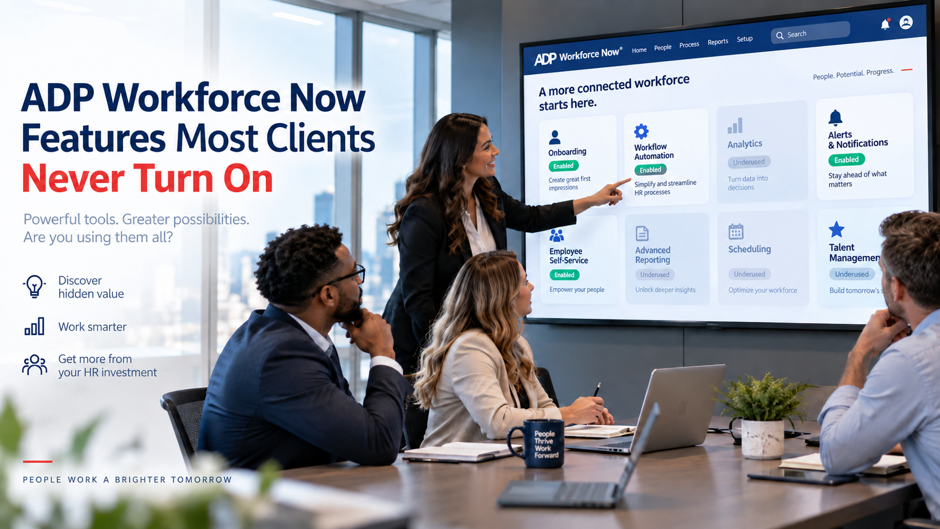
ADP Workforce Now is one of the most feature-dense HR platforms in the mid-market. Most clients use payroll, time tracking, and benefits administration fluently and treat everything else as background noise. That’s understandable when implementation pressure during an ADP Workforce Now implementation pushes teams to go live fast on the essentials, but it creates a consistent pattern: organisations pay for a platform that processes 40% of what it can actually do, then wonder why they’re still pulling reports from spreadsheets, running compensation cycles in email chains, or buying separate tools for functions Workforce Now already handles.
The features in this guide are available within Workforce Now but often receive less attention than core payroll, time, and benefits functions. Each feature supports a specific HR, payroll, or operations requirement.
TL;DR
| Feature | What it actually does | Why most clients ignore it |
| ADP DataCloud Benchmarking | Compares your compensation, turnover, and workforce metrics against anonymised data from 40+ million workers | Requires activation and role configuration; not surfaced during standard implementation |
| ADP Assist AI | Answers natural-language workforce questions, flags payroll anomalies before runs, and generates draft communications | Released in 2024 but left unconfigured in most existing tenants |
| Payroll Anomaly Detection | Flags unusual payroll entries before each run using AI pattern recognition | Requires review step to be added to the payroll approval workflow |
| Compensation Benchmarking | Monthly pay data across thousands of job titles benchmarked against the ADP dataset | Included in most Workforce Now subscriptions but frequently untouched |
| Succession Planning | Maps succession readiness, identifies skill gaps, and surfaces internal candidates for critical roles | Activated only if talent module is in use; most clients with talent enabled don’t open succession |
| ADP Learning (LMS) | Over 70,000 pre-built compliance and professional development courses with custom reporting | Many clients buy separate LMS tools without realising the library is already included |
| Workflow Automation | Multi-step HR workflows for approvals, position changes, onboarding, and offboarding with configurable routing | Delivered in default state with minimal automation; clients must build workflows manually |
| Marketplace Integrations | Over 700 pre-built integrations and third-party AI agents accessible via ADP Marketplace | Clients default to point-to-point custom integrations rather than using existing connectors |
| Pay Equity Analysis | Quantifies pay gaps by gender, race, and ethnicity with estimated remediation costs | Available in DataCloud but rarely activated; frequently unknown to clients that need it most |
The features in this list support areas such as analytics, workforce planning, learning, and process management. Their value depends on how teams apply them within their Workforce Now environment.
ADP DataCloud Benchmarking
DataCloud is Workforce Now’s workforce intelligence layer. Its benchmarking capability compares workforce metrics against anonymised, aggregated data from the ADP client base. HR teams can use these insights to review compensation, turnover, workforce trends, and other operational metrics alongside internal data.
What DataCloud Benchmarking covers:
- Compensation benchmarking by job title, geography, industry, and company size, updated monthly with real payroll data from active ADP clients rather than annual survey submissions
- Turnover rate comparisons showing how the organisation’s voluntary and involuntary attrition compares to peers in the same sector and region
- Workforce demographic benchmarking across headcount composition, age distribution, tenure, and gender pay ratios relative to industry averages
- Time-to-hire and time-to-fill comparisons against recruiting benchmarks drawn from organisations with similar headcount and industry classification
- Overtime cost benchmarking showing whether the organisation’s overtime spend is an outlier relative to comparable employers, with context for understanding whether the pattern is structural or seasonal
The practical value is in making compensation decisions defensible. An HR leader presenting a salary range to a CFO with peer-data benchmarks has a materially different conversation than one relying on Glassdoor ranges or annual salary surveys. ADP clients using DataCloud metrics have reported an average 27-day reduction in time-to-hire for the 50% of users who engaged the hiring benchmarks actively, and 60% of organisations using the turnover cost analysis reported lowering voluntary turnover costs after seeing the data quantified in dollar terms rather than percentage points.
Why most clients never use it:
DataCloud access requires role-level permissions to be configured by the ADP Workforce Now administrator, and a periodic review of ADP Workforce Now security roles can help teams determine who should receive access to sensitive analytics. The enhanced benchmarking layer often requires a separate activation step beyond the base People Analytics module. Clients who go through a standard implementation often leave with base reporting enabled but DataCloud benchmarking unconfigured, because the implementation scope didn’t include analytics activation. Clients who want to activate DataCloud should contact their ADP account team to confirm what is licensed and submit the enablement request through ADP’s client portal. Once enabled, DataCloud appears as an Analytics destination in the Workforce Now main menu, and role-level permissions determine which managers and HR business partners can access the full benchmarking view versus summary reports only. The first useful exercise for most HR teams is running a compensation benchmark for their 10 highest-volume roles, which typically reveals 2 to 3 positions where pay has drifted materially below market.
ADP Assist: Natural Language Workforce Intelligence
ADP Assist was released in January 2024 as ADP’s core AI capability across Workforce Now, and ADP’s original ADP Assist announcement described it as a cross-platform generative AI solution for HCM. Most clients who were already live on Workforce Now before 2024 have Assist available in their tenant and haven’t touched it because it wasn’t part of their original implementation and nobody flagged the addition.
What ADP Assist Can Do
ADP Assist operates across payroll, time, talent, benefits, recruitment, analytics, reporting, and compliance. The capability that gets the most immediate use from payroll teams is natural language questioning: instead of navigating to a report, selecting parameters, and filtering by date range, the administrator types a question and the system returns the answer. Questions like “how many employees changed their direct deposit in the last 30 days,” “which departments had overtime above 10% last pay period,” and “show me employees whose hours this week are 20% above their average” all return results without report configuration.
The payroll anomaly detection function deserves separate attention because it addresses one of the most expensive problems in payroll administration. Before a payroll run processes, Assist flags entries that deviate from historical patterns: pay rates that changed beyond a threshold, employees with zero hours when they normally report time, new deductions added this period that didn’t exist last period, and gross pay amounts that are statistical outliers relative to the employee’s history. These flags appear in the payroll review queue and can be investigated before the run is finalised rather than discovered in a post-payroll audit.
Assist capabilities across modules:
| Module | What ADP Assist adds |
| Payroll | Pre-run anomaly detection, natural language reporting, error trend identification across pay runs |
| Time and attendance | Pattern analysis for missed punches, overtime spikes, and schedule adherence trends |
| Talent | Predictive turnover risk scores for active employees, identifying candidates most likely to leave in the next 90 days |
| Benefits | Enrolment gap identification and cost modelling for open enrolment periods |
| Recruitment | Draft job description generation, interview question suggestions, and candidate comparison summaries |
| Compliance | Regulatory change alerts and SmartCompliance audit flag summaries |
Why Most Clients Haven’t Configured It
ADP Assist requires administrator-level configuration to enable the AI features within each module, and this is the kind of underused capability an a system review may identify during a wider system review. Some capabilities require opting into data sharing agreements that allow ADP to use the organisation’s anonymised data to improve the models. Clients who went through implementation before 2024 never had Assist in scope because it didn’t exist. Clients who implemented after 2024 sometimes received Assist as part of the standard setup and sometimes didn’t, depending on the implementation team. The single most reliable way to determine what Assist capabilities are available in a specific tenant is to contact the ADP account team and request an Assist capability audit for the licensed modules.
Compensation Benchmarking Inside Workforce Now
Separate from DataCloud’s full analytics suite, ADP Workforce Now includes a compensation benchmarking tool that pulls from monthly pay data across thousands of job titles. This tool is included in most Workforce Now subscriptions and is explicitly listed on ADP’s product page as an included benefit, yet the majority of HR teams using Workforce Now continue purchasing separate compensation surveys from Radford, Mercer, or Willis Towers Watson to answer questions the ADP benchmarking tool already covers.
The benchmarking data updates monthly with actual payroll data from active ADP clients, which means it reflects current market conditions rather than the prior-year survey data that most commercial compensation surveys report. The tool allows filtering by geographic market, industry sector, company revenue band, and workforce size, making it possible to benchmark a software engineer’s total compensation in Austin, Texas against mid-market technology companies with 200 to 500 employees specifically, rather than against a broad national average.
What the compensation benchmarking tool covers:
- Base salary percentiles (10th, 25th, 50th, 75th, 90th) by job title and geographic market
- Total compensation comparisons including base pay, bonus, and long-term incentive components where data is available
- Year-over-year pay trend data showing whether the market for specific roles is moving faster or slower than general wage inflation
- Pay equity indicators showing how the organisation’s compensation for a specific role compares to market by gender and race where ADP’s dataset permits
The activation gap:
Accessing the compensation benchmarking tool requires navigating to the Analytics section of Workforce Now and enabling the compensation benchmarking view with appropriate role permissions. HR administrators who haven’t been shown this feature during training or implementation will find nothing in the default payroll or HR dashboards pointing them toward it. The tool exists in the Analytics module, which many HR teams access infrequently compared to payroll and time, and the benchmarking functionality is nested within Analytics rather than surfaced as a standalone item in the main navigation. ADP provides a setup guide through its client support portal, and the activation requires no additional purchase for clients already on a plan that includes the Analytics module.
Succession Planning and Talent Readiness
ADP Workforce Now’s talent module includes succession planning functionality that maps succession readiness for critical roles, scores internal candidate strength, identifies skill gaps between current employees and target role requirements, and generates readiness reports for leadership review. Most clients who have the talent module enabled use it for performance reviews and recruiting. Succession planning sits in the same module and is almost universally untouched.
The succession planning feature requires someone to define which roles are designated as critical or succession-eligible, create succession profiles that describe the competencies and experience required for each role, and map current employees against those profiles using performance and talent data already in the system. Organisations building a broader succession planning strategy can use those role profiles to connect system configuration with leadership-development priorities. This setup work takes time, which is the primary reason it doesn’t happen during implementation. The business case for doing it matters more at certain stages of organisational growth than others, but for any organisation with key person risk in senior operational or technical roles, the feature directly addresses a board-level governance concern.
Succession planning capabilities in Workforce Now:
- Critical role identification with configurable criteria for which positions trigger succession tracking
- Bench strength scoring that rates each role’s succession pool on a ready now, ready in one to two years, and ready in three or more years basis
- Skill gap analysis comparing the competency profiles of succession candidates against the target role requirements
- Nine-box talent grid integration that cross-references performance ratings and potential assessments to identify high-potential succession candidates
- Retention risk flags for succession candidates who show turnover probability signals in ADP Assist’s predictive model
- Succession plan reporting exportable for board talent committee presentations and audit documentation
The data required to run succession planning effectively already lives in Workforce Now for clients using the talent module: performance ratings, competency assessments, role history, and tenure data. The succession planning tool aggregates and analyses data that already exists in the system. The configuration work is in defining the role profiles and reviewing the system’s candidate mapping, not in data collection. For organisations with fewer than 20 designated critical roles, a reasonable timeline is 3 to 4 weeks of configuration work to define roles, build succession profiles, map current employees, and review the initial readiness output with leadership. The succession planning module also integrates with ADP Assist’s turnover prediction capability: if a succession candidate appears as a high flight-risk in the predictive model, that flag surfaces within the succession plan rather than requiring a separate check in a different module.
ADP Learning Management System
ADP Workforce Now includes a learning module with access to a library of over 70,000 pre-built courses covering compliance training, professional development, leadership, software skills, and industry-specific content. The module supports employee learning, compliance training, and internal course management within Workforce Now.
Clients in healthcare, financial services, manufacturing, and other regulated industries have mandatory annual compliance training requirements that they typically fulfil through a separate learning management system. Organisations paying for Cornerstone, Docebo, TalentLMS, or a similar standalone LMS while also paying for Workforce Now are frequently duplicating spend on a capability they already own.
What the ADP LMS includes:
- Compliance training courses covering OSHA safety standards, sexual harassment prevention (including state-specific versions for California, New York, Delaware, Illinois, and other states with mandatory training laws), data privacy, workplace ethics, and anti-discrimination
- Professional development content in categories including leadership fundamentals, communication skills, project management, and financial literacy
- Software skills courses covering Microsoft Office, Google Workspace, and common enterprise applications
- Custom course authoring tools allowing the HR team to build internal content using uploaded video, document, and quiz formats
- Automated enrolment and reminder workflows that assign required training to employees based on role, location, or start date
- Completion tracking and compliance reporting exportable for regulatory audit purposes
The adoption barrier:
The LMS module requires setup work before it delivers value: course catalogues must be curated, enrolment rules must be configured, and completion tracking must be linked to HR records. Clients who don’t receive LMS configuration support during implementation tend to open the module, see the configuration requirements, and defer the work indefinitely. Teams that need ongoing configuration help can use additional ADP support for subscription consulting and on-demand ADP support while they work through these underused capabilities. The result is an organisation paying for a platform-included LMS while maintaining a separate subscription to a standalone tool. Contacting ADP’s implementation support for an LMS activation engagement is the fastest path to closing this gap.
Workflow Automation in Workforce Now
ADP Workforce Now includes a workflow automation engine that supports multi-step approval routing for HR transactions: position changes, salary adjustments, manager transfers, new hire approvals, onboarding task assignments, and offboarding checklists. Teams that already use ADP onboarding workflows can apply the same process discipline to approvals and task routing elsewhere in Workforce Now. Most clients go live with the system configured for payroll processing, with HR transactions managed through email, verbal approval, or manual entry by administrators. The workflow engine exists in the system and is set up with default configurations that most clients never modify.
The value of active workflow automation compounds over time in ways that are invisible until it’s in place. An HR team managing position changes through email chains is doing manual work that leaves no audit trail, has no accountability tracking, and produces no data about approval cycle times. The same process run through Workforce Now’s workflow engine produces a timestamped approval record for every action, flags stalled approvals past their deadline, generates task assignments for each party in the process, and creates an auditable transaction history that satisfies internal controls and external audit requirements.
Workflow types available in Workforce Now:
- Position management workflows: Multi-level approval routing for new position creation, headcount additions, position eliminations, and salary grade changes, with configurable approval chains based on department, cost centre, or approval threshold
- Compensation change workflows: Merit increase routing through HR, finance, and management approval, with compensation guideline ranges visible to approvers and out-of-band alerts for requests outside the approved range
- Onboarding task workflows: Automated task assignment to HR, IT, hiring manager, and facilities based on new hire location, role, and department, with completion tracking and escalation for overdue tasks
- Offboarding checklist workflows: Equipment return, access revocation, final pay confirmation, and documentation completion tracked against the departure date with manager and HR task visibility
Setting up workflow automation requires an administrator to map the approval process, define the roles or users at each step, configure escalation triggers, and test the routing before publishing the workflow. This is configuration work, not custom development, and teams dealing with years of setup changes may benefit from an ADP Workforce Now configuration cleanup before adding another layer of automation. ADP’s workflow builder is designed for HR administrators rather than technical teams. Most organisations that undertake the setup report completing basic workflows within a working week, with more complex compensation approval chains taking an additional one to two weeks to configure and test. The audit trail produced by active workflow automation is particularly valuable for organisations subject to SOX compliance requirements or internal audit review of HR transactions: every approval step is timestamped, every approver is named, and every rejection or override is documented with a reason code. HR teams that have moved compensation changes from email to Workforce Now workflows consistently report that the approval cycle time is visible for the first time, and that visibility alone creates pressure to reduce it.
ADP Marketplace Integrations
ADP Marketplace provides over 700 pre-built integration connectors between Workforce Now and third-party applications, covering categories including applicant tracking systems, earned wage access platforms, background check services, benefits administration tools, learning management systems, time tracking hardware, and now AI agent integrations following the 2026 launch of the ADP Marketplace AI Agents destination. ADP describes ADP Marketplace as a digital HR storefront for connecting ADP with integrated HR applications and APIs, giving clients another option before building custom integrations.
Clients frequently build custom point-to-point integrations between Workforce Now and other business systems, spending consulting budget on integration development that an existing Marketplace connector already handles. Organisations working through a broader HR digital transformation should check available connectors before commissioning another custom data flow. This is most common with applicant tracking systems: clients building a custom integration between Greenhouse or Lever and Workforce Now when a certified, supported Marketplace connector exists for both platforms.
Categories most commonly overlooked in the Marketplace:
- Earned wage access providers including DailyPay and Even, which allow employees to access earned pay before payday and reduce financial stress-driven attrition
- Background check integrations with providers including Checkr and Sterling that automate candidate data transfer and result delivery back into the ADP applicant record
- Benefits administration connectors for voluntary benefits, supplemental insurance, and commuter benefit providers that eliminate the manual enrollment data reconciliation between systems
- AI agent integrations launched in early 2026 covering talent acquisition, compensation planning, and workforce scheduling from providers including Absorb and Aquera
- Time and attendance hardware integrations including biometric punch terminals that sync to Workforce Now’s time module without middleware
The Marketplace connector approach reduces integration maintenance burden because ADP maintains the connector as the platform updates. A custom integration requires the client’s team or an integration vendor to maintain compatibility with every Workforce Now API update. For cases where a packaged connector does not fit, ADP API Central for Workforce Now provides another route for building integrations through ADP APIs. Marketplace connectors are updated by the certified integration partner as part of their ongoing Marketplace participation requirements. From a security and data governance standpoint, Marketplace integrations also operate within ADP’s vendor certification framework, which requires each integration partner to meet defined security standards before their connector is listed. Custom integrations bypass that certification process, meaning the client is responsible for assessing the security posture of the integrated application independently.
FAQs
How do I know which of these features are included in my Workforce Now subscription? The fastest way to determine your licensed capabilities is to contact your ADP account manager and request a subscription and feature entitlement review. ADP provides this as a standard account management service, and the review identifies which modules are licensed, which are active, and which are licensed but unconfigured. Many clients discover they are paying for capabilities they have never turned on, and the activation typically requires a support request rather than an additional purchase.
Do these features cost extra to activate?
Most of the features in this guide are included in standard Workforce Now tiers and do not require an additional purchase to activate. ADP Assist, compensation benchmarking, workflow automation, the learning module, and Marketplace connectors are all included in relevant plan tiers. DataCloud Enhanced Insights is a separate licensed product beyond the base People Analytics module and does carry an additional cost. For any specific feature, confirming the licensing status through the ADP account team before assuming it requires additional spend is the right starting point.
How long does it take to configure ADP Assist?
ADP Assist activation for a live Workforce Now tenant typically takes one to two weeks, covering the administrator enablement step, module-by-module Assist permission configuration, and initial testing of the natural language query and anomaly detection capabilities. The payroll anomaly detection component requires adding a review step to the existing payroll approval workflow, which is a configuration change the Workforce Now administrator can make directly. ADP provides configuration guides through its client support portal, and implementation support is available for clients who want guided activation.
What is the difference between People Analytics and Enhanced Insights powered by DataCloud? People Analytics is the base workforce reporting and analytics layer in Workforce Now that provides internal dashboards covering headcount, attrition, time-to-hire, compensation distribution, and other standard workforce metrics. Enhanced Insights powered by ADP DataCloud adds the external benchmarking layer, enabling comparison of the organisation’s metrics against anonymised aggregated data from ADP’s broader client base of 40 million-plus workers. Enhanced Insights also adds natural language analytics querying, predictive turnover modelling, and pay equity analysis tools. People Analytics is included in most Workforce Now plans; Enhanced Insights is a separately licensed add-on.
We already have a separate LMS. Is it worth switching to ADP’s learning module? Whether switching makes sense depends on how much configuration investment the current LMS carries and how deeply it is integrated with other systems. For organisations whose current LMS is used primarily for compliance training fulfilment, the ADP LMS library covers the same content categories and the integration benefit of keeping learning records within the same system as performance and HR data is real. For organisations using their current LMS for sophisticated custom content authoring, blended learning programmes, or extended enterprise training, the ADP LMS may not replace all of that functionality. The most practical starting point is running a content gap analysis between the ADP library and the current LMS catalogue before making a decision.
Can succession planning in Workforce Now work without full talent module setup? Succession planning in Workforce Now is part of the talent module, and it produces the best results when performance ratings, competency assessments, and role history data are already in the system from active use of performance management. Organisations that have talent module access but haven’t used it for performance management can still activate succession planning, but the succession readiness scoring will be less reliable without performance data to draw from. The practical recommendation is to begin with a simplified succession framework using existing employee data and progressively incorporate richer performance data as the talent module is used more fully over time.
How do Marketplace AI agent integrations work?
AI agent integrations in the ADP Marketplace are third-party AI tools that connect to Workforce Now data through certified APIs and operate within the Marketplace’s security and data governance framework. They appear to HR administrators as additional capabilities within their Workforce Now environment and use the organisation’s workforce data as the input for their functions. The talent acquisition agent, for example, uses ADP applicant and employee data to assist with candidate sourcing and screening. The compensation planning agent accesses compensation and market data through the Workforce Now connection. Each integration goes through ADP’s Marketplace certification process, which requires the integration to meet ADP’s security and data handling standards before it becomes available to clients.
