
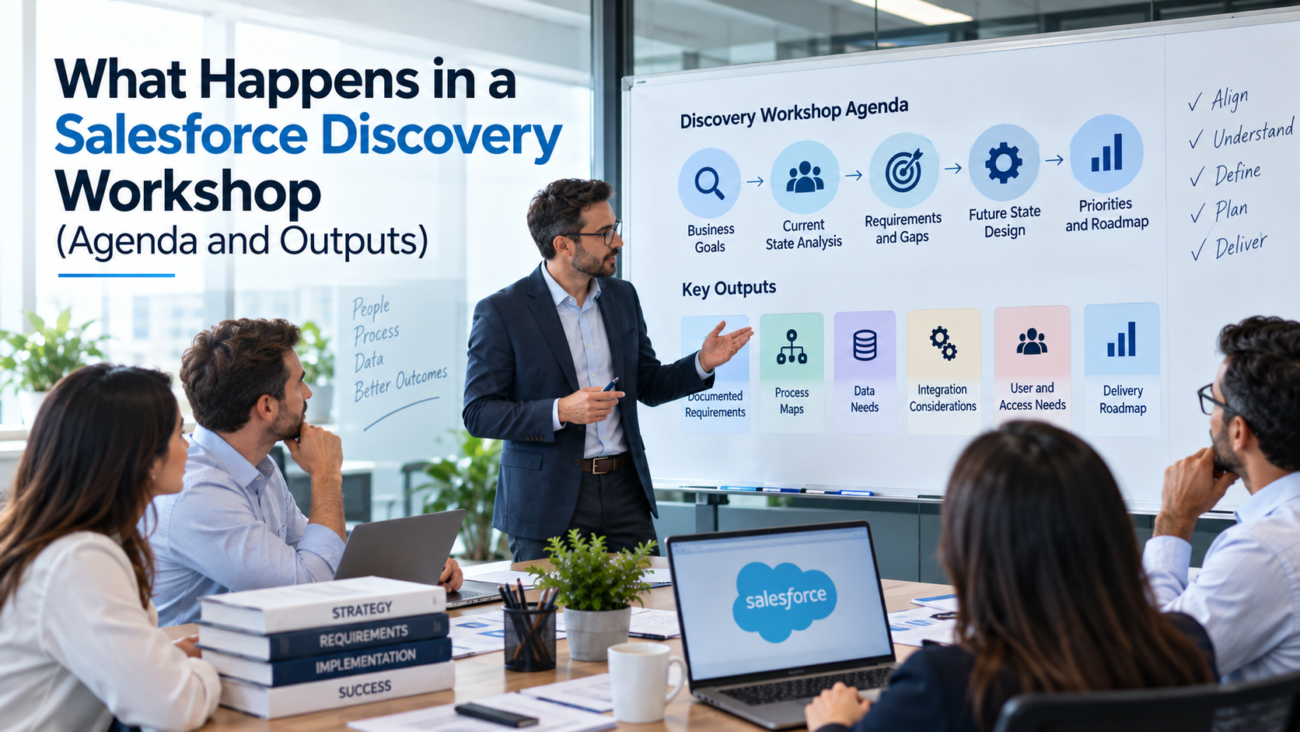
A Salesforce project can go off course before anyone creates a field, Flow, or dashboard. The risk usually starts when the team begins building from assumptions. Stakeholders may agree that Salesforce needs to improve sales visibility, service handling, reporting, or handoffs, but those goals are still too broad to configure against. A discovery workshop turns them into decisions the delivery team can use.
A Salesforce discovery workshop brings business owners, users, IT, and the implementation team into the same working process. The group maps how work happens today, identifies where it breaks, defines the future state, and records what Salesforce must support. The outcome should be a set of agreed requirements and project inputs, rather than a loose collection of meeting notes.
Salesforce treats discovery and requirements work as an early implementation activity. Its guidance on customer discovery connects this work to business goals, stakeholders, current-state analysis, constraints, and the wider implementation lifecycle. That makes the workshop a decision point between an idea for change and a build plan the team can defend.
TL;DR
A Salesforce discovery workshop is a working session, or series of sessions, used to understand how the business operates before the implementation team commits to a design. The agenda usually covers business goals, current processes, pain points, future-state needs, data, integrations, user access, reporting, adoption concerns, project constraints, and priorities. The exact format changes with project size, but the purpose stays the same: replace assumptions with agreed facts and decisions.
The people in the room matter as much as the agenda. Sponsors can explain why the project exists, while frontline users can show how work actually gets done. IT, data owners, admins, and security stakeholders may need to join when the scope touches their areas. A Salesforce discovery session works best when the people who own the process and the people who perform it can resolve differences together.
The outputs should be useful after the meeting. Expect validated process maps, a requirements register or backlog, a data and integration inventory, access needs, success measures, open decisions, risks, dependencies, and a clear view of what belongs in the first release. The Salesforce discovery phase can also inform architecture direction and delivery estimates, but final technical design often needs follow-up analysis after the workshop.
What a Salesforce Discovery Workshop Actually Does
A Salesforce discovery workshop creates a shared understanding of the problem before the team chooses how Salesforce should solve it. That sounds simple, but many projects begin with requests such as “we need better dashboards,” “we need automation,” or “we need Sales Cloud configured.” Those requests describe possible outputs. They don’t yet explain which process is failing, who is affected, what data is involved, or what success means.
The workshop moves the conversation from requests to operating facts. A consultant may ask how a lead enters the business, who qualifies it, what information is required, when ownership changes, which systems are involved, and what happens when the normal path fails. The same pattern can be applied to cases, renewals, approvals, onboarding, field service, partner work, or other processes within scope.
Implementation work should therefore begin with discovery, requirements, process review, data planning, and architecture before configuration, which is how HyphenX structures its Salesforce implementation services. The build becomes easier to control when the team can trace each requested change back to a business need and an agreed process.
A Salesforce requirements gathering exercise also creates boundaries. Discovery should make it clear which problems belong in the current project, which ideas can wait, and which issues need more investigation. Without that boundary, every useful idea can become an implied requirement. Scope then grows while the project is already moving.
The workshop isn’t the same as final solution design. Discovery provides the evidence and decisions that design depends on. Architects may still need time afterward to compare options, check platform limits, and confirm security implications.
What Happens Before the Workshop
Good discovery starts before the calendar invite. The facilitator should review what is already known so the meeting isn’t spent collecting information that could have been gathered in advance. Useful inputs include the project brief, current process documents, existing Salesforce documentation, reports, system inventories, and known constraints.
The project sponsor should also confirm the purpose of the Salesforce discovery session. A Salesforce implementation workshop for a new Sales Cloud rollout will look different from one for a Service Cloud redesign, migration, or integration. The facilitator needs enough context to choose the right participants and processes.
For an existing org, a review of the current Salesforce environment can expose issues that stakeholders may not mention in conversation. A Salesforce consulting assessment can examine configuration, automation, data quality, usage, and integration patterns before design work starts. Those findings give the workshop specific questions instead of relying only on memory or opinion.
Preparation should also identify documents the business needs to bring. A migration discussion is stronger when source-system owners can explain record volumes, field ownership, duplicate rules, and retention needs. An integration discussion needs system owners who know which application is authoritative and how often information must move.
The agenda should be shared early enough for attendees to prepare. Salesforce’s process-mapping guidance stresses the value of having stakeholders who span the process from input to outcome in the mapping session. If a key owner is missing, the group may document only part of the truth and create follow-up work that could have been avoided.
Who Should Be in the Room
The right attendee list follows the process, not the org chart. Senior leaders can define goals and constraints, but they may not know every workaround used in daily work. Frontline users know where data gets re-entered, which approvals get bypassed, where handoffs stall, and which reports people distrust. Both views matter during a Salesforce implementation workshop.
A typical participant group may include the executive sponsor, business process owner, Salesforce product owner or admin, selected end users, IT, data owners, and integration specialists. Security or compliance stakeholders should join when the project changes access to sensitive data or introduces external users. The facilitator, business analyst, and solution architect may represent the delivery team.
The group should stay small enough to work. Inviting every possible stakeholder to every discussion can slow decisions. Organize sessions by workstream, then bring cross-functional owners together where one process hands work to another.
On accelerated engagements such as a Salesforce QuickStart service, a missing process owner costs even more, because design and delivery run on a shorter schedule.
Roles should also be clear inside the workshop. One person facilitates, another records decisions, and the process owner resolves business disagreements where possible. Subject matter experts explain exceptions while the architect listens for design implications without turning every answer into a technical debate.
The Salesforce Discovery Workshop Agenda
A Salesforce implementation workshop agenda should follow the way a decision develops. It starts with the reason for change, moves through current work, and finishes with priorities and open issues. This order keeps the group from jumping into features before the problem is clear.
Sample Agenda for a 1-Day Workshop
The sample below shows how those topics can fit into a single day for a focused, single-cloud project. It’s an example rather than a standard. Larger programs usually spread the same flow across several workstream sessions, and each session should end with the output listed for it.
| Session | Time | Who Attends | Output |
| Goals and success measures | 9:00 to 9:45 | Sponsor, process owners, delivery team | Agreed goals, success measures, and scope boundaries |
| Current-state walkthrough | 9:45 to 11:30 | Process owners, frontline users, admin | Draft current-state maps, including exceptions and handoffs |
| Pain points and root causes | 11:30 to 12:30 | Process owners, frontline users | Pain points linked to causes and ranked by impact |
| Future-state process | 13:30 to 14:45 | Process owners, sponsor, architect | Draft future-state maps and key process decisions |
| Data, integrations, security, and reporting | 14:45 to 16:00 | IT, data owners, integration and security specialists | Data and integration inventory, access needs, reporting requests |
| Requirements, priorities, and wrap-up | 16:00 to 17:00 | Sponsor, process owners, delivery team | Draft requirements register, release priorities, open decision log with owners |
Business Goals and Success Measures
The facilitator first asks why the project exists and what should be different after delivery. Goals need enough detail to guide choices later. “Improve reporting” is too broad. A clearer goal might be to give sales managers a trusted pipeline view without combining Salesforce exports with a separate spreadsheet.
A Salesforce discovery workshop should also record how success will be measured. Measures might involve adoption, data completeness, cycle time, forecast confidence, case handling, or reduced manual work. The group should identify the baseline where one exists and note who owns the metric.
Current-State Process Walkthrough
The workshop then maps how work happens today. Participants should explain the trigger, the people involved, decisions, handoffs, systems, exceptions, and final outcome. The facilitator should ask for the real process rather than the process described in policy documents.
Salesforce’s own implementation guidance says effective requirements gathering should establish the current state, desired future state, and critical business processes. That sequence is useful beyond Revenue Management because it keeps the discussion grounded in how the business operates before a future design is proposed.
Process mapping is where vague statements become visible. A stakeholder might say, “sales sends the deal to operations after close.” The map forces the team to ask what event counts as close, who sends what information, where it is stored, how operations confirms receipt, and what happens if required details are missing. Those questions often reveal the real Salesforce requirement.
A simple process map doesn’t need elaborate notation. It can show the trigger, major steps, decisions, handoffs, exceptions, systems, and outcome. Map at the level needed for design: too little detail hides important rules, while too much can consume the workshop with rare edge cases. Capture unusual scenarios that affect architecture or scope, park minor operating details for later refinement, and assign unresolved ownership questions to a decision owner rather than treating them as settled.
Validate the map after the workshop while the discussion is still fresh. The approved current state then becomes the baseline for future-state design and user stories.
Pain Points, Workarounds, and Root Causes
Once the current process is visible, the group can mark where it breaks. Common examples include duplicate entry, missing ownership, delayed approvals, manual routing, reporting gaps, and side spreadsheets. The facilitator should ask what happens because of the problem so the team can judge its priority.
The workshop should also separate symptoms from causes. A user may ask for another required field because records are incomplete. The deeper issue may be that the information isn’t available at the stage where Salesforce currently asks for it. Fixing the wrong layer can add burden without improving data quality.
Future-State Process
The group next defines how the process should work. This is where Salesforce capabilities become more relevant, but the future state should still be expressed in business terms first. Who should own the next action? Which information must be available? Which handoff should become automatic? What exceptions need human review?
The future state gives Salesforce requirements gathering a reference point. Requirements can then be tested against the desired process instead of judged in isolation. If a requested field, automation, or dashboard doesn’t support the agreed future state, the team can question why it belongs in scope.
Requirements, Priorities, and Decisions
Salesforce requirements gathering turns the final discussion into recorded requirements. Each requirement should have an owner, business reason, priority, and enough acceptance detail for later refinement. Open questions should be logged rather than hidden inside notes.
Salesforce describes discovery as a planning activity that can include business analysis, story mapping, user stories, and release planning. Its guidance on a phased implementation approach also connects discovery with measurable objectives and later architecture work. That makes prioritization part of the workshop outcome, not an administrative task left for the delivery team alone.
A useful requirement describes a need that can be traced to a process or outcome. “Add a field called Priority Score” is a configuration request. “Service managers need a consistent way to identify cases that require same-day review” explains the business need. The design team can then decide whether a field, formula, Flow, entitlement rule, or another approach fits best.
Requirements should be stored in a consistent register with an ID, business reason, owner, priority, dependencies, acceptance notes, and status. Keep functional requirements, which describe what users or systems need to do, separate from constraints such as legal obligations, data residency, release windows, budget limits, integration restrictions, or internal security policy. Agile teams may later express approved requirements as user stories. The key is traceability from discovery through testing.
Prioritization should be explicit. Teams can use labels such as must have, later phase, out of scope, and needs investigation, as long as stakeholders understand what each status means. Priority should reflect business value and dependency, not who speaks loudest in the room.
Salesforce’s discovery material for solution architects includes workshop facilitation, translating business requirements into technical specifications, systems of record, risks, and implementation approach. That discovery and customer success guidance supports a useful principle: requirements need enough context for later technical decisions, but discovery should keep business intent visible.
How Data, Integration, Security, and Reporting Needs Are Covered
Some requirements cut across every business process. Data, integration, security, and reporting need their own discussion because a process can look simple until the team asks where information comes from, who may see it, and which other systems depend on it.
Data and Migration
Discovery should identify source systems, important records, ownership, data quality problems, duplicates, relationships, and retention needs. Detailed field mapping can wait, but anything that can change scope or design should be visible.
For migration-heavy work, review source data, mapping needs, cleanup, relationships, and validation up front, the same starting point a Salesforce data migration service uses. Bringing those questions into discovery early helps the team avoid designing a process around data that doesn’t exist or can’t be trusted.
Integrations and Systems of Record
The workshop should list each connected system and clarify what information moves, in which direction, how quickly, and under whose ownership. The group should identify the system of record for important entities such as customer, product, order, invoice, entitlement, or employee data.
Integration discovery becomes stronger when the business describes the event that causes data to move. Systems, workflows, data movement, dependencies, and expected outcomes should be clear before connection logic is built, which is also where an API integration service starts. The same questions belong in a Salesforce implementation workshop because they affect scope and architecture.
Security and Access
Access requirements should be captured by user type and business responsibility. Who can create, read, edit, or approve a record? Which fields are sensitive? Are external users involved? Does access depend on region, team, account ownership, or another condition? These are discovery questions even though the final sharing model comes later.
Salesforce’s Well-Architected guidance treats security as a shared responsibility and recommends building security requirements into architecture from the start. The Trust pillar covers access, data protection, integration security, and traceability, which is why security can’t be postponed until the build is nearly finished.
Reporting and Adoption
A reporting request should explain the decision the report supports, the audience, source data, and level of detail. “We need a dashboard” doesn’t say enough because the problem may be missing data rather than chart design.
Adoption needs similar attention. A process may fail if it adds steps users don’t understand or repeats work done elsewhere. A Salesforce adoption and user enablement discussion can connect future workflows with role-based training and change needs before habits form around the new system.
What Outputs Should You Receive
The workshop is useful only if its decisions survive the meeting. A Salesforce discovery phase should therefore end with documented outputs that can be reviewed, approved, and used by design, project management, development, testing, and business owners. The exact package varies by project size, but the information below is commonly needed.
| Output | What It Should Answer | How It Is Used Next |
| Business goals and success measures | Why is the project happening, and how will success be judged? | Guides priorities and acceptance decisions |
| Current-state process maps | How does work happen today, including exceptions and handoffs? | Identifies gaps and design constraints |
| Future-state process maps | How should work happen after the change? | Guides solution design and user stories |
| Requirements register or backlog | What must Salesforce and connected systems support? | Drives refinement, estimation, build, and testing |
| Data inventory | Where does important data live, and what quality issues exist? | Informs data model and migration planning |
| Integration inventory | Which systems exchange what information, when, and why? | Informs integration architecture and estimates |
| Access requirements | Which user types need access to which data and actions? | Informs the security model |
| Reporting requirements | Which decisions and measures must Salesforce support? | Guides report, dashboard, and data design |
| Risks, assumptions, and dependencies | What could change scope, timing, or design? | Supports project planning and governance |
| Open decision log | Which issues still need an owner or answer? | Prevents unresolved questions from disappearing |
| Prioritized release scope | What belongs in the first release, later phases, or outside scope? | Supports statement of work and delivery planning |
Architecture documentation can start during discovery, especially when the system landscape is already known. Salesforce advises teams to document architecture and data flows after business requirements are translated into technical capabilities. Its guidance on documenting the architectural landscape explains how system diagrams and third-party integration documentation help teams understand how the implementation fits together.
The outputs should also show ownership. A risk or open decision without an owner can remain unresolved until it blocks delivery. A process map without validation may reflect the facilitator’s interpretation rather than the business’s agreed process.
A Salesforce implementation workshop doesn’t need to create a large document pack for its own sake. Smaller projects can combine several outputs into one discovery brief or backlog. Larger programs may need separate workstream documents. The standard should be whether the next team can use the information without repeating discovery from the beginning.
How Discovery Outputs Become Scope and Design
The workshop doesn’t end the discovery process. The facilitator and architect review notes, process maps, unresolved questions, and requirements after the session. They remove duplicates, flag conflicts, and identify answers that need stakeholder confirmation.
Next comes validation. Stakeholders should review the documented current state, future state, priorities, and major requirements. This prevents a common failure where the delivery team designs from notes that nobody outside the workshop team has confirmed.
Once requirements are validated, the architect can map them to Salesforce capabilities. Standard configuration may cover some needs. Others may require automation, custom development, integration work, or a process change outside Salesforce. A Salesforce development service becomes relevant only after the team can explain why standard capability doesn’t meet the agreed requirement.
The same discovery outputs support estimating. Migration depends on source systems and data quality, while integration depends on interfaces and business events. Security and testing effort also become easier to judge when requirements are visible.
The Salesforce discovery session should also influence project phasing. A team may discover that an integration must be available before automation can be tested, or that data cleanup must happen before migration rehearsals. Those dependencies affect sequencing even if every requirement remains in scope.
The discovery package should connect to the statement of work, backlog, or project plan. If a major requirement appears in workshop notes but disappears from scope, the discrepancy should be resolved before build.
How Long a Discovery Workshop Takes
There is no reliable universal duration for a Salesforce discovery workshop. A narrow project may need one focused session plus follow-up. A multi-cloud program with several business units can require a series of workshops over days or weeks. Publishing one “standard” number would ignore the main drivers of effort.
Duration grows with the number of processes, stakeholder groups, systems, integrations, regions, and security needs in scope. An existing org can add work because the team may need to understand current configuration before agreeing on the future state.
The workshop itself is only part of the Salesforce discovery phase. Preparation happens before the session, while documentation, validation, and architecture analysis continue afterward. Teams should plan for the full cycle rather than measuring discovery only by meeting hours.
Timeboxing still helps. Each session should have a clear process or decision to cover. Topics that need a different owner can move to the decision log for focused follow-up.
The best test for discovery length is readiness, not calendar time. The team should know what problem it is solving, how the relevant process works, what the future state requires, which dependencies exist, and what remains unresolved. If those answers aren’t clear, ending discovery because the booked meeting is over creates risk for the next phase.
Common Discovery Workshop Failure Patterns
A Salesforce requirements gathering process can fail even when everyone attends the meeting. The most common problems come from how the conversation is framed and how decisions are recorded.
Starting With Features
Opening on fields, objects, Flows, or dashboards locks the group into a solution before the business problem is clear. Hold feature discussion until the current process and desired outcome are understood.
Inviting Only Managers
Without frontline users, the workshop documents policy instead of actual behavior and misses the workarounds. Bring enough users to expose them and enough decision authority to resolve process questions.
Treating Every Request as a Requirement
Requests carried over from past systems or personal preference quietly become scope. Record each one, ask why it matters, and move any request without a clear business reason out of the first release.
Ignoring Exceptions
Mapping only the standard path hides the real complexity of automation, access, and integrations. Ask what happens when information is missing, an approval is rejected, ownership changes, or a connected system is unavailable.
Leaving Data Until Later
Duplicates, missing relationships, and unclear ownership surface during migration and testing, when they’re expensive to fix. Surface them in discovery even if detailed cleanup happens later.
Ending With Unstructured Notes
Unstructured notes leave the team with several versions of what was agreed. End the workshop with validated outputs that have owners, priorities, and follow-up actions.
Mixing Discovery and Final Design
Forcing live technical answers produces decisions nobody has checked against Salesforce limits, integration documentation, security policy, or existing configuration. Record the item as “needs analysis” and give it an owner.
Conclusion
A Salesforce discovery workshop gives an implementation team the evidence it needs before build starts. The meeting should explain why the project exists, how work happens today, what needs to change, which requirements matter first, and which risks or dependencies can affect delivery. That shared understanding is more useful than a long list of requested features.
The agenda should move from business goals to current-state processes, pain points, future-state needs, requirements, and priorities. Data, integrations, security, reporting, and adoption need dedicated attention because they can change architecture and scope across several processes. The strongest outputs are the ones the next phase can use directly, such as validated maps, requirements, inventories, decision logs, and release priorities.
HyphenX Solutions uses discovery as an early part of Salesforce planning before implementation work moves into configuration, migration, integration, testing, and adoption. The practical standard is simple: when the Salesforce discovery phase ends, the business and delivery team should be able to explain what they are building, why it matters, what still needs a decision, and how the agreed work connects to the project plan.
Frequently Asked Questions
What Is a Salesforce Discovery Workshop?
A Salesforce discovery workshop is a structured working session used to understand business goals, current processes, pain points, future needs, data, integrations, access requirements, and project constraints before Salesforce design or build moves forward. It helps stakeholders and the delivery team agree on what the project needs to solve and what information must be documented for planning.
What Is the Main Goal of a Salesforce Discovery Session?
The main goal of a Salesforce discovery session is to replace assumptions with an agreed view of the business problem and the requirements Salesforce must support. It should clarify current work, desired changes, priorities, dependencies, and unresolved decisions so the design team has a reliable basis for architecture and scope.
Who Should Attend a Salesforce Discovery Workshop?
Attendees should represent the processes in scope. That often includes the project sponsor, business process owners, selected end users, a Salesforce admin or product owner, IT, data owners, and integration or security specialists when needed. The delivery side may include a facilitator, business analyst, and solution architect.
What Should Be Prepared Before the Workshop?
Teams should gather the project brief, known goals, process documents, system inventories, existing Salesforce information, reports, data sources, integration details, and known constraints. The facilitator should also confirm attendees and share the agenda. Preparation keeps the Salesforce implementation workshop focused on decisions rather than basic fact collection.
What Is Covered During Salesforce Requirements Gathering?
Salesforce requirements gathering covers the business needs that the implementation must support. It usually includes current processes, future-state needs, user roles, business rules, data, integrations, reporting, access, constraints, acceptance needs, and priorities. Requirements should keep the business reason visible instead of jumping directly to configuration instructions.
Is a Salesforce Discovery Workshop the Same as Solution Design?
No. Discovery provides the facts, requirements, priorities, and constraints that solution design uses. Architects may discuss possible approaches during the workshop, but final design can require follow-up analysis. Platform limits, integration options, security needs, and existing configuration may need to be checked before a technical decision is approved.
How Long Does a Salesforce Discovery Session Take?
There is no single correct duration. A focused project can need one session plus follow-up, while a large program may require several workstream workshops. The time depends on process count, stakeholder groups, systems, integrations, data complexity, regions, and security needs. Documentation and validation continue after the meetings.
What Outputs Come From a Salesforce Discovery Phase?
Typical outputs include business goals, success measures, current-state and future-state process maps, a requirements register or backlog, data and integration inventories, access needs, reporting requirements, risks, dependencies, open decisions, and prioritized release scope. Large programs may also produce early architecture and delivery planning documents.
How Does a Salesforce Implementation Workshop Handle Priorities?
The workshop should give each requirement a clear priority or status. Teams can classify items as required for the first release, suitable for a later phase, outside scope, or needing more investigation. Priority should reflect business need and dependencies. This keeps useful ideas from becoming implied commitments without review.
Why Are End Users Important During Discovery?
End users often know where the documented process differs from real work. They can explain manual steps, missing information, repeated entry, informal approvals, and workarounds that managers may not see. Their input helps the future-state process reflect daily work and can expose adoption risks before the system is built.
How Are Data Migration Needs Identified During Discovery?
The team identifies source systems, important records, ownership, data quality issues, duplicates, relationships, historical data, and retention needs. Detailed field mapping may happen later, but the Salesforce discovery workshop should expose migration factors that can affect design, effort, testing, or reporting.
How Are Integration Requirements Captured in Discovery?
The team records each connected system, the information exchanged, direction of movement, timing, business trigger, system of record, ownership, and key dependencies. This gives architects enough context to assess integration options after the workshop and helps project managers understand which external teams or systems can affect delivery.
Should Security Be Discussed During the Salesforce Discovery Phase?
Yes. Discovery should identify user types, sensitive data, access responsibilities, external users, approval authority, and relevant policy or compliance constraints. The detailed security model comes later, but delaying access requirements can force design changes after configuration has started.
What Happens After the Salesforce Discovery Workshop?
The delivery team organizes the notes, removes duplicates, records open questions, and turns workshop findings into validated requirements and project artifacts. Stakeholders review the outputs, architects assess design options, and project leads use the results for scope, estimates, sequencing, testing plans, and the next implementation activities.
How Do You Know When Salesforce Discovery Is Complete?
Discovery is ready to close when the team can explain the business goals, current process, desired future state, prioritized requirements, major data and integration needs, access expectations, risks, dependencies, and open decisions. Any unresolved item that can affect scope or architecture should have an owner and a planned follow-up.
