
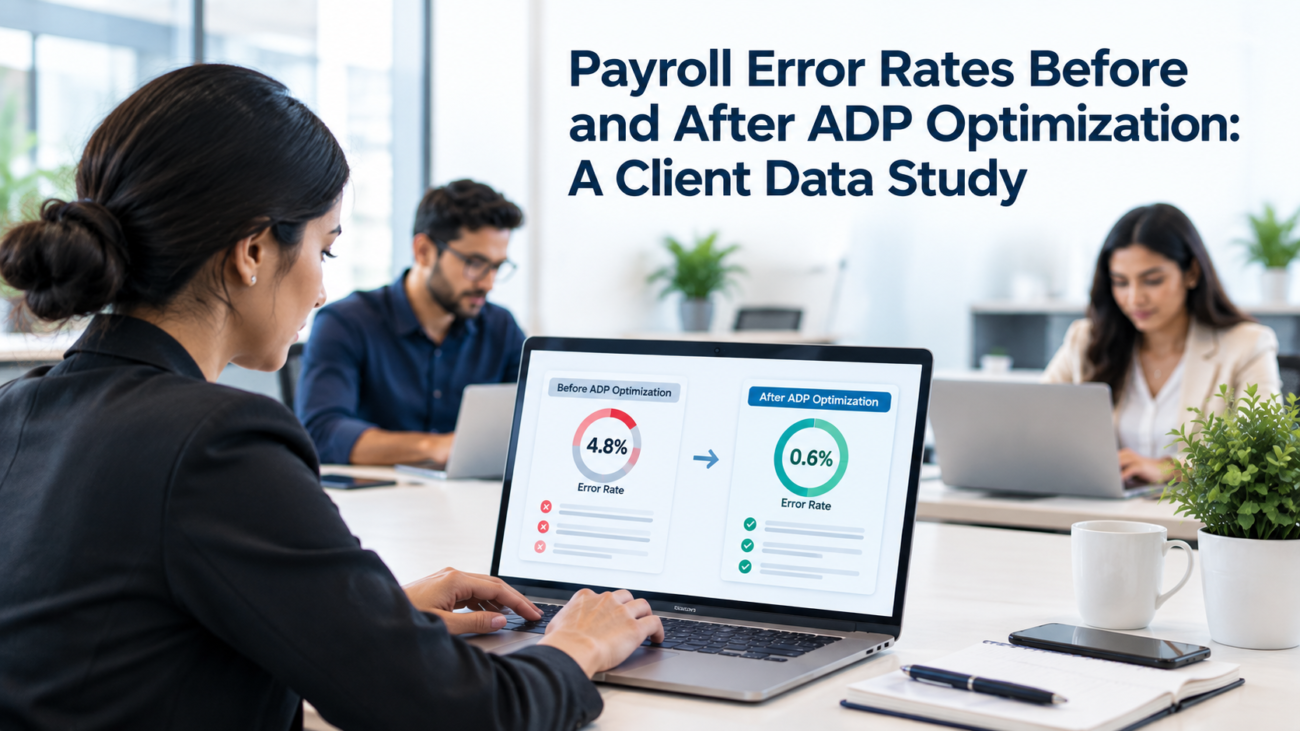
Payroll error rates are easy to quote and hard to prove. Most figures online come from vendor surveys, and very few track the same companies before and after a specific change. This study pulls together the published client-reported data that does exist on ADP and on payroll errors in general, explains what each number really measures and shows how to build a reliable before-and-after comparison inside your own ADP setup.
We didn’t run a new survey or collect private client records for this article. We reviewed public evidence instead, including 2 direct ADP client cases with before-and-after error rates. Northwood Investors reported payroll errors falling from 48% to 2% after consolidating and automating payroll in ADP Workforce Now. Intuit reported a pre-change payroll error rate of about 3% to 4% and a post-implementation rate of 0.2% after ADP Global Payroll was implemented. The rest of the evidence includes EY survey data, PayrollOrg research, employee surveys, ADP client expectations and economic models. Each source is labeled by what it actually measures.
TL;DR
• Published surveys put payroll accuracy near 80%, which means about 1 in 5 payrolls needs at least 1 correction.
• Direct ADP client cases include Northwood Investors, where payroll errors fell from 48% to 2% in Workforce Now, and Intuit, where the reported error rate was about 3% to 4% before the change and 0.2% after ADP Global Payroll was implemented.
• Those client cases aren’t universal benchmarks because their products and starting conditions differ, and the projects covered different scopes. The percentages shouldn’t be averaged into one expected result.
• PayrollOrg ranks poor-quality data inputs first among causes of decreased accuracy. Late or inaccurate time-tracking data ranks second, followed by inputs after payroll cut-off.
• The most reliable before-and-after number is the one you measure yourself, using at least 8 pay periods on each side of a change.
How this client data study was built
This study is a structured review of published data, not a new dataset. We didn’t have access to private ADP client records. We also didn’t find a standardized public dataset that follows a large set of the same ADP clients through one configuration review. ADP does publish individual before-and-after client cases, including Northwood Investors and Intuit, so this article uses those cases as direct client evidence without treating them as a controlled study or a universal benchmark.
We used 3 rules to choose sources. First, the source had to report actual numbers from employers, payroll professionals or employees, not estimates from a blog. Second, the method had to be described clearly enough to judge what the number measures, such as a survey of perceptions or a financial model. Third, we recorded who paid for or published each study, since many payroll surveys come from software vendors with a stake in the result.
The review uses public sources available through September 2026. We checked dated survey editions and current ADP case material, including the Northwood Investors and Intuit cases. Because vendors can update case-study pages independently, the article labels the source and product context instead of claiming that one review captures every public data point.
The “before” group covers general payroll error research, such as EY’s 2022 survey of payroll professionals and PayrollOrg’s 2025 global payroll survey. The “after” group includes the direct Northwood Investors and Intuit cases, along with other ADP material such as the Workforce Management Benefits Study and a Forrester Consulting economic impact study.
Where a source reported payroll error rates in a different unit, we kept its original unit instead of converting it. Each source is labeled by evidence type throughout this article. Northwood and Intuit are before-and-after client cases. A client survey can report expectations, while an economic model projects a representative company. These sources shouldn’t be combined into one average, and the client cases don’t establish what a typical Workforce Now optimization will deliver.
What counts as a payroll error in this study
A payroll error is any result that has to be corrected after payroll is processed or approved. That includes wrong gross pay, missed hours, incorrect deductions, wrong tax withholding and payments sent to the wrong account. It also includes errors caught during the payroll preview that force a rework before approval.
Studies count these errors in different ways, and that’s the first reason their numbers differ. Some count errors per payroll run. Others count errors per employee per year, or the share of employees who noticed a mistake. A payroll that contains 1 wrong paycheck and a payroll that contains 50 are both “a payroll with errors” in some surveys, yet they carry very different costs.
For a before-and-after comparison, the most practical unit is payroll corrections per pay period. It’s easy to pull from ADP reports and it reflects real rework. Divide it by headcount, such as corrections per 100 employees, so growth doesn’t distort the trend.
It also helps to separate errors by who found them. Errors caught by the payroll team before employees see them cost staff time. Errors found by employees after payday cost time and trust, and they often lead to off-cycle checks. Tracking both gives a fuller picture than a single total.
Baseline payroll error rates before any changes
The best-known baseline puts average payroll accuracy near 80%. EY’s 2022 payroll error survey of US payroll professionals at organizations with 250 to 10,000 employees reported that figure. It also found that each error cost an average of $291 to fix, and that the average organization made about 15 corrections per pay period. The survey was publicized by a payroll software vendor, so treat it as useful but not neutral.
Employee surveys show the same problem from the other side. A 2025 HiBob survey, covered in an HRMorning report, found that 44% of employees had discovered a payroll mistake at some point. Of those, 42% said errors happened frequently, meaning monthly or every pay cycle. HiBob also sells HR software, which is common among sources on this topic.
| Source | Who Was Surveyed | Key Baseline Finding | Evidence Type |
| EY, 2022 | US payroll professionals | About 80% average payroll accuracy | Professional survey |
| EY, 2022 | US payroll professionals | $291 average cost per error | Professional survey |
| HiBob, 2025 | US employees | 44% had noticed a payroll error | Employee survey |
| PayrollOrg, 2025 | Global payroll professionals | Poor source data is the main root cause | Professional survey |
The most neutral source in the set is PayrollOrg, the professional body for payroll practitioners. Its 2025 Getting the World Paid survey drew 585 respondents. It found that poor-quality data at the source is the main root cause of errors, even in organizations that connect systems through APIs. It also found that many organizations still don’t track payroll performance at all.
That last point explains why before-and-after data is so rare. If companies don’t measure payroll error rates before a change, they can’t prove what changed afterward. Most improvement claims in the market come from surveys and models for this reason, not from measured results.
Together, these figures give a reasonable baseline. PayrollOrg puts poor-quality source data first among the root causes of decreased payroll accuracy. Late or inaccurate time tracking follows, and inputs after payroll cut-off also rank near the top. If your own numbers look better than this, that’s good news. If they look worse, there’s likely room to improve before you change any software.
Where payroll errors come from
Payroll errors cluster in a few areas, and the pattern is consistent across sources. Knowing where they start helps you predict which changes will actually move your payroll error rates.
PayrollOrg’s 2025 survey ranks poor-quality data inputs first among root causes of decreased payroll accuracy. Late or inaccurate time-tracking data ranks second. EY separately found that time and attendance errors were among the most common error types, and that missing or incorrect time punches took about 26 minutes per employee to resolve. Time data is therefore a major source, but the evidence does not support calling it the single largest source across payroll environments.
Inputs received after payroll cut-off rank third in PayrollOrg’s survey. Other ranked causes include provider performance and manual processing, with interface or integration errors lower still. These are process problems as much as system problems. A perfectly configured system still produces errors if managers submit changes after the deadline.
Pay calculation errors form a third group. In the HiBob survey, missing or incorrect overtime pay was the most common error employees noticed, reported by 42% of those who had seen a mistake. Wrong hours or days came next at 28%, followed by incorrect pay rates at 26%. Bonus errors, at 24%, often connect to overtime rules. The DOL’s Fact Sheet 56C explains that nondiscretionary bonuses must be included in the regular rate used for overtime, and setups that miss this rule underpay overtime every time a bonus is paid.
Payroll teams feel the weight of this. The same HiBob survey found that 55% of payroll professionals named fixing recurring errors as their biggest frustration. Nearly half pointed to manual data entry, and a similar share pointed to outdated software. Recurring errors are the key signal, because an error that repeats usually has a single cause you can fix.
These categories also give you a ready-made set of tags for your own study. When you compare payroll error rates before and after a change, sort each correction into one of these groups first. The groups help explain the cost of payroll errors too, since some of them, such as overtime and tax mistakes, can bring back pay or penalties on top of the rework.
What ADP client-reported data shows after changes
ADP publishes direct client cases alongside surveys and other vendor-sponsored evidence, including modeled studies. The direct cases give before-and-after rates at named clients, which is stronger evidence for this question than survey expectations alone. They still cover different products and project scopes, so the percentages can’t be averaged into an expected result.
Northwood Investors: Workforce Now
ADP’s current Northwood Investors case study reports that payroll errors fell from 48% to 2% after the company centralized fragmented HR and payroll operations in ADP Workforce Now. ADP says Northwood had been working across 4 platforms and 17 company codes, with manual tip entry and payroll adjustments creating frequent errors. The case attributes the improvement to consolidated payroll and automation, including faster tip imports.
This is direct before-and-after client evidence, but it isn’t a controlled study. The starting error rate was unusually high and the project changed more than one part of the payroll process. The case shows what a broad cleanup and consolidation achieved in that environment. It doesn’t provide a forecast for a typical Workforce Now client.
Intuit: ADP Global Payroll
ADP’s Intuit case study reports a payroll error rate of about 3% to 4% before the change and 0.2% after ADP Global Payroll was implemented. Intuit was consolidating disparate payroll systems across 9 countries onto one global platform, so the scope differs from a Workforce Now configuration review.
The result is useful because it is a named client’s before-and-after rate. It still can’t be treated as a Workforce Now benchmark. Product, geography, implementation scope and the starting process were different.
Time and attendance integration
ADP’s page on Workforce Now time tracking cites its 2023 Workforce Management Benefits Study. According to that study, organizations feel they can expect a 2.5% to 3% reduction in payroll errors by integrating time and attendance with payroll. The wording matters. This is a figure about what clients expect, not a measured drop in their error counts.
The figure is still useful. It suggests that clients see time integration as a modest, steady improvement, not a dramatic one. That matches the baseline research, which puts time data at the top of the error list. Removing manual re-keying of hours should remove part of that error load, but it won’t fix late approvals or wrong pay rules.
Enterprise economic impact modeling
ADP’s large business page cites a Forrester Consulting Total Economic Impact study of ADP Lyric HCM. The study reported a 259% return on investment for a composite 5,000-employee enterprise, and ADP says organizations reduced payroll errors by 75% to 90%. Those are the largest figures in the ADP set.
Two cautions apply. First, Lyric HCM is a different product from ADP Workforce Now, aimed at large global employers. Second, a composite company in this type of study is built from interviews with several customers, then modeled as a single representative organization. It’s a reasonable way to estimate value, but it isn’t a measurement of error counts at a real company over time.
AI anomaly detection
In September 2025, ADP announced new AI features for Workforce Now, including anomaly detection. The tool flags inconsistencies in payroll data and suggests corrections for payroll staff to approve. ADP says early adopters report saving up to 30 minutes per payroll cycle. That’s a time figure, not an error rate, and it comes from ADP.
Older client surveys
Independent survey firms have also published ADP client results. TechValidate’s ADP client surveys include a May 2018 survey of ADP payroll and HR customers in Canada. One surveyed organization reported staff productivity gains of up to 10%. Results like these are self-reported by individual clients and are several years old, so they add color but not a firm “after” benchmark.
| ADP Figure | Product | What It Measures | Evidence Type |
| 48% to 2% payroll error rate | ADP Workforce Now | Measured before and after at Northwood Investors | Named client case study |
| About 3% to 4% before; 0.2% after | ADP Global Payroll | Measured before and after at Intuit | Named client case study |
| 2.5% to 3% fewer errors | Workforce Now time tracking | Expected reduction | Client benefits survey |
| 75% to 90% fewer errors | Lyric HCM | Reported reduction | Composite economic model |
| Up to 30 minutes saved per cycle | Workforce Now anomaly detection | Time saved | Early adopter reports |
| Up to 10% productivity gain | ADP payroll and HR, Canada | Staff productivity | Individual client survey |
Why the published figures differ so much
The gap between a 3% and a 90% reduction looks confusing until you look at how each figure was produced. Four factors explain most of the difference.
The first is expectation versus measurement. A survey asking clients what they expect to gain produces cautious numbers. A study that measures change after a project, or models it from interviews, often produces larger numbers. Neither is wrong, but they answer different questions.
The second is starting point. A company moving from paper timesheets and spreadsheets to an integrated platform has far more errors to remove than a company already running ADP Workforce Now. Large reductions usually come from companies with more manual work at baseline. For a mature ADP client, the expected gain should be treated as a hypothesis tied to its own starting error rate and the specific changes being made. The public evidence doesn’t support a universal single-digit or low-double-digit improvement range.
The third is product and scale. Lyric HCM serves large global enterprises with many countries and systems. Workforce Now serves mid-sized companies. Consolidating dozens of payroll systems into 1 creates a much bigger error reduction than cleaning up pay codes in a single system.
The fourth is who reports the result. Vendor-published figures tend to feature strong outcomes, and clients who agree to be surveyed or interviewed are often the most satisfied. That doesn’t make the numbers false, but it means they describe good outcomes more than typical ones. When you plan a project, treat the high end of a vendor range as a possibility and the low end as a safer planning number.
The cost of payroll errors before and after
Error counts matter because each one has a price. The cost of payroll errors includes staff time to fix them, extra processing and, in some cases, legal exposure. Putting a dollar figure on your baseline makes the value of any improvement easier to judge.
Using EY’s figures as a rough guide, the math adds up quickly. The survey found that a 1,000-employee organization spends about 29 workweeks a year fixing its 5 most time-consuming payroll errors. At $291 per error, a team making 15 payroll corrections per biweekly payroll would log 390 corrections a year, or roughly $113,000 in correction costs. Your own figures will differ, but the method gives you a baseline cost to compare against.
Legal exposure sits on top of that. The DOL’s Wage and Hour data shows the agency recovered more than $259 million in back wages for 176,957 workers in fiscal year 2025, an average of $1,465 per worker. Many of those cases involve the same overtime and pay rate errors that appear in employee surveys. A reduction in payroll error rates lowers this risk along with the rework.
Outsourcing processing to a provider doesn’t move the risk. The IRS page on outsourcing payroll duties says that if a third party defaults, the employer remains responsible for depositing federal taxes and filing returns on time. The same logic applies to errors in general. Whatever changes you make in ADP, your company still owns the result, so it should also own the measurement.
Building your own cost per error
EY’s $291 figure is an average across many companies, and your own cost of payroll errors may be higher or lower. The simplest way to find it is to time a sample of real corrections. Pick 10 recent ones and record how long each took, from the first report of the problem to the corrected payment. Include time spent by payroll staff, managers who approved changes and anyone who answered the employee’s questions.
Multiply those hours by the loaded hourly cost of each role, then divide by 10 to get an average. Add any fees your provider charges for off-cycle checks or reversals, since those are direct costs that show up on invoices. The result is a cost of payroll errors figure specific to your team, and it’s the number to use when you compare periods.
When you measure the “after” period, apply the same cost method. Multiply the drop in corrections by your cost per error and add any avoided off-cycle processing. That gives you a dollar figure for the change, based on your own data, which is far more convincing to finance than a vendor percentage.
Which ADP changes tend to move error rates
The published data points to a few kinds of changes that are most likely to reduce payroll corrections. The size of each gain depends on your starting point, so treat these as areas to test, not guaranteed results.
Connecting time and attendance directly to payroll addresses one of the highest-ranked error sources. ADP’s own client data suggests a modest expected gain from this step, and the baseline research shows why it matters. If your team still re-keys hours or imports timesheets from another tool, this is often the first place to look.
Fixing input timing is the next step, and it’s mostly a process change. PayrollOrg’s research puts late inputs near the top of the cause list. Setting firm cut-off times, sending automated reminders to approvers and tracking late submissions by manager can reduce payroll corrections without any software change.
Cleaning up pay rules and earnings codes targets the calculation errors employees notice most. Overtime and bonus errors often trace back to codes that don’t feed the regular rate, or to pay classes that don’t match state rules. These errors repeat every cycle until the setting is fixed, which makes them strong candidates for a before-and-after test.
Rank these options by the cost of payroll errors each one addresses. A change that removes a handful of expensive overtime errors can be worth more than one that removes many cheap ones, and your cause tags will show which errors drive the cost. That ranking also keeps the project focused on the payroll error rates that matter most to your budget.
Turning on anomaly detection adds a review layer. ADP Assist flags unusual changes before payroll runs, which catches some errors earlier. It works best on a clean setup, because a cluttered one produces many flags that aren’t real problems.
Finally, keep an eye on rule changes. ADP’s 2026 tax season update added new non-qualified overtime codes for W-2 reporting, starting with check dates on or after January 1, 2026. Changes like this can shift correction counts for reasons unrelated to your own project, so note them in your change log when you compare periods.
How to measure your own before and after error rate
Your own data will always be more reliable than a published average. You can build a sound before-and-after comparison with reports already in ADP Workforce Now and a simple spreadsheet.
1. Define an error. Count manual checks and off-cycle payrolls, plus corrections logged by the payroll team. Write the definition down and don’t change it during the study.
2. Pull the reports. ADP’s standard reports guide describes the Manual Check Details report, which lists employees who received manual checks in a pay period. It also describes the Employee Payroll Changes report, which shows changes to employee data with old and new values.
3. Collect at least 8 pay periods before the change. More is better, especially if your volume varies across the year.
4. Normalize by headcount. Express results as corrections per 100 employees per payroll.
5. Tag each correction by cause, such as time data, late input, pay rule or bank details.
6. Make the change and record the date in a change log, along with any other changes made around the same time.
7. Collect at least 8 pay periods after the change, using the same report and date filters.
8. Compare the trend before and after, not only the averages, and look at which cause categories moved.
9. Convert the change into dollars using your cost per error.
The cause tagging in step 5 is what makes the study useful. If total payroll corrections fall but late-input errors stay flat, you know the system change worked and the process gap remains. That tells you exactly where to go next, and it shows which part of your payroll error rates each fix actually touched.
Keep the work simple enough to repeat. A study that takes a week of effort won’t get run again. A monthly export and a short tagging session will, and repeated measurement is what turns a 1-time project into lasting improvement.
Study design pitfalls that distort results
A before-and-after comparison can mislead you if the design is weak. Research methods from other fields offer clear guidance on what to avoid.
The biggest risk is comparing 2 single points. A simple pre-post comparison can credit a change for a drop that was already underway. An evaluation guide in Academic Pediatrics00210-6/fulltext) gives an example where researchers wrongly credited an intervention for a falling medication error rate, when the decline was likely due to other factors. The same guide says a proper interrupted time series needs at least 8 observations before and 8 after a change.
Seasonality is the next risk. A tutorial on interrupted time series notes that an uneven mix of seasons before and after an intervention can bias results, especially in short series. In payroll, year-end processing and annual bonus runs both raise correction counts. If your “before” period includes December and your “after” period doesn’t, the change will look better than it is.
Regression to the mean is a quieter problem. Companies often start a project right after a bad stretch of errors. Some of that spike would have faded anyway, so the next few months look better whether or not the change worked. Longer baselines reduce this risk, because a single bad month has less weight.
Other events can also blur the picture. New hires in payroll, a new time clock system, tax rule changes or a spike in headcount can all move payroll error rates. Log these events next to your data so you can explain any shift you see. If several changes happen at once, you may not be able to tell which one made the difference, and it’s better to say so than to guess.
How to read vendor claims about payroll accuracy
Vendor figures aren’t useless, but they need context before you use them in a business case. A few questions will tell you how much weight a claim can bear.
Ask what was measured. A reduction in errors and time saved per cycle are different outcomes. A claim about saved minutes doesn’t tell you anything about payroll error rates, even if it appears next to accuracy language.
Ask how the data was gathered. Was it a survey of expectations, interviews built into a composite model or measured counts from real payroll systems? Measured counts are the strongest, and they’re also the rarest.
Ask who was included. Surveys of satisfied clients and case studies of chosen customers show what’s possible. They don’t show what’s typical, and they rarely include companies that saw little change.
Ask what the starting point was. A large reduction from a mostly manual process doesn’t predict the result for a company already running an integrated system. Look for figures from companies whose setup looks like yours before the change.
Ask whether the claim covers the cost of payroll errors or only their count. A drop in minor corrections may look impressive as a percentage while saving little money, so a claim tied to dollars is easier to test against your own numbers.
Finally, ask whether the vendor will help you measure your own result. A provider confident in its impact should support a baseline and a follow-up measurement using your data. That result, built on your own payroll corrections, is the number that belongs in a budget request.
Final thoughts
Published data gives a useful but limited picture of payroll error rates before and after ADP changes. The baseline research points first to poor-quality source data, with time and attendance problems and late inputs also prominent. The “after” picture now includes named ADP client cases: Northwood Investors reported 48% to 2% in Workforce Now, while Intuit reported about 3% to 4% before the change and 0.2% after ADP Global Payroll. Those cases involve different products and project scopes, so they show possible outcomes rather than a typical improvement rate.
That gap is an opportunity. Any company running ADP Workforce Now can measure its own before-and-after results with standard reports and enough pay periods on each side of a change. Tag errors by cause and watch for seasonal spikes. Then convert the result into dollars. Numbers built that way will hold up in front of finance, and they’ll show exactly where the next improvement should come from.
Frequently asked questions
What is a typical payroll error rate?
EY’s 2022 survey found average payroll accuracy near 80%, meaning about 1 in 5 payrolls needs a correction. Your rate depends on your workforce type and how many manual steps your process includes.
How much does a payroll error cost?
The same EY survey reported an average cost of $291 per error. That covers staff time and rework, not fines or back pay, which can add much more when errors involve overtime or tax.
Does ADP reduce payroll errors?
ADP publishes named client cases with large reported reductions. Northwood Investors reported payroll errors falling from 48% to 2% after centralizing operations in ADP Workforce Now. Intuit reported about 3% to 4% before and 0.2% after ADP Global Payroll. These cases are not controlled studies and do not provide a universal benchmark.
Why do ADP’s error reduction figures differ so much?
The evidence mixes direct client cases with expected reductions and modeled composite results. Products, starting points and project scope also differ. The percentages can’t be compared as if they were one benchmark.
Is there public data on ADP clients before and after a configuration review?
Yes, there are individual public ADP client cases. Northwood Investors and Intuit both report before-and-after payroll error rates. What is still missing is a standardized public multi-client dataset that tracks comparable Workforce Now configuration reviews using the same error definition and measurement window. Your own baseline remains the best benchmark for a specific project.
What causes most payroll errors?
PayrollOrg’s 2025 survey ranks poor-quality data inputs first. Late or inaccurate time-tracking data ranks second, and inputs after payroll cut-off rank third. Employee surveys also show that overtime and hours errors are common mistakes people notice.
How do I measure my payroll error rate in ADP Workforce Now?
Count manual checks and off-cycle payrolls each period using reports such as Manual Check Details. Divide by headcount and track the result over time.
How many pay periods do I need for a before and after comparison?
Research methods guidance suggests at least 8 observations before and 8 after a change. More periods reduce the effect of seasonal spikes and unusual months.
Can time and attendance integration reduce payroll errors?
It can, because late or inaccurate time data ranks among the leading root causes of decreased payroll accuracy. ADP’s client study suggests an expected reduction of 2.5% to 3%, though results depend on how manual your process was before.
What is ADP anomaly detection?
It’s an ADP Assist feature in Workforce Now that flags inconsistencies in payroll data and suggests corrections for staff to approve before payroll runs. ADP says early adopters save up to 30 minutes per cycle.
Should I trust vendor payroll accuracy statistics?
Use them with context. Check what was measured, how the data was gathered, who was included and what the starting point was before using a figure in a business case.
How do seasonal spikes affect payroll error comparisons?
Year-end processing and bonus runs raise correction counts. If they fall unevenly between your before and after periods, the comparison can look better or worse than reality.
Does outsourcing payroll remove responsibility for errors?
No. The IRS says employers remain responsible for federal tax deposits and filings if a third-party provider defaults. Your company still owns payroll results under any setup.
What is a good unit for tracking payroll corrections?
Corrections per 100 employees per payroll works well. It adjusts for headcount growth and makes periods easy to compare.
How do I turn an error reduction into a dollar figure?
Multiply the drop in corrections by your cost per error, then add any avoided off-cycle processing costs. Using your own figures makes the result more credible than a vendor percentage.
