
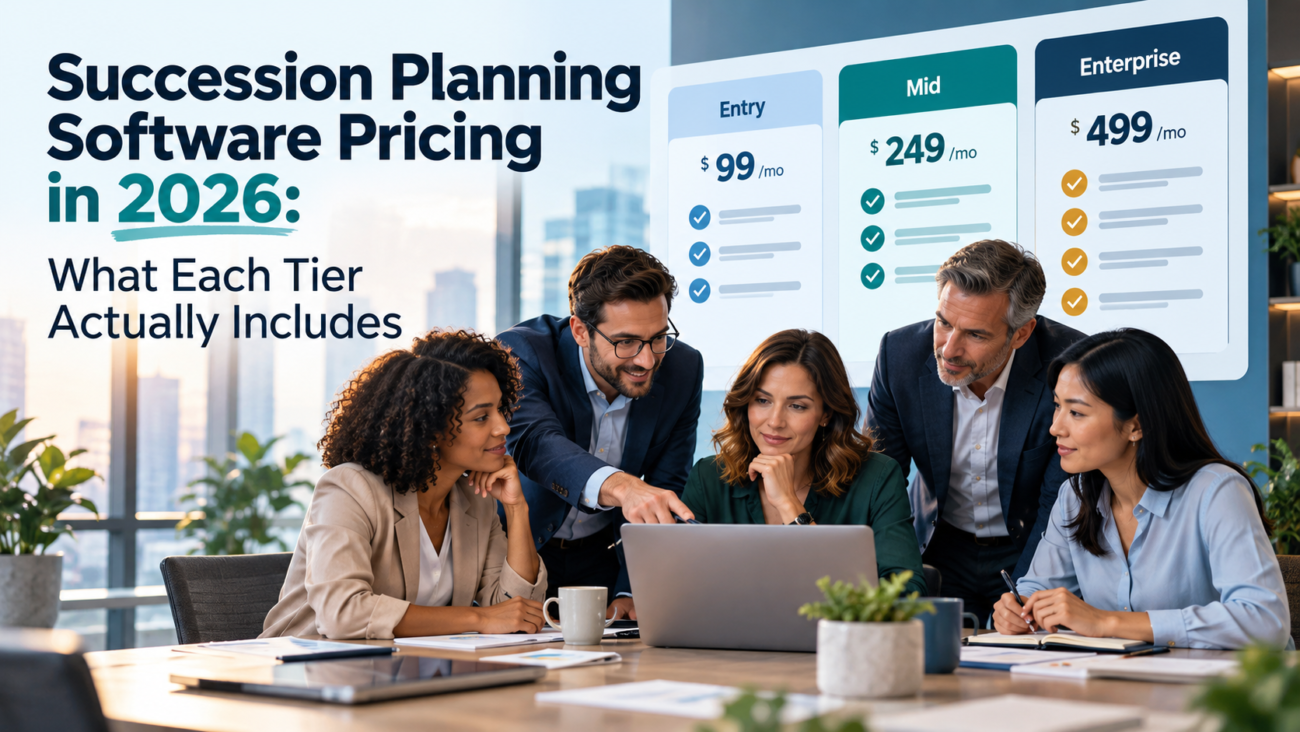
Succession planning software pricing is hard to compare because vendors rarely sell the same thing at the same tier. Some products include succession in a base plan, while others charge for a talent management module. Enterprise vendors may require a demo before they share a price. The result is that 2 quotes with similar totals can cover very different amounts of work.
This guide explains how vendors price these tools in 2026 and what each tier usually includes. It also covers the costs that sit outside the subscription. The goal is to help HR and finance leaders at B2B SaaS and other growing companies read a quote correctly. Most vendors in this category quote prices on request, so the focus here is on what you’re paying for and how to compare offers. List prices change often, and few vendors publish them for every tier.
TL;DR
Succession planning software pricing usually follows 1 of 3 models. Vendors charge a per employee per month fee across your whole headcount, a fee per person in the succession plan, or a module price added to a talent management suite. Entry tiers cover basic talent profiles and successor lists. Mid tiers add tools such as the 9-box grid, talent pools and readiness ratings tied to performance data. Enterprise tiers add scenario planning and board-level reporting, almost always at a quoted price. The subscription is only part of the cost, because implementation costs and admin time often decide whether the tool pays off. Compare quotes by listing what each tier actually includes, checking which employees count toward the fee and pricing the first 3 years instead of the first one.
What succession planning software does
Succession planning software helps a company identify the roles it can’t afford to leave empty and the people who could fill them. It replaces spreadsheets and slide decks with a shared record of critical roles, possible successors, their readiness and the development steps each one needs.
The core workflow is similar across vendors. HR defines critical positions. Managers nominate successors and rate their readiness. Leadership reviews the results in calibration meetings, then agrees on development plans for each candidate. The software keeps that record current and shows gaps, such as roles with no ready successor.
Good succession planning covers more than the CEO. SHRM’s toolkit on how to modernize succession planning treats it as an ongoing process for key roles across the business, linked to development and retention. That framing matters for buying decisions, because a process that touches many roles needs a tool that more than a few HR staff can use.
Public sector guidance takes the same view. The US Office of Personnel Management’s leadership succession guide describes succession management as a system that ties leadership needs to development over time. The guide was written for federal agencies, but its main point applies to any employer: succession planning is a process that needs owners and a regular rhythm.
Who uses the tool affects what you pay. HR usually owns the system, but managers do most of the rating and nominating, and executives review the results. Vendors count these groups differently, which is one reason succession planning software pricing varies so much between quotes for the same company. Before you ask for prices, list who needs to log in and what each group needs to do.
The business case usually rests on risk. When a critical person leaves with no successor ready, projects stall. BLS data on employee tenure shows that older workers tend to stay with employers far longer than younger ones. That means retirements can remove decades of knowledge at once, and a ready successor pipeline helps limit that loss.
How vendors price succession planning software
Most succession planning software pricing follows a small set of models. Knowing which one a vendor uses matters more than the headline number, because the same rate can mean very different totals.
Per employee per month across your whole workforce
Many HR platforms charge per employee per month for everyone on the payroll, even though only a small group appears in the succession plan. This model is common when succession is part of a broader HR or talent management suite. It’s simple to budget, but it can be expensive for companies that only need succession planning for a few dozen leadership roles.
Per participant or per plan member
Some vendors charge only for the people in the succession process, such as nominated successors and the managers who rate them. This model suits companies that want to plan for a narrow set of roles. Watch how the vendor defines a participant, because some count everyone who logs in while others count only people with a profile in a plan.
Module add-on to a talent management suite
Large HR suites often sell succession as an extra module. You pay for the core platform, then add succession at an additional per-employee rate or a flat annual fee. The add-on price can look small, but it assumes you already own the suite and its performance module.
Headcount bands and annual contracts
Vendors also group customers into headcount bands, with a price per band instead of a strict per-person rate. Nearly all of them sell annual contracts, and many set minimum fees or minimum seat counts. A company with 80 employees may pay the same as one with 150 if both fall under the minimum.
Published prices vs. quote-only pricing
Some vendors publish a starting price, while others quote every deal. Published prices are most common for HR platforms aimed at smaller companies, and they usually show a starting rate with a minimum number of seats. Quote-only succession planning software pricing is the norm for mid-market and enterprise products, because the final number depends on modules, headcount and services.
A published price is only a starting point. It often covers just the base plan, with succession or talent review features sold as add-ons. Read the plan comparison page closely, and confirm in writing which plan includes the succession features you need.
Current 2026 published price examples
Public list prices offer concrete comparison points, but the scope differs by product. These are advertised software rates, not custom implementation quotes. The vendor pages identify which packages include succession and how they count seats.
| Published 2026 plan | Advertised price | What the price covers |
| Lattice Performance | $10 per seat/month | Includes succession planning and talent reviews; billed annually. |
| PerformYard Talent Development | $5 to $15 per person/month | Includes succession planning; selected products and seat counts affect price; billed annually. |
| Workzoom Talent Suite | $4 per employee/month for Talent | Includes succession. New customers also require the $4/employee/month HR Suite foundation. |
The Lattice pricing page lists Performance at $10 per seat/month, but its FAQ also refers to an $8 monthly rate for unbundled products, so buyers should confirm their exact contracted price. The PerformYard pricing page lists $5 to $15 per person/month for Talent Development. The Workzoom pricing page lists $4 per employee/month per suite; HR is mandatory, so HR plus Talent starts at $8 per employee/month before any applicable minimum or discount. These listed rates aren’t identical succession-only products.
Factors that move the price
Several inputs change the final quote, even within the same tier:
• Headcount or participant count. Usually the main driver under per-person pricing.
• Number of modules. Succession often depends on performance or learning modules that carry their own fees.
• Contract length. Multi-year terms usually bring lower annual rates in exchange for commitment.
• Support level. Dedicated account management or premium support often costs extra.
• Security and data options. Data residency, single sign-on and advanced permissions can push a deal into a higher tier.
Knowing these levers helps you read succession planning software pricing as a set of choices rather than a fixed number. Most of them can be adjusted during negotiation.
The model affects your growth costs as well. Under a per employee per month model, every new hire raises the bill even if the succession plan stays the same size. Under a participant model, costs grow only when you widen the plan.
Succession planning software pricing tiers at a glance
The table summarizes what each tier typically includes. Vendors use different names, such as “Core,” “Pro” or “Premium,” so compare the features behind each label.
| Tier | Typical Features | Typical Pricing Approach | Best Fit |
| Entry | Talent profiles, critical role list, successor nominations, basic readiness ratings | Per employee per month, sometimes published | Small teams planning for a few key roles |
| Mid | 9-box grid, talent pools, calibration tools, links to performance and learning data | Per-employee or per-participant rate, often quoted | Growing companies with a formal talent review cycle |
| Enterprise | Scenario planning, configurable workflows, org-wide analytics, HRIS integrations, board reporting | Custom quote with annual contract | Large or regulated organizations with many critical roles |
The table shows a pattern more than a rule. Some vendors put the 9-box grid in their entry plan, while others hold it back for the top tier. That’s why succession planning software pricing should always be compared feature by feature.
The jump between tiers is rarely gradual. Moving from entry to mid can mean adding a performance module you didn’t need before, and moving to enterprise usually brings a services fee and a longer contract. Before you upgrade, list the specific features you need from the next tier and ask whether any can be bought as single add-ons instead.
What the entry tier includes
The entry tier covers the basics of naming successors. You’ll usually get employee profiles with job history and skills, a list of critical roles and a way for managers to nominate successors. Readiness is often a simple rating, such as “ready now” or “ready in 1 to 2 years.”
Entry tiers are often part of a broader HR platform’s base or mid plan rather than a separate product. That’s useful for small companies, because the employee data is already in the system. The trade-off is depth. Reports tend to be basic and workflows are fixed. There may be no way to run formal calibration sessions inside the tool.
Look closely at limits. Some entry plans cap the number of critical roles or succession plans you can create. Others limit reporting to a few standard views. If your plan is to cover 10 leadership roles this year and 40 next year, check whether the entry tier can handle that growth.
For many smaller B2B SaaS companies, the entry tier is enough to replace a spreadsheet. It gives leadership one current view of key roles and successors. The upgrade question comes later, when the company starts running regular talent reviews and needs more structure than a list can give.
What the mid tier includes
The mid tier adds the tools that turn a successor list into a talent review process. The most recognizable is the 9-box grid, which plots employees by performance and potential. Managers place people on the grid during calibration, and HR uses the result to decide who goes into which talent pool.
Talent pools are the second common feature at this level. Instead of naming a successor for each role, you build groups of people ready for a type of role, such as “future engineering managers.” That approach is often more practical in fast-growing companies, where roles change quickly.
Mid tiers also connect succession data to the rest of the HR suite. Performance ratings, goals and learning records can feed into readiness assessments, so managers don’t rate successors from memory. Development plans can be assigned straight from the succession record. These links are where much of the value sits, but they only work if you also own and use the connected modules.
Manager access is a common pricing detail at this level. Calibration only works if managers can see and rate their teams in the tool. Some vendors include manager access in the employee count, while others treat managers as separate users. Confirm how they’re counted before you compare mid-tier quotes.
Pricing at this tier is less often published. Some vendors still list a per-employee rate, while others move to quotes. If the 9-box grid and calibration tools are the reason you’re buying, confirm they’re included in the tier you’re quoted, because some vendors sell them as add-ons.
What the enterprise tier includes
Enterprise tiers are built for organizations with many critical roles or formal oversight needs. They usually add scenario planning, which lets HR model what happens if several leaders leave or if the company reorganizes. They also add configurable workflows, so each business unit can run reviews its own way.
Reporting is a major part of the enterprise tier. Boards and executive teams want to see bench strength and readiness across critical roles. For public companies, CEO succession is a governance topic. The SEC’s Staff Legal Bulletin 14E explained in 2009 that CEO succession planning raises a significant policy issue for shareholders. That’s one reason large companies pay for board-ready reporting and audit trails.
Some enterprise buyers also report on human capital to outside audiences. The current ISO 30414:2025 (Edition 2) includes “mobility and succession planning” among its human capital reporting areas. Tools that can produce consistent metrics on succession coverage and readiness make that reporting easier.
Integrations deepen at this level too. Enterprise plans usually include connectors to major HRIS platforms, single sign-on, user provisioning and data exports to analytics tools. Data residency options and dedicated support are common as well. Nearly every vendor prices this tier by quote, with multi-year contracts and implementation costs negotiated alongside the subscription.
Standalone tools vs. talent management suite modules
Buyers often face a basic choice before tiers even come into play. They can buy a standalone succession tool or add succession to an HR suite they already use.
| Factor | Standalone Succession Tool | Talent Management Suite Module |
| Data source | Imports employee data from your HRIS | Uses data already in the suite |
| Depth of succession features | Often deeper in planning and scenarios | Varies, often enough for core needs |
| Links to performance and learning | Through integrations | Built in |
| Pricing basis | Often per participant or flat fee | Often per employee per month add-on |
| Admin effort | Another system to manage | One system, one login |
A talent management suite module is usually the simpler choice when the suite already holds clean performance and learning data. The succession module can reuse that data with little extra work. A standalone tool makes more sense when you need deeper planning features, or when your HR suite’s succession module is weak.
Cost comparisons between the 2 can mislead. A standalone tool may have a higher sticker price but charge only for participants. A suite module may look cheap per employee but cost more in total when applied to your whole headcount. Run both options against your real employee count and the number of people you plan to include.
Costs beyond the subscription
The subscription is rarely the only cost in a succession planning budget. Implementation costs and internal time can match or exceed the first year’s license.
Setup fees vary widely. Small cloud tools may offer guided self-setup at no extra charge. Mid-tier products often charge a one-time onboarding fee. Enterprise implementations usually involve a services project, either with the vendor or a partner, to configure workflows, set up integrations and train administrators. Always ask for implementation costs in writing as a separate line from the license.
Integration work is the next cost. Succession planning depends on accurate employee data, so the tool needs a reliable feed from your HRIS. If the vendor’s standard connector doesn’t fit your setup, you’ll pay for custom work or middleware. Ask which integrations are included and which carry extra fees.
Renewals and growth add their own costs. Many SaaS contracts allow price increases at renewal, and per-employee pricing grows with every hire. A company that doubles headcount in 2 years may see its succession planning software pricing double too, even if the plan still covers the same leadership roles. Ask for a renewal cap and a clear rule for how growth is billed.
Data cleanup is easy to forget. Job titles and reporting lines are often messy in growing companies. The tool will expose that mess quickly. Budget time for HR and managers to fix records before the first review, or the first calibration session will spend more time on data than on people.
Plan for leaving as well. If you switch vendors later, you’ll want succession plans, ratings and development history in a usable format. Ask whether data exports are included in your tier, what format they use and whether the vendor charges for help with a migration.
Internal time is the last hidden cost. Managers have to rate successors and own development plans. HR needs an administrator to run the cycle. Public sector planning guides make the same point. New York State’s succession planning resources for state agencies present it as part of ongoing workforce planning. Software supports that work, but it doesn’t remove it.
Planning also needs a calendar. The federal workforce planning guide for agency HR leaders frames planning as a repeating cycle of analysis and review. A tool you pay for every year only earns its cost if someone runs that cycle every year.
AI features and compliance: what they add to the price
AI features are now common in talent software, and vendors often place them in higher tiers or sell them as add-ons. Typical features include suggested successors based on skills and automated readiness summaries. These can save managers time, but they also raise compliance questions that affect total cost.
Promotion decisions are employment decisions, and they’re covered by employment law. US guidance on employment tests explains that selection procedures, including those used for promotion, can’t create unjustified adverse impact on protected groups. If an AI feature ranks successors, your team needs to understand how it works and test its results.
Some local laws go further. New York City’s Local Law 144 requires bias audits and notices for automated tools that substantially help make hiring or promotion decisions about candidates or employees in the city. A summary from Ogletree on NYC’s automated tools law explains the audit and notice duties. If your succession planning tool’s AI features fall in scope, the audit is an extra cost to budget. Ask whether AI features can be switched off by region, so you don’t pay for features you can’t use.
Europe has its own rule for these tools. Under the EU AI Act, AI systems used for promotion decisions can be classed as high-risk when the Act’s classification conditions are met. The AI Omnibus entered into force on July 27, 2026. Its revised timeline sets December 2, 2027 as the date when the Annex III high-risk rules apply, including relevant employment uses.
Buyers need a way to assess these features before they pay for them. NIST’s AI risk framework gives teams a structure for asking vendors how they manage bias and transparency. Use it to build a short list of questions for every vendor that sells AI features in its succession tier.
Employee data rules also apply. In the EU, the GDPR text covers personal data such as performance ratings and potential assessments. Succession records are sensitive, because they show who leadership sees as a future leader and who it doesn’t.
US state privacy law adds to this. In California, the CCPA overview from the state attorney general explains consumer privacy rights that now extend to employee data. Data residency options and privacy controls are often enterprise-tier features, which can push regulated buyers into a higher price band.
How to compare quotes and negotiate
Succession planning software pricing becomes easier to compare once every quote is broken into the same parts. Ask each vendor for a written quote that separates these items:
• Pricing basis. Per employee per month, per participant, per band or flat fee, and who counts toward it.
• Features by tier. Whether the 9-box grid, talent pools, calibration and scenario planning are included or extra.
• Required modules. Any other products you must buy, such as performance management, for succession features to work.
• Implementation costs. One-time fees, partner services and what they cover.
• Integrations. Included connectors and the price of anything custom.
• Contract terms. Length, minimums, renewal caps and how price changes when headcount grows.
Some quotes carry warning signs. Be careful with offers that bundle modules you don’t plan to use, or that price succession only as part of a large platform deal. Watch for vague terms such as “standard implementation” with no list of what’s covered. A clear quote makes succession planning software pricing easy to explain to finance, and a vague one often means costs will appear later.
Model the cost over 3 years. A low first-year price can hide steep renewal increases or add-on fees that start in year 2. Ask for a renewal cap in writing, and confirm what happens to your price if headcount grows faster than planned.
Negotiation works best when you know what you need. If you only plan to cover 25 leadership roles, push for participant pricing instead of paying for your whole workforce. If you’re buying the module as part of a larger suite, ask whether it can be bundled with a renewal of the core platform. Multi-year terms and add-on bundles are common places to ask for better pricing.
Public sector and regulated buyers should also check accessibility and security documents early. Federal agencies follow Section 508 rules for accessible technology, and many private buyers ask for the same reports. Security questionnaires and SOC 2 reports can take weeks, so request them before you reach the final price discussion.
Choosing the right tier for your company size
The right tier depends less on headcount than on how formal your talent process is. The ranges below are buying heuristics for comparing features, not vendor pricing bands or established market standards.
Companies with fewer than about 200 employees can use an entry tier as their first comparison point, particularly inside an HR platform they already use. They may need a shared list of key roles and successors more than advanced analytics. Moving from a spreadsheet to this tier can be the biggest step forward. It may cost little extra when succession is already part of the company’s HR plan. The main investment is the time to set it up.
For companies with roughly 200 to 2,000 employees, a mid-tier feature set is a useful starting point when they run regular talent reviews. Calibration tools and links to performance data can make those reviews faster and more consistent. At this size, per-employee pricing can add up, so participant pricing becomes worth asking about. This range is a planning example, not a vendor-defined segment.
Large or regulated organizations may need enterprise-tier features when their process requires formal oversight. Board reporting and scenario planning can be hard to manage without them. At this level, implementation costs and internal change management may matter more than the subscription.
A short pilot can settle the tier question. Run one talent review cycle for a single department on the tier you’re considering, then check which missing features slowed the process. That evidence is more reliable than a feature list, and it gives you a stronger position when you negotiate the full contract.
B2B SaaS companies have a specific pattern to plan for. Headcount often grows in bursts after a funding round, and leadership teams change quickly. Succession planning software pricing tied to total headcount can rise faster than the value of the tool in those years. Participant-based pricing, or a plan that covers only leadership and critical engineering roles, often fits better until the company’s talent review process settles.
Treat these ranges as guides. A 150-person company preparing for an acquisition may need enterprise-style reporting. A 1,500-person company with a simple structure may be fine on a mid tier for years. Match the tier to the decisions the tool has to support.
Final thoughts
Succession planning software pricing makes sense once you look past the tier names. Entry tiers record successors, mid tiers support talent reviews and enterprise tiers support governance and complex planning. The pricing model and the work around the tool shape the real cost more than the headline rate.
Ask every vendor for the same breakdown and model 3 years of costs. Count the internal time your managers will spend, too. A tool that fits your actual review process will deliver more than a higher tier with features nobody uses. Prices and packaging change often, so request fresh quotes at each budget cycle.
FAQs
How much does succession planning software cost in 2026?
Most vendors in this category quote prices on request, and succession planning software pricing depends on headcount, pricing model and tier. Some HR platforms list per-employee rates for plans that include succession, while enterprise products are almost always custom quotes.
What pricing models do succession planning vendors use?
The common models are per employee per month across your whole workforce, per participant in the succession plan, a module add-on to a talent management suite, or a price per headcount band. Most require annual contracts.
What does an entry tier usually include?
Entry tiers usually include employee profiles, a list of critical roles, successor nominations and simple readiness ratings. Reporting and workflows tend to be basic.
What does a mid tier add?
Mid tiers usually add the 9-box grid, talent pools, calibration tools and links to performance and learning data. These features support a regular talent review process.
What does an enterprise tier add?
Enterprise tiers add scenario planning, configurable workflows, board-level reporting, deeper integrations and stronger security and data residency options. Pricing is almost always custom.
Is the 9-box grid included in every plan?
No. Some vendors include it in mid or entry plans, while others reserve it for higher tiers or sell it as an add-on. Check the feature list for the exact tier you’re quoted.
Should i buy a standalone tool or a suite module?
Choose a suite module if your HR suite already holds clean performance and learning data. Choose a standalone tool if you need deeper planning features or your suite’s succession module is weak.
What are typical implementation costs?
Implementation costs range from free guided setup for small tools to paid services projects for enterprise rollouts. Ask for them as a separate line in the quote.
Who counts toward per employee pricing?
It depends on the vendor. Some count every employee in the HR system, while others count only people with active profiles or participants in a plan. Get the definition in writing.
Do AI features cost extra?
Often, yes. Vendors frequently place AI features such as suggested successors and skill gap analysis in higher tiers or sell them as add-ons.
Do AI succession features create legal risk?
They can. Promotion decisions are covered by employment law, and some rules, such as New York City’s Local Law 144, require bias audits for automated tools used in promotion decisions.
How long does implementation take?
It varies with tier and data quality. Small cloud tools can be live quickly, while enterprise rollouts with integrations and custom workflows take much longer. Ask vendors for a timeline based on your setup.
How can we lower the cost?
Push for participant pricing if you only plan for a small set of roles, bundle the module with a suite renewal, negotiate multi-year terms and get renewal caps in writing.
What internal costs should we budget for?
Budget time for data cleanup and for managers to rate successors. You’ll also need an HR administrator to run the cycle. These costs can match the first-year license.
Which tier fits a small B2B SaaS company?
Many small B2B SaaS companies start with an entry tier inside their existing HR platform. They move up once they run regular talent reviews or need board reporting.
