
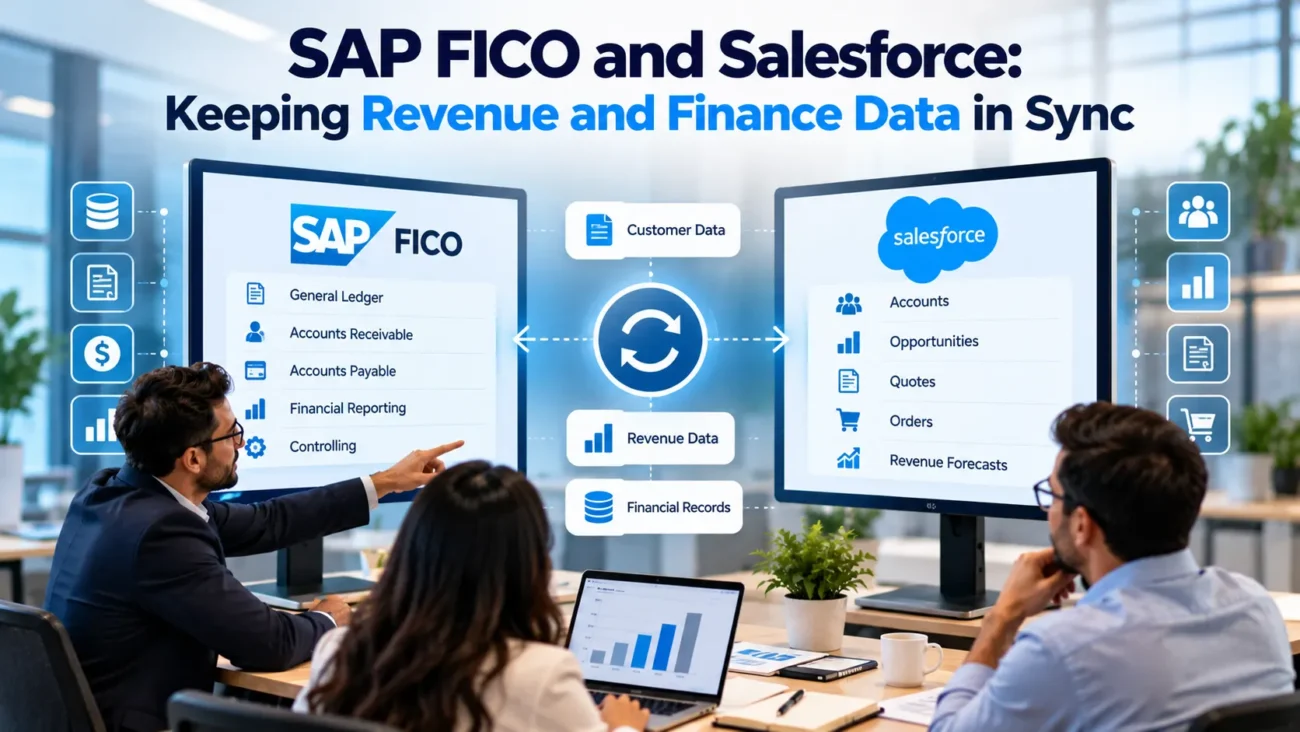
Salesforce and SAP often describe the same customer from different angles. Salesforce tracks the relationship before and during the sale. SAP Finance records what the business can bill, what the customer owes, what has been paid, and what belongs in the financial statements. Problems start when teams copy all of that information both ways without deciding which system owns each fact.
A sound SAP Salesforce integration keeps those roles clear. Sales users need enough finance context to answer customer questions and manage renewals, while finance needs approved commercial details to create customers, orders, invoices, and accounting records. The SAP Salesforce integration should move each piece of data at the right point in the process and then stop users from changing finance-owned values in Salesforce.
In SAP, Sales and Distribution (SD) generally manages sales orders and billing documents. Financial Accounting (FI) handles financial postings, customer receivables, and payment clearing. Billing documents pass the relevant amounts into financial accounting through the SD-FI integration; Controlling (CO) handles internal cost and performance accounting.
That sounds simple until customer records split across systems, opportunities change after order submission, invoice status arrives late, or a credit memo is treated like a normal update. SAP FICO integration work becomes difficult because revenue and finance data carries accounting meaning. A field can look like an ordinary amount in Salesforce while representing a posted document, open receivable, tax value, or revenue event in SAP.
The goal of this guide is to show how to design Salesforce SAP integration around ownership, timing, reconciliation, and financial control. The examples use current SAP S/4HANA and Salesforce integration capabilities, but the operating principles also apply to older SAP ERP landscapes where the available interfaces may differ.
TL;DR
Keep Salesforce as the commercial system for pipeline and customer-facing activity. Keep SAP as the finance authority for posted billing, receivables, payments, accounting values, and revenue recognition.
Define ownership at field and document level before building interfaces. Send approved commercial transactions toward SAP. Return finance status to Salesforce as read-only or tightly controlled fields. Use stable external IDs, idempotent message handling, clear error queues, and scheduled reconciliation so retries don’t create duplicates.
Use real-time or event-based flows only where the business needs fast updates. Batch sync is often better for aging, payment history, and large reconciliation jobs. Treat revenue data synchronization as an accounting control problem as much as an integration problem.
Decide Which System Owns Each Financial Fact
The most important design decision is source ownership. SAP and Salesforce can both store an account name, billing address, order amount, invoice reference, and payment status, but that doesn’t mean both systems should be allowed to author those values. Two writable masters create conflicts that middleware can’t reliably solve after the fact.
For customer master data, the ownership model depends on how the company creates customers. Salesforce may capture the prospect first, but SAP may become the authority once finance creates a legal customer or business partner. SAP’s currentBusiness Partner API supports create, read, update, and delete operations for business partner, customer, and supplier data, so the SAP Salesforce integration can return the SAP identifier and finance-owned attributes after creation. That identifier should then become a durable cross-system key rather than something users retype.
A practical SAP FICO integration ownership model often looks like this: Salesforce owns leads, opportunities, sales activity, commercial notes, and pre-order forecasting. SAP owns legal customer numbers, company-code settings, payment terms after finance approval, credit blocks, posted billing documents, open receivables, clearing status, and ledger results. Product and pricing ownership can vary by company, so those fields need an explicit decision rather than a default assumption.
Salesforce should still display finance data when sales or service teams need it. The difference is that those users see a replica or live view, not a second accounting master. That distinction is central to finance data integration. A sales rep can see that an invoice is overdue without being able to mark it paid. A customer success manager can see a credit block without editing the SAP status from Salesforce.
Build a source-of-truth matrix before interface design. List every shared object and field, name the authoritative system, define who may change it, and state when the change becomes valid. This single document prevents many later disputes about why one system overwrote another.
Map The Revenue Lifecycle Before You Sync
A reliable SAP Salesforce integration starts with the business lifecycle rather than an API catalog. Trace one transaction from qualified opportunity through order acceptance, billing, receivables, payment, and financial close. Then mark the point where ownership shifts from commercial intent to an accounting or fulfillment commitment.
Map the SAP SD sales order and billing documents separately from the FI accounting entries created when billing is transferred to accounting. The SD-FI integration connects the billing transaction to the receivable, while FI-AR tracks what remains open and when payment is cleared.
The handoff usually occurs after a quote or order has passed the approvals required by the business. Before that point, Salesforce can remain the working system for quantities, expected value, products, and requested dates. After submission, SAP should validate the data it needs for order processing and return its document number. SAP’s currentSales Order API supports external applications creating, reading, updating, and deleting sales orders through OData, which gives teams a standard interface where it fits their S/4HANA landscape. The API does not decide business ownership, so the project still needs rules for when Salesforce may submit or amend an order.
The lifecycle map should record more than object names. For each step, capture the business event, source record, destination record, amount fields, currency, tax treatment, document status, external identifier, and failure response. That makes revenue data synchronization testable. A team can verify that a closed-won opportunity creates the intended handoff without assuming that every later financial document should be copied back the same way.
Keep forecasts separate from actuals. Opportunity Amount and expected close date are commercial planning values. A posted invoice and cleared receivable are financial facts. If dashboards combine those fields, label them clearly so users don’t mistake pipeline for booked revenue or invoice value for recognized revenue.
This mapping also exposes timing differences. Sales may care about an order confirmation within seconds, while finance may only need a nightly reconciliation file. Forcing every exchange into real time raises complexity without improving the business outcome. Salesforce SAP integration should use the timing needed by the decision, not the fastest interface available.
Choose The Right Integration Pattern
There isn’t one correct technical pattern for SAP FICO integration. The right choice depends on direction, volume, latency, transaction risk, and whether the user needs copied data or only live visibility. Most production designs use more than one pattern.
Salesforce’s currentdata integration guide separates replication, synchronization, and external data access choices and recommends selecting tools from the actual data-flow requirement. That is useful for SAP work because customer master updates, order submission, invoice visibility, and nightly reconciliation don’t have the same needs. A single point-to-point design often becomes difficult to operate once all of those flows grow.
| Pattern | Good Fit | Watch For |
| Synchronous API call | Order validation or a user action needing an immediate response | Timeouts, SAP availability, long transactions |
| Event-driven flow | Status changes that should move quickly without blocking the user | Replay, duplicate handling, ordering, subscriber outages |
| Scheduled batch | AR aging, historical loads, reconciliation, large updates | Stale data between runs, long retry windows |
| Virtual access | Finance data users need to view but Salesforce doesn’t need to store | User experience, source latency, query limits |
For Salesforce-originated changes,Change Data Capture can publish record create, update, delete, and undelete events so an integration service can keep an external system current. It is useful when downstream systems need near-real-time record changes. It is not a substitute for reconciliation because distributed event delivery and downstream processing still need recovery controls.
For business events that aren’t simply record replication,Platform Events provide an event-driven message model between Salesforce and external applications. A project might publish an approved-order event rather than streaming every Opportunity field change. That makes the SAP Salesforce integration intent clearer and reduces the chance that a harmless CRM edit triggers a finance transaction.
On the SAP side,Cloud Integration in SAP Integration Suite supports integration flows across cloud, on-premise, and hybrid landscapes and can process real-time messages. It is one option for mapping and orchestration when an organization already uses SAP’s integration platform.
Design Customer And Business Partner Sync
Customer identity is the foundation of revenue data synchronization. If Salesforce Account A maps to the wrong SAP Business Partner, every later order, invoice, payment, and credit status can land on the wrong customer record. In an SAP Salesforce integration, start with identity before transaction flow.
Decide when a Salesforce Account is eligible to become an SAP customer. Some companies create the SAP record only after an opportunity reaches a defined stage. Others create it after credit review, tax validation, or contract approval. The trigger should reflect the real finance process. Don’t create financial master records every time a salesperson saves an account.
When SAP creates the Business Partner or customer, return the SAP key to Salesforce immediately. Store it in a dedicated external-ID field and make the mapping unique where possible. Salesforce supportsexternal ID upserts, which let integrations insert or update a record based on a known external key. This makes retries safer because the interface can target the same record instead of creating another account when a previous response was lost.
A Salesforce SAP integration also needs field-level ownership within the customer record. Sales may own website, market segment, account manager, and sales notes. Finance may own reconciliation account, payment terms, dunning settings, tax identifiers after validation, or other company-code data. Shared addresses need a rule for direction because both sales and billing teams may request changes.
Don’t merge contacts with finance partners without checking meaning. A Salesforce Contact may represent a person who buys, approves, receives support, or handles invoices. SAP partner functions can have different purposes. Create an explicit mapping for bill-to, ship-to, payer, sold-to, and contact relationships used by your process.
The SAP FICO integration should also manage lifecycle states. When a customer is blocked, merged, archived, or reassigned, Salesforce needs enough status to stop bad order submissions. The system doesn’t need every SAP field. It needs the fields that change a commercial decision.
Hand Off Orders Without Creating Two Masters
Orders are where commercial data starts becoming operational and financial. The safest design is to define one commit point and one authoritative order after that point. Salesforce can remain the place where users prepare the transaction, while SAP becomes the system of record after the order is accepted.
Before submission, validate that the customer has a valid SAP identifier, every product has an SAP material or service mapping, required sales-area fields exist, quantities are valid, and the commercial currency can be processed. If pricing is owned by SAP, don’t assume the final Salesforce quote amount is enough. The order interface may need SAP pricing validation or a controlled rule for accepting an externally calculated price.
SAP documents support sales order operations for create, read, update, and related entity work through the current OData service. Use the SAP response to capture the SAP sales-order number and any returned status. Store both the Salesforce ID and SAP ID so support teams can trace the same transaction across systems.
After SAP accepts the order, limit which Salesforce fields remain editable. If sales users can change quantities, products, or price without sending a formal amendment, the CRM view will drift from what finance and fulfillment are processing. A SAP Salesforce integration should either route approved amendments back through the same order-change interface or make finance-relevant order fields read-only in Salesforce after submission.
Use idempotency for retries. An integration timeout shouldn’t create a second SAP order. The message should carry a stable Salesforce transaction key or other unique business reference that SAP or middleware can use to detect a prior submission. The same rule applies to updates. Retrying a failed status message should update the same Salesforce order rather than insert another record.
This is also where finance data integration benefits from status granularity. Salesforce users usually don’t need every SAP status code. Map technical states into business states such as submitted, accepted, blocked, partially fulfilled, billed, or canceled, while preserving the raw SAP status for support and audit when needed.
Keep Billing And Invoice Status In Salesforce
Once SAP bills the customer, the financial document should remain finance-owned. SAP’s currentBilling Document API covers billing documents such as customer invoices, credit memos, debit memos, pro forma invoices, and cancellation documents. That range matters because invoice synchronization has to handle more than a single positive amount and status.
The Billing Document API supplies SD billing-document details and billing status. It should not be treated as the source of current unpaid balances or payment clearing. Source those values from the appropriate SAP FI-AR customer open-item and cleared-item records, or an approved accounts receivable API, and map them as separate finance-owned fields.
Salesforce normally needs a customer-facing view of billing, not a second editable billing ledger. Create a dedicated Invoice or Billing object, or map into an existing data model, with fields such as SAP billing number, invoice date, due date, currency, gross amount, open amount, billing status, cancellation reference, and source order. Keep the finance-owned fields read-only to ordinary Salesforce users.
Treat credit and cancellation documents explicitly. If the SAP Salesforce integration simply overwrites an invoice total, users lose the financial history behind the change. Revenue data synchronization works better when the Salesforce model can show the original invoice and the related credit or cancellation record. That makes account history understandable and gives support teams a clearer explanation for why an amount changed.
Don’t send the full accounting document to Salesforce unless users have a real use for it. General-ledger lines, tax postings, controlling objects, and technical clearing details can add volume and confusion without helping a seller answer the customer. Keep the replicated dataset close to the customer-facing decision.
A Salesforce SAP integration should also define document latency. Invoice creation may need to appear in Salesforce within minutes if account teams actively manage billing questions. A daily update may be enough in other companies. Pick the latency from the use case and monitor it as a service target.
Sync Receivables And Payment Status Carefully
Accounts receivable data is one of the most useful finance feeds for sales and service teams because it shows what the customer actually owes. SAP’saccounts receivable guidance describes open invoices, incoming payments, overdue receivables, down payments, and related processes. That is broader than a single Paid checkbox, so the Salesforce model should preserve enough detail to avoid misleading users.
For payment and balance fields, use FI-AR open-item information, clearing records, and the relevant receivables interface. A valid billing document may still have an unpaid or partly paid receivable. Record the FI-AR source and its refresh time so users can distinguish invoice issuance from settlement.
At minimum, decide whether Salesforce needs invoice-level open amount, account-level balance, aging bucket, due date, last payment date, dispute status, and credit block. Avoid letting sales users calculate these values from old invoice copies when SAP already has the current state. The more calculation logic you repeat in Salesforce, the more ways the systems can disagree.
Payment status can change through partial payment, residual items, clearing, reversals, write-offs, or credit applications. SAP FICO integration should therefore map business meaning, not just a boolean value. An invoice may be partly settled while the account still has another overdue balance. A canceled clearing can reopen an amount that Salesforce previously saw as paid.
For many companies, receivables are a good batch candidate. A nightly feed can refresh aging and open balances without forcing every clearing event into the CRM event bus. High-touch collections or service processes may need faster updates. Revenue data synchronization should use separate service levels for invoice creation, payment clearing, and account-level aging if the business treats them differently.
Be careful with permissions. AR information may expose credit concerns, disputes, or payment behavior that not every Salesforce user should see. Finance data integration should apply Salesforce object and field permissions after the data arrives, while the middleware account should have only the access needed to write the target fields.
Treat Revenue Recognition As Finance-Owned
Billing is not the same as recognized revenue. This distinction is easy to lose when Salesforce dashboards combine opportunity value, orders, invoices, and financial results. The SAP Salesforce integration design should label each measure according to what it actually represents. That is a core finance data integration rule because reporting labels determine how users interpret the number.
SAP’sRevenue Accounting guidance describes a process that identifies contracts and performance obligations, allocates transaction price, tracks fulfillment, and posts revenue to the general ledger. Companies that use SAP Revenue Accounting and Reporting can have recognition logic that is far more detailed than the commercial values stored in an opportunity.
Salesforce should not recreate that accounting logic merely to display a revenue number. If sales leaders need recognized revenue by customer or contract, publish an approved finance result from SAP or the reporting layer. Keep the accounting calculation in the finance system and expose only the dimensions needed for CRM analysis.
This rule matters for SAP FICO integration when contracts include milestones, usage, bundles, variable consideration, renewals, or other terms where billing timing and recognition timing differ. An invoice can exist before all revenue is recognized. Revenue can also be recognized across periods. A dashboard that labels invoice amount as revenue can therefore create a reporting error even when the integration itself is technically accurate.
Build revenue data synchronization around approved finance outputs. Define the posting period, currency, legal entity, contract or performance-obligation key, and level of aggregation that Salesforce receives. If the CRM only needs account-level month-to-date recognized revenue, don’t replicate every accounting line.
The Salesforce SAP integration should also document close timing. During month-end, finance may adjust or reprocess values after an earlier snapshot reached Salesforce. Make it clear whether CRM revenue reports are live, prior-day, or period-close figures so users don’t compare numbers taken at different accounting states.
Handle Currency Tax Credits And Adjustments
Financial data becomes unreliable when SAP Salesforce integration mapping ignores context around the amount. A value of 100 means little without currency, document type, company code or legal entity, tax treatment, posting date, and sign. Finance data integration should move those attributes together where they affect interpretation.
Multi-currency is a common source of confusion. Salesforce may hold opportunity currency, corporate currency, and converted reporting values. SAP may post documents in company-code currency while also holding document and group currencies depending on configuration. Decide which amount Salesforce needs and label it. Don’t compare a converted CRM forecast to an SAP invoice amount without confirming the conversion basis and date.
Tax should remain owned by the system or service responsible for tax determination. The Salesforce interface can send required customer, product, ship-to, and commercial details, but it shouldn’t overwrite SAP tax values after posting. If users need tax visibility, return the approved tax result with the billing document.
Credit memos, debit memos, refunds, and cancellations deserve their own transaction types. A negative number without document context makes reports hard to interpret. Store the source document type and relationship to the original invoice so the user can trace the financial event.
The same principle applies to SAP FICO integration adjustments. Manual journal entries or finance-only corrections shouldn’t automatically rewrite the commercial record in Salesforce. Decide which adjusted financial totals should flow back and at what level. A CRM account balance can update after a finance correction without exposing every journal entry that caused it.
Build Reconciliation And Error Recovery
Every SAP Salesforce integration needs reconciliation because successful API responses don’t prove that both systems still agree. Events can be missed, mappings can fail, users can edit data at the wrong time, and downstream transactions can be reversed after an earlier sync.
Build reconciliation around business keys and totals. For customer master data, compare SAP Business Partner IDs against Salesforce external IDs. For orders, compare document counts and values for the same date window. For invoices, compare billing-document number, currency, amount, status, and source order. For receivables, compare open amount using the same cutoff time and aging logic.
Large backfills and reconciliation jobs may fitBulk API 2.0, which Salesforce recommends for large asynchronous record operations and notes as a good candidate for data sets above 2,000 records. That doesn’t mean every job above that number must use Bulk API, but it gives architects a practical tool for historical loads or large corrections without forcing thousands of synchronous calls.
Design error handling before go-live. Each failed transaction should have a business key, source record, target system, payload reference, failure category, retry count, and owner. Separate transient failures from data problems. A network timeout may be safe to retry automatically, while a missing SAP customer mapping needs a person to fix master data first.
Idempotency is mandatory for finance data integration. A retry must not create another customer, order, invoice request, or adjustment merely because the first response was lost. Use durable external keys and target-system checks before creating transactional records.
For related Salesforce writes, theComposite API can execute several REST requests in one call and lets later requests use earlier results. It can reduce round trips for some inbound patterns, but transaction design still needs to decide whether partial success is acceptable and how the SAP-side transaction is reconciled.
Keep a daily exception report even when the SAP Salesforce integration is event-driven. Revenue data synchronization needs proof that totals and document states align, not confidence that the message queue looked healthy.
Secure The Integration And Its Credentials
Financial interfaces should run under dedicated integration identities with the smallest practical permissions. Don’t use a Salesforce administrator’s personal credentials or a broad SAP dialog user for unattended traffic. Service accounts need clear ownership, credential rotation, monitoring, and removal when an interface is retired.
For Salesforce outbound calls, currentNamed Credentials guidance recommends the newer extensible named-credential model and separates endpoint definition from external credentials and principals. That helps teams avoid hard-coding secrets in Apex and lets permission assignments control who can use an external principal.
On the SAP side, place authentication, authorization, traffic controls, and API policy in a managed integration layer where the architecture calls for it. SAP’s currentAPI Management guidance describes controls such as authentication, authorization, quotas, IP filtering, threat protection, monitoring, and lifecycle management. Those controls are useful when Salesforce SAP integration exposes SAP services through governed endpoints rather than directly to the backend.
For finance data integration, protect sensitive finance fields after they arrive in Salesforce. Field-level security and record access should reflect who is allowed to view balances, credit blocks, invoice details, and dispute information. Integration access doesn’t mean every CRM user should see every replicated finance field.
Log enough detail to investigate failures without copying sensitive payloads into uncontrolled logs. Record correlation IDs, document keys, timestamps, direction, status, and error classification. Mask credentials and any data that support teams don’t need.
Implement In Phases And Test Finance Outcomes
Start implementation with the smallest end-to-end flow that proves the ownership model. Customer identity plus approved order submission is often a better first slice than trying to copy every SAP and Salesforce object at once. Once the team can create or link the customer, send one order, receive the SAP key, and reconcile the result, later finance feeds have a stable foundation.
A phased Salesforce SAP integration can then add order status, billing visibility, receivables, and approved revenue outputs. Each phase should have a clear acceptance test based on finance outcomes. For example, an invoice test should confirm the SAP billing number, amount, currency, cancellation behavior, Salesforce read-only status, and reconciliation result. A green API response alone isn’t enough.
Test volume and timing. Use peak order loads, large customer updates, month-end finance activity, and batch reconciliation sizes that reflect production. Check what happens when SAP is unavailable for 30 minutes and messages accumulate. Confirm whether the SAP Salesforce integration replays in order, whether duplicates are blocked, and whether support teams can see the queue state.
Test amendments and reversals more heavily than the happy path. Change an order after submission. Cancel an invoice. Post a credit memo. Clear a receivable, then reverse the clearing. Update a customer address after the SAP key already exists. SAP FICO integration quality is revealed by these changes because they expose assumptions about one-way lifecycle progression.
Final Review Before Go-Live
Go-live readiness should be based on proof that each shared financial fact has one authoritative owner and one controlled path between systems. Review the source-of-truth matrix, cross-system identifiers, order commit point, billing model, AR visibility, revenue reporting rules, and exception ownership together. If any shared field can be edited independently in both systems, resolve that before production.
Check the failure path as carefully as the success path. Support teams need to know how to find a transaction in Salesforce, middleware, and SAP using the same correlation or business keys. They also need rules for when a failed message can be retried and when the underlying data must be corrected first.
A mature SAP Salesforce integration keeps the commercial view and financial truth connected without turning either system into a copy of the other. Salesforce should give sellers and service teams the finance context they need. SAP should remain authoritative for accounting outcomes. Revenue data synchronization then becomes a controlled exchange of approved facts instead of a constant contest over which database is right.
FAQs
What Does SAP FICO Mean In A Salesforce Integration?
SAP FICO is common shorthand for SAP Financial Accounting and Controlling processes. In newer S/4HANA environments, many finance functions sit under S/4HANA Finance. The integration usually focuses on customer finance data, billing, receivables, accounting status, and financial reporting that Salesforce users need to see.
Should Salesforce Or SAP Own Customer Master Data?
It depends on the operating model. Salesforce often creates the prospect or commercial account first, while SAP becomes authoritative for the legal customer or Business Partner after finance approval. The project should define ownership at field level rather than assuming one system owns every customer attribute.
Should Salesforce Create Sales Orders In SAP?
It can. A common design sends an approved Salesforce transaction to SAP for sales-order creation, then stores the returned SAP order number in Salesforce. The handoff should occur at a defined commit point with duplicate protection and clear amendment rules.
Should SAP Invoices Be Editable In Salesforce?
Usually no. Posted invoice values should remain finance-owned. Salesforce can display invoice number, date, amount, due date, open amount, status, and related customer information, while normal CRM users receive read-only access to those finance fields.
How Often Should Invoice Data Sync To Salesforce?
The frequency should match the business need. Customer-facing billing teams may need updates within minutes. Other organizations can use hourly or daily updates. The service target should be defined separately from other finance feeds such as aging or payment history.
Should Payment Status Sync In Real Time?
Not always. Near-real-time updates help high-touch service or collections processes, but nightly batch updates may be enough for general account visibility. The design should account for partial payments, clearing, reversals, and other AR events rather than a simple paid flag.
Is Opportunity Amount The Same As Revenue In SAP?
No. Opportunity Amount is a commercial forecast or expected deal value. SAP billing represents invoiced value, while recognized revenue can follow separate accounting rules and timing. Dashboards should label each measure clearly.
How Do We Prevent Duplicate SAP Orders?
Send a stable external business key with the order request and use idempotent processing. Before a retry creates a new order, the SAP Salesforce integration should check whether the transaction was already accepted. Store both Salesforce and SAP document IDs for later reconciliation.
What Data Should Come Back From SAP To Salesforce?
Return only what CRM users need for decisions. Common examples include SAP customer ID, order status, invoice details, open amount, payment status, credit block, and approved revenue summaries. Avoid copying general-ledger detail unless there is a clear use case.
Do We Need Middleware Between Salesforce And SAP?
Not in every case, but middleware is often useful when there are several interfaces, mappings, retries, security policies, or downstream systems. Direct APIs can fit a small controlled flow. Larger landscapes usually benefit from a shared integration layer.
Can Change Data Capture Replace Reconciliation?
No. Change Data Capture can send record changes quickly, but reconciliation still checks whether both systems reached the expected business state. A production design should include both event handling and scheduled control totals or exception checks.
How Should Currency Be Synced Between SAP And Salesforce?
Send the amount together with the currency and define whether the value is document currency, corporate currency, or another reporting currency. Avoid comparing values converted on different dates or by different rate sources without labeling the basis.
Should Revenue Recognition Calculations Be Rebuilt In Salesforce?
Usually no. If SAP or another finance system performs the approved recognition process, Salesforce should consume the approved result needed for reporting. Rebuilding accounting logic in CRM creates another calculation that must be controlled and reconciled.
What Is The Biggest Risk In SAP And Salesforce Finance Sync?
The biggest structural risk is unclear ownership. When both systems can edit the same financial fact, the integration spends its time resolving conflicts. A clear source-of-truth matrix removes that ambiguity before code is written.
What Should Be Reconciled After Go-Live?
Reconcile customer identifiers, order counts and values, billing documents, open receivable amounts, status changes, failed messages, and any finance totals shown in Salesforce. Use the same date window, currency basis, and document definitions in both systems.
