
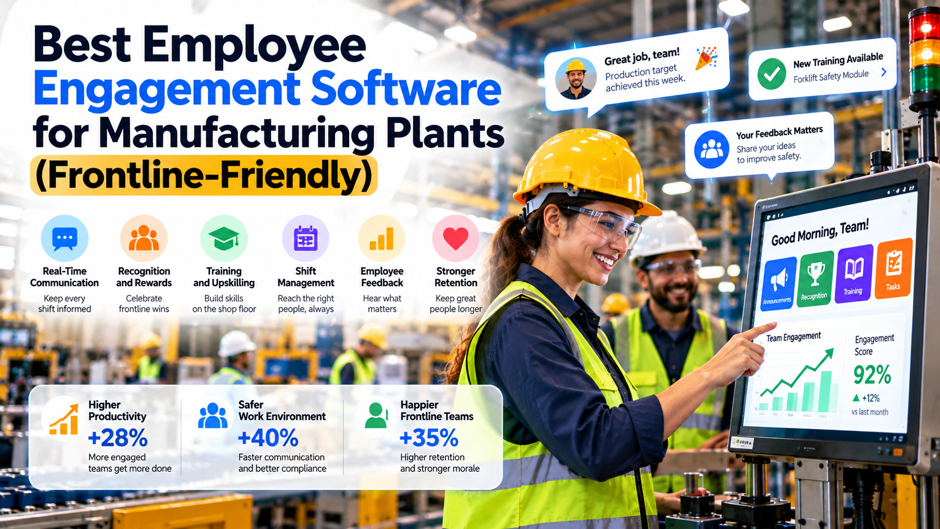
A plant manager with 600 hourly workers across 3 shifts buys a well-reviewed engagement platform, sends the first survey by email and gets a 9% response rate. Most operators don’t have a company email address, many use their phones only on breaks, a third of the crew reads English as a second language, and the night shift never saw the announcement because it went out in the office-hours newsletter. The software worked as designed, and the design assumed a desk, a laptop and a corporate inbox that the floor doesn’t have.
This guide helps manufacturers choose engagement software that reaches people on the plant floor. It covers the access problems that sink tools built for offices, the 3 categories of products and how they differ, a shortlist by category, a comparison table, access methods, multilingual and low-literacy needs, shift and supervisor realities, privacy in small crews, a plant-sized cost illustration, a 90-day rollout and mistakes to avoid. Most public rankings come from vendors that sell these tools, so claims are attributed and should be tested in a pilot.
TL;DR
- The best tool is the 1 your operators can actually open. A plant needs access without corporate email through QR codes, text messages, employee ID and PIN, or shared kiosks, plus multilingual content and shift-aware delivery, and vendor sources agree that these capabilities, not feature counts, separate frontline-friendly tools from office tools stretched to fit. Ask every vendor to show a worker with no email address finishing a survey in their own language.
- Surveys, communication apps and recognition tools solve different problems. Listening tools such as CultureMonkey measure sentiment, frontline apps such as Beekeeper, Staffbase and Connecteam deliver daily communication, and recognition products reward behavior, so many plants pair 2 of them, and a combined budget for 680 people lands near $36,525 to $85,485 a year under the assumptions in this guide. Decide which problem you’re solving first, before you compare vendors on price.
- Participation depends on paid time, supervisors and visible action. Give people time on the clock, brief supervisors before every pulse, and share what changed within 30 days, because a tool that collects feedback and never responds teaches the floor not to answer, and a modest reduction in turnover is usually what pays for the program. Measure response rate by shift in a pilot before you expand to every plant in the network.
Why Plants Need Different Engagement Software
The Frontline Is Most of the Workforce and Gets Fewer Tools Vendor and investor sources commonly say deskless workers make up about 80% of the global workforce, yet most workforce software was designed for office employees. A Workvivo guide citing Gallup says only about 25% of manufacturing workers are actively engaged, 8 points below the US average, though the date of that poll isn’t stated. Another aggregator reports frontline engagement near 29% versus 38% for desk workers. Treat the figures as directional, because sources and years differ.
Offices Assume Email, Laptops and Quiet Time Engagement platforms built for knowledge workers send invitations by email, expect a laptop, assume a private screen and allow 15 minutes at a desk. A plant has none of those conditions. Operators rotate through lines, wear gloves, work near noise and can’t leave a machine mid-cycle. Some plants restrict phones on the floor for safety or quality reasons. A tool that doesn’t plan for these constraints produces low response rates and a skewed picture, with office staff overrepresented and the production crew silent.
Language, Literacy and Trust Raise the Bar Many plants employ people who speak several languages, have varied comfort with reading long text and are cautious about giving honest answers to a company system. Software must offer translations, short questions, audio or visual formats where appropriate and believable anonymity. Without them, participation falls and the answers that do arrive are cautious. The cost of that silence shows up in turnover, safety near-misses that go unreported and improvement ideas that never reach a supervisor.
Retention Is the Business Case Sources tie frontline engagement to retention, though evidence quality varies. A sponsored industry article citing a 2024 Deloitte and Manufacturing Institute study says workers who see a clear path to new skills are 2.7 times less likely to quit, and a vendor study of 150 plants reports 35% lower turnover after a 90-day rollout of its platform. Those are vendor-adjacent claims, so use them as hypotheses and measure turnover in your own pilot before building a business case on them.
The 4 Access Problems on the Plant Floor
| Problem | What It Looks Like | Capability to Demand |
| No corporate email | Operators have no inbox, so invitations never arrive | Login by phone number, employee ID, QR code or kiosk, with no email required |
| Phone restrictions | Personal devices are limited near machines or in clean areas | Shared kiosks or tablets at break rooms, and short sessions designed for 5 minutes |
| Language diversity | Several languages on 1 shift | Surveys and messages in the worker’s own language, with a way to review translations |
| Shift and schedule gaps | Night and weekend crews miss daytime messages | Delivery scheduled by shift, reminders by site, and results reported by shift as well as by line |
| Trust and anonymity | Small crews fear being identified | Reporting thresholds, site-scoped results and clear rules about who sees comments |
The table can double as a requirements checklist for demos. Ask each vendor to show a worker with no email address joining by QR code, answering in Spanish or another language you use and finishing on a shared tablet in under 5 minutes, then ask to see the report that results. A vendor that can only describe these paths in slides usually hasn’t solved them. A vendor that demonstrates them live, with a realistic plant example, has probably worked with manufacturers before.
Match the Tool Type to the Job
Engagement software for plants falls into 3 broad categories, and confusion between them causes many failed purchases. Listening tools run surveys, pulses and analytics, and answer the question of how people feel and what’s changing. Frontline communication apps deliver announcements, shift updates, documents and chat, and answer the question of how people hear what’s happening. Recognition and learning tools reward effort and build skills. Each solves part of engagement, and few products do all 3 well, so match the category to the problem you have.
Several vendors blur these lines, which helps and can mislead. Some communication apps include basic surveys and recognition, and some survey tools add action planning and messaging. A plant with 300 workers and a simple goal, such as getting safety notices to every shift, may be well served by 1 communication app with built-in polls. A plant with 3,000 workers across 6 sites that needs reliable sentiment data by line and shift may need a dedicated listening tool as well, and a communication app to close the loop with responses.
Office-first suites deserve a clear-eyed look. Engagement tools designed around email and single sign-on, including products from large HR vendors, work well for office staff and may cover frontline workers poorly unless the vendor supports other channels. Ask whether the plan includes kiosk, SMS or QR delivery, whether those channels cost extra and whether site-scoped reporting exists. If the answer to any of these is no, the product may still fit the office portion of your workforce, with a separate frontline tool for the production floor.
Shortlist by Category
- CultureMonkey leads the listening category in vendor-neutral roundups. It’s described as delivering surveys through email, Slack, Teams, WhatsApp, text message, QR codes and kiosk mode in 100 or more languages, with anonymous results, configurable thresholds and manager action planning, and it positions itself for manufacturing, though most of the descriptions come from its own site or from guides that favor it, so test the claims in a pilot. Ask for manufacturing references.
- Beekeeper is the most cited frontline communication app for manufacturing. Roundups describe a mobile-first platform with chat, targeted streams, shift updates, documents and forms, onboarding by phone number or employee ID, real-time translation in dozens of languages and a record in manufacturing and hospitality, while 1 review notes weaker fit for corporate communications and less advanced analytics than some enterprise tools. Ask how analytics compare with what your plant managers need.
- Staffbase suits larger organizations with branded communication programs. It’s described as an enterprise employee app and intranet with measured email, digital signage and personalized content, supporting mixed desk and deskless workforces, with custom quotes and frontline pricing available, and it fits plants that already run a structured internal communications team and want 1 channel for office and floor. Ask whether frontline pricing is separate from office licenses and what the minimum contract size is.
- Connecteam combines communication with scheduling and operations. Sources describe chat, updates, surveys, forms, time clock, scheduling and training in 1 app, with a Communications Hub from $29 a month billed annually for the first 30 users, and it suits smaller plants and operational teams that want 1 inexpensive tool, though larger plants should check how pricing scales. Ask how per-user pricing changes beyond the entry tier before you compare it with other tools.
Side-by-Side Comparison
| Product | Category | Frontline Access Described | Languages | Pricing Signal |
| CultureMonkey | Listening and surveys | Email, SMS, WhatsApp, QR code, kiosk mode | 100 or more | Quote-based |
| Beekeeper | Frontline communication app | Phone number or employee ID, mobile app, SMS in a limited form | Real-time translation in dozens | Custom, mid-range per 1 source |
| Staffbase | Enterprise employee app and intranet | App, email, intranet, signage, SMS | Supported | Custom quote |
| Connecteam | Communication plus scheduling and operations | Phone number or ID, kiosk mode per vendor statements | Supported | From $29 a month for the first 30 users |
| WorkJam | Communication plus tasks and scheduling | Employee ID and PIN, kiosk mode per vendor statements | Supported | Quote-based |
| Peakon, Viva Glint, Culture Amp | Office-first survey platforms | Email and single sign-on, with limited frontline channels | Varies | Quote-based or $6 to $14 per user per month in 1 source |
| Nectar, Motivosity | Recognition and rewards | Varies | Varies | Varies |
The table reflects what vendor sites and roundup articles say, and it uses broad language because capabilities change and pages age. Use it to build a shortlist of 2 or 3 products, then confirm each claim in a demo with your own plant scenario. Pay particular attention to the access row, since a product that reaches office staff and misses the floor produces a score that looks fine on a dashboard and tells leaders nothing about the people who run the machines.
Access Methods Explained
Phone Number and One-Time Code Workers receive a text with a code or link and sign in with their mobile number, which avoids email and works with personal phones. It suits crews with smartphones and data plans, and it lets the company send reminders by SMS. Risks include workers without phones or without data, changes in phone numbers and concerns about giving personal numbers to an employer, so explain how numbers are stored and used, and offer an alternative path for anyone who prefers not to share.
QR Codes at the Plant A code posted in the break room, at the time clock or on a line board opens the survey or app on the worker’s own phone. It’s cheap and quick to launch, and several vendors support site-specific codes. The tradeoffs are security and drift, since a code that stays posted can be photographed and shared, so ask whether codes expire, whether they’re tied to a site and whether a worker must enter an employee ID to complete the form.
Shared Kiosks and Tablets A tablet in the break room or near the time clock gives access to workers who don’t use personal phones or who work in areas where phones are restricted. It removes the personal device question and signals that the company is providing time and tools. It costs hardware and maintenance, needs a private enough location for honest answers and requires sign-in by employee ID and PIN or similar, with lockout rules, and it works best with a short session design.
Employee ID and PIN Login Using an ID that already exists in the HR or timekeeping system avoids email and fits shared devices. A guide notes that for survey purposes the ID only needs to be unique within a site, and that workers with mobile numbers on file can get invitations by WhatsApp or SMS instead. Enforce PIN complexity and lockout, keep identity separate from anonymous responses and test how the vendor handles terminated employees and shared IDs.
Multilingual Plants and Low-Literacy Realities
Language support is more than a menu setting. Ask whether the platform translates questions and comments, whether translations can be reviewed and edited by someone who knows your workforce, and whether results are reported across languages in 1 dashboard. Vendors describe machine translation across 100 or more languages, with editable translations in at least 1 case. Machine translation can produce awkward or incorrect phrasing for plant vocabulary, so have bilingual supervisors or employees review the first survey before launch.
Reading level matters as much as language. Short questions with plain wording, a limited number of items and a clear progress indicator raise completion. A plant survey that runs 10 minutes and uses abstract phrases will lose people halfway through, so aim for 5 to 8 minutes, 10 to 15 items and everyday words. Where appropriate, consider audio prompts, pictures or video, and make sure the interface works well in gloves or on a small screen. Ask vendors to show their frontline survey template, not their office one.
Communication apps raise the same issues for daily messages. Safety alerts, shift changes and policy updates need to be clear, short and in the worker’s language, with a way to confirm they’ve been read. OSHA has long required certain worker training to be provided in a language employees can comprehend, which is a useful principle beyond formal training too. Whatever the tool, set rules for safety-critical messages, such as requiring read receipts and a supervisor follow-up at the start of the shift, because a translated message that nobody confirms is still a gap.
Shifts, Supervisors and Action Loops
- Schedule delivery by shift instead of office hours. A pulse sent at 9 in the morning reaches the day crew and misses nights, and night-shift work also brings different fatigue and attention conditions, so choose a platform that lets administrators set windows by site and shift, send reminders on each crew’s schedule and report response rates by shift. Check the report format in the demo.
- Give people time on the clock to respond. If completing a survey means giving up a break, response rates and goodwill both suffer, so allow 5 to 10 minutes of paid time, announce it and have supervisors make space at the start or end of a shift, which costs little and signals that the company values the answers. Put the allowance in writing so supervisors don’t have to improvise each time.
- Brief supervisors before every pulse. Floor supervisors determine whether workers trust the process, so explain the purpose, the anonymity rules and what you’ll do with results in a short huddle, give them a talking point card and ask them not to pressure anyone, since a supervisor who hovers during a survey can destroy the honesty that the tool is designed to capture. Give each supervisor a 1-page card with the talking points.
Privacy, Anonymity and Safety Reporting in Small Crews
| Risk | Why It Matters in a Plant | Control to Require |
| Small-group exposure | A line crew of 6 makes 1 comment easy to trace | Minimum reporting group size, commonly set between 5 and 10 responses, and combined groups below the threshold |
| Identity tied to answers | Employee ID login can link a person to a response | Separate identity from answers and document who can see what |
| Comments that identify authors | Details about a machine or shift can reveal the writer | Comment review, masking and theme summaries for supervisors |
| Safety concerns raised in surveys | A comment may describe a hazard that needs action now | A defined process for escalating safety content, with clear rules about anonymity limits |
| Supervisor pressure | Supervisors may ask who said what | Policy, training and consequences for attempts to identify respondents |
| Data residency and works councils | Some sites need local consultation and data handling | Legal review, consultation where required and documented retention rules |
Anonymity is a promise, and plants have fewer ways to keep it than offices. In small crews, even aggregated reports can point to a person, so set reporting thresholds that suit your smallest teams and be honest about what the system can’t hide. Safety content needs special care, because a comment describing a hazard may demand immediate action, which conflicts with the promise of anonymity. Write a clear rule in advance, tell workers what will happen if a safety risk appears in a comment and keep a separate, trusted channel for urgent safety reports.
What It Costs: Plant-Sized Budget Math
License Placeholders for 680 People Most frontline products publish little pricing, and sources describe quotes or custom pricing. As placeholders, assume $2, $5 and $8 per active user per month for a combined stack, which for a plant with 600 hourly workers and 80 office staff is 680 people. That gives $16,320, $40,800 and $65,280 a year. These are assumptions, not quotes, and they’re informed by lower-priced published points such as Connecteam’s $29 a month for 30 users and survey tools in the $3 to $14 range.
Hardware and Paid Time Add 6 shared tablets at $400 and 6 stands at $150 for $3,300 in total. Add paid time to complete 4 pulses a year at 8 minutes each for 680 people, which is about 363 hours, or $10,155 at a $28 loaded hourly cost. Add 150 hours of internal administration at $45, or $6,750. These assumptions are illustrations, and plants with different headcounts, wages or survey frequencies will change the numbers, so replace them with your own data.
Annual Totals Combining the pieces gives a total of $36,525 in the low case, $61,005 in the middle case and $85,485 in the high case. Those are about $54, $90 and $126 per employee a year. The wide range shows how much depends on the quote, which is why a pilot and written pricing matter. Ask vendors whether frontline users are priced differently from office users, whether kiosk and SMS channels carry extra fees and whether minimum contract sizes apply.
A Turnover Break-Even Suppose 600 hourly workers have 35% annual turnover, which is 210 leavers, and each departure costs $4,000 in recruiting, onboarding and lost output, an assumption rather than a benchmark. At those inputs, the programs break even if they prevent about 9, 15 or 21 departures a year, which is 1.5, 2.5 or 3.6 percentage points of the hourly workforce. A 2-point reduction would prevent 12 leavers and save $48,000. Use your own turnover and replacement cost before relying on this math.
A 90-Day Rollout on the Floor
| Weeks | Activity | Owner | Output |
| 1 to 2 | Define goals, sites and requirements, and pick 2 or 3 finalists | HR, operations and IT | Written brief with access, language and privacy needs |
| 3 to 4 | Scripted demos with a plant scenario and reference calls with manufacturers | HR and plant leaders | Scores from at least 3 reviewers |
| 5 to 6 | Configure access, languages, thresholds and kiosks for 1 pilot site | HR, IT and plant manager | Working setup, translated survey and posted codes |
| 7 to 8 | Brief supervisors and run a 5-minute pulse on 2 shifts | Supervisors and HR | Response rate by shift and feedback on the process |
| 9 to 10 | Review results, assign 2 or 3 plant-level actions and post updates | Plant leaders | Visible changes within 30 days of the survey |
| 11 to 12 | Decide on expansion, finalize pricing and plan the second wave | HR and finance | Go or no-go and a rollout plan for remaining sites |
The plan assumes 1 pilot plant and 2 shifts, and it should flex for larger organizations. Resist the pull to launch everywhere at once, because a pilot reveals problems with access, translation and supervisor behavior that are cheap to fix at 1 site and expensive at 5. Measure the response rate by shift, the share of respondents using each access method, the number of actions completed and supervisor feedback, then use those results to set targets for the full rollout.
A Pilot Script for 2 Shifts
- Test the worst-case worker first. Choose an operator with no email, a phone with limited data and a preferred language other than English, and ask them to complete the survey with no help from HR, since a platform that works for that person will work for most of the plant and a platform that fails for them tells you where the real gaps are. Record exactly where the person gets stuck and how long it takes.
- Run the same script with every vendor. Use the same sample employees, the same translated questions and the same report requests, and have at least 3 people score each demo using a weighted sheet, which prevents the most polished presentation from winning and makes differences in access and reporting visible. Include a plant scenario with a night shift, a kiosk and 2 languages so each vendor faces the same constraints, and score access, translation and reporting separately from price.
- Measure the process as well as the score. Track response rate by shift, time to complete, share of workers needing help, kiosk queue times and the number of questions supervisors received, because the pilot is a test of whether the program can run in a plant, and the engagement score itself matters less at this stage. Compare the share of workers using each access method with what you expected before the pilot began.
Mistakes That Sink Plant Engagement Programs
Buying for the Office and Hoping the Floor Follows A platform that works well for the 80 office employees and poorly for the 600 production workers produces a dashboard dominated by the people who need it least. Define the floor requirements first, test them in a pilot and treat office capability as secondary. If the tool can’t reach operators without email, either find another tool for the floor or accept that the data describes only part of the workforce.
Running Surveys Without Time, Briefings or Follow-Up A link in a message and a request to respond when convenient yields a small, skewed sample. Plants that allow paid time, brief supervisors and show results within 30 days usually see participation rise over time, and plants that skip these steps often see it fall. OSHA’s worker-participation guidance also stresses giving workers time, access and a response to their concerns. Treat each pulse as a promise: ask less, listen carefully and show what changed, because the next survey’s response rate depends on the last one’s follow-up.
Collecting Feedback and Ignoring Safety Signals Engagement tools can surface safety concerns that need immediate action, and a plant that treats them as survey data creates risk. Establish an escalation process before launch, train supervisors and safety leaders in how to respond and keep a separate, visible channel for urgent safety reports. Remind workers that the survey isn’t the way to report an imminent hazard, and make sure the safe reporting channel is easy to find on the floor.
Expecting Software to Fix Fundamentals Engagement software can’t fix unsafe equipment, unpredictable schedules, unfair pay or weak supervision. It can reveal them and help leaders respond, which is valuable, but only if leaders act. If feedback shows the same issue repeatedly and nothing changes, the tool becomes evidence that the company doesn’t listen. Start with 1 or 2 fixable issues, deliver them quickly and build credibility, and treat the software as a means of listening and communicating, not a substitute for management.
When Engagement Software Isn’t the Right First Step
Software helps when a plant lacks a reliable way to hear from and talk to its workers, and it helps less when the root problems are elsewhere. If turnover comes mainly from pay below the local market, if scheduling changes happen with little notice, if supervisors lack training or if safety conditions are poor, a survey tool will document the problem and leave it unsolved. Fix the basics in parallel, and use engagement tools to monitor progress, since measuring unhappiness without addressing its causes can make it worse.
Plants with very small workforces may also not need dedicated software. A 40-person shop might run a quarterly paper or tablet survey, a weekly huddle and a message board, with results reviewed in a simple spreadsheet. The costs and administrative effort of a platform may exceed the benefit at that scale. A reasonable test is whether the information you need can be gathered and acted upon by 1 person in a few hours a month, and if so, a lightweight approach may be enough.
Whatever the size, the principle is the same: the tool exists to shorten the distance between what workers know and what leaders do about it. Choose the product that reaches your people in their own language, on their own schedule, with believable privacy, and commit to a visible action loop. A modest platform used well, with supervisors who care and leaders who respond, will outperform a sophisticated platform that people can’t open or don’t trust, and a pilot will tell you which situation you’re in.
FAQs
What is the best employee engagement software for manufacturing plants?
There’s no single best product. Roundups most often name CultureMonkey for multilingual listening with QR, SMS and kiosk delivery, Beekeeper for frontline communication, Staffbase for larger branded programs and Connecteam for smaller teams that want communication and scheduling together. Most sources are vendors, so shortlist 2 or 3, run the same plant scenario in each demo and choose based on access, language, privacy and pilot results.
How do you survey factory workers who have no company email?
Use delivery methods that don’t depend on email: a QR code or link posted in the plant that asks for an employee ID, text or WhatsApp invitations to mobile numbers on file, or shared kiosks and tablets. Keep identity separate from answers, set a minimum group size for reporting and provide a non-phone option for people who prefer it. Test the whole path with an operator before launch. Document the steps for supervisors.
Do we need a survey tool, a communication app or both?
It depends on the problem. A survey tool measures sentiment and trends, and a communication app delivers daily messages, shift updates and documents, so plants that need both often use 2 products, or 1 app that includes basic surveys. Smaller plants may start with a communication app that has polls, while larger plants often add a dedicated listening tool for site and shift level reporting. Pilot the combination at 1 site before committing.
How should we handle multiple languages on the floor?
Choose a tool that translates surveys and messages and lets bilingual staff review the translations. Vendors describe support for 100 or more languages in some survey tools and real-time translation in some communication apps, but machine translation can miss plant vocabulary. Use plain wording, short items and a 5 to 8 minute survey, and report results across languages in 1 view. Ask the vendor how translation corrections are saved for future surveys.
How much does frontline engagement software cost?
Pricing is mostly quote-based. Connecteam lists a Communications Hub from $29 a month billed annually for the first 30 users, and survey tools in roundups range from about $3 to $14 per user per month. As a placeholder, 680 employees at $2 to $8 per person per month is $16,320 to $65,280 a year, and the full program with hardware, paid time and administration is $36,525 to $85,485. Ask each vendor for written pricing.
How do we protect anonymity in small crews?
Set reporting thresholds, commonly between 5 and 10 responses, combine small groups, mask identifying comment details and keep identity data separate from answers. Brief supervisors and set consequences for trying to identify respondents. Write a clear rule for safety hazards raised in comments, since an urgent safety concern may need action even though the survey promised anonymity, and keep a separate channel for urgent reports. Review the policy with legal and plant leaders.
How do we get high participation on the floor?
Allow paid time, deliver on each shift’s schedule, brief supervisors, keep surveys to 5 to 8 minutes and offer several access methods. Share what changed within 30 days and post updates where workers will see them. Participation tends to follow trust, and trust follows visible action, so a small, quick improvement does more than reminders. Ask supervisors what gets in the way, and fix the obstacles they name before the next pulse.
How long does a rollout take?
A focused pilot can run in about 12 weeks, including requirements, demos, configuration, a pilot on 2 shifts, action review and an expansion decision. Plan longer for multiple sites, several languages or integration with HR and timekeeping systems. Start with 1 plant, measure response by shift and fix access, translation and supervisor issues before expanding. Set targets for response rate by shift before the pilot starts, so success is defined in advance.
