
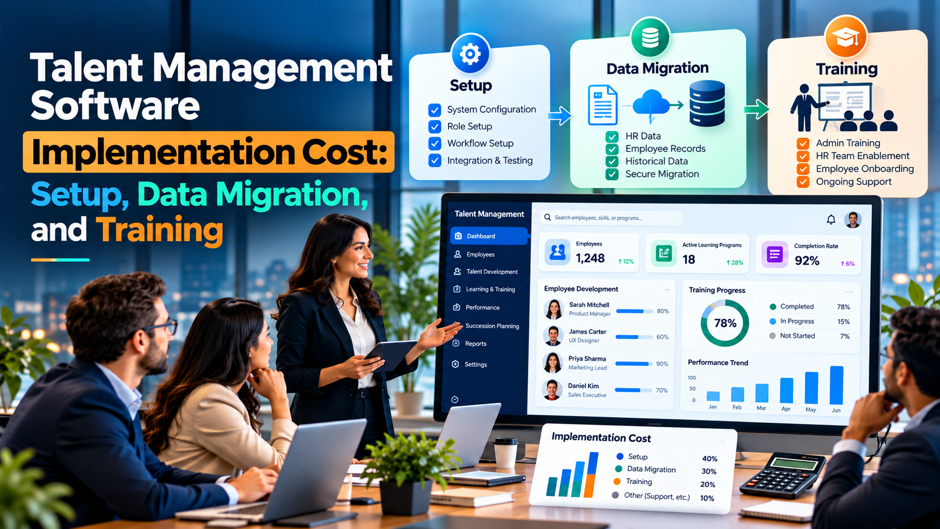
A 500-person company picks a talent management platform with performance reviews, goals, learning and succession planning. The quote shows $12 per employee per month, a $15,000 implementation fee and a line for optional training. Twelve months later, the finance team adds up payments to the vendor, a data migration contractor, an integration partner and the hours spent by HR, IT and managers, and the total is nearly double the first-year subscription that everyone remembered from the sales call.
This guide breaks down what implementation really costs across 3 major categories, setup, data migration and training, plus the integrations, internal labor and support costs that tend to surround them. It reports published benchmarks with their caveats, builds a worked 3-year example from stated assumptions and offers ways to compare quotes and negotiate. Most pricing figures come from vendors and consultancies that sell software or advice, and they conflict, so treat them as ranges and ask for written quotes before budgeting.
TL;DR
- Published implementation benchmarks disagree because they measure different things. Sources report setup at 15% to 35% of first-year license for talent suites, 10% to 30% for mid-market HR software, 30% to 70% for enterprise platforms and flat fees of $500 to $10,000 for smaller tools, so compare what each quote includes before comparing the totals. Ask each vendor to list the tasks behind its number in writing. Keep the answers in a shared sheet.
- The vendor fee is only part of the one-time cost. Data migration is reported at $3,000 to $50,000, integrations at $5,000 to $25,000 each and training or change management at $5,000 to $30,000, and in the worked example in this guide the full one-time cost reaches 66% to 256% of the first-year license once internal labor is counted. Ask for the one-time total too, so the comparison starts from the same base.
- Training and migration decide whether the system gets used. Clean data, role-based training for managers and a plan for the first review cycle matter more than extra modules, so protect budget for them, and negotiate migration scope, training hours and support terms in writing before signing instead of discovering them in the first invoice. Book data owners and managers early, because their calendars set the pace. Add their time to the plan.
What “Implementation Cost” Really Includes
Implementation cost is every expense between signing the contract and the moment the system works as the business intended. The vendor’s implementation fee covers part of it, usually account setup, workflow configuration, user roles and administrator training. Other parts sit outside that fee: moving and cleaning data from old systems, connecting the platform to the HR system, payroll, single sign-on and learning content, training managers and employees, running a pilot and changing the way people work. Each part has its own price and its own owner.
Talent management itself covers several modules, and each adds scope. Performance and goals are the most common starting point, with learning, succession planning, compensation, onboarding, recruiting and analytics layered on. 1 benchmark guide lists performance features at about $4 to $10 per employee per month, learning modules at $3 to $8, succession planning at $2 to $6, onboarding or applicant tracking at $3 to $12 and analytics or AI add-ons at $1 to $5. More modules mean more configuration, more data and more training, so scope drives implementation cost more than headcount does.
Cost also depends on who does the work. A vendor-led implementation with a fixed fee gives price certainty, a partner-led project billed by the hour gives flexibility, and a self-serve setup with a help center gives the lowest price and the highest internal effort. Whichever route a company takes, the total includes internal time from HR, IT, finance and managers, which rarely appears on an invoice. Asking each vendor to describe responsibilities for each task is the first step to a fair comparison.
Published Benchmarks at a Glance
| Cost Item | Reported Range | Source Type and Caveat |
| Subscription for core modules | About $4 to $10 per employee per month, with bundles at $12 to $30 or more | Benchmark guides from software vendors and consultancies |
| Broader HR software | $4 to $30 per employee per month, with $5 to $20 common for cloud platforms | General HR pricing guides that include more than talent modules |
| Implementation as a share of first-year license | 15% to 35% in 1 talent guide, 10% to 30% for mid-market HR, 30% to 70% for enterprise, 50% to 100% in another | Ranges conflict and use different definitions of implementation |
| Flat setup fees | $500 to $5,000 in 1 guide, $2,000 to $10,000 in another | Mostly smaller performance tools |
| Data migration | $3,000 to $50,000, with examples of $2,000 and about 4,000 euros | Depends on data volume and quality |
| Integrations | $5,000 to $25,000 each | Typical for custom connections to HR, payroll or learning systems |
| Training and change management | $5,000 to $30,000, and about $50 to $200 per live session in 1 guide | Includes manager and employee programs |
| Support and training subscriptions | 10% to 20% of license annually | Premium tiers that continue after go-live |
| Mid-market monthly spend | $500 to $5,000 per month for 100 to 500 employees | Before implementation and add-ons |
The ranges overlap and sometimes contradict each other, which is typical for pricing guides. Some vendors include implementation, training and support in the subscription price, while others charge separately. The honest use of this table is to frame questions for vendors, such as what share of the quote is subscription, what’s included in the setup fee and what migration and training will cost separately, and then to build a budget from written quotes instead of from the midpoint of a published range.
Why the Numbers Disagree
The Definition of Implementation Varies 1 guide counts implementation as account setup and administrator training, while another includes data mapping, integrations and project management. A flat $5,000 fee and a fee of 50% of first-year license can describe very different work. Ask each vendor to list the tasks included, the hours assumed, the roles involved and the deliverables, then compare tasks line by line, since a low fee that excludes migration and training isn’t cheaper than a higher fee that includes both.
Some Vendors Bundle Costs, and Others Itemize Them Several performance management vendors publish prices with implementation, training and support included, and others charge a one-time setup fee and extra for live sessions. A bundled price looks higher on the subscription line and may be lower in total. Convert every quote to a 3-year total with the same assumptions about modules, users, integrations and support, and add internal time, because only a total reveals the difference. Ask for the 3-year total from each vendor.
Complexity and Data Quality Move the Bill Cost rises with the number of modules, countries, integrations, approval workflows and custom reports, and with the mess in the source data. A company with clean HR records and a single review cycle can finish setup quickly, and a company with several legacy systems, free-text job titles and incomplete reporting lines needs cleanup first. Published ranges can’t capture that variation, so ask the vendor to estimate based on a sample of your data.
Published Examples Sometimes Contain Errors Pricing pages and guides occasionally publish worked examples that don’t add up. 1 sample total cost of ownership for a 100-employee company at $20 per user per month lists a $10,000 implementation fee, $2,000 for migration and $1,000 a year for training, and states a 3-year total of $77,000, though the arithmetic gives $87,000. Always recompute any example before using it, and treat vendor calculators as starting points. Run the arithmetic yourself.
Setup Costs: What the Fee Buys
- Account configuration and branding. Setup typically covers creating the company account, loading the organization structure, defining roles and permissions, configuring single sign-on where supported and applying branding, and the work is usually quick when the organization chart is accurate, which is why the first deliverable should be a clean list of employees, managers and departments approved by HR. Ask the vendor to confirm which import files it needs and when.
- Process and template configuration. This includes review cycles, rating scales, competency frameworks, goal templates, calibration steps, succession reviews and notification rules, and it’s where decisions take longer than software tasks, because the company must agree on how it wants to evaluate people before the system can enforce it. Hold a short design workshop with HR leaders first, and record each decision with an owner and a date so the configuration team doesn’t wait on open questions.
- Administrator training and a test environment. Many vendors include training for administrators and a sandbox, and the value depends on how much hands-on practice the HR team gets before launch, since a team that has run a test review cycle in a sandbox finds problems early and avoids learning on live employees. Insist on at least 1 full practice cycle in the sandbox before any live employee data is used.
Setup Cost by Complexity
| Scenario | Typical Scope | Reported Cost Pattern | Main Cost Drivers |
| Simple | 1 module, under 200 employees, 1 country, 0 to 1 integrations | Flat fee of $0 to $10,000 in vendor-published pricing | Admin time, clean employee data |
| Mid-market | 2 to 4 modules, 200 to 1,000 employees, 2 to 3 integrations | 10% to 35% of first-year license, plus separate migration and training | Workflow design, integrations, review cycle setup |
| Complex | Multiple modules, 1,000 or more employees, several countries and legacy systems | 30% to 70% of first-year license in enterprise guides, often with partner fees | Localization, security reviews, data migration, change management |
The table shows a pattern more than a price: costs scale with the number of decisions the company has to make, not with the number of users. A 5,000-person company with 1 standard review cycle can be simpler than a 600-person company with 3 business units, each with its own rating scale. Ask each vendor to estimate effort for your actual processes, and to say which assumptions would change the price, such as the number of review templates or the number of countries.
Data Migration: What Moves and What It Costs
Data migration moves employee records, organization structure, goals, review history, competencies, learning records and succession data from existing systems into the new platform. 1 benchmark guide puts migration at $3,000 to $50,000, while a performance software guide treats it as usually a one-time cost that may recur after acquisitions or system changes. The range is wide because the work depends on how much data moves, how clean the records are and whether the vendor or an outside contractor does it.
Most of the cost is cleanup and decisions, not the import itself. Teams find duplicate employees, inconsistent job titles, missing managers, outdated locations and free-text goals that don’t map to structured fields, and each issue needs an owner and a rule. A useful principle is to migrate what the new process needs on day 1 and archive the rest, because moving 7 years of review history rarely adds value, and each additional data type adds mapping, testing and risk.
Privacy and security belong in the plan. Review histories and performance ratings are sensitive records, so decide who handles the files, how they’re transferred, how long copies are kept and who can see the data in the new system. Confirm that the vendor’s contract covers data processing and deletion rights. A migration plan that includes a mock import, a reconciliation report and a sign-off by HR and a data owner protects both the budget and the confidentiality of the information.
Data Migration Tasks and Cost Drivers
Employee and Organization Data The base load includes employee identifiers, names, job titles, departments, managers, locations, hire dates and employment status, and most platforms import it from the HR system through a file or integration. Accuracy matters most here, because reviews, goals and permissions depend on the reporting lines. Budget time to fix manager assignments and department structures before the first load, and set a rule for who maintains the data once the system is live.
Goals, Reviews and Competency History Companies often want to bring forward past reviews, ratings and goals. Each historical item needs mapping to the new platform’s fields, and old rating scales or competency models may not match the new ones. Decide how many cycles to import, whether to store them as attachments or structured data and who can view them. Many teams import the most recent cycle and keep the rest in an archive, which controls cost.
Learning Records and Content Learning modules add their own migration work, such as course catalogs, completion records and certifications, and e-learning packages may need testing in the new system. Content libraries can be large, and each course has metadata, tags and prerequisites to map. Consider retiring outdated courses instead of moving them, and confirm how the vendor handles standards such as SCORM, since compatibility problems create rework late in the project. Keep a list of retired courses for the record.
Succession, Talent Pools and Documents Succession plans, talent reviews, development plans and supporting documents often live in spreadsheets and slide decks. Turning them into structured records takes manual work, and decisions about readiness ratings and risk categories must be consistent. Start with the critical roles and the leaders in them, and add the rest later. Since these records contain candid assessments, limit access to the people who need them and document the retention rules. Review the access list before the first load.
Training and Change Management
- Training is where adoption is won or lost. A platform that managers don’t understand produces late reviews, empty goals and frustrated employees, so plan training for each audience, including administrators, managers, employees and executives, and schedule it close to the first real task they’ll perform, because people forget material they can’t use right away. Track attendance by audience so gaps are visible before the first cycle opens. Repeat the sessions for new managers.
- Vendors often include basic resources and charge for live sessions. 1 guide says basic training materials are usually included while in-depth live sessions for managers and employees may cost extra, often $50 to $200 per session, and another benchmark puts training and change management at $5,000 to $30,000, so ask what’s included and what a live session or a train-the-trainer package costs. Compare the cost of live sessions with a train-the-trainer option before choosing.
- Managers need practice, not only a recording. Short workshops in which managers write goals, give feedback and complete a sample review in the tool build confidence and reveal confusing steps, and a train-the-trainer model, in which HR business partners lead sessions, can reduce vendor charges while building internal skill that lasts beyond the project. Give each manager a sample employee to practice with so the workshop ends with a finished example.
- Plan support for the first cycle. The first review or goal-setting cycle is the real test, so schedule extra help desk coverage, short reminder messages and a weekly check on completion rates, then review what worked and adjust before the second cycle, because early problems tend to repeat if they’re ignored. Collect questions in a shared channel and publish answers so the same issue isn’t solved repeatedly. Close the channel only when questions stop.
Training Cost by Audience
| Audience | Typical Format | Assumed Time | Cost Drivers |
| HR administrators | Vendor-led sessions, sandbox practice | About 12 hours each | Number of admins, depth of configuration |
| Managers | Live workshops or recorded sessions with practice | About 3 hours each | Number of managers, live versus recorded |
| Employees | Short videos, guides and a 1-hour introduction | About 1 hour each | Headcount, languages, remote access |
| Executives | Briefing and dashboard walkthrough | About 1 hour each | Scheduling, customization of reports |
| Super users or champions | Train-the-trainer program | About 8 hours each | Number of champions, materials |
Internal time is the largest training cost and it rarely appears in a quote. As an illustration, for 500 employees with 60 managers and 5 HR administrators, administrator training is 60 hours, manager training is 180 hours and employee training is 500 hours, for 740 hours. At a loaded $60 per hour, that’s $44,400 of salary time, before vendor fees for live sessions. These hours are assumptions rather than benchmarks, but they show why a short, well-designed training program saves more than it costs.
Integrations and Other Costs Beyond the Big 3
Integrations With the HR System, Payroll and Identity Providers A talent platform needs accurate employee data and secure sign-in, so it normally connects to the core HR system and single sign-on. 1 benchmark puts custom integrations at $5,000 to $25,000 each, though prebuilt connectors can lower the cost. Ask the vendor which integrations are standard, which need a partner and what happens when the HR system changes, because ongoing maintenance can matter as much as the first build. Ask for the integration list in writing.
Internal Labor for the Project Team Every project needs an HR lead, an HRIS administrator, IT support and business sponsors, and their time is a real cost. A 12-week project with 4 people at 15 hours a week is 720 hours, and at $60 an hour that’s $43,200. Include internal time in the business case, assign a single project owner and protect hours on calendars, since delays caused by unavailable staff are a leading reason implementations run over.
Support, Premium Tiers and Renewal Increases After go-live, vendors may charge for premium support, dedicated success managers or advanced training, which 1 guide puts at 10% to 20% of license annually. Subscriptions also tend to rise at renewal, so ask for a cap on annual increases and a multi-year price lock. Review these terms with procurement, and compare the 3-year totals rather than the first year, since a discount in year 1 can reverse in years 2 and 3.
Reporting, Analytics and Customization Out-of-the-box dashboards cover common needs, and custom reports, analytics add-ons and AI features can add costs of $1 to $5 per employee per month in 1 benchmark, plus configuration time. Decide which reports leaders need at launch and which can wait, and ask who maintains custom reports after the project ends. Requests for custom analytics late in a project are a common source of unplanned spend and delays. Name an owner for each custom report.
A Worked Example: 500 Employees Over 3 Years
| Cost Item | Low Scenario | High Scenario | Assumption |
| Annual license | $72,000 | $72,000 | 500 employees at $12 per month |
| Vendor implementation fee | $10,800 | $25,200 | 15% and 35% of first-year license |
| Data migration | $3,000 | $25,000 | Clean data versus multi-system cleanup |
| Integrations | $5,000 | $50,000 | 1 simple connector versus 2 custom builds at $25,000 each |
| Vendor training and change management | $5,000 | $30,000 | Light program versus extensive program |
| Internal project labor | $24,000 | $54,000 | 400 versus 900 hours at $60 |
| One-time total | $47,800 | $184,200 | Sum of one-time items |
| Annual support and training subscription | $7,200 | $14,400 | 10% and 20% of license |
| 3-year total | $285,400 | $443,400 | License, one-time costs and support for 3 years |
The assumptions are illustrations built from the benchmark ranges above and aren’t quotes. The one-time total is $47,800 to $184,200, which equals 66% to 256% of the first-year license, far above the 15% to 35% implementation fee that gets quoted, because the fee excludes migration, integrations, training and internal labor. Employee training time isn’t included, and at the earlier illustration it would add about $44,400. Use the table as a template and replace each line with real quotes.
How to Compare Vendor Quotes
- Request a 3-year total on a standard template. Give every vendor the same headcount, modules, integrations, languages and support level, and ask for subscription, implementation, migration, training, support and renewal terms on separate lines, because quotes in different formats can’t be compared, and the template forces assumptions into the open. Share the template with finance early so the comparison can be reviewed before the vendor presentations. Ask each vendor to return it in the same format.
- Ask what each line includes in hours and roles. A $15,000 implementation fee might mean 40 hours or 150 hours, so request the number of hours, the named roles and the deliverables, and ask how change requests are priced, which reveals whether the fee is a fixed outcome or a time allowance. Write the answers into the statement of work so the hours become a commitment. Compare the hours across vendors.
- Test the vendor with a sample of your data. Send a file with typical messy records and ask for an estimate of cleanup and import effort, then compare the responses, since vendors that have done this work can describe common problems and vendors that haven’t tend to answer in general terms. Remove personal details from the sample and agree on a secure way to share it. Compare the estimates side by side.
- Include internal costs in the comparison. Estimate the hours your team will spend under each option, and value them at a loaded rate, because a vendor that includes more services may cost less overall than a cheaper one that leaves the work to you. Estimate the hours for HR, IT, finance and managers under each option, then add a loaded rate so the comparison shows the full effort beyond the invoices.
Contract Terms That Control Cost
Define Scope, Exclusions and Change Control Attach a statement of work that lists the modules, integrations, countries, review templates, data objects and reports in scope, and states what’s excluded. Define how change requests are priced and approved, and set a cap or a contingency. Ambiguity about whether a custom report or an extra integration is included is the most common cause of invoices that exceed the quote. Review the exclusions with legal and finance. Keep the signed scope with the contract.
Put Training and Support Hours in Writing State the number of training sessions, the audiences, whether they’re live or recorded, the number of administrator seats and the hours of post-launch support. Ask whether additional sessions have a fixed price. If the vendor offers a train-the-trainer program, confirm that materials can be reused and updated internally, because that single term can lower recurring training costs after the first cycle. Add the price for any extra session now. Keep the training plan with the contract.
Protect Renewal Pricing and Exit Rights Negotiate a cap on annual increases, a multi-year price lock for the modules you’ll use and a right to reduce seats when headcount falls. Confirm data export rights, the format of exports and the vendor’s responsibilities at termination. A platform that holds performance history and succession data becomes hard to leave, so the exit terms matter before signing instead of at renewal. Ask for the cap in the order form.
Link Payments to Milestones Tie implementation payments to deliverables such as a completed configuration, a successful mock migration, a finished pilot and go-live acceptance. Hold back a portion until the first review cycle completes without critical defects. Milestone-based payments align the vendor’s incentives with a working system, and they give the company bargaining power when the schedule slips, which is more effective than a penalty clause nobody wants to enforce. Define each milestone in plain terms.
Common Mistakes
Budgeting from the subscription price alone is the most common mistake. A $12 per employee per month quote looks like $72,000 a year for 500 people, and the real first-year cost in the example above is $119,800 to $256,200. Build the budget bottom-up from setup, migration, integrations, training, internal time and support, add a contingency of 10% to 20% and compare options on a 3-year total, because the first year is when the surprises appear.
Treating data migration as a technical task is the second mistake. IT can import files, but only HR and managers can decide which job titles are correct, which goals matter and which history to keep. Assign a business data owner, set a cleanup deadline and refuse to start the final load until reconciliation passes. A company that migrates messy data on schedule gets a system that produces confusing reports from day 1 and loses employee trust.
Cutting training to save money is the third mistake. A short manager workshop costs a few hours per manager, and the alternative is a review cycle in which managers don’t know how to use the tool, employees don’t complete their parts and HR spends weeks chasing. Protect the training budget and the time, measure completion in the first cycle and use the results to improve the next one, since adoption is where most of the software’s value is realized.
FAQs
How much does talent management software implementation cost?
Published guides report vendor implementation fees of 15% to 35% of first-year license for talent suites, 10% to 30% for mid-market HR software and 30% to 70% for enterprise platforms, with flat fees of $500 to $10,000 for smaller tools. Including migration, integrations, training and internal labor, the one-time total can reach several times the vendor fee, so request quotes. Ask each vendor for a written estimate. Compare the estimates side by side.
What does the implementation fee usually cover?
Typically account setup, loading the organization structure, user roles, workflow and template configuration, administrator training and project support. Data migration, custom integrations, extra reports, live manager training and change management are often billed separately. Ask each vendor for a task list with hours and roles, and for a written list of exclusions, so you can compare quotes on the same basis. Compare the lists of exclusions as carefully as the lists of inclusions.
How much does data migration cost?
1 benchmark puts it at $3,000 to $50,000, with examples at the low end of $2,000 and about 4,000 euros. The range reflects data volume, data quality and who does the work. Costs rise with duplicate records, missing managers and unmapped history, so test the vendor with a sample of your data and migrate only what the new process needs on day 1. Ask the vendor for an estimate based on a data sample.
How much should we budget for training?
Vendor-side training and change management is reported at $5,000 to $30,000 in 1 guide, and live sessions at about $50 to $200 each in another. Internal time is larger. In the illustration here, 740 hours of administrator, manager and employee training at $60 an hour is $44,400. Budget for both, and use champions to reduce vendor charges. Include a contingency for sessions you add later. Plan for refresher sessions in year 2.
Why do published implementation percentages vary so much?
They define implementation differently and describe different products. 1 source counts account setup and administrator training, another includes mapping, integrations and project management, and enterprise suites involve larger scopes. Some vendors bundle implementation into the subscription. Compare tasks, hours and totals instead of percentages, and calculate a 3-year total with identical assumptions for every vendor. Ask each vendor to state exactly which tasks its number covers.
What hidden costs should we expect?
Common ones include custom integrations at $5,000 to $25,000 each, internal project labor, employee training time, premium support at 10% to 20% of license annually, renewal increases, analytics add-ons and extra configuration after the initial scope. Ask for each as a line item, request price caps and review the 3-year total before signing. Add a contingency of 10% to 20%. Review them with finance.
How long does implementation take?
It depends on scope, data quality and integrations. A single-module deployment for a small company can finish in a few weeks, and multi-module projects with several integrations and a data cleanup commonly take several months. Ask each vendor for a timeline based on your scope, and confirm what you need to provide, such as clean data and decisions on review templates. Ask for a plan with named milestones. Confirm the dates before you commit.
How can we lower implementation cost without hurting results?
Start with 1 or 2 modules, migrate only the data you need, use prebuilt connectors, adopt standard templates before customizing, train managers through a train-the-trainer model and negotiate bundled training and support. Keep a budget for data cleanup and manager training, since those drive adoption. Review progress after the first cycle, then add modules once the foundation works. Revisit the plan after the first cycle. Add modules only after adoption is steady.
