
Picture a 900-person manufacturer that’s finally retiring its VPN concentrators. The network team has a renewal quote in hand, the CISO has a board question about lateral movement, and the identity team has just noticed that Microsoft Entra now offers private application access inside a license bundle they’re already half paying for. A shortlist of 3 vendors forms, each with a polished deck, and each deck claims its architecture is the natural way to replace the VPN. Nobody in the room has run all 3.
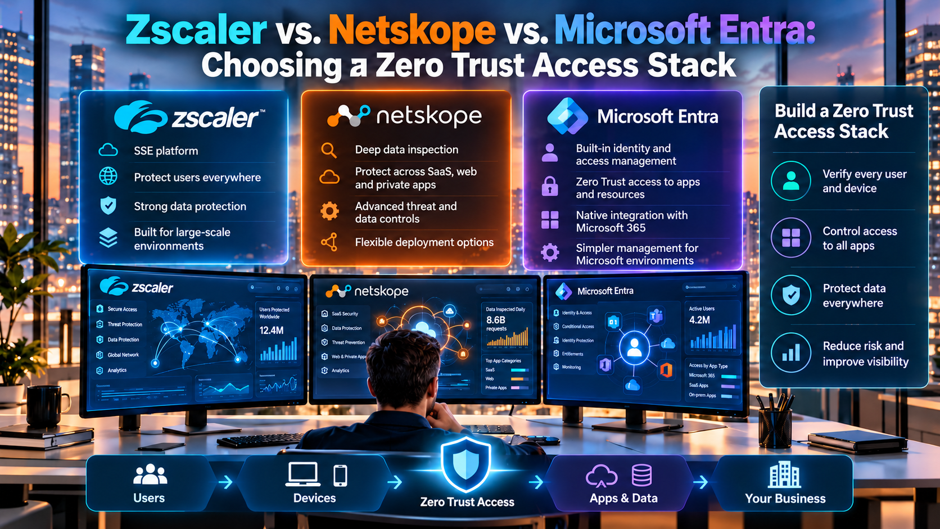
This article compares Zscaler, Netskope and Microsoft Entra Global Secure Access as zero trust access stacks, meaning private application access plus secure web and SaaS controls. It leans on Microsoft Learn for Microsoft’s own capabilities and limits, and it attributes every competitor or vendor claim to its author, because most public comparisons are written by companies selling something. Prices are reported ranges, not quotes. Confirm all pricing and contract terms with each vendor before you budget.
TL;DR
- Entra suits identity-centric Microsoft shops. Microsoft documents internet and private access built on Entra, with per-user licensing and coexistence guides for the other 2 platforms. Check its published limits first, including no Conditional Access on Private Access traffic and no UDP or QUIC on Internet Access, before you commit to it as a sole platform. Microsoft’s coexistence guides let you pilot it beside an incumbent.
- Zscaler and Netskope win in depth. Competitor writing credits Zscaler with the most mature private access and Netskope with the strongest CASB and DLP. Treat those as hypotheses to test in a proof of concept, since no independent benchmark backs them in the sources reviewed.
- Budget on usage, not list price. Reported per-user figures run from about $8 to $18 a month across the stack, while add-ons and professional services move the total. Run a 60 to 90 day pilot with real traffic, then negotiate with a competing quote on the table.
What each stack actually is
Microsoft Entra Global Secure Access is Microsoft’s security service edge, built on its identity layer. Microsoft Learn describes it as the umbrella for Microsoft Entra Internet Access and Microsoft Entra Private Access, delivered from Microsoft’s global network across roughly 70 regions and 190 or more edge locations. Internet Access acts as an identity-aware secure web gateway, and Private Access builds on Entra application proxy to reach internal apps without a VPN.
Zscaler is a cloud proxy platform built around its Zero Trust Exchange. Zscaler’s own product page describes Private Access (ZPA) as brokering a direct connection between a user and an application rather than placing the user on a network. The same page lists application segmentation, browser access, privileged remote access, Layer 7 inspection, DLP, browser isolation and digital experience monitoring as part of the surrounding portfolio, which is vendor marketing and worth validating.
Netskope is a cloud security platform that grew from CASB roots. Its first-party product page couldn’t be retrieved while researching this article, so what follows about Netskope relies on third-party descriptions. Competitor dope.security credits Netskope with CASB and DLP depth inside a unified console, and that’s the claim to test hardest in your pilot, because it’s the area where buyers most often cite differentiation. That claim comes from a competitor, so verify it directly.
Side-by-side capability view
Before you compare features, decide which jobs you’re hiring the stack to do. Most mid-sized buyers need private application access to replace a VPN, a secure web gateway for internet traffic, SaaS visibility and data controls, and enough logging to satisfy an auditor. Those requirements sit directly inside a broader Zero Trust cybersecurity services strategy. The table below summarizes what each source says about those jobs. Treat blank or hedged cells as questions for the vendor rather than gaps, because public documentation rarely maps neatly across 3 different product catalogs.
| Job to be done | Microsoft Entra | Zscaler | Netskope |
| Private app access | Private Access, client required, per-app TCP and UDP (Microsoft Learn) | ZPA, user-to-app brokering (Zscaler page) | Verify with vendor |
| Secure web gateway | Internet Access, web filtering by category or FQDN (Microsoft Learn) | Described by competitors as mature, with sandbox add-ons | Described as proxy-based with strong CASB |
| TLS inspection | Listed under Internet Access, with documented policy limits | Verify scope and license tier | Verify scope and license tier |
| CASB and data controls | Verify depth against your needs | DLP and CASB described by dope.security as add-ons | Credited by dope.security with CASB and DLP depth |
| Conditional Access tie-in | Native for internet traffic; not yet for Private Access traffic (Microsoft Learn) | Via identity provider integration | Via identity provider integration |
| Government clouds | Available in GCC; not yet GCC-H, DoD or sovereign clouds (Microsoft Learn) | Verify with vendor | Verify with vendor |
When a cell says “verify,” it means the sources reviewed didn’t give a reliable answer. Put those cells on your vendor questionnaire and require written replies. Public documentation across these catalogs is uneven, and vendors name similar capabilities differently, so a feature that looks missing may sit under another product name or license tier. Ask each vendor to fill the grid in writing and sign off on it before you shortlist any of them.
Where the identity-first option fits best
- You already license Entra ID P1 or P2 and want fewer vendors. Microsoft Learn states that users need Entra ID P1 or P2 for Global Secure Access, and that the services are included in the Microsoft Entra Suite license as well as being available standalone. If your Microsoft 365 plan already includes P1, the incremental step is smaller than it’s for a buyer starting from nothing. That shortens the procurement conversation and the approval path.
- Conditional Access is already how you gate access. Internet Access supports universal Conditional Access for internet destinations, and the Microsoft traffic profile gives Universal Tenant Restrictions, source IP restoration and a Compliant Network check. If your identity team already writes policies against device compliance and sign-in risk, extending those rules to network traffic is a familiar job rather than a new console to learn. It also keeps a single policy language across identity and network controls.
- The estate is mostly Microsoft 365 and Azure. Microsoft’s forwarding profiles are organized around Microsoft traffic, internet traffic and private traffic. A company whose critical SaaS is Exchange, SharePoint and Teams gets the tightest integration there, while a company with a long tail of non-Microsoft SaaS may find the data-control questions harder to answer from the Microsoft side alone. Test the long tail of non-Microsoft SaaS early, since that’s where the gaps tend to appear.
- You want to start small beside an incumbent. Microsoft Learn says Private Access can be deployed side by side with existing non-Microsoft SSE solutions. That makes a staged pilot realistic: move a few private apps first, keep the incumbent gateway in place, and judge the results before deciding whether to widen the scope across the business. Keep the pilot reversible, with a clear owner and a defined date for the go or no-go decision.
Extra limits you should read before buying
Microsoft publishes a known-limitations page, and a careful buyer should read all of it. The most consequential entry for a zero trust design is that applying Conditional Access policies to Private Access traffic isn’t currently supported, and that the Compliant Network check isn’t supported for Private Access apps. If your plan was to enforce device compliance on every private app connection through this product, that limit changes the architecture. Private Access traffic can also only be acquired with the client, so agentless scenarios need another route.
Transport and protocol limits matter just as much. Per Microsoft Learn, the client tunnels IPv4 only, Internet Access doesn’t yet support UDP or QUIC on ports 80 and 443, and DNS over TCP port 53 and secure DNS options such as DoH and DoT aren’t supported. The Windows client is the only client that supports Universal CAE, the client can’t be installed on a device that hosts virtual machines, and concurrent sessions or multi-session Azure Virtual Desktop aren’t supported. Developers who run local hypervisors should read those lines twice.
Scale and maturity limits round out the picture. Documented tenant maximums include 200 remote networks with 25 device links each, 256 security profiles, 1,000 policies, 1,000 rules and 8,000 destinations for Internet Access, with smaller TLS inspection ceilings. Several capabilities are labeled preview, including HTTP method filtering, B2B guest access and the Explicit Forward Proxy, and that last feature requires TLS inspection and doesn’t cover Private Access. Preview features rarely belong in a production control plan, so list them separately from what you’ll depend on.
Reported pricing and what it adds up to
Public pricing in this category is thin, so every figure here carries a source warning. A blogger’s roundup (anoopcnair.com, written in October 2024 and carrying sponsor links) lists Entra ID P1 at $6, P2 at $9 and the Entra Suite at $12 per user per month, and says the Suite requires P1. Competitor dope.security reports Zscaler’s internet gateway at about $8 to $15 per user per month with private access licensed separately, and Netskope at about $12 to $18. Verify all of it with each vendor.
The table below multiplies those reported ranges by 3 illustrative headcounts and by 12 months. It shows license arithmetic only. It excludes professional services, add-on modules, connectors, support tiers and any discount, and the Entra Suite price covers a bundle that includes identity governance and protection, so it isn’t a like-for-like match with a gateway-only price. Read the ranges as planning inputs for a negotiation, never as a quote you can rely on in a budget.
| Users | Entra Suite at $12 a month | Zscaler gateway at $8 to $15 | Netskope at $12 to $18 |
| 250 | $36,000 a year | $24,000 to $45,000 | $36,000 to $54,000 |
| 1,000 | $144,000 a year | $96,000 to $180,000 | $144,000 to $216,000 |
| 2,500 | $360,000 a year | $240,000 to $450,000 | $360,000 to $540,000 |
A sanity check on the competitor’s full-stack claim helps too. Dope.security reports $250,000 to $400,000 or more per year for a 2,000-user Zscaler deployment. That works out to $125 to $200 per user per year, or about $10.42 to $16.67 per user per month, which sits inside the quoted per-user range once private access and add-ons are included. The Entra figure for the same 2,000 users, if you also had to buy P1 at $6, would be $432,000 a year. Illustrative numbers, not quotes.
Zscaler strengths and the questions it raises
- Private access maturity is the usual headline. Competitor dope.security calls Zscaler the most mature zero trust network access option, and Zscaler’s own product material emphasizes direct user-to-app connections, application segmentation and a customer reference that moved all users in about 2 weeks. Those are vendor-reported outcomes. Ask for a reference customer of your size and industry, and ask what the first 2 weeks actually included. Ask for it in writing before the pilot starts.
- The portfolio is broad, and breadth means packaging. Zscaler’s page lists DLP, browser isolation, Layer 7 application protection and experience monitoring around ZPA. Dope.security says DLP and sandboxing are add-ons. Get a line-item quote that separates what’s in the base subscription from what’s an extra, because the gap between the headline price and the signed order form is where most budget surprises come from. Insist on a single itemized quote from the reseller.
- Operational weight is the common critique. Competitor writing argues that both Zscaler and Netskope are complex to deploy and often require professional services. That’s a competitor’s view, but it’s also a fair prompt to ask each vendor what a typical deployment of your size requires in cybersecurity services, who does the work, and which tasks remain with your own team afterward. Ask for references that describe the effort after go-live as well.
- Survey statistics on the vendor page need sourcing. Zscaler’s page cites percentages about VPN attacks and lateral movement without a visible source. Don’t use them in your business case unless the underlying survey is named. A strong case for retiring a VPN rests on your own incident history and attack surface, and a buyer’s internal evidence is far more persuasive to a finance committee than marketing statistics. Ask the vendor for the primary survey.
Netskope strengths and the questions it raises
Netskope’s reputation, as relayed by dope.security, rests on its CASB and DLP depth inside a single console. That matters most if your main risk is data leaving through sanctioned and unsanctioned SaaS, personal cloud storage or generative AI tools, rather than network reach into private applications. If that describes your top risk, weight data controls more heavily in your scoring than private access features, and make the pilot test your actual sensitive data patterns instead of vendor sample data.
Because Netskope’s own product page wasn’t readable during research, the first job is to collect its documentation directly. Ask for the private access architecture, the connector model, the list of supported protocols, the logging fields available to your SIEM, and the license tiers that include inline DLP. Then compare those answers line by line with the other 2 vendors. A comparison done from marketing summaries will reproduce the marketing biases, so insist on admin guides and sample configurations.
Microsoft Learn publishes a Netskope coexistence guide, which is useful evidence that the 2 platforms can run on the same endpoints. It describes 4 scenarios, uses Netskope network location objects named “MSFT SSE Service” and “MSFT SSE M365” as bypass exceptions, and says the Netskope steering configuration must be the top entry in the tenant list. Microsoft frames the page as a configuration and validation guide, not a formal support matrix, so confirm support terms with both vendors.
Coexistence patterns for shared endpoints
| Pattern | What it means | What to check |
| Split by destination type | Send private apps through a single platform, Microsoft 365 through a second, and general internet through a third path | Microsoft Learn lists 4 scenarios for each partner; pick the scenario that matches your split |
| Microsoft for private apps only | Entra Private Access replaces the VPN while the incumbent keeps the web gateway | Confirm the incumbent’s matching module is disabled where the guide requires it |
| Specialist for everything | Entra stays as identity only, and the specialist handles all network and data controls | Verify the specialist’s Conditional Access and device posture integration |
| Pilot alongside | Microsoft client installed beside the incumbent for a small group | Test required bypass entries and endpoint performance on every OS you support |
Microsoft Learn’s Zscaler coexistence page and Netskope coexistence pages describe 4 scenarios each, splitting traffic between Global Secure Access and the other platform by destination type: private apps, Microsoft 365 and the wider internet. In some scenarios the matching module on the other vendor’s client has to be disabled, and required bypass IP ranges and FQDNs apply in every scenario. The client steps cover Windows and macOS, so Linux and mobile fleets need separate planning.
Running 2 agents on a single endpoint is where support disputes begin. Before you adopt a split design, get both vendors to confirm in writing which combination they support, which client versions are tested, and who owns troubleshooting when a connection fails between them. A shared endpoint with 2 tunnels and 2 policy engines is workable, but it needs a named owner on your side, a rollback plan and a test matrix that covers sleep and wake cycles as well as network changes.
Latency and the user experience
Architecture arguments in this category are often louder than the evidence. Competitor dope.security argues that both Zscaler and Netskope act as cloud proxies that can add latency for distributed users, and it sells an on-device alternative, so weigh that claim accordingly. A wider Zero Trust implementation guide helps frame those access controls as part of the full environment rather than as an isolated product decision. Microsoft states that Global Secure Access runs on its own wide area network, but none of the sources reviewed publish independent latency testing. The honest answer for your company is whatever your pilot measures from your offices and home workers to your actual applications.
Measure the paths that users complain about. Pick 5 to 10 applications that matter, including a file-heavy app, a latency-sensitive app such as voice or remote desktop, and a legacy app with unusual protocols. Record page load, file transfer speed and connection setup time with and without the client. The documented absence of UDP and QUIC support on Internet Access means some video and web traffic may fall back to other protocols, so test that behavior rather than assuming it works.
Endpoint experience deserves equal attention. Ask how the client behaves on sleep and wake, on captive portals at hotels and airports, on split-tunnel networks and on devices running local virtual machines. Microsoft documents that its client can’t be installed on a device hosting VMs, which affects developers and IT staff more than typical office users. Include those groups in the pilot, because the loudest early complaints usually come from engineers with unusual machines and strong opinions.
Proof-of-concept questions that expose the differences
- Which private applications will you move first, and why those? Pick a mix: a modern web app, a thick client with a custom protocol, a file share and an administrative interface. Each platform’s private access model handles protocol diversity differently, and a pilot restricted to web apps will hide the weaknesses that bite you during the second wave of migration. Include at least a single app that your oldest users complain about today.
- What does the policy look like when a laptop fails a compliance check? Write the exact scenario and ask each vendor to demonstrate it. Given Microsoft’s documented limit on Conditional Access for Private Access traffic, this single test separates the platforms quickly, and it shows how much of your device posture logic lives in the identity provider rather than the network layer. Record the result with screenshots and timings so the finance committee can review it.
- What shows up in the logs, and where does it go? Request sample records for allowed and blocked connections, confirm which fields tie each user and device to the application and policy involved, and verify the export path into your SIEM. Managed detection and response depends on that telemetry being usable for investigation and escalation. A zero trust program that can’t answer “who connected to what and why it was allowed” fails its first audit, no matter how elegant the architecture looks. Ask your SIEM owner to confirm the format in advance.
- What breaks when the service has an outage? Ask about regional failover, local fallback behavior on the client and the status communications you’ll receive. Zscaler’s page lists business continuity among its offerings, and Microsoft publishes regional footprint data, but only a documented failure test tells you how long your users sit without access when something goes wrong. Include a regional outage and a client crash in the test plan, and record how users are told.
Who runs it after the deployment
The identity team gets a bigger job with the Microsoft path. Policies, device compliance and network controls converge in the same administrative world, which helps when a single group owns all 3 and hurts when network operations and identity sit in different departments with separate change processes. Calance’s Microsoft Azure cloud-native services also cover identity and access controls built around Microsoft Entra ID. Decide early which team owns client rollout, which owns traffic profiles and who approves exceptions. Overlap without a named owner produces slow changes and quiet policy drift.
The specialist platforms usually need a dedicated administrator. Competitor writing says both are complex and often need professional services, and even a well-run deployment involves connector management, policy tuning, certificate handling for inspection and a steady stream of application onboarding requests. Budget at least a fractional role for ongoing operations, and consider a managed service if you don’t have security engineers on staff. A platform nobody tunes becomes an expensive log generator.
Every option needs an application onboarding process. Moving from VPN to per-application access means someone documents each app, its ports, its owners and its users, and then tests access before the cutover. That inventory work is often larger than the product configuration, and existing application support services can help expose identity, permission and authentication dependencies that need to be mapped. Start it before you sign, because a clean list of applications and owners speeds the pilot and gives you better quotes, since vendors and partners price from scope.
Choosing by situation
| Your situation | Likely lean | Why, and what to verify |
| Microsoft 365 centric, strong identity team, modest budget | Entra first | Existing P1 or P2 licensing and Conditional Access familiarity; verify limits against your protocols |
| Complex private application estate with legacy protocols | Zscaler pilot | Competitor-credited private access maturity; verify with a reference of your size |
| Heavy SaaS and generative AI data risk | Netskope pilot | Competitor-credited CASB and DLP depth; verify inline DLP licensing |
| Regulated workloads in government clouds | Check availability first | Microsoft lists GCC but not GCC-H, DoD or sovereign clouds; confirm every vendor’s status |
| Mixed fleet with Linux and developer machines | Test clients early | Microsoft documents Windows and macOS coexistence steps and client limits |
| Small team, little security staff | Fewest moving parts | A single platform with a managed service often beats a stronger tool nobody tunes |
These leans are starting hypotheses. A company with a strong identity team and a data-loss problem might pair Microsoft for private access with a specialist for SaaS controls, and Microsoft’s own coexistence guides exist because customers do exactly that. A broader Microsoft cloud consulting review can help map identity, security and cloud dependencies before that split is made. Use the table to choose which 2 vendors to put through a full pilot, then let measured results overrule it. Record why each lean might be wrong, so reviewers can challenge it.
Contract and licensing checks
- Confirm what’s in the base subscription. Ask for a written list of modules included at the quoted per-user price and a separate list of paid add-ons. Dope.security reports that some Zscaler SKUs rose in 2025 and that pricing is modular and opaque across both specialists, so insist on price protection for renewals and caps on annual increases before you sign a multi-year agreement. Put those numbers in the order form itself.
- Check minimums and bundle conditions. Microsoft Learn says remote network connectivity needs a combined total of at least 50 licenses from Entra ID P1 and Entra Internet Access, and that network controls for agents need a Microsoft Agent 365 license. Read license terms for these conditions on every vendor, because a feature that exists in the documentation can still be unavailable in your tier. Request the answers in writing from the account team.
- Test the exit. Ask how you export policies and logs if you leave, how long the vendor retains your data after termination, and what notice you owe before renewal. A security platform becomes embedded in endpoints and application access, so changing vendors later is expensive, and a clear exit clause reduces the influence a vendor has at renewal. Also ask who owns the encryption keys and certificates used for inspection.
- Have counsel read the data and support terms. Where does inspected traffic get processed, what residency options exist, what are the support response times and what do service credits actually cover? These questions belong to legal and procurement, while a vCISO engagement can help map security governance, identity controls and compliance evidence around the technical decision. None of the sources here can answer them for your jurisdiction. Confirm with the vendor and counsel before you sign anything. Procurement should also record any data residency commitments in the contract itself.
Mistakes buyers keep making
Buyers commonly pick on feature checklists and ignore operations. A matrix with 200 rows will favor whichever vendor has the longest datasheet, but your outcome depends on a handful of workflows: onboarding an app, investigating an alert, changing a policy during an incident and recovering from an outage. Score those workflows by having your own staff perform them during the pilot, not by watching a vendor engineer do it on a prepared tenant.
Another frequent error is treating a bundle as a bargain without checking fit. Microsoft’s Entra Suite bundles private access, internet access and identity governance and protection at a reported $12 per user per month, which looks attractive against standalone gateways. Yet you’d be paying for components you may not deploy, and a limited feature set in the part you want most can offset the savings. Price what you’ll actually use, then compare the totals.
A third mistake is skipping the user population analysis. Different groups need different things: office staff need web filtering, remote staff need reliable private access, contractors need limited per-app reach and developers need unusual protocols. Map each group to a policy before you buy. When procurement chooses a single platform without that map, the exceptions pile up in the first quarter, the exception list grows, and the security team ends up maintaining a pile of bypasses.
A 90-day evaluation plan
| Phase | Weeks | Work | Exit test |
| Scope | 1 to 2 | Inventory applications and their owners; pick 2 finalists; collect admin guides and written limits from each | A ranked list of 10 pilot applications |
| Build | 3 to 5 | Deploy clients to 25 to 50 pilot users; connect identity; enable logging into your SIEM | Pilot users reach 5 applications with policy enforced |
| Stress | 6 to 9 | Test sleep and wake, captive portals, outages, device noncompliance and a simulated incident | Written pass or fail per workflow, with timings |
| Decide | 10 to 12 | Score results, request final quotes, negotiate terms, confirm support and legal language | A signed recommendation with cost and risk notes |
This schedule is illustrative. A smaller company can compress it, and a regulated company will probably need more time for legal review. What matters is the structure: define success before the vendors arrive, run the same tests against each finalist, and decide with measured evidence. Keep a single finalist from the existing identity platform if possible, because it gives the specialist vendors a real alternative to compete against and gives you a stronger hand in price negotiations.
FAQs
Can Microsoft Entra Global Secure Access replace Zscaler or Netskope outright?
It can for some companies, but not automatically. Microsoft Learn documents internet and private access capabilities along with limits such as no Conditional Access on Private Access traffic and no UDP or QUIC support on Internet Access. If your requirements fit inside those limits, replacement is plausible. If you need deep inline DLP, a mature sandbox or agentless access, test carefully and keep a specialist in the pilot. Confirm current feature status with Microsoft.
Is Zscaler or Netskope better for a mid-sized company?
There’s no verified independent answer in the sources reviewed. Competitor dope.security credits Zscaler with private access maturity and Netskope with CASB and DLP depth, but it also sells a rival product. Choose by your main risk: network reach into private apps points toward testing Zscaler first, while SaaS and generative AI data exposure points toward testing Netskope first. Run both against your applications and compare logs and latency. Keep notes on administrative effort too.
How much does each option cost per user?
Reported figures vary and none are quotes. A blogger’s roundup lists Entra Suite at $12 per user per month, and competitor dope.security reports about $8 to $15 for Zscaler’s gateway and about $12 to $18 for Netskope, with private access and add-ons extra. At 1,000 users those ranges equal roughly $96,000 to $216,000 a year before services. Get written quotes with module lists and renewal caps from every vendor. Treat all of it as a planning range.
Can I run Microsoft’s private access besides Zscaler or Netskope?
Yes, Microsoft Learn publishes coexistence guides for both, each with 4 scenarios that split traffic by destination type. Some scenarios require disabling the matching module on the other client, and required bypass entries apply throughout. The guides cover Windows and macOS. Microsoft frames the Netskope page as a configuration guide rather than a support matrix, so get both vendors to confirm their supported combinations in writing before production. Keep a change log of every bypass entry.
What are the biggest Entra limitations to know about?
Per Microsoft Learn, Conditional Access isn’t currently supported on Private Access traffic, Internet Access lacks UDP and QUIC support, tunneling is IPv4 only, secure DNS options aren’t supported and several features remain in preview. Government cloud availability stops at GCC for now. Microsoft updates the page often, so read the current version before you finalize design decisions and ask your account team about roadmap dates in writing. Record each limit against your own requirements.
How long does a migration from VPN usually take?
It depends mostly on application inventory, not on the product. Zscaler’s page mentions a customer that moved all users in about 2 weeks, but that’s a vendor-reported example without conditions. A mid-sized company with documented applications might finish a first wave in a few months, while undocumented legacy apps stretch the timeline. Plan a phased migration with a rollback path, and keep the VPN until the last application cuts over.
Do I need a managed service provider to run these platforms?
Often it helps, though not always. Competitor writing says Zscaler and Netskope can be complex to deploy and frequently involve professional services, and even the Microsoft path needs a named owner for client rollout and policy exceptions. If you lack security engineers, price a managed service or partner-led deployment in the business case. A tool that nobody tunes or monitors delivers little protection, whatever the logo says on the invoice.
What should I ask every vendor before signing?
Ask for an itemized quote that separates base modules from add-ons, written renewal price caps, supported client and operating system versions, data processing locations, log export formats, outage history and failover behavior, and the exit process for policies and data. Ask for a reference customer of similar size and industry. Have legal review of the data and support terms, and confirm anything that affects compliance with counsel before you commit. Keep their written replies for the renewal.
