
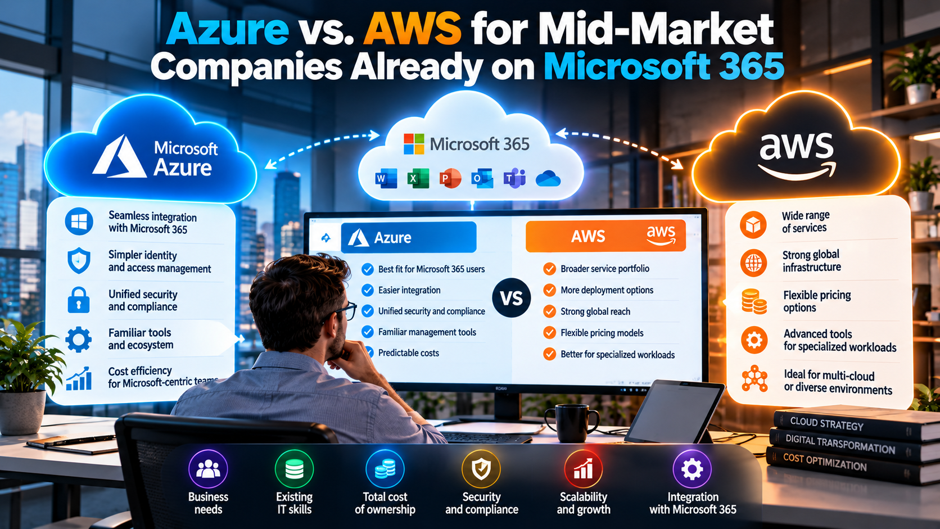
A 350-person manufacturer runs Microsoft 365 for email and SharePoint, with Windows Server file servers, a SQL Server database behind its ERP and a handful of Linux web servers. Its co-location lease ends in 14 months, and the CIO has to choose a cloud. The Microsoft account team says Azure, a developer says AWS, and the finance director wants to know whether either choice moves the bill by more than a rounding error.
This guide compares the 2 platforms for a company in that position. Microsoft Learn, Microsoft’s bandwidth page and AWS’s own pricing and Windows licensing pages supply the primary facts, while articles from centrexIT, RaftLabs, ProsperOps and Usage.ai supply comparisons and opinion. Those 4 vendors have commercial interests: centrexIT is a Microsoft partner, RaftLabs builds mostly on AWS, and the other 2 sell cloud cost tools. The scenarios are my illustrations. Confirm all prices and license terms with the vendors and your licensing reseller.
TL;DR
- Identity and licensing favor Azure for most Microsoft 365 shops. Entra ID already anchors Microsoft 365 sign-in, and Azure Hybrid Benefit lets you apply Software Assurance licenses to cut compute bills. Microsoft says SQL Server licenses can save 30% or more on Azure SQL, while AWS limits Windows Server bring-your-own-license to Dedicated Hosts and licenses bought before October 1, 2019.
- The price gap is smaller than the marketing suggests. centrexIT says the cost difference for small and mid-sized businesses is usually under 20%. On an illustrative $30,000 monthly bill with 60% in Windows and SQL workloads, Hybrid Benefit at 30% to 36% saves $64,800 to $77,760 a year, so licensing can rival the platform choice itself.
- AWS wins on skills depth and non-Microsoft workloads. RaftLabs cites 49% of developers using AWS versus 26% for Azure, and recommends AWS for Linux stacks and SaaS products. Both clouds give 100 GB of outbound data free each month. Confirm everything with written quotes.
Where each cloud gives you an edge
The table below summarizes the comparison points that matter most for a company already running Microsoft 365. It combines primary sources, such as Microsoft Learn and AWS’s licensing FAQ, with vendor opinion from centrexIT and RaftLabs, and I’ve labeled which is which. Opinion rows reflect the authors’ commercial interests. Where the sources I read were silent, I’ve said so rather than guessing, because a confident but unsourced comparison would only repeat the marketing.
| Area | Azure | AWS | Evidence |
| Identity with Microsoft 365 | Entra ID is native, with single sign-on across Microsoft 365 and Azure resources | IAM and Cognito, which RaftLabs says only approximate that integration; outside identity federation is possible in my understanding, so confirm with AWS | RaftLabs, centrexIT (vendors) |
| SQL Server with Software Assurance | Hybrid Benefit: up to 30% or more on SQL Database and Managed Instance | License Mobility on EC2; license-included on EC2 and RDS | Microsoft Learn; AWS FAQ |
| Windows Server licenses | Hybrid Benefit with Software Assurance or a qualifying subscription | Bring-your-own-license only on Dedicated Hosts, with licenses bought before October 1, 2019; license-included available | ProsperOps; AWS FAQ |
| Free outbound data | First 100 GB per month; inbound free | 100 GB per month, aggregated | Azure bandwidth page; AWS EC2 pricing page |
| Small-business migration time | 1 to 3 months | 2 to 4 months | centrexIT (no cited method) |
| Skills pool | Most MSPs specialize in Microsoft | 49% of developers versus 26% | centrexIT; RaftLabs citing Stack Overflow 2024 |
Read the table as a list of questions, not a scoreboard. Some rows come from primary sources and favor Azure on licensing, while the skills row favors AWS and comes from a vendor that builds mostly on AWS. The migration-time row comes from a Microsoft partner with no cited method. None of these rows is a reason to decide alone, but together they explain why most Microsoft-centric mid-market companies lean Azure and why the lean isn’t absolute.
Why identity decides more than price
For a company that signs in to Microsoft 365 every day, identity is the first integration to consider. Microsoft 365 users already exist in Microsoft Entra ID, and RaftLabs says Azure uses Entra ID natively, with single sign-on across Microsoft 365 and Azure resources. centrexIT calls it a single identity system. Both authors have commercial stakes, but the architectural point is simple: on Azure, administrators grant access to cloud resources with the same accounts and conditional access policies they already manage for email.
AWS can work with an existing identity provider. RaftLabs says AWS offers IAM and Cognito, which it describes as only approximating that integration, and centrexIT says AWS isn’t integrated with common SMB tools such as Microsoft 365. In my understanding, AWS supports federation from outside identity providers, so a Microsoft shop can sign in to AWS with Entra accounts. That works, but it adds a setup step and a second place where roles and permissions live, so ask your engineers to estimate the extra administration and the added audit surface.
Where the licensing advantage is real
Hybrid Benefit for SQL Server. Microsoft Learn says you can save up to 30 percent or more on Azure SQL Database and SQL Managed Instance by using Software Assurance-enabled SQL Server licenses. It applies to the provisioned vCore tier of SQL Database, not the DTU model or serverless, and Enterprise Edition licenses convert at 1 core to 4 vCores in General Purpose. That ratio means 8 Enterprise cores cover 32 vCores, a notable advantage for highly virtualized estates.
Hybrid Benefit for Windows Server. ProsperOps lists Windows Server, SQL Server, Red Hat and SUSE as qualifying licenses and says eligibility requires active Software Assurance or a qualifying subscription license. It cites an average 36% saving for Windows Server customers, attributed to Microsoft’s pricing page, which I couldn’t verify directly. The benefit removes the bundled license cost and leaves the base compute rate. Usage.ai warns against treating it as a general discount for every Microsoft workload.
A discrepancy to know about. ProsperOps also cites savings of up to 85% for SQL Server, attributing the figure to Microsoft Learn. The Microsoft Learn SQL page I read says up to 30% or more. The 2 figures probably describe different combinations, such as virtual machines with reservations, but I can’t confirm that. Use Microsoft’s 30% as the planning number, and run the Azure pricing calculator with your actual licenses to see the real saving.
Migration allowance. Microsoft Learn describes 180 days of migration allowance for the license, and ProsperOps describes dual-use rights of 180 days so on-premises and Azure workloads can run in parallel. After that period the license can only be used on Azure. That’s about 6 months, which is enough for most phased migrations but not for slow ones, so schedule SQL cutovers inside the window. Confirm the exact dates with your licensing reseller before you plan cutovers.
What AWS lets you bring
- SQL Server with Software Assurance. AWS says SQL Server licenses with active Software Assurance are eligible for License Mobility and can run on default or dedicated EC2 instances, after you complete Microsoft’s License Mobility verification form. For SQL Server 2022, customers with Software Assurance can bring licenses as before. So the SQL gap is narrower than Azure’s marketing implies, because SQL can move to AWS too. Check your agreement for the verification step early.
- Windows Server is more restricted. AWS says Windows Server isn’t eligible for License Mobility, and bring-your-own-license on EC2 requires Dedicated Hosts and licenses purchased before October 1, 2019. It adds that Software Assurance isn’t required for that path, and it discourages using your own Windows Server licenses on default tenancy. Most mid-market companies with newer licenses will end up on license-included instances. Check the purchase date on every license before you plan around bring-your-own-license, because newer purchases don’t qualify.
- Licenses bought through CSP don’t qualify. AWS says Windows Server licenses bought through Microsoft’s Cloud Solution Provider program can’t be used for bring-your-own-license on AWS because of Microsoft restrictions. If your reseller sold you subscription licenses through that program, check which licenses you hold before you assume they transfer. That detail is easy to miss in a contract review and changes the Windows math considerably. Ask your reseller for a license report that shows how each license was purchased.
- License-included instances are the default path. AWS sells Windows Server and SQL Server with licenses included on EC2, and SQL Server also on RDS. License-included avoids Software Assurance dependence, and AWS says SQL Server license-included needs no client access licenses, but you pay the license in the hourly rate. AWS ties a vCPU-licensing feature to amounts of $0.046 per vCPU-hour for Windows Server and $0.166 for Windows with SQL Standard.
Licensing treatment by workload
The licensing comparison depends on what you own, rather than only where you run. The table below maps common workloads to the treatment each cloud offers, using Microsoft Learn and AWS’s Windows FAQ. Blank spots mean the sources I read didn’t address the point. Before you use it, pull your license inventory from your reseller and confirm which agreements carry Software Assurance, because that single fact moves several rows. Update the table whenever your agreement changes.
| Workload | Azure treatment | AWS treatment | Planning note |
| Windows Server virtual machines | Hybrid Benefit with Software Assurance or subscription | License-included; own licenses only on Dedicated Hosts, bought before October 1, 2019 | Largest licensing gap |
| SQL Server with Software Assurance | Hybrid Benefit, up to 30% or more on SQL PaaS; 180-day migration allowance | License Mobility on EC2; license-included on EC2 and RDS | Narrow gap if you’ve got it |
| SQL Server without Software Assurance | No Hybrid Benefit | Dedicated Hosts, version 2017 or earlier, bought before October 1, 2019 | Buy coverage or pay license-included rates |
| Linux (Red Hat, SUSE) | Hybrid Benefit with registration, per ProsperOps | Not covered by the sources I read | Small advantage either way |
| Microsoft 365 and Entra-bound apps | Same tenant and identity | Federated sign-in | Identity advantage |
| Non-Microsoft stack | No licensing edge | Pricing comparable for general Linux workloads, per RaftLabs | Decide on skills and services |
The largest gap is Windows Server, where Azure’s Hybrid Benefit meets AWS’s narrow bring-your-own-license rules. For SQL Server with Software Assurance, AWS License Mobility narrows the gap, though Azure’s core-to-vCore ratios and the Managed Instance destination still help. If you lack Software Assurance, both clouds are harder, and the answer may be to buy it or to pay license-included rates. Treat this table as a starting point for a conversation with your reseller.
Putting numbers on the licensing gap
To size the effect, assume a mid-market company expects a $30,000 monthly bill at on-demand rates, and that 60% of it runs Windows Server and SQL Server workloads with Software Assurance. Hybrid Benefit at Microsoft’s 30% SQL figure saves $5,400 a month, or $64,800 a year. At ProsperOps’s 36% Windows average it saves $6,480 a month, or $77,760. The inputs are my assumptions, and the percentages are “up to” or average claims, so real savings could be lower.
Compare that with centrexIT’s claim that the cost difference for small and mid-sized businesses is usually under 20%, which on the same $30,000 bill is up to $6,000 a month, or $72,000 a year. The licensing saving lands in the same range, which suggests that for a Microsoft-licensed estate the Hybrid Benefit may account for most of the difference between platforms. Usage.ai adds an arithmetic caution: commitments only discount covered spend, so 70% coverage at a 40% discount yields 28%, not 40%. Apply the same logic to licensing, because only eligible workloads benefit.
Data transfer and egress costs
What both clouds publish. Azure’s bandwidth page says the first 100 GB per month of internet egress is free and inbound transfer is free. AWS’s EC2 pricing page says customers get 100 GB of free data transfer out to the internet each month, aggregated across services and Regions, except China and GovCloud. So the free tiers match. The per-GB AWS rates weren’t listed in the text I read, so check AWS’s data transfer pricing for your Region.
What a mid-market workload sends out. In my judgment, most mid-market workloads send little data out: a line-of-business app, a file service and a backup target mostly receive data, and inbound transfer is free on Azure. The exceptions are customer downloads, media, analytics exports and restores to on-premises or another cloud. Estimate monthly outbound volume from your current firewall or ISP logs rather than guessing, because egress is the cost you can measure before you migrate.
The exit cost. AWS’s page says free transfer out is available to eligible customers who move all their data off AWS, and that EU customers may request reduced rates under the European Data Act. Egress matters most if you later leave or run a design across both clouds, because moving large volumes between providers is metered. Ask both providers about exit-transfer terms in writing before signing any multi-year commitment. Keep copies of the answers with the contract.
Published egress examples
Azure’s bandwidth page lists internet egress tiers for its Microsoft Premium Global Network: the first 100 GB free, the next 10 TB at $0.087 per GB, the next 40 TB at $0.083, the next 100 TB at $0.07 and the next 350 TB at $0.05. A cheaper routing-preference option over transit ISP networks starts at $0.08 per GB. The table applies those tiers to 4 monthly volumes and compares each with the illustrative $30,000 bill from the previous section.
| Monthly outbound volume | Premium network cost | Transit ISP routing cost | Premium cost as share of a $30,000 bill |
| 1 TB | $78.30 | $72.00 | 0.26% |
| 5 TB | $426.30 | $392.00 | 1.4% |
| 10 TB | $861.30 | $792.00 | 2.9% |
| 20 TB | $1,691.70 | $1,443.50 | 5.6% |
AWS’s page lists the 100 GB free allowance but no per-GB rates in the text I read, so I haven’t tabulated AWS egress. Get the rate from AWS’s data transfer pricing for your Region and apply the same volume tiers to the table, then compare. At 5 TB a month, Azure’s published premium rate costs $426.30, which is 1.4% of the illustrative bill. Egress rarely decides the platform at those volumes, but it can matter for data-heavy products.
Skills and partners
- Developer familiarity favors AWS. RaftLabs cites the 2024 Stack Overflow Developer Survey, in which 49% of professional developers use AWS compared with 26% for Azure, and it concludes that AWS expertise is easier to hire in most markets. The survey figures are secondary, and RaftLabs builds mostly on AWS, so verify with your own hiring market before assuming it. Ask local recruiters how many Azure and AWS candidates they actually see. Include contractors and agencies in that check as well as employees.
- Microsoft administrators favor Azure. centrexIT says most MSPs specialize in Microsoft, so local expertise is easier to find for Azure, and it describes Azure as familiar to Windows administrators. If your IT team lives in Active Directory and Windows Server, the learning curve on Azure is gentler. centrexIT is a Microsoft partner, so weigh this claim accordingly. Ask your own administrators to rate their comfort with each platform before the pilot, since confidence shapes how fast the team ships changes.
- Partners and support change the real choice. If you use a managed service provider, check which cloud it knows well and whether it holds relevant credentials. A provider that’s strong on Azure but thin on AWS, or the reverse, changes the practical decision more than any service comparison. Ask for named engineers and references on the platform you’re considering. Request a reference from a company of your size that uses the same platform, and ask how support tickets were handled.
- Training time belongs in the comparison. RaftLabs lists ignoring the team’s existing skills among the mistakes to avoid. Budget certification time and a pilot environment, and treat a platform your team already knows as an advantage worth money. In my judgment, a month of reduced productivity for several engineers can outweigh a small difference in compute rates. Ask each platform’s partner what training and sandbox credits they offer to new customers, since those can offset part of the cost.
Migration effort and timing
centrexIT says migrating a small business from on-premises Windows to Azure is relatively straightforward and typically takes 1 to 3 months, while AWS has a steeper learning curve, may require rearchitecting and typically takes 2 to 4 months. The article cites no method for those timelines, and mid-market estates are larger than the small businesses it describes, so treat the numbers as a direction rather than a schedule. The midpoints differ by about 1 month, which is a modest gap against the overall project.
The migration allowance matters here. Microsoft Learn gives 180 days of migration allowance for SQL Server licenses, so a plan that stretches past 6 months should expect to run on cloud licensing only for part of the period. Build the schedule around license dates, application dependencies and the co-location lease end, and add a buffer for testing. Ask each platform’s partner for a timeline that names the dependencies, rather than only a duration, and compare them.
Where AWS is the better choice
Linux and open-source stacks. RaftLabs says pricing for general Linux workloads is comparable between the clouds and recommends AWS for Linux stacks and teams without Microsoft ties. If most of your new workloads are containers, open-source databases and Linux services, Azure’s licensing edge shrinks, and the decision moves to service fit and skills. Inventory how much of your planned footprint actually uses Microsoft licenses before you let licensing drive the choice.
Developer-led and SaaS products. RaftLabs and centrexIT both recommend AWS for software companies and teams with in-house developers, citing the larger independent ecosystem of tooling and tutorials. If your company is building a customer-facing product rather than running internal systems, the developers’ preference carries weight. Identity integration matters less when the product’s users aren’t your employees, and the Microsoft 365 connection becomes a secondary concern. Ask your developers which platform they would choose and why.
Very large scale. centrexIT says AWS is often cheapest at large scale and offers aggressive enterprise discounts, while describing Azure as not the cheapest option with confusing pricing. That claim is unsourced and applies to larger spend than most mid-market companies reach. It’s worth asking AWS for a quote anyway, because a competing quote is the best negotiating tool you’ve got with Microsoft. Competing quotes also reveal whether the discounts on offer are real, and they give you a benchmark for renewal.
Decision matrix by workload
The matrix below is my judgment, built from the sources above and labeled as such. It isn’t a rule from any vendor. “Lean” names the platform I’d price first for that workload, not a guarantee, and every row needs written quotes. Use it to decide which platform to pilot with each workload, then let the pilot results and the quotes settle the choice. Revisit the matrix after the pilot, when you’ve got real data.
| Workload | Lean | Why (my judgment) |
| Windows file and print servers | Azure | Hybrid Benefit and familiar tools |
| Line-of-business app on SQL Server with Software Assurance | Azure, or AWS if skills favor it | Narrow licensing gap; core-to-vCore ratios help on Azure |
| Apps that use Entra sign-in | Azure | Same tenant and policies |
| Containerized Linux services | Either; skills decide | Comparable pricing for general Linux workloads |
| Customer-facing SaaS built by developers | AWS | Ecosystem and developer familiarity |
| Data-heavy exports and analytics | Check egress | Free allowance matches; per-GB rates decide |
The matrix often points to both platforms, and that’s a trap for a company with a small team. RaftLabs advises going deep on a single platform before adding a second. A split estate doubles the skills and billing work, so pick a primary cloud for the bulk of the estate and treat exceptions as deliberate, documented decisions with a named owner. Document the exceptions in a short architecture note so future staff understand why they exist.
Mistakes to avoid
- Relying on pricing calculators alone. RaftLabs lists this as a common mistake. Calculators price what you describe, and they miss licensing eligibility, support plans and egress. Build a bottom-up model from your actual inventory, add a line for each of those, and have both providers’ partners review the model before you trust it for a budget. Run the same inventory through each provider’s calculator and compare the gaps between the outputs and your first invoice.
- Underestimating migration cost. RaftLabs names this too. The cloud bill is the visible cost, but labor for assessment, replatforming, testing and cutover often exceeds the first quarter of infrastructure spend. Ask each partner for a fixed-fee assessment before you commit to a platform, and include internal staff time in the comparison. Also budget for parallel running, because old and new environments cost money together until you switch off the old environment. That overlap often lasts longer than the plan says.
- Assuming licenses transfer. AWS’s FAQ shows that Windows Server bring-your-own-license is limited to Dedicated Hosts and old purchases, and that CSP licenses can’t be used. Azure’s Hybrid Benefit needs Software Assurance or a qualifying subscription. Confirm in writing what you hold, and have your reseller or counsel review the terms. A license that can’t move forces you onto license-included instances or onto Dedicated Hosts, either of which changes the budget. Check this before you approve the migration plan.
- Splitting across both clouds early. RaftLabs advises depth on a single platform first. A small team that spreads across Azure and AWS in year 1 usually ends up shallow on both. Choose a primary platform, pilot exceptions deliberately, and revisit the decision at renewal with real usage data rather than preferences. If an exception is justified, write down the owner and the reason. Without that discipline, exceptions tend to become permanent without anyone deciding they should.
Commitments and discounts
Reservations and committed-use pricing. RaftLabs says committed-use discounts on both platforms can reduce compute costs by 40% to 70%, without a source. Treat the range as a claim to verify against current pricing pages. Commitments reduce flexibility, so start with 3 months of usage data, commit only to the stable baseline, and keep a margin for workloads you plan to retire or move. Revisit commitments each quarter as workloads change, and note what moved.
Coverage math. Usage.ai gives an illustration: a $20,000 monthly on-demand workload with 70% coverage at a 40% discount yields about 28% savings, or $5,600 a month. The point is that a headline discount applies only to the covered share. Ask each provider how much of your spend would qualify, and model savings on that share rather than on the whole bill. Ask for a coverage report from your current environment to test the assumption.
Combining with Hybrid Benefits. ProsperOps says Hybrid Benefit is strongest when paired with reserved instances for stable workloads, and claims up to 80% combined savings without a source. Treat 80% as an upper bound, not a plan. A realistic approach is to confirm your license eligibility first, then apply commitments to the steady baseline, and finally review coverage quarterly as workloads change. Revisit the mix each quarter as workloads change, and drop commitments that no longer fit.
A 90-day evaluation plan
In the first 30 days, take inventory. List your Windows Server and SQL Server licenses, confirm which carry Software Assurance, and identify any bought through CSP. Pull 3 months of outbound traffic from your firewall, and list the workloads you plan to move with their dependencies. Then ask your reseller for a written license position. This work costs little and prevents most of the surprises that show up in month 6.
On days 31 through 60, request written quotes from both providers or their partners for the same workload list, and pilot 1 or 2 representative workloads on each platform if the budget allows. Include identity setup and egress in every quote. In days 61 through 90, compare total cost and team confidence, pick a primary platform, and negotiate commitments. Have counsel review the final agreement, and confirm every price in writing.
FAQs
Is Azure or AWS better for a company already on Microsoft 365?
For most, Azure is the stronger default. Entra ID already anchors Microsoft 365 sign-in, and Hybrid Benefit can reduce Windows and SQL Server costs if you hold Software Assurance. centrexIT, a Microsoft partner, says Azure is the right choice 80% of the time for typical small businesses, which is its judgment rather than a study. AWS is better for Linux and developer-led workloads. Price both with your real license inventory.
Does Azure Hybrid Benefit really make Azure cheaper?
Often, but only for eligible workloads. Microsoft Learn says you can save up to 30% or more on Azure SQL by using Software Assurance-enabled licenses, and ProsperOps cites an average 36% for Windows Server. Usage.ai warns it shouldn’t be treated as a general discount for every Microsoft workload. In my $30,000 illustration with 60% eligible, the saving is $64,800 to $77,760 a year. Run the Azure pricing calculator with your actual licenses.
Can I bring my SQL Server licenses to AWS?
Yes, if they’ve got active Software Assurance. AWS says those licenses are eligible for License Mobility and can run on default or dedicated EC2 instances, after you complete Microsoft’s verification form. Without Software Assurance, licenses must run on Dedicated Hosts, and the version must be 2017 or earlier and bought before October 1, 2019. AWS also sells SQL Server license-included on EC2 and RDS. Confirm your rights with Microsoft or your reseller.
Can I bring my Windows Server licenses to AWS?
Only in narrow cases. AWS says Windows Server isn’t eligible for License Mobility, and bring-your-own-license on EC2 requires Dedicated Hosts and licenses purchased before October 1, 2019. Licenses bought through Microsoft’s CSP program can’t be used. Most companies use license-included instances and pay the license in the hourly rate. Azure’s Hybrid Benefit is more permissive if you hold Software Assurance or a qualifying subscription, so compare the options with your inventory.
How do Azure and AWS egress costs compare?
Both give 100 GB of internet egress free each month, and Azure inbound transfer is free. Azure’s published premium network rates start at $0.087 per GB after the free allowance, so 5 TB costs $426.30 a month. The AWS page I read listed the free allowance but no per-GB rates, so check AWS’s data transfer pricing for your Region. For most mid-market workloads, egress is a small share of the bill.
Which cloud is easier to hire for?
RaftLabs cites the 2024 Stack Overflow Developer Survey, where 49% of professional developers use AWS and 26% use Azure, and concludes AWS skills are easier to hire in most markets. centrexIT says most MSPs specialize in Microsoft, which makes Azure expertise easier to find through partners. Both authors have commercial interests, so check your local market, your MSP’s strengths and your team’s current skills before you decide. Ask local recruiters how many candidates they see for each platform.
How long does a migration to each take?
centrexIT says migrating a small business from on-premises Windows typically takes 1 to 3 months to Azure and 2 to 4 months to AWS, without citing a method. Ask a partner to explain its own estimate. Mid-market estates are larger, so treat those figures as a direction. Microsoft Learn’s 180-day migration allowance for SQL Server licenses is a useful planning boundary. Ask each partner for a timeline that names dependencies and testing, rather than only a duration.
Should a mid-market company use both clouds?
Usually not at the start. RaftLabs advises going deep on 1 platform before adding another, and centrexIT suggests a single primary cloud for most small and mid-sized businesses. A split estate multiplies skills and billing work. Use a second cloud for a specific reason, such as a developer-led product or an acquisition, and document who owns each platform and how data moves between them. Ask each owner for a yearly review of cost and usage.
