
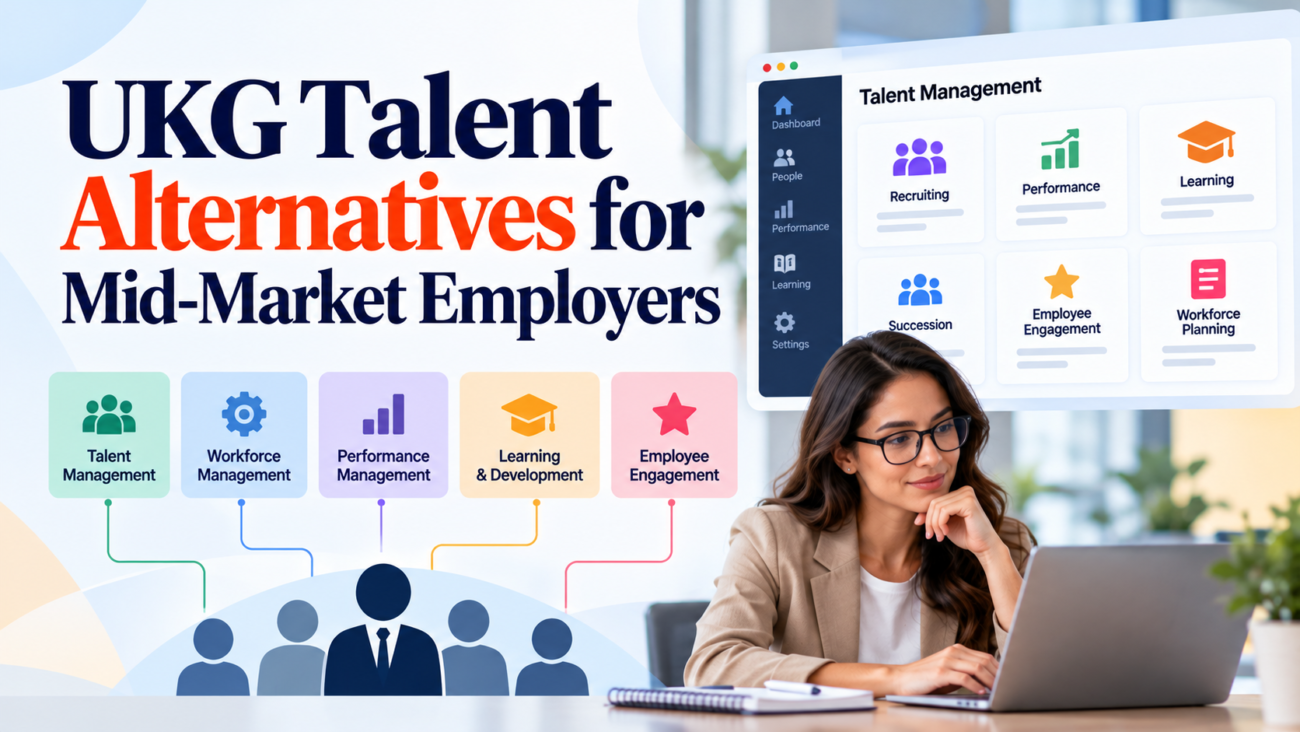
Mid-market employers often reach a point where their talent management software creates more work than it removes. Recruiters maintain separate candidate records, managers struggle to complete performance reviews, and HR teams spend too much time correcting information between systems. These problems become harder to manage as hiring volumes rise and the organization adds new locations.
For employers reviewing UKG Talent alternatives, the main question is whether their current system still fits the way they recruit and manage employees. Some organizations need better recruiting workflows. Others need stronger performance management, clearer career development records, or a talent system that works with their existing payroll software.
Replacing a talent management platform is a major decision. The wrong choice can increase administrative work, disrupt employee records, and create new reporting problems. A cheaper subscription can also become more expensive once implementation, integrations, and support are included.
The decision matters because hiring already carries a substantial cost. According to SHRM’s 2025 benchmarking research, the average nonexecutive cost per hire was $5,475, while the executive average reached $35,879. Those figures cover broader recruiting expenses, rather than software costs alone, but they show why employers need reliable hiring processes.
This guide examines how mid-market employers should assess UKG Talent alternatives, identify the capabilities they need, compare different software approaches, calculate replacement costs, and decide whether switching is worthwhile.
TL;DR
UKG Talent alternatives are worth considering when recruiting workflows, performance reviews, employee development records, or reporting no longer meet an employer’s needs. Mid-market organizations should first identify whether their problems come from missing software capabilities, poor configuration, or weak connections between existing systems. A replacement should support the organization’s hiring volume, manager workflows, payroll environment, and future staffing plans without adding unnecessary administration. The strongest evaluation compares real business processes rather than feature lists. Employers should also examine implementation costs, data migration, contract terms, employee access, security controls, and the time needed to train managers. Keeping the existing platform may be the better choice when configuration changes or targeted integrations can resolve the main problems at a lower cost.
What UKG Talent Includes and Where Mid-Market Employers Face Problems
UKG supports recruiting, onboarding, performance, learning, succession, and related workforce processes, but access depends on the product and purchased modules. UKG Talent is not one identical application for every customer. Before comparing alternatives, identify your UKG edition, licensed functions, payroll dependencies, and any custom interfaces.
Understanding the Difference Between UKG Pro and UKG Ready
UKG Pro generally serves larger or more complex organizations; UKG Ready brings HR, payroll, workforce management, and selected talent capabilities to smaller and mid-sized employers. UKG’s June 2026 HR software guide explains how their intended users and configurations differ. An employer with 700 workers across states may have more complex requirements than one with 1,500 at a single site. Headcount alone doesn’t establish which product fits.
Where Talent Management Problems Usually Appear
Recruiting problems often involve slow approvals, inconsistent interview records, or hiring reports that don’t agree. Performance problems include unfinished reviews and development goals managers can’t track. Learning and succession records may sit apart from employee skills and career opportunities. None of these issues proves a platform is inadequate: outdated configuration, poor data, or training can produce the same symptoms. Confirm whether the required capability already exists before replacing it.
Why Mid-Market Employers Consider UKG Talent Alternatives
Mid-market employers need dependable HR processes without a large administration team. A replacement review usually starts with 1 of 4 recurring problems.
Recruiting Workflows Require Too Much Manual Work
Recruiters may transfer applicant details between tools or chase approvals by email. SHRM’s 2025 recruiting research reported a median time-to-fill of roughly 1.5 months for executive and nonexecutive roles. Measure approval delays and duplicate entry before blaming the software for slow hiring.
Managers Don’t Use Performance Management Features Consistently
Long forms, confusing permissions, and unclear review ownership can leave records incomplete. Test whether managers can set goals, give feedback, and finish reviews without repeated HR intervention.
Employee Development Records Are Fragmented
Training, skills, and internal opportunities may live in separate systems. Check whether shared reporting or an integration can connect them before buying another talent platform.
Costs Increase Without Clear Operational Benefits
Underused modules and rising subscription costs deserve scrutiny. Replacing them introduces migration, configuration, parallel operation, and training costs. Compare 3-year totals alongside measurable reductions in administrative effort.
How to Define the Right Talent Management Requirements
Write requirements before watching demonstrations. Begin with the tasks employees must complete, assign each to a business owner, and distinguish mandatory functions from desirable extras. For example, accurate hiring approvals are essential; an extra dashboard may not be.
Separate Essential Requirements From Preferences
| Requirement | Business question | Suggested test |
| Applicant tracking | Can recruiters complete hiring stages? | Process a sample requisition |
| Hiring approvals | Can managers authorize positions? | Test approval variations |
| Performance reviews | Can reviews be completed reliably? | Run 1 review cycle |
| Learning records | Can HR verify required courses? | Assign and verify training |
| Internal mobility | Can employees apply for internal jobs? | Test an internal application |
| Reporting | Do standard figures reconcile? | Recreate an existing report |
| Integration | Do employee updates reach the right systems? | Transfer sample records |
Each mandatory requirement should have a pass/fail acceptance criterion. Keep optional preferences separate so a polished demonstration can’t outweigh a missing essential function.
Account for Different Employee Groups
Office employees may use laptops while hourly or field workers need shared-device, mobile, or accessible options. Test the required tasks for those groups, including permissions and language needs.
Document Current Performance Before Evaluating Vendors
Record time-to-fill, review completion, recruiter workload, onboarding errors, and manual corrections. SHRM benchmarking findings report that only 20% of surveyed organizations tracked quality of hire. Choose baseline measures that capture both speed and results.
A useful acceptance test also states the required outcome. Instead of recording only that a system supports onboarding, specify that an approved hire creates the right employee ID, supervisor, and department without a second manual entry. Mark which test results must be proven in a live demonstration, which can be checked in documentation, and which require a pilot. This keeps the subsequent weighted scorecard grounded in observed performance.
Which Types of UKG Talent Alternatives Fit Mid-Market Employers?
The useful distinction is between replacing a UKG HCM environment and adding a specialist product. UKG Pro and UKG Ready are not interchangeable integration targets. Their objects, enabled modules, connection options, and commercial terms can differ. A recruiting replacement for an organization using UKG Pro Recruiting may have a different migration and integration scope from one replacing a UKG Ready recruiting workflow. Verify the specific product release and entitlements before approving the shortlist.
| Software option | Employer it may suit | UKG replacement scope | Limitation to check |
| ADP Workforce Now | Mid-market firms seeking integrated payroll, core HR, recruiting, and reviews | Potential full HCM replacement of UKG Ready or selected UKG Pro functions | Confirm purchased talent modules, payroll coverage, time rules, and data migration |
| Paylocity | Growing multi-location employers wanting HR, payroll, recruiting, and learning | Potential core HCM replacement | Confirm complex scheduling and performance modules in the proposed package |
| BambooHR | Smaller mid-market HR teams with simpler payroll and workforce needs | Possible core HR replacement, but not necessarily equivalent to UKG Pro | Verify payroll countries, scheduling depth, and licensed reviews |
| Dayforce | Employers with complex payroll, workforce scheduling, and talent processes | Potential broad UKG Pro or UKG Ready replacement | Higher configuration effort may not suit talent-only gaps |
| Greenhouse Recruiting | Hiring teams keeping UKG payroll and core HR | Recruiting-only replacement or companion | Confirm supported UKG Pro/Ready connector, requisition history, and hire transfer |
| Lattice | Teams improving feedback, reviews, and development | Performance-only replacement or companion | Confirm employee sync for the licensed UKG version; payroll and time remain in UKG |
Integrated HCM replacements
ADP Workforce Now and Paylocity deserve attention when several HR processes need change, while Dayforce may suit more involved payroll and scheduling environments. BambooHR can fit lighter HR needs, but a business using advanced UKG Pro features must verify any equivalent before treating it as a full substitute. Compare the payroll, timekeeping, benefits, recruiting, learning, and performance modules actually licensed, rather than broad vendor product pages.
Specialist applications used alongside UKG
Greenhouse can replace recruiting workflows while UKG retains employee records and payroll. Lattice can handle performance conversations while UKG keeps the core HR system. In either case, confirm available integration methods for UKG Pro versus UKG Ready and document who maintains accepted-candidate transfers, employee identifiers, reporting lines, and termination events. Connector availability is not proof that every field syncs automatically.
UKG’s talent management overview covers learning, performance, succession, and internal opportunities. Use that functional inventory to list what remains in UKG, what moves, and which interfaces the employer must own. A narrow addition is often less disruptive than a full replacement, provided data quality stays reliable.
For a UKG Ready customer whose biggest complaint is recruiting, a Greenhouse rollout may leave Ready payroll, time and core employee records in place. But it still needs a tested hire-to-employee handoff and a decision about where job requisitions originate. A UKG Pro customer replacing only a performance module with Lattice should test supervisor changes, review history, and whether the relevant UKG Pro data are available through its contracted integration services. Neither plan is a reason to retire UKG payroll.
A full move to ADP Workforce Now, Paylocity, or Dayforce requires a broader inventory: pay rules, benefits, schedules, identity access, recruiting, and talent records. BambooHR can be a sensible lighter option when those complex requirements are absent. Treat these as evaluation paths rather than claims that each product offers identical licensed capabilities.
How to Compare Talent Management Software Capabilities
A talent management software comparison should follow complete employee tasks, with identical scenarios used for each vendor. Focus on whether the system performs required work without repeated manual corrections.
Recruiting and Applicant Tracking
Start with a position request, approval, posting, applicant screening, interviews, and offer decision. Check who can view candidates, whether interview records stay together, and whether reports distinguish waiting time from recruiter work. SHRM’s 2025 recruiting benchmarking report found that internal hiring increased with organization size, so internal candidates should be tested alongside external ones.
Onboarding and Employee Record Creation
Follow an accepted offer into documents, employee record creation, and user access. Test transfer failures instead of assuming an integration always succeeds. The FTC’s background check guidance describes notice and authorization obligations when consumer reports are used. Automation must support those obligations.
Performance Reviews and Goal Management
Run the employer’s actual annual or quarterly review, including an employee changing managers mid-cycle. Verify goal history, authorization, overdue reviews, and the way historical comments are retained.
Learning, Skills, and Succession Planning
Confirm course completion and certification evidence where required. Test whether a critical role can be connected to potential successors and whether employee development records remain available after a transfer.
Reporting and Workforce Analytics
Ask vendors to recreate an existing report using sample data. One system may start time-to-fill when a requisition is approved; another starts at posting. Agree on definitions and confirm routine reports can be produced without technical assistance.
What Makes Recruiting Software Suitable for Mid-Market Hiring Teams?
Beyond routine hiring steps, test exceptions that occur when recruiting spans locations, seasonal roles, and different applicant needs.
Candidate Experience and Accessibility
Complete a mobile application from start to finish, including uploading a resume and requesting assistance. The Department of Justice’s hiring technology guidance explains that inaccessible assessments and automated tools can disadvantage applicants with disabilities. Vendor technology doesn’t remove the employer’s responsibilities.
High-Volume and Multi-Location Exceptions
Try reopening a paused role, moving an applicant between locations, and reusing permitted information for a returning seasonal applicant. Check that approvals and hiring histories remain accurate without duplicate candidate records.
Structured Selection and Fair Treatment
Scorecards should assess job requirements. The EEOC’s guidance on employment tests and selection procedures explains how screening methods may create discrimination concerns. Test whether interview evidence and accommodation requests reach the appropriate authorized users.
How Performance Management Alternatives Support Employee Development
Performance management alternatives make sense when existing review and growth processes are hard for managers to follow. A new application won’t improve conversations unless HR also agrees on usable standards.
Goal Setting and Progress Reviews
Managers should record expected outcomes and progress without overwriting history. Check whether goals remain available when an employee changes departments or reporting lines.
Manager Feedback and Review Completion
Test a review with several goals and recorded feedback. Long forms can produce rushed answers, while overly brief forms may miss evidence needed for development or promotion. Measure completion, but sample the quality of feedback too.
Calibration and Consistent Evaluations
For employers with several departments, test whether authorized reviewers can compare ratings and record approved changes without losing the original evaluation. Software supports consistent documentation; managers remain responsible for fairness.
Connecting Development With Internal Opportunities
Development plans should distinguish an employee’s career interests from a manager’s assumptions and show the experience needed for future roles. Protect confidential ratings while making appropriate skills and mobility information available to authorized staff.
How to Evaluate Integration With Payroll and Existing HR Systems
A replacement has to exchange correct employee information with the systems that remain. The design depends on whether the employer uses UKG Pro, UKG Ready, or a separate payroll platform; a connector marketed as compatible with UKG may support only particular products, modules, data fields, or versions.
Identify the System of Record
Assign ownership for employee IDs, names, employment status, managers, and candidate records. Document which system can edit each field and the supported transfer method. A separate recruiting tool might create candidates, while UKG remains authoritative for employees.
Test Common Employee Changes
Check promotion, transfer, manager change, leave, and termination. Each may affect permissions and review ownership. Make integration failures visible rather than silently accepting stale records.
Examine APIs and Data Export Options
Confirm available APIs or scheduled files under the specific UKG product and purchased integration services. Request authentication limits, error handling, support responsibility, and an example export of historical employee data.
Account for Identity and Access Management
Test single sign-on, permission changes, and removal of departed workers. NIST’s Cybersecurity Framework 2.0 provides guidance for organizational risk management. Apply access controls to the sensitivity of records in each connected tool.
Include a short integration responsibility matrix in the vendor review. Name the owner of the source field, the vendor or internal team responsible for the connector, how quickly changes must arrive, and who investigates rejected records. For example, a termination might need to remove a worker’s talent-system access promptly, while an updated development goal can follow a scheduled transfer. Confirm whether a supported integration covers these events automatically or needs configuration and ongoing maintenance. That distinction has a direct effect on cost and risk.
How Much Do UKG Talent Alternatives Cost?
UKG Talent alternatives have different billing units, module packages, and service charges. Compare the cost of the same functional scope over 3 years, not advertised entry rates.
Subscription Pricing and Contract Scope
Ask each vendor for the billable employee definition, required modules, renewal terms, and integration fees. UKG’s solution guide illustrates how broad an HCM package can be. A quote for talent-only software shouldn’t be compared with a payroll-and-workforce replacement without adjusting scope.
Implementation and Migration Expenses
Separate configuration, migration of historical applications and reviews, integrations, testing, and training. Request deliverables and costs for each. A phased specialist rollout may cost less upfront than replacing core payroll processes.
A Practical Three-Year Cost Example
The following hypothetical 800-employee model is for calculation, not vendor pricing.
| Cost component | Illustrative amount |
| Monthly subscription per employee | $9 |
| Annual subscription for 800 employees | $86,400 |
| Three-year subscription | $259,200 |
| Initial implementation | $45,000 |
| Data migration | $18,000 |
| Integration development | $12,000 |
| Training and change support | $10,000 |
| Illustrative three-year total | $344,200 |
This assumes stable employee count and rates; it excludes taxes, internal staff time, and unquoted support.
Calculate the Cost of Keeping the Current System
Compare the same period against UKG renewal fees, fixes to current configuration, integration maintenance, and administrative effort. Avoid a switch whose migration cost exceeds the value of problems it would solve.
Ask for a second scenario with fewer employees and a third with new locations. A quote may have a minimum seat count, a higher integration tier, or added support when the organization expands. Compare each vendor’s 3-year figure with an estimate for maintaining UKG plus a specialist application, if that is feasible. That side-by-side view helps distinguish software savings from a costly change in scope.
What Security and Compliance Requirements Matter Most?
Talent applications contain applicant and employee records, sometimes including compensation and evaluations. Security obligations should be checked before pricing determines a shortlist.
Access Controls and Employee Privacy
Use role-based access so recruiters see hiring data without broad access to confidential performance records. Confirm audit logs, backups, administrator permissions, and deletion or export terms when the contract ends.
AI-Assisted Hiring and Employment Decisions
AI-supported screening and recommendations can affect access to work. The EEOC’s AI and ADA resources explain disability-law risks, while the NIST AI framework offers voluntary risk-management guidance. Ask vendors how assessments were tested and how human review and accommodations work.
Record Retention and Audit Requirements
Retention rules vary by employer, record, and jurisdiction. Verify whether the system preserves required records, controls access to archives, and provides usable exports after termination.
Compliance With Related HR Processes
Employee status changes can flow into leave and other regulated operations even when those processes sit outside the talent platform. The Department of Labor’s FMLA employer guide explains obligations for covered employers. Test downstream dependencies before retiring old connections.
How to Build a Fair Vendor Evaluation and Selection Process
Use the mandatory requirements and acceptance tests defined earlier; this stage compares evidence, risk, and cost. Include HR, recruiting, IT, and actual managers in the scoring team.
Create a Weighted Evaluation Scorecard
| Evaluation area | Suggested weight |
| Functional fit | 30% |
| Usability and adoption | 20% |
| Integration capabilities | 15% |
| Total cost of ownership | 15% |
| Security and compliance | 10% |
| Implementation and support | 10% |
| Total | 100% |
These are illustrative weights, not benchmarks. Agree on them before demonstrations and score each area from 1 to 5. Mandatory failures remain disqualifying even if the overall weighted total looks strong.
Score the Evidence From Vendor Demonstrations
For each previously defined test, record whether the workflow passed, required a paid configuration, or needed a manual workaround. Keep brief notes supporting scores and resolve evaluator disagreements using documented results rather than presentation style.
Verify Implementation and Support Commitments
Request named owners for migration, configuration, acceptance testing, and training. Check response commitments for operational incidents and obtain references from employers with comparable workflows.
Check Data Portability and Contract Exit Terms
Confirm export formats, historical records, fees, renewal notice periods, and access after termination. An option that performs well today should not make a future migration unnecessarily costly.
Calculate the weighted total only after checking the mandatory requirements. A recruiting tool that scores well on interface quality but cannot transfer accepted applicants to the licensed UKG system should not win on an average. Record the workaround’s effort, estimated cost, and responsible owner where one is acceptable. Give each finalist the same time to demonstrate exceptions, not only a straightforward hiring or review cycle. The record then supports the decision if managers disagree or a contract negotiation changes what is included.
How to Migrate From UKG Talent Without Disrupting HR Operations
Migration scope follows the licensed UKG modules and which systems will remain. An employer replacing only Pro recruiting has different cutover tasks from one retiring a UKG Ready payroll-and-HR environment.
Establish Data Ownership and Migration Scope
List active requisitions, candidates, reviews, goals, training history, and succession records. Decide which remain active, which move, and which can be archived under applicable retention requirements.
Clean Data Before Importing It
Resolve duplicate employees, outdated managers, inconsistent job titles, and invalid fields. Map old records to the new structure and test a small sample before transferring everything.
Test Real Workflows Before Launch
Recruiters should finish test hires, managers should complete reviews, and HR should verify reporting. Include deliberate failure cases such as a rejected transfer or missing approval; retest fixes before go-live.
Plan for Cutover and Temporary Parallel Operations
An employer may finish a review cycle in UKG while starting the next in the new tool. For recruiting, decide how active candidates and offers will move, and set the final date for writing to each system. Keep a documented fallback if a critical interface fails.
Train Users According to Their Responsibilities
Train recruiters, managers, employees, and administrators on the tasks they actually perform. After launch, monitor support tickets and record errors so recurring problems reach the responsible owner.
Set a reconciliation check for every important record type. Before releasing the old module, confirm the number of open requisitions, active candidates, current performance reviews, and training completions against the destination or archive. Decide who can still read old records when staff ask about prior decisions. A brief parallel period can help, but maintaining 2 live sources of truth indefinitely invites errors. Define the end of parallel operations, the approval required for cutover, and where teams should report unexpected discrepancies.
How to Measure Results After Replacing Talent Management Software
Compare the first completed review or recruiting cycle with pre-migration results. Adjust for changes in hiring mix and workforce size rather than attributing every change to software.
Measure Recruiting Efficiency
Track approval waiting time, manual steps per requisition, time-to-fill, candidate withdrawals, and offer acceptance. Compare similar types of positions, because faster hiring alone doesn’t establish better outcomes.
Monitor Manager Adoption
Review overdue evaluations, completion rates, and useful goal updates. Sample the content of reviews: high completion can coexist with weak feedback.
Review Employee Development Outcomes
Track training evidence, skill assessments, internal applications, and transfers where records are reliable. The CIPD’s 2026 performance management guidance treats feedback and development as connected parts of performance work. Set employer-specific targets.
Assess Administrative Effort and System Reliability
Count duplicate corrections, failed integrations, inaccurate reports, and ongoing support requests. Review these with process owners after the first cycle and assign corrections.
When Keeping UKG Talent Is the Better Decision
Replacing software creates cost and operational risk. Before leaving UKG, establish whether the gap is a missing capability or an existing feature that isn’t configured or used well.
Configuration Problems May Be Fixable
Approval steps and review forms often reflect an old organizational structure. Remove unnecessary stages and test simpler templates before buying a new system.
Low Adoption May Reflect Process Problems
Employees may avoid software because ownership, instructions, and manager expectations are unclear. Better training can solve issues that another vendor would inherit.
Existing Integrations May Be Valuable
UKG may already exchange reliable data with payroll, identity, finance, and benefits tools. Price the risk of rebuilding these connections; a targeted specialist addition may preserve them.
Contract Timing Can Affect the Decision
Compare renewal dates with implementation timelines and possible termination charges. Contract timing affects the schedule, but an important unresolved capability gap should drive the decision.
Choosing the Right UKG Talent Alternative for Long-Term Needs
The best choice depends on the existing UKG product, licensed modules, workforce needs, and measurable problems. Broad HR failures may justify a full HCM comparison. Recruiting or performance gaps may justify a specialist connected to a reliable UKG core.
Document the UKG functions that will remain, run the same practical tests across finalists, and compare 3-year costs with the current system. Account for future locations, headcount, and support demands. When configuration or a narrow integration can meet the requirements at lower risk, keeping UKG may be the better choice.
Frequently Asked Questions
What Are UKG Talent Alternatives?
UKG Talent alternatives are software options that replace or supplement functions such as recruiting, performance management, learning, and employee development. They can include integrated HCM platforms or specialized applications. The appropriate choice depends on which functions an employer needs to improve.
Why Do Mid-Market Employers Look for UKG Talent Alternatives?
Employers may consider alternatives when existing workflows require excessive manual work or important reporting capabilities are missing. Rising costs and changing workforce requirements can also prompt a review. The employer should confirm whether the problem comes from software limitations or its current configuration.
What Is the Difference Between UKG Pro and UKG Ready?
UKG Pro is generally positioned for larger organizations with more complex HCM requirements. UKG Ready is designed for small and midsize employers seeking connected HR and workforce functions. Their available talent features and packaging can differ, so buyers should check the specific product and modules.
Can a Company Replace UKG Recruiting Without Replacing UKG Payroll?
Yes. An employer may be able to use a separate recruiting application while retaining UKG for payroll and core HR. The arrangement depends on available integrations and contractual terms. Candidate and employee records must transfer correctly between the systems.
What Should Mid-Market Talent Management Software Include?
Mid-market talent management software should support the employer’s required recruiting and employee development workflows. Common needs include applicant tracking, performance reviews, reporting, and integration with employee records. Additional functions should be selected according to actual business requirements.
How Much Do UKG Talent Alternatives Cost?
Costs depend on workforce size, selected modules, vendor pricing, and implementation requirements. Employers may pay subscription charges alongside migration and integration expenses. A three-year cost comparison provides a more useful basis for evaluating proposals than subscription prices alone.
What Is the Best Alternative for Recruiting Teams?
The best option depends on hiring volume, approval requirements, reporting needs, and integration with existing HR systems. Specialized applicant tracking software may suit employers focused mainly on recruiting. A broader HCM platform may be appropriate when several HR functions need replacement.
Are Performance Management Alternatives Worth Considering Separately?
Yes. Performance management alternatives can be useful when the existing core HR system works well but employee reviews or development records need improvement. Employers should examine manager usability and integration requirements before introducing another application.
How Long Does a Talent Management Software Migration Take?
Migration time depends on the number of functions being replaced, data quality, integration requirements, and testing needs. A limited recruiting implementation may involve less work than replacing several connected HR modules. Vendors should provide a project schedule based on the employer’s actual scope.
Can UKG Talent Alternatives Support Remote and Hourly Employees?
Many talent management applications offer access options for different employee groups, but capabilities vary. Employers should test mobile access, permissions, and common workflows for remote and hourly staff. Device availability and accessibility requirements should also be considered.
How Important Is Payroll Integration?
Payroll integration is important when talent workflows create or update information used by core HR and payroll systems. Incorrect employee details can cause administrative problems. Employers should test data transfers and define which system owns each important field.
Do Talent Management Platforms Use AI for Recruiting?
Some platforms provide AI-assisted candidate matching or other recruiting features. Their functions and methods differ by vendor. Employers should examine how recommendations are generated and whether appropriate human review and accommodation procedures are available.
What Data Should Be Migrated From UKG Talent?
Migration scope may include active requisitions, candidate records, employee goals, performance history, and learning records. Employers should decide which information must remain active and which can be archived. Legal retention requirements and future reporting needs should guide the decision.
How Can Employers Compare UKG Talent Alternatives Fairly?
Employers should use the same requirements, demonstration scenarios, and scoring method for every shortlisted provider. Functional fit, usability, integration, cost, and support should receive agreed weights. Mandatory requirements should be checked separately from the overall score.
When Should an Employer Keep UKG Talent Instead of Switching?
Keeping UKG may be preferable when configuration changes, training, or targeted integrations can resolve the main problems. Existing contracts and integration investments also affect the decision. Replacement makes more sense when important requirements cannot reasonably be met within the current environment.
