
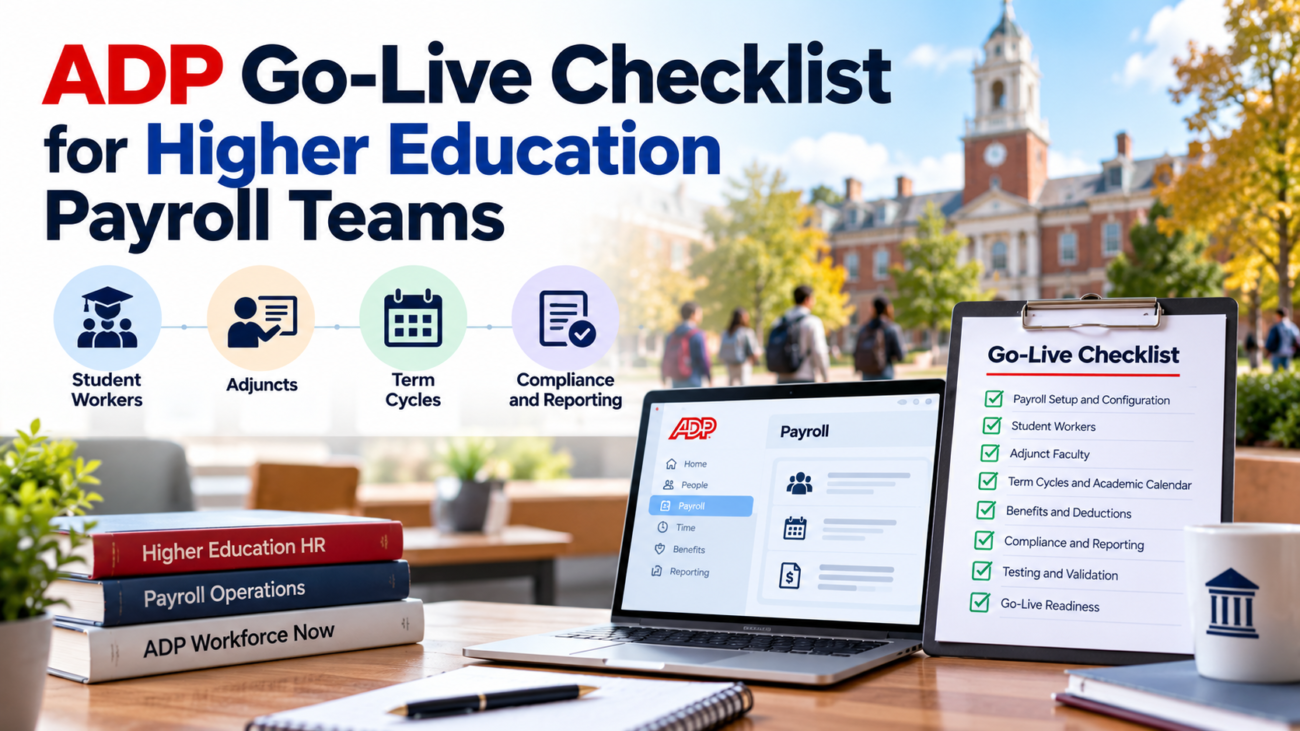
A payroll launch at a college or university can look ready in a project plan while still carrying serious risk into the first live cycle. The core ADP setup may be finished, files may load, and user accounts may work, yet a student worker can still have the wrong FICA treatment, an adjunct can miss the first scheduled payment, or a Federal Work-Study charge can post to the wrong funding source. Those failures usually come from campus rules that were never translated into the new payroll design.
An ADP go-live checklist should therefore test more than whether the system is technically available. Higher education payroll teams need evidence that worker status, time, tax setup, appointments, academic dates, year-to-date balances, funding, and downstream files all behave correctly together. The final decision should come from reconciled results and signed exceptions.
This guide is for colleges and universities moving payroll into ADP Workforce Now or preparing a major payroll cutover inside an existing ADP environment. It focuses on the controls that matter during the last stage of an ADP Workforce Now implementation, when data conversion and configuration have to become an accurate live payroll.
TL;DR
A higher education payroll team should not approve go-live until converted employee data and year-to-date balances reconcile, student and adjunct rules have been tested, time and funding feeds work, tax settings are checked, and at least one realistic parallel payroll has been reviewed by payroll owners. Freeze dates and fallback actions should be written before cutover. The first live payroll then needs its own review plan, with named owners for exceptions and a defined period of close support after launch.
Define The Go-Live Decision Before Cutover Week
A go-live decision needs objective entry and exit criteria. If the team waits until the final week to decide what “ready” means, schedule pressure can turn open defects into accepted risk without enough review. The ADP go-live checklist should state which items must be complete, which items can be accepted with a workaround, and which defects block production payroll.
Start with scope. Confirm the legal employers, campuses, pay groups, employee populations, states, earnings, deductions, tax jurisdictions, bank accounts, general ledger outputs, and integrations included in the release. ADP describes implementation and migration support as part of the current Workforce Now page, but the institution still needs its own acceptance rules because campus policies and connected systems differ. The payroll implementation checklist should name the institutional owner who signs off each workstream and the ADP contact responsible for unresolved product or configuration issues.
Use a short decision table rather than a long project status deck:
| Area | Go-Live Evidence | Blocking Condition |
| Payroll data | Conversion totals reconcile | Material balance mismatch |
| Employee setup | Active jobs and pay groups verified | Workers missing from first payroll |
| Taxes | Federal state and local setup tested | Wrong withholding or employer tax logic |
| Time | Approved hours reach payroll | Missing or duplicated hours |
| Funding and GL | Payroll output balances to finance | Unexplained posting differences |
| Integrations | Production paths tested | Critical file cannot be received or sent |
| Operations | Owners trained and cutover plan approved | No production support coverage |
The payroll implementation checklist should also assign severity. A formatting issue in a report can usually wait. A defect that changes net pay, tax liability, funding, or employee eligibility cannot. This makes the final meeting a risk decision rather than a debate about how many tickets remain open.
Campus payroll should add academic timing to that decision. If go-live sits close to semester start, add-drop, fiscal year-end, W-2 preparation, or a major summer hiring period, the same defect can create more records to repair. A technically possible date may still be a poor operating date.
Reconcile Payroll Data Before Final Conversion
Data conversion is the foundation of the payroll go-live. The first production calculation will only be as accurate as the employee, job, tax, deduction, direct deposit, leave, and year-to-date information loaded into ADP. A clean import message does not prove that the records are correct.
Create control totals from the legacy payroll before the final extraction. At minimum, compare employee counts by pay group, active and inactive status, taxable wages, federal withholding, Social Security wages and tax, Medicare wages and tax, state wages and withholding, local taxes where used, pre-tax deductions, after-tax deductions, employer contributions, garnishments, and year-to-date gross pay. The IRS Employer’s Tax Guide is the current federal reference for employment tax treatment and deposit rules, so the converted tax basis should agree with the institution’s filed and payable amounts rather than with a convenient report total.
Year-to-date values need special attention when the ADP Workforce Now implementation happens after January 1. Those balances affect later tax calculations and year-end forms. Test employees with simple pay and difficult histories, including retro pay, taxable benefits, pretax deductions, multi-state work, and corrected prior checks. Each converted balance should trace back to a legacy register or tax record.
Reconcile identity fields separately from money. Check employee IDs, legal names, addresses, work states, bank details, job codes, departments, supervisors, and hire or rehire dates. Campuses should also watch for duplicate people when the same person has held student, adjunct, and staff jobs over time.
The ADP go-live checklist should include a final data-freeze timestamp. Changes made after the legacy extract need a controlled path into ADP. Keep a delta log for new hires, terminations, rate changes, direct deposit updates, tax elections, retro items, and deduction changes that occur during the freeze. Every item should have an owner and proof that it reached the production system before the first calculation.
Finish the conversion review with payroll-level totals and sample-level checks. Totals can hide offsetting errors. Sample checks can miss broad mapping problems. You need both.
Configure Worker Groups And Higher Education Pay Rules
Higher education payroll carries worker groups that do not fit a single corporate template. Regular staff, faculty, adjuncts, student employees, graduate assistants, coaches, researchers, temporary staff, and retirees can have different pay bases and eligibility rules. The payroll implementation checklist should confirm that each group lands in the correct pay policy before production.
Start with FLSA treatment. The Department of Labor’s higher education guidance explains that bona fide teachers can qualify for the teacher exemption when their primary duty is teaching at an educational establishment. It also notes that most students who perform ordinary paid work for a college or university are nonexempt workers unless a specific situation changes the analysis. The ADP configuration should therefore follow actual duties and institutional classification decisions rather than title patterns alone.
For each worker group, verify pay frequency, pay basis, workweek, overtime rule, earnings codes, labor allocation, deduction eligibility, time entry, approval path, and termination behavior. Test every pay frequency that will be live on day 1 and confirm the first check date for each group.
Campus payroll also needs multi-job logic. One employee may hold 2 campus jobs at different rates or in different departments. Confirm how time from those jobs reaches payroll and how overtime is handled when hours must be combined under the institution’s employment structure. The system should keep labor costing by job while producing the right employee-level wage calculation.
Use edge cases in the ADP Workforce Now implementation test population. Include a staff employee who teaches a course, a student with 2 hourly jobs, an adjunct with an extra administrative assignment, and an employee moving between departments during a pay period. If the configuration works only for one clean job per person, it is not ready for a campus workforce.
Document every rule that depends on institutional policy. This is important because ADP can calculate from configured inputs, but it cannot decide what the university intended when the policy itself is unclear.
Validate Student Employment And Federal Work-Study
Student employees need a dedicated section in the ADP go-live checklist because enrollment status, job dates, time entry, and funding can all affect their pay. A generic employee conversion can load a student record successfully while still missing the conditions that distinguish student employment from regular staff work.
Test the student FICA rule with current enrollment data. The IRS student FICA exception applies to qualifying services performed by students employed by a school, college, or university where education is predominant in the relationship. The institution should verify how its policy determines eligible student status and when that status is refreshed after registration or add-drop. A static tax flag carried from the legacy system can become wrong when enrollment changes.
Federal Work-Study adds funding and time controls. The Department of Education’s current FWS handbook requires adequate time records that show hours worked by day and match the hours paid. Timesheets also require supervisor certification. Test a real FWS scenario from time entry through payroll and into the financial record, including the institutional and federal funding treatment used by the school.
The same handbook says schools must pay FWS students at least monthly, although many institutions pay more often. The payroll go-live test should prove that pay frequency and time cutoffs meet the school’s rules. It should also test an award that is nearly exhausted so earned wages move to the approved fallback funding rather than being blocked.
Ownership across offices matters. Federal Student Aid’s financial management guidance describes shared responsibilities around FWS eligibility, time sheets, payroll, reconciliation, and award monitoring. At go-live, financial aid should validate eligibility and awards while payroll validates wages and finance checks the accounting result.
Finally, test start and stop behavior around terms. A student who is eligible in fall may not have the same tax or funding status during a long break. Student employment should be driven by current effective dates rather than by a one-time conversion assumption.
Validate Adjunct And Faculty Appointments
Adjunct faculty payroll can fail even when the pay rate is correct. The common problems are missing appointments, wrong service dates, an incorrect number of payments, late contract entry, or course compensation that does not reconcile to the approved appointment. The ADP go-live checklist should test the full appointment-to-pay sequence.
Build test cases for a standard full-term adjunct, a late-start course, an 8-week course, a canceled course, and an adjunct teaching more than 1 course. Check total contract pay, first pay date, last pay date, pay-period amount, labor distribution, and the result when the appointment is entered after the normal cutoff. The system should also make it clear whether any extra assignment is part of the teaching appointment or a separate paid job.
Benefits measurement can create a separate requirement. Treasury and IRS adjunct hour guidance states that employers must use a reasonable method for crediting hours of service for adjunct faculty for ACA employer shared responsibility purposes. One described method credits 2.25 hours per week for each classroom hour plus additional required hours outside class. If the institution uses that method or another approved internal method, the ADP Workforce Now implementation should be checked against the institution’s benefits measurement process.
Faculty pay spread also needs to survive term changes. A 9-month salary paid over 12 months differs from course-based adjunct pay, so test appointments that cross calendar-year boundaries.
The payroll implementation checklist should include a signed comparison between the source appointment record and the ADP result. Payroll should not be the office deciding what an adjunct was supposed to earn after the first live run begins. Academic affairs or HR should approve the appointment data before it becomes payroll input.
Align Term Cycles With Payroll Effective Dates
Academic dates should feed the payroll design without replacing payroll dates. Semester start, add-drop, final exams, summer sessions, and breaks can occur in the middle of a pay period. The ADP go-live checklist should test how those dates affect jobs and pay rather than assuming that the term calendar lines up with payroll periods.
Create an effective-date matrix for every worker group. Include job start, service start, time eligibility, first pay-period inclusion, first pay date, end date, and final pay date. For student workers, the job may need to be active before the first shift. For an adjunct, the appointment may cover service outside the first and last classroom meeting. The system should use the date that reflects the employment agreement and campus policy.
Pay frequency must also be checked against state law. The Department of Labor’s state payday table shows that required pay frequency varies by state and can differ by employee type. A university with remote employees or locations in several states should confirm current state rules before carrying a single home-campus schedule into production.
The payroll go-live plan should include the first 3 pay cycles after launch. This catches monthly groups, delayed deduction schedules, and term appointments that begin after launch. A clean first biweekly payroll does not prove the monthly faculty group is correct.
Map holiday closures too. A bank holiday or campus closure can move approval deadlines earlier even when the check date stays the same. Publish those changes in the academic payroll calendar before launch so departments do not discover the new cutoff after student hours are already late.
Test Taxes And Employment Compliance
Tax setup needs independent review before the first production payroll. A net-pay match can still hide a tax problem if gross pay and a deduction happen to offset an incorrect withholding value. The ADP go-live checklist should compare tax treatment by employee type and jurisdiction rather than relying on one aggregate total.
Start with federal withholding, Social Security, Medicare, Additional Medicare Tax where applicable, unemployment treatment, and current year limits. Use current IRS guidance because rates and limits can change by year. The 2026 withholding methods provide the current federal calculation framework and include a specific procedure for nonresident alien employees whose wages are subject to withholding. Higher education teams should include at least 1 nonresident alien test case if the institution employs international students or scholars.
International employee testing needs more than a visa code. IRS Publication 519 explains that certain nonresident alien students and exchange visitors can have different Social Security and Medicare treatment depending on immigration status, tax residency, and the services performed. The payroll team should validate the institution’s tax determination process and the effective date of any status change before production.
Employment setup should also connect to onboarding. USCIS Form I-9 instructions require Section 1 no later than the employee’s first day of employment and generally require the employer to complete Section 2 within 3 business days of that first day. The ADP Workforce Now implementation should be tested so a payroll start date does not silently bypass the institution’s employment authorization process.
Run state and local tax tests for employees who live and work in different jurisdictions, move during the year, or work remotely. Verify unemployment and employer tax setup by legal entity and work location, then reconcile tax outputs to expected filing totals.
Test Time Benefits General Ledger And Integrations
Payroll is often the center of a network of systems. Time clocks, student employment tools, HR records, benefits platforms, retirement vendors, banking, finance, identity management, and data warehouses may all exchange information with ADP. The payroll implementation checklist should verify each production path with actual file shapes and realistic employee cases.
Time is the first critical feed for many campus employees. Department of Labor FLSA recordkeeping rules require covered employers to maintain accurate records for nonexempt workers, including daily and weekly hours, pay basis, earnings, deductions, total wages, and the pay period covered. Test ordinary hours and corrections. Include a student with hours in 2 jobs and an employee whose time is approved after an initial supervisor rejection.
Benefits testing should check deduction amount and timing. Test arrears, missed deductions, new enrollments, terminations, and changes near conversion. If an external system sends deductions, confirm code mapping and effective dates in production.
General ledger testing should begin with payroll results and end in finance. Compare wages, employer taxes, deductions, liabilities, and funding distribution by account structure. Campus payroll often needs department, fund, grant, project, or program segments that are invisible on an employee’s pay statement but essential to accounting. A balanced total can still be wrong if costs post to the wrong fund.
ADP’s current capabilities page presents payroll as part of a broader HR platform and describes implementation support that includes connecting HR and payroll. The institution should still test every campus integration as its own control because external student, finance, identity, and benefits systems have local mappings that ADP cannot infer.
The ADP go-live checklist should name the expected file, schedule, control total, owner, and failure path for each critical integration. The receiving system should confirm the result.
Run Parallel Payroll And Exception Testing
Parallel testing is the strongest evidence that the new payroll can replace the old one. The payroll go-live team should process the same population and comparable inputs through both systems, then explain the differences. The goal is not an artificial 100% match when business rules have changed. The goal is a documented reason for every material difference.
Use a payroll period with enough complexity to expose risk. Include overtime, shift or premium pay where used, adjunct payments, student workers, Federal Work-Study, retro pay, garnishments, benefit deductions, retirement deductions, taxable benefits, multi-state workers, and at least a few employees with multiple jobs. A simple summer period with low activity may produce a clean comparison while hiding fall-term problems.
Compare results at 3 levels. First, compare payroll totals by pay group and legal employer. Next, compare employee-level gross-to-net results. Then compare component-level detail for exceptions, including hours, rates, earnings, taxable wages, taxes, deductions, and net pay. This approach finds both broad mapping defects and individual configuration mistakes.
The ADP Workforce Now implementation should also include negative testing. Enter a late timecard. Try a duplicate deduction. Test an employee with an expired job. Test a student whose FWS funding should stop before the employment ends. Confirm what happens when an integration file is missing or late. Production payroll will eventually face these cases, so the team should know the system response before launch.
Set a materiality rule for sign-off. Small rounding differences can have a documented tolerance. Wrong employee status, tax jurisdiction, bank account, deduction, or funding source still needs review.
The payroll go-live review should capture open differences in an issue log with owner, root cause, correction, retest result, and disposition. Do not close a defect because someone explains it verbally. Close it after the corrected result has been tested.
Plan Cutover Freeze Access And Fallback Actions
Cutover converts a tested project into the system of record. The final payroll implementation checklist should therefore control who can change data, when changes stop in the legacy system, and how urgent items are handled during the freeze.
Publish a cutover schedule with exact timestamps. Include final legacy entry, final approval cutoff, extraction, final conversion, validation, production opening, first payroll calculation, banking deadlines, and final approval. If several pay groups are launching together, identify which path controls the critical timeline.
Access should follow job responsibility. Payroll administrators need production permissions before the first cycle, but unnecessary access should not be carried over from a test environment. Verify approvers, backup approvers, payroll users, HR users, finance reviewers, and service accounts. Confirm that terminated project accounts or consultant access are removed or reduced when no longer needed.
The payroll go-live plan also needs a fallback plan. Define what would make the institution stop cutover before the first production calculation. Define what happens if a major issue appears after the legacy system has been frozen. The answer may involve a corrected ADP run or a controlled emergency process, but it should be decided before payroll is under deadline pressure.
Keep a delta log through the freeze. Every late hire, termination, rate change, banking update, tax change, garnishment, or appointment correction should appear once and only once in production. Assign 1 person to reconcile that list after conversion.
Tell departments when the old system becomes read-only, where time must be approved, what employee self-service changes, and who receives payroll issues. Supervisors need clear deadlines rather than project language.
Validate The First Live Payroll And Hypercare Period
The first live payroll is another test with real money attached. The ADP go-live checklist should continue through final funding and employee receipt rather than ending when the calculation completes.
Reconcile the first live run against approved inputs and expected totals. Compare headcount paid, gross wages, net pay, taxes, deductions, employer costs, direct deposit amounts, checks, and general ledger output. Review every manual adjustment and every employee with zero or unexpected pay. Compare active employee counts with the HR roster so a missing worker does not disappear inside a reasonable total.
Year-end reporting should remain in view even if launch occurs earlier in the year. The IRS W-2 instructions include reconciliation guidance for Forms W-2 and W-3 with employment tax returns. The payroll go-live team should preserve the detail needed to reconcile converted and post-conversion wages at year-end, especially when part of the calendar year was processed in the legacy system.
Set a close-support period for the first several cycles. Track issue volume by cause: conversion, configuration, user entry, integration, policy, or training. A spike in late student timecards points to a different fix than a recurring tax mapping problem. The support team should solve the root issue instead of creating a permanent manual workaround.
Higher education payroll should watch the first monthly and term-based events as well as the first biweekly run. The first adjunct payment may occur after students have already received 2 checks, and a term start can expose new appointment or enrollment issues.
The ADP Workforce Now implementation is operationally complete when routine payroll can run with normal staffing and known exception handling. Project resources can then step down without leaving payroll dependent on temporary experts for ordinary tasks.
Keep Term Cycles Stable After Launch
A campus payroll launch is tested again whenever the academic calendar changes. Fall hiring, spring return, summer appointments, graduation, long breaks, fiscal year transitions, and calendar year-end can each activate rules that were quiet during the original cutover. The final part of the ADP go-live checklist is therefore a schedule for reviewing those recurring events.
Create a term readiness review before each major academic cycle. Confirm student job dates, enrollment-dependent tax status, Federal Work-Study awards, adjunct appointments, pay schedules, department approvers, funding strings, and expected high-volume hiring dates. This turns the payroll implementation checklist into a recurring control rather than a file that disappears after launch.
Use production exception reports to improve the process. Review off-cycle payments, retro pay, failed deposits, late appointments, rejected timecards, tax corrections, funding corrections, and integration failures. Repeated exceptions usually point to a missing upstream rule or an unrealistic deadline.
Higher education payroll should also maintain ownership for configuration changes. A new earning code, student policy, adjunct pay practice, or finance segment should go through testing before it enters production. This prevents the live system from drifting away from the configuration that passed the original payroll go-live review.
Finally, retain the evidence that supported launch. Conversion reconciliations, parallel results, approval records, issue logs, cutover decisions, and first-payroll reviews are useful during audits and later system changes. They also give the next project team a factual record of what was tested.
Conclusion: Use Evidence To Approve ADP Go-Live
An ADP go-live checklist for a college or university has to reflect the way campus payroll actually works. Standard conversion and system testing are necessary, but they do not cover enrollment-based student tax rules, Federal Work-Study controls, adjunct appointments, academic effective dates, multi-job time, or grant and departmental funding.
The strongest launch process moves in a clear order. Reconcile source data before conversion. Confirm worker and pay rules before parallel testing. Test taxes and integrations with difficult cases. Freeze changes through a controlled cutover. Then treat the first live payroll as a formal validation cycle rather than a victory lap.
For higher education payroll teams, readiness is visible in the evidence. Payroll can explain every converted balance, each critical worker rule has a passing test, finance can reconcile the posting, departments know their deadlines, and open defects have an approved disposition. When those conditions are met, the ADP Workforce Now implementation has a defensible basis for production use.
The same controls should continue after launch. Term changes and year-end events will test rules that the first payroll may never touch. Keeping the ADP go-live checklist as a living operating reference makes later cycles easier to review and reduces the chance that the institution recreates old manual fixes inside a new system.
FAQs
What Is An ADP Go-Live Checklist?
An ADP go-live checklist is a set of readiness tests used before payroll moves into production. It covers data, employee setup, pay rules, taxes, time, deductions, integrations, accounting, access, cutover tasks, and first-payroll validation. Higher education teams should add student, adjunct, term, and funding controls.
When Should A Higher Education Payroll Team Approve Go-Live?
Approve go-live after blocking defects are closed or formally resolved, payroll data reconciles, critical integrations pass testing, parallel differences are explained, and operational owners are ready. A project date alone is not evidence that payroll can run safely.
How Many Parallel Payroll Runs Should A University Complete?
There is no universal number. Run enough parallel testing to cover the worker groups and pay events that create material risk. At least 1 realistic full-population comparison is important, with extra cycles when monthly and biweekly groups behave differently.
What Data Should Be Reconciled Before ADP Go-Live?
Reconcile active employees, pay groups, gross pay, taxable wages, tax balances, deductions, employer contributions, direct deposit setup, year-to-date values, job records, and accounting dimensions. Conversion totals should agree with source payroll and filed tax records where applicable.
Why Are Year-To-Date Balances Important During Payroll Migration?
Year-to-date balances affect later tax calculations and year-end reporting. If a university moves payroll during the calendar year, ADP needs correct prior wages, tax bases, withholding, deductions, and other reportable values so later payrolls and Forms W-2 reflect the full year correctly.
What Should Be Tested For Student Workers?
Test job effective dates, hourly rates, time entry, supervisor approval, multiple campus jobs, overtime handling, student FICA status, direct deposit, tax withholding, funding, and term-end behavior. Federal Work-Study students also need award and program accounting checks.
What Should Be Tested For Federal Work-Study Payroll?
Test approved daily hours, supervisor certification, pay frequency, award monitoring, funding allocation, payroll vouchers or equivalent records, and reconciliation between financial aid, payroll, and finance. The process also needs a rule for wages earned after the student’s FWS award is exhausted.
What Should Be Tested For Adjunct Faculty?
Check course appointment amount, service dates, number of scheduled payments, first and last pay dates, course cancellations, late appointments, multiple courses, extra assignments, labor distribution, and any benefits-hours method the institution uses for applicable ACA measurement.
How Should Academic Terms Be Included In The Cutover Plan?
Map academic dates to payroll effective dates. Include job starts, service periods, time eligibility, first pay dates, appointment ends, final pay dates, add-drop periods, breaks, summer sessions, and holiday cutoff changes. Do not assume semester dates equal payroll periods.
What Payroll Integrations Should Be Tested Before Go-Live?
Test every critical inbound and outbound connection used for payroll. Common examples include timekeeping, HR data, benefits, retirement deductions, banking, finance, identity management, student employment, and reporting feeds. Confirm the receiving system’s result as well as the file transmission.
What Makes A Payroll Difference Material During Parallel Testing?
A material difference is one that can affect employee pay, taxes, legal compliance, benefits, funding, or financial reporting. Institutions can define small rounding tolerances, but wrong worker status, tax jurisdiction, bank information, deduction logic, or labor distribution should receive direct review.
What Should Be Frozen During ADP Cutover?
Freeze or tightly control changes in the legacy system after the final extraction. Track late hires, terminations, rate updates, direct deposit changes, tax elections, garnishments, appointment changes, and other payroll inputs in a delta log so each item is moved into production once.
What Should Be Reviewed On The First Live Payroll?
Review employees paid, gross-to-net results, taxes, deductions, direct deposits, checks, employer costs, general ledger output, manual adjustments, zero-pay employees, and unexpected pay. Compare the payroll population with HR records and resolve every material exception before final approval.
How Long Should Post-Go-Live Support Continue?
Keep close support through enough payroll cycles to cover the major pay groups and common term events. A biweekly cycle alone may not test monthly faculty or later adjunct payments. The support period can step down once routine payroll runs with normal staff and repeat issues are under control.
How Often Should The Go-Live Checklist Be Reused After Launch?
Reuse the relevant parts before major term changes and significant payroll configuration updates. Fall hiring, spring return, summer appointments, calendar year-end, new pay rules, and major integrations can all benefit from the same checks used during launch.
