
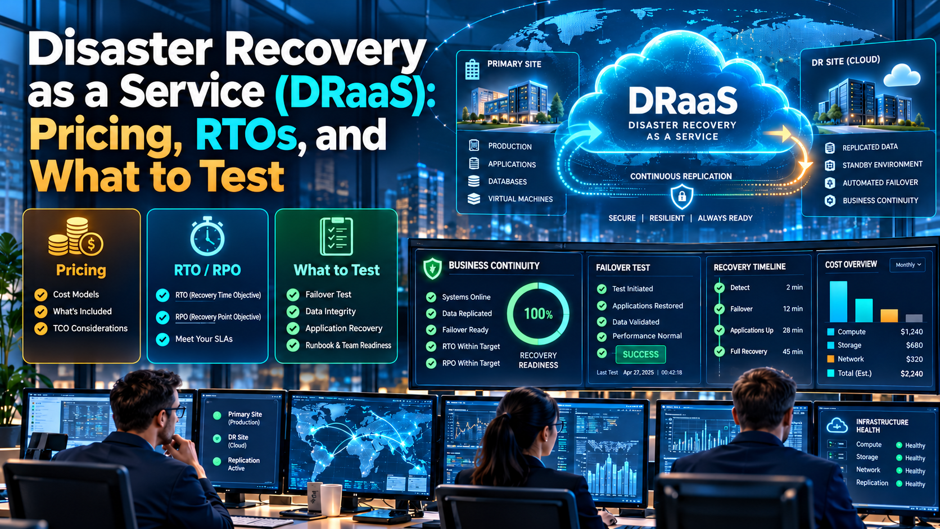
Imagine an illustrative 220-person distributor whose primary server room floods on a Friday night. The IT manager opens the disaster recovery runbook, only to find it describes a replication product the company dropped 2 years ago. The DRaaS contract promised a 4-hour recovery time, but nobody has ever run a failover, nobody remembers which servers start first, and the finance team’s most important application depends on a licensing server that was never replicated. Monday’s orders are due out in 60 hours.
This article explains how DRaaS is priced, how recovery time and recovery point objectives translate into real architecture and cost, and which tests prove that a recovery will work. It uses published documentation from Microsoft and Amazon, a Druva cost breakdown, an ANS billing page and vendor blogs from Otava and N-able. Vendor figures appear with their sources and caveats. Prices change often, so confirm every number with the provider, and have counsel review the service level language before signing.
TL;DR
- Price the whole stack, not the headline. Published examples show a per-server platform fee, separate storage, compute that bills only during failover and egress charges when you fail back. In a Druva example, $9 of a $9.54 failback came from data transfer. Ask every provider to price a failover, a test and a failback, in addition to steady-state replication.
- An RTO is a design choice, not a promise. Backup and restore costs least and recovers slowest, and warm standby or active-active cost more and recover faster. Set targets from the business cost of downtime, then insist that the provider shows a measured result against them.
- Test in layers and record the clock. Tabletop exercises prove the plan, isolated recoveries prove the data and a timed failover proves the numbers. Measure actual recovery time against the target, document what broke and rerun after fixes. Review the results with leadership each year. Keep the report on file.
What the service is, and what it isn’t
Disaster recovery as a service means a provider hosts the replication, standby capacity and often the orchestration needed to restart your systems somewhere else after an outage. It differs from backup. Microsoft’s Azure Site Recovery documentation draws that line directly: Site Recovery keeps workloads running through continuous replication, failover and failback, while Azure Backup keeps data safe and recoverable, and both contribute to a business continuity plan. A company that buys only backup can restore data, but it may need days to rebuild the environment that data runs on.
The service comes in several forms. Hyperscaler tools such as Azure Site Recovery and AWS Elastic Disaster Recovery replicate your servers into your own cloud subscription, and you operate them. Backup vendors and managed providers package replication, standby infrastructure and runbooks into a monthly fee, sometimes with staff who run the failover. The mix of who does what drives both price and risk, so before you compare quotes, decide how much of the recovery work your own team can actually perform at 3 a.m. under stress.
Be clear about scope as well. DRaaS covers systems you’ve chosen to protect, and it can’t recover what was never replicated. Application dependencies, identity services, DNS, network connectivity, licensing servers and the humans who coordinate the effort all need to be part of the plan. Providers sell protection for virtual machines, and the interlocking pieces between them are where recoveries stall, which is why the testing section later in this article matters as much as the pricing.
Recovery objectives and the architectures behind them
| Strategy | Typical idea | Relative cost (Otava ordering) | Recovery speed |
| Backup and restore | Restore from copies into new infrastructure | Lowest | Slowest, often many hours to days |
| Pilot light | Core services and data replicated, rest built at failover | Low to moderate | Faster, hours |
| Warm standby | Scaled-down copy running continuously | Higher | Faster again, minutes to hours |
| Active-active | Multiple sites serve traffic at once | Highest | Near-continuous |
Otava, a DRaaS provider, orders its cost drivers by recovery target: backup and restore is cheapest, then pilot light, warm standby and active-active. Amazon’s Elastic Disaster Recovery page states “RPOs of seconds and RTOs of minutes” for on-premises servers recovering to AWS, but it gives no figures for other scenarios. Microsoft’s documentation says Site Recovery helps keep RTO and RPO within organizational limits without stating numeric guarantees. Treat all of these as capabilities that need proof in your own environment.
The recovery time objective is how long a system can be down, and the recovery point objective is how much data you can afford to lose. A short RPO requires continuous or frequent replication. A short RTO requires infrastructure that’s ready to start, plus automation that works. Those objectives are separate decisions. A system might tolerate 4 hours of downtime but only 5 minutes of data loss, such as an order database, and architecture should reflect that difference instead of applying a single setting everywhere.
How to set recovery targets without guessing
Start from the cost of an hour of downtime. For each major system, estimate lost revenue, idle labor, penalties and recovery overtime. As an illustration, a company earning $15,000 of revenue per operating hour loses $60,000 in a 4-hour outage and $7,500 in a 30-minute outage. Those inputs are assumptions, so replace them with your own. The figure gives leadership a rational basis for deciding whether a faster tier is worth its monthly premium.
Group systems into a small number of tiers. Most mid-sized companies can sort applications into 3 or 4 tiers, from “must return within an hour” to “can wait several days.” Assign each tier an RTO, an RPO and a protection method. Avoid giving every application the fastest target, because the bill will climb and the provider will struggle to deliver. Document the dependencies inside each tier, since a Tier 1 application is only as available as the directory and database it relies on.
Match objectives to ransomware as well as outages. Replication copies whatever the source contains, including encrypted files. Amazon’s page lists point-in-time recovery, which lets you launch the latest state or an earlier state. Ask any provider how far back recovery points reach, how they’re protected from deletion and how you’d recover to a clean point. A DRaaS plan that handles floods but not ransomware leaves out the more likely scenario for many mid-sized companies.
What goes into a recovery service bill
- Platform fee per server, VM or instance. Otava lists a per-workload charge as the base of most plans, and some providers price per protected terabyte instead. Check how the provider counts: a clustered database may consume several licenses, and physical servers may be priced differently from virtual ones. Ask for the count of protected objects you’re being quoted for, as well as the per-unit rate. Ask for the protected object count in writing.
- Replica storage and recovery points. Storage holds the replicated copy and the history of earlier points. Retention length has a direct effect: Otava’s example from AWS uses 7 days, and it notes that 30 or 90 days raises storage costs. Data change rate matters too, since the AWS example assumes 3.3 percent daily change. Ask the provider to show storage for your own change rate and retention. Ask for the calculation behind each figure.
- Standby capacity and replication infrastructure. Some designs keep servers running or reserved at the recovery site, and others build them only at failover. Reserved capacity is predictable and expensive. Build-at-failover is cheaper at idle but depends on capacity being available in a regional emergency. Ask what the contract guarantees about capacity and how it treats a disaster that affects many customers at once. Ask for any reservation fees in a separate line.
- Network, egress and connectivity. Data leaving a cloud region is usually billed, and users have to reach the recovered systems. Otava notes egress fees when replicated data leaves a region on Azure. Include VPN or private links, firewall appliances, public IP addresses and DNS changes in the estimate, because these often sit outside the headline replication quote. Ask the provider to list every connection fee, including the monthly cost of the private link and any charges for extra public addresses.
- Testing, onboarding and managed services. Test environments create temporary infrastructure charges, and managed plans may include scheduled test execution. Upfront costs include onboarding, initial data seeding and mapping. Ask which tests are included per year, what extra tests cost and whether the provider’s engineers run the failover or your staff do. Request a written list of what’s covered, so you can compare plans fairly, and ask whether unused test hours roll over or expire at the end of each contract year.
Published price points, with caveats
| Item | Figure | Source and caveat |
| AWS Elastic Disaster Recovery server fee | $0.028 per server per hour, about $20.44 per month | Cited by Otava from AWS pricing; confirm current rate |
| AWS 100-server example | $6,389.03 per month, about $63.89 per server | Otava example; includes $3,271.50 of staging volumes and snapshots |
| Azure Site Recovery | $25 per protected instance per month, first 31 days free for new workloads | Cited by Otava; Azure storage and compute are separate |
| AWS test cost | About $122.94 for an 8-hour test across 100 servers | Otava estimate of infrastructure only |
| Druva cloud DR idle components | About $191.76 per month for a proxy, endpoints and DNS | Druva example in a single AWS region, on-demand rates |
| Druva failover and failback | $0.18 failover (1 hour), $9.54 failback (3 hours) per 100 GB VM | Druva example; excludes time instances keep running |
| ANS Veeam DRaaS | Fixed monthly fee per VM plus storage; hourly compute only during failover | UK provider billing page; no prices on the page |
None of these is a quote. Otava’s page contains no Otava prices, and the AWS and Azure figures are reproduced from that page rather than checked on the cloud providers’ own pricing pages, which change. The Druva figures come from the vendor’s own documentation and apply to its product. The ANS page describes billing structure and gives an example it warns may not be accurate. Use the table to learn what to ask, then collect written quotes.
A worked example for 100 servers
Take the AWS example from Otava’s page, in which 100 servers cost $6,389.03 a month, about $63.89 per server, of which $3,271.50 is staging volumes and snapshots. At the cited server rate of about $20.44 a month, the replication fee alone would be $2,044. Over a year, the whole example comes to $76,668.36. Azure Site Recovery at $25 per instance is $2,500 a month and $30,000 a year for the same 100 servers, but that excludes the Azure storage that holds the replicas, so those totals aren’t a like-for-like comparison.
Those numbers describe a steady state. A test adds charges. Otava cites an 8-hour test across 100 servers at about $122.94 in AWS infrastructure, roughly $1.23 per server, which is small next to the monthly bill. The real cost of a test is staff time and, with a managed provider, engineering hours for runbooks, validation and reporting. Otava gives no figure for managed test fees, so ask for a figure. A cheap infrastructure charge can sit beside an expensive service line.
Real failovers cost more. Compute runs by the hour once recovered servers start, storage tiers may change and egress applies when data returns to the original site. Druva’s example puts a failover lasting 1 hour at $0.18 for a 100 GB VM, yet it excludes the time instances keep running afterward, which could continue for days. Ask each provider to model a 5-day outage for your 100 servers, including recovery computer, additional storage, network and support, and compare totals rather than monthly rates.
Costs that surprise buyers
- Failback is where egress bites. Druva’s example shows a 3-hour failback costing $9.54 for a 100 GB VM, of which $9.00, about 94 percent, is outbound data transfer at $0.09 per GB. Scale that to 10 TB and the transfer line becomes the main event. Ask what the provider charges to return data to your site, whether it can ship drives and how long the return takes. Run the numbers before you choose a tier.
- Compute keeps billing after the crisis. Failover is cheap per hour, but recovered servers run until you fail back. A 5-day outage at 24 hours a day is 120 hours of compute for every recovered server. Ask for hourly rates by server size, any minimum charges and how the provider bills for storage tiers upgraded during failover, as the ANS page describes for faster disk performance. Model the full outage rather than the first hour.
- Seeding takes time. The first full copy has to reach the recovery site. Moving 10 TB over a 1 Gbps link at full speed takes about 0.93 days, and real links are slower and shared with production. Ask whether the provider offers physical seeding, how long it expects the initial copy to take and when protection is considered active. Ask for the seeding plan in writing, with the date protection becomes active and who pays for shipping.
- Retention and change rate inflate storage. A plan priced for 7 days of recovery points looks cheap until compliance asks for 30. Heavy-write databases generate more change than file servers. Request pricing at 7, 30 and 90 days on your measured change rate, and watch for overage clauses that bill per terabyte beyond an included allowance. Measure your own change rate for a month before you buy, because an estimate from a sales sheet rarely matches a busy database.
- Stale protection. Servers added after the contract starts may not be covered automatically. Ask how new workloads are discovered, who adds them, how often the protected list is reconciled with your inventory and what happens to billing when systems are retired. Reconcile the protected list against your asset inventory every month, and require the provider to flag any server that shows no recent replication. A silent gap here means a server you assumed was covered isn’t recoverable, and you’ll find out at the worst moment.
Choosing a delivery model
Self-service on a hyperscaler suits teams with cloud skills. Azure Site Recovery supports Azure VMs, on-premises VMware and Hyper-V machines, physical servers and some AWS instances, with recovery plans that sequence multi-tier applications and integrate with automation runbooks. AWS Elastic Disaster Recovery offers continuous replication, point-in-time recovery and non-disruptive drills. Both have low idle cost, but you build and own the runbooks, networking and testing, and nobody else will notice if they drift.
A managed provider suits teams that lack time or recovery experience. Otava notes that managed plans cost more than self-service and may include discovery, runbooks, monitoring, scheduled tests and 24/7 response. The value lies in people who’ve done failovers before. The risk lies in assuming the provider covers things it doesn’t. Review the responsibility split in writing: who declares a disaster, who runs the failover, who validates applications and who communicates with users.
A backup-vendor or MSP package sits between those options. Providers such as ANS describe DRaaS built on Veeam, with fixed monthly fees per VM and hourly compute during failover, and some offer private dedicated environments where failover costs little or nothing. Those models are predictable but vary widely. Compare them with the same test scenario, the same dependency list and the same exit terms, and ask for reference customers of your size who have actually failed over.
Contract terms to compare
| Term | What to ask | Warning sign |
| RTO and RPO | Is it a target or a commitment, and measured how? | “Typical” or “up to” language |
| Service credits | What remedy follows a missed recovery? | Credits capped at a small share of monthly fees |
| Test rights | How many tests per year, and who runs them? | Tests billed as projects at high rates |
| Capacity | Is recovery capacity reserved or best effort? | No guarantee during regional events |
| Data location | Which regions hold replicas? | Unclear or unchangeable locations |
| Exit | How do you retrieve data and configuration? | Proprietary formats, high egress fees |
| Security | Who can delete replicas or change retention? | Single administrator able to remove recovery points |
Pay particular attention to the difference between a design objective and a contractual commitment. Providers often advertise recovery times in marketing and then disclaim them in the service schedule. Ask to see the clause that states what happens if you fail over and the recovery takes longer than the stated RTO. Have counsel read the credits, liability caps, force majeure language and termination rights, and confirm all pricing in writing before you sign.
A ladder of tests, from discussion to failover
- Tabletop exercise. N-able describes a discussion-based walkthrough of roles and decisions in a simulated disaster, with no systems touched. It’s cheap and surfaces gaps in communication, authority and documentation. Run it with leadership, IT and the business owners of critical systems, and write down every point where someone said “I assumed someone else would handle that.” Update the plan within 2 weeks while the lessons are fresh. Circulate the notes to everyone who attended.
- Simulation or functional exercise. Teams perform recovery procedures in a controlled environment, following the runbook step by step. This tests whether the documentation works for someone other than its author. Have a person who didn’t write the runbook lead it, and measure how long each step takes. Missing credentials, outdated addresses and unclear sequencing show up quickly. Capture screenshots and timestamps so the evidence can support insurer and customer questions later on.
- Isolated recovery test. N-able calls this a sandbox or bubble test: backups or replicas are recovered into an environment with no production or internet connection. It proves the data is usable and the applications start without risking live operations. Check that users can sign in, transactions process and reports run, in addition to confirming the virtual machine powers on. Record how long the application took to become usable after the server booted.
- Parallel test. The recovery environment runs alongside production, and results are compared. This validates that the recovered system behaves like the original, including integrations and data. It needs careful network isolation so the copy doesn’t send duplicate emails or orders. Use it for the systems where correctness matters more than speed. Agree in advance which outbound connections are blocked, who monitors for leaks and how long the comparison runs. Document any differences between the original and the copy, and decide for each whether it’s acceptable or needs a fix before the next test.
- Full interruption test. Primary systems are shut down and operations run from the recovery site. This is the only test that proves the entire chain, and it carries real risk, so schedule it for a quiet period with executive approval and a rollback plan. Many companies reserve it for the most critical systems and run it annually, with partial tests in between. Brief staff and customers beforehand so nobody mistakes the exercise for a real outage.
What to measure during a test
Measure the clock first. Record the time from the declaration of a disaster to the first usable system, and from there to full business operation. Compare each with your RTO and note where time went. N-able lists hidden delays worth capturing: replication latency, DNS propagation and the time to assemble staff. Many teams find that the technical failover finished quickly while waiting for approvals, finding credentials or updating addresses consumed most of the window.
Measure data loss next. Compare the newest recovered transaction with the time of the simulated failure, and check whether it meets your RPO. For databases, confirm consistency: do totals reconcile, and are there orphaned records? Microsoft says application-consistent snapshots capture disk data, memory and in-process transactions, which matters for databases, so ask your provider which consistency level it uses for each system and verify the claim with a query rather than a screenshot.
Finally, measure the human and business side. Did the communication tree reach the right people? Could users authenticate? Did integrations with banks, carriers and customers work from the new location? Did the runbook match the current infrastructure? N-able suggests writing a report with issues, owners, deadlines and runbook updates. Treat every failed step as a ticket with an owner, fix it and rerun that portion of the test within weeks rather than waiting for next year.
Dependencies that sink recoveries
Identity and name resolution come first. If your directory servers, DNS and certificate services aren’t recovered and reachable, nothing else will work as expected. Test the sequence deliberately: which domain controller starts first, how DNS records change, how time synchronization works and how administrators sign in when the primary site’s directory is gone. Microsoft’s recovery plans can sequence multi-tier applications and add scripts and manual actions, which helps if the order is documented.
Licensing and hardware-bound software cause quiet failures. Some applications bind to a hardware address, a license server or a dongle. A recovered server with a new network address can refuse to start the application, and the vendor may need hours to issue a new key. Inventory such products, ask vendors how they license for disaster recovery and test each product. Add the vendor’s emergency contact to the runbook so nobody searches an old email chain in a crisis.
Network and access paths need their own plan. Recovered servers are useless if staff and customers can’t reach them. Test VPN capacity for a whole workforce, firewall rules at the recovery site, public addresses, load balancers and email routing. Include remote workers and branch offices. A recovery that works from the provider’s console but fails from a home connection counts as a failure for the business, even if the checklist says otherwise.
A testing calendar
| Frequency | Activity | Output |
| Daily or weekly | Automated replication and backup verification | Exception report reviewed by a named owner |
| Monthly | Recovery of high-value data or a single server | Timed restore record |
| Quarterly | Tabletop exercise or partial recovery | Updated runbook and action list |
| Annually | Full interruption or failover test for critical systems | Report to leadership with RTO and RPO results |
| After major change | Targeted retest | Confirmation that new systems are protected |
N-able recommends this kind of cadence, and it notes that NIST SP 800-34 calls for at least annual testing of high-impact systems. That frequency is a vendor summary of the standard, so check the guidance if a contract or regulator requires it. The calendar is a starting point. A company with a small team may merge activities, while a company with strict customer requirements may test more often. Attach dates and owners to each activity, and put them in a shared calendar.
Contract and procurement checks before you sign
- Ask for a proof-of-concept failover in the contract. Require the provider to run, or help you run, a timed failover of a representative application within the first 90 days, with the result recorded against the RTO. If the provider balks, learn why. A vendor confident in its process will schedule the test, and a vendor that isn’t will tell you something about the service. Write the pass criteria into the contract schedule itself.
- Clarify who declares a disaster and who can invoke failover. Someone must be authorized to call it at any hour, and the provider must know who that person is. Write down names, backups, authentication steps and the provider’s response time to a declaration. A delay at this step adds directly to your recovery time, and it’s a common gap in agreements that otherwise look thorough. Test the call tree at least once a year.
- Check security and deletion controls. Replicas are valuable targets. Ask who can delete recovery points, whether multifactor authentication protects the console, whether copies are immutable for a period and how the provider separates tenants. Confirm audit logs for administrative actions. Align these answers with your insurer’s expectations, and confirm requirements with your broker. Ask the provider to demonstrate a deletion attempt by an administrator and show how the system records and blocks it.
- Confirm data residency and compliance. Know where replicas live, who can access them and how they’re encrypted. If you handle regulated data, check whether the provider’s regions and subcontractors meet your obligations. Have counsel review data processing terms, breach notification duties and audit rights, because none of the vendor documentation reviewed for this article can answer those questions for your jurisdiction. Keep the answers with the contract, so successor staff can find them.
Mistakes that make recovery plans fail when it counts
The most damaging mistake is buying protection and never testing it. A contract may promise a 4-hour RTO, but the number only exists on paper until you’ve measured a recovery. Every untested assumption, from credentials to firewall rules, becomes a surprise during the incident. Schedule the first test within weeks of go-live, record the result and treat a missed target as a finding to fix, not an embarrassment to hide.
Another mistake is protecting servers while ignoring the business process. Recovering a database means little if the people who use it can’t reach it, the printers that issue shipping labels aren’t available or a bank integration is tied to the old address. Walk through the order-to-cash and procure-to-pay cycles with business owners, and include those steps in the test. Define success as a day of normal work, not a green status page.
A third mistake is setting every target to the fastest option. The price rises with each tier, and many systems don’t need it. Use the tiering exercise to put expensive protection only where downtime is truly costly, and accept slower recovery for the rest. Revisit the tiers annually, because applications change and last year’s critical system may be retired, while a new system may now run the business. Review the tiers every year with leadership.
FAQs
What’s the difference between DRaaS and backup?
Backup keeps copies of data so you can restore it, while DRaaS also provides the replication, standby capacity and orchestration to restart systems elsewhere. Microsoft’s documentation separates Azure Site Recovery, which handles replication, failover and failback, from Azure Backup, which keeps data recoverable. Many companies need both. Backup protects against deletion and corruption, and DRaaS shortens the time to resume operations after a site or regional failure. Ask your provider which service a quote covers.
How much does DRaaS cost?
It depends on the number of servers, change rate, retention, recovery targets and management level. Otava’s page cites AWS Elastic Disaster Recovery at $0.028 per server per hour, about $20.44 a month, and Azure Site Recovery at $25 per protected instance per month, but storage, compute during failover and egress are extra. A 100-server AWS example comes to $6,389.03 a month. Treat these as examples, and get written quotes. Compare quotes in the same scenario.
What’s a realistic RTO for a mid-sized company?
It depends on the architecture and the application. Amazon states RPOs of seconds and RTOs of minutes for on-premises servers recovering to AWS, but those are product capabilities, not guarantees for your environment. Backup and restore is slower and cheaper, while warm standby is faster and costs more. Set the target from your cost of downtime, and then measure a real failover before you trust any number. Ask for the measured result from a customer of your size.
What’s the difference between RTO and RPO?
RTO is how long a system may be down, and RPO is how much data you can afford to lose. A short RPO requires continuous or frequent replication, and a short RTO requires infrastructure and automation ready to start. A system can have a long RTO and a short RPO, such as a database that can wait hours but can’t lose transactions. Set them separately for each tier. Write both down for each tier.
How often should I test disaster recovery?
N-able suggests automated verification daily or weekly, targeted recoveries monthly, tabletop exercises and partial recoveries quarterly and full interruption tests annually for critical systems, plus retests after major change. It cites NIST SP 800-34 for at least annual testing of high-impact systems. Check the standard and your contracts if a requirement applies, and adjust the schedule to your risk and staff capacity. Keep the schedule in a shared calendar with named owners.
Does DRaaS protect against ransomware?
Only if the design handles it. Replication copies whatever the source holds, including encrypted data, so you need earlier recovery points that are protected from deletion and a clean environment to recover into. Amazon’s page lists point-in-time recovery, and you should ask every provider about retention depth, immutability and isolated recovery. Test a ransomware scenario specifically, because it differs from a flood or power loss. Ask for a live demonstration of that recovery.
What hidden costs should I watch for?
Watch for egress when you fail back, compute that runs for days after failover, storage tier upgrades, initial seeding, longer retention, extra tests, onboarding and managed-service fees. Druva’s example shows $9 of a $9.54 failback coming from outbound data transfer. Ask each provider to price a 5-day outage, a test and a failback for your servers, and compare the totals instead of the monthly rate. Ask for each quote in writing, line by line.
What should be in a DRaaS contract?
Look for a clear statement of whether RTO and RPO are targets or commitments, service credits, the number of included tests, capacity guarantees, data locations, exit terms, security controls and who declares a disaster. Add a proof-of-concept failover within the first 90 days. Have counsel review liability, credits, termination and data processing language, and confirm all prices and promises in writing. Keep the signed schedule where the recovery team can find it.
