
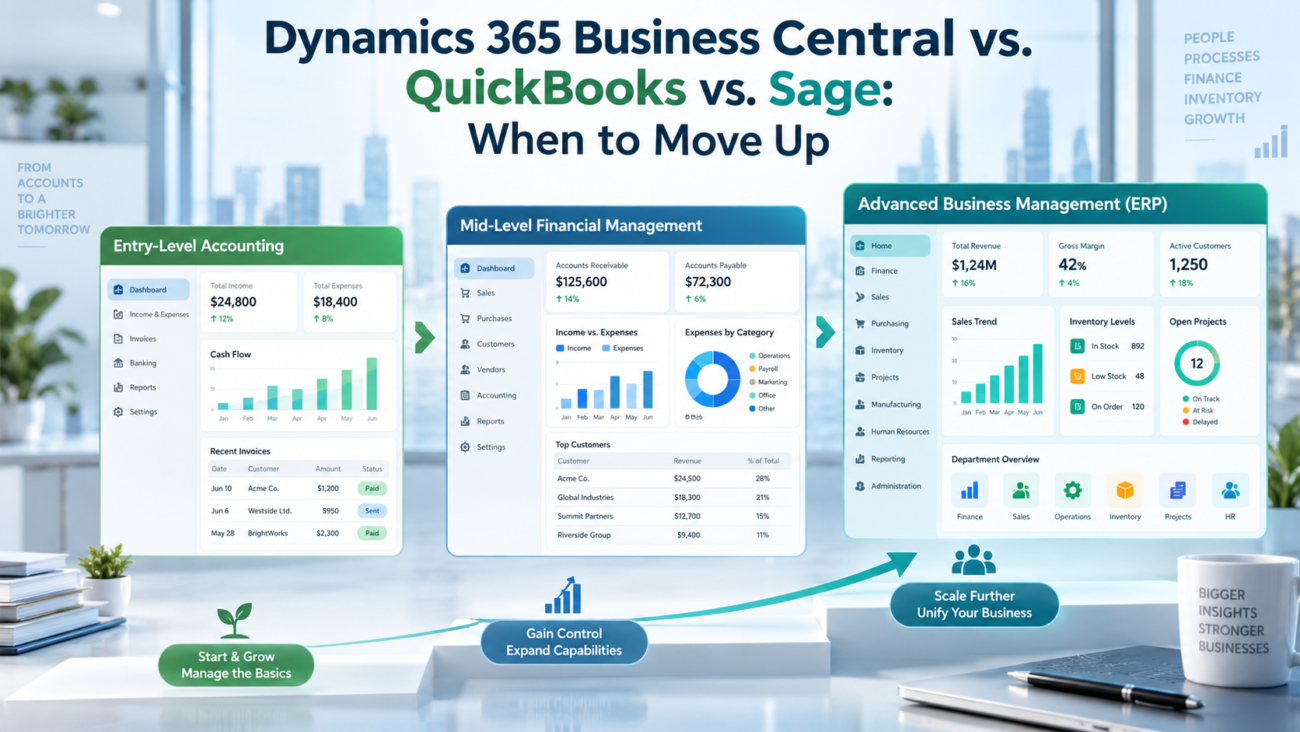
Most businesses don’t start with an ERP. They start with QuickBooks or Sage: two tools that handle the basics well and stay out of the way. The problems come later. Month-end close stretches across a week. Inventory numbers don’t match the warehouse floor. Every management report still routes through a spreadsheet someone built 3 years ago.
At that point, the question isn’t whether the current tool is good. It’s whether it’s still the right tool. Dynamics 365 Business Central, QuickBooks Enterprise, and Sage 300 sit at different points on the spectrum between accounting software and full ERP. Understanding where each platform ends matters as much as knowing what it covers.
This article breaks down what each platform actually does, where each one runs out of road, and the specific signals that tell you it’s time to move. The comparison is built for finance leaders, operations managers, and business owners making this call with real money at stake.
| TL;DR• QuickBooks Enterprise caps at 40 users and supports multi-company reporting, Advanced Inventory, and manufacturing tools, but Business Central goes deeper.• Sage 300 is a midsize ERP with multi-entity, multi-currency, inventory, and partner extensions, but Business Central has greater native depth.• Dynamics 365 Business Central is a full cloud ERP covering finance, inventory, manufacturing, supply chain, and service management in 1 system.• The decision to move up comes down to 4 main triggers: user limits, reporting gaps, operational complexity, and multi-entity structure.• Business Central implementation takes 3 to 6 months and costs $40,000 to over $100,000 depending on scope. |
What Each Platform Is Built For
QuickBooks Enterprise, Sage 300, and Dynamics 365 Business Central aren’t interchangeable. They’re designed for different stages of business growth, and the difference between them matters more than most buyers expect before they hit the ceiling of their current tool.
QuickBooks Enterprise is accounting software with business-management features. It covers accounts payable, accounts receivable, payroll, inventory, and financial reporting, with Advanced Inventory and manufacturing tools in higher tiers. Intuit built it for small to mid-sized businesses that need reliable financials without a heavy setup process.
Sage 50 and Sage 300 serve different markets. Sage 50 is an accounting tool for small businesses: bookkeeping, invoicing, and basic payroll. Sage 300 is an ERP and business-management system for midsize firms, with multi-currency support, multi-entity financial management, inventory, operations, reporting, and an add-on ecosystem. For companies in the $10 million to $100 million revenue band with more complex financial structures, it’s a reasonable fit.
Dynamics 365 Business Central is a full cloud ERP. It covers finance, inventory, purchasing, sales, manufacturing, project management, warehouse management, and service management from a single platform. It’s built on Microsoft Azure and connects natively with Power BI, Microsoft 365, Power Automate, and Teams. QuickBooks Enterprise focuses on accounting and business management. Sage 300 is an ERP. Business Central extends further across operations.
The practical dividing line: if you’re tracking transactions, QuickBooks or Sage may be enough. If you’re managing inventory across 3 warehouses, running production orders, overseeing service contracts, and consolidating 5 legal entities, you need a cloud ERP.
Side-by-Side Feature Comparison
A direct comparison shows where each platform leads and where it falls away.
| Feature | QuickBooks Enterprise | Sage 300 | Dynamics 365 Business Central |
| Core accounting | Yes | Yes | Yes |
| Multi-currency | Limited | Yes | Yes |
| Multi-entity / intercompany | Yes (tier-dependent) | Yes | Yes |
| Inventory management | Advanced (Platinum/Diamond) | Yes | Advanced |
| Manufacturing (BOM, production orders) | BOM/builds; no production orders | Partner/add-on | Yes (Premium) |
| Warehouse management | Advanced Inventory | Limited | Yes |
| Supply chain planning | Limited | Limited | Yes |
| Field service management | No | No native module | Service Management (Premium); Field Service separate |
| Project management | No | Limited | Yes |
| CRM integration | Third-party only | Third-party only | Native |
| Power BI integration | Third-party only | Third-party only | Native |
| Microsoft 365 integration | Limited | No | Full (Outlook, Teams, Excel) |
| AI / Copilot features | No | No | Yes (2026) |
| Maximum users | 40 | Varies by license | Unlimited |
| Deployment model | Desktop / hosted | On-premise / cloud | Cloud-native (Azure) |
Finance and accounting
All 3 platforms cover the fundamentals: general ledger, accounts payable and receivable, bank reconciliation, and standard financial statements. The gaps open when the structure gets more complicated.
QuickBooks Enterprise can combine reports across company files and supports intercompany transactions in Platinum and Diamond, though its consolidation depth differs from a full ERP. Sage 300 handles intercompany transactions and multi-currency well. Business Central covers both with intercompany processing and dimensional analysis inside the ERP.
Inventory and supply chain
QuickBooks Enterprise’s Advanced Inventory, available in Platinum and Diamond, supports multiple locations, bin, lot and serial tracking, barcode workflows, and inventory forecasting. Manufacturing tools add BOM cost tracking, automated builds, and production forecasts. Business Central goes further with supply planning, capacity planning, and production orders.
Sage 300 includes inventory and operations, with manufacturing and distribution depth available through partner extensions. Business Central covers supply planning, warehouse management, bin tracking, demand forecasting, and production orders. The 2026 Wave 1 release added quality management improvements for complex production environments.
Reporting and analytics
QuickBooks Enterprise includes 200+ built-in, customizable reports and Advanced Reporting, so customization doesn’t automatically require Excel. Sage 300 also supports financial and operational reporting. Dynamics 365 Business Central connects natively with Power BI for interactive dashboards and embedded analytics. The 2026 release also added full-text search across list views and integrated analytics within the platform workflow, reducing the need to exit the system to understand data.
Pricing Across All 3 Platform
Headline pricing tells only part of the story. The full cost includes implementation, training, integrations, and what the platform costs to run once it’s live.
QuickBooks Enterprise
QuickBooks Enterprise runs on an annual subscription. In 2026, the Silver tier starts at $1,873 per year for 1 user. Gold costs $2,210, Platinum $2,717, and Diamond around $5,200 or more, according to independent pricing research that tracks current list rates. These prices increased in early 2026, and the Gold and Platinum tiers now carry an additional per-employee charge for payroll beyond the base license. For a team of 10 to 15 users including payroll add-ons, total annual spend typically lands between $3,000 and $10,000.
Advanced inventory tools are bundled only in the Platinum tier. They aren’t available as a standalone add-on, so getting them means paying for the full tier regardless of whether the other Platinum features are needed.
Sage 300
Sage 300 subscription pricing runs roughly $100 to $150 per user per month. Perpetual licenses cost $3,500 to $6,000 per user with annual maintenance fees of 18 to 22% of the license value. Implementation typically costs $20,000 to $100,000 depending on modules and customization. Comprehensive Sage product pricing across the full family, from Sage 50 through Sage Intacct and Sage X3, varies considerably by tier and deployment model, so the figures above reflect the Sage 300 range specifically.
Dynamics 365 Business Central
Business Central’s Essentials plan runs $80 per user per month. The Premium plan, which adds manufacturing and service management, costs $110 per user per month. Team Member licenses for light users cost $8 per user per month. Microsoft raised these prices on November 1, 2025, up from $70 and $100 respectively.
Implementation costs start at $40,000 and exceed $100,000 for complex deployments. A mid-market company with 20 to 30 users can expect a total first-year investment of $80,000 to $150,000 including implementation, data migration, and initial integrations.
Cost comparison summary
| Platform | Per-user cost | Approx. annual (10 users) | Implementation range |
| QuickBooks Enterprise | Tier-based | $3,000–$10,000 total | $1,000–$15,000 |
| Sage 300 | $100–$150/user/mo | $12,000–$18,000 | $20,000–$100,000 |
| Dynamics 365 Business Central | $80–$110/user/mo | $9,600–$13,200 | $40,000–$100,000+ |
The per-seat cost for Business Central is comparable to Sage 300 at 10 users. The real difference shows up in implementation scope and the breadth of what the license includes out of the box.
Where QuickBooks Falls Short
QuickBooks Enterprise works well for businesses with straightforward accounting needs. It runs into real problems as complexity grows.
User and data limits. QuickBooks Enterprise supports a maximum of 40 concurrent users, as Intuit’s usage documentation confirms, and in practice the proprietary database slows or corrupts files at high data volumes well before that limit is reached. A finance team of 5 or 6 people may never hit the user cap, but they’ll feel the performance issues sooner than expected.
Multi-company management has limits. QuickBooks Enterprise can manage multiple companies, combine reports, and track intercompany transactions on Platinum and Diamond. Business Central handles legal entities inside an ERP with broader consolidation, dimensional reporting, workflows, and operational data in the same system.
Reporting is broader than basic statements. QuickBooks Enterprise includes 200+ built-in, customizable reports and Advanced Reporting, so finance teams aren’t forced to export every nonstandard view to Excel. A 2025 finance leader survey by Consero found that 22% of respondents identified outgrowing their accounting software as a top operational challenge. Manual report assembly can still signal that reporting needs have moved beyond the current setup.
Operations coverage has a ceiling. QuickBooks Enterprise supports Advanced Inventory, multiple locations, warehouse workflows, BOM cost tracking, automated builds, and manufacturing forecasts. It still lacks deeper production orders, capacity planning, supply planning, service management, and cross-functional ERP controls. For operations with high complexity, that difference becomes material.
Audit controls exist. QuickBooks Enterprise includes Audit Trail and Closing Date Exception reports that show changes to the books. Companies preparing for audits, external funding, or acquisition due diligence may still need tighter approvals, role controls, and operational traceability than QuickBooks provides.
Where Sage Reaches Its Limits
Sage 50 and Sage 300 serve different markets and hit different ceilings.
Sage 50 is accounting software for small businesses. It handles bookkeeping, invoicing, and payroll reliably. It runs out of capability when the business adds more users, requires deeper inventory management, or needs to consolidate more than 1 entity. Sage 50 lacks multi-entity support entirely and its reporting relies heavily on exporting to Excel.
Sage 300 is an ERP and business-management system for midsize firms. It handles multi-currency, intercompany transactions, inventory, operations, and reporting, with an ecosystem of add-ons for functions such as manufacturing and distribution. Its limits become visible in specific areas.
Field service and asset management. Sage 300 doesn’t provide deep field-service scheduling and work-order capability natively. Business Central Premium includes Service Management for service orders, contracts, parts, and service personnel. Dynamics 365 Field Service is a separate application that integrates with Business Central when a business needs scheduling, dispatch, and field work-order operations.
Manufacturing. Sage 300’s core ERP doesn’t provide the same native manufacturing depth as Business Central Premium, but manufacturing and distribution capabilities are available through partner extensions. The choice is whether to use extensions or keep production orders, capacity planning, quality management, and related controls inside the core ERP.
Cloud architecture. Sage 300 is primarily on-premise, with a hosted option available. It doesn’t offer the cloud-native architecture that Business Central does. Remote access, automatic updates, and integration with modern reporting tools like Power BI are all more limited as a result. For businesses managing remote teams or expecting continuous software improvements, this matters.
Growth ceiling. Sage 300 is built for companies with 50 to around 1,000 employees. As headcount, transaction volume, and operational complexity grow past that band, both performance and module coverage become constraints. Companies scaling fast often find Sage 300 insufficient within 2 to 3 years of hitting their stride.
What Dynamics 365 Business Central Brings to the Table
Dynamics 365 Business Central is a full cloud ERP for businesses that have outgrown accounting software. It covers finance, supply chain, manufacturing, projects, sales, purchasing, service, and warehouse operations in 1 platform.
The Microsoft ecosystem. Business Central connects natively with Power BI for real-time dashboards. Outlook integration lets users manage customer communication alongside financial records without switching tools. Excel exports refresh dynamically rather than requiring manual re-export. Teams integration allows discussion and action on records in context. For businesses already running Microsoft 365, this reduces friction significantly. Teams that want to go further can pair Business Central’s native connection with dedicated Power BI consulting work to build reporting that reflects the business’s actual decision-making structure, not just the default dashboards.
Manufacturing and supply chain (Premium). The Premium license adds full manufacturing capabilities: production orders, Bills of Materials, capacity planning, quality management, and subcontracting. According to Microsoft’s 2026 Wave 1 release plan, this cycle improved quality management workflows for complex production environments and enhanced subcontracting capabilities alongside refined Shopify integration for inventory and product cost management. Supply planning analyzes demand, available stock, and lead times to generate replenishment suggestions automatically.
AI and Copilot. Core Copilot capabilities in Business Central are included with the Business Central license at no additional cost. Bank reconciliation assistance is one of those included features. Business Central agents are billed differently: Payables Agent uses Copilot Credits to process vendor invoices, and custom agents also consume Copilot Credits as they run. Payables Agent can read invoices, match vendors, categorize transactions, and prepare approval-ready drafts with human oversight.
Compliance and scale. Business Central supports unlimited users, handles multiple currencies and legal entities natively, and includes compliance coverage for SOC 2, ISO 27001, and GDPR-related controls. Businesses preparing for growth, external investment, or international expansion have a system that handles what comes next without a platform replacement. Businesses evaluating Business Central implementation services for the first time often find that a proper discovery phase uncovers process improvements that go well beyond the software itself.
Signs It’s Time to Move Up From QuickBooks or Sage
The right moment to migrate isn’t always obvious. These are the specific signals that tell you the current accounting software has stopped being the right tool.
Month-end close takes more than 5 business days. If finishing the books requires manual spreadsheet work, inter-system reconciliation, or waiting on someone to export data from another tool, the process is too slow. A properly configured ERP eliminates the manual reconciliation layer and brings close time down substantially.
Inventory is tracked outside the accounting system. Businesses managing inventory in a separate spreadsheet or a warehouse app that doesn’t sync with the books are running 2 systems where 1 should do the work. Discrepancies compound quickly and create errors that take hours to trace.
You have more than 1 legal entity. If the business has 2 or more entities and still consolidates manually, the current setup can’t keep up. QuickBooks Enterprise supports combined reporting and intercompany transactions, while Sage 50 remains limited. The trigger is when entity complexity exceeds what the current setup handles efficiently.
Reports are built in Excel, not generated by the system. Exporting data to spreadsheets for management reporting is a workaround. When every period requires manual report assembly, the accounting software isn’t meeting the business’s information needs.
User count is approaching the cap. QuickBooks Enterprise tops out at 40 users. At 30 or more and adding staff, the ceiling is close. Sage 50 has much lower practical limits. Growing teams hit friction well before the hard cap.
The business runs manufacturing or complex distribution. QuickBooks Enterprise has manufacturing and Advanced Inventory tools. The trigger to move is deeper complexity: production orders, capacity planning, supply planning, service management, or cross-functional controls that go beyond its BOM, build, inventory, forecasting, and warehouse functions.
IT is maintaining on-premise server infrastructure. On-premise accounting software requires manual server maintenance, backup management, and version updates. Cloud ERP removes this overhead and reduces the risk of running unsupported software versions that accumulate security and compliance exposure.
A funding round, audit, or acquisition is on the horizon. Investors and acquirers expect clean financials, complete audit trails, and on-demand reporting. A business on QuickBooks or Sage 50 going into due diligence faces more scrutiny than one running a compliant ERP system. Getting there before the process starts, not during it, is the better approach.
The Migration Path: What to Expect
Moving from QuickBooks or Sage to Dynamics 365 Business Central is a structured process. Understanding what it involves removes most of the uncertainty around timeline and cost.
Phase 1: Discovery and assessment (2 to 4 weeks). An implementation partner reviews current processes, data structure, integrations, and customization requirements. This phase identifies what maps cleanly into Business Central, what needs rework, and what can be retired without being rebuilt.
Phase 2: Data migration planning (2 to 4 weeks). Chart of accounts, customer and vendor records, open transactions, inventory items, and historical data all require mapping and cleansing before import. Data quality issues that have accumulated in the source system need resolution before they carry forward. Problems found here cost far less to fix than problems found at go-live.
Phase 3: Configuration and build (6 to 10 weeks). The system gets configured to match the business’s workflows, approval routing, dimensions, and reporting structure. Integrations with CRM, e-commerce, payroll, and EDI systems are built and tested. Companies with custom logic in their old platform work with the team to rebuild those functions as Business Central extensions.
Phase 4: User acceptance testing (2 to 3 weeks). End users test against real business scenarios. Issues get identified and resolved before go-live, not after.
Phase 5: Go-live and stabilization (4 to 6 weeks post-launch). The first weeks after cutover require close implementation support. Users settle into the system, and minor configuration adjustments get made based on actual use.
For a standard mid-market company, the full process takes 3 to 6 months. More complex deployments with manufacturing, multiple integrations, or multi-entity consolidations take longer. QuickBooks and Sage migrations also need a clear historical-data decision: move full transaction history, move a defined number of prior periods, or bring opening balances and keep the old system read-only for reference.
Cutover planning should identify every source system, integration, open transaction, inventory balance, customer and vendor balance, and report that must reconcile on day 1. Teams should tightly control source-system changes during final migration, validate opening balances against the old books, test interfaces before go-live, and complete a post-cutover reconciliation so finance can prove that the new system starts from the same numbers.
Total Cost of Ownership Compared
License cost is a fraction of what businesses actually spend to run any of these platforms. Total cost of ownership includes implementation, training, integrations, maintenance, and the cost of the manual work the system can’t automate.
QuickBooks Enterprise carries ownership costs beyond the subscription. Cloud hosting, payroll, advanced tiers, connected apps, support, internal administration, and manual work all add to the total. The biggest variable is staff time when teams maintain spreadsheets, reconcile data between systems, build management reports outside the application, or support processes that have grown beyond the software’s native controls.
Sage 300 adds ownership costs through hosting, support, partner add-ons, reporting, integrations, and extension upkeep. It can cover more operational ground than basic accounting software, but total cost rises when a business depends on several partner modules and custom connections that must be maintained through upgrades.
Dynamics 365 Business Central shifts more of the ownership burden into a cloud service, but it still carries costs for implementation support, extensions, integrations, tenant administration, testing, training, and ongoing change management. The financial case depends on whether those costs replace enough manual reconciliation, disconnected applications, reporting work, infrastructure upkeep, and internal support effort to justify the move.
Nucleus Research data shows ERP implementations deliver over 200% ROI on average. Cloud deployments recover costs 2.5 times faster than on-premise systems, with typical payback between 12 and 36 months. A March 2026 Microsoft-commissioned Forrester study modeled 209% ROI over 3 years and payback under 6 months for a composite organization. These numbers vary by scope and execution, but the pattern is consistent. According to global ERP adoption data from Fortune Business Insights, 78.6% of new ERP implementations in 2026 are choosing cloud deployment, and the ERP market is projected to reach $106 billion globally this year. The shift reflects both cost efficiency and the continuous update cadence that cloud vendors like Microsoft deliver.
Which Business Should Use Which Platform
The right platform depends on company size, operational complexity, and where the business is headed rather than which tool has the best marketing.
QuickBooks Enterprise fits when: annual revenue is under $10 million, the team has fewer than 30 users, operations stay within its accounting, Advanced Inventory, multi-company, and light manufacturing capabilities, and cost is the primary constraint with no near-term need for deeper ERP planning or service management.
Sage 300 fits when: revenue is between $10 million and $100 million, the business needs multi-entity or multi-currency ERP, inventory and operational management are important, and partner add-ons are acceptable for manufacturing or distribution needs. It also fits organizations that prefer on-premise or hosted deployment and don’t need Business Central’s cloud architecture or Microsoft integration depth.
Dynamics 365 Business Central fits when: revenue is above $20 million or growing quickly toward it, the business needs deeper manufacturing, distribution, or service operations, multiple entities or regions need consolidated reporting, Microsoft 365 integration matters, cloud architecture is preferred, and growth or acquisition is planned. Dynamics 365 Field Service remains a separate integrated app for deeper field work.
Before choosing the target platform, inventory every integration that currently touches QuickBooks or Sage, including payroll, CRM, e-commerce, EDI, banking, tax, and reporting tools. Decide which connections will move into Business Central, which will be replaced by native functions, and which must be rebuilt. That integration inventory prevents late surprises during configuration and gives the cutover plan a complete list of systems that must be tested together.
How AI Is Changing the Equation in 2026
The practical gap between accounting software and cloud ERP widened in 2026. The core feature lists didn’t change dramatically. What changed was AI.
Microsoft’s core Copilot capabilities are built into Dynamics 365 Business Central at no additional license cost. Bank reconciliation assistance is included, while autonomous agents are consumption-billed. Payables Agent automates the end-to-end AP process but requires Copilot Credits after any applicable trial allowance. Custom agents also consume Copilot Credits. The Business Central 2026 Wave 2 release is still represented by update 29.0 public preview as of September 23, 2026, with general availability planned for October 2026.
QuickBooks and Sage don’t have comparable AI capabilities at this depth. QuickBooks has introduced some automation in its online product, but it doesn’t approach what Microsoft has shipped in Business Central’s recent releases. Sage has been adding AI to its product line, but the gap in Business Central’s favor remains significant for the core accounting workflows where time savings are most measurable.
For businesses where finance teams spend hours each month on manual data entry, reconciliation, and report assembly, this difference has a direct impact on headcount requirements and close cycle time. Wave 2 update 29.0 remains in preview. The broader market reflects this: 65% of organizations now cite AI as a must-have feature when evaluating new ERP systems, according to current market research. Accounting software that doesn’t offer this level of automation is falling further behind with each release cycle.
Conclusion
QuickBooks Enterprise and Sage 300 are good tools within their limits. The question is whether those limits still fit the business.
When a company manages 1 set of books, runs a straightforward sales cycle, and has a team under 25 people, QuickBooks Enterprise handles the job. As multi-company, inventory, or manufacturing needs deepen beyond Enterprise’s tools, the gap appears in planning and cross-functional control.
Sage 300 extends the range as an ERP, with multi-entity, multi-currency, inventory, and partner manufacturing extensions. Business Central differs in native manufacturing depth, Service Management, cloud architecture, and Microsoft integration.
Dynamics 365 Business Central covers the full picture. It isn’t the right tool for every business because not every business needs what it offers. For companies that have hit the ceiling of their current accounting software, it removes the ceiling rather than just raising it slightly.
The migration takes time and costs money. The alternative is building manual workarounds into a system that wasn’t designed for the business’s current size, which costs more over time. The right moment to move is usually just before the workarounds become the standard way of working.
Frequently Asked Questions
1. What is the main difference between QuickBooks Enterprise and Dynamics 365 Business Central?
QuickBooks Enterprise covers financial tracking, payroll, inventory, multi-company reporting, and manufacturing tools. Dynamics 365 Business Central is a full ERP with deeper manufacturing, supply chain, warehouse, project, and Service Management functions. Business Central integrates natively with Power BI, Microsoft 365, and Teams. Dynamics 365 Field Service is a separate integrated application.
2. Can QuickBooks Enterprise handle multiple companies or legal entities?
Yes. QuickBooks Enterprise can manage multiple companies, combine reports across company files, and track intercompany transactions on Platinum and Diamond. More consolidation, approval, currency, or operational requirements may still justify a full ERP.
3. How many users can QuickBooks Enterprise support?
QuickBooks Enterprise supports a maximum of 40 concurrent users. In practice, performance issues tied to the proprietary database often appear at lower user counts as data volume grows. Dynamics 365 Business Central has no hard user cap.
4. What’s the difference between Sage 50 and Sage 300?
Sage 50 is small business accounting software for bookkeeping, invoicing, and payroll. Sage 300 is an ERP for midsize firms with multi-currency, multi-entity, inventory, operations, and reporting capabilities. Manufacturing and distribution depth can be added through partner extensions, while its architecture differs from Business Central’s cloud ERP model.
5. Does Dynamics 365 Business Central include manufacturing capabilities?
Yes, but only on the Premium license at $110 per user per month. The Premium plan adds production orders, Bills of Materials, capacity planning, quality management, and subcontracting. The Essentials plan at $80 per user per month covers finance, sales, purchasing, inventory, and project management but not manufacturing or service management.
6. How long does it take to migrate from QuickBooks to Business Central?
A standard mid-market migration takes 3 to 6 months from kickoff to go-live. More complex deployments with manufacturing, multiple integrations, or multi-entity structures take longer. The biggest variable is data quality in the source system: clean, organized data speeds up every phase of the migration.
7. What does a Business Central implementation cost?
Implementation typically costs $40,000 to over $100,000, depending on scope, the number of modules configured, data migration volume, and integrations required. Smaller deployments fall toward the lower end; manufacturing or multi-entity deployments with custom integrations often exceed $100,000.
8. Is Sage 300 a cloud-based system?
Sage 300 is primarily on-premise, with a hosted option available. It doesn’t offer the same cloud-native architecture as Dynamics 365 Business Central, which runs on Microsoft Azure with automatic updates, built-in redundancy, and native mobile access from any device.
9. What are the clearest signs a business has outgrown QuickBooks?
Month-end close taking more than 5 business days, inventory managed outside the system, manual multi-entity consolidation, Excel-based management reporting, and user counts approaching 40 are reliable indicators. Manufacturing or distribution becomes a stronger trigger when requirements exceed QuickBooks Enterprise’s BOM, build, inventory, warehouse, and forecasting tools and require deeper production or supply planning.
10. Does Business Central integrate with Microsoft 365?
Yes. Dynamics 365 Business Central integrates natively with Outlook, Excel, Teams, OneDrive, and Power Automate. Users can manage quotes and invoices from within Outlook, refresh Excel exports without re-exporting, and discuss records in Teams without switching applications.
11. What is Microsoft Copilot in Business Central and does it cost extra?
Core Microsoft Copilot capabilities in Business Central are included with the license, including bank reconciliation assistance. Payables Agent and custom agents use separately purchased Copilot Credits. Wave 2 update 29.0 remains in public preview as of September 23, 2026, with general availability planned for October 2026.
12. How does Sage 300 compare to Business Central for multi-entity companies?
Sage 300 handles multi-entity and multi-currency well and can add manufacturing or distribution capabilities through partner extensions. Dynamics 365 Business Central covers the same financial needs with native manufacturing, supply planning, Service Management, and deeper Microsoft integration. Dynamics 365 Field Service is a separate integrated application. For multi-entity operations, the main differences are native depth, architecture, and add-on model.
13. What ROI can businesses expect from switching to Business Central?
Results vary by scope and execution. A March 2026 Microsoft-commissioned Forrester study modeled 209% ROI over 3 years and payback under 6 months for a composite Business Central organization. Nucleus Research data shows ERP implementations deliver over 200% ROI on average, with cloud systems recovering costs 2.5 times faster than on-premise deployments. Gains come mainly from reduced manual processing, faster close cycles, and lower IT maintenance overhead.
14. Is Business Central suitable for small businesses?
Business Central’s Essentials plan starts at $80 per user per month before implementation costs. For a business with 3 to 5 users and straightforward operations, it’s more than the situation requires. QuickBooks Enterprise or Sage 50 make more sense at that scale. Business Central becomes cost-effective when operational complexity, rapid growth, or multi-entity structure justifies a full ERP, typically for companies above $10 million in revenue or with 15 or more users and connected operational needs.
15. What should a business look for when choosing a Business Central implementation partner?
Look for a Microsoft-certified partner with experience in your industry, a documented implementation methodology, and a track record with mid-market deployments at comparable complexity. The partner should cover the full scope: data migration, configuration, customization, integrations, training, and post-go-live support. References from businesses in a similar operational situation are the most useful indicator of fit.
