
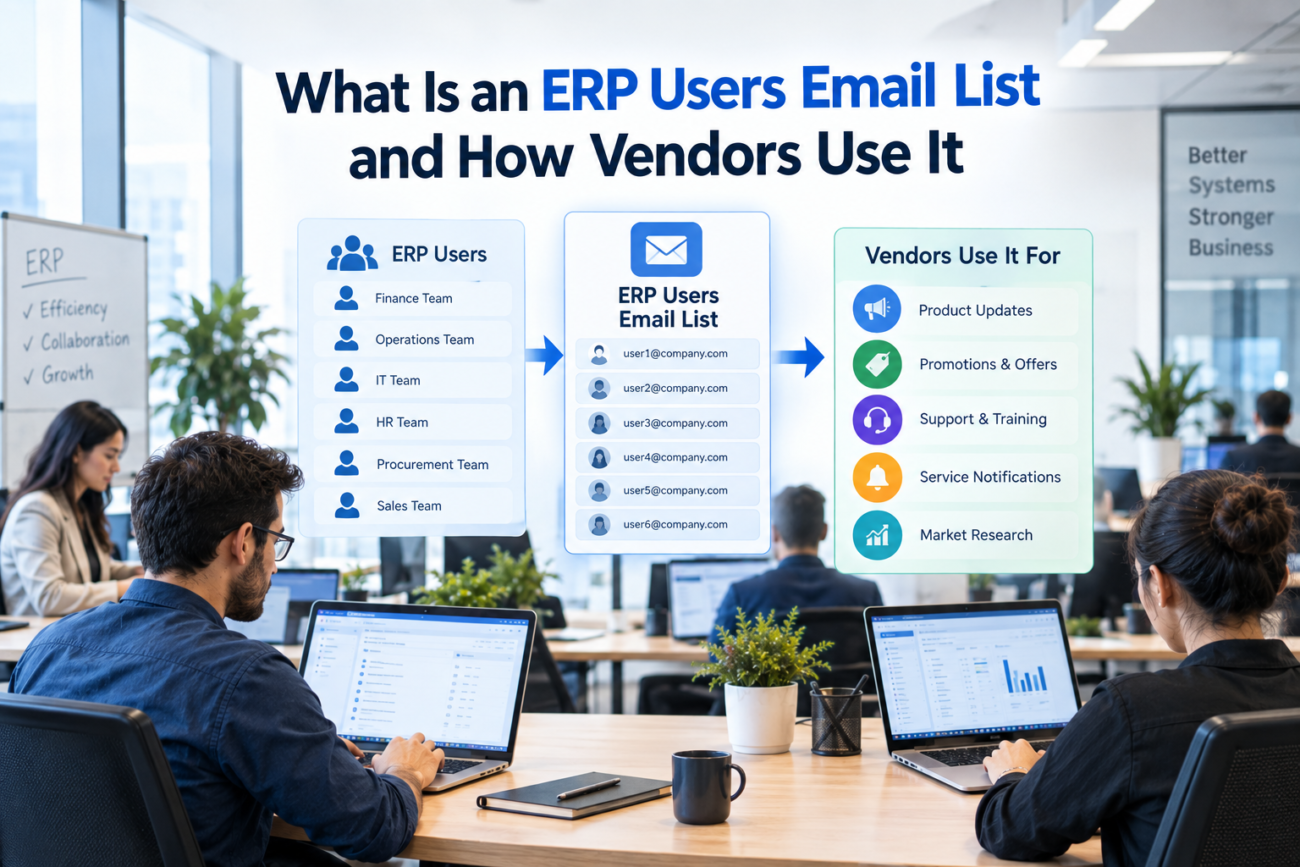
Selling to ERP accounts gets difficult when a vendor knows the type of company it wants but doesn’t know which business software that company already uses. Two manufacturers of similar size may run completely different ERP environments, even when they operate in the same market and have similar revenue. One may depend on Oracle for finance and operations, while another uses NetSuite, Infor, Sage, or another platform. A sales message built for one of those environments may have little value for the other, even when the companies look similar on paper.
An ERP Users Email List adds technology context to normal B2B contact information. It can help vendors identify companies associated with specific ERP products, then narrow those companies by business size, industry, location, job role, or other useful fields. This makes the database more useful for vendors whose product or service depends on the customer’s current ERP environment. Instead of beginning with a broad company list and researching every account manually, the vendor can start with accounts that already fit an important technical condition.
The list still doesn’t prove that a company is ready to buy. An Oracle user isn’t automatically planning a migration, and a NetSuite company isn’t automatically looking for a new integration. Installed technology shows that an account may be relevant to a vendor’s offer, but sales teams still need to confirm the business problem, project status, budget, and timing. That distinction keeps ERP targeting useful without turning a technology signal into an unsupported intent claim.
TL;DR
An ERP Users Email List connects B2B contact information with ERP technology information. Vendors can use it to identify companies associated with platforms such as Oracle, SAP, NetSuite, Infor, Sage, Microsoft Dynamics, and other ERP products. The data becomes more useful when the technology field is combined with company size, industry, geography, department, seniority, and job role.
Vendors can use the list to:
• Find accounts using ERP platforms their products or services support.
• Narrow companies by industry, employee count, revenue, or geography.
• Identify finance, IT, operations, ERP, or other relevant contacts.
• Build separate campaigns for migration, integration, add-ons, training, or related software.
• Remove companies that don’t fit the technical or commercial requirements of the offer.
An ERP Users Mailing List works best as account-selection data rather than proof of active buying intent. A company may use the right ERP platform and still have no current project related to the vendor’s offer. The strongest campaigns combine installed technology with the right company profile, relevant contact roles, current data, and a message that reflects the problem the vendor actually solves.
What Is an ERP Users Email List?
An ERP Users Email List is a B2B database that connects companies and professional contacts with information about the enterprise resource planning software linked to those organizations. ERP systems are useful targeting signals because they often support core processes across finance, manufacturing, procurement, HR, inventory, and supply chain. IBM’s explanation of enterprise resource planning shows how ERP software connects several business processes inside one system, which helps explain why many departments can be affected by the same ERP environment. A vendor can use that installed technology as an early qualification point before narrowing the account further.
The term “ERP users” can be misunderstood when it is taken literally. It doesn’t simply mean employees who sign in to ERP software every day or people who enter transactions into the system. For B2B sales, a useful ERP customers contact list may include IT leaders, ERP managers, finance teams, operations staff, enterprise application professionals, and other people whose responsibilities connect with the installed platform. The correct contact depends on the product or service being sold and the business process affected by it.
A vendor may start with a broad ERP Users Email List and then reduce the audience according to the ERP platform it supports. The vendor can continue filtering by industry, geography, employee count, revenue, department, or job function until the final group reflects the type of company and contact the campaign actually needs. A finance software vendor may use one set of roles, while an integration company working with the same ERP accounts may need a different group of contacts.
How Is an ERP Users List Different From a Standard B2B List?
A standard B2B database may tell a vendor that a company is a US manufacturer with 2,000 employees and a certain revenue range. Those facts can show whether the organization fits the vendor’s normal customer profile, but they don’t explain which ERP system that company uses or whether the vendor’s product can connect with its current technology. For many ERP-related products and services, that missing information changes whether the account should be included in a campaign at all.
An ERP Users Mailing List adds the technology environment to those company facts. If the manufacturer uses SAP, Oracle, NetSuite, Infor, Sage, or another platform, the vendor can decide whether its product or service fits that installed system before adding the account to outreach. This matters most when the offer has technical dependencies, such as a connector that works only with certain platforms or a consulting practice that supports a defined ERP family. The list can therefore reduce research work before a sales team begins detailed account review.
ERP products can also cover several business functions, so the ERP name alone doesn’t determine the correct buyer. SAP’s explanation of ERP software and modules shows how ERP can cover areas such as finance, manufacturing, procurement, and supply chain. A company using one ERP platform may therefore have several stakeholder groups with different needs. The vendor has to connect the offer with the department that owns or experiences the problem.
What Information Does an ERP Users Database Contain?
The usefulness of an ERP Users Email List depends on the fields attached to each account and contact. A working email address alone doesn’t explain why a person belongs in an ERP campaign, and an ERP platform name without a relevant person doesn’t give a sales team anyone useful to contact. Vendors need enough information to understand the company, the technology environment, and the role of the person they plan to approach. The best segmentation happens when those elements can be filtered together.
Useful fields can include:
• Contact name
• Job title
• Department
• Seniority
• Business email
• Direct phone
• Company name
• Industry
• Employee count
• Revenue range
• Country, state, or city
• SIC or NAICS classification
• ERP platform or product
• Related technology information where available
These fields allow a vendor to build a narrower segment instead of contacting every company associated with one ERP vendor. For example, a business selling Oracle-related services can use an Oracle ERP Users Email List as the technology starting point and then select the industries, locations, company sizes, or job roles that match its actual market. The resulting campaign can be much more focused than one built only from a broad list of Oracle accounts.
An ERP customers contact list should also support exclusions because good segmentation isn’t only about adding records. A vendor may need to remove companies below a certain size, countries outside its sales coverage, industries it doesn’t serve, existing customers, or contacts whose roles have little connection with the offer. Removing poor-fit records helps the final list reflect the real target market instead of simply increasing campaign volume.
Why Does Installed ERP Information Matter to Vendors?
Installed ERP information gives vendors technical context before outreach starts. That context can help determine whether a product is compatible with a company, whether a service provider supports its existing environment, or whether the vendor already has expertise that applies to the account. Without that information, sales teams may spend time researching companies that can’t use the product or don’t run the platform the vendor supports.
The data still doesn’t tell the vendor that a project exists. Oracle’s explanation of ERP implementation covers several situations, including new deployments and changes to existing environments. A company associated with Oracle may therefore be relevant to an Oracle service vendor, but its current ERP alone doesn’t prove that management has approved a migration, upgrade, integration, or replacement. The installed platform should narrow the market without being treated as evidence of an active deal.
Vendors can use installed ERP information to answer practical qualification questions before spending time on deeper research. A connector company can check whether its product supports the platform, while a consultancy can decide whether its technical skills match the installed environment. A SaaS vendor may use the same field to determine whether its product can exchange data with the ERP already in place. Each of these uses begins with technical relevance rather than assumptions about buyer intent.
Useful questions include:
• Does our product connect with this ERP?
• Do we support this product family?
• Does our consulting team work with this platform?
• Does the account fit the company size we normally serve?
• Which department is most likely to care about our offer?
• Should this company be included or excluded from the campaign?
Which Vendors Use ERP User Data?
Many different vendors can use ERP account information because ERP platforms sit at the center of several business processes. The installed technology can matter to consultants, integration firms, migration specialists, add-on providers, SaaS vendors, recruiters, and training companies. These groups should not use the ERP Users Email List in the same way because their relationship with the installed system is different. The vendor’s offer should determine which technology fields, company characteristics, and roles matter most.
ERP implementation and consulting firms
ERP implementation companies can identify businesses using platforms they already support and remove accounts outside their technical expertise. A consulting firm with Oracle experience may focus on Oracle users, while a specialist in Infor, NetSuite, Sage, or another product will need a different installed base. The platform filter gives the consultancy an initial reason to consider an account before its sales team checks project history, company fit, or business needs.
The ERP software users email list can also help consulting firms narrow accounts by industry, employee count, revenue, or location when their delivery model works best with certain types of organizations. A consultancy focused on mid-market manufacturers may exclude large global companies even when those businesses use the right ERP. The installed platform establishes technical fit, while the company filters establish whether the account belongs in the firm’s commercial market.
ERP migration and modernization vendors
Migration providers usually need narrower technology information because their services may be designed for a specific older environment, product family, or migration path. A broad ERP field may tell them which vendor ecosystem a company belongs to, but it may not show whether the exact service applies. The usefulness of the list therefore depends heavily on whether the technology information is specific enough for the migration offer.
A vendor that works specifically with Oracle E-Business Suite, for example, may need a separate Oracle EBS Customers Email List rather than a general Oracle audience. The narrower product filter can help the vendor avoid companies whose Oracle environment isn’t related to the migration, support, or modernization service being promoted. Company size, industry, and role can then reduce the segment further.
ERP integration and connector providers
Integration vendors can use ERP technology information because compatibility is central to their products. A connector designed for one ERP platform shouldn’t be marketed to unrelated environments unless the vendor supports those systems as well. The installed ERP field helps remove accounts that cannot use the product before sales teams spend time writing messages or qualifying them.
The technology filter can identify companies that are technically suitable for the integration, but the contact still needs to match what the connector does. A financial integration may involve finance-system owners, while a customer-data integration may require enterprise applications or IT architecture. Integration vendors gain more value when the ERP platform and the business function are both part of segmentation.
Relevant roles may include:
• Enterprise applications leaders
• Integration managers
• IT directors
• ERP managers
• Solution architects
• Finance systems leaders
• Operations technology contacts
The correct contact depends on where the integration sits inside the business process. A campaign becomes weaker when a technically relevant account receives a message through a role that has little connection with the problem. The ERP platform gets the vendor into the right account, while role selection helps it reach a more appropriate person.
Complementary software vendors
A vendor doesn’t need to sell ERP software to benefit from ERP installed-base information. Many products work beside ERP systems, exchange data with them, or address processes that begin or end inside the ERP. These companies can use the ERP software users email list to find accounts where their product has a realistic technical relationship with the existing system.
Microsoft’s Dynamics 365 ERP overview shows how ERP software can touch finance, supply chain, project operations, HR, and commerce. This means the ERP environment can matter to several categories of adjacent software vendors, while the affected business function determines which people should receive the message. A finance product and a warehouse product may both care about the same ERP account while needing completely different contacts.
Relevant vendor categories can include:
• Accounts payable software
• Financial reporting tools
• Tax applications
• Expense management platforms
• Warehouse software
• Procurement applications
• Supply-chain systems
• Analytics tools
• Ecommerce integrations
• Data management software
A company selling software that connects with NetSuite can start with a NetSuite ERP Users Email List and then remove industries, company sizes, or regions that don’t fit the product. The final segment should reflect technical compatibility and commercial fit together. A company may use NetSuite and still be outside the vendor’s market because of size, geography, or business model.
Training providers
ERP training companies can use an ERP customers contact list to identify organizations associated with the platform they teach. This makes the platform field especially useful for product-specific education because a company using an unrelated ERP has little reason to receive the offer. The next step is deciding who would be involved in planning or buying the training.
Technical administrator training may involve ERP or IT leadership, while department-level user education may be owned by operations, finance, HR, or learning teams. Certification programs may require another contact path depending on whether the training is purchased by individuals or by the employer. The ERP platform helps identify where the training could fit, while the role shows who may be responsible for arranging it.
Training vendors should also consider company size because the buying process may change as organizations become larger. A smaller company may have one ERP manager coordinating training, while a large enterprise may involve learning teams, business-unit leaders, and central IT. Segmentation can reflect those differences before campaign messages are written.
ERP staffing and recruitment firms
Recruiters can use ERP technology information to identify companies where certain technical skills may be relevant. An organization using Oracle, SAP, NetSuite, Infor, or Sage may employ people who understand those systems, even when the company has no current vacancy. The technology field therefore helps recruiters define a potential market rather than proving an immediate hiring need.
Possible roles a recruiter could support include:
• ERP administrators
• Functional consultants
• Technical consultants
• Developers
• Business analysts
• ERP project managers
• Solution architects
• Support specialists
The ERP technology users email list becomes more useful when recruiters combine the platform with company type and likely hiring stakeholders. A global enterprise and a small regional company may both use the same ERP but have very different hiring structures. Recruiters should therefore use the installed platform as one qualification layer rather than the only reason for outreach.
How Should Vendors Segment ERP User Data?
Segmentation should begin with the offer rather than the size of the database. Vendors should decide what makes an account technically relevant before selecting contacts, because large list volume doesn’t fix weak targeting. A smaller segment where each company has a clear relationship with the product usually gives the sales team more useful context than a large mixed audience.
Segment by ERP platform
The first filter is often the ERP product itself. A vendor can separate Oracle, SAP, NetSuite, Infor, Sage, Microsoft Dynamics, Epicor, JD Edwards, and other environments according to the systems it supports. If the vendor works only with certain ERP products, unrelated platforms should be removed before the campaign is built.
A platform-specific offer should usually stay platform-specific. Adding unrelated ERP products simply to increase campaign volume weakens the reason for contacting those accounts. The platform filter should reflect a real product, integration, consulting, migration, or service relationship rather than serving as a loose industry label.
Segment by company profile
Technology compatibility doesn’t automatically mean commercial fit. A company can run the right ERP and still be too small, too large, outside the sales territory, or in an industry the product doesn’t support, so apply the same exclusions covered in the fields section before the campaign is built.
Segment by product or module
Broad ERP brand information may not be enough when a service applies only to a particular product, module, or product family, as in the Oracle EBS migration example above. Match the detail of the data to the detail of the sales claim, and avoid claiming product-level relevance when the data only supports a vendor-level association.
How Do You Match the Offer With the Right ERP Contact?
ERP systems can affect many departments, so one job title shouldn’t be used for every campaign. The correct contact depends on the business problem connected with the offer, the level of authority needed, and whether the person is likely to evaluate the solution directly or influence someone else. Large ERP decisions may include technical, operational, and financial stakeholders at the same account.
| Vendor Offer | Possible Relevant Contacts | Reason |
| ERP consulting | CIO, IT Director, ERP Manager | May oversee ERP planning and support |
| Finance software | CFO, Controller, Finance Systems Lead | Close to finance workflows |
| ERP integration | Enterprise Applications, Integration Lead | Responsible for system connections |
| Supply-chain software | Operations or Supply Chain Director | Close to logistics processes |
| ERP training | ERP Program Lead, L&D, Department Manager | May coordinate education |
| ERP staffing | ERP Management, IT Leadership, Talent Acquisition | May hire ERP skills |
These titles are starting points rather than guaranteed buyers. A technical evaluator may understand whether a product will work but have no budget authority, while a finance leader may control the budget without managing the system. The vendor may therefore need more than one contact from the same account when the purchase involves several departments.
Keep these role groups in separate segments. A finance leader may care about process time and controls, while an integration lead may care about technical compatibility and system behavior, so 1 message rarely serves both.
How Can Vendors Build a Campaign From ERP User Data?
A campaign should begin with a clear audience definition before any subject line or message is written. The vendor should know which ERP environment matters, what type of company it wants, and which roles connect with the problem being solved. This prevents a database from becoming a large file that sales teams use without knowing why each account was selected.
A practical campaign process can follow these steps:
1. Select the ERP platforms the product or service supports.
2. Remove industries or company sizes that don’t fit.
3. Select the regions where the sales team operates.
4. Choose contacts based on job function and seniority.
5. Remove existing customers, previous opt-outs, and known bad-fit accounts.
6. Create separate messages for different ERP environments or job roles.
7. Track which segment produced each response.
The message should reflect the reason the account was selected. An integration provider can discuss connections with the installed ERP, while a reporting vendor can focus on reporting work around that environment. A migration provider can discuss issues connected with supporting or changing the current ERP without claiming that the company has already decided to move. This keeps the message tied to known technology information while leaving room for the recipient to confirm the business situation.
Campaign teams should also record which filters created each audience. If one segment contains Oracle manufacturing companies above a certain employee count with finance-system contacts, that definition should remain attached to the campaign. Results become harder to interpret when unrelated ERP platforms, company types, and job roles are mixed into one audience.
Why Does ERP Data Accuracy Matter?
ERP list accuracy has several layers, and vendors should evaluate all of them before building a campaign. A valid email address doesn’t automatically make the record useful if the person has changed roles or the company no longer uses the ERP platform linked to the record. Accuracy needs to support the actual reason the account was selected.
Vendors should look at:
• Contact accuracy: Is the person still employed by the company?
• Role accuracy: Does the title still match the person’s responsibility?
• Firmographic accuracy: Are company size, location, and industry current?
• Technographic accuracy: Is the ERP platform assignment still correct?
• Duplicate control: Is the same person or company repeated unnecessarily?
Technographic accuracy deserves particular attention because it is often the reason the account entered the campaign. An email may still be deliverable while the ERP field attached to the account is outdated. The message could reach a real person at a real company but still refer to the wrong technology environment, making the campaign technically irrelevant despite having a working address.
Companies can also run more than one ERP product. Acquisitions, regional operations, subsidiaries, or older business units may use different systems, while some organizations are still in the middle of moving between platforms. The presence of one ERP platform shouldn’t automatically be treated as proof that every division or location uses it.
How Should Vendors Handle Email Compliance?
An ERP Users Email List doesn’t remove the sender’s legal responsibilities. In the US, the Federal Trade Commission states that CAN-SPAM applies to commercial email and doesn’t create a general B2B exception. Its CAN-SPAM compliance guide covers requirements such as accurate sender information, non-deceptive subject lines, a postal address, an opt-out method, and honoring opt-out requests. Vendors should treat these obligations as part of campaign operations rather than assuming the database source handles them automatically.
Using a specific technology list doesn’t change those requirements. A vendor may use an Infor ERP Users Email List or a Sage ERP Users Email List to identify companies on those platforms, but the sender still decides who will receive the message, what the email will say, which accounts must be suppressed, and how opt-out requests are maintained. Technology segmentation and compliance solve different problems, so both need their own review.
International campaigns require additional attention because rules vary by country and recipient type. The UK ICO’s B2B marketing guidance explains that requirements can differ according to communication type and whether the recipient is a corporate subscriber or is treated as an individual subscriber. A company running campaigns across several countries should therefore review the rules that apply to each target market before sending.
What Mistakes Reduce the Value of an ERP Users List?
An ERP database can lose much of its value when the vendor ignores the fields that make the audience specific. The most common problems usually come from expanding the campaign too far, selecting the wrong contacts, or treating installed technology as evidence of a project that hasn’t been confirmed. These mistakes can make a technically useful dataset behave like a generic prospecting list.
Common problems include:
• Combining every ERP platform into one message.
• Selecting a platform but ignoring the contact’s role.
• Using outdated technology information.
How Do You Evaluate an ERP Users Database?
Start with the campaign requirements rather than the number of records advertised. A large file isn’t useful when the fields can’t support the targeting decision, and a smaller database may be more useful when it contains the exact platform, company, and contact information the vendor needs. Evaluation should therefore begin with the audience definition the campaign is supposed to produce.
Before using an ERP software users email list, check whether it can answer the questions that matter to the campaign:
• Can accounts be filtered by the ERP platform?
• Can the vendor narrow the list by industry?
• Are job titles and departments available?
• Are geography and company-size fields included?
• Is product-level ERP information available where needed?
• How often are contact records reviewed?
• How is technology information checked?
• Can a sample be reviewed before the full campaign is built?
Source review matters as well because database quality isn’t only about whether an address accepts email. The FTC has warned about risks connected with purchased email lists, including the possibility that records may contain recipients who previously opted out or addresses collected through improper methods. Vendors should maintain their own suppression records and assess how external data will be used before adding it to an active campaign.
The database should also fit the type of offer being sold. A company selling supply-chain technology may need ERP information plus operational contacts and business-function context. In that case, a Supply Chain Users Email List can add another audience layer when the product depends on both the technology environment and the contact’s operational responsibilities.
Conclusion
An ERP Users Email List adds ERP technology information to normal B2B company and contact data, giving vendors more context before outreach begins. That information can help identify companies whose installed systems have a reasonable connection with the product or service being sold. The platform is one qualification layer, so it should be used alongside company fit and contact responsibility rather than treated as a complete sales signal.
Used carefully, an ERP technology users email list helps vendors answer a practical question before outreach starts: does this company’s current ERP environment give us a credible reason to contact this person about this offer? That question keeps the campaign tied to relevance instead of relying on volume alone.
FAQs
What Is an ERP Users Email List?
An ERP Users Email List is a B2B contact database that connects company and professional information with ERP technology information. Records may include business emails, job titles, departments, company data, geography, and the ERP product associated with the organization. Vendors can use these fields to identify accounts where their products or services have a reasonable technical connection.
What Is an ERP Users Mailing List Used For?
An ERP Users Mailing List can support account selection for ERP consulting, migration, integration, training, staffing, and complementary software campaigns. Vendors can first identify companies associated with a supported ERP platform, then narrow the audience by company size, industry, region, and relevant job function. This helps remove accounts that may use ERP but don’t match the technical or commercial requirements of the offer.
Who Uses an ERP Software Users Email List?
An ERP software users email list can be useful to implementation firms, ERP consultants, integration providers, migration specialists, SaaS companies, training providers, and recruiters. Each vendor should create a different segment based on the ERP platform, company profile, and people connected with the problem being addressed. A connector provider may focus heavily on platform compatibility, while a recruiter may use ERP information mainly to identify companies where certain technical skills could be relevant.
How Is an ERP Customers Contact List Different From a General Contact List?
An ERP customers contact list includes technology context that a normal contact database may not provide. A general list can identify companies by size, industry, location, and role, while ERP data can add the software environment associated with those organizations. This matters when product compatibility, migration expertise, or platform knowledge affects whether the company belongs in the campaign.
Does an ERP Users List Show Buying Intent?
No. The presence of an ERP platform shows that the company may be technically relevant to a vendor, but it doesn’t prove that the business has an approved project, budget, migration plan, or current purchase process. Installed technology should therefore be treated as an account relevance signal.
Why Is ERP Platform Segmentation Important?
Platform segmentation helps vendors remove accounts their product or service doesn’t support. A NetSuite connector company can focus on NetSuite accounts rather than every ERP user, while an Oracle consultancy can begin with companies linked to Oracle environments. Further filters for industry, location, company size, and job role can reduce the list again until the campaign reflects the vendor’s real market.
What Fields Should an ERP Technology Users Email List Include?
An ERP technology users email list may include contact name, job title, department, business email, phone number, company name, employee count, revenue, industry, location, and ERP platform information. The exact fields needed depend on the campaign and the level of technical detail required. A highly specific integration or migration offer may need deeper product information than a general ERP consulting campaign.
How Current Should ERP User Data Be?
ERP data should be current enough to support the targeting decision behind the campaign. Contacts change jobs, companies move between platforms, and some organizations operate several ERP systems across business units or regions. Vendors should review how contact information and technology information are checked when product compatibility depends on an accurate installed-system assignment.
Which Contacts Should ERP Vendors Target?
The correct contact depends on the offer and the business function it affects. ERP consulting may involve IT or ERP leadership, while finance products may involve controllers or finance-system teams. Integration services may need enterprise applications contacts, and supply-chain products may require operations or logistics roles.
Can an ERP Users Email List Be Used for Migration Campaigns?
Yes. Migration providers can use ERP installed-base information to identify companies running platforms or products related to their services. The technology field should be treated as a relevance signal rather than proof that the company plans to migrate.
