
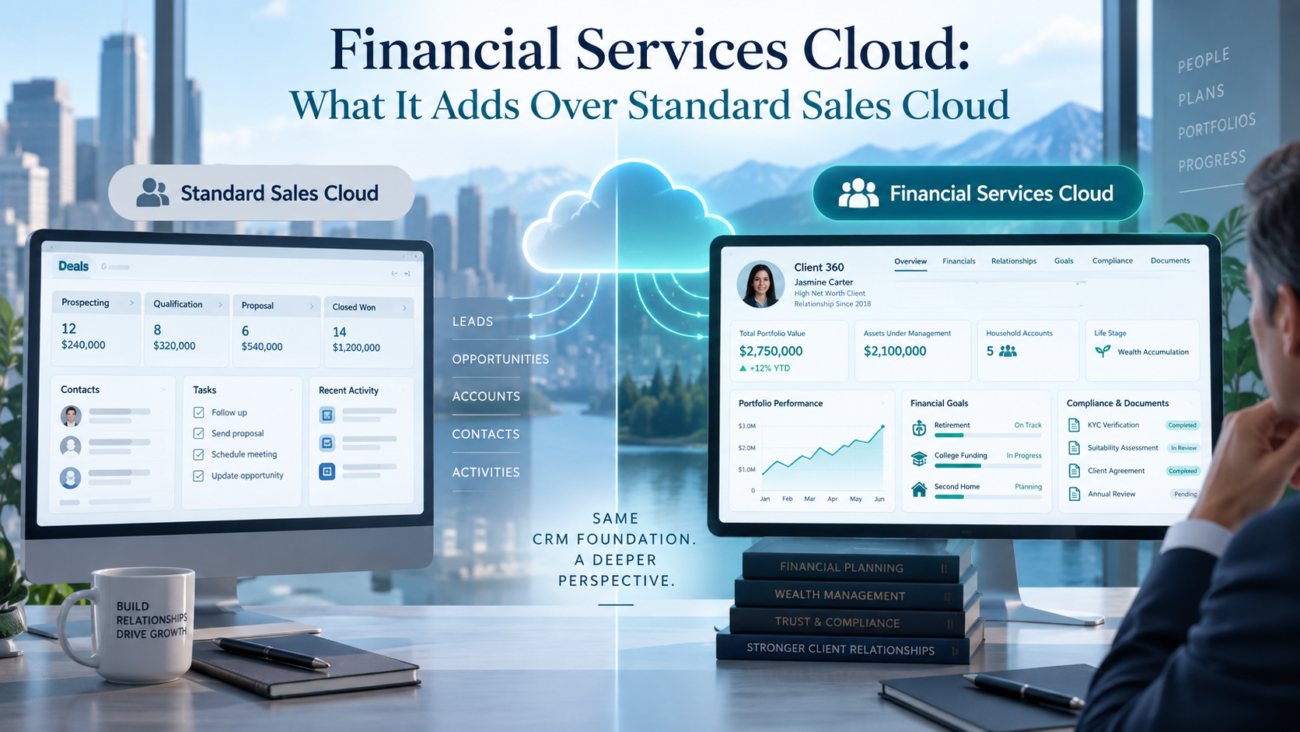
A financial institution can run a basic sales process in Salesforce Sales Cloud. Leads can be assigned, opportunities can move through stages, relationship managers can log activity, and leaders can forecast pipeline. The harder question appears when the CRM must represent how financial services firms actually know a client. A person may belong to a household, hold several financial accounts, share ownership with another person, have financial goals, work with several advisors, and move through regulated onboarding or disclosure steps.
That is where Financial Services Cloud changes the design. It keeps the core Salesforce platform and adds objects, relationship structures, components, and workflows built for banking, wealth management, lending, and insurance. HyphenXSolutions describes similar needs on its Salesforce for banking and financial services page, where fragmented household data, manual onboarding, and limited relationship visibility are recurring CRM problems. Financial Services Cloud vs Sales Cloud should be decided by the operating model the financial services CRM must support.
This guide compares Financial Services Cloud vs Sales Cloud at the level that matters to business and Salesforce teams. It explains what standard Sales Cloud handles, what Salesforce Financial Services Cloud adds, and where firms still need custom work or integration.
TL;DR
Financial Services Cloud vs Sales Cloud comes down to the amount of financial-services meaning you need inside Salesforce. Standard Sales Cloud is strong for leads, accounts, contacts, opportunities, forecasting, activities, and sales automation. It can support a financial firm when the CRM mainly tracks prospects and deals.
Salesforce Financial Services Cloud sits on the same platform and adds a financial services CRM layer. The biggest addition is its industry model, which gives teams standard ways to represent individual clients, households, related parties, financial accounts, balances, goals, referrals, interactions, onboarding records, and other industry concepts. Salesforce also packages components and workflows around those objects.
The extra value is highest when teams would otherwise build many custom objects and relationship rules in Sales Cloud. It can also reduce design inconsistency across lines of business. The extra license does not remove implementation work. Firms still have to map source systems, define data ownership, set permissions, configure workflows, test controls, and train users.
What Standard Sales Cloud Already Does Well
Sales Cloud already covers the general mechanics of selling. A financial institution can use leads for early prospects, convert qualified prospects into accounts and contacts, manage opportunities, track activities, run reports, and forecast revenue. Salesforce’s current Sales Cloud product overview describes lead management, account and opportunity management, forecast management, pipeline management, and reporting as core functions. Those capabilities remain useful inside a financial institution because advisory, lending, banking, and insurance teams still have pipelines to manage.
A firm that only needs general selling may not need an industry cloud. A fintech selling software to banks, for example, may need only a standard account and opportunity model.
Core sales objects remain useful
The core CRM objects still matter. Accounts represent companies, contacts represent people, and opportunities represent revenue events. Salesforce Sales Cloud also provides automation, security settings, reporting, and platform tools for the firm’s process.
The question is how much financial meaning must be built on top. HyphenXSolutions’ Salesforce Sales Cloud services material focuses on pipeline setup, integrations, migration, and reporting. Those remain part of an FSC program because the industry product extends the same Salesforce base.
Where the standard model starts to bend
Standard objects can be extended with custom fields and custom objects. That flexibility is useful, but it also creates design choices the team must own. If a wealth firm needs households, joint financial accounts, beneficiary relationships, referrals, goals, and confidential meeting notes, a plain Sales Cloud design can become a large custom application.
That custom approach can work, but the firm must own the object model, sharing logic, reporting, testing, and future changes. Financial Services Cloud vs Sales Cloud becomes a build-versus-buy question once those industry needs are central to daily work.
What Financial Services Cloud Adds
FSC adds a packaged industry layer to the Salesforce platform. Salesforce states on its Financial Services Cloud for Sales page that the product is built for bankers, advisors, and brokers and includes industry-specific capabilities on top of sales functionality. Common financial concepts already have defined objects and user experiences, which reduces blank-slate design work.
The table below summarizes the difference at a high level.
| Area | Standard Sales Cloud | Financial Services Cloud |
| Sales pipeline | Leads, accounts, contacts, opportunities, forecasts | Keeps the sales foundation and adds financial-services context |
| Client structure | General account and contact model | Person accounts, households, groups, related parties, and relationship views |
| Financial products | Usually custom objects or external references | Financial account objects and related ownership, balance, and transaction structures |
| Client planning | Usually custom | Financial plans and goals are part of the industry model |
| Referrals | Can be built with leads, flows, or custom objects | Need-based referral features and financial-services reporting patterns |
| Meeting records | Tasks, events, notes, or custom records | Interaction summaries with attendees, confidentiality, and sharing controls |
| Onboarding | Flow and custom design | Industry onboarding patterns, OmniStudio assets, and integration points for identity and AML checks |
| Consent and disclosure | General platform capabilities plus custom design | Industry objects and processes for authorization, consent, and disclosures |
Financial Services Cloud vs Sales Cloud compares a general CRM foundation with a financial services CRM that carries more industry structure from the start. That structure can cut custom design work, but teams should still decide which packaged capabilities fit their process before enabling everything. For that reason, Financial Services Cloud vs Sales Cloud should be judged against a written requirements map rather than a product checklist alone.
Implementation quality still matters when industry objects are introduced. HyphenXSolutions’ Salesforce implementation services page covers architecture, data mapping, security, testing, and user enablement. Standard industry objects can still create duplicate data when source ownership is unclear.
The Financial Services Data Model Is The Core Difference
The financial services data model is the strongest reason to consider Financial Services Cloud vs Sales Cloud. General CRM models center on companies, people, and deals. Financial institutions also need to represent accounts held by people, relationships between people, households, balances, transactions, products, goals, and service or compliance records that sit around those relationships.
FSC supplies standard and industry objects for many of these concepts. That matters because data modeling choices affect reporting, sharing, integrations, and automation. A shared financial services data model gives teams a common language for the same client.
From a contact record to a client profile
A standard contact can store a person’s name, email, phone, employer, and other attributes. A financial services CRM often needs a richer profile. The person may be the primary owner of one account, joint owner of another, trustee for a family trust, beneficiary on a policy, and member of a household whose total holdings need to be viewed together.
The model can represent those roles without flattening them into dozens of contact fields. Role and ownership are relationships, not simple person attributes. Flat fields become difficult once a person has several roles or relationships change over time.
Standard objects reduce duplicate custom design
Salesforce has continued to move financial account concepts into standard objects. Its Financial Account Management documentation describes standard objects such as Financial Account, Financial Account Party, Financial Account Balance, and Financial Account Transaction. These objects separate the account from the parties connected to it, which better reflects financial ownership.
This does not mean every source field should be copied into Salesforce. Core banking, portfolio accounting, policy administration, or loan systems may remain the system of record for balances and transactions. The CRM model gives Salesforce a defined place to receive the client information users need for relationship and service work.
Migration work should therefore start with object mapping rather than a simple field move. HyphenXSolutions’ Salesforce data migration services page emphasizes mapping, cleansing, testing, and validation. That discipline matters when replacing custom household or financial-account objects with the target model because historical relationships can be harder to fix after go-live.
Household, Relationship, And Client Context
Financial Services Cloud vs Sales Cloud becomes very visible when users need to understand who is connected to whom. Standard Salesforce can relate contacts to accounts and can support custom relationship objects. Financial Services Cloud adds established patterns for households, groups, and related parties so the relationship model is closer to the way advisors and bankers work.
For the underlying relationship model, Salesforce’s groups and relationships documentation explains how party relationship groups can organize household members and connect a household to related people or organizations such as a lawyer, advisor, or insurance provider. The model uses relationship records instead of forcing every connection into one account hierarchy.
Why household context matters
A household view changes how a user interprets a client. An advisor may need to see a spouse’s relationship to the same accounts. A banker may need to know that a business owner also has a personal mortgage. A service representative may need to understand that 2 people are joint owners before discussing an account. A generic pipeline view does not answer those relationship questions well.
Relationship views and rollups can show group-level holdings or activity. Their value still depends on correct source data and active data stewardship.
Relationship maps should reflect real permissions
A relationship graph is useful only when access rules are correct. Financial institutions may have branch, legal-entity, geographic, or product-specific restrictions, while some notes need tighter access than the household itself. A firm should map who can see each client and where related or confidential records need tighter controls.
For architecture and access planning, HyphenXSolutions’ Salesforce consulting services material discusses security, data quality, and integrations. Those decisions should happen before a relationship model is opened broadly, because adding rich relationship data can increase the amount of sensitive context visible from one client page.
Financial Accounts, Goals, And Product Context
Standard Sales Cloud is centered on selling activity. Financial Services Cloud adds objects that help users understand what the client already holds and what the client is trying to achieve. That difference changes a CRM from a pipeline tracker into a richer relationship workspace.
Financial account objects can represent deposit accounts, loans, investments, or other products based on the firm’s line of business. Ownership can be separated from the account itself through party records. Balances can also be stored in related records rather than as one fixed field. This structure gives the firm room to represent joint ownership and changing values more cleanly.
Financial plans and goals add client intent
FSC includes Financial Plans and Financial Goals objects for planning use cases. A goal can represent an objective such as retirement funding, education, a home purchase, or another financial target. A financial plan groups goals so an advisor can see progress in context.
A goal is different from an opportunity. The opportunity tracks a potential transaction, while the goal records what the client wants to accomplish. Connecting them helps explain why a product conversation exists and keeps client intent visible after a deal closes.
The CRM still needs a clear data boundary
A financial services CRM should not become a second core ledger by accident. Firms need a written ownership rule for each important field. Customer identity may come from a master system, balances from core banking, and holdings from a portfolio platform. Salesforce can store a current copy while the source platform remains authoritative.
The right boundary depends on latency, volume, security, and user needs. FSC gives Salesforce an industry structure, but the firm still decides which system owns each fact.
Referrals, Interaction Summaries, And Relationship Work
Financial Services Cloud vs Sales Cloud also differs in how it supports day-to-day relationship work. Sales Cloud has tasks, events, notes, leads, and opportunities. Financial institutions often need a more structured record of meetings, referrals, and client needs across business lines.
Salesforce provides need-based referral capabilities that can route a client’s expressed interest to another team. A branch employee might identify a mortgage need, or an advisor might identify a banking need. The referral can stay separate from the eventual opportunity, which keeps handoff ownership clear.
Interaction summaries create a structured meeting record
For this meeting-record capability, Salesforce’s Interaction Summaries documentation describes a dedicated model for client and partner interactions, including attendees, structured notes, and role-based sharing settings. The feature gives advisors and bankers a consistent meeting record instead of relying only on free-form notes.
Interaction summaries can also carry confidentiality information and use Salesforce sharing controls. This is useful when meeting details should not be visible to every user who can see the client record. A firm still has to configure those settings correctly and align retention or supervision practices with its policies.
Referrals work best when product ownership is clear
Referral features can expose process problems if product teams disagree about ownership. Before configuring referral routing, the firm should define what qualifies as a referral, who receives it, when it becomes a lead or opportunity, what happens if it is rejected, and how status returns to the person who made the referral.
A financial services CRM can provide the records and automation, but the organization still decides how lines of business hand work to one another.
Onboarding, KYC, Consent, And Controlled Sharing
Financial institutions often spend more time on onboarding and control steps than a standard sales process reflects. Financial Services Cloud adds industry patterns for applicant onboarding, identity and screening integrations, consent, disclosures, and controlled access. These capabilities can reduce custom process design that a firm would otherwise build in Sales Cloud.
For the onboarding layer, Salesforce’s integrated onboarding documentation describes sample onboarding assets, flows, OmniScripts, approval steps, and integration definitions for external identity verification and Anti-Money Laundering screening. The platform can orchestrate the work, while specialist verification or screening services can remain external.
KYC data has a defined place
FSC includes a Know Your Customer data model that can store information collected during KYC processes and results from verification or screening providers. KYC work often has several records, statuses, and evidence points that do not fit well in a few contact fields.
The model does not perform every regulatory check by itself. Firms still choose the external providers, risk rules, review steps, evidence requirements, and escalation process. Configuration must follow the firm’s actual obligations by jurisdiction and line of business.
Consent and disclosure can be modeled as records
The product also includes data structures for authorization, consent, and disclosures. Firms can represent what the client was shown, the purpose of the authorization, how a response was recorded, and which record the authorization relates to. That is stronger than storing a single checkbox when the business needs version history or different consent purposes.
Financial Services Cloud can support a controlled process, but no CRM license makes an institution compliant on its own. Access design, retention, supervision, integration security, testing, and operating procedures still need separate review. The useful distinction is that FSC gives teams more industry-ready building blocks for those controls.
Integration With Core Banking And Other Systems
A Financial Services Cloud program is usually an integration program. Client data may live in core banking, portfolio, policy, loan, document, identity, or master-data systems. Salesforce should present the information users need without creating conflicting copies.
Integration planning belongs inside the CRM design, and HyphenXSolutions’ Salesforce integration services page discusses API connections, middleware, ERP links, and finance systems. For financial institutions, the same design questions apply at greater depth because account and transaction data can be high volume and sensitive. The integration pattern should be chosen for the use case rather than using real-time sync everywhere.
Decide what users need in Salesforce
A relationship manager may need current balances, product holdings, recent alerts, and selected transaction signals. Historical transactions can remain outside CRM when users do not need them there. Service and reporting teams may also need different data views.
The industry model helps because external records have defined destinations and relationships. It does not remove the need for mapping. Teams should document source, target, refresh frequency, matching key, error handling, and ownership for each interface.
Integration failures need visible handling
Financial data becomes misleading when a feed fails silently. An old balance shown as current can be worse than no balance. Useful designs include timestamps, source indicators, sync status, and a clear path for failed records. Critical interfaces also need monitoring and runbooks so support teams can identify whether a problem sits in Salesforce, middleware, credentials, or the source platform.
This is one reason Financial Services Cloud vs Sales Cloud should be evaluated with architecture teams, not only CRM administrators. The value of the industry objects depends on reliable information flowing into them.
Cost, Licensing, And Build Effort
The license price is only one part of the Financial Services Cloud vs Sales Cloud decision. Salesforce currently lists Financial Services Cloud for Sales starting at $325 USD per user per month, billed annually, on its Financial Services Cloud pricing page. Salesforce states that the offering uses Sales Cloud Enterprise Edition as a foundation. Pricing can change, and firms should confirm the exact edition, add-ons, user types, support plan, and contract terms for their deployment.
Standard Sales Cloud can cost less for a simple use case, but custom household models, financial account objects, referrals, onboarding, consent records, and reporting can add build cost. Those custom assets also need testing across future releases.
Compare total ownership, not license alone
A useful cost model should include:
·annual Salesforce licenses and add-ons;
·implementation and architecture work;
·integration build and middleware costs;
·data migration and cleansing;
·security and control testing;
·user training and change work;
·ongoing admin, release testing, and support.
The answer differs by firm. A smaller firm with a simple sales process may spend less by staying on Sales Cloud. A bank or wealth firm already imitating FSC with custom objects may reduce future build work enough to justify the higher license.
The strongest case usually comes from removing duplicated custom design and giving teams a shared industry model. License savings should not be assumed.
When Standard Sales Cloud Is Enough
Standard Sales Cloud can be the right choice when the CRM’s job is mainly sales execution. A firm may not need household rollups, financial account ownership, KYC records, consent workflows, or client financial goals inside Salesforce. If those functions live in other systems and CRM users only need a small reference set, standard Sales Cloud can stay much simpler.
Sales Cloud is often enough for B2B organizations that sell into financial services rather than operate as regulated financial institutions. It can also fit financial firms with a narrow distribution model where the client relationship is simple and the CRM does not need to represent a broad product portfolio.
Signs the standard platform may be sufficient
Sales Cloud may be sufficient when most of the following are true:
·users mainly manage leads, accounts, contacts, opportunities, and forecasts;
·the account-contact model represents relationships without major workarounds;
·financial product and balance data stays outside CRM;
·only a small number of custom objects are needed;
·onboarding occurs in another platform and Salesforce only receives status;
·referrals are simple and do not cross many lines of business;
·the firm has no need for a household or group view in day-to-day CRM work.
The key is to avoid buying an industry product only because the company is in financial services. Financial Services Cloud vs Sales Cloud should be tied to process and data requirements. Industry alignment matters when users need the industry capabilities in daily work.
When Financial Services Cloud Is The Better Fit
Salesforce Financial Services Cloud becomes more compelling when the standard CRM model is forcing the firm to invent financial-services structures repeatedly. If several business units each create their own household object, account ownership fields, referral process, or interaction-note design, the organization is paying for inconsistency as well as development.
A financial services CRM is a better fit when relationship context is central. Wealth management is a clear example because advisors need household, account, goal, beneficiary, and related-party views. Retail banking can benefit when bankers need product holdings, referrals, alerts, and onboarding status. Insurance firms may need policyholder and household context around producer workflows. Commercial banking can need business relationships, related parties, and financial account visibility beyond a basic opportunity record.
Signs FSC deserves serious evaluation
A firm should give Financial Services Cloud serious consideration when several of these needs appear together:
·households or complex related-party structures;
·joint ownership and financial account visibility;
·goals or financial plans that should live beside relationship data;
·structured client interaction records with restricted sharing;
·cross-line referrals and handoff tracking;
·onboarding journeys that call external identity or AML services;
·consent and disclosure records with purpose and version context;
·repeated custom work in Salesforce Sales Cloud to model the same industry concepts.
A shared industry model is especially important when several teams need the same definition of client, household, account, and relationship. Standardization inside the platform can reduce the number of translations needed between sales, service, and operational teams.
Moving From Sales Cloud To Financial Services Cloud
Moving from Sales Cloud to Financial Services Cloud should be treated as a model migration, not a license switch. Existing custom objects may overlap with FSC objects. Automations may reference old fields. Reports may depend on custom household logic. Integrations may send records to structures that are no longer the preferred target.
Start with an inventory of custom objects, fields, flows, Apex code, integrations, reports, permissions, and page components that support financial-services processes. Then map each item to the target FSC model. Some custom work can be retired. Some will remain because the firm’s process is genuinely different from the packaged capability.
Preserve business meaning during migration
Data migration should preserve relationships, dates, ownership, and history that users or controls depend on. A one-to-one field copy can be wrong when the target model separates one concept into several related objects. Joint account ownership is a common example. A legacy custom object may store owner names in fields, while FSC expects party records connected to the financial account.
After cutover, ongoing ownership matters, and HyphenXSolutions’ Salesforce support page covers administration, release readiness, integrations, security reviews, and issue handling. That type of post-go-live ownership matters after an FSC move because new objects and workflows will continue to change as Salesforce releases updates and the institution changes its products or controls.
Use a staged cutover where possible
A staged migration can reduce risk. Firms can start with one business unit, a defined set of client records, or a limited capability such as household and financial account views. The pilot should test data mapping, access, integration performance, reports, user workflows, and support processes before wider rollout.
Finish by retiring old custom structures or assigning them a clear remaining purpose. Running old and new models without ownership rules creates duplicate records and weaker reporting.
Conclusion
Financial Services Cloud vs Sales Cloud is best understood as a choice between a general sales CRM and the same Salesforce foundation with a financial-services layer added. Salesforce Sales Cloud already handles pipeline work well. Financial Services Cloud adds industry objects and processes for client relationships, financial accounts, plans and goals, referrals, interaction records, onboarding, KYC, consent, and other financial workflows.
The financial services data model is the center of the value. It can replace a large amount of custom modeling when a firm needs household structures, joint ownership, product context, and regulated workflow records inside CRM. It also gives several teams a shared model that is easier to govern than separate custom designs built by each group.
The extra license only makes sense when those capabilities will be used. Firms with a simple B2B sales process can often stay on Sales Cloud. Firms already building many financial-service objects and controls in custom Salesforce should compare that long-term effort with Salesforce Financial Services Cloud. The right choice follows the data model, process scope, integration boundary, and operating cost the institution actually needs.
FAQs
1. What is the main difference between Financial Services Cloud and Sales Cloud?
Sales Cloud handles general sales CRM work such as leads, accounts, contacts, opportunities, forecasts, and activities. Salesforce Financial Services Cloud keeps that foundation and adds financial-services objects, relationship structures, and workflows. Financial Services Cloud vs Sales Cloud matters most when users need households, financial accounts, goals, referrals, onboarding records, or similar industry concepts inside CRM.
2. Is Financial Services Cloud built on Sales Cloud?
Yes. Salesforce describes Financial Services Cloud for Sales as using Sales Cloud as its foundation, then adding industry-specific models and capabilities. Teams still use familiar Salesforce platform tools, reporting, security, and automation. The industry layer gives financial institutions ready-made structures that would otherwise require more custom work in Salesforce Sales Cloud.
3. Does Financial Services Cloud replace Sales Cloud functionality?
No. It carries forward core sales functions and adds industry capabilities around them. Users can still manage pipeline, opportunities, activities, and related sales work. Salesforce Financial Services Cloud connects those records to a richer client model so a banker or advisor can see the wider relationship around an individual opportunity.
4. What is a financial services data model?
A financial services data model defines how CRM records represent clients, households, financial accounts, related parties, balances, goals, and their relationships. FSC provides standard objects and patterns for many of these concepts. This shared model is one of the biggest differences in Financial Services Cloud vs Sales Cloud because it reduces repeated custom object design.
5. Can standard Sales Cloud manage households?
Yes, but teams usually have to design the structure with standard relationship features, custom objects, or both. Salesforce Financial Services Cloud includes household and group patterns intended for financial services. That can reduce custom work and give users a more consistent view of household members, related people, and connected organizations.
6. What are financial accounts in Financial Services Cloud?
Financial accounts can represent products or accounts held by clients, such as deposit accounts, loans, or investments, depending on the implementation. Related records can represent parties, balances, and transactions. Separating ownership from the account supports joint ownership and other relationship patterns that are difficult to represent with flat contact fields.
7. Does Financial Services Cloud include KYC tools?
It includes a KYC data model and onboarding patterns that can store KYC information and connect to external identity or screening services. The firm still chooses providers, risk rules, review steps, and evidence requirements. FSC can organize the process, but it does not replace specialist screening systems or the institution’s compliance program.
8. Does Financial Services Cloud make a firm compliant automatically?
No. FSC includes features that can support controlled workflows, including restricted interaction records, KYC data, consent records, and onboarding approvals. Compliance still depends on configuration, access rules, retention, supervision, testing, integrations, and operating procedures. A CRM feature can support a control, but the institution remains responsible for meeting applicable requirements.
9. What are interaction summaries in Financial Services Cloud?
Interaction summaries provide a structured record of client or partner meetings, including attendees and meeting details. They can use Salesforce sharing settings and confidentiality controls. Firms should still define what users must record, who can view it, and how the records fit retention or supervision rules.
10. How does Financial Services Cloud support referrals?
FSC can support need-based referrals between teams or lines of business. A user can capture a client need, route it to the right group, and track the handoff. The organization still needs clear ownership, acceptance rules, status definitions, and reporting standards so the referral process works consistently.
11. Does Financial Services Cloud store core banking data?
It can store selected client, account, balance, or transaction data, but many firms keep core banking or portfolio platforms as the authoritative source. Salesforce then receives the information users need for relationship or service work. The right boundary depends on data volume, freshness, security, and reporting needs.
12. Is Financial Services Cloud more expensive than Sales Cloud?
FSC is generally a higher-cost license because it includes industry capabilities. Salesforce currently lists Financial Services Cloud for Sales starting at $325 USD per user per month when billed annually. The better comparison also includes custom build work, integration, migration, testing, training, and support across the life of the platform.
13. When should a firm stay on standard Sales Cloud?
A firm can stay on Salesforce Sales Cloud when CRM users mainly manage prospects, companies, deals, activities, and forecasts. Standard Sales Cloud also fits when households, financial accounts, KYC, consent, or onboarding are handled elsewhere and users only need limited status information in CRM.
14. When should a firm move from Sales Cloud to Financial Services Cloud?
A move is worth evaluating when the current org has many custom objects that imitate financial-services concepts, relationship managers need household and product context, or onboarding and controlled interaction records are becoming central. The case is stronger when several teams need the same financial services data model.
15. Can a firm migrate existing Sales Cloud data into Financial Services Cloud?
Yes, but the project requires mapping rather than simple copying. Accounts, contacts, opportunities, custom household records, product objects, activities, permissions, and integrations may need a different target structure. Teams should test relationship integrity and access, then retire duplicate custom objects after the new model is stable.
