
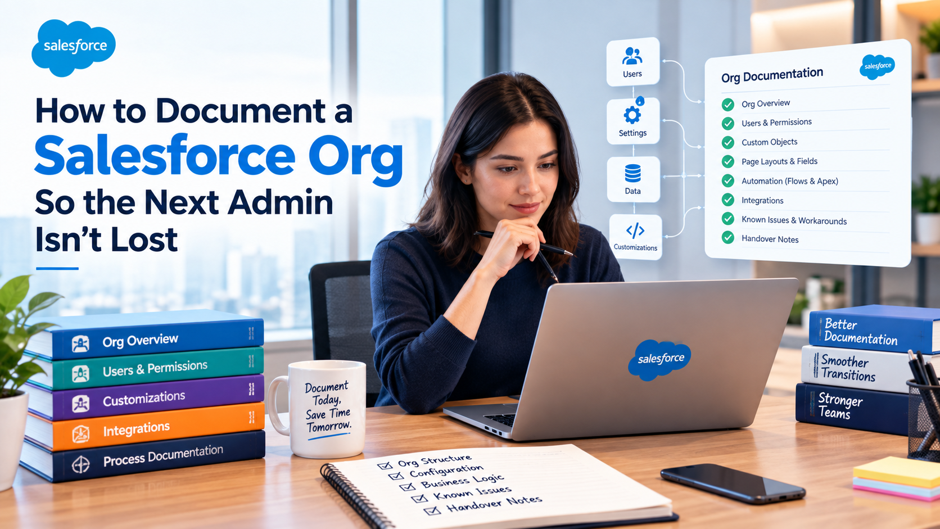
A Salesforce org can run for years while much of the knowledge behind it stays inside one administrator’s head. Fields are added for temporary requests and remain long after the original project ends. Flows go through several revisions, permission sets accumulate, managed packages come and go, and integrations change while old components remain in Setup. When another administrator inherits the org, they can see what exists but may have no reliable way to tell which components still matter or what could break if they change them.
Useful Salesforce org documentation preserves the business and technical context that Salesforce metadata alone can’t explain. A field label can show what a field is called, while documentation explains who owns the value and what processes depend on it. Flow Builder can show every element inside an automation, while documentation explains the business outcome that automation is supposed to produce. Permission sets show assigned capabilities, while a security record explains why those permissions exist and who can approve changes.
Documentation also protects organizations from becoming dependent on a single administrator. Teams using Salesforce consulting services often discover during org reviews that the hardest configuration to maintain isn’t always the most technically difficult configuration. Problems often come from components whose purpose, dependencies, ownership, or change history were never recorded clearly enough for another person to understand.
A well-documented org gives the next Salesforce administrator a practical route through the system. They should be able to understand the major business processes, identify sensitive components, trace integrations, inspect automation, find known technical debt, and make a controlled change without reconstructing years of decisions from old tickets and conversations.
TL;DR
A useful Salesforce admin handover should help another administrator understand the org without depending on the previous admin for routine questions.
- Create an org overview before cataloging individual components.
- Maintain a data dictionary for important objects and fields.
- Document major flows by purpose, trigger, dependencies, fault handling, and ownership.
- Record the security model instead of listing individual permission sets without context.
- Maintain an integration register covering data movement, system ownership, authentication, and failure handling.
- Include Apex, Lightning Web Components, Custom Metadata Types, scheduled jobs, and important managed packages.
- Use focused diagrams where relationships or system boundaries are easier to understand visually.
- Keep short decision records for architecture choices that another admin might otherwise question.
- Connect documentation with release records and source control.
- Maintain runbooks for recurring administrative and incident tasks.
- Store documents in one searchable location and mark outdated material clearly.
- Include documentation updates in the completion criteria for Salesforce changes.
- Prepare a focused Salesforce admin handover whenever ownership of the org changes.
The documentation should reduce the amount of organizational knowledge another administrator has to infer. Metadata shows the configuration. Documentation should explain how that configuration supports the business and how it can be maintained safely.
Why Salesforce Orgs Become Difficult for New Admins
Most difficult Salesforce orgs become confusing gradually. A sales manager requests another Opportunity field, support needs new automation, a consultant installs a package, an integration user is created, and a scheduled Apex job is added to solve a specific problem. Each decision can make sense when it is made, but the reasoning becomes harder to recover after several releases and staff changes.
The incoming administrator can inspect objects, fields, flows, validation rules, Apex, permission sets, connected apps, packages, and other metadata. What they often can’t see is why a component exists, whether it still serves the original purpose, who owns the related business process, and which downstream systems rely on its behavior. That gap becomes particularly risky when several components use similar names or when an old customization quietly remains part of a current process.
Organizations dealing with inherited Salesforce issues often reach the point where nobody is confident which automation, field, or customization can be changed safely. Documentation reduces that uncertainty before the org reaches that condition. Salesforce’s own Well-Architected documentation guidance treats missing documentation as an anti-pattern and recommends preserving solution overviews, decision records, code information, and declarative customization context.
Poor documentation also slows small changes. A straightforward field retirement can become a lengthy investigation when the administrator has to inspect reports, automation, integrations, formulas, Apex, and package dependencies manually. Good documentation won’t eliminate dependency checks, but it tells the administrator where to begin and which areas deserve the closest review.
Start With an Org Map Before Documenting Individual Components
The first document should orient the administrator before they inspect individual metadata. A useful org map explains what Salesforce supports, which business teams depend on it, what connected systems exchange information with it, and which parts of the environment carry the highest operational risk.
Teams can use the same map to preserve important implementation knowledge after go-live. Keep the overview at system level so another administrator can understand the landscape before following links into detailed records.
| Area | What to Document |
| Salesforce products | Main Salesforce products and major licensed features |
| Business teams | Departments and operational groups that depend on Salesforce |
| Core objects | Standard and custom objects central to business processes |
| Major automation | Important flows, scheduled processes, Apex jobs, and orchestration |
| Installed packages | Business-critical managed packages and their purpose |
| Integrations | External systems that exchange data with Salesforce |
| Identity | SSO, MFA, provisioning, and emergency-access approach |
| Environments | Production, sandboxes, scratch orgs, and intended use |
| Release process | How changes move from development to production |
| Support ownership | Owners for admin, development, data, security, and integrations |
| Critical periods | Renewals, month-end, launches, freezes, or seasonal events |
Add a short environment strategy beneath the map. Explain which sandbox supports development, which environment handles user acceptance testing, how refreshes are managed, and which integrations or settings need attention after a refresh. Also identify important scheduled jobs and packages that may behave differently outside production.
The org map should remain an entry point rather than a second metadata repository. Link each major area to the deeper document that owns the detail so the overview stays readable as the Salesforce environment grows.
Build a Data Dictionary That Explains Business Meaning
Object Manager shows field labels, API names, types, and configuration. A data dictionary should add the business meaning another administrator needs before changing that data model. Focus first on custom objects and fields involved in automation, integrations, security, important reporting, compliance, or business decisions.
A data migration effort needs many of the same definitions because field mapping depends on knowing what a value means, where it comes from, and which system owns it. Those definitions remain useful after migration and should become part of permanent Salesforce admin documentation.
For important fields, record:
- Business purpose and plain-language definition
- Business owner or data steward
- Source system
- User, automation, or integration responsible for updates
- Important formulas, validation, or automation dependencies
- Integration and reporting use
- Sensitivity or retention requirements
- Retirement status when the field is being phased out
Use Salesforce’s built-in field Description to preserve administrator-facing context where appropriate. A useful Description might state that a field is populated by an ERP integration, controls contract routing, and should not be edited manually. That is far more useful than repeating the label.
Field-level Help Text serves a different purpose. Salesforce’s field-level help guidance recommends using help text to explain a field’s purpose, attributes, or meaning and gives examples that help users understand the field. Avoid turning Help Text mainly into data-entry instructions. Keep technical dependencies, integration notes, and internal design details in administrator-facing documentation.
This distinction becomes valuable when several fields appear to describe the same business concept. Documentation can show which field drives automation, which one is synchronized from another system, and which one remains only for historical reporting.
Document Flows So Someone Can Troubleshoot Them Without Guessing
Flow documentation should explain the business process before another administrator starts tracing individual elements. A complex canvas can show how the automation works technically, but it rarely communicates the original business reason as quickly as a concise flow record.
When flows include Apex actions, external services, or reusable components, those dependencies become particularly important to capture. Another administrator should know which parts can be changed independently and which changes need additional review.
| Documentation | ItemWhat to Record |
| Purpose | Business result the flow is intended to produce |
| Type | Record-triggered, scheduled, screen, autolaunched, or other |
| Object/Trigger | Object, event, schedule, or calling process |
| Entry criteria | Conditions that allow the flow to run |
| Main outcome | Records, actions, or messages the flow should produce |
| Dependencies | Fields, subflows, Apex, Custom Metadata, queues, external services |
| Scheduled paths | Delayed or scheduled work created by the flow |
| Fault handling | Error path, monitoring process, and owner |
| Active version | Production version and major release reference |
| Business owner | Team accountable for the process |
| Technical owner | Admin or development owner |
Salesforce’s Trailhead guidance for record-triggered flows recommends planning the process before building it and using Description fields to explain design intent. Apply that practice to the flow itself and to important elements where the label doesn’t fully explain why the element exists.
Naming conventions also matter. Contract – Create Renewal Task After Update tells the next admin far more than Contract Flow 2. For large flows, add a focused process diagram showing major branches and dependencies without recreating every Flow Builder element.
Record Security and Access Design as a System
A list of profiles and permission sets doesn’t explain how access is supposed to work. Security documentation should describe the access model another administrator is expected to maintain, including how baseline access is established and how additional capabilities are granted.
The design may include organization-wide defaults, role hierarchy, sharing rules, public groups, teams, permission sets, permission set groups, muting permission sets, queues, and delegated administration. Document which layers your org actually uses and where exceptions exist. Teams using Salesforce customization services should also update this record when custom objects, applications, or processes introduce new access requirements.
| Role or Group | Main Access | Record Scope | Sensitive Access | Assignment Method |
| Sales Representative | Sales objects and apps | Owned/team records | Standard | Permission set group |
| Sales Manager | Sales management functions | Team hierarchy | Forecast access | Permission set group |
| Support Agent | Cases and knowledge | Assigned records | Limited sensitive data | Permission set group |
| Integration User | Required API access | Integration-specific | System-specific | Dedicated permissions |
| Salesforce Admin | Administrative functions | Broad | Elevated | Restricted assignment |
Document the approval path for elevated access and identify permissions that expose sensitive data, allow broad exports, change sharing, or provide administrative capabilities. Include the identity model as well: SSO ownership, provisioning, deactivation, MFA expectations, and emergency administrator access should be understandable without relying on one person’s memory.
The objective is to preserve the security design rather than duplicate every permission value. Salesforce already stores the assignments. Documentation should explain the rules another administrator must follow when those assignments change.
Maintain an Integration Register Instead of a List of Connected Apps
An integration register should explain the operating relationship between Salesforce and each connected platform. Connected Apps, Named Credentials, integration users, APIs, middleware, and Apex can reveal parts of that relationship, but none of them alone explains where data originates or who owns a failure.
Teams maintaining Salesforce integration services should record enough information for an administrator to identify the first troubleshooting path before changing Salesforce configuration.
| Integration | Direction | Main Data | Trigger/Frequency | Authentication | MonitoringOwner | Owner |
| ERP | Salesforce → ERP | Orders | Near real time | Approved method | Integration monitor | Finance/Integration Team |
| Marketing platform | Two-way | Leads and campaign data | Scheduled/API | Approved method | Platform monitoring | Marketing Operations |
| Support system | External → Salesforce | Support events | Event based | Approved method | Middleware/logging | Support Platform Team |
Complex connections should document key dependencies, important limits, known issues, and escalation contacts. Record the system of record for shared data so another administrator knows which platform owns important information.
Dedicated integration users deserve their own notes. Record why the user exists, which connection depends on it, which permissions are required, and who manages authentication changes. Keep passwords, tokens, certificates, private keys, and recovery information in the approved secret-management system rather than general Salesforce documentation.
A useful register reduces blind troubleshooting. When thousands of records stop synchronizing, the admin should know where the process starts, where it can fail, and which technical owner should be involved.
Use Diagrams for Relationships That Are Hard to Explain in Text
Use diagrams when system relationships, process sequence, or boundaries are easier to understand visually. Object relationships, multi-system onboarding processes, integration sequences, and identity flows are common examples where a focused visual can save another administrator substantial investigation time.
Useful diagram types include:
- System context diagrams showing Salesforce and connected platforms
- Data relationship diagrams for important custom objects
- Process diagrams for critical business workflows
- Integration sequence diagrams showing cross-system events
- Security diagrams for identity, authentication, and access boundaries
Salesforce’s diagram guidance recommends limiting each diagram to the information required for its intended message and using multiple diagrams when different concepts need different levels of detail. Follow that principle instead of creating a single diagram that tries to show objects, integrations, users, security, automation, and environments at the same time.
Each maintained diagram should identify its purpose, scope, owner, and review date. Link it to the related written documentation so the reader can move from the visual architecture to the details that explain configuration and ownership.
Update or retire diagrams when the design they represent changes materially. Keeping an old architecture diagram without a clear superseded status can mislead a new administrator more quickly than having no diagram at all.
Keep Decision Records for Choices That Would Otherwise Look Strange
Some Salesforce configuration looks unnecessary when the original constraint has disappeared from view. A custom object may seem to duplicate a standard object, 2 similar fields may look ready to merge, or a Flow may appear to contain extra logic because another system imposed a requirement during implementation.
Short architecture decision records preserve the explanation behind choices like these. Keep each record focused enough that another administrator can understand the decision quickly.
Decision: State what the team selected.
Context: Explain the business or technical problem that required a choice.
Alternatives: Record the realistic options that were considered.
Reasoning: Explain why the selected option fit the requirement at the time.
Consequences: Record important maintenance, cost, security, or technical trade-offs.
Review Trigger: Identify the condition that should cause the decision to be reconsidered.
Decision records are especially useful for custom versus standard design choices, Flow versus Apex decisions, security exceptions, integration direction, temporary migration patterns, and managed-package decisions. Store significant records where they can be versioned or at least traced alongside the related implementation work.
The record shouldn’t defend every historical choice forever. It should give the next administrator enough evidence to decide whether the original reasoning still applies before they redesign the component.
Connect Documentation to Change Management and Source Control
Documentation stays accurate when updating it is part of the same process that changes Salesforce. A release that adds a field may require a data-dictionary change. A new flow needs updated automation records. A new package may affect the org map, while an integration change may alter data ownership or operating procedures.
Source control adds the history that current-state documentation can’t provide. Salesforce’s describes source control as the shared source of truth for project changes and notes that teams can track who changed something, review earlier versions, and recover previous work.
Use the different records for different questions:
- Current documentation explains what exists and why.
- Decision records explain major architecture choices.
- Work items explain the requested business change.
- Source control shows metadata history.
- Release records show when changes reached environments.
- Setup Audit Trail can support investigation of administrative activity.
Naming conventions belong in this process as well. Establish understandable patterns for objects, fields, flows, Apex classes, Lightning Web Components, Custom Metadata Types, permission sets, and scheduled jobs. Salesforce’s Well-Architected guidance also stresses readable names and consistent descriptions across code and declarative customization.
The value of this history becomes clear during troubleshooting. The admin can read the intended process, inspect the recent release, compare metadata versions, and determine whether a production change altered behavior.
Build an Admin Runbook for Work That Happens Repeatedly
Architecture documentation explains the org’s design. An admin runbook explains how to operate it. Another administrator may understand the data model perfectly and still be unprepared for a sandbox refresh, certificate change, recurring import, integration incident, or release freeze that depends on company-specific steps.
Organizations often formalize this operational knowledge because recurring work has to be repeatable across several administrators rather than dependent on one person.
| Operational Task | What the Runbook Should Cover |
| User onboarding | Approval, access assignment, licenses, and verification |
| User offboarding | Freeze/deactivation, ownership transfer, integrations |
| Sandbox refresh | Pre-refresh checks and post-refresh restoration |
| Release deployment | Validation, deployment sequence, and rollback approach |
| Integration failure | Monitoring location, first checks, escalation path |
| Data load | Approved tools, validation, backup, reconciliation |
| Backup/recovery | Available recovery method, ownership, verification |
| Certificate renewal | Connected systems, test steps, timing |
| Scheduled automation | Jobs, expected timing, failure response |
| Incident response | First checks and system ownership |
Write each runbook for an administrator who understands Salesforce but doesn’t know your internal shorthand. Replace directions such as “follow the normal refresh process” with the actual steps, responsible roles, and checks that determine whether the task succeeded.
Document intentional manual work as well. A monthly spreadsheet load may exist because an upstream system can’t support an automated process yet. Recording the reason prevents the next administrator from removing an apparently inefficient step without understanding the dependency.
Test important runbooks occasionally by asking another administrator to follow them. Missing details become obvious when the writer isn’t the person executing the process.
Put Documentation Where the Next Admin Will Actually Find It
Salesforce documentation needs one clear starting location. The platform can be a company wiki, document repository, or source-controlled documentation system, but the administrator should not have to search personal folders, old project spaces, chat messages, and ticket comments to find the current design.
Organize the repository around the questions administrators are likely to ask:
- Salesforce Org Overview
- Data Model
- Automation
- Security and Access
- Integrations
- Architecture and Diagrams
- Code and Custom Components
- Decision Records
- Release and Change Management
- Admin Runbooks
- Known Issues and Technical Debt
Use consistent document names and include owner, last-reviewed date, current status, related components, and links to dependent documents where those fields add value. Clearly mark documents as Active, Draft, Archived, or Superseded so an old process doesn’t look current simply because search found it first.
Avoid maintaining several copies of the same process description. Choose one maintained source and link to it from related records. Duplicate documentation usually drifts because one copy receives an update while another remains unchanged.
Searchability matters more as the org grows. Naming conventions, meaningful page titles, standard metadata references, and consistent document structure help another administrator find answers before they start reverse-engineering the system.
Set a Documentation Standard and Review Cadence
A documentation standard tells administrators what must be recorded when they create or change Salesforce components. The required detail should match the impact of the work. A simple custom field needs less supporting material than an integration or an Apex framework that controls a critical business process.
A practical Salesforce documentation checklist can define the minimum expectation for common changes.
| Change Type | Minimum Documentation |
| Custom field/object | Description, data dictionary, Help Text where appropriate |
| Validation rule | Purpose, rule context, business owner |
| Flow | Purpose, trigger, dependencies, fault handling, owner |
| Apex/LWC | Purpose, dependencies, ownership, change history |
| Custom Metadata Type | Purpose, records controlled, dependent logic |
| Permission model change | Security/access documentation update |
| Integration | Integration register and operating notes |
| Managed package | Purpose, owner, license/admin dependency |
| Scheduled job | Schedule, purpose, dependencies, failure response |
| Major architecture decision | Diagram and/or decision record |
| Retired component | Retirement status and replacement reference |
Review frequency should reflect risk. Security records, integration ownership, certificates, critical automation, and operational runbooks may need more frequent checks than stable architecture material. An annual review can still verify coverage, but it shouldn’t be the first documentation update since the previous year.
Assign named ownership to documentation areas. “The Salesforce team owns documentation” can leave every page waiting for someone else. Clear ownership makes it easier to include documentation updates in release work and to identify who verifies a page when the underlying process changes.
These Salesforce org documentation best practices work only when they become part of ordinary admin work rather than a separate cleanup project.
Prepare a Handover Pack Before an Admin Leaves
Good documentation reduces the work required during an administrator transition, but the handover period should still be used to capture knowledge that hasn’t reached the permanent records. The outgoing administrator often knows which issues are noisy but low risk, which components are fragile, and which future changes are already being discussed.
Organizations that need temporary or ongoing coverage can use Salesforce staff augmentation, but the same handover discipline applies whether the next administrator is internal, external, or part of a wider support team.
The handover should cover:
- Current priorities and unfinished work
- Releases already scheduled
- Known production issues and accepted technical debt
- High-risk flows, Apex jobs, packages, and integrations
- Recurring manual work
- Vendor, partner, and internal technical contacts
- Upcoming certificate, contract, or package-license dates
- Sandboxes with unusual configuration
- Sensitive access and emergency-administration procedures
- Reports or dashboards leadership depends on
- Pending architecture or policy decisions
- Package ownership and renewal responsibilities
Use the documentation during the handover meetings rather than creating a parallel set of presentation slides that will immediately become stale. Ask the incoming admin to locate the relevant integration record, follow a runbook, inspect a decision record, and trace one important automation through the documented dependencies.
Their questions provide a practical quality check. If they need verbal explanation to understand why a flow updates a field, where an integration receives its data, or which package owns a component, add that missing context to the permanent documentation while the current administrator is still available.
Conclusion
Strong Salesforce org documentation explains the context that metadata cannot preserve on its own. Another administrator should be able to understand the major business processes, important data definitions, automation, access model, integrations, custom code, packages, architecture choices, operating procedures, and release history without depending on one person’s memory.
Build the documentation in layers. Start with the org map, then maintain deeper records for data, automation, security, integrations, diagrams, decision history, and recurring administration. Keep code and declarative configuration within the same documentation standard so a future admin doesn’t receive a detailed Flow inventory beside completely unexplained Apex or managed packages.
Documentation also has to change with the org. Connect updates with release work, maintain clear ownership, remove or mark superseded material, and test important runbooks with someone who did not write them. Those habits turn documentation into working operational knowledge instead of an archive nobody trusts.
The final test is practical: another qualified Salesforce administrator should be able to find the right information, understand the reason behind important configuration, troubleshoot a problem, and make a safe change without reconstructing the org from old tickets and conversations. When that is possible, the next admin inherits a system they can manage instead of a puzzle they first have to decode.
FAQs
What Should Be Included in Salesforce Org Documentation?
Salesforce org documentation should cover important data, automation, security, integrations, code, packages, environments, decisions, and recurring admin procedures.
How Detailed Should Salesforce Admin Documentation Be?
Document the information that Salesforce metadata cannot communicate clearly on its own. A small custom field may need a useful Description and data-dictionary record, while a business-critical integration may need ownership, system-of-record rules, monitoring information, retry behavior, and a diagram. The documentation should help another administrator make a safe decision rather than duplicate every value already visible in Setup.
Where Should Salesforce Documentation Be Stored?
Store documentation in one company-approved, searchable location that the Salesforce team and relevant technical owners can access. A wiki, shared documentation system, or source-controlled repository can all work. The important requirement is a clear starting point, consistent organization, ownership, and visible status so old or superseded documents cannot easily be mistaken for the current process.
How Should Salesforce Flows Be Documented?
Document a flow’s business purpose, type, trigger, entry criteria, main result, dependencies, fault handling, owner, and important scheduled paths. Use meaningful names and Flow Builder descriptions as part of the same approach. Large flows may need a focused process diagram, especially when they call subflows, Apex, external services, or other components that aren’t obvious from the main canvas.
Should Every Salesforce Field Be Added to a Data Dictionary?
Prioritize custom fields and any standard fields whose business use differs from their ordinary Salesforce meaning. Fields that control automation, integrations, reporting, security, financial decisions, or compliance should receive early attention. Large orgs can expand coverage over time, but business-critical fields should always have enough documentation for another administrator to understand ownership, source, meaning, and important dependencies.
What Is the Difference Between Field Description and Help Text in Salesforce?
Field Description is useful for administrator-facing information about why a field exists and how it fits the configuration. Field-level Help Text supports users by explaining the field’s purpose, meaning, attributes, or an example that clarifies interpretation. Technical dependencies and sensitive internal details belong in administrator-facing documentation rather than user-visible Help Text.
How Should Salesforce Apex and Custom Code Be Documented?
For Apex classes, triggers, Lightning Web Components, and other custom code, record the component’s purpose, owner, major dependencies, important entry points, and meaningful changes. Keep readable code and comments where they add real value, while broader architecture decisions belong in shared documentation. Scheduled or batch code should also record when it runs, what it changes, and how failures are detected.
What Naming Conventions Should Be Included in Salesforce Documentation?
Document naming patterns for objects, fields, flows, Apex classes, permission sets, Custom Metadata Types, integration users, scheduled jobs, and other commonly created metadata. The convention should help another administrator understand a component before opening it. Avoid abbreviations that only the original project team understands, and keep names consistent enough that related components are easy to find together.
How Often Should Salesforce Org Documentation Be Updated?
Update documentation when the configuration or process it describes changes. Scheduled reviews can catch missed updates, but they should support ongoing maintenance rather than replace it. Review critical security records, integrations, certificates, automation, and operational procedures more frequently when their risk or rate of change justifies it.
What Is the Best Way to Document Salesforce Integrations?
Maintain an integration register containing connected systems, data movement, ownership, authentication approach, monitoring location, and failure response.
Should Salesforce Documentation Include Technical Debt?
Yes. Record technical debt when it affects maintenance, future design decisions, or operational risk. Explain the affected component, current limitation, business impact, reason it remains, owner, and any review or replacement condition. This helps a new administrator distinguish known trade-offs from newly discovered defects and prevents accepted problems from disappearing when staff members leave.
What Should Be Included in a Salesforce Admin Handover?
A Salesforce admin handover should include current work, upcoming releases, known issues, major technical debt, high-risk automation, integrations, packages, recurring manual work, key contacts, environment details, sensitive access processes, and upcoming operational dates. The incoming administrator should also work directly from the permanent documentation during the handover so missing context can be identified and corrected before ownership changes.
