
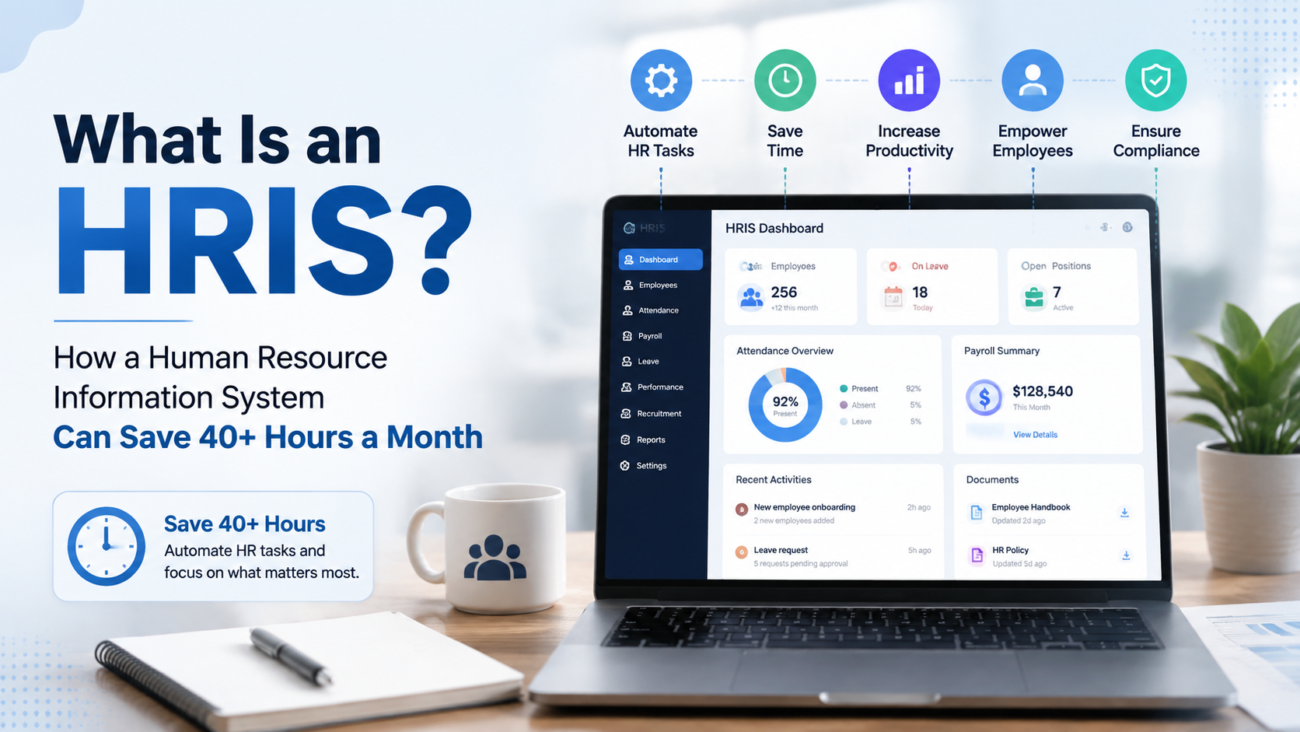
HR teams rarely lose an entire workweek to one large task. The time goes in smaller pieces. HR re-enters employee details, fixes timecards, answers repeat questions, checks payroll inputs, and builds reports. Teams also chase forms and correct records that should have moved between systems on their own. A Human Resource Information System gives those tasks one shared operating layer so fewer steps depend on email, spreadsheets, paper, or repeated entry.
Treat the 40-hour figure as a business case to test against your own numbers. Paychex research found that 34% of surveyed business leaders at firms with 5 to 499 employees spent more than 10 hours each week on HR administration. For companies with 100 to 499 employees, 23% reported more than 20 hours each week. That workload creates room for meaningful time recovery when the right processes move into a well-built HR system.
Ignite HCM works with ADP clients that need help with implementation, payroll, system upkeep, and ongoing support. ItsADP HR and payroll consulting services cover work that becomes important once an HR platform has to match the way a company actually operates. Software alone leaves the manual work where it is. The system has to match the way the company hires, pays people, tracks time, manages employee changes, and reports results.
This guide explains the basics first. It then covers the process, technical, financial, and post-launch issues that decide whether HR actually gets those hours back.
TL;DR
A Human Resource Information System stores and manages core employee information. It can connect payroll, time, benefits, onboarding, reporting, and employee self-service. Modern systems may also include recruiting, performance tools, workforce planning, and AI-assisted functions. The boundaries between HRIS, HRMS, and HCM vary by vendor. Compare actual features; the product label varies by vendor.
The strongest reason to use HR Information Management Software is the removal of repeat work. Employee details can enter the system once and feed approved downstream processes. Employees can handle routine requests through self-service. Managers can review exceptions instead of searching for them. Payroll and HR teams can work from the same approved records.
A 40-hour monthly saving is possible for some businesses, but it should be calculated from the company’s own workload. Measure current time spent on payroll preparation, onboarding, employee changes, timecard corrections, reports, benefits work, and routine employee requests. Then compare that total with the expected process after the system is configured and adopted.
Human Resource management still needs judgment. An HRMS or Human Capital Management System (HCM) can reduce administration. Policy decisions, employee relations, exceptions, and legal review all still need people. The business case should focus on which manual touches should disappear and which decisions should stay with HR.
What Is a Human Resource Information System?
A Human Resource Information System is software used to store employee records and support core HR work from a shared source. ADP describes HRIS as software that helps businesses meet core HR needs through connected information and automation. ItsHRIS guide provides a useful starting point for understanding the category.
In practical terms, the system becomes the place for approved employee details and job information. It can also hold pay-related records, time data, benefits information, and other workforce records.
Older HR processes often split this work across folders and spreadsheets. Email threads, payroll software, and point tools hold other pieces. The cost runs deeper than the number of systems, because every handoff creates a chance for repeat entry. It can also leave a stale record or a missed update. HR Information Management Software reduces that problem when one approved change can move to the other systems that need it.
The exact scope varies. A basic system may focus on employee records and time. Payroll inputs and benefits may sit there too. A broader Human Resource Management System (HRMS) may add recruiting, onboarding, performance functions, and more workflow control. An HCM system may extend further into workforce planning, compensation, succession, learning, and analytics.
Vendors don’t use these labels in one fixed way, so the feature list matters more than the acronym. Human Resource management teams should therefore start with the work they need to run. Ask where employee information is created and who approves it. Then map where it goes, how often it changes, and how much manual work sits between those steps.
That process map is the real foundation of an HRIS decision.
Why HR Teams Lose 40+ Hours Each Month
The strongest evidence for the headline comes from the size of the existing workload. Paychex surveyed leaders at businesses with 5 to 499 employees and found that 34% spent more than 10 hours each week on HR administration. Paychex’s business leader research also found that time spent on HR tended to rise with company size, with payroll processing, people management, and tracking employee hours among the larger sources of administrative cost.
A Human Resource Information System can reduce part of that workload because many HR tasks follow repeatable rules. The system can route a request, store a record, apply an approved rule, flag an exception, or pass information to another system. HR can then spend less time moving information by hand.
The monthly loss usually appears in several places:
- Payroll teams collect changes from email, spreadsheets, or separate systems before every run.
- Managers review timecards late because missed punches and exceptions weren’t surfaced early.
- HR enters new-hire information more than once because onboarding tools don’t feed the system of record.
- Employees email HR for pay statements, PTO balances, address changes, or routine documents.
- Benefits changes require manual checks because eligibility dates or deductions don’t line up.
- Reports need repeated exports and spreadsheet repair before leaders can use them.
- Finance receives payroll totals through manual files or re-entry instead of a controlled handoff.
A useful baseline should cover at least 4 weeks of normal activity and one payroll close. Longer baselines are better when hiring, open enrollment, or year-end work causes large swings. Track scheduled work and rework. A 20-minute payroll correction matters because the original task already consumed time once. The same is true when a manager has to reopen a timecard or HR has to correct a record after an employee reports an error.
The baseline should also separate work that can follow a rule from work that needs judgment. A system can route an approval or validate a required field. A difficult employee-relations case still needs a person. This split keeps the savings estimate realistic and keeps people in charge of work that needs judgment.
Human Resource management leaders should measure these tasks before buying new software. A company that already has an HRIS may discover that the larger issue is poor setup, weak adoption, or missing connections. In that case, repairing the process usually beats replacing the system.
How an HRIS Can Recover 40 Hours Across 7 Workflows
A Human Resource Information System saves time when it removes a manual step that didn’t need human judgment. The calculation should start with the work. Record the current minutes per task, monthly task volume, and the minutes expected after the new process is in place.
The table below is an example for a midsize company. Replace each number with your own measured time before using it in a business case; these figures are illustrative rather than a benchmark.
| Workflow | Example Monthly Time Recovered |
|---|---|
| Payroll preparation and corrections | 8 hours |
| New-hire administration | 6 hours |
| Employee record changes | 4 hours |
| Time and attendance corrections | 7 hours |
| Routine employee requests | 6 hours |
| Reporting and file preparation | 5 hours |
| Benefits administration | 4 hours |
The total in this example is 40 hours. The result comes from several small reductions rather than one dramatic change. A well-run Human Resource Management System (HRMS) can cut repeated entry during onboarding, while self-service can move routine requests to employees.
Ignite HCM’sADP employee self-service guidance explains why adoption affects the amount of work HR actually receives. Turning the feature on achieves little while employees keep emailing HR for routine requests. Ignite HCM’sADP onboarding workflow guidance also shows how new-hire information can enter once while tasks move to the right people.
An HCM system may add wider functions, but the same measurement rule applies. Count the work removed from the process. Time that merely moved from one HR employee to another belongs outside the total.
HR Information Management Software earns its value when the full process takes less human effort. Controls and accuracy still have to hold up.
HRIS vs HRMS vs HCM: What Changes in Practice?
The labels overlap. ADP’s currentHR technology guide describes HRIS as the central hub for employee information and core HR work. HRMS adds wider workforce functions. HCM extends into broader workforce planning.
Other vendors draw the boundaries differently. Treat the labels as useful categories rather than strict technical standards.
A Human Resource Information System usually starts with the core employee record. It may cover payroll, benefits, time, leave, and reporting. An HRMS often adds more process depth around recruiting, talent work, and employee lifecycle management. An HCM system may include planning, workforce intelligence, compensation programs, learning, and other functions used across the employee lifecycle.
HR Information Management Software is often used as a broad search phrase for these tools. The buying decision should still be based on specific requirements. A 75-person company may need strong payroll, onboarding, self-service, and reporting without advanced succession planning. A 5,000-person employer may need global structures, complex security roles, workforce planning, and many integrations.
Human Resource management teams should build a requirements list before sitting through demos. Separate must-have functions from useful extras. Then test each vendor against real workflows. A system with 200 features can still handle your time rules poorly, and a smaller system may fit the business better.
Core HRIS Features That Actually Reduce Work
Feature lists are easy to make long. The better question is which features remove repeated work or improve control. A Human Resource Information System should provide a reliable employee record first. Everything else depends on the quality of that record and the rules around it.
The most useful capabilities often include:
- Employee records: job, pay, location, manager, status, contact details, and other approved worker information.
- Payroll connections: approved pay changes, deductions, earnings, and time inputs can move into payroll with fewer manual handoffs.
- Time and attendance: the system can collect punches, apply pay rules, track leave, and surface exceptions for review.
- Benefits administration: eligibility, elections, effective dates, and deductions can follow defined rules.
- Employee self-service: workers can view records, update allowed fields, request time off, and access documents.
- Onboarding: forms, tasks, approvals, and deadlines can be assigned before and after day 1.
- Reporting: HR can pull consistent workforce information without rebuilding the same spreadsheet each month.
- Security roles: access can be tied to job needs so sensitive employee information isn’t open to every user.
- Audit history: important changes can be traced to the user, date, and action when the product supports that level of logging.
HRMS may bring more recruiting and talent functions into the same environment. An HCM system may go further into planning and workforce decisions. Judge HR software on everyday work.
If HR has to export 3 files and rebuild a spreadsheet for a routine headcount question, the system is still creating manual work. A long feature list leaves that problem in place.
Where AI Fits in 2026
AI is becoming part of everyday HR software, but it should solve a defined task. SHRM reported that 43% of organizations in its 2025 research were using AI to support HR work, up from 26% in 2024 (figures cited from SHRM research; link to the source before publishing). Recruiting was the most common use. Among HR professionals whose organizations used AI for recruiting, 89% said it saved time or raised efficiency.
Useful cases include drafting routine text, helping employees find policy answers, spotting unusual records, and guiding users through common tasks. The control question stays the same: what decision is the system making, what information does it use, and where does a person review the result?
Employment decisions need extra care. The EEOC has warned that software and AI tools used to assess applicants or employees can create disability-related risks when they screen people out unfairly (link to the EEOC guidance before publishing). Employers should keep human review and test the tool for the intended use. Required accommodations still apply.
AI can remove admin work. The employer’s duty to make fair and lawful decisions stays exactly where it was.
Ignite HCM’sADP Time & Attendance guidance shows the same process principle without AI. Clear exception rules can turn missed punches into visible items that managers can review quickly. Poor configuration leaves teams hunting for problems late in the pay cycle.
How HRIS Integrations Remove Duplicate Work
A Human Resource Information System becomes more useful when approved information can move safely between the systems that need it. Without those connections, HR may still enter the same employee details in payroll and time systems. The same details may then be entered again in benefits, recruiting, identity tools, finance systems, or vendor portals.
ADP API Central use cases include employee synchronization, time and attendance, PTO, payroll input, onboarding, and recruiting. That shows what integration means at the workflow level. A job-title change can feed another approved system. A new hire can move from recruiting into onboarding. Time records can reach payroll after review. The exact options depend on the product and connection.
Human Resource management teams should inspect every integration in both directions. Ask which system owns each field, how often information moves, what happens when a record fails, and who reviews exceptions. Those questions matter more than a vendor confirming an integration exists.
HR Information Management Software also needs clear ownership rules. When 2 systems can edit the same field, conflicts become likely. An HRMS should therefore have defined sources for employee status, pay, time, benefits, and other key records.
That reduces duplicate work and makes errors easier to trace.
How to Calculate HRIS ROI and Your 40-Hour Goal
The ROI case should start before implementation. A Human Resource Information System can reduce labor hours, correction work, outside service costs, and the cost of maintaining old tools. It can also improve reporting speed.
A business case that describes every benefit as “efficiency” is a weak one. Put a number behind the claim.
Use a simple workload formula for each process:
Monthly time recovered = (current minutes per task minus future minutes per task) × monthly task volume ÷ 60
Suppose HR handles 80 routine employee requests each month. The current process takes 6 minutes per request. Self-service reduces HR handling to 1 minute for requests that don’t need judgment.
The possible recovery is:
(6 minutes minus 1 minute) × 80 requests = 400 minutes
That equals about 6.7 hours per month.
Repeat the calculation for onboarding, payroll preparation, timecard corrections, benefits work, and reporting. A company can reach 40 hours without any single process producing a huge gain.
Then calculate the cost side. Include software fees, implementation work, internal project time, integration work, training, and ongoing support.
HCM software with many modules may cost more than a smaller HRIS, but the larger system may replace other tools. An HRMS may also reduce separate recruiting or performance software costs if those functions are genuinely used.
HR software should be reviewed after go-live against the original baseline. If the company expected to recover 40 hours but recovered 18, find the gap. Low self-service use may explain part of it. Poor rules, weak training, or unfinished integrations may explain the rest.
The ROI review is therefore a process check as much as a finance exercise.
How to Choose the Right HRIS for Your Business
Start with problems. A Human Resource Information System should fit the work the company needs to run. The longest feature list proves little about fit.
Sapient Insights’ 2025 to 2026 HR Systems Survey (link to the source before publishing) was based on 9,886 HR professionals representing 4,670 organizations worldwide and referenced 1,539 technology solutions across 22 HR technology segments. That market size gives buyers many choices. It also makes clear requirements more important.
Build the short list around current and future needs. Human Resource management leaders should document employee count, locations, worker types, pay cycles, and time rules. Add benefits setup, reporting needs, required integrations, security needs, and expected growth.
A useful vendor review should test:
- Whether the system supports the company’s actual payroll and time rules.
- How employee information moves between modules and outside systems.
- What employees and managers can do through self-service.
- How security roles are created, changed, reviewed, and removed.
- What reporting can be done inside the product without spreadsheet repair.
- How historical records are migrated and checked.
- What post-launch support looks like after the implementation team leaves.
- How the vendor handles releases, changes, and new features.
Before signing a contract, ask each vendor to show the same 5 scenarios using your own rules. Include a new hire, a pay change, a missed punch, a manager approval, and a standard report. Give the vendor the inputs in advance and watch how many screens, exports, approvals, or manual steps are required.
A polished demo built around the vendor’s preferred path can hide the extra work your daily process would create.
Reference calls also matter. Speak with customers that resemble your organization in headcount and payroll complexity. Ask what changed after the sales team left. Ask how long common support issues take to resolve. Find out which features required more internal effort than expected.
Those answers often tell you more about ownership cost than a feature checklist.
An HRMS may be the better fit if the company wants wider HR process coverage in one product. An HCM system may make sense when workforce planning and larger talent programs are part of the requirement. Select against the business case; the category name settles nothing.
HRIS Implementation: From Process Audit to Go-Live
Implementation decides whether the new system copies old problems or fixes them.ADP’s HRIS implementation guide calls for process analysis, information gathering, stakeholder involvement, infrastructure preparation, training, and post-launch review.
The work should begin with a map of the current process before anyone starts configuring screens and rules.
A Human Resource Information System project should document where each core record starts and who approves changes. It should also show which downstream systems use the information and what must be retained.
Clean the source records before migration. Test common cases. Test the exceptions too. Run payroll or other critical processes in a controlled test before the cutover. Then train users on the tasks they will actually perform.
For ADP Workforce Now clients, Ignite HCM providesclient-side ADP implementation support. The company says these projects can run about 8 to 16 weeks depending on scope. Its role can include project leadership and help with the client-side workload.
That matters because HR and payroll still have to run the business while the new environment is being built.
HCM software can touch more departments than a basic HRIS project. HRMS implementation may also require decisions across recruiting, onboarding, performance, and other workflows.
Human Resource management leaders should name process owners early so each rule has a business owner after go-live.
Security, Recordkeeping, and Compliance in an HRIS
HR systems hold some of the most sensitive information a company keeps. A Human Resource Information System may contain Social Security numbers, bank details, pay history, addresses, tax information, benefit elections, and other personal records.
Security has to be designed around job need and reviewed as people change roles or leave.
TheNIST Cybersecurity Framework 2.0 gives organizations a structure for managing cybersecurity risk. For the HR system itself, practical controls start with role-based access and strong authentication. Remove access on time, review privileged roles, keep useful audit logs, secure integrations, and define a response process.
Ignite HCM’sADP Workforce Now security-role guide gives ADP users a practical starting point for reviewing who can see sensitive payroll and employee information.
Recordkeeping rules also affect system design. TheIRS employment tax recordkeeping guidance says employers should keep employment tax records for at least 4 years after filing the fourth quarter for the year.
TheU.S. Department of Labor FLSA recordkeeping guidance says payroll records covered by the FLSA generally must be kept for at least 3 years. Records used to compute wages should generally be kept for 2 years.
Other federal, state, local, contractual, or industry rules may require different periods.
An HRMS or HCM system can help store records and apply access rules, but the employer still owns its legal duties.
HR information management software leaves compliance with the employer. Human Resource management teams should confirm retention, privacy, wage, benefits, and employment requirements with the right legal or licensed advisers.
Major HRIS and HCM Platforms to Know in 2026
The market is too large for one honest “top 100” ranking. Sapient Insights’ latest survey references more than 1,500 HR technology solutions and divides vendor results by product segment and company size. A useful buyer list should therefore focus on fit.
The following names are major platforms that often appear in HRIS, payroll, HRMS, or HCM buying conversations. They appear in no particular order.
ADP: ADP offers payroll and HCM products across several employer sizes. Its environment covers core HR, payroll, time, benefits, talent functions, reporting, integrations, and related services. ADP is especially relevant to this guide because Ignite HCM works with ADP clients.
Workday: Workday Core HCM covers worker information, staffing, onboarding, compensation, benefits, absence management, and integrations. It is commonly considered by organizations that need an enterprise HR foundation tied to wider workforce processes.
SAP SuccessFactors: SAP SuccessFactors HCM covers core HR and payroll, talent management, learning, workforce planning, and employee experience. It often enters buying discussions where SAP already plays a major role in the company’s enterprise systems.
Oracle Fusion Cloud HCM: Oracle connects core HR with payroll, talent, workforce management, employee experience, and analytics. Its HCM suite is designed around a shared cloud foundation and is commonly evaluated by larger organizations with broad enterprise requirements.
UKG: UKG focuses on HR, pay, workforce management, scheduling, and related workforce functions. It is often relevant when payroll and workforce scheduling need to work closely with day-to-day employee operations.
Dayforce: Dayforce brings HR, pay, time, talent, planning, and analytics into one people platform. It commonly appears in evaluations where payroll and workforce rules need close ties to employee records and time information.
BambooHR: BambooHR focuses on employee records while also covering hiring, onboarding, payroll in supported settings, benefits administration, time, performance, reporting, and employee experience. It has a strong presence among small and midsize employers.
Rippling: Rippling connects HR with payroll, benefits, recruiting, identity, devices, IT access, and finance-related tools. Its model can suit companies that want employee changes to trigger work across HR and technology systems from a shared workforce record.
Paycor: Paycor serves small and midsize employers with payroll, HR, recruiting, talent management, time, scheduling, benefits administration, and integrations. It is commonly considered by businesses seeking broad HR and payroll coverage without moving to a large enterprise suite.
Deel: Deel has grown around international hiring, payroll, contractor management, and global workforce operations while adding wider HR functions. It is most relevant when cross-border hiring, international payroll, and worker management form a large part of the requirement.
The right Human Resource Information System depends on company size and payroll complexity. Locations and current systems matter too. So does the work the HR team wants to reduce.
An HRMS or HCM software should be judged the same way. HR information management software wins on fit and on how much of it gets used.
Why HRIS Value Falls After Go-Live and Where Ignite HCM Fits
HR technology changes after launch because the business changes. New pay codes are added. People leave. Benefits rules change. Managers get new access. Reports are copied. Workarounds become routine.
Over time, a Human Resource Information System can drift away from the process it was built to support.
Ignite HCM’sADP system maintenance service is built around reviewing current system capabilities, workflows, reporting needs, integrations, and unused functions.
Its current ADP Workforce Now guidance also shows what configuration drift can look like in practice. Duplicate codes can build up. Reports can become harder to use over time. One published example describes a client environment where roughly 90 active earnings and deduction codes were reviewed and reduced to about 45 after duplicate or unused items were identified.
System upkeep is therefore part of the 40-hour story. A system that saved time in year 1 may give some of it back if manual work slowly returns.
Ignite HCM is best positioned here as an ADP specialist. Its consultants average more than 20 years of direct ADP work experience, according to the company’s about page.
The company also publishes client-side implementation work, including itsCast & Crew case study. The case describes Ignite HCM supporting the client during a return to ADP and helping with the client side of the implementation.
For an ADP client, that experience can matter when the issue is configuration or adoption. It can also help with reporting, payroll support, or client-side work during a system change.
An HRMS still needs owners after go-live. So does HCM software.
HR management leaders should review their system at least once a year. Compare actual time savings with the original business case. Fix recurring manual work before it becomes normal.
That is how the 40-hour target stays measurable a year after launch.
FAQs
What Does HRIS Stand For?
HRIS stands for human resources information system. HRIS stores core workforce records and supports common HR processes from a shared source. The exact functions differ by product. Some systems stay close to core HR, while others include payroll, time, benefits, recruiting, onboarding, reporting, and self-service.
Can an HRIS Really Save 40 Hours per Month?
Yes, some organizations can recover 40 or more hours, but the number depends on the starting workload. Measure current time spent on payroll preparation, onboarding, employee requests, timecard work, reporting, benefits, and repeat entry. Then compare those hours with the process after implementation. The 40-hour figure should come from that calculation.
What Is the Difference Between HRIS and HRMS?
An HRMS often includes the core records found in an HRIS plus wider HR process functions. Vendors use the labels differently, so there isn’t one fixed boundary. Buyers should compare payroll, time, benefits, recruiting, onboarding, reporting, self-service, security, and other required functions directly.
What Is the Difference Between HRIS and HCM?
An HCM system usually covers a wider set of workforce functions than a basic HRIS. It may include talent management, workforce planning, compensation, learning, and deeper workforce analysis. Many vendors use HCM as the name for a broad suite that contains core HRIS functions.
Is HR Information Management Software Only for Large Companies?
No. HR software can help smaller employers when manual work has become expensive or hard to control. The right system size depends on employee count, payroll needs, time rules, benefits, reporting, integrations, and internal HR capacity. Small firms often need fewer modules but can still benefit from one reliable employee record.
When Should a Company Replace or Repair Its Existing HRIS?
Start by finding the actual failure. If the platform can’t meet a core requirement, replacement may be justified. If the problem comes from poor setup or low self-service use, repair may be the better answer. Broken integrations, weak reports, and years of workarounds can also be fixed without replacing the whole system.
How Long Does HRIS Implementation Take?
There is no single timeline. Company size, number of employees, modules, integrations, payroll complexity, historical records, testing needs, and change management all affect the schedule. ADP notes that implementation length depends on scope. Ignite HCM says ADP Workforce Now projects it supports may run about 8 to 16 weeks.
Does an HRIS Make a Company Compliant?
No. An HRIS can help store records, apply configured rules, control access, and produce reports. The employer remains responsible for meeting applicable employment, tax, wage, privacy, benefits, and recordkeeping rules. Legal requirements also vary by jurisdiction, so system settings should be checked against current obligations.
How Often Should HRIS Processes Be Reviewed?
Review them at least annually and after major business changes. A merger or expansion into new states can alter the rules the system needs to support. The same is true after a benefits redesign, payroll change, reorganization, or large staffing change. High-risk items such as access rights, payroll controls, and key integrations may need more frequent review.
How Does Ignite HCM Help ADP Clients With HRIS Work?
Ignite HCM supports ADP clients with client-side implementation, system maintenance, payroll help, training, and ongoing ADP support. Its role is most relevant when an ADP environment no longer matches the business process. It also fits projects that need experienced client-side help or teams that need continuing ADP support.
