
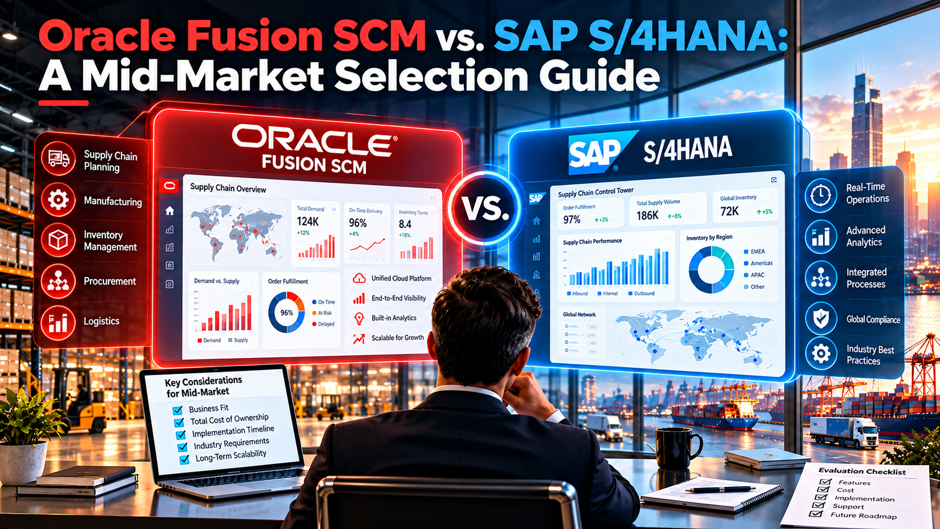
A $400 million distributor and light manufacturer has outgrown its old ERP and shortlists 2 platforms: Oracle Fusion Cloud SCM and SAP S/4HANA. The Oracle proposal arrives as a per-user monthly subscription with quarterly mandatory updates. The SAP proposal arrives as a RISE or GROW package with a choice between a public and a private edition, and with release timing that depends on which edition the company picks. Both vendors promise a modern supply chain, and the proposals can’t be compared until the deployment models, update rules and cost drivers behind them are understood.
This guide compares the 2 platforms for mid-market buyers, covering deployment options, release and customization rules, supply chain fit, published pricing, implementation effort and selection criteria. Most public comparisons come from consultancies and aggregators with commercial interests, and their pricing figures conflict, so the numbers here appear as ranges with caveats. Oracle also sells NetSuite to smaller mid-market companies, which matters for the shortlist, and nothing here replaces vendor quotes or your own requirements testing.
TL;DR
- The decision starts with the deployment and update model. Oracle Fusion is SaaS only with mandatory quarterly updates, SAP’s public edition is multi-tenant SaaS with 2 major releases a year, and SAP’s private edition gives customers control over upgrade timing, so how much standardization your team will accept matters more than any feature checklist. Small IT teams with standard processes tend to prefer the strictest model, while unusual processes push buyers toward control.
- Published pricing can’t be trusted for budgeting. Sources quote Oracle between about $175 and $800 per user per month and rarely publish SAP rates, which means a 120-user, 5-year subscription could be $1.26 million or $5.76 million depending on which figure you believe, so request written quotes using identical user and module assumptions. Ask every vendor for line-item quotes built on identical assumptions so that price differences reflect real scope differences.
- Fit to your processes decides the winner more than vendor reputation. SAP is often described as stronger in complex manufacturing, Oracle as strong in a unified cloud data model across finance and supply chain, and both claims deserve testing against your own scenarios, data and integrations in scripted demos before anyone scores a proposal. Write 8 to 12 scenarios from your own operations and require each vendor to run them on sample data.
Why This Comparison Looks Different for Mid-Market Buyers
Most published ERP comparisons target large enterprises with thousands of users, long programs and deep IT teams. A mid-market buyer faces different constraints: fewer internal technical staff, less appetite for custom code, a tighter budget and a need to go live in months instead of years. These constraints shift the question from which platform has the most features to which platform a smaller team can implement, operate and keep current without a permanent army of specialists.
The comparison also needs careful scoping. Fusion Cloud SCM is a supply chain suite that normally sits beside Oracle’s finance applications in the same cloud, while S/4HANA is SAP’s ERP core that covers finance and controlling and supply chain together. Buying 1 without the other is possible but changes the integration picture. Oracle also offers NetSuite for smaller mid-market companies, and 1 pricing guide advises organizations with fewer than 300 users to consider NetSuite instead of Fusion, so the right Oracle candidate depends on size and complexity.
Timing adds pressure for SAP customers. Mainstream maintenance for SAP ECC 6 ends December 31, 2027, which pushes many mid-market SAP users toward S/4HANA on a deadline, while Oracle buyers often come from other legacy systems and face no deadline. A deadline narrows choices and raises partner costs, so SAP ECC users should treat the schedule as a constraint to plan around early instead of a reason to skip a real evaluation of alternatives.
The Platforms at a Glance
| Dimension | Oracle Fusion Cloud SCM | SAP S/4HANA |
| Deployment | SaaS only, multi-tenant, running on Oracle Cloud Infrastructure | Public edition (multi-tenant SaaS), private edition (single-tenant managed cloud) and on-premise |
| Commercial program | Per-user, per-module subscriptions, with bring-your-own-license options for some existing Oracle customers | GROW with SAP for the public edition and RISE with SAP for the private edition |
| Release cadence | Mandatory quarterly updates applied to all customers | Public: 2 major releases a year, in February and August. Private: customer-timed upgrades within maintenance windows |
| Customization approach | Configuration first, with extensions through integration and platform tools | Public: key-user extensibility and side-by-side extensions on SAP BTP. Private: full development access, with clean core guidance |
| Typical fit | Mid-market and upper mid-market companies wanting a unified cloud suite | Companies with process manufacturing needs, SAP history or complex operations |
| Smaller-company alternative | NetSuite | SAP Business ByDesign or other SAP offerings, depending on size |
Reading across the table shows that both vendors have moved toward cloud-managed, standardized delivery, with the main difference being optionality. Oracle offers 1 deployment model and 1 update rhythm, which simplifies decisions and constrains them. SAP offers several editions with different trade-offs between standardization and control, which adds flexibility and requires a more careful choice at the start, because changing editions later takes real migration effort. Buyers should settle the edition question before comparing prices.
SAP S/4HANA Editions Explained for Mid-Market Buyers
Public Edition Through GROW With SAP The public edition is multi-tenant SaaS operated by SAP, sold through GROW with SAP and aimed at mid-market companies and first-time SAP adopters. SAP releases upgrades twice a year, in February and August, with support packages monthly, and customers adopt SAP’s best-practice processes through a fit-to-standard approach. Extensibility comes through key-user tools and side-by-side extensions on SAP BTP, and customizations are designed to survive upgrades. Teams should map each required process to the delivered scope before committing.
Private Edition Through RISE With SAP The private edition is a single-tenant managed cloud delivered through RISE with SAP, with a dedicated system, access to the on-premise extensibility framework and customer-controlled upgrade timing. SAP’s documentation describes a new software version every 2 years with 7 years of maintenance, and customers must plan upgrades to stay supported. It suits companies with complex processes or significant custom code, though it demands more implementation effort and a stronger internal technical team.
Scope Differences and the Convergence Question Some partner commentary notes that the public edition historically supported a subset of the scope items available in the private edition, with SAP’s roadmap aiming at convergence. Because that picture changes, a mid-market buyer should map each required process to SAP’s published scope item list for the specific edition and release under consideration, and ask SAP to confirm in writing that every critical process is covered in the public edition before committing to it.
Choosing Between the Editions A practical rule is that companies with standard processes, little custom code and a culture of adopting best practices fit the public edition, and companies with complex or unusual processes fit the private edition. The public edition’s mandatory releases need planned regression testing twice a year, and the private edition’s flexibility needs an internal team to manage upgrades. Either way, choose the edition that matches the company’s actual appetite for standardization rather than its aspirations.
Oracle Fusion Cloud SCM: What You Get
- A SaaS-only platform with 1 deployment model. Oracle runs Fusion as multi-tenant SaaS on Oracle Cloud Infrastructure, with all customers on the same codebase and no infrastructure to license or maintain, which simplifies operations for lean IT teams and removes the choice between editions that SAP buyers face. For a mid-market company, the absence of infrastructure decisions and upgrade projects frees scarce technical staff for process improvement and integration work each year.
- Mandatory quarterly updates that customers can’t skip. Updates bring features, security patches and regulatory changes 4 times a year, and Oracle’s SCM readiness resources publish release information that teams can use to prepare for each cycle. Sources disagree on the exact months, so confirm Oracle’s published schedule and build regression testing into each cycle. Treat each cycle as a small project with an owner, a test plan and a communication step for affected users.
- A suite covering supply chain processes from planning to fulfillment. The SCM family typically spans procurement, inventory, order management, manufacturing, planning, logistics and product data, and buyers should confirm which modules are included in a proposal, since pricing is per module and 1 pricing guide lists supply chain cloud at roughly $300 to $700 per user per month depending on source. Confirm module-level scope in writing to avoid paying for items the project won’t use.
- A configuration-first approach with extensions at the edges. Oracle’s model favors configuring the delivered processes and extending through integration and platform tools instead of modifying the core, which keeps updates smooth and requires the business to accept standard flows, a trade-off that suits companies without highly unusual operations. Companies that expect to reshape standard flows around unusual practices should test whether the delivered configuration options and extensions can support them before signing.
Supply Chain Functional Fit: What to Test
| Capability | What to Test in a Scripted Demo | Why It Matters |
| Manufacturing planning and MRP | Multi-level bills of materials, routings, lot sizing, constrained planning and rework scenarios from your plants | Comparisons often rate SAP stronger for discrete and process manufacturing, so test your complexity directly |
| Procurement and sourcing | Requisition to pay, supplier onboarding, contract compliance and spend analytics | Procurement savings depend on usable approvals and clean supplier data |
| Inventory and warehouse | Multi-location stock, lot or serial tracking, cycle counts, putaway and picking | Inventory accuracy drives service levels and working capital |
| Order management and fulfillment | Order promising, backorders, drop shipments, returns and pricing rules | Customer experience depends on accurate promise dates and flexible rules |
| Demand and supply planning | Forecast accuracy tools, scenario planning and exception handling | Planning quality depends on data and process maturity as much as software |
| Quality, maintenance and traceability | Inspection plans, nonconformance workflows and recall traceability | Regulated or safety-critical products need audit-ready evidence |
| Global trade and multi-entity | Intercompany flows, currencies, tax and compliance in your countries | Regional gaps are a common complaint, so verify local requirements |
This table frames the evaluation as a testing exercise instead of a feature comparison, because published ratings are generalizations. 1 comparison scores Oracle’s manufacturing and MRP at 4 out of 5 and SAP at 5 out of 5, and another notes that SAP has a longer track record with large complex manufacturers while Oracle suits mid-market manufacturers wanting cloud-native supply chain without a legacy migration. Buyers evaluating procurement and inventory depth can also compare the scenarios against SAP Material Management capabilities rather than relying on broad platform ratings. Those views are useful starting points, and your own scripted scenarios should decide the score.
Release Cadence and Customization: The Operating Model Difference
Oracle’s model is simple and strict. All customers run the same release, updates arrive quarterly and mandatory, and the vendor controls timing. For a mid-market company, that means a predictable testing cycle 4 times a year, no upgrade projects and a strong incentive to avoid heavy customization. The same rule means a company can’t defer an update that conflicts with a busy season or a major business event, so planning around the published calendar becomes a standing operational task.
SAP’s public edition resembles Oracle’s model with a slower rhythm: 2 major releases a year, monthly support packages and automatic upgrades for everyone, with customizations built through key-user tools and side-by-side extensions on SAP BTP designed to survive upgrades. The private edition trades that simplicity for control, since customers choose upgrade timing within maintenance windows and can use the full development framework. SAP’s clean core guidance still recommends keeping custom code out of the core, so a private edition buyer who customizes heavily accepts a larger upgrade burden.
The operating model should drive the selection more than most buyers expect. A company with a small IT team and standard processes benefits from mandatory, automatic updates, and a company with unusual processes or regulatory constraints may need the private edition’s control. Regression testing capacity is the practical test: ask how many people can validate critical flows within a few weeks of each release, and whether the vendor’s tools or partner services can automate that work for you.
What Published Pricing Tells You, and What It Doesn’t
| Source Type | Reported Figure | Caveat |
| Aggregator review site | Oracle Fusion Cloud from $680 per user per month with a 10-user minimum, SAP with no published rate | A starting price for a full suite, which differs from a quote for a specific module mix |
| Pricing guide | Oracle Cloud ERP at $175 to $300 per user per month, with implementation of $200,000 to $600,000 | Describes a standard deployment and differs sharply from other sources |
| Consultancy comparison | Oracle supply chain cloud at $500 to $700 per user per month, with a full suite from about $625 | Typical figures from a consultancy that doesn’t disclose a method |
| Consultancy comparison | Mid-market deal of 500 users at $1.5M to $4M a year for SAP RISE and $800K to $2.5M for Oracle | Annual ranges rely on assumptions about modules, users and engine sizing |
| Consultancy comparison | 5-year TCO for mid-market of $12M to $25M for SAP and $8M to $18M for Oracle | Unaudited estimates that include implementation and infrastructure |
The sources conflict, and nothing in this table is a vendor quote. A spread from roughly $175 to $800 per user per month turns a 120-user, 5-year subscription into $1.26 million at the low end and $5.76 million at the high end, a factor of about 4.6 before implementation. SAP doesn’t publish a simple public rate card, and Oracle pricing is per user and per module, so a fair comparison requires written quotes built on the same users, modules, environments and term, with renewal and uplift terms stated explicitly.
Cost Beyond the Subscription
Implementation and Partner Services Implementation usually costs as much as or more than the subscription over the first years. 1 guide suggests implementation at 1 to 2 times annual license cost for Oracle and 1.5 to 3 times for SAP, and another says licenses are only 30% to 40% of a typical 100-user, 3-year total of $830,000 to $1.7 million. As an illustration, a 120-user subscription at a placeholder $400 per user per month is $576,000 a year, and SAP implementation services at 1 to 2 times that figure would mean $576,000 to $1,152,000 under the example assumptions.
Integration, Data Migration and Testing Integration with existing systems, data cleansing and migration, and testing consume large shares of mid-market budgets. Sources on both platforms flag integration with older or third-party systems as a main challenge, and 1 notes that custom integrations and data migration drive most Oracle delays. Ask partners to price each integration, each data conversion and each test cycle separately, and to state assumptions about data quality, since poor data quality is a standard source of overruns.
Run Costs: Releases, Support and Skills Run costs include subscription renewals, regression testing for each release, application support, training and the internal or partner staff who manage configuration. Oracle’s quarterly cycle needs 4 test windows a year, SAP’s public edition needs 2, and the private edition needs planned upgrade projects. 1 advisory source notes that quarterly updates and ongoing configuration require dedicated ERP expertise or SAP services and support capacity, so budget for that capacity before signing.
Implementation Timelines and Resources
- Oracle timelines vary by scope and entity count. Published ranges include 9 to 18 months for mid-market implementations, 8 to 14 months for a standard deployment and 9 to 12 months for a single-entity, 2-country rollout with finance and procurement, with global multi-entity programs reaching 14 to 24 months, so a company’s real timeline depends on entities, integrations and data readiness. A realistic plan names entities, countries and integrations in scope for the first go-live.
- SAP timelines depend on the edition. Partner commentary describes the public edition via GROW as achievable in under 6 months for companies with standard processes and no legacy SAP landscape, while the private edition for complex scopes is described at 12 to 24 months, and enterprise ranges of 12 to 30 months appear in other comparisons, so confirm assumptions with each partner. Ask each partner to document the assumptions behind any quoted duration.
- Partner depth should be verified locally. SAP’s partner ecosystem is larger and more mature, while Oracle’s is smaller but growing, with global integrators and specialist firms, and the right test is named consultants with recent mid-market projects in your industry and region, not the size of a partner’s brochure. When comparing candidates, use a structured process for choosing an SAP implementation partner and ask each integrator for 3 recent mid-market projects, the names of consultants who worked on them and whether those consultants would join your team.
Mid-Market Selection Criteria and Scoring
| Criterion | Illustrative Weight | What to Score |
| Functional fit for your processes | 25% | Results of scripted demos using your data and scenarios |
| 5-year total cost | 20% | Written quotes normalized for users, modules, environments and term, plus implementation and run costs |
| Implementation risk and partner quality | 15% | Named team, mid-market references, method and realistic timeline |
| Operating model fit | 15% | Match between mandatory update cadence or edition control and your testing and IT capacity |
| Integration and data readiness | 10% | Effort to connect existing systems and convert data |
| Vendor ecosystem and roadmap | 10% | Partner availability, product direction and regional support |
| Change readiness | 5% | Willingness to adopt standard processes and release key staff |
Weights should reflect your situation, and the numbers here are illustrative judgments rather than benchmarks. A manufacturer with complex bills of materials might raise functional fit and lower operating model fit, while a distributor with standard flows and a small IT team might do the opposite. Set the weights with finance, operations and IT before reviewing proposals, because setting them afterward invites rationalizing a favorite, and document the reasons so the board can see how the decision was reached.
Which Company Fits Which Platform
An SAP ECC Customer With Moderate Customization A mid-market company on ECC faces a 2027 maintenance deadline, an existing SAP skill base and data structures that map to S/4HANA migration. S/4HANA often fits, and the real choice is between the public edition, if standardization is acceptable, and the private edition, if custom processes must be preserved. Oracle remains a valid alternative for companies ready to leave SAP, though the move means a full replacement instead of a conversion.
A Company With Oracle Applications or Databases Already in Place Companies already using Oracle finance, HCM or database technology may value a unified data model and an existing vendor relationship. Oracle’s bring-your-own-license options for some customers migrating from on-premise Oracle products can change the economics, and shared infrastructure and skills can shorten integration work. The comparison should still include SAP when the supply chain processes are complex enough to need deeper manufacturing planning. Ask for the license terms in writing before assuming savings.
A Discrete or Process Manufacturer With Complex Planning Needs Comparisons frequently describe SAP as stronger for manufacturing, particularly for process industries, and that suggests starting the evaluation with S/4HANA and testing Fusion against the same scenarios. The right answer depends on the actual complexity, including multi-level bills of materials, co-products, quality requirements and regulatory traceability, and a scripted demo with the company’s own data will show gaps faster than any analyst rating. Insist on testing co-products, scrap and rework flows, since they expose differences quickly.
A Distributor or Light Manufacturer With Standard Processes Companies with simpler operations, a small IT team and a willingness to adopt standard flows suit both vendors’ standardized models. The public edition of S/4HANA and Fusion Cloud SCM both fit, and the decision comes down to price, partner quality, ecosystem fit and how well the proposal covers required scope. Smaller companies under about 300 users should also evaluate NetSuite, which Oracle positions for that segment. Both vendors can serve this profile, so partner quality often decides the outcome.
How to Run the Evaluation
- Start with scripted scenarios built from your own processes. Write 8 to 12 end-to-end scenarios, such as order to cash with a backorder, procure to pay with a quality hold or a multi-level production run with a shortage, and require each vendor to demonstrate them using sample data from your business, since generic demos hide gaps. Insist that each vendor use the same data set and the same script so results are comparable.
- Request proposals on a normalized basis. Give each vendor the same user counts, modules, environments, term and integration list, and ask for subscription, implementation, training and support costs separately with assumptions stated, so differences in price reflect real differences in scope instead of different interpretations of the request. Ask vendors to flag every assumption, such as test environments, data volumes and support levels, because hidden assumptions are the most common reason that quotes diverge after selection.
- Check references that match your size and industry. Speak with mid-market customers live on the platform for at least a year, and ask about the actual timeline, the budget variance, the update experience, the partner’s performance and what they’d change, and ask each vendor for references you didn’t choose from its short list. Ask what the customer would negotiate differently if starting again, since that question surfaces candid and practical advice.
- Validate the update model with your team. Ask your IT and process owners whether they can run regression tests for 4 Oracle updates a year or 2 SAP public releases a year, and whether the private edition’s flexibility is worth owning upgrade projects, since the operating model shapes daily life long after go-live. Include the people who would run each test cycle, since they know how much time it really takes.
Commercial and Contract Questions to Settle Before Signing
Subscription contracts decide cost over the long run, so negotiate beyond the first-year price. Ask how users are defined, whether named and casual users are priced differently, how modules are bundled, what annual uplift applies at renewal and whether price protection extends for the full term. Oracle’s per-module pricing and SAP’s package structure make it easy to compare unlike items, so request a line-item breakdown and map each line to a requirement, and challenge any bundle containing modules you won’t use.
Operational terms matter just as much. Ask about service levels, uptime commitments and maintenance windows, the notice period and testing window for each update, support response times and the process for resolving disputes about whether a defect is a product issue or a configuration issue. For SAP’s private edition, understand the vendor’s role in infrastructure operations and the customer’s responsibilities for upgrades, and for either platform, confirm data export rights, termination assistance and the format and cost of retrieving your data if you leave.
Partner terms need the same scrutiny. A mid-market implementation often depends on 1 integrator, so negotiate named key personnel, substitution rights, acceptance criteria, warranty periods and clear change control. Decide whether the partner’s fee is fixed, capped or time and materials, and connect payments to deliverables. Because the vendor sells the software and the partner delivers it, make sure responsibilities are written down for data migration, integrations, testing and training, so a gap between the 2 doesn’t become your problem after go-live.
Common Mistakes
Choosing on Brand or Analyst Position Instead of Process Fit Large-enterprise reputations don’t guarantee fit for a mid-market company, and a platform that tops an analyst chart may demand more customization, staff and budget than a smaller business can sustain. Test each vendor against your own scenarios, and weigh the experience of similar mid-market customers more heavily than headline rankings that reflect a different buyer’s needs. Ask which customers of your size run the platform successfully and what they customized in the first year.
Comparing Subscription Prices Without Normalizing Scope Per-user prices hide differences in modules, environments, user types and included services. A quote that looks cheap may exclude test environments, integration tools or premium support, while a higher quote may bundle them. Convert every proposal to a 5-year total with identical assumptions, and add implementation, testing, training and run costs before concluding that either vendor is less expensive. Ask each vendor to confirm which items are included in the stated price.
Underestimating the Update and Change Burden Mandatory updates, whether quarterly or twice a year, require testing, communication and training each cycle, and companies that don’t plan capacity find themselves skipping tests or delaying features. Budget for the recurring effort, assign owners for release readiness and automate regression tests where practical, because the operating model that seemed attractive during selection can become a strain if the team isn’t staffed to support it. Staff the release process before go-live, well before the first update arrives.
Ignoring Integration and Data Readiness Most delays on both platforms trace to integrations with older systems and to data that isn’t ready for conversion. Inventory every interface and every data source early, assign owners for data cleansing and price each integration in the proposal, since a platform decision made without that work often turns into a schedule and budget surprise in the middle of the project. Name an owner for each interface and each data source on day 1.
FAQs
Is Oracle Fusion SCM or SAP S/4HANA better for a mid-market company?
Neither wins universally. SAP is often described as stronger for complex manufacturing and has a deep installed base, while Oracle is described as offering a unified cloud suite with simpler operations. The better choice depends on your processes, existing systems, update tolerance, partner options and 5-year cost, so test both vendors with scripted scenarios and normalized quotes before deciding. Weigh the operating model and partner quality carefully alongside the feature comparison itself.
How often do the platforms update?
Oracle Fusion applies mandatory quarterly updates to all customers, and sources disagree on the exact months, so confirm the current schedule. SAP’s public edition has 2 major releases a year, in February and August, with monthly support packages, and the private edition follows a longer cycle with customer-controlled upgrade timing inside maintenance windows. Plan regression testing capacity around whichever model you choose. Ask each vendor for the release calendar and the notice period.
What’s the difference between GROW with SAP and RISE with SAP?
GROW with SAP is the commercial program for the public edition, a multi-tenant SaaS aimed at mid-market companies and first-time adopters who accept standard processes. RISE with SAP covers the private edition, a single-tenant managed cloud with more control and customization options, suited to complex landscapes. The editions differ in extensibility, upgrade timing and scope, so map your processes to each before choosing.
How much does each platform cost?
Published figures conflict widely, from about $175 to $800 per user per month for Oracle depending on the source, and SAP doesn’t publish a simple public rate. Over 5 years for 120 users, that range alone spans about $1.26 million to $5.76 million before implementation. Request written quotes with identical users, modules, environments and terms from both vendors. Compare totals only after adding implementation, testing, training and annual support costs to each quote.
Should a smaller mid-market company consider NetSuite instead?
Yes. Oracle positions NetSuite for smaller mid-market companies, and 1 pricing guide advises organizations with fewer than 300 users to evaluate it instead of Fusion. NetSuite implementations are generally described as shorter, with core mid-market deployments reported at about 3 to 6 months. Include it on the shortlist if your size and complexity fit, and compare it using the same scenarios. Treat it as a genuine option when the user count and process complexity are modest.
How long does implementation take?
It varies with scope, entities, integrations and data readiness. Published ranges include 9 to 18 months for mid-market Oracle projects, under 6 months for a standard SAP public edition rollout in 1 partner’s description, and 12 to 24 months for complex private edition programs. Ask each partner for a plan based on your scenarios, and compare it with references from similar companies. Treat any timeline as a hypothesis until a partner shows a plan built on your scenarios.
What should we test in vendor demos?
Use scripted end-to-end scenarios from your business, such as order to cash with backorders, procure to pay with quality holds and multi-level production with shortages, and require the vendor to run them on sample data. Include integrations, reporting, security roles and an update walkthrough. Scripted demos reveal gaps that generic presentations hide, and they give you comparable evidence for scoring. Record the sessions so reviewers can score them later.
What contract terms matter most?
Prioritize user definitions, module bundling, renewal uplift caps and price protection, service levels, update notice and testing windows, data export and termination assistance, and clear responsibilities between the vendor and the implementation partner. For the partner contract, negotiate named key personnel, acceptance criteria, warranty and change control. These terms control cost and risk long after the selection decision is made. Counsel should review the final language before signature.
