
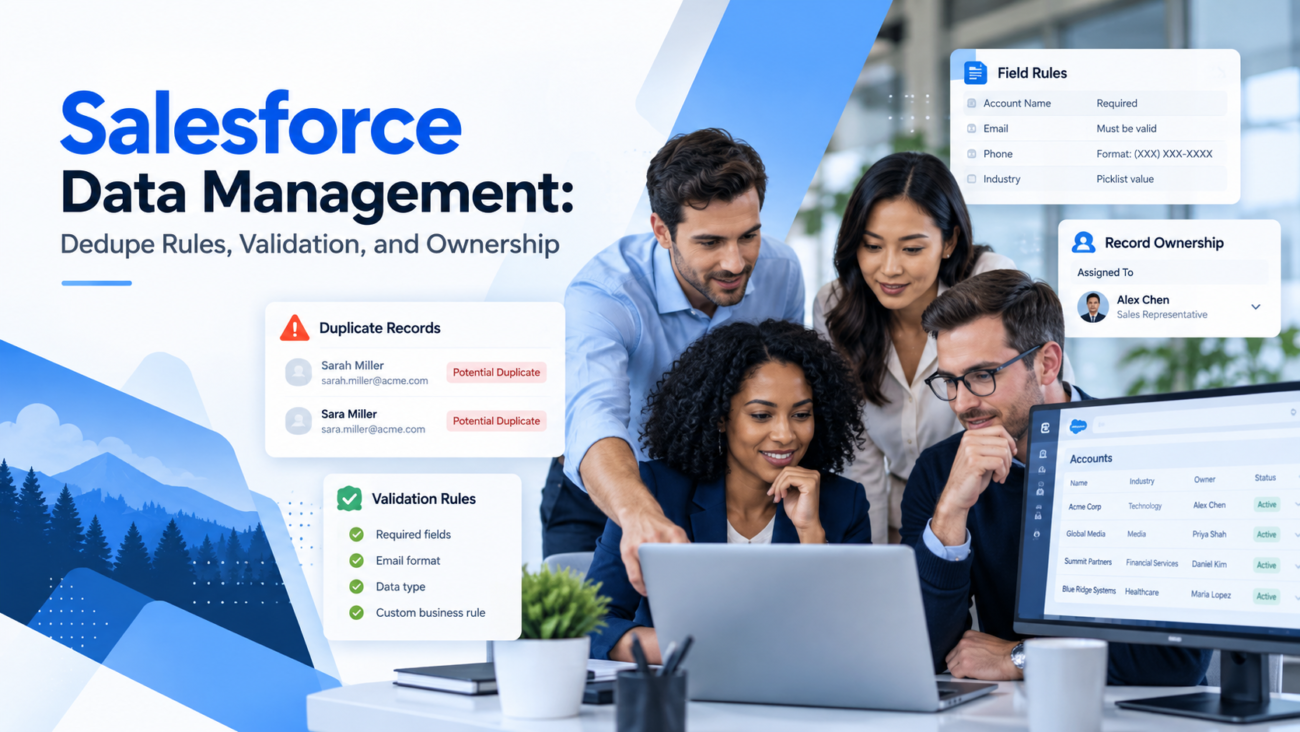
Salesforce data problems rarely start with one bad record. They grow through normal work. A sales rep creates a second account because the first one is hard to find. An import adds contacts that already exist. A required field is filled with a placeholder so a record can be saved. An integration writes values that follow its own format. An employee leaves, but hundreds of accounts still belong to that user.
Good Salesforce data management puts controls around those moments. The goal is to decide how Salesforce identifies the same person or company, which values it will accept, and who is responsible for the record after it enters the CRM. Those controls have to work together. A perfect validation rule can’t stop duplicate accounts if the matching logic is weak. A duplicate rule can’t fix unclear ownership. Clean source data can still become messy when imports map fields or owners incorrectly.
This guide explains how dedupe rules, validation, and ownership fit into one operating model. It focuses on practical Salesforce behavior, including matching rules, duplicate rules, validation rules, imports, record assignment, stewardship, and ongoing review.
TL;DR
Salesforce data management works best when identity, field quality, and accountability are handled as separate controls. Matching rules decide which records look like the same entity. Salesforce duplicate rules decide whether Salesforce warns, blocks, or reports the match. Salesforce validation rules stop records that break defined business conditions. Salesforce data ownership decides who controls each record inside the CRM, while stewardship assigns responsibility for the quality of the data itself.
The main practical points are simple. Use stable identifiers where possible. Test duplicate logic against real records before blocking users. Build validation around business requirements instead of forcing every field at creation. Map record owners during imports instead of accepting defaults. Review duplicate and validation behavior after integrations or process changes. Treat Salesforce data quality as an ongoing operating task rather than a one-time cleanup.
What Salesforce Data Management Actually Controls
Salesforce data management covers more than deleting old records or running a cleanup project. It controls how data enters the CRM, how records are compared, which values are accepted, who owns each record, and how quality is checked over time. The exact controls differ by object and process, but the same questions appear across accounts, contacts, leads, opportunities, and custom objects.
A useful way to divide the work is by decision type. Identity controls answer, “Is this the same person or company we already have?” Field controls answer, “Is this value acceptable for this record and stage?” Ownership controls answer, “Which user or queue should hold this record?” Stewardship answers, “Who is accountable for fixing the pattern when bad data keeps returning?”
That distinction matters because each problem needs a different Salesforce feature. Teams working on Salesforce data management services often have to correct existing records while also changing the rules that allowed the issue to appear. Cleaning records without changing the entry controls only resets the clock until the same problem returns.
The controls also need to reflect the source of the data. Records may come from manual entry, web forms, partner systems, purchased or appended data, marketing automation, migrations, or API integrations. Each source has different risks. Manual users may use inconsistent names. Bulk files may contain old company details. Integrations may write blank or differently formatted values. A sound Salesforce data quality plan accounts for those differences before deciding which rules should block, warn, or route a record for review.
Where Duplicate Records Enter Salesforce
Duplicates usually enter Salesforce through several paths rather than one obvious failure. A user may create a record because search did not surface the existing one. A list upload may contain the same contact under 2 spellings. A marketing form may create a lead for someone who is already a contact. A migration can load multiple legacy records that represent the same company. An integration may use a different identifier than Salesforce uses.
The first job in Salesforce data management is to map those entry points. Start with the objects that matter most to revenue or service work. Then trace how new records arrive. For each path, note what identifying fields are present before the record is created. Email may be useful for contacts, but it changes. Company name may be useful for accounts, but names vary. Website domain can be strong for many businesses, but a parent company and subsidiary may share related domains.
Source preparation matters before Salesforce sees the file. A controlled data appending checklist should preserve internal IDs, define matching fields, flag ambiguous records, and document which existing values may be replaced. That makes the Salesforce side of the process easier because the import file arrives with clear identity clues rather than forcing the CRM to infer everything from names.
Duplicates also reflect business design. A company may intentionally keep separate accounts for branches, legal entities, franchises, or regions. Two records with similar names are not always duplicates. The dedupe model has to reflect the organization’s definition of a unique account or person. Otherwise, Salesforce duplicate rules can block valid work or push users to create strange workarounds that make the database harder to trust.
How Matching Rules Decide What Counts as a Duplicate
Matching rules are the detection layer in Salesforce. They define how Salesforce compares a new or edited record with records that already exist. Salesforce provides standard matching rules for business accounts, person accounts, contacts, and leads. Admins can also create custom rules when the standard logic doesn’t match the organization’s identity model. The official Salesforce matching rule documentation explains that standard rules use predefined matching logic, while custom rules let admins choose the comparison fields and methods.
Matching can be exact or fuzzy, depending on the field and rule. Exact matching is useful for strong identifiers such as a controlled external ID. Fuzzy methods help with values that can vary, such as names, phone formats, or addresses. Salesforce also normalizes some values before comparison. That helps find records that are functionally the same even when punctuation, spacing, abbreviations, or formatting differs.
Choose fields that represent identity
A strong matching rule starts with fields that actually identify the entity. For contacts, business email can be useful, but relying on email alone can fail when a person changes companies or uses aliases. A combination such as first name, last name, company, and phone may be more useful in some datasets. For accounts, company name plus website or location can reduce false matches compared with name alone.
Custom matching rules can include up to 10 fields. More fields don’t automatically produce better matching results. Extra criteria can make the rule so strict that genuine duplicates fail to match. The better approach is to test several known duplicate and nonduplicate pairs, then adjust the logic until the rule reflects how the organization defines identity.
Separate high-confidence and review cases
High-confidence identifiers can support stricter action. For example, 2 account records with the same trusted external company ID are likely to need a block or controlled update. A fuzzy company-name match is less certain and may be better shown as a warning. This difference becomes important when Salesforce duplicate rules are configured, because the matching rule finds the candidate and the duplicate rule determines the response.
How Salesforce Duplicate Rules Should Respond to Matches
Salesforce duplicate rules determine what happens after a matching rule finds a possible duplicate. The response can differ based on object, action, and configuration. Salesforce can warn users, allow the record while reporting the duplicate, or block creation or editing in supported situations. The official guidance on customizing duplicate management also notes that organizations can use different duplicate behavior for different user profiles and can include custom fields in matching logic.
The key design choice is whether a suspected duplicate should stop work or start a review. Blocking makes sense when the match signal is reliable and the cost of a second record is high. Warnings fit cases where the match is useful but uncertain. A salesperson may need to create a separate contact who shares a household phone number. A regional office may have a name close to the parent account. A hard block based on weak criteria can turn good data controls into a daily obstacle.
Duplicate controls also need testing against the actual creation paths. A rule that behaves well during manual account entry can have a different business effect during a bulk import. Active duplicate logic can reject rows that match existing records. That is useful when the incoming file is meant to contain new records, but it can create confusion when the file is intended to update or enrich existing records.
A good test set should include clear duplicates, clear nonduplicates, and ambiguous examples. Record what Salesforce does for each case. Then review false positives and false negatives with the teams that use the object. Salesforce data management improves when duplicate rules reflect real business decisions rather than a generic goal of “no duplicates.”
How Salesforce Validation Rules Protect Field Quality
Salesforce validation rules check whether record values meet defined conditions before the record can be saved. They use formulas that evaluate to true when the data violates the rule, then display an error message. Salesforce’s validation rule guidance states that validation rules apply to new and updated records even when the referenced fields are not present on the page layout or in the API call.
That makes validation rules a strong field-quality control, but it also means they can affect more than users working in the interface. Imports, integrations, automation, and migration jobs may hit the same rule. A rule that seems reasonable during manual entry can reject thousands of records when an integration doesn’t supply the expected value.
Validate business conditions, not personal preferences
A useful validation rule protects a requirement the business can explain. Examples include preventing an opportunity from moving to a late stage without a required business field, rejecting a close date that violates a defined condition, or requiring a reason when a key status changes. Rules should have clear error messages that tell the user what needs to change.
Weak rules often force data before it is truly known. If a lead must have 15 required values the moment it is created, users may enter placeholders simply to save the record. That creates the appearance of completeness while reducing data quality. Stage-based validation can be better because it requires information at the point where the business actually needs it.
Test rules against every write path
Validation rules should be tested with manual entry and the main automated sources that write to the object. That includes API integrations and scheduled jobs. Review what happens with null values, existing legacy records, profile differences, and records that move between statuses. If a rule needs an exception, define the reason and scope rather than creating a broad bypass that quietly weakens the control.
Duplicate Rules and Validation Rules Solve Different Problems
Duplicate controls and validation controls are often discussed together because both protect CRM data quality. They solve different problems. Matching rules and Salesforce duplicate rules deal with record identity. Salesforce validation rules deal with whether field values and record states meet business conditions.
| Control | Question It Answers | Typical Example | Common Failure |
| Matching rule | Does this look like an existing record? | Compare account name, website, and location | Matching criteria are too broad or too narrow |
| Duplicate rule | What should happen if there is a match? | Warn or block a possible duplicate account | A hard block stops valid records |
| Validation rule | Are the record values acceptable? | Require a reason before a status change | Users enter placeholders to get past the rule |
| Ownership rule or mapping | Who should hold the record? | Assign imported accounts to the correct rep | Records default to the importer or wrong user |
A contact can pass every Salesforce validation rule and still be a duplicate. The fields may all be valid, yet another record already represents the same person. The reverse is also true. A unique account can fail validation because a required value is missing or a field combination breaks a business rule.
This is why Salesforce data management needs layered controls. Dedupe logic should answer identity questions first. Validation should then protect field and process requirements. Ownership should put the resulting record with the right person or queue. The layers can share data, but they shouldn’t be treated as substitutes for one another.
Teams reviewing Salesforce consulting services often need this separation before changing configuration because one visible data problem may have several causes. A duplicate account problem may begin with import matching. A reporting problem may come from validation gaps. A routing problem may be ownership rather than bad source data.
Imports and Integrations Need Their Own Data Controls
Imports can change Salesforce data management at scale because a single file can create or update thousands of records. Before loading a file, define whether the job is inserting new records, updating known records, or doing both. That decision affects the matching method, external IDs, overwrite behavior, duplicate checks, and owner mapping.
Salesforce’s Data Import Wizard can match existing account and contact records using supported identifiers. The official guidance for business account and contact imports explains that unique external IDs can be used for matching and that external ID values should be standardized before import. It also notes that the wizard can update existing fields depending on the overwrite choices used during the job.
Preserve stable IDs through every data project
Internal Salesforce IDs or controlled external IDs provide a safer path for updates than names alone. If a data provider receives an exported contact file, keep the contact and account IDs unchanged through enrichment. The returned file can then update the intended records rather than trying to identify them again from names, employers, or email addresses.
This principle also applies to profile enrichment services when new firmographic or contact fields are being returned to a CRM. The source record ID should remain the anchor, while new values are treated as attributes that still need field-level acceptance rules before loading.
Test duplicate and validation behavior before the full load
Run a small test import that includes known matches, new records, invalid values, and owner assignments. Review rejected rows before expanding the job. If duplicate controls or validation rules reject expected updates, determine whether the file, mapping, or rule needs correction. Disabling controls for the entire load may be quick, but it can create a larger cleanup problem afterward.
Integrations need the same discipline. Document which system is authoritative for each field. If 2 systems can overwrite the same value, decide which source wins when they disagree. A clear source-of-truth rule prevents Salesforce from becoming a battleground between systems that keep rewriting each other’s values.
Salesforce Data Ownership Starts at Record Creation
Salesforce data ownership has a technical meaning inside the CRM. Many records have an owner, usually a user or queue depending on the object. Ownership can affect record access, routing, work queues, reporting, and downstream automation. It should therefore be planned at the same time as import and dedupe logic, not fixed after a load is complete.
Salesforce published a 2026 support note explaining that records imported through Data Import Wizard are assigned to the user performing the import by default unless a record owner field is included and mapped. The same record owner mapping guidance recommends using the owner’s Salesforce User ID rather than relying on a full name or email, because duplicate names or shared emails can lead to incorrect assignment or job failure.
That detail matters in large imports. If 20,000 accounts land under one admin user, downstream routing and reporting can be wrong even when every other field is correct. Salesforce data ownership should be included in the mapping specification before the file is loaded. Define which records go to named users, queues, territory processes, or later assignment logic.
Ownership also changes over time. Sales territories move. Employees leave. Accounts are reassigned. Teams using Salesforce managed services may need recurring reviews of inactive owners, routing logic, and data exceptions because ownership is part of CRM maintenance rather than a one-time setup choice.
Record Ownership and Data Stewardship Are Not the Same
Salesforce data ownership can refer to the user who technically owns the record, but data stewardship is broader. A sales rep may own an account without being responsible for the company’s standards for industry values, address formats, duplicate logic, or external IDs. Those standards need an accountable business or data role.
Salesforce Trailhead describes governance as the policies and accountability that define how data should be managed, while stewardship puts those rules into practice through monitoring and correction. Its current governance and stewardship guidance also stresses ongoing monitoring because data and configuration can drift as systems and business processes change.
A useful Salesforce data ownership model therefore has at least 2 layers. Record owners handle the records used in their daily work. Data stewards manage recurring quality issues across a field, object, region, or business process. The Salesforce admin or platform team maintains the technical rules. Those roles can overlap in a small company, but the responsibilities should still be clear.
This distinction helps when problems repeat. If users keep entering an unsupported country value, fixing each record is record-level work. Deciding the accepted country list and changing the control is stewardship. If duplicate accounts keep entering from one integration, the account owners shouldn’t each invent a different response. The steward and platform team should correct the matching or integration design.
Ownership Changes Can Affect Related Records and Access
Changing an owner can have effects beyond the record being reassigned. Salesforce documents that some related records may transfer when account ownership changes, depending on the record type and transfer choices. The record owner transfer considerations also warn that automatic owner changes can affect what users are able to see after the transfer.
That makes mass reassignment a Salesforce data management task that should be planned rather than treated as a simple field update. Before changing thousands of owners, identify which related records may move, which sharing rules may be recalculated, and whether the new owners have the permissions needed for related objects. Test a small sample first.
Ownership can also interact with duplicate cleanup. Suppose 2 accounts are merged and the surviving record belongs to a different seller. The team must decide which activities, contacts, opportunities, and business context should remain associated with the master record. The merge decision is therefore partly an identity decision and partly an ownership decision.
The same issue appears after organizational changes. A region may be split between 2 teams while old account hierarchies remain. Record ownership should then be reviewed alongside account structure, assignment rules, and access. Changing the Owner field without checking those dependencies can leave users unable to work the records they were assigned.
Build a Repeatable Salesforce Data Quality Review
CRM data quality will decline if nobody checks how the controls are performing. New integrations appear. Field definitions change. Teams add picklist values. Users find ways around rules that slow them down. Mergers or territory changes alter ownership. A review cycle catches these changes before they become a major cleanup project.
Start with a small set of measures tied to important objects. Useful measures include duplicate candidates, missing critical fields, rejected imports, validation failures, records owned by inactive users, and records with values outside the accepted standard. The exact measures should reflect the workflows that depend on the data. A field used only for optional notes doesn’t need the same attention as an account identifier used by billing and reporting.
A wider Salesforce services review can also examine whether changes to integrations, automation, or object design are creating new data problems. The purpose is to connect data symptoms with the system process that caused them rather than clean the same symptoms each month.
Duplicate review should include false positives as well as duplicates that slipped through. If duplicate warnings appear too often, users may stop paying attention. If the rules miss obvious duplicates, the matching logic needs work. Validation review should look for frequent errors and placeholder values. Ownership review should find records sitting with inactive or inappropriate users.
Monitoring creates a feedback loop. The organization observes a recurring issue, traces the source, changes the control, and then checks whether the issue declines. That cycle is the practical core of ongoing CRM data quality work.
A Practical Operating Model for Clean Salesforce Data
A strong Salesforce data management model starts before data enters the CRM and continues after the record is in use. The steps don’t need to be complicated, but each one needs a clear owner and acceptance rule.
Define the record identity
Write down what makes an account, contact, or lead unique in your business. Choose the identifiers that support that definition. Distinguish parent companies from subsidiaries and business locations from legal entities where needed. Then translate that identity model into matching logic.
Decide the response to suspected duplicates
Configure duplicate rules based on confidence and business impact. Use blocking when the evidence is strong enough that a second record should not exist. Use warnings or review paths when valid exceptions are common. Test with real examples before making the rule strict.
Set field acceptance rules
Use validation rules for conditions the business can defend. Make error messages specific. Avoid requiring information before users or source systems can reasonably know it. Test the same rule against manual entry, imports, automation, and integrations.
Map ownership before loading records
Define Salesforce data ownership in the file or routing process. Use stable user IDs where appropriate. Include inactive-user and territory-change handling in the operating process so records do not become stranded.
Keep source data controlled
Data coming from external research or internal lists should preserve identifiers and field definitions. A broader B2B data services process can support CRM work when source records are checked, standardized, and returned with clear mapping rather than treated as a flat list of replacement values.
Review performance and exceptions
Track how many duplicates are blocked or reported, how often validation fails, and where ownership mapping breaks. Review samples rather than relying only on totals. A falling duplicate count can be good, but it can also mean the matching rule became too narrow. The purpose of the review is to confirm that the controls are catching the right problems without blocking valid work.
Conclusion
Salesforce data management becomes easier to control when teams separate identity, field quality, and accountability. Matching rules decide which records appear to represent the same entity. Salesforce duplicate rules decide what to do with those matches. Salesforce validation rules protect field and process requirements. Salesforce data ownership places records with the right users, while stewardship assigns responsibility for recurring quality issues.
The best setup is rarely the strictest setup. Rules need to fit the way records enter Salesforce and the way teams use them. Exact identifiers can support firm controls. Fuzzy matches may need review. Required fields should reflect the point when information is truly needed. Ownership should be mapped before imports and reviewed after organization changes.
For IInfotanks, the practical lesson is that CRM quality begins before the import and continues long after it. Source records, enrichment work, Salesforce configuration, and ongoing monitoring all affect the final result. When those parts use the same identity rules and field standards, Salesforce data quality becomes easier to measure and maintain.
FAQs
What Is Salesforce Data Management?
Salesforce data management is the set of practices used to control how records enter, change, move, and remain accurate inside Salesforce. It includes duplicate detection, field validation, import mapping, ownership, stewardship, and ongoing quality review. The goal is to keep records useful for sales, service, marketing, reporting, and automation without relying on repeated manual cleanup.
What Is the Difference Between a Matching Rule and a Duplicate Rule in Salesforce?
A matching rule defines how Salesforce identifies records that may represent the same person or company. A duplicate rule defines what Salesforce does after a match is found. Depending on the configuration, Salesforce can allow the record, warn the user, report the match, or block the action. Both controls are needed because detection and response are separate decisions.
Can Salesforce Block Duplicate Records?
Yes. Salesforce can block certain duplicate record creation or editing when an active duplicate rule is configured to take that action. Blocking works best when the matching criteria produce high-confidence results. If valid exceptions are common, a warning or review path may be safer because an overly broad block can stop legitimate records from being created.
Do Salesforce Duplicate Rules Work During Imports?
Active duplicate controls can affect imports. Incoming records may be rejected when Salesforce detects a match and the active rule does not allow the action. Test a small file before a large load and review the rejection messages. The correct fix may be in the source file, matching logic, import method, or duplicate rule configuration.
What Fields Should Be Used for Salesforce Deduplication?
Use fields that help identify the real-world entity. Contact email, phone, company, name, and external IDs can all play a role. Account matching may use company name, website, location, or a controlled external identifier. The best combination depends on the business definition of a unique record and the quality of each field.
What Are Salesforce Validation Rules?
Salesforce validation rules use formulas to test whether a record meets defined conditions before it can be saved. When the formula identifies an invalid condition, Salesforce displays an error message and blocks the save. Rules can enforce required business conditions, field relationships, or status requirements. They should be tested against integrations and imports as well as manual record entry.
Can Validation Rules Affect Salesforce Integrations?
Yes. Validation applies to new and updated records even when fields involved in the rule are not part of the API request. An integration can therefore fail when it tries to create or update a record that violates an active rule. Test integration write paths after adding or changing validation logic and provide clear error handling for rejected records.
Should Every Important Salesforce Field Be Required?
No. Requiring a field is useful only when the value is needed and can reasonably be known at that stage. Too many required fields can encourage placeholder data or cause imports to fail. Use required fields and validation where the business process truly depends on the value, and delay other requirements until the relevant stage.
What Does Record Ownership Mean in Salesforce?
Record ownership identifies the user or queue responsible for a Salesforce record where the object supports ownership. It can affect access, assignment, routing, reporting, and automation. Ownership should be planned during imports and reassignment projects because correct field values do not help much when records land with the wrong people or become inaccessible to the intended team.
How Should Record Owners Be Mapped During an Import?
Include the owner information in the import file and map it to the appropriate owner field. Salesforce recommends using user IDs where possible because names or email addresses may be duplicated or formatted differently. Test the mapping on a small batch and confirm the owners after import before loading the full file.
What Happens When a Salesforce Record Owner Changes?
The effect depends on the object and the transfer method. Related records or access can change when ownership moves, especially for accounts. Review related objects, sharing, automation, and user permissions before a mass reassignment. Test several representative records so the team understands which records transfer and whether the new owner can access everything required.
Who Should Own Salesforce Data Quality?
Data quality usually needs shared responsibility with clear roles. Record owners handle the accuracy of records they work with. Data stewards manage standards and recurring issues across fields or objects. Salesforce admins maintain technical controls such as matching and validation. The exact job titles can differ, but responsibility for each type of issue should be explicit.
How Often Should Salesforce Data Quality Be Reviewed?
Review frequency should match the rate of change and business risk. High-volume lead or account environments may need regular operational checks, while slower datasets can be reviewed less often. Track recurring duplicates, validation failures, rejected imports, inactive owners, and missing critical fields. Review the control itself when the same issue keeps returning.
Can External Data Make Salesforce Duplicates Worse?
Yes. External data can create duplicates when source records lack stable CRM IDs, use different company names, or contain stale contact details. Keep internal record IDs through enrichment projects and define matching rules before loading the returned file. Use test imports to confirm that existing records are updated when intended instead of creating new records.
What Is the Best Way to Improve Salesforce Data Quality?
Start with the business definition of a correct record. Then configure identity controls, field rules, and ownership around that definition. Clean existing records, but also trace where recurring errors enter the system. Measure duplicates, rejected writes, missing key fields, and ownership exceptions over time. Fixing the source process prevents the same cleanup work from returning.
