
Consider an illustrative case: a 120-person accounting firm gets hit on a Monday morning. The attacker held domain admin for 9 days before encrypting anything, and used that time to find the backup console, delete the job schedules and wipe the local repository. The firm’s cloud copy survived only because a single retention setting happened to be locked. Everything else on the backup side was reachable with the same stolen credentials that opened the file servers. The lesson is simple: backup is the first thing a ransomware crew attacks, and the product matters less than how it’s isolated.
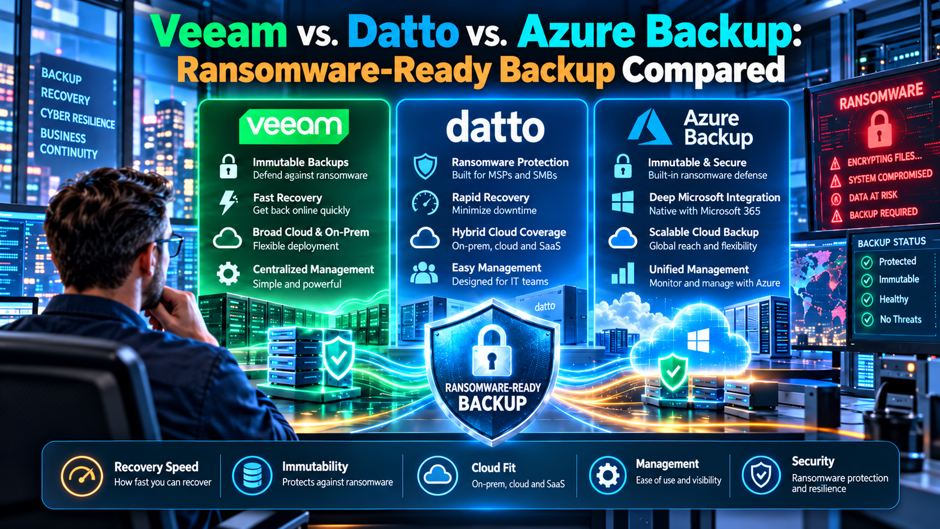
This article compares Veeam, Datto and Azure Backup on the controls that decide whether a backup copy survives an attack, using vendor documentation where it exists and labeling marketing claims as claims. Datto pricing comes from a reseller page and Azure’s public price page masks its dollar amounts, so cost figures here are ranges and structures, not quotes. Treat every price and recovery promise as something to confirm with the vendor and your counsel.
TL;DR
- All 3 can produce a ransomware-resistant copy, but each does it differently. Veeam’s hardened Linux repository locks files for a set period, Datto couples an appliance with an immutable cloud, and Azure Backup offers immutable vaults, soft delete and multi-user authorization. Your outcome depends on whether those controls are actually switched on and locked. Ask who can disable each of those controls.
- Cost models don’t compare directly. A reseller lists Datto SIRIS service at $250 to $5,500 a month, Azure bills per protected instance plus storage, and Veeam pricing wasn’t verified in this research. Build a 36-month model with your own data volumes before you shortlist anyone. Confirm Veeam pricing directly.
- Test recovery, not features. A 10 TB restore takes about 2.2 hours at a clean 10 Gbps and about 44 hours at half of a 1 Gbps link, so run a timed restore during your pilot. Record the timings and keep them for your insurer and auditors.
What ransomware-ready means for a backup system
A ransomware-ready backup is a system that an attacker holding your administrator credentials still can’t delete or encrypt, and can’t silently shorten. That’s a stricter test than most buyers apply. Traditional backup buying focuses on recovery points and speed, and those still matter, but the modern attacker enters through identity, finds the backup server early and removes your safety net before announcing the ransomware attack. The relevant question is therefore who can turn immutability off and how many separate credentials that takes.
These 3 properties separate marketing from protection. First, the immutable copy needs to be enforced somewhere your production admin accounts can’t reach, such as a separate tenant, a hardened operating system with no standing credentials, or a locked vault policy. Second, the retention window must outlast attacker dwell time, which in the illustrative case above was 9 days. Third, you need a restore path that works while production is down, because a perfect copy you can’t reach during an incident is only a theoretical comfort.
Attack paths that target the backup copy
- Stolen backup console credentials. If the same directory account that runs your servers also signs in to the backup console, a single compromise opens both. Look for separate identities, multifactor authentication on the console and role limits that keep the day-to-day operator from deleting recovery points. Microsoft documents built-in Backup Contributor, Operator and Reader roles for exactly this kind of separation in Azure. Ask to see the permissions matrix for the console, and confirm who can approve a deletion before any pilot begins.
- Direct access to the repository. A backup file sitting on a Windows share is just another file an attacker can encrypt. Veeam describes its hardened Linux repository as prohibiting deletion and modification of data for a defined period, even for backup administrators, which closes that path as long as the operating system itself stays uncompromised. Ask whether the protection holds if the host operating system itself is compromised, because the documentation reviewed doesn’t say what a root-level attacker can do.
- Tampering with retention. An insider or intruder can shorten a retention policy so old points expire on schedule. Veeam’s documentation names changing job retention among the insider threats its immutability addresses, and Azure’s multi-user authorization uses a separate Resource Guard so a second party must approve critical operations. Ask each vendor what stops a single admin from shortening retention. Test the control in the pilot by trying to shorten a policy with a normal administrator account.
- The management plane outside the operating system. Veeam’s best-practices article warns that an attacker who becomes admin on a server’s out-of-band management interface, such as iLO or iDRAC, could delete a repository without touching the operating system. Firewall that port off or disconnect it, and enable multifactor authentication where the hardware supports it. Put the management network on its own segment, and review who holds those credentials as carefully as you review server administrators.
Protection controls compared
The table below condenses what each vendor’s own documentation says. When a cell says “confirm,” the sources reviewed didn’t give a firm answer, and you should ask the vendor to state it in writing. Marketing terms such as “guaranteed” or “100% recovery confidence” were excluded because they carry no testable definition, and the Datto page itself uses inconsistent verification figures in different sections. Ask for written answers for every cell marked confirm.
| Control | Veeam | Datto SIRIS | Azure Backup |
| Immutable copy | Hardened Linux repository; default 7 days in the v11 article, check current docs | Immutable cloud design per vendor page; confirm term and override path | Immutable vault, can be locked so it’s irreversible (Microsoft Learn) |
| Delete protection | Admins can’t delete files while the flag is set | Cloud Deletion Defense restores snapshots from deleted agents | Soft delete keeps data 14 extra days for VMs and MARS; enhanced soft delete can be always-on |
| Second-party approval | Confirm | Confirm | Multi-user authorization via Resource Guard |
| Encryption | Confirm in current docs | Encrypted in transit and at rest per vendor page | TLS 1.2 or later in transit; platform-managed keys at rest, customer-managed optional |
| Admin hardening | Single-use credentials recommended | Forced 2FA on the admin portal per vendor page | Role-based access control with built-in roles |
| Ransomware detection | Confirm product tier | Scanning plus automatic snapshots, claimed by vendor | Confirm; security levels grade vault posture |
Where the self-built option fits and needs care
Veeam gives you the most control and asks the most of you. Its hardened repository is built on a supported 64-bit Linux distribution rather than a packaged appliance, so you choose hardware and filesystem design. Veeam recommends XFS for block cloning, which speeds synthetic backups and saves space. That flexibility suits teams with Linux skills and an existing hardware budget, and it means the quality of your immutability depends on how well you build and maintain the repository.
Immutability is temporary and the details matter. Veeam’s v11 article gives a default period of 7 days, says job retention settings must match so the active chain stays protected, and requires forward-incremental backups with periodic synthetic or active fulls. Backup copy jobs need GFS points configured. The article also points readers to v12, so check current documentation before you design anything around the numbers quoted here, since behavior and defaults change between releases.
Hardware and out-of-band management become your problem. Veeam’s best-practices guidance recommends internal disks over external storage, RAID 6 or 60 with a spare, redundant power, Secure Boot and tightly limited outbound access. It also warns about the management-port path described earlier. None of this is difficult for a skilled team, but a small shop without Linux experience should price the IT infrastructure labor honestly, because a poorly built repository is a weaker control than a well-run vault.
Where the appliance model fits
Datto sells backup as an appliance plus cloud service, and that bundle is the point. According to the vendor’s SIRIS page, the product can run as preconfigured hardware, on customer hardware or in the cloud, covers physical and virtual workloads as well as cloud ones, and includes local virtualization, bare metal recovery, screenshot verification and no-charge disaster recovery testing. A buyer who wants a single phone number and a flat fee will find that structure easier to operate than assembling parts.
The cautions are about verification rather than design. The vendor page makes strong claims, including a patented ransomware scan, an immutable cloud, “99.99999% availability” and recovery “no matter the circumstances,” but it gives no test methodology, SLA terms or independent results, and 2 sections cite different verification percentages. Treat those lines as marketing until the contract says otherwise. Ask for the written service level, the override procedure for immutable data and who at the vendor can alter retention on your behalf.
Datto is also commonly bought through managed service providers, which changes the trust model. If your provider holds the admin credentials, a compromise at the provider is a compromise of your backups. Ask who has portal access, whether you hold a separate break-glass account, and how a retention change is approved. A well-run provider will welcome those questions because the answers show whether the controls are real. That’s a fair test of any managed arrangement.
Reported cost ranges and what they add up to
A reseller page (Invenio IT, which sells Datto and so has a commercial interest) lists SIRIS hardware from $1,095 to $35,000 and monthly service from $250 to $5,500, with 7-year retention adding $35 to $550 a month and infinite cloud retention adding $50 to $450 a month. It says devices can be provided at no cost with a 36-month agreement and describes all figures as estimates. Microsoft’s Azure Backup price page by contrast, showed no dollar amounts in the text reviewed, so only its billing structure appears below.
| Item | Reported figure or structure | 12-month math | 36-month math |
| Datto service, low end | $250 a month | $3,000 | $9,000 |
| Datto service, high end | $5,500 a month | $66,000 | $198,000 |
| Datto hardware range | $1,095 to $35,000 | Single payment | $10,095 to $233,000 with service |
| Datto retention add-ons | $35 to $550 (7-year); $50 to $450 (infinite) | $420 to $6,600; $600 to $5,400 | Multiply by 3 |
| Azure protected instance | Flat fee by size band plus storage consumed | Use the pricing calculator | Reserved capacity in 1 or 3 years |
| Veeam | Not verified in this research | Get a quote | Get a quote |
The 36-month column pairs the lowest hardware and service with the highest of each, which gives a spread of $10,095 to $233,000. That spread is wide because it spans a small office and a large estate. Your own quote will land somewhere inside it, and the right comparison uses your actual protected terabytes, retention requirement and recovery objectives. Rerun the arithmetic with your own quotes, since a single large-capacity site can sit near the top of the range.
The cloud-native option and what its docs say
- Immutability, soft delete and approval are separate layers. Microsoft Learn describes immutable vaults that block operations that could cause loss of recovery points and can be locked so the change is irreversible. Soft delete retains deleted VM backup data for 14 additional days at no cost, and enhanced soft delete can be set always-on. Multi-user authorization adds a second approver through Resource Guard. Enable all 3 layers rather than relying on a lone control.
- Security levels grade your own configuration. The platform scores a vault as Excellent when immutability or soft delete is locked or always-on and multi-user authorization is enabled, Good when either immutability with a lock or soft delete is enabled, Fair when only multi-user authorization is on, and Poor when no advanced protection exists. Use that grading as a checklist and aim for the top level. Review the grade after every policy or role change.
- Isolation comes from where the data lives. Per Microsoft Learn, vaulted data sits in a Microsoft-managed subscription and tenant, so external users and guests have no direct access, and VM backup traffic stays on the Azure backbone without allowing public IP ranges. Private endpoints are available for SQL, SAP HANA and MARS-protected servers. That separation is a real strength for cloud workloads. Confirm the private endpoint requirements with your network team before rollout.
- Billing carries traps that look small. Microsoft’s price page describes flat fees per protected instance by size band, charges for storage consumed and an archive tier with a 180-day minimum, so a backup deleted after 45 days incurs 135 days of charges. Restores from the archive carry a single retrieval fee. Model retention carefully, since long-term and early-deletion rules change the bill materially. Run the numbers for your retention schedule before committing to archive.
Mixing products without creating gaps
Veeam’s own guidance says to combine the hardened repository with other immutable options such as object lock on object storage or WORM tape, which is the 3-2-1 rule applied to ransomware. That advice generalizes. A common design keeps fast local restores on a single platform and a separate, differently administered copy on another, so no single credential or vendor outage can remove both. Mixed designs cost more to operate but remove the single point of failure that sank the firm in the opening scenario.
Plan how the copies are administered, not merely where they live. If the same person or group owns both, you’ve duplicated storage without separating risk. Put the second copy under a different tenant, different credentials and a different multifactor method, and have a different team approve changes. Azure’s Resource Guard model illustrates the pattern: the guard sits in a separate scope so an attacker holding vault permissions still needs a second authorization to perform critical operations.
Finally, keep the recovery path independent of production. If your backup server authenticates against the domain you’re restoring, you may find you can’t sign in during the incident. Maintain a documented break-glass account, an offline copy of configuration backups and a clean workstation for recovery work. Veeam notes configuration backups can themselves be made immutable, which is worth enabling because rebuilding a backup server from memory in the middle of an incident is slow and error-prone.
Restore time arithmetic
| Data size | 1 Gbps at full speed | 1 Gbps at half speed | 10 Gbps at full speed | 10 Gbps at half speed |
| 5 TB | 11.1 hours | 22.2 hours | 1.1 hours | 2.2 hours |
| 10 TB | 22.2 hours | 44.4 hours | 2.2 hours | 4.4 hours |
| 25 TB | 55.6 hours | 111.1 hours | 5.6 hours | 11.1 hours |
These are illustrative line-rate calculations, using 1 TB as 8,000 gigabits, and they ignore protocol overhead, small-file penalties and deduplication rehydration. Real restores usually run slower. Veeam’s best-practices article offers a conservative estimate of 10 to 50 MB per second per disk in a RAID 60 set; at 24 disks that’s 240 to 1,200 MB per second, which means a 20 TB restore could take roughly 4.6 to 23 hours from the repository alone.
The table explains why local appliance restores and virtualization features matter. Datto’s page describes running servers directly on the appliance or in its cloud, which sidesteps a bulk copy over a slow link. Veeam offers comparable instant recovery features, though this research didn’t verify them. Azure restores depend on region and workload as well as tier, and restores from archive add retrieval time. For any platform, the number that counts is the figure you measure on your own data.
Testing recovery before you need it
Recovery testing is where most backup programs fail quietly. A job that reports success can still produce an unusable restore if the application is inconsistent, a credential has expired or a dependency was never protected. Datto’s page promotes screenshot verification and 2 disaster recovery tests a year on the reseller’s plan, which is useful automation, but automated checks confirm that a machine boots, not that your finance application reconciles. Add a human acceptance step for the few systems that run the business.
Run 3 kinds of exercise on a schedule, and write down the timing each time. A file-level restore proves the basics. A full-system recovery into an isolated network proves the dependency chain. A simulated total loss, where production credentials are assumed compromised and you recover using only break-glass accounts, proves the part that matters during an attack. Record the elapsed time against your target and keep the results, since auditors and insurers increasingly ask for evidence of testing.
Treat any gap as a project, not an observation. If the restore took 30 hours and your target was 8, the finding needs an owner, a fix and a retest date. Common fixes include moving a critical server to a local recovery tier, adding bandwidth, trimming the data set that must return first and rewriting a runbook nobody could follow. Revisit the exercise after any major change in infrastructure or vendor, because yesterday’s passing test says little about tomorrow’s environment.
Contract and service level questions
- What exactly is guaranteed? Vendor pages use absolute language such as guaranteed recoverability and 100% recovery confidence. Ask which sentences appear in the contract, what remedy applies if a restore fails and whether the remedy covers more than a service credit. Anything not in the signed agreement should be treated as brochure copy, however confident it sounds on the website. Get the answer in writing, with the exact clause, before the pilot starts.
- Who can change retention or delete data? Request a written description of every role at the vendor and at your provider that can alter retention, override an immutable copy or close the account. Ask how those actions are authenticated and logged, and whether you receive notification. This is the question that tests whether a vendor’s immutability claim survives a social engineering attempt against its own support staff. Ask for sample audit log entries.
- What happens when you leave? Ask how you export data in a usable format, how long the vendor keeps it after termination, what egress costs apply and whether proprietary formats lock you in. Datto’s page says there are no ad-hoc charges for data movement or disaster recovery testing, and that claim should be checked against the contract. Veeam and Azure have their own exit terms to confirm. Check the answer against the actual contract language.
- How are price changes handled? Multi-year agreements often hide renewal escalators, and appliance programs may tie free hardware to a 36-month term. Ask for caps on annual increases, the cost of ending early and who owns the hardware afterward. Have legal counsel review termination, data residency and liability language, because none of the vendor pages reviewed here can answer those questions for your jurisdiction. Compare the total against the cost of your current tool.
Choosing by situation
| Your situation | Likely lean | What to verify |
| Mostly Azure workloads, strong cloud team | Azure Backup | Lock immutability, enable multi-user authorization, model archive and early-deletion costs |
| Mixed estate, Linux skills in house, hardware budget | Veeam with hardened repository | Current immutability defaults, hardware build, separate credentials and a second copy |
| Small team, little backup expertise, wants a single bill | Datto through a trusted provider | Written service level, override procedure, who holds admin access |
| Strict recovery time targets for on-premises servers | Appliance or local instant recovery | Timed full restore on your own data |
| Regulated data with audit evidence needs | Any, with a second independent copy | Retention proof, testing logs, counsel review of residency terms |
| Ransomware insurance questionnaire coming | Whichever you can configure and prove | Evidence of immutability, multifactor authentication and tested restores |
These are starting hypotheses, not verdicts. Many mid-sized companies end up with a hybrid: a local fast-recovery tier and a separately administered cloud copy. If you’re leaning that way, shortlist 2 finalists, run the same timed restore against each and compare the operating effort as well as the price. The pilot result should override any table in this article. Document why you chose each finalist so the reasoning survives staff changes.
A company preparing for a ransomware insurance questionnaire can also compare those controls against Calance’s cyber insurance readiness work before the final selection. The pilot result should still determine which backup design fits the actual environment.
Who owns backup in your organization
Give backup its own administrative identity. The best single improvement for most companies is separating backup administration from the directory that runs the rest of the business. Use dedicated accounts, enforced multifactor authentication and role limits so that the people who manage servers can’t delete recovery points. Microsoft’s role design, where a Contributor can’t delete the vault or grant access and an Operator can’t remove backups, shows how finely that separation can be done.
Name a person who reads the reports. Backup tools generate alerts that become background noise, and a silent failure can persist for weeks. Assign an owner who reviews failures daily, a deputy who covers absences and a monthly summary to leadership showing success rates, restore test results and open exceptions. If you outsource the work to a provider, the contract should require the same reporting and give you read access to the console so you can verify the state yourself. Continuous monitoring through managed detection and response can also help surface ransomware activity before it reaches critical recovery systems.
Include security and finance in the design. Security should approve the isolation model and review logs for backup deletions or retention changes. Finance should understand that the cheapest per-terabyte option may become the most expensive once egress, archive early-deletion fees and hardware refresh are included. A short quarterly review with all 3 functions keeps the program honest, and it ensures the next budget conversation starts from evidence rather than from the loudest recent incident.
Mistakes buyers keep making
The most common mistake is buying immutability and leaving the lock off. Azure’s documentation is explicit that a locked immutable vault is irreversible so an attacker can’t disable it, while a vault without the lock can be changed by someone with sufficient permissions. Veeam’s protection lasts only for the configured period. Datto’s cloud design depends on terms you must confirm. In every case, the feature on the datasheet counts only if the setting in your environment matches it.
Another error is sizing immutability to the backup cycle rather than to attacker dwell time. A 7-day window protects you when you notice an intrusion within a week, and it fails when the attacker waited 9 days as in the opening example. Set retention for the longest plausible dwell period, keep monthly or yearly points longer, and remember that long-term tiers carry their own costs, such as Azure’s 180-day archive minimum.
A third mistake is trusting the green checkmark. Backup dashboards report that a job completed, not that the data is clean or restorable. Ransomware can sit in your backups for weeks before it detonates, so keep older clean restore points and scan them before you recover. Where a vendor claims detection, ask for the method and the false-positive rate, and compare the claim with what you can verify in a test restore rather than accepting a patent as proof.
A 30-day proof plan
- Days 1 to 5: define targets and inventory. List the systems that must return first, their data sizes and your recovery time and recovery point targets. Decide how long an attacker might stay hidden and set retention to match. Collect admin guides, written security documentation and draft contract language from each finalist so you’re testing against documents rather than sales conversations. Agree on the success criteria in writing before any vendor demonstrates anything.
- Days 6 to 15: build both finalists. Deploy each product against the same set of 5 to 10 representative systems, including a database, a file server and a legacy application. Configure immutability, locks, separate credentials and multifactor authentication from the start. Have a person who didn’t do the setup try to delete a recovery point, shorten retention or sign in with production credentials, and record what happens. Photograph the settings screens as evidence.
- Days 16 to 25: restore under pressure. Run a timed file restore, a full-system restore and a simulated loss with production credentials treated as compromised. Capture elapsed times, manual steps and surprises. Compare the results with the table of line-rate estimates earlier in this article, and note where real performance diverged and why, because that gap predicts how an actual incident would feel. Share the timings with leadership as soon as they exist.
- Days 26 to 30: score and decide. Rate each finalist on isolation, restore speed, operating effort, reporting quality and 36-month cost using your own numbers. Ask for final quotes, renewal caps and written answers to the contract questions above. Have counsel review the terms, and keep the pilot evidence on file, because it’ll help with insurance renewals and audits. Store the scorecards beside the contract for the next renewal. Share the final scores with every stakeholder.
FAQs
Which is best for ransomware protection: Veeam, Datto or Azure Backup?
None wins in every case, and no independent head-to-head test was found in this research. Azure documents immutable vaults, soft delete and multi-user authorization. Veeam documents a hardened repository that blocks deletion for a set period. Datto markets an immutable cloud and ransomware scanning, though its page offers no test data. Choose by workload and budget, then verify the configuration and run a timed restore. Expect the best fit to differ by workload.
Does immutable backup mean attackers can never delete it?
Not automatically. Immutability depends on the setting being enabled and locked, with enforcement outside the reach of compromised credentials. Microsoft says a locked immutable vault is irreversible, while Veeam’s protection lasts for a defined period that defaults to 7 days in its v11 article. A server-management interface can also bypass operating system controls. Ask each vendor who can override or shorten retention and how that’s logged. Test the override path before you rely on it.
How much does Datto cost compared with Azure Backup or Veeam?
A reseller page lists Datto SIRIS service at $250 to $5,500 a month and hardware from $1,095 to $35,000, which is $3,000 to $66,000 a year for service alone. Azure bills per protected instance plus storage, and the public page reviewed showed no dollar amounts. Veeam pricing wasn’t verified. Get written quotes using your actual terabytes and retention requirements, and confirm them. Compare totals at the same retention length and recovery target.
How fast can I restore after a ransomware attack?
It depends on data size and bandwidth. At line rate, 10 TB moves in about 2.2 hours over 10 Gbps and about 22 hours over 1 Gbps, and real throughput is usually lower. Local appliances and instant recovery features can avoid bulk copies by starting servers directly from backup. Measure the number on your own systems during a pilot, because vendor claims of instant recovery come without conditions. Treat vendor timing claims as unverified.
Should I use more than a single backup product?
Often yes. Veeam’s guidance suggests combining its hardened repository with other immutable options such as object lock or tape, and a second copy administered separately removes the risk of a single credential or vendor failure. The key is independence: different credentials, different tenants and different approvers. Extra tools add operating work, so weigh that against the exposure that your most critical data would carry with a single copy. Document who approves each copy.
Is Azure Backup only for Azure workloads?
No. Microsoft’s documentation describes support for on-premises servers through the MARS agent, with data encrypted using a passphrase before upload, and private endpoints for SQL, SAP HANA and MARS-protected servers. Some features differ, since the price page notes the archive tier isn’t available for on-premises servers. Confirm that your specific workloads and operating systems are supported before you build a plan around Azure Backup. Check version support in the current documentation.
How long should I keep ransomware-proof backups?
Set the immutable window longer than the time an attacker could stay undetected, then keep older monthly or yearly points for compliance. The opening example used a 9-day dwell time, which would defeat a 7-day window. Long-term storage has costs, such as Azure’s 180-day archive minimum. Confirm retention requirements with counsel and your insurer, and test that old restore points are readable. Ask your insurer and counsel which retention length they expect.
What should I ask a vendor or provider before signing?
Ask which security claims are contractual, who can change retention or override immutable data, how admin access is authenticated and logged, what the exit and export process looks like, and how price increases are capped. Request written service levels and a reference customer of similar size. Have counsel review data residency and liability terms, and confirm all pricing directly with the vendor before you budget. Keep their written replies for renewal talks.
