
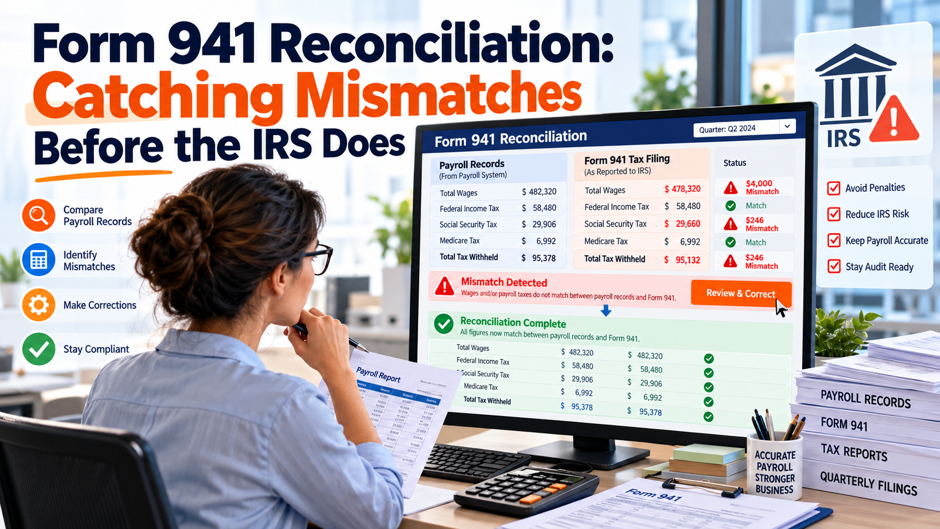
Picture a 40-person company whose payroll provider files Form 941 each quarter and mails W-2s in January. In February the owner gets a letter saying the wages reported on the year’s wage statements don’t match the 4 quarterly returns. The controller pulls the files and finds a $15,000 gap that nobody noticed, a deposit that landed a few days late and a manual bonus that exists in a single system. None of it was hard to catch in April. This scenario is invented for illustration and doesn’t describe a real company.
This post shows how to reconcile Form 941 against your payroll records, your tax deposits and your year-end wage statements before the IRS or the Social Security Administration compares them for you. It draws on the 2026 IRS instructions for Form 941, an IRS page on correcting employment taxes, an IRS penalty table and 3 vendor guides, each attributed where it appears. All dollar examples are invented unless attributed. Several guides contain errors, which I flag. Confirm every rule with a tax professional.
TL;DR
- Reconcile 3 pairs: register to return, deposits to liability, and return to wage statements. The IRS instructions say the agency matches the 4 quarterly returns against the annual Form W-3 and that you may be contacted if the amounts don’t agree. Check each pair every quarter, rather than only at year end, so a gap of a few hundred dollars gets explained while the pay records are fresh and the people involved still remember what happened.
- Halve the tax columns before comparing them to employee boxes. Form 941 reports combined employer and employee tax, at 12.4 percent for Social Security and 2.9 percent for Medicare in the instructions’ worksheet, so totals must be halved to compare with W-2 Boxes 4 and 6. In an invented year, $201,624 on the return becomes $100,812. Some published checklists skip the halving, so verify the method your team uses before you trust a match.
- Fix errors quickly and keep the paper trail. File Form 941-X as soon as you find an error, and pay any underpayment by the time you file to keep the correction interest-free. Late deposits carry penalties from 2 to 15 percent of the unpaid amount. Document legitimate differences too, and reply to notices rather than attaching explanations to returns, per the instructions. Confirm specifics with your tax advisor.
Where mismatches show up
Between the return and the wage statements. The Form 941 instructions say the IRS matches the 4 quarterly returns against the annual Form W-3 totals for federal income tax withholding, Social Security wages, Social Security tips, and Medicare wages and tips, and that if the amounts don’t agree you may be contacted by the IRS or the Social Security Administration. This is the mismatch most owners hear about first, because it arrives as a letter in the months after the January filing deadline.
Between the liability and the deposits. Each quarter’s return reports the tax you owed, and your electronic deposits show what you paid. The IRS instructions say deposit schedules depend on your lookback-period liability, and that semiweekly depositors must complete Schedule B, or the IRS may assess deposit penalties based on available information. A gap here can mean a missed deposit, a wrong amount or a liability that was reported on the wrong date.
Between the payroll register and the return. The register is where the numbers start. If total wages on the return don’t match the register for the quarter, something was added, left out or timed differently. TaxBandits advises comparing Line 2 with the quarterly payroll register and Line 3 with the withholding records. Start here, since an error at this step flows into every number downstream. Differences found at this step are the cheapest to fix, because the supporting pay records are still on hand and nobody has filed anything yet.
Why the numbers drift
Most mismatches come from ordinary payroll mechanics, not fraud. Wages count when they’re paid, so a December bonus paid in January lands in a different year. Pretax deductions reduce some wage boxes while leaving others alone. A 401(k) deferral reduces income tax wages but leaves Social Security and Medicare wages untouched, and cafeteria plan deductions generally reduce all 3. Third-party sick pay, tips and group-term life insurance all create legitimate differences between the return and the wage statements.
Process problems cause the rest. A manual check cut outside the payroll system, an off-cycle payroll entered in a single system but missing from the other, or a correction made on the return but never on the wage statement all create gaps. The beancount.io guide lists missing or duplicate filings, voided wage statements included in totals, name and Social Security number mismatches, a wrong employer ID or tax year, and manual adjustments recorded in a single system.
Rounding and rates add small differences. The 941 has a line for fractions of cents, and totals that look identical can differ by a few dollars. Wage base limits matter too: the 2026 instructions put the Social Security wage base at $184,500, so wages above that amount for an employee are Medicare wages but not Social Security wages. A reconciliation that ignores the cap will show a gap in Q4 that has a simple explanation. Write down your rounding convention so the same difference isn’t investigated again next quarter.
A line-by-line map from register to return
The table lists the main lines and what to compare each against. Line numbers are from recent versions of the form, and the instructions are revised periodically, so check your current form. The comparisons come from the IRS instructions, the beancount.io guide and the Netchex checklist, which agree on the core pairs. The last column lists common causes of a gap. Add your own causes as you learn them. Treat the table as a starting template and extend it with the lines your own payroll produces, such as adjustments for sick pay or credits.
| Line | What it reports | Compare to | Common cause of a gap |
| 2 | Wages, tips and other compensation | Register taxable wages; W-2 Box 1 | Pretax deferrals, bonuses timed differently, manual checks |
| 3 | Federal income tax withheld | Register withholding; W-2 Box 2 | Corrections made on a single side |
| 5a | Social Security wages | Register; W-2 Box 3 | Wage base cap, pretax benefits |
| 5b | Social Security tips | W-2 Box 7 | Tip reporting timing |
| 5c | Medicare wages and tips | Register; W-2 Box 5 | Section 125 and group-term life treatment |
| 5a to 5c, tax columns | Combined employer and employee tax | W-2 Boxes 4 and 6, after halving | Forgetting to halve |
| 12 | Total taxes after adjustments and credits | Deposits for the quarter | Missed or late deposit, wrong amount |
Rate and wage base checks
- Check the rates. The 2026 Instructions for Form 941 say the Social Security tax rate is 6.2 percent each for the employee and employer, and the Medicare rate is 1.45 percent each. Their worksheet multiplies Social Security wages by 0.124 and Medicare wages by 0.029, the combined rates. Recompute each quarter’s tax columns from the wage columns. If your recomputed figure differs from the return by more than rounding, look for a wage entered in the wrong column.
- Check the wage base. The instructions state the Social Security wage base limit is $184,500 and that Medicare has no wage base limit. Identify employees who crossed the base during the quarter, and confirm that Social Security wages stop at the cap while Medicare wages continue. In an invented Q4, $12,000 above the cap is why Social Security wages are lower than Medicare wages by that amount. Keep a list of those employees from year to year, since the same highly paid people tend to cross the cap in the same quarter.
- Check Additional Medicare Tax. The instructions say withholding begins for wages over $200,000 in a calendar year, the employee bears a 0.9 percent rate and the employer pays no matching share. That means the employee-only box on the wage statement and the combined figures on the return diverge by a calculable amount for high earners. Pull the list of employees over $200,000 and verify that the tax was withheld from the correct pay date.
- Check the halves. Because the return reports combined tax, the employee-only boxes on the wage statements equal half of the Social Security and Medicare tax columns, excluding Additional Medicare Tax. The beancount.io guide stresses this point. If your comparison shows the return at about twice the wage statements, you forgot to halve. If it’s off by a smaller amount, look at rounding, wage base and Additional Medicare Tax. Write the halving step into the worksheet itself so a new reviewer doesn’t have to rediscover it each January.
Reconciling deposits to liability
Know your deposit schedule. The instructions say monthly depositors are those who reported $50,000 or less during the lookback period, and semiweekly depositors reported more than $50,000. The IRS explains the lookback and timing rules in Publication 15, which is worth checking before you set the year’s deposit schedule. If you accumulate $100,000 of liability on any day in a monthly period, you become a semiweekly depositor the next day. Deposits must be made electronically.
Compare liability to deposits. Netchex’s checklist includes comparing deposits with liability each pay period, and the same 3-way check works each quarter: the calculated tax liability, the actual deposits shown in your electronic payment history and the amounts on Form 941. Build a table of deposits by date and amount, then compare the total with the return’s total taxes after adjustments and credits. A small difference can be a rounding adjustment or a prior-quarter overpayment applied as a credit, so find the cause before you pay or ignore it.
Complete Schedule B if you’re semiweekly. The instructions say semiweekly depositors must complete Schedule B, and that if they don’t, the IRS may assess deposit penalties based on available information. Schedule B assigns liability to the dates you paid employees, which determines whether a deposit was on time. Check that each pay date appears with the right amount. A liability booked to the wrong day can create a penalty even when the total deposited is correct.
A worked quarter with invented numbers
Take an invented company with 40 employees. In Q1, Social Security and Medicare wages are both $410,000, and 401(k) deferrals of $15,000 reduce income tax wages, so Line 2 is $395,000. Withholding at an invented 15 percent is $59,250 on Line 3. The Social Security column is 12.4 percent of $410,000, or $50,840, and the Medicare column is 2.9 percent, or $11,890. Total taxes before adjustments are $59,250 plus $50,840 plus $11,890, which is $121,980.
Now the deposits. The company made 3 monthly deposits of $40,600, $40,650 and $40,500, for $121,750. The return shows $121,980 owed, so the balance due is $230, the kind of mismatch a clean quarter-end close in ADP should surface before the filing is finalized. That’s small, and it’s exactly the kind of gap that gets ignored. Trace it: perhaps a bonus paid on the last day of the quarter was taxed but never added to the deposit.
Check the other direction too. If the deposits had exceeded the liability, the overpayment could be applied to the next quarter or refunded, and the return would show it. Whichever way the gap goes, the point is that the explanation matters more than the amount. An auditor who finds an unexplained difference assumes the controls are weak, while an explained variance with a note in the file is treated as a minor item. Keep a short memo for every variance. Record the credit election you made so the next quarter’s return matches.
Year-end tie-out to wage statements
- Compare income tax wages and withholding. Sum Line 2 across the 4 quarters and compare it with W-2 Box 1 on the W-3. A structured W-2 pre-year-end cleanup helps catch the same wage and withholding differences before forms become official. Do the same for Line 3 and Box 2. These pairs usually tie unless a year-end correction, a late bonus or a manual check broke the chain.
- Compare Social Security and Medicare wages. Sum Line 5a, column 1, and compare it with Box 3, then Line 5c, column 1, with Box 5. Add tips on Line 5b to Box 7. These boxes differ from Box 1 because of pretax deductions, and they differ from each other because of the wage base. Your reconciliation should explain every dollar of the gap between Box 1 and Box 5 with a deferral, a section 125 deduction or a similar item.
- Compare the taxes after halving. Take Line 5a and 5b column 2 totals, halve them and compare with Box 4. Take Line 5c column 2, halve it and compare with Box 6. The Netchex checklist lists these pairs without mentioning the halving, and the beancount.io guide states the halving for both boxes. Use your own worksheet, and show the calculation so a reviewer can follow it. Keep the arithmetic visible in the worksheet.
- Document legitimate differences. Timing, rounding and third-party sick pay and fringe benefits can create legitimate differences that still need an explanation in the reconciliation file. Write a short note for each, with the amount, the cause and the supporting records. The note protects you if a letter arrives a year later and the person who knew the story has left the company.
An invented annual tie-out
The table reconciles an invented year for the same 40-person company. A proper year-end payroll review in ADP should make these quarter-to-year differences visible before wage statements are released. The quarterly figures follow the Q1 logic: deferrals reduce income tax wages, withholding is 15 percent of those wages, and in Q4 some wages exceed the Social Security cap.
| Item | Q1 | Q2 | Q3 | Q4 | Year total | Expected W-3 |
| Line 2 wages | $395,000 | $390,200 | $383,500 | $409,800 | $1,578,500 | Box 1: $1,578,500 |
| Line 3 withholding | $59,250 | $58,530 | $57,525 | $61,470 | $236,775 | Box 2: $236,775 |
| Line 5a Social Security wages | $410,000 | $405,000 | $398,000 | $413,000 | $1,626,000 | Box 3: $1,626,000 |
| Line 5c Medicare wages | $410,000 | $405,000 | $398,000 | $425,000 | $1,638,000 | Box 5: $1,638,000 |
| Social Security tax, combined | $50,840 | $50,220 | $49,352 | $51,212 | $201,624 | Box 4: $100,812 |
| Medicare tax, combined | $11,890 | $11,745 | $11,542 | $12,325 | $47,502 | Box 6: $23,751 |
| Actual W-3 Box 1 (invented error) | n/a | n/a | n/a | n/a | $1,593,500 | $15,000 over |
Fixing what you find
Correct the return with Form 941-X. The official IRS instructions for Form 941-X explain how the adjustment and claim processes work when you discover an error on a previously filed Form 941. Underpayments use the adjustment process, while certain overreported amounts can use the claim process. Pay any additional tax by the applicable deadline and keep the correction with the original return.
Mind the interest-free rule and the income tax limit. The IRS says an underpayment adjustment qualifies as interest-free only if you pay the amount by the time you file the adjusted return, and that there are no interest-free adjustments for underpaid FUTA. It also says withholding errors generally can be corrected only if discovered in the same calendar year the wages were paid, with prior-year exceptions for administrative errors and section 3509 situations. Ask your advisor which applies.
Correct the wage statements too. If the error is on the wage statements, the fix generally goes on corrected wage statements filed with the Social Security Administration, and I didn’t verify that process in the sources I read, so confirm the steps with your advisor. The Form 941-X is filed separately from Form 941 and can be filed electronically, per the instructions. Keep the correction file together: the original, the corrected return, the proof of payment and the memo explaining the cause. Reconcile again after the correction to confirm the pairs now agree.
Where published checklists go wrong
- Netchex omits the halving. Its checklist pairs Lines 5a and 5b, column 2 with Box 4, and Line 5c, column 2 with Box 6, without saying to halve the combined amounts. Following it literally would show the return at about double the wage statements and send you chasing a phantom error. The beancount.io guide handles the halving explicitly. Use a worksheet that shows the division, and test it on a quarter you already trust.
- The beancount.io guide misstates a benefit rule. It says cafeteria plan deductions reduce Box 1 but not Boxes 3 and 5, and as I read it, section 125 deductions generally reduce Boxes 1, 3 and 5, while 401(k) deferrals and year-end true-ups follow different payroll and reporting mechanics. Following the guide would make you expect a gap that doesn’t exist. Confirm the treatment of each benefit with your advisor, and use the plan documents, not a summary.
- The notice direction is unsourced. Both Netchex and beancount.io say the Social Security Administration sends a notice when wage statement totals are lower than the return and the IRS sends a notice when they’re higher. Neither gives a citation, and I couldn’t verify it, since the IRS notice page I tried failed to load. Treat the direction as a hypothesis. Whichever agency writes, reconcile both ways.
- TaxBandits stops short. Its guide compares Line 2 and Line 3 with the register, but it doesn’t cover deposits against total taxes, Schedule B or Form 941-X. It’s a reasonable first pass, dated April 10, 2025, from an e-file vendor. Pair it with the instructions, and add the deposit and correction steps yourself. Small businesses that rely on a guide like this can end up with a quarterly routine that never touches deposits, which is where penalties are assessed.
Penalties and interest in plain terms
Deposit penalties scale with delay. The IRS Failure to Deposit Penalty guidance lists 2 percent of the unpaid deposit for deposits 1 to 5 calendar days late, 5 percent for 6 to 15 days, 10 percent for more than 15 days, and 15 percent after the applicable notice or immediate-payment trigger. On an invented $8,000 deposit, that’s $160, $400, $800 and $1,200. Interest accrues separately.
The late-filing and late-payment penalties apply to returns generally. The IRS penalty page I read lists a failure-to-file penalty of 5 percent of the tax due for each month or partial month, up to 25 percent, alongside a failure-to-pay penalty of 0.5 percent per month, but it doesn’t say whether these apply to Form 941, so confirm with your advisor. The instructions also say the trust fund recovery penalty is 100 percent of the unpaid trust fund tax, which can reach responsible people personally.
For wage statement errors, the beancount.io guide cites penalty tiers of roughly $60, $130 and $340 per return depending on how late the correction is, calling them approximate and year-dependent. I haven’t verified those amounts, and they’re adjusted for inflation, so check the figures for your filing year. Abatement has its own path: the instructions say to use Form 843 to request abatement of assessed penalties or interest, and to avoid requesting abatement on Form 941 or 941-X.
A reconciliation calendar
This calendar is invented to show a plausible rhythm, and your schedule should follow your pay frequency and deposit schedule. A broader ADP year-end checklist can sit around this reconciliation routine so quarter-end checks feed directly into W-2 preparation. The principle is to reconcile small and often: a check after every payroll, a quarterly tie-out before filing and an annual tie-out before the wage statements go out.
| When | Task | Output |
| Each pay date | Register to bank and to approved time; log exceptions | Exception log |
| Each deposit | Match deposit to liability by date and amount | Deposit tie-out |
| Month end | Liability account to payroll register totals | Month-end sign-off |
| Before each 941 | Recompute lines 2, 3, 5a and 5c; compare to register and deposits | Quarterly worksheet |
| After each 941 | File worksheet and variance memos with the return | Return file |
| Early December | Preview year-to-date totals; clean up manual checks | Pre-year-end list |
| January, before filing | Tie 4 quarters to W-3 totals; halve tax columns | Annual tie-out |
Who owns each check
Payroll owns the register and the first pass. The payroll team should compare wages and withholding to the register for each run, log exceptions and recompute the tax columns each quarter. They also know about manual checks and off-cycle payments, which cause many mismatches. Give payroll a clear rule: nothing is paid outside the system without a note, and every note is reviewed at quarter end. Payroll should also own the variance memos.
Finance owns deposits and the ledger. Finance should match deposits to liabilities, and a properly maintained ADP general ledger integration can make payroll-to-ledger differences easier to isolate before month-end or quarter-end closes. Having a second person recompute the numbers reduces the chance that a single error survives. If a provider makes deposits and files returns for you, finance still owns the check.
Outside parties own their pieces, and you verify them. A payroll provider, a professional employer organization or a benefits administrator may handle deposits, filings or contributions. Ask what each does and what they report back. Third-party sick pay is a classic source of differences, since the third party may report it. Get a written description of who files and who deposits, and keep it with the reconciliation file.
Responding to a notice
If a notice arrives, read it carefully, note the response deadline and compare the figures with your reconciliation file. The instructions say that if you receive a penalty notice, you should reply with an explanation rather than attach an explanation to the return you file. If you agree with the notice, pay or arrange payment. If you disagree, respond in writing with copies of the evidence, such as deposit confirmations, the register and the variance memo.
Use the right form for each request. The instructions say to use Form 843 for abatement of assessed penalties and interest, and they warn against requesting abatement on the return itself. Corrections of the return itself use Form 941-X. An IRS notice page I tried to open failed to load, so I can’t describe specific notice numbers. Read the notice’s own instructions, and ask your advisor to review before you respond.
Keep responses factual and short. State what the notice says, what your records show and what you’ve done to fix any real error. Attach the supporting documents, and keep copies and proof of delivery. Respond by the deadline even if you need more time, and ask for an extension in writing if necessary. After you resolve the matter, update your checklist so the same cause doesn’t produce the same notice next year.
A short monthly routine
- Match deposits to liability. Each month, list every deposit by date and amount and compare the total with the liability recorded in the register for the same period. Explain any difference of more than a few dollars in writing. A monthly check catches a missed deposit within weeks, before penalties climb the 2, 5 and 10 percent steps, and long before a quarterly return makes the problem permanent.
- Review manual and off-cycle payments. List every payment made outside the regular run, and confirm that each payment appears in the register, the liability and the next return. Manual checks and off-cycle bonuses are the most common source of mismatches between systems. Ask for a short reason on each, and require approval for any payment that bypasses the normal process. This review takes minutes each month.
- Recompute the tax columns. Multiply the quarter-to-date Social Security wages by 12.4 percent and Medicare wages by 2.9 percent, and compare the results with the liability. Check the wage base for employees near the cap and the Additional Medicare Tax for those over $200,000. Differences point to a wage in the wrong column or a missed rule. Fix them while the quarter is open, since corrections cost more after filing.
- File the evidence. Save the payroll register and audit reports, the deposit confirmations, the recomputed worksheet and any variance memos in a single folder per quarter, with the return. Name files consistently and restrict access. When a letter arrives, you’ll have the answer in an hour instead of a week. Ask your advisor how long to keep the file, since retention rules vary and I haven’t verified yours.
FAQs
What does Form 941 reconciliation mean?
It means comparing the figures on your quarterly Form 941 with your payroll register, your tax deposits and your year-end wage statements, and explaining any difference. The IRS instructions say the agency matches the 4 quarterly returns against the annual Form W-3 and may contact you if they don’t agree. A reconciliation finds gaps before the agency does and documents legitimate differences. Confirm your method with a tax professional. The work is routine, and it’s most useful when it happens every quarter.
Which Form 941 lines should I compare to the W-2 boxes?
Compare Line 2 with Box 1, Line 3 with Box 2, Line 5a column 1 with Box 3, Line 5b column 1 with Box 7 and Line 5c column 1 with Box 5. Compare the tax columns with Boxes 4 and 6 after halving, because the return reports combined employer and employee tax. Netchex and beancount.io list similar pairs. Document legitimate differences, such as timing, third-party sick pay and rounding.
Why do I have to halve the tax columns?
Form 941 reports the combined employer and employee share of Social Security and Medicare tax, which the instructions’ worksheet computes at 12.4 percent and 2.9 percent. The wage statement boxes for Social Security and Medicare tax show only the employee share. In an invented year, $201,624 of combined Social Security tax equals $100,812 for Box 4. Some checklists omit this step, so test your worksheet. Test the method on a quarter you already trust before relying on it.
What causes the most common mismatches?
Typical causes include pretax deductions, bonuses paid in a different period than expected, manual checks cut outside the system, voided or duplicate wage statements, name and Social Security number errors and wage base effects. The beancount.io guide also lists wrong employer IDs and tax years. In my invented example, a $15,000 gap equaled the Q1 deferrals, a clue that points to the cause. Trace gaps employee by employee. Each cause leaves a different pattern in the totals, which helps narrow the search.
How do I correct a Form 941 error?
File Form 941-X as soon as you find the error. The IRS page says underpayments use the adjustment process and must be paid by the time you file to qualify for interest-free treatment. Overreported tax discovered in the last 90 days of a limitations period requires the claim process. Withholding errors generally can be corrected only within the same calendar year, with exceptions. Ask your advisor which applies. Keep proof of payment and the cause memo with the filed correction.
What are the penalties for late deposits?
The IRS table lists 2 percent for deposits 1 to 5 calendar days late, 5 percent for 6 to 15 days, 10 percent for more than 15 days and 15 percent after a notice or demand for immediate payment. On an invented $8,000 deposit that’s $160, $400, $800 and $1,200, plus interest. The instructions also say the trust fund recovery penalty is 100 percent of the unpaid trust fund tax.
Which agency sends a notice when totals don’t match?
Netchex and beancount.io say the Social Security Administration writes when the wage statements total less than the returns and the IRS writes when they total more, but neither gives a source and I couldn’t verify it. The IRS instructions say you may be contacted by either agency. Reconcile in both directions, and read any notice for its own instructions and deadline before replying. Check the notice number and deadline first, since they drive the response.
How often should I reconcile?
Reconcile small checks after every payroll, deposits each time you make a deposit, a quarterly worksheet before each return and a full tie-out in January before the wage statements go out. Netchex pairs a per-pay-period checklist with a year-end line-to-box map. A rhythm like that turns a year-end scramble into a routine, and it leaves a dated record of explanations that you can show to an agency. That cadence leaves nothing to reconstruct from memory.
