
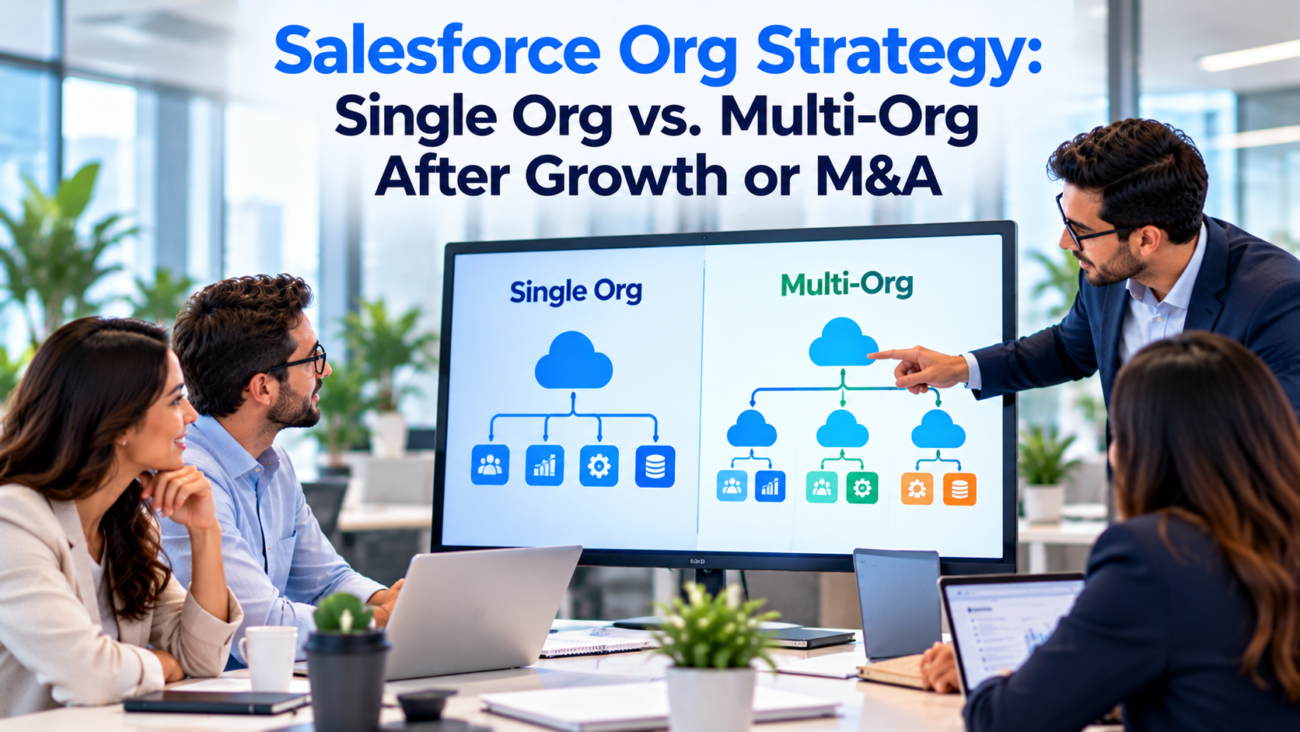
A company can acquire another business in a month and spend years dealing with the systems it inherited. The new subsidiary may have its own Salesforce org, sales stages, customer records, integrations, and administrator. Meanwhile, executives want a common pipeline and account view. Moving everyone into one org can look like the obvious answer, but a rushed merger can interrupt business processes and expose information to the wrong people. Teams that want an experienced partner can look at VALiNTRY360’s Salesforce consulting.
The same question appears without an acquisition. A growing business adds regions, brands, and product lines. Leaders wonder whether one Salesforce environment can still support them or whether separate orgs would give teams more control. User count alone doesn’t settle the issue. Data access, process differences, operating costs, and the future business model matter more.
A sound Salesforce org strategy begins with what the company needs to share and what it must keep separate. This guide compares the available designs, explains the work behind consolidation, and offers a decision process for growth and M&A. It also covers the middle ground: retaining separate CRM orgs while creating a shared view of selected data.
TL;DR:
A single Salesforce org usually makes shared customer records and central administration easier. Multiple orgs can preserve independence or provide stronger separation when business and legal requirements demand it. After an acquisition, firms can also keep the acquired org running while connecting selected data through integration or Data 360. Before deciding, assess actual process conflicts, permissions, integrations, record quality, and long-term ownership costs. Treat consolidation as a business change supported by migration, not a file-copy task. A shared data layer can help with reporting but does not combine the operating orgs themselves.
Why Growth Changes the Salesforce Org Decision
A Salesforce org is the environment where an organization keeps its CRM records, configuration, users, and application behavior. Many businesses start with one because sales and service teams need the same customers and processes. Over time, separate teams add fields and automation. A regional division may run a different sales cycle. An acquisition can introduce another org with years of decisions built into its setup.
The central question is whether those differences represent genuine business requirements or workarounds left by history. A separate department doesn’t automatically need a separate org. Salesforce supports different record types, page layouts, permission sets, and business processes within one environment. Yet shared platform configuration can become hard to govern when several independent teams change the same objects. That tension makes Salesforce org strategy an architecture decision rather than a simple count of users.
Salesforce’s resource cost guidance explains that one org can reduce duplicate administration and cross-org integration work. It also warns that separate orgs add their own support, sandbox, and integration burden. Those are general architecture trade-offs, not a promise that consolidation will always save money. A heavily customized merger may cost more upfront than keeping systems separate for a period.
An acquisition adds a second question: how quickly must the operating businesses act as one? A holding company may allow subsidiaries to maintain their processes indefinitely. A company buying a closely related competitor may need a shared account team within months. The answer should come from the target operating model, not an assumption that every purchased CRM must disappear.
Compare the Single-Org and Multi-Org Models
The single org vs multi org Salesforce decision involves daily operations as much as technical boundaries. One org gives employees native access to authorized related records and a common configuration framework. Multiple orgs allow teams to control their own processes, but shared information must cross an integration or reporting boundary. Each choice changes who approves new fields, how releases are planned, and where customer identity is maintained.
| Decision Area | Single Org | Multiple Orgs |
| Customer records | Common record model and native relationships | Records remain separate unless connected |
| Business rules | Shared standards with configurable differences | More independent local configuration |
| Access control | Org-wide security model and record restrictions | Separate security boundaries per org |
| Releases | Shared change coordination | Local release schedules plus cross-org tests |
| Reporting | Common CRM reporting is easier | Combined reporting needs another layer |
| Integration | More processes can remain inside one org | Cross-org interfaces need maintenance |
| Administration | Central oversight and shared tooling | Repeated support and environment work |
| M&A transition | Requires a planned consolidation | Existing operations can continue |
A single Salesforce org is a reasonable default when teams share important customer records, use compatible processes, and can meet access obligations through permissions. Its limitation is shared change risk. Updating an account process may affect multiple business units if those units depend on the same automation. Strong change control is therefore important even in a central setup.
Salesforce multi-org architecture makes more sense when isolation or genuine autonomy outweighs the cost of additional boundaries. A separately regulated operation may need independently controlled data. A subsidiary that will be divested might need to keep its systems separate. These needs should be documented before the architecture team accepts the extra operating burden.
When a Single Salesforce Org Is the Better Fit
A single Salesforce org works particularly well when customer relationships cross business units. Consider a company with several product lines selling to the same enterprise accounts. Sales leaders need to see open opportunities across products. Service teams need the correct account context. A unified record model can support those activities without continually copying data between environments.
The architecture still needs careful design. Record types can reflect different sales processes, but they shouldn’t become a substitute for agreed definitions. If one team says an opportunity is qualified and another uses the same stage for an unreviewed lead, the shared dashboard will be misleading. Common terms and accountable field owners matter more than the number of screens in the system.
The central security model also needs an honest test. Salesforce’s trust architecture guidance discusses least-privilege access and the layers of permission available on the platform. Teams can restrict sensitive objects, fields, and records within an org. They must verify the proposed permissions against actual roles and integrations instead of assuming a private record setting covers every route to the data.
Consolidation is attractive when operating teams already want common service standards and leadership has agreed on shared process ownership. The effort then supports a real change in how people work. It becomes less attractive if leaders demand a single environment while refusing to agree on which business rules will be common. Technical teams can’t resolve that conflict by renaming fields.
Before selecting a single-org destination, ask whether it is suitable as the permanent home. The largest current org isn’t always the best one. An older environment may have weak ownership records or costly custom features. A newly designed destination can sometimes reduce technical debt, though it makes the migration more involved.
When Separate Salesforce Orgs Are Justified
Salesforce multi-org architecture earns its place when the business can name a requirement that is difficult or unacceptable to meet inside one org. Regulatory controls, contractual isolation, and the need to keep operating companies independent are stronger reasons than a team’s preference for its own administrators. Different page layouts or sales territories alone usually don’t settle the case.
A multinational organization may discover that certain information cannot be processed in a common location under its actual legal commitments. A group with an acquired company it plans to sell may need clear system boundaries for that future transaction. A business unit with a distinct product stack might be unable to adopt shared workflows without unacceptable disruption. Each case needs evidence from legal, security, and operations teams.
Salesforce’s compliance patterns describe multi-org separation as an option when requirements conflict. The same guidance warns against creating extra orgs when one org with suitable regional deployment and access controls would meet the obligation. An additional org alone doesn’t prove compliance. The company must still document data flows and monitor access.
Multiple orgs also increase governance work. Each environment has its own credentials, configurations, connected apps, and deployment history. Security teams need consistent standards and a way to notice drift between them. An employee who transfers between subsidiaries may require access changes in several environments. Auditors may need evidence from each one.
A well-run multi-org environment therefore requires a clear ownership model. Decide which team can create custom objects, who approves cross-org data sharing, and who responds when an integration fails. Without central rules, separate orgs can become a collection of unrelated systems whose shared records conflict. The cost appears as manual reconciliation.
Use a Transitional Model After an Acquisition
A Salesforce org strategy after M&A doesn’t need to start with an immediate Salesforce org migration. Salesforce multi-org architecture can preserve operations during the review. Keeping the acquired company’s org in operation can protect customer-facing teams while leadership decides how the businesses will work together. The interim state should be designed deliberately, with a named owner and a review date. Otherwise a short pause can become years of unplanned duplication.
A transitional Salesforce org strategy might keep sales and service activities in each org while sharing only selected information. Combined leadership reporting could use agreed account identifiers, approved pipeline measures, and a common reporting layer. Employees shouldn’t receive broad access to an acquired company’s full CRM simply because the parent company wants a consolidated dashboard.
The most useful interim model depends on the near-term business requirement. If executives only need quarterly reporting, scheduled extracts into a governed data environment may be enough. If account teams need live status from another org, an API-based connection may be justified. If the company expects common workflows soon, a migration project can proceed while the source org remains active.
Salesforce’s Data 360 provisioning guide discusses mergers and acquisitions as a common reason for multiple orgs. It describes Data Cloud One, where a home org hosts a shared Data 360 instance and companion orgs can use permitted data. This is a possible shared-data design, not a full merger of users or transactional processes.
The transition should have measurable exit conditions. Examples include an approved customer ownership policy, a verified mapping of overlapping accounts, or a resolved decision about which org will host each service process. Until those conditions are met, avoid transferring more data than the business needs. A controlled interim connection is often safer than a hurried copy followed by months of corrections.
Audit Both Orgs Before Choosing the Destination
An acquisition assessment starts with an inventory. The Salesforce org strategy should be based on what this inspection reveals. Record production orgs, sandboxes, Salesforce editions, licenses, major apps, custom objects, Flows, Apex, reports, user counts, data volumes, and connected systems. Find out who can explain the purpose of each major customization. A technically valid component may still be unnecessary after the businesses combine.
The review should cover business ownership as carefully as technical metadata. Identify who owns account definitions, lead assignment, case priority rules, and approval policies. Compare the actual processes that users follow with the process diagrams kept in project files. The difference can be substantial, especially in an org that changed hands several times.
Document integration direction and frequency. A nightly update into finance behaves differently from a real-time pricing check during a quote. If either source org goes away, dependent applications may fail even when Salesforce data was copied successfully. That risk belongs in every Salesforce org migration plan. For each interface, record its endpoint, authentication method, owner, data fields, and recovery procedure.
Evaluate the Candidate Target Org
The destination must support the merged organization’s actual requirements. Review installed packages for compatibility, object and field limits, existing sharing rules, and release controls. Examine automation that assumes all opportunities belong to one sales model. Test whether records from the acquired company would trigger unintended updates or customer messages after loading.
Salesforce org consolidation also requires an archive decision. Some historical records may need to remain accessible for business or legal reasons but don’t need to be active operational data. Define retention and retrieval rules with the appropriate owners. Don’t assume an export file meets a retention obligation without testing how people will locate and interpret the history later.
Reconcile Customer Data and Process Differences
Data matching is one of the hardest parts of Salesforce org consolidation. A Salesforce org strategy needs a common definition of customer identity before any accounts move. The same company may have different names, parent-child account relationships, and owners in the 2 source environments. A duplicate check based only on account names will miss some matches and combine records that should remain distinct. Legal entities, billing relationships, and customer identifiers need explicit rules.
Create a master account policy before loading data. Decide whether the combined business reports by legal entity, customer group, selling account, or another structure. Keep an old-to-new mapping that lets users trace the source record. When a match is uncertain, send it for review rather than automatically merging a high-value account. For contacts, consider how privacy permissions and historical relationship ownership transfer.
Salesforce’s migration practices recommend identifying objects and fields in scope before importing, then preparing mapping templates and checking imported results. This matters because a field with the same label can mean different things in 2 orgs. The team needs a data dictionary that describes both the source meaning and the target rule.
Process mapping deserves its own work. The acquired firm may use 8 opportunity stages where the buyer uses 5. Don’t collapse them by label alone. Check the conditions behind each stage and identify which historical values must remain visible. Where full comparability isn’t possible, report that limitation instead of treating unlike sales pipelines as equivalent.
Salesforce org migration also needs a plan for open work. Cases with service commitments, pending approvals, active contracts, and scheduled tasks cannot be handled like closed historical records. A cutover plan should specify whether source work is completed before the move or transferred with a verified owner and status. Users must know which system to update during the switch.
Data quality should be measured before and after migration. Track duplicate rates, unresolved matches, missing required fields, and records with broken relationships. This provides evidence that the target is ready rather than relying on a single successful import message.
Design Security and Data Residency Before Sharing Records
A Salesforce org strategy cannot be approved without a clear access design. In a single org, record sharing may follow business units, account teams, or geography. In separate orgs, each environment creates a boundary, but integration users can still move information across it. The security decision must address both the data inside each org and the data transferred between them.
Classify sensitive records before designing rules. Confidential customer contracts, regulated personal information, and internal acquisition plans may have different access needs. Define which people can view or modify each class, and which automated processes need access. Test the resulting permissions with real user roles, including support staff and external partners.
Salesforce’s Hyperforce overview explains that regional deployment can offer choices about where data resides. Residency obligations still require examination of the particular services in use, cross-border processing, integrations, and legal arrangements. Do not assume an org in a selected region settles every privacy rule for every Salesforce feature.
For an acquired company, identity integration can create an unexpected risk. A centralized login does not mean every user should obtain access to all orgs. Apply least privilege and make offboarding effective across connected systems. Shared integration credentials should be replaced by named, controlled service identities where appropriate. Review audit trails and access exceptions during the transition.
Salesforce multi-org architecture can strengthen isolation, but it raises the number of places security policy must be enforced. The central team needs a documented baseline for authentication, access reviews, monitoring, and incident response. If those controls drift apart, separate orgs may provide less effective day-to-day governance than intended.
A legal entity is not, by itself, proof that an independent Salesforce org is required. Have qualified legal and compliance teams identify the specific obligation. Architects can then compare whether permissions, regional hosting, separate orgs, or a combination meets that obligation.
Connect Multiple Orgs Without Duplicating Every Record
Shared reporting and shared operations are different requirements. Leaders may need a common view of accounts without asking every business unit to use the same sales process. A service employee may need to look up a customer entitlement from another org without taking ownership of that record. Define the use case before selecting the integration tool.
Salesforce multi-org architecture can use APIs, integration software, external objects, or a data platform. Salesforce’s integration decision guide compares methods for exchanging data, including cross-org options. The design should specify which system can create, change, or delete each field. Bidirectional synchronization without ownership rules can produce loops and conflicting updates.
What Data Cloud One Does and Does Not Do
Data Cloud One can connect companion Salesforce orgs to a shared Data 360 home org. The home org performs ingestion and identity work, while companion orgs use permitted shared data and supported features. Enterprises can use data spaces and governance controls to limit what different units receive. Licensing and supported capabilities need review for the actual configuration.
The boundary matters. A shared customer profile does not move all accounts and cases into 1 CRM database. Existing Flows, permissions, and deployments remain associated with the operating orgs. A company that needs one common case process must still decide where cases are created and who owns them. Salesforce org consolidation remains a separate project if the goal is to combine transactional operations.
Data matching also needs stewardship. If 2 orgs report different addresses for a customer, identity resolution may connect them, but it doesn’t automatically decide which address should govern billing or service delivery. Record authority must come from the operating process and documented data rules.
Replace Legacy Cross-Org Sharing Plans
Salesforce’s S2S retirement notice states that Salesforce to Salesforce stopped receiving fixes after Summer ’26 and is scheduled for full retirement in Spring ’27. Existing S2S connections need a replacement plan. The notice names Data Cloud One and MuleSoft among alternatives, depending on the use case.
Where transactions must move between systems, design retries, duplicate prevention, and reconciliation. Salesforce’s integration patterns document event and API options that can guide the design. A message that fails halfway through should not create an extra account or approval when replayed. Monitor lag and failed updates visibly. This ongoing work belongs in the multi-org cost estimate, even if a working demo initially looks simple.
Plan Salesforce Org Consolidation as a Controlled Migration
Salesforce org migration between 2 production orgs requires much more than exporting records. A destination needs the appropriate metadata, users, access rules, and application behavior before the first business record is loaded. Source object IDs cannot simply be treated as valid relationships in a new org. Migration scripts must create and preserve a source-to-target identity map.
Salesforce’s cross-org migration guidance, updated in July 2026, explains that target records receive new IDs and related records must be imported in a suitable order. The team must map old identifiers to their corresponding new values. This applies to standard relationships as well as custom objects that reference other records.
For a large move, use repeatable runs. The Data Loader instructions describe bulk changes to records, but they don’t replace end-to-end migration controls. Extract a defined source snapshot, transform it using versioned rules, load it into a test destination, and compare the outcomes. Include accounts and contacts, but also cases, opportunities, activities, files, ownership, and dependent records according to the approved scope. Not all features and historical system fields transfer in the same way. Validate exceptions explicitly.
Prepare Cutover and Rollback
Set a planned freeze or change-capture method for records updated during migration. Employees need a single instruction about where to work before and after the cutover. A hidden period of dual entry invites conflicting updates. The cutover plan should cover integrations, user access, transaction queues, and emergency procedures if critical records fail verification.
The audit-field migration article describes conditions for preserving some original created or modified metadata using Data Loader and specific permissions. Teams should verify which fields can be carried forward and how system users will be represented. A target record’s ordinary creation date may not otherwise reflect the original business history.
Rollback must be practical. Returning to the source org may be possible only while it remains current and integrations can be pointed back safely. Once employees have changed target data, rollback becomes a reconciliation project. Define the decision point when the target becomes authoritative and test recovery procedures before that date.
Finally, separate this work from a Salesforce infrastructure move. Salesforce’s org relocation explanation uses “org migration” for moving an existing org between infrastructure instances. That process does not combine 2 CRM organizations. M&A teams should state clearly which type of migration they mean in project plans and contracts.
Set Governance for a Shared or Federated Estate
A central Salesforce org strategy needs rules that survive team changes. Name a business owner for shared customer definitions and a technical owner for platform changes. Identify who approves an exception when a subsidiary needs a different process. Governance should allow justified local differences without letting every team create its own version of the same field.
Release management is especially important after consolidation. The Salesforce org strategy must name who owns shared releases. Several teams may share Account automation or permissions. A local change can affect unrelated users if common code isn’t tested across all major workflows. Keep metadata in source control and use controlled environments before production. A team with multiple orgs needs the same discipline, plus checks that cross-org integrations still work after either side changes.
Salesforce’s operational excellence guidance recommends source-controlled configuration, testing, deployment validation, and monitoring. These practices help a business spot configuration drift and review the effect of releases. They don’t remove the need for ownership decisions, but they make the technical outcome more predictable.
For Salesforce multi-org architecture, create a small shared standards catalog. Each additional org increases the need for consistent ownership. It might define customer identifiers, security baselines, integration contracts, and logging requirements. Local teams can retain control over their specific workflows if their changes respect those shared rules. A central architecture council should review new org requests against the same evidence used for the initial decision.
Retained orgs also need a lifecycle plan. Determine when an acquired org will be reviewed again, what makes a data connection obsolete, and who can retire an unused environment. A temporary exception should have an expiry or review condition. Otherwise the number of orgs may rise without anyone making an explicit architecture choice.
Calculate Total Cost and Decide on the Future Model
A Salesforce org strategy should compare costs across the same planning horizon. A one-time migration bill cannot be compared fairly with only 1 month of multi-org operating expense. Build a 3-year or 5-year model using the actual contract terms and expected workloads. State assumptions about growth, acquisitions, and which old integrations will be retired.
For a single-org scenario, include data cleanup, target configuration, testing, cutover effort, temporary parallel operation, and ongoing central support. For multiple orgs, include separate administration, sandboxes, identity work, cross-org integration, monitoring, and repeated release testing. A shared Data 360 layer or external warehouse introduces its own licensing and operating cost. There is no universal savings percentage that fits every enterprise.
An illustrative comparison can show the method without claiming market prices. Suppose a company estimates a $600,000 consolidation project and $180,000 in annual central operating work. Over 3 years, that is $1.14 million before other contract costs. Suppose retaining 2 orgs requires $300,000 annually in administration and integration. Over 3 years, that is $900,000. Under those assumptions, keeping both is cheaper in the short period even though the annual run rate is higher. At a longer horizon, the relationship may change. These figures are hypothetical and exclude equal costs that apply to both choices.
Salesforce org consolidation may also create benefits that are hard to price immediately, such as less time reconciling customer records. Value those benefits only where the company can measure them. Don’t count staff time as cash savings unless staffing costs actually decline or the extra capacity produces an observed result. Include business interruption risk as a scenario rather than inventing a probability.
The single org vs multi org Salesforce decision should end with a documented recommendation and conditions for revisiting it. If the company chooses several orgs, say which data will be shared and why. If it chooses one, explain the migration risks and ownership changes that must be addressed. If the answer is temporary separation, set a date to review the unresolved factors.
What the Final Org Strategy Should Achieve
Growth and acquisitions make Salesforce architecture harder because the business is changing while its systems must keep working. A single Salesforce org can provide a common operating model, while separate orgs can protect genuine independence or isolation needs. A shared data layer can give leadership a combined view during a transition, but it doesn’t eliminate the underlying CRM differences.
The strongest Salesforce org strategy is one the business can explain in terms of customer access, process ownership, legal obligations, and operating cost. It starts with a verified inventory, chooses a clear target, and gives the data and migration teams realistic controls. Whether the result is consolidation or a managed multi-org estate, each environment should have a documented purpose and a reliable way to exchange only the information it needs.
Frequently Asked Questions
What Is a Salesforce Org Strategy?
A Salesforce org strategy defines how a company divides its CRM data, users, business processes, and administration across 1 or more Salesforce organizations. It also sets rules for integrations and governance. The decision should follow actual business requirements and long-term cost, especially after an acquisition.
Is a Single Salesforce Org Always Cheaper?
Not always. A single Salesforce org can reduce duplicate support and integration work, but combining heavily customized environments may require a costly project. Compare migration expense with several years of operating costs before deciding whether consolidation produces a financial benefit.
When Should a Company Use Multiple Salesforce Orgs?
Salesforce multi-org architecture is worth considering when verified isolation needs, regional obligations, or independently operated businesses justify separate environments. Different departments alone aren’t proof that another org is necessary. The extra governance and integration effort must be included in the decision.
Should Acquired Companies Merge Their Salesforce Orgs Immediately?
No automatic merger is required. Keep essential operations stable while checking process differences, access needs, data quality, and integration dependencies. A temporary connection between orgs can support reporting before a permanent architecture is selected.
Can One Salesforce Org Support Several Business Units?
Yes. Salesforce supports different record types, permissions, and business processes within one environment. The company still needs common standards for shared objects and careful testing of cross-team automation. Independent legal entities don’t necessarily require separate orgs.
What Is Salesforce Org Consolidation?
Salesforce org consolidation means combining the selected data and business functions of multiple Salesforce orgs into a target org. It requires business decisions about shared processes as well as technical mapping, migration, access design, and verification.
Is Salesforce Org Migration the Same as Org Consolidation?
No. Salesforce org migration can describe moving records between orgs, but Salesforce also uses the term for moving an existing org between infrastructure instances. Org consolidation combines business data and operations into a chosen destination. Project documents should state exactly which work is planned.
How Does Data Cloud One Work With Multiple Orgs?
Data Cloud One allows companion Salesforce orgs to use permitted information from a shared Data 360 home org. It can provide a combined customer view without moving every CRM process. Each connected org still retains its operational configuration and access responsibilities.
Can Multiple Salesforce Orgs Share Customer Data?
Yes, through supported integration approaches such as APIs, integration software, or Data 360. A company must choose which system owns each field and how conflicts are handled. Shared visibility doesn’t always require copying full records between orgs.
Does a Separate Org Guarantee Data Residency Compliance?
No. A separate boundary helps isolate data, but compliance also depends on regional hosting, processing, transfers, contracts, and access controls. Legal and security teams must review the actual obligation and the full data flow.
What Happens to Salesforce Record IDs During Consolidation?
Salesforce org migration generally produces new target record IDs. Teams must map source IDs to the new IDs so related records remain connected. Records should be loaded in the correct order and verified after import.
Can Custom Flows and Apex Be Moved Automatically?
Some metadata can be deployed between compatible orgs, but dependencies and behavior must be checked. Existing automation may reference different fields, packages, or business rules in the target. A controlled test is necessary before enabling it for live users.
How Long Does a Salesforce Org Consolidation Take?
There is no universal timeline. A simple move of limited data differs from merging 2 large environments with active integrations and incompatible processes. Scope the effort after inventory, mapping, testing, and business ownership decisions are complete.
What Is Replacing Salesforce to Salesforce Sharing?
Salesforce has announced retirement of its legacy Salesforce to Salesforce feature in Spring 2027. Alternatives depend on the use case and include Data Cloud One or MuleSoft. Existing users need to plan for the retirement rather than expand dependence on the old feature.
How Should Firms Measure Success After an Org Decision?
Measure record quality, access errors, integration failures, release stability, and time spent preparing shared reports. Include support costs and actual user outcomes. Compare the results with a baseline established before the architecture change.
