
Salesforce implementations tend to fail in a specific way. The system goes live, and the business quietly works around it. Reps keep a spreadsheet next to the CRM because they don’t trust the data in it. Support agents log tickets in 2 systems because the migration missed half their history. Finance reruns reports by hand because the numbers in Salesforce disagree with what they already know is true. On paper the project closed successfully. Six months later it shows up as an adoption that never happened.
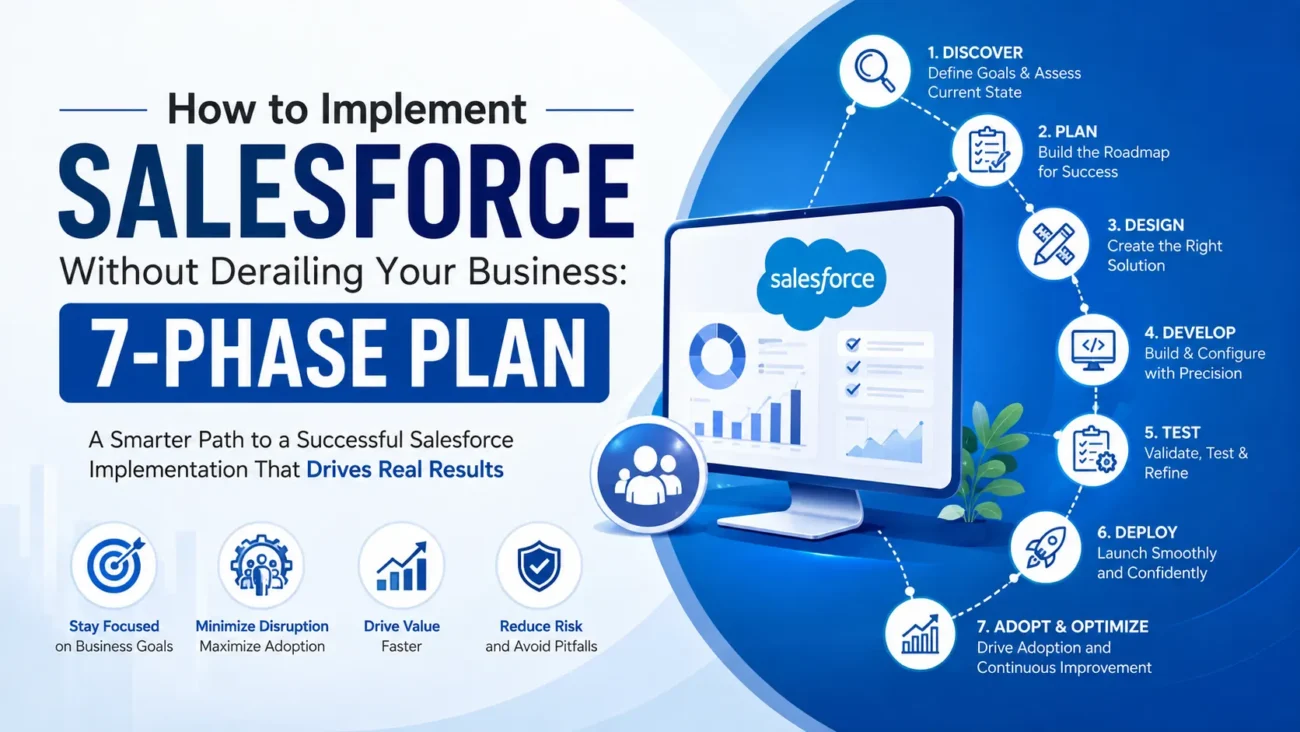
The work below breaks into 7 phases, in the order they need to happen, with a note on where each one commonly goes wrong. Skip a phase, or rush it to hit a launch date, and the business absorbs the cost later, usually with interest.
The pattern behind most derailed projects is simple, even when the projects themselves are complicated. A decision gets made under time pressure in an early phase, and the consequences surface much later, by which point they’re expensive to fix and hard to trace back to their source. A rushed data decision in month 1 becomes a trust problem in month 6. A skipped training session becomes an adoption problem a year later, long after the project has closed and everyone involved has moved on. Treating implementation as 7 distinct phases, each with its own time and its own owner, is what keeps that pattern from repeating.
TL;DR
A Salesforce implementation usually breaks down somewhere other than the technology. One phase gets rushed to protect a deadline, and the cost surfaces later, somewhere harder to trace.
- 7 phases, in order: discovery and scoping, data and process mapping, system design, build and configuration, testing and validation, training and adoption, launch and post-go-live support.
- The phase most often compressed: testing. Problems caught here are cheap. The same problems found after launch, by real users, cost far more.
- The most common failure mode: a working system that goes unused, because adoption had no owner and training happened once.
- Before you start: lock scope before you lock a launch date, and hold off on cost and timeline estimates until someone has looked at your data.
- Match the model to the risk: big bang for speed with less safety net, phased or pilot-first for lower risk per step, parallel run when the business needs a fallback while trust builds.
What a Salesforce implementation has to get right
The sequence runs: discovery and scoping, then data and process mapping, then system design, then build and configuration, then testing and validation, then training and adoption, then launch and post-go-live support.
Discovery decides whether the project gets scoped to the business or to whatever got sold in the pitch. Data and process mapping decide what’s worth migrating and what’s finally worth retiring. System design is where someone works out how objects, automation, and permissions fit together, before anyone starts clicking inside an org.
Build and configuration turns that design into a working system. Testing and validation catches what breaks before customers do. Training and adoption decide whether people use what got built. Launch opens the phase that shows whether the first 6 held up.
Most teams are strong at some of these phases and weak at others. A team that runs sharp discovery may rush testing. A team that builds fast may under-invest in training. Ask which phases get your best people, and which get whoever’s free that week.
How to tell your project is heading off the rails
Scope keeps moving. If every status meeting adds a “quick addition,” the project has no fixed scope. No fixed scope means no fixed budget or date either.
Data questions get vague answers. “We’ll clean it up during migration” leaves the real questions open. If nobody can say which records are the source of truth, the system launches on bad data no matter how well it’s built.
No one owns adoption. A rollout with a project manager and no owner for change management ships a working system that sits idle.
Testing happens once, at the end. If user acceptance testing is a single week bolted on before launch, the team finds structural problems too late to fix them properly.
The launch date got set before the scope did. A fixed date set in the kickoff meeting, before requirements are locked, forces every later decision to protect the date.
“We’ll fix it after go-live” becomes the plan. Every unresolved gap gets pushed past launch, and the backlog that creates rarely gets funded once the project is technically “done.”
| Signal | What it usually means |
|---|---|
| Scope keeps moving | No fixed budget or timeline |
| Vague data answers | Bad data reaching production |
| No adoption owner | A system nobody uses |
| One testing pass | Bugs reaching real customers |
| Date fixed before scope | Every decision protects the date |
| “Fix it later” as a plan | An unfunded backlog after launch |
These signals compound. A project with 2 of them is recoverable. A project carrying 5 of them is heading for a relaunch, whether anyone’s calling it that yet or not.
The phases, their risks, and their owners
| Phase | Primary risk if rushed | Who should own it |
|---|---|---|
| Discovery and scoping | Building the wrong thing, well | Business sponsor and lead consultant |
| Data and process mapping | Garbage in, garbage out | Data lead and process owners |
| System design | Rework at scale, later | Solution architect |
| Build and configuration | A system nobody can maintain | Lead developer or admin |
| Testing and validation | Bugs that reach real customers | QA lead and end users |
| Training and adoption | A system that goes unused | Change management lead |
| Launch and post-go-live support | Early wins that fade by month 3 | Whoever owns the system going forward |
Every phase here is required, and each one depends on the one before it. Discovery has to lock before data mapping starts in earnest. Data has to be understood before system design finalizes. Skipping ahead moves the delay to a phase where it costs more to fix.
The 7 phases, in detail
Phase 1: Discovery and scoping
What this phase decides: whether the project solves the business problem you have, or the one that was easiest to scope on a sales call. Good Salesforce consulting discovery interviews the people who’ll use the system daily alongside the executives sponsoring it. It documents the current-state process as well as future-state wishes, because the gap between the two is where most requirements come from. Skip this and every later phase inherits a scope built on assumptions.
Discovery also has to answer questions that feel unglamorous and decide the rest of the project: which department’s process becomes the standard when 2 teams do the same job differently, which reports leadership reads versus which ones they say they need, and which requirements are required versus which ones are habits from the old system. A discovery phase that only gathers wish lists produces a scope document nobody can prioritize. A discovery phase that separates what the business needs from what it’s used to produce a scope the rest of the project can be built against.
Phase 2: Data and process mapping
What this phase decides: what data is trustworthy enough to migrate into Salesforce, and what process it needs to support once it lands there. This is where someone has to make the unglamorous calls: which duplicate record wins, which field goes away, which spreadsheet finally retires. Rushing this phase is the most common reason implementations launch with data nobody trusts, which is also the fastest way to lose user confidence in month 1.
Phase 3: System design and architecture
What this phase decides: how objects, automation, permissions, and Salesforce integrations fit together before anyone builds anything. A solid design accounts for how the org will look in 2 years as well as at launch, because retrofitting architecture after go-live is expensive and disruptive. This is also where permission models get set, and grants made for convenience during a pilot tend to survive into production unexamined.
Phase 4: Build and configuration
What this phase decides: whether the design on paper becomes a system that works. Configuration should be favored over custom code wherever it holds up, because every custom build adds something that has to be maintained long after the consultants leave. This phase moves fastest when scope was locked in phase 1 and design was locked in phase 3. When either of those slipped, build became the phase where scope creep finally shows up as budget overrun.
Phase 5: Testing and validation
What this phase decides: whether problems get caught by your team or by your customers. Testing needs to cover real workflows end to end, ideally in a Salesforce sandbox, rather than individual clicks in isolation. User acceptance testing matters as much as technical testing, because a system that works exactly as specified can still be wrong for how people work.
Good testing plans for failure as well as success. What happens when an integration times out mid-transaction. What happens when a user tries to do something the process wasn’t designed for. What happens when 2 automated processes fire on the same record at the same time. Teams that only test the intended path find these problems in production, from real users, at the worst possible moment.
Phase 6: Training and adoption
What this phase decides: whether the system gets used at all. Training and change management that happen once, in a single session, rarely stick. Role-based training, built around what each group does in the system, beats a generic walkthrough every time. Adoption also needs an owner inside the business, someone whose job includes noticing when people quietly fall back on the old way of working.
The strongest adoption plans build in a reason to use the new system beyond a mandate from leadership. That might mean showing reps how better data means less manual reporting, or showing support agents how a cleaner queue means fewer duplicate tickets. A system people are told to use gets tolerated. A system that visibly makes someone’s day easier gets adopted.
Phase 7: Launch and post-go-live support
What this phase decides: whether the first 6 phases hold up under real use. The budget and the org chart often treat launch day as the end of the project, and the weeks right after go-live are when real questions surface, when edge cases nobody tested show up, and when the gap between what was built and what people need becomes visible. Ongoing Salesforce support matters for exactly that window. A team that disappears after launch leaves the business to solve that gap alone.
Why testing is where most timelines break
What gets planned. Most project plans show testing as a clean block near the end, a week or 2 before launch, treated as a formality.
What happens instead. Real testing surfaces problems that trace back to earlier phases: a workflow that was never fully mapped, a data field that means something different to 2 departments, a permission set that blocks a task nobody flagged during design. Fixing those problems this late means reopening decisions that were supposedly settled, under a deadline that was set before anyone knew this work existed.
Why it matters. A team that treats testing as a real phase, with its own time and its own budget, catches these problems while they’re still cheap to fix. A team that treats it as a formality finds them in production, in front of real users, which is the most expensive place to find anything.
Complex rollouts: multi-department and multi-region implementations
| Rollout shape | What makes it hard | How the plan adapts |
|---|---|---|
| Multiple departments at once | Each department has its own process and its own definition of “done” | Discovery runs separately per department before design gets unified |
| Multiple regions | Language, local process, and data residency requirements stack on top of the core build | Design one core architecture, then localize on top of it |
| Legacy system replacement | Years of undocumented workarounds live inside the old system | Data and process mapping runs longer, and discovery has to include the people who built those workarounds |
| Multiple clouds together | Sales, service, and marketing data have to agree with each other | System design has to account for how objects and automation interact across clouds as well as within each one |
On any of these, ask whether the plan proposes one core design adapted locally, or several designs held loosely together. The second option gets expensive as the org grows, and it seldom gets flagged during planning.
Simpler deployments: when you can move faster
Not every Salesforce project needs the full weight of a 7-phase enterprise rollout. A few situations where the plan compresses without cutting corners:
- A single department getting its first CRM, with no legacy system to migrate from.
- Adding one well-defined module, like a support queue or a lead form, to an org that already runs well.
- A small team replacing a spreadsheet-based process with something structured.
- A pilot meant to prove the approach before a wider rollout gets funded.
These still need all 7 phases, with less time in each one, because the scope, the data volume, and the number of stakeholders are all smaller. The mistake is skipping a phase entirely where sizing it down would do.
Match the plan to your use case
| Cloud | What the business usually wants | What to check before you build |
|---|---|---|
| Sales Cloud | Lead tracking, pipeline visibility, forecasting accuracy | Whether the pipeline stages match how reps sell, rather than how leadership wants to report |
| Service Cloud | Faster case resolution, self-service, consistent routing | Whether knowledge content exists and is current before automation gets built around it |
| Marketing Cloud | Segmentation, journeys, campaign performance tied to real outcomes | Whether customer data is clean and identity-resolved before journeys go live |
| Commerce Cloud | Accurate stock, order status, a buying experience that holds up | Whether inventory and order systems are connected in real time rather than on a batch delay |
Strength in one cloud says little about strength in another, and the same holds for specialized work like Experience Cloud. Ask which of these your implementation partner or internal team has built, rather than which ones appear on a services page.
Check data, integrations, and system readiness before you build
Data quality. Ask which records are the source of truth, and what happens to the ones that disagree with each other.
Duplicate handling. Ask how duplicates get identified and merged, and who makes the final call when 2 records conflict.
Integrations. Ask which outside systems Salesforce needs to talk to, review the relevant Salesforce integration patterns, and define what happens when one of them times out mid-transaction.
Permissions. Ask what each role can see, edit, and delete, and whether that was decided deliberately or inherited from a template.
Automation. Ask which processes run automatically, and what happens when one fails partway through.
Reporting. Ask whether the reports leadership relies on were part of the design, or bolted on after launch.
Change management. Ask who owns configuration changes after go-live, so the system stays in sync with the process it was built to support.
A simple internal rollout may only need a few of these answered in depth. An implementation touching customer data, external systems, and regulated processes needs all 7 answered with specifics.
Test permissions, workflows, and real user behavior before launch
The cycle runs: permission design, then user acceptance testing, then edge-case testing, then production release, then usage monitoring, then issue triage, then fixes, then regression testing, and back to monitoring.
Permission design comes first and gets skipped most often. Least-privilege access, by role, decided deliberately rather than copied from a template. An org inherits whatever gets granted during setup, and those grants outlive the pilot they were made for.
Testing has to cover real behavior rather than clicks through a script. Multi-step workflows, automation that runs in sequence, and requests the system should reject all need coverage before launch. Edge cases matter as much as the happy path, because they surface at the worst possible moment otherwise.
After release, usage monitoring shows what testing missed: workflows people avoid, automation that fires incorrectly, reports nobody trusts. Every fix needs regression testing, since changing one automation can change how it interacts with the others around it.
Compare rollout models and what drives the cost
Big bang. Everything launches at once, for every department, on one date. Faster to reach full adoption, higher risk if something breaks, because no fallback system runs in parallel.
Phased rollout. Departments or features launch in sequence. Slower to reach full adoption, lower risk per phase, and each phase teaches you something the next one can use.
Pilot, then scale. A small group runs the system first, problems get fixed, then the rest of the business follows. Adds time upfront, usually saves time overall by catching issues before they reach everyone.
Parallel run. The old system and the new one run side by side for a defined period. Costs more in the short term, and gives the business a safety net while trust in the new system builds.
Across all 4, the recurring cost drivers are data condition, the number of integrations, how much gets customized versus configured, test coverage, and how much training the rollout needs. Data condition moves budgets the most and gets scoped the least, because sizing the cleanup requires looking at the data first.
Questions to ask before you start
- What business problem is this project solving, and who agreed on that definition?
- Who owns the decision when scope and timeline conflict?
- What’s the plan for cleaning and migrating data, and who’s accountable for it?
- How will permissions be designed, and what’s the default posture?
- How much of the build will be configuration versus custom code, and why?
- How will the system be tested before real users touch it?
- What does training look like for each role, rather than for the system as a whole?
- Who owns adoption after launch, separate from who owns the technical build?
- What support exists in the weeks right after go-live?
- Who owns changes and fixes 6 months from now, and at what cost?
None of these need a long answer. A team that’s done this work before answers with specifics and does it quickly.
FAQs
1. What are the 7 phases of a Salesforce implementation?
Discovery and scoping, data and process mapping, system design, build and configuration, testing and validation, training and adoption, and launch with post-go-live support. Each phase depends on the one before it, so skipping ahead tends to create rework later.
2. How long does a Salesforce implementation take?
It depends on scope, data condition, the number of integrations, and how many departments are involved. A single-department rollout with clean data moves faster than a multi-region implementation replacing a legacy system. Anyone quoting a firm timeline before assessing your data is estimating rather than measuring.
3. What’s the biggest reason Salesforce implementations fail?
Practitioners consistently point to adoption ahead of the technology itself. A system can be built correctly and still fail if people don’t trust the data in it or weren’t trained on how it fits their job.
4. Should we do a big bang launch or a phased rollout?
It depends on how much risk the business can absorb at once. A big bang reaches full adoption faster with no fallback if something breaks. A phased rollout takes longer and lets each phase inform the next.
5. How much should a Salesforce implementation cost?
Cost moves with data condition, integration count, how much gets customized, and how much training and support the rollout needs. No single figure applies across projects, and Salesforce platform licensing bills separately from implementation work.
6. Do we need a Salesforce consulting partner, or can we do this ourselves?
It depends on internal experience with the platform and the complexity of the rollout. A simple, single-department deployment may need no outside help. A multi-system, multi-region implementation usually benefits from a team that’s done it before, particularly around data migration and integration.
7. What is user acceptance testing, and why does it matter?
It’s testing done by the actual people who’ll use the system, checking whether it supports their real workflow rather than only whether it technically functions. It catches problems that technical testing alone misses, because a system can pass every technical test and still be wrong for how people work.
8. How do we get employees to use Salesforce after launch?
Role-based training beats a single generic session. An internal adoption owner, separate from the technical project lead, matters as much as the training itself, because someone needs to notice when people quietly fall back on old habits.
9. What happens if we skip data cleanup before migration?
Bad data moves into the new system and gets discovered by users, usually within the first few weeks. That’s the fastest way to lose trust in a new system, and it costs far more to fix retroactively than cleaning data before it migrates.
10. Who should own the Salesforce implementation internally?
A business sponsor who owns the outcome, alongside a technical lead who owns delivery. The business side needs someone accountable for whether the system solves the problem it was built for, which is a different job from owning the timeline.
11. Can we run a Salesforce implementation without pausing the business?
Most implementations run alongside normal operations, which is exactly why phasing and scope discipline matter. The risk worth planning for is people quietly working around the new system in the background while the project claims to be finished.
12. What’s the difference between a rollout that goes live and one that succeeds?
Going live means the system is technically available. Succeeding means people use it, trust the data in it, and the process it was built to support improved. A launch date is a milestone. Adoption, usually measured months later, is the result.
13. How do we know when it’s safe to stop treating this as an active project?
When usage holds steady without someone chasing it, when the data stays clean without a cleanup sprint every quarter, and when changes go through a defined owner instead of getting made ad hoc by whoever’s available. Until those 3 are true, the project is live rather than finished.
