
A Salesforce requirement can sound simple in a meeting, then become much harder once the team has to decide how to build it. A sales manager may ask for a different opportunity process, an admin may say Setup can handle it, and a developer may say part of it needs Apex.
All of them may be describing the same requirement from different angles. That’s why the difference between Salesforce configuration and customization matters for cost, delivery time, testing, maintenance, future changes, and the type of people you need on the project.
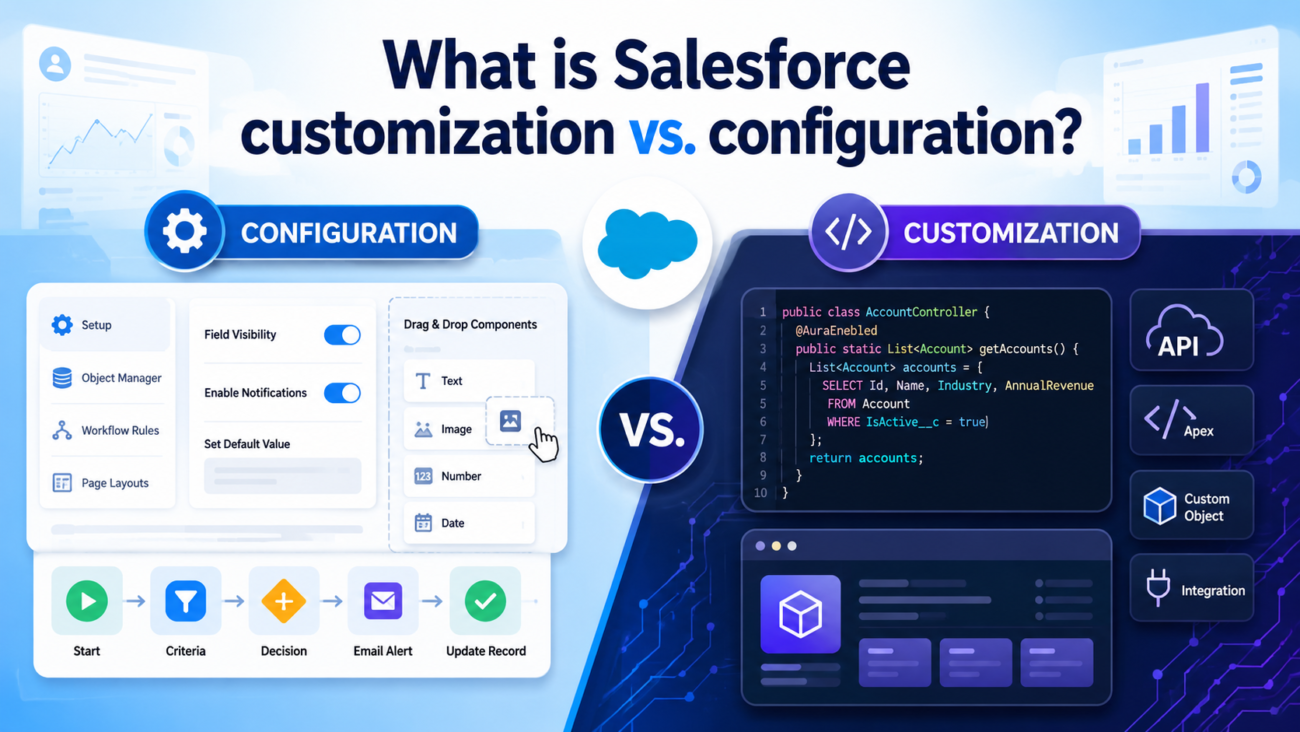
The basic distinction is straightforward. Salesforce configuration means changing how Salesforce behaves through the platform’s built-in settings and declarative tools, while Salesforce customization usually means extending Salesforce with code or custom-built functionality when the available platform features can’t meet the requirement cleanly.
That definition needs 1 qualification. Salesforce itself sometimes uses the word “customize” broadly for point-and-click changes to objects, fields, interfaces, processes, sites, and apps, while implementation teams often use “configuration” for declarative work and “customization” for code-led extensions. This article uses that practical distinction.
TL;DR
Salesforce configuration uses built-in platform tools to make Salesforce fit the way your organization works. Common examples include custom fields, page layouts, record types, permission sets, validation rules, Lightning pages, reports, dashboards, and Salesforce Flow.
Salesforce customization extends the platform when those tools can’t express the required behavior clearly enough. Apex, Lightning Web Components, custom integrations, specialized transaction logic, and custom user interfaces are common examples of work that usually falls into this category.
Configuration often carries less maintenance because more of the behavior stays inside Salesforce’s existing platform model. Custom code gives the team greater control, though it also brings development work, technical ownership, testing requirements, and future maintenance responsibilities.
The choice also isn’t permanent or organization-wide. A healthy Salesforce org usually contains standard features, declarative configuration, AppExchange products, and selected custom code working together, with each approach used where it makes the most sense.
Salesforce’s own architecture guidance follows a similar order. Start with built-in platform services, consider existing apps, use low-code options where they fit, then write code when the requirement calls for it.
What is Salesforce configuration?
Salesforce configuration means changing the platform through features Salesforce already provides. You’re telling Salesforce how your organization should use the system instead of creating an entirely new software capability from scratch.
A simple example is opportunity stages. Suppose a company uses Prospecting, Discovery, Technical Review, Proposal, Contract Review, and Closed Won, and wants Salesforce to reflect that exact sales process for the people managing deals.
An administrator can configure those stages in Salesforce and add different page layouts for sales representatives and managers. The team may also add validation rules before an opportunity reaches Contract Review, permission sets controlling who can edit sensitive fields, and a Flow that creates a task when a deal reaches Proposal.
Those changes can all be built through platform tools. The business process may be unique to the company, but the mechanism used to support it already exists inside Salesforce.
Configuration can include:
- Custom objects and fields
- Object relationships and record types
- Page layouts and Lightning record pages
- Permission sets and sharing rules
- Validation rules and formula fields
- Salesforce Flow
- Approval processes
- Queues and assignment rules
- Reports and dashboards
- List views and search settings
- Email templates
- Custom metadata
- App navigation and Lightning App Builder pages
Salesforce supports creating objects, fields, interfaces, apps, and business-process changes through point-and-click tools. Flow Builder also gives teams a way to create business process automation with little or no code.
That doesn’t mean configuration is always simple. A record-triggered Flow with multiple branches, subflows, scheduled paths, error handling, and cross-object updates can require far more thought than adding a field, even though both are still declarative changes.
The useful distinction is the mechanism rather than the difficulty. A declarative solution can still be technically demanding, carry significant risk, and require careful design, testing, documentation, and release control.
What is Salesforce customization?
Salesforce customization extends the platform with functionality that requires software development or custom-built technical behavior. The requirement has moved beyond what the available declarative tools can handle clearly or safely.
Apex is one of the clearest examples. Salesforce describes Apex as its programming language for adding business logic and working with Salesforce data, giving developers a way to handle backend processes, transaction logic, triggers, integrations, and requirements that need programmatic control.
Lightning Web Components are another common form of customization. They let developers build custom interfaces with HTML and JavaScript while connecting those interfaces to Salesforce data and platform services.
Typical customization work can include:
- Apex classes and triggers
- Lightning Web Components
- Custom REST or SOAP services
- Invocable Apex called from Flow
- Custom integration logic
- Custom user interfaces
- Complex transaction handling
- Specialized calculations or algorithms
- Custom asynchronous processing
- Extensions around standard Salesforce features
Consider a pricing process that calculates a final commercial price using contract history, customer classification, product dependencies, an external pricing service, regional restrictions, and rules that change based on the transaction.
A large collection of formulas and Flows might technically reproduce some of that behavior. That still doesn’t mean configuration is the better design if the declarative solution becomes difficult to understand, test, change, or support.
In that situation, a well-structured code solution may be easier to own. The decision should follow the requirement, the operational risk, and the long-term cost of keeping the solution healthy.
Salesforce configuration vs. customization at a glance
| Factor | Configuration | Customization |
| Main approach | Built-in and declarative Salesforce tools | Custom-built code or technical extensions |
| Typical owner | Salesforce administrator, consultant, or platform specialist | Salesforce developer or technical team |
| Common tools | Setup, Flow Builder, Lightning App Builder, validation rules, permission sets | Apex, Lightning Web Components, APIs, custom services |
| Initial build effort | Often lower | Usually higher |
| Testing | Still required, especially for automation | Formal development and code testing carry greater weight |
| Change speed | Often quicker for contained requirements | Depends on development and release process |
| Control | Limited to available platform behavior | Greater control over logic and interface behavior |
| Maintenance | Usually easier when the design stays simple | Requires continuing technical ownership |
| Upgrade exposure | Often lower | Can require closer review as platform behavior changes |
| Best use | Requirements that fit existing platform capabilities | Requirements the platform can’t meet cleanly without code |
The table gives you the broad difference, but real Salesforce projects become more interesting in the space between the 2 columns. Many business processes use configuration for most of the work and custom code for the part that needs greater technical control.
That middle ground is where architecture decisions matter most. Treating the entire Salesforce org as either “configured” or “customized” hides the fact that different requirements can and should use different approaches.
The line between configuration and customization is blurry
Salesforce doesn’t split everything neatly between admins and developers: Many real solutions combine declarative tools with code, so configuration and customization often overlap inside the same process.
Custom metadata is a good example: Teams can create custom metadata types declaratively and use the records to control application behavior without hard-coding every value.
Apex can work with that configuration: A developer may write Apex that reads custom metadata records, which means the final solution combines declarative settings with custom code.
Flow can also sit between both approaches: An administrator can build most of a process in Flow, then call an invocable Apex action when part of the requirement needs logic that’s better handled in code.
Lightning Web Components follow the same pattern: A developer builds the component, while an administrator can place it on a Lightning page, control visibility, and manage where users see it through Lightning App Builder.
AppExchange adds another middle ground: A company may install an existing product instead of building a feature internally, but that product can still require considerable Salesforce configuration before it fits the business process.
The better question is requirement-specific: Most mature Salesforce orgs contain configuration and customization together, so teams should decide which approach fits each requirement rather than trying to classify the entire org as one or the other.
When Salesforce configuration is the better choice
| Situation | Why configuration fits | Typical Salesforce tools |
| Salesforce already has a feature for the requirement | If the platform can handle the need clearly without awkward workarounds, custom code adds extra build and maintenance work without solving a real gap. | Standard objects, fields, record types, page layouts |
| Different users need different record experiences | A service team may need different case layouts based on case type or role. Salesforce can usually handle this without a custom interface. | Record types, page layouts, Lightning pages, permissions |
| Fields must become required at certain stages | Business rules around when data must be entered can often be handled declaratively instead of through Apex. | Validation rules, required fields, formulas |
| Routine actions should happen automatically | Follow-up tasks, notifications, field updates, and related record creation often fit standard automation. | Flow Builder, approval processes |
| Users need different access levels | Salesforce already provides controls for deciding who can view, edit, or manage particular records and fields. | Permission sets, sharing rules, profiles |
| The business needs new structured data | New information can often be stored without code by creating objects, fields, and relationships that match the business process. | Custom objects, custom fields, relationships |
| Managers need better visibility | Pipeline, case, activity, and performance visibility usually doesn’t require custom development when the data already exists in Salesforce. | Reports, dashboards, list views |
| Business rules change regularly | Administrators can often update declarative settings without waiting for a developer, which makes frequent process changes easier to manage. | Flow, custom metadata, formulas, validation rules |
| The internal admin team will own future changes | Configuration can give capable Salesforce administrators more control over day-to-day adjustments after launch without requiring development work for every change. | Setup, Flow Builder, Lightning App Builder |
| The requirement can stay clear and maintainable without code | Configuration works best when another qualified administrator can understand, test, and change the design later without tracing a complicated web of automation. | Declarative Salesforce tools |
Configuration still needs engineering discipline. A badly designed Flow can fail, too many fields can make an object difficult to use, and overlapping validation rules can confuse users. Weak permission design can also create security issues.
“No code” doesn’t mean “no architecture.” Declarative work still affects data, access, automation, and business operations, so it needs proper design, testing, documentation, and ownership.
When Salesforce customization is the better choice
Customization becomes the better option when the requirement exceeds the platform’s available behavior or when forcing the requirement into declarative tools would create a harder system to maintain. Custom interfaces are a common example. Lightning App Builder can rearrange pages and expose standard components, but it can’t reproduce every specialized working experience a company may need.
A logistics company might need a dispatch console that combines map information, shipment status, driver capacity, live exceptions, and actions from an external field-service system. That requirement may justify Lightning Web Components because the standard page experience can’t provide the needed interaction.
Business logic creates another case. A requirement may contain many interdependent calculations, transaction controls, external service calls, or processing steps that need more precise technical behavior. Apex can give developers the control needed to structure that logic clearly. Salesforce positions Apex specifically as a way to add business logic to platform events and data operations.
Integration can also push a project toward custom development. Some integrations fit existing connectors or platform tools, while others require custom authentication handling, unusual payload transformations, strict sequencing, error recovery, or an API contract designed for another system.
Code becomes reasonable when the requirement genuinely needs that control. Writing code because the development team prefers code creates unnecessary ownership, while refusing code because the team wants everything declarative can create an equally difficult system.Both mistakes cost money later. The goal is to use code where it earns its place and avoid it where Salesforce already gives the team a clear platform feature for the job.
The 7 questions that should decide the approach
The fastest way to settle configuration versus customization is to stop debating labels and examine the actual requirement. These 7 questions usually expose which approach will be easier to build, operate, test, and maintain over time.
1. Can a standard Salesforce feature already handle it?
Start by checking what Salesforce already provides before designing anything new. Many requirements that sound unique are variations of problems the platform already handles, such as routing records, collecting information, controlling access, creating related records, or guiding users through a process.
If a built-in feature satisfies the requirement without awkward workarounds, use it. Salesforce’s architecture guidance favors built-in platform services before custom development for this reason.
The question should be asked during discovery, before the team has committed itself to a technical direction. Otherwise, projects can spend time rebuilding capabilities that already exist inside the platform.
2. Can declarative tools express the logic clearly?
Capability alone isn’t enough. A Flow that technically performs the required job can still be a poor choice if understanding it requires tracing dozens of branches across a large canvas.
Ask whether another capable Salesforce administrator can open the solution 6 months later and understand what happens. Apply the same test to formulas, validation rules, permissions, Lightning pages, and other declarative changes.
Complexity hidden behind clicks is still complexity. Once the declarative design becomes harder to reason about than a well-structured code solution, part of its maintenance advantage starts to disappear.
The best implementation isn’t the one with the fewest lines of code. It’s the one the organization can understand, test, change, and support without creating unnecessary risk.
3. How often will the business rule change?
Frequently changing business rules often benefit from configuration because authorized administrators can update values or logic without waiting for a full development cycle.
Approval thresholds are a useful example. Putting the threshold directly into custom code can require a developer whenever finance changes the amount, even though the underlying rule may remain the same.
Putting that value in an appropriate configuration mechanism can separate the changeable business setting from the technical implementation. Custom metadata is particularly useful when application behavior needs deployable configuration records instead of values buried inside code.
Stable technical logic presents a different case. Code may be perfectly reasonable when the rule is unlikely to change frequently and the requirement needs precise programmatic behavior.
4. What happens when the process fails?
Failure severity should influence the architecture decision. An internal reminder failing for an hour has a very different impact from an order-processing transaction creating incorrect financial records.
The second requirement deserves tighter transaction control, clearer error handling, stronger testing, and closer technical review. Sometimes Flow can provide everything required, while other cases may need Apex for the critical portion.
Focus on the consequence of failure rather than the apparent simplicity of the request. A requirement that sounds small in a meeting can still affect money, compliance, service delivery, or customer data.
The higher the consequence, the more carefully the team should review transaction behavior, recovery paths, logging, testing, permissions, and support ownership before choosing the implementation approach.
5. What volume will the process handle?
A feature that works correctly for 20 records during testing may behave very differently when processing thousands of records alongside other automation.
Salesforce operates within platform limits. Apex is designed for a multitenant environment and runs under governor limits, while declarative automation also has runtime limits and design considerations.
Volume therefore belongs in the architecture discussion before build work begins. Teams should examine transaction size, processing frequency, concurrency, data access patterns, and the other automation already running on affected objects.
Performance problems become much harder to fix after users depend on the process. Early load and volume thinking can prevent a design that works in testing but struggles once real business activity hits it.
6. Who will maintain the solution?
Ownership is one of the most overlooked questions in Salesforce design. The people who will maintain the system after launch should influence how the solution is built.
A company with a capable internal admin team may reasonably favor declarative solutions where the requirement fits. A company with established Salesforce engineering, version control, automated tests, and a regular release process can own custom code more comfortably.
The reverse also matters. Building a large Apex estate for a company with no developer support can leave the customer dependent on outside help for every meaningful change.
Building a maze of declarative automation because no developer was available can create the same dependency in another form. Design for the team that will own the system after the project ends.
7. What’s the long-term cost?
Initial build price tells only part of the story. Configuration may cost less to create but become expensive if the design accumulates overlapping rules, fragile automation, or repeated workarounds.
Custom development may cost more at the start but still make sense when it replaces a difficult collection of declarative logic with a smaller piece of code that’s easier to understand and test.
Include future changes, testing, release work, troubleshooting, documentation, technical staffing, and platform changes in the calculation. The cheapest build can become the expensive system.
Long-term ownership is where many Salesforce architecture choices prove themselves. A solution should be judged by how well it survives change, staff turnover, new requirements, and Salesforce platform releases.
What happens when you choose the wrong one?
The wrong choice usually doesn’t fail on launch day. It often creates maintenance problems gradually as business rules change, new automation gets added, and the number of people working in the org grows.
That’s why the cost of a poor decision can be easy to miss at first. The system may work for months before the team starts paying for the architecture through longer releases, harder debugging, and growing dependency on a small number of people.
Over-customizing Salesforce
The first failure pattern is custom-building functionality Salesforce already provides. Imagine a team writing a custom approval engine when the actual requirement could have been handled with existing approval and Flow capabilities.
The project now owns code, tests, documentation, deployments, defect handling, and future changes for a problem Salesforce could already support. Every new requirement has to pass through that custom layer.
The cost grows quietly because the original feature may still work. The pain appears later when upgrades, rule changes, staffing changes, and new integrations increase the amount of effort required to keep it running.
Custom code should exist because the requirement needs it, not because writing software feels more familiar to the implementation team.
Over-configuring Salesforce
The opposite problem is forcing every requirement into declarative tools. A Flow may start with 8 elements, then gain new conditions, more branches, subflows, and record-triggered automation as requirements keep changing.
Different teams may add more logic to the same objects over time. Nobody wants to write Apex, so each new edge case is handled with another declarative workaround.
The organization can eventually reach a point where a small change carries unexpected side effects. Debugging becomes harder because the real business process is spread across many pieces of automation.
Declarative tools remove the need to write code. They don’t remove the need to manage complexity, ownership, testing, naming, release control, and dependencies between changes.
Customizing too early
Another failure appears during discovery when a stakeholder describes the current process and the implementation team assumes Salesforce must reproduce it exactly.
Custom development begins before anyone asks why the process works that way. Later, the team discovers that Salesforce already supports a simpler process if the business is willing to change 1 step.
The company has paid to preserve an old constraint that didn’t need to survive the move to Salesforce. This can happen when technical design starts before the business outcome has been separated from the existing method.
The better sequence is to understand the desired outcome first, examine standard Salesforce behavior next, then decide which differences genuinely need configuration or custom development.
A mixed approach is usually the real answer
Most Salesforce implementations should expect configuration and customization to coexist. A real business process may contain some requirements that fit standard platform tools and a smaller number that need custom technical behavior.
Consider a quote approval process. Standard objects can hold the commercial data, permission sets can control access, Flow can route routine approvals, and custom metadata can store thresholds that administrators need to change.
A small Apex service may handle a calculation that Flow shouldn’t own, while a Lightning Web Component may provide a purpose-built screen for reviewers. The process doesn’t need a single label because each part uses the mechanism that fits its job.
Salesforce’s Well-Architected guidance supports this kind of progression by putting built-in services first, marketplace products next, declarative extensions before custom code, and code where earlier options don’t solve the requirement well.That order also gives architecture reviews a useful starting point. Before approving custom development, ask what standard capability was considered and why it fell short.
Before approving a very large declarative design, ask whether a smaller coded component would make the overall system easier to understand. The purpose is a system the organization can operate for years.
3 realistic Salesforce scenarios
Real examples make the difference between configuration and customization easier to understand because they show where one approach ends and another begins.
Scenario 1: A growing B2B sales team
A 90-person software company wants Salesforce to support a new enterprise sales process. It needs additional opportunity fields, 2 sales processes, different layouts by team, discount approval, automated tasks at key stages, and management pipeline reporting.
Most of this belongs in configuration because Salesforce already provides the objects, layouts, record types, permissions, Flow, and reporting features required to support the process.
Custom code would need a specific reason. If the discount calculation later becomes dependent on contract terms, usage history, complex product combinations, and external pricing data, that portion may move into custom logic.
The architecture changes because the requirements change. The project doesn’t need to choose a permanent side between configuration and customization before the business process is fully understood.
Scenario 2: A service organization with a specialized agent workspace
A national service company runs thousands of cases each day. Standard Case management covers ownership, status, queues, entitlements, and much of the underlying service process.
Its agents, however, need a single operating screen that combines customer assets, active service appointments, location data, warranty details, and actions from an external field-service system.
Configuration can prepare the data model, permissions, automation, and record structure. The specialized workspace may justify a Lightning Web Component because the standard page experience can’t present the required interaction clearly enough.
This is a mixed solution. Trying to classify the entire project as configuration or customization misses the individual design decisions that matter.
Scenario 3: A regulated financial organization
A financial firm needs an approval process for certain account changes. The approval path depends on account classification, transaction amount, customer jurisdiction, prior approval history, and information returned by an external compliance service.
Some requirements can remain declarative. The decision logic around the external check may deserve custom code because failure has serious consequences and the process needs controlled error handling.
The organization may also store changeable rule values in custom metadata instead of burying them inside Apex. That lets the business change approved values without forcing developers to rewrite the core technical logic.
Again, the right answer is assembled requirement by requirement. The business process can use configuration where Salesforce already fits and code where the requirement needs deeper control.
Configuration doesn’t mean skipping testing
Declarative work needs proper testing before production because configuration can affect data, permissions, automation, reporting, integrations, and user behavior just as directly as custom code.
A Flow can update data incorrectly, a validation rule can block an integration user, and a permission change can expose information to the wrong people. A record type change can also affect reporting or alter how users move through a process.
Configuration therefore needs its own release discipline. Teams should test the expected path, failure conditions, permissions, bulk behavior, integrations, and existing processes that touch the same objects.
Custom code adds another layer because Apex includes its own testing model and deployment requirements. Salesforce also provides built-in support for Apex unit testing.
The amount of testing should follow the impact of the change. A new optional field and a transaction-critical automation shouldn’t receive identical reviews simply because both were created through Salesforce Setup.
The 2026 automation point many older guides miss
Older Salesforce articles often compare Workflow Rules, Process Builder, Flow, and Apex as if all 4 are equal choices for new automation. That picture no longer reflects the current platform direction.
Salesforce states that Process Builder support and updates ended on December 31, 2025. Existing processes can continue to run, but Salesforce recommends Flow Builder for new automation and provides migration guidance for older processes.
That makes Flow the main declarative automation tool in a current configuration strategy. Flow can support record-triggered processes, guided screens, background automation, approvals, and other business tasks.
A current architecture discussion should therefore usually compare Flow with custom development for new process automation. Process Builder may still exist in older orgs, but it shouldn’t be treated as an equal new-build choice in 2026.
This difference matters when comparing old Salesforce advice with current project design. A guide written several years ago may still explain the general idea correctly while recommending automation tools that Salesforce no longer wants teams to use for new work.
How configuration and customization affect project cost
Configuration often lowers initial development cost because the platform already provides the building blocks. A contained Flow or a set of fields, layouts, permissions, and reports may require less effort than building equivalent functionality from code.
That advantage can shrink as complexity grows. A large automation design involving multiple objects, subflows, integration actions, permission considerations, and detailed testing can require substantial project time even though most of the work happens in declarative tools.
Customization usually needs development work earlier in the project. The team may need solution design, Apex or LWC development, code review, test creation, deployment work, documentation, and ongoing developer ownership.
There’s no useful universal price ratio between the 2 approaches. A small Apex class can cost less than repairing a badly designed automation estate, while a large custom application can cost far more than a set of standard configurations.
Estimate the actual requirement rather than assigning a price to the label. Cost should reflect design complexity, testing, change frequency, ownership, integration work, and the expected lifetime of the solution.
How to govern the decision inside a Salesforce team
A simple design rule can prevent both extremes. Require every meaningful Salesforce requirement to move through the same decision path before someone starts building.First, define the business outcome in plain language and separate the actual need from the way the company performs the process today. Then check whether standard Salesforce behavior already solves the problem.
After that, examine declarative options such as Flow, formulas, permissions, Lightning App Builder, and metadata. Check AppExchange when the requirement belongs to a mature product category that another vendor may already cover.
Use custom code when those choices can’t meet the requirement clearly enough. When code is chosen, document the specific gap that required it so future teams understand why the decision was made.
The same discipline should apply when the team chooses a highly complex declarative design. Record why the process belongs in Flow rather than Apex and what factors influenced that choice.
That decision record becomes useful months later when someone asks why the system works the way it does. It also prevents architecture from depending on whether the person in the room happens to be an administrator who prefers clicks or a developer who prefers code. The requirement should decide. Team preferences can influence implementation details, but they shouldn’t replace analysis of cost, risk, maintainability, ownership, and platform fit.
The bottom line
Salesforce configuration changes the platform through the tools Salesforce already provides, while Salesforce customization extends the platform when the requirement needs behavior beyond what those tools can provide cleanly.
That distinction is useful for planning, but real Salesforce systems rarely live entirely on one side. Custom fields can sit beside Apex, Flow can call developer-built actions, and Lightning App Builder can host custom Lightning Web Components.
Custom metadata can also let administrators control values used by coded logic. That means the strongest architecture question is about finding the lowest-complexity Salesforce solution that meets the requirement clearly and can still be owned safely after launch.
Start with standard Salesforce capabilities and use declarative configuration when it fits. Introduce custom code when the requirement genuinely earns it, then make sure the team has the testing, documentation, and technical ownership needed to support that code.
That approach gives the organization a Salesforce system built around actual business needs instead of a fixed preference for either clicks or code.
Frequently asked questions
1. What’s the main difference between Salesforce configuration and customization?
Configuration changes Salesforce through built-in tools such as fields, permissions, Flow, and Lightning pages. Customization extends the platform with Apex, Lightning Web Components, or integration logic. This distinction helps estimate effort, ownership, and maintenance.
2. Is creating a custom object configuration or customization?
Most teams treat a custom object created through Salesforce Setup as configuration because it uses a built-in feature. Salesforce may call similar work customization. Define the terms early so scope, estimates, and technical discussions stay consistent.
3. Is Salesforce Flow configuration or customization?
A Flow built only in Flow Builder is usually configuration. If it calls invocable Apex or depends on developer-built components, the process contains both. The useful question is which parts can stay declarative and which need code.
4. Is Apex always considered Salesforce customization?
Yes. Apex is custom development because developers write logic for the org. It’s used for transactions, triggers, integrations, services, and rules needing tighter control. It also brings testing, deployment work, and developer ownership.
5. Are Lightning Web Components configuration or customization?
Building a Lightning Web Component is customization because developers write code for a custom interface. An administrator can later place it on Lightning pages and control where it appears. The component is custom development, while placement is configuration.
6. Is configuration always cheaper than customization?
No. Configuration often costs less because Salesforce provides the building blocks. Costs rise when declarative logic becomes large or hard to maintain. A small Apex solution can cost less over time than a complicated Flow, so compare build effort, testing, support, and future changes.
7. Should Salesforce teams always avoid custom code?
No. Teams should avoid unnecessary code. If a standard feature or declarative tool meets the requirement, use it. Code makes sense when Salesforce can’t express the needed behavior cleanly, such as specialized transaction logic, a custom interface, or unusual integration handling.
8. Can Salesforce configuration become technical debt?
Yes. Declarative work can create technical debt through overlapping Flows, duplicate fields, conflicting rules, unclear permissions, or years of changes without cleanup. These problems make updates harder. Configuration still needs documentation, testing, ownership, and review.
9. When should Flow be replaced with Apex?
Consider Apex when a Flow becomes hard to follow, needs tighter transaction control, handles demanding processing, or uses logic declarative tools can’t express clearly. Element count alone shouldn’t decide it. Judge readability, error handling, performance, ownership, and change frequency.
10. Can Salesforce configuration handle complex business processes?
Yes. Flow can support record-triggered automation, guided screens, approvals, scheduled work, and background actions. Being possible in Flow doesn’t mean every process belongs there. Teams still need to judge readability, failure handling, data volume, transaction behavior, and upkeep.
11. Who should decide between configuration and customization?
The decision should involve people who understand the business outcome and those responsible for Salesforce architecture. Larger changes may need security, data, or integration input. The choice should follow platform fit, risk, future changes, skills, and support ownership.
12. How do you reduce unnecessary Salesforce customization?
Check whether Salesforce already provides a standard feature. If it doesn’t, examine Flow, formulas, permissions, Lightning App Builder, metadata, or AppExchange before writing code. If code is required, document the gap so future teams understand the reason.
13. Does Salesforce customization make upgrades harder?
It can. Salesforce manages the platform, but your organization remains responsible for Apex, Lightning Web Components, integrations, and custom behavior. New releases can require regression testing. Configuration also needs testing when platform changes affect automation, security, records, or users.
14. What’s an example of configuration and customization working together?
A customer onboarding process can use Salesforce objects for records, permission sets for access, and Flow for routine tasks. Custom metadata can hold changeable values, Apex can handle an external verification step, and a Lightning Web Component can provide a custom review screen.
15. What should a company choose for a new Salesforce implementation?
Start with standard Salesforce capabilities and declarative configuration where they meet the requirement. Add custom development only where platform tools can’t handle a real business gap well. Most mature orgs use both, with the choice made requirement by requirement.
