
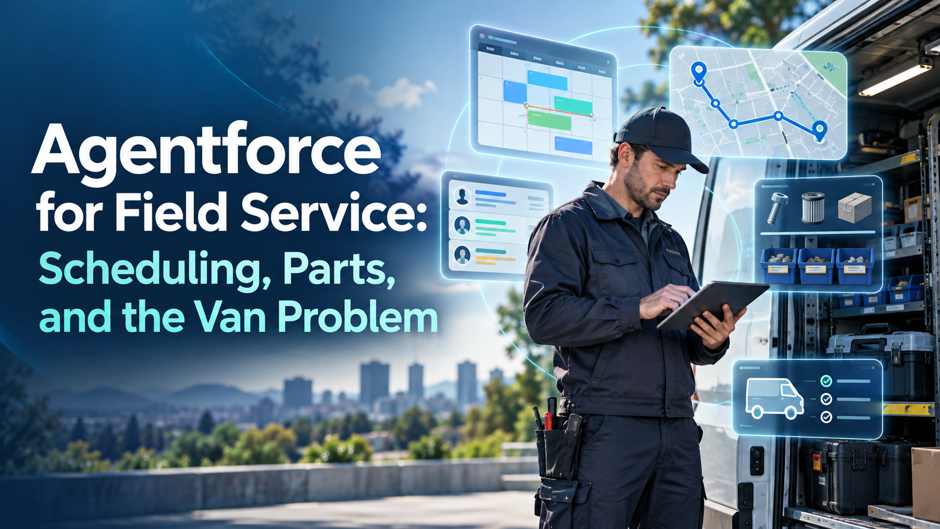
Most field service operations have a problem they’ve learned to live with. A technician drives 40 minutes to a job site, opens the customer’s unit, and realizes the part they need isn’t in the van. The job can’t be completed. The customer gets rescheduled. Someone books a second truck roll. That second visit costs just as much as the first and fixes a problem that should have been solved on the first trip.
This is the van problem. It’s not a new problem. It’s not a complex problem. But it’s one of the most expensive operational failures in field service today, and most organizations have accepted it as an unavoidable cost of running a mobile workforce.
Agentforce for Field Service is Salesforce’s answer to that problem, and to the broader set of scheduling, dispatch, and technician readiness failures that quietly drain field service margins. This guide covers what it actually does, how it handles scheduling and parts availability, why the van problem is harder to solve than it looks, and what you need in place before the AI can deliver on its promise.
TL;DR
What Agentforce for Field Service is: A layer of autonomous AI agents built directly into Salesforce Field Service, launched in April 2025. The agents act, not just advise. They book appointments, fill schedule gaps, assemble technician briefs, check parts availability, assist with on-site troubleshooting, and draft post-work reports.
The van problem: The single biggest cause of failed first visits in field service is a technician arriving without the right part. Every failed first visit costs twice: the wasted trip and the repeat visit. Agentforce addresses this by checking confirmed parts availability before scheduling and during gap filling.
Key capabilities: Autonomous appointment booking, schedule gap filling, Pre-Work Brief audio playback, on-site AI troubleshooting, post-work job summary drafting, and natural language access to Enhanced Scheduling and Optimization (ES&O).
What it doesn’t replace: Dispatchers. Genuine scheduling exceptions, complex customer situations, and judgment calls still route to humans. Agentforce removes the routine administrative work, not the dispatcher’s role.
What you need first: Clean inventory data connected to Salesforce. Asset service history in the system. Accurate van stock records. Without data readiness, the AI makes scheduling recommendations on incomplete information and the van problem doesn’t get solved.
Why Field Service Operations Are Under Pressure Right Now
Field service has always been operationally demanding. But several things are compounding at the same time in 2025 and 2026, and the old ways of running dispatch, scheduling, and technician management are breaking under the load.
Technician demand is outpacing supply. Experienced workers are retiring faster than new talent is entering the field, creating a skills gap that forces organizations to do more with smaller, less experienced teams. Customer expectations have fundamentally shifted too. A 4-hour arrival window acceptable 5 years ago produces complaints today. Customers expect precise scheduling, real-time updates, and first-time-visit resolution.
The administrative burden on field service teams has grown to an unsustainable level. Skilled tradespeople and technicians waste nearly a full workday each week on administrative work, according to Salesforce’s own research. That’s time that should go toward hands-on repairs and customer service, spent instead on paperwork, scheduling calls, job reports, and chasing parts information.
Inefficient scheduling is the number 1 time drain. A single cancellation or early job completion creates a gap in the schedule. Filling that gap manually takes a dispatcher an average of 17 minutes per incident. Across a large operation with hundreds of daily appointments, manual gap management consumes most of the available dispatching capacity. Add the van problem on top of all of this, and you have an operation quietly losing margin on multiple fronts simultaneously.
Understanding those interconnected failure points is what makes Agentforce’s approach to field service scheduling different from general-purpose AI tools. It was built for these specific problems.
Field service has a unique labor dynamic that amplifies all of these pressures. A field service technician’s productive hours are consumed by travel as much as by actual repair work. Route inefficiency converts billable time into windshield time. When a dispatcher fills a schedule gap with a job that’s 45 minutes away instead of 12, the wrong decision compounds: more fuel, less time on-site, lower utilization, and a technician arriving at the next job running late. Agentforce’s scheduling decisions account for travel time and traffic as first-class variables.
The Van Problem: Why First-Time Fix Still Fails
The van problem sounds simple. The technician doesn’t have the part. But the root causes run deeper than they appear, and the financial impact compounds quickly.
How Van Stock Gets Managed and Why It Fails
In most field service operations, van stock is managed by historical order data, technician experience, and educated guessing. That works for predictable, repetitive work. It breaks down when job mix shifts, a new asset type enters the customer base, or demand patterns change faster than reorder cycles.
The result is a fleet simultaneously overstocked on parts that rarely get used and understocked on the specific parts needed for today’s jobs. Capital is tied up in slow-moving inventory while the right parts sit in a warehouse across town.
When the part isn’t in the van and isn’t available at a nearby forward stocking location, the job fails. The customer gets rescheduled. A second truck rolls. And that second truck roll carries the same base cost as the first, with none of the revenue upside of a completed job.
What a Failed First Visit Actually Costs
A single truck roll costs between $150 and $500 in direct expenses, with some industry estimates pushing the true figure past $1,000 when indirect costs, opportunity cost, and customer experience damage are factored in. When a first visit fails, those costs double: the wasted trip plus the repeat visit.
Research from Aquant’s 2025 field service benchmark found that 14% of service visits are unnecessary, with avoidable dispatch rates as high as 24% for low performers versus 3% for top performers. A large share of failed first visits trace directly to missing parts. At volume, those numbers compound fast. 20 failed first visits a month at $250 in direct cost each is $60,000 a year spent re-doing work that was already paid for once. That doesn’t include SLA penalty exposure, customer churn from repeated inconvenience, or the scheduling ripple effect of every go-back visit displacing a new customer appointment.
Why Loading More Parts Into Every Van Doesn’t Fix It
The instinctive response to van stock problems is to load more inventory into every van. In practice, it shifts cost from failed first visits to excess van inventory. Technicians begin hoarding parts. Inventory accuracy degrades because tracking usage per van is difficult at scale. A 2% stock accuracy problem in 1 van is manageable. Across 300 vans, it’s thousands of failed jobs a year and a parts budget that grows while service levels stay flat.
The fix isn’t more parts in every van. It’s knowing which parts each technician needs for their specific jobs today, and confirming availability before dispatch. Research on unified inventory and AI scheduling shows this is the core leverage point for reducing failed first visits. That’s the connection Agentforce makes, and it’s the reason field service inventory management connected to AI scheduling is getting serious attention from service operations leaders right now.
The distinction matters operationally. Van stock optimization and scheduling optimization are typically managed by separate teams using separate tools. The parts planner and the dispatcher rarely share a system. Agentforce changes that by treating parts availability as a scheduling variable. When the 2 are managed together in a single system, the van problem stops being a failure mode and starts being a solvable constraint.
What Agentforce for Field Service Actually Does
Salesforce launched Agentforce for Field Service in April 2025 as a preconfigured library of autonomous AI agents built directly on top of Salesforce Field Service. It’s not a chatbot or a recommendation engine. The agents act on data, complete tasks, and update records without waiting for a human to confirm each step. They stop at the operational boundaries you configure, escalating genuine exceptions to your team rather than guessing.
The platform operates across 5 distinct moments in every technician’s day.
Before the Job: Pre-Work Brief
Before a technician leaves the depot, Agentforce assembles a Pre-Work Brief from the active work order, asset service history, warranty status, and open cases on the account. The technician receives this as audio playback through the mobile app and listens while driving, arriving fully informed about the customer’s situation and what was tried in previous visits.
This connects directly to the van problem. A technician who knows exactly what failed last time, what was replaced, and what the asset’s service pattern looks like can bring the right parts. A technician going in blind loads whatever seems likely based on job type alone. The Pre-Work Brief is what converts job context into better-stocked vans before the technician leaves the building.
Scheduling: From 17 Minutes to Under 5
When a customer books an appointment, Agentforce reads the job type, creates the work order, queries available technicians by skills, certifications, location, and availability, factors in customer constraints, and books the appointment without human involvement. Salesforce reports this takes the typical 17-minute scheduling workflow down to under 5 minutes.
The scheduling agent also checks parts availability as part of the booking process. If the job requires a specific part that isn’t confirmed available in the assigned technician’s van or at a reachable stocking location, the agent surfaces that before the appointment is finalized, not after the technician is already on-site. Teams with inconsistent data models often find that Salesforce CRM consulting before a rollout pays off significantly in scheduling accuracy.
Gap Filling: Turning Disruptions Into Opportunities
Cancellations, no-shows, and early job completions constantly create gaps in technician schedules. In a traditional setup, a dispatcher manually identifies the gap, searches for a suitable job, and reassigns the work. Agentforce handles this automatically.
When a gap appears, the agent checks job duration, parts availability, technician location, traffic, and SLA requirements, then recommends the best appointment to fill it without re-running the full optimization engine. The dispatcher reviews and approves. CPI Security used this capability to narrow their typical 4-hour appointment window to far more precise timeframes, reducing “Where is my technician?” calls by 30% and cutting overall call volume by 2.5%.
On-Site Troubleshooting
When a technician encounters a problem they haven’t seen before, they can ask the agent in plain language. The agent surfaces relevant repair history, technical documentation, and similar case resolutions. No call to the office, no waiting for a supervisor.
Axis Water used Agentforce to reduce new hire training time from 2 months to 3 weeks. Less experienced technicians handle more complex jobs when they have real-time AI assistance on-site. That directly addresses the skills gap problem created by experienced technicians retiring faster than new ones are entering the workforce.
On-site troubleshooting also changes the economics of a failed first visit. In a traditional setup, a technician who hits a problem they can’t solve has 2 options: call a senior technician and wait, or close the job and book a return visit. With Agentforce, a third option exists: the agent surfaces similar cases and resolution paths immediately. The technician stays on-site, works the problem with AI support, and resolves it on the first visit. The go-back that would have cost $250 to $500 doesn’t happen.
Post-Work Summary: Job Wrap-Up
When the job completes, Agentforce drafts a post-work summary from data captured throughout the service window. The technician reviews it conversationally and can say “add that the compressor was replaced under warranty”; the system merges that addition while leaving the rest intact.
This feeds back into the data model. Accurate job records improve future Pre-Work Briefs. Better asset service history means the next technician dispatched to that customer arrives better prepared. The cycle compounds in the right direction.
Enhanced Scheduling and Optimization: The Engine Underneath
Agentforce for Field Service sits on top of Enhanced Scheduling and Optimization (ES&O), the core scheduling intelligence layer inside Salesforce Field Service. ES&O handles the complex optimization math: balancing travel time, technician utilization, SLA compliance, skills-based routing, geographic coverage, and business-rule constraints simultaneously.
What Agentforce adds is natural language access to that engine. Instead of manually adjusting the schedule board and re-running optimization after every change, dispatchers ask the agent to fill a gap, reassign a job, or handle a last-minute cancellation. The agent interacts with ES&O, previews the impact on travel time, utilization, and SLA compliance, and presents the recommended action for the dispatcher to approve.
This matters for the van problem specifically. ES&O can factor parts availability into scheduling decisions, matching jobs to technicians who have the required parts confirmed in their van at the time of scheduling. Agentforce makes that capability accessible without requiring the dispatcher to manually check inventory before every assignment. For teams wanting to understand how this scheduling intelligence layer works, Salesforce’s field service management documentation covers the architecture clearly.
Real Results: What Customers Are Seeing
The numbers from early Agentforce for Field Service deployments are specific enough to be credible rather than aspirational.
CPI Security reduced “Where is my technician?” calls by 30% and cut overall call volume by 2.5%. Axis Water reduced return visits by 20% and helped technicians begin service 35 minutes faster through better preparation and confirmed parts availability. These results are drawn from Salesforce’s launch coverage, which includes first-hand accounts from each organization. The 4-hour appointment window that was creating customer frustration compressed to a timeframe customers could actually plan around.
TOMRA improved technician response times by 20% using AI-powered scheduling and optimization, a significant improvement in an operation where response time directly affects customer-facing uptime commitments. Our Salesforce for manufacturing companies page covers how the platform is configured for that high-ROI segment.
AAA handles more than 11 roadside events every minute across the US. Agentforce manages the scheduling and dispatch load at that volume without proportional increases in dispatcher headcount.
An independent Forrester study reported 195% ROI for organizations using Agentforce Field Service, reflecting the combined impact of reduced go-backs, lower admin overhead, and better technician utilization. How those gains are measured is covered in this analysis of Agentforce ROI across the Salesforce ecosystem.
These results share a common thread: the gains are largest at the intersection of scheduling and parts. Organizations that improved scheduling without improving parts availability saw smaller gains than those that addressed both together. The Pre-Work Brief drives better van loading, which drives higher first-time fix rates, which reduces go-backs, which frees scheduling capacity for new customer appointments. The ROI compounds across the entire operational chain.
What Agentforce Doesn’t Replace
Agentforce doesn’t replace your dispatchers. It removes the routine administrative reshuffling that currently consumes most of their day. It also doesn’t replace Flow or Apex for rules-based automation. This guide to Agentforce vs Flow vs Apex covers when to use each. A last-minute cancellation that would have required 17 minutes of manual reassignment now gets handled autonomously. That frees the dispatcher for cases requiring human judgment: an upset customer, a complex schedule conflict with multiple SLA constraints, a technician in an unusual situation outside the agent’s configured boundaries.
The agent operates within a defined policy boundary. Inside that boundary it acts autonomously. Outside it, control returns immediately to your team. That policy-fenced autonomy is what makes enterprise deployment of AI agents practical. You define where the agent can act without oversight. Everything outside that scope routes to a human.
This means Agentforce’s performance is directly tied to how well your boundaries are configured. An agent with boundaries that are too narrow does very little autonomously and you’ve built an expensive recommendation engine. An agent with boundaries that are too broad makes decisions in situations your business rules don’t fully cover. The implementation work is largely about finding that boundary correctly for your specific operation. Teams deploying across customer-facing channels as well as field dispatch benefit from understanding how Agentforce for Service handles boundary configuration alongside field teams.
The complete deployment guide from TechForce Services covers boundary configuration for teams preparing a production rollout.
One additional thing Agentforce doesn’t replace: your scheduling strategy. The agent executes within your business rules, but the rules themselves still require human thinking. If your SLA commitments, territory structures, or technician specializations aren’t clearly defined before deployment, the agent will optimize within an unclear framework and produce decisions that technically follow the rules but don’t reflect how your operation actually runs. Strategy comes before automation.
Data Readiness: The Prerequisite Most Companies Underestimate
Here’s what determines whether Agentforce solves the van problem or just moves it around.
Agentforce can check parts availability before scheduling. But that only works if your inventory data is accurate and connected to Salesforce. If van stock records update daily instead of in real time, the agent schedules on yesterday’s inventory picture. If parts are consumed on a job but not recorded immediately, the system thinks the part is still in the van.
The same applies to asset service history. Agentforce’s Pre-Work Brief pulls from the asset’s record in Salesforce. If previous jobs were documented elsewhere, or not documented at all, the brief is incomplete.
Before investing in Agentforce for Field Service, these 4 data foundations need to be solid.
Van stock accuracy. Parts usage needs to be recorded at the point of use, not at the end of the day. Each technician’s van needs a live inventory record, not a count done weekly during restocking.
Asset service history in Salesforce. Every job completed on every asset needs to be documented in the system. Historical records from other platforms need to be migrated or accessible via integration. Agentforce integration services cover connecting legacy asset records, ERP inventory data, and external job history into a Salesforce environment ready for agent use. Our IT infrastructure and operations service covers the data migration work often needed to get legacy asset records into Salesforce before deployment.
Skills and certification data. The scheduling agent matches jobs to technicians based on skills and certifications. If that data is incomplete or out of date in Salesforce, the agent dispatches the wrong technician, which is a different version of the same problem. Organizations needing custom logic for complex skill-matching or multi-step diagnostic workflows can explore AI agent development solutions that go beyond preconfigured agents.
Work order quality. The agent creates work orders from customer conversations. If your work order templates don’t capture the right information to trigger the correct parts check, the gap persists.
Getting data readiness right before go-live is the difference between an Agentforce deployment that solves the van problem and one that automates a flawed process faster. For organizations running field service activity alongside construction project management and ERP systems, our integration solutions service covers how to connect the data sources Agentforce needs without rebuilding existing workflows from scratch. Teams wanting to understand whether their current systems are AI-ready should also review this guide on ERP AI readiness before committing to a deployment timeline.
How to Approach Implementation
The practical implementation sequence matters. Teams that try to activate every Agentforce capability simultaneously tend to struggle with data gaps surfacing mid-deployment, adoption friction from technicians overwhelmed by a completely new workflow, and difficulty diagnosing which part of the system is underperforming.
A phased deployment approach works better for most field service organizations.
Phase 1: Scheduling and gap filling for dispatchers. Start here. This is where the administrative time savings are largest and the data requirements are most manageable. Dispatcher adoption is easier than technician adoption because the interface is familiar. Configure the agent boundaries carefully, test with a subset of the schedule, and expand once the gap-filling logic is running cleanly. Teams that want a structured entry point can explore an Agentforce Quickstart engagement to get core scheduling agents configured and tested. If your organization also runs agentic AI solutions for enterprise workflows, the governance and boundary-setting patterns from those deployments apply directly here.
Phase 2: Pre-Work Brief for technicians. Roll this out once asset service history is confirmed complete and accurate in Salesforce. A brief built on incomplete data creates a false sense of preparation, which is worse than no brief at all. Pilot with a team who work the most predictable job types first, then expand as knowledge base completeness improves. Organizations on Classic who haven’t migrated to Lightning often discover mobile app performance is a constraint; Salesforce Lightning consulting services address that as part of deployment preparation. Teams running Power BI consulting alongside Salesforce deployments often find that technician performance dashboards built during this phase deliver some of the highest ROI of the entire rollout.
Phase 3: On-site troubleshooting. This requires the deepest knowledge base: technical documentation, repair histories, diagnostic guides, and similar case resolutions all need to be in Salesforce or accessible to the agent. This phase typically follows Phase 2 by several months. Organizations that have invested in generative AI solutions for knowledge management will find this phase significantly faster to deploy than those building knowledge bases from scratch.
Phase 4: Post-work summary and job wrap-up. Often the easiest phase from an adoption standpoint because it saves technicians the most individual time. It should also be running before Phase 2 fully rolls out, since job wrap-up data quality feeds directly back into Pre-Work Brief accuracy.
Agentforce Field Service Editions and Pricing
Agentforce for Field Service is available as an add-on to existing licenses, starting at $125 per user per month. Agentforce 1 Field Service Edition bundles AI agents, data, and analytics entitlements into a single package.
The practical guidance: start with the per-user add-on for dispatchers and technicians. Add Appointment Assistant where self-service scheduling reduces contact center load. Add Visual Remote Assistant where remote diagnosis would reduce truck rolls on specific job types.
Before committing to a full deployment budget, an AI readiness assessment that audits data quality, integration requirements, and workflow gaps is worth the investment. Teams that skip the readiness assessment typically spend more time and budget fixing data problems mid-deployment than they would have spent addressing them upfront. For how enterprise deployments are structured for measurable ROI, this guide to Agentforce implementation for scalable enterprise AI covers governance, data readiness, and phasing.
One cost line that often gets underestimated is the data preparation work: migrating asset service history, cleaning van stock records, completing skills and certification data in Salesforce. That work can take as long as the technical configuration itself. Teams that account for it in the project plan avoid the mid-deployment slowdown that derails most field service AI deployments. Teams that don’t account for it discover it the hard way, usually 6 weeks in, when the Pre-Work Brief data is visibly incomplete and technician adoption stalls.
FAQs
What is Agentforce for Field Service?
Agentforce for Field Service is a layer of autonomous AI agents built directly into Salesforce Field Service, launched in April 2025. The agents book appointments, fill schedule gaps, assemble Pre-Work Briefs for technicians, assist with on-site troubleshooting, and draft post-work summaries, acting within configured policy boundaries without requiring human confirmation for each step.
How does Agentforce handle the van problem?
Agentforce integrates parts availability data into the scheduling and gap-filling process. Before assigning a job to a technician, the agent confirms whether the required parts are available in that technician’s van or at a reachable stocking location. If parts aren’t confirmed available, the agent surfaces before the appointment is finalized. This only works if van stock data is accurate and connected to Salesforce in real time.
What is the Pre-Work Brief?
The Pre-Work Brief is an Agentforce-generated audio summary of a work order, including asset service history, warranty status, and any open cases on the customer’s account. Technicians receive it through the Field Service mobile app and listen while driving to the job site. The goal is for every technician to arrive fully informed without reading through records at the job site.
Does Agentforce replace dispatchers?
No. Agentforce removes routine administrative work from dispatchers’ schedules, not the dispatchers themselves. Cancellations, gap filling, and standard appointment booking are handled by the agent. Genuine scheduling exceptions, complex customer situations, and judgment calls still route to human dispatchers. According to Salesforce, the shift can reduce manual dispatcher work by 41%, freeing them for higher-value exceptions.
What is Enhanced Scheduling and Optimization?
ES&O is the core scheduling intelligence layer inside Salesforce Field Service. It handles the complex optimization math: balancing travel time, technician utilization, SLA compliance, skills-based routing, and business-rule constraints simultaneously. Agentforce adds natural language access to ES&O, so dispatchers manage schedule changes without manually adjusting the schedule board and re-running the optimization engine after every change. Salesforce’s analysis of the scheduling era captures how conversational scheduling changes field operations at scale.
What results have real customers seen?
Axis Water reduced return visits by 20% and cut new hire training from 2 months to 3 weeks. CPI Security reduced “Where is my technician?” calls by 30% and overall call volume by 2.5%. TOMRA improved technician response times by 20%. An independent Forrester study reported 195% ROI for organizations using Agentforce Field Service.
What does policy-fenced autonomy mean in practice?
The agent operates independently within the boundaries your team configures and escalates to humans outside those boundaries. If you configure the agent to fill schedule gaps autonomously but require human approval for any job involving SLA risk, the agent handles routine gap filling and flags SLA-sensitive decisions for dispatcher review. The boundary is what makes enterprise-grade AI deployment practical rather than risky.
What data do we need before deploying Agentforce?
4 data foundations need to be solid before go-live: real-time van stock records by technician, asset service history documented in Salesforce, complete skills and certification data for all technicians, and accurate work order templates that capture the information needed to trigger the correct parts check. Without these, Agentforce makes scheduling recommendations based on incomplete information and the van problem persists.
How long does an Agentforce Field Service implementation take?
A phased deployment typically runs 3 to 6 months from configuration start to full rollout. Phase 1 (scheduling and gap filling for dispatchers) can go live in 4 to 6 weeks if data foundations are solid. Phase 2 (Pre-Work Brief) and Phase 3 (on-site troubleshooting) follow as knowledge base and asset history are confirmed complete. Our application support services cover ongoing Salesforce environment support through and after the rollout.
What’s the difference between Agentforce and Einstein for Field Service?
Einstein for Field Service is the earlier AI feature set: schedule gap resolution, job wrap-up, and mobile listening. Agentforce launched in April 2025 and added autonomous appointment booking (GA May 2025) and on-site troubleshooting (GA June 2025). Einstein recommends. Agentforce executes.
Can Agentforce Field Service work alongside Procore or an ERP?
Yes, with integration work. Parts availability data often lives in an ERP, work orders may need to connect to Procore, and billing data needs to flow to accounting systems. The integration complexity depends on which systems are in play.
Is Agentforce Field Service suitable for smaller field service operations?
It depends on transaction volume. The ROI concentrates at scale. For smaller operations, if your dispatchers are spending more than 2 hours a day on manual scheduling adjustments, or if failed first visits account for more than 10% of your monthly jobs, the economics likely work regardless of total team size.
What is the cost of Agentforce for Field Service?
Agentforce add-ons for Field Service start at $125 per user per month on top of existing Salesforce Field Service licensing. Agentforce 1 Field Service Edition is a broader bundle. Contact Salesforce directly for current pricing, as these were updated in the 2025 revision.
How does Agentforce help with technician training and knowledge gaps?
The Pre-Work Brief reduces the amount of experience a technician needs to arrive prepared for a job. On-site troubleshooting assistance reduces the need to call a senior technician for guidance on-site. Together, these capabilities let less experienced technicians handle more complex jobs and compress new hire ramp time. Axis Water’s experience of cutting training from 2 months to 3 weeks is the most cited example. For organizations building AI-assisted knowledge management alongside field service deployment, our Microsoft cloud consulting practice covers how to structure knowledge bases and cloud-hosted data that agents can actually use effectively.
