
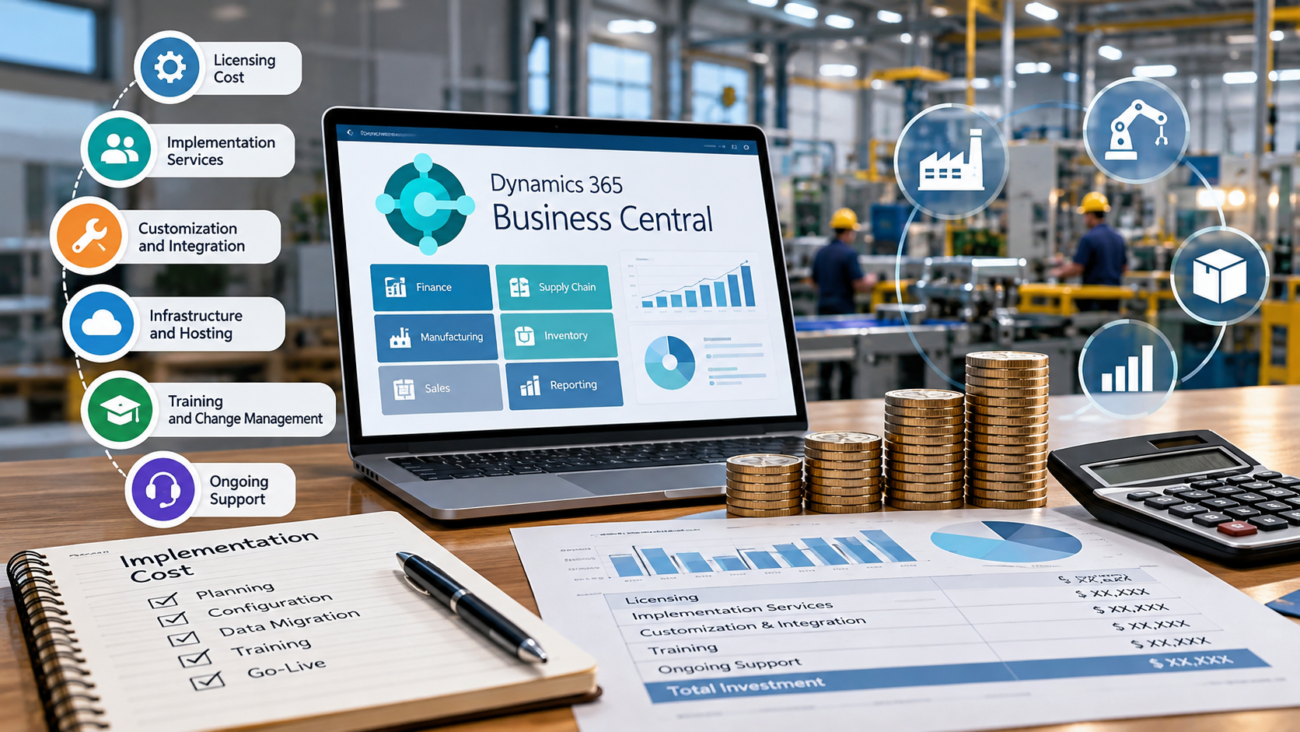
A mid-market manufacturer can see a low software subscription number and still face a six-figure ERP project. That gap is normal. The license buys access to Business Central. The implementation pays for the work needed to make finance, inventory, purchasing, production, warehouse activity, reporting, and existing systems operate under one agreed design.
The Dynamics 365 Business Central implementation cost therefore depends less on employee count than many buyers expect. A 70-user manufacturer with 1 plant and clean data can have a smaller project than a 35-user manufacturer with 4 sites, custom routings, EDI, legacy shop-floor software, and years of inconsistent item records. Manufacturing makes scope especially important because master data and production rules have to reflect what actually happens on the floor.
This guide explains what mid-market manufacturers should budget for, what pushes cost up, which costs belong in the first-year plan, and how to build a budget that survives discovery. It uses Microsoft licensing information and public implementation benchmarks, while treating services figures as planning ranges rather than vendor quotes.
TL;DR
Dynamics 365 Business Central implementation cost for a mid-market manufacturer usually has 2 separate parts: recurring Microsoft licenses and one-time or project-based implementation work. Manufacturers normally need Business Central Premium for native manufacturing functions. The project budget then grows with plant count, manufacturing complexity, data migration, integrations, extensions, testing, and training. One third-party 2026 planning guide estimates $90,000 to $150,000 or more in implementation services for 60-plus-user mid-market projects. This is not a measured manufacturing average, and complex production work can exceed the estimate. A sound budget should separate license cost from implementation services, third-party apps, internal labor, and post-go-live support. The safest way to control spend is to define the operating model early, test standard Business Central against real production scenarios, and approve custom work only where the business case is clear.
Start with the software cost floor
Dynamics 365 Business Central pricing gives manufacturers a visible starting point, but it is only the floor. Microsoft currently lists Business Central Essentials at $80 per user per month, Premium at $110 per user per month, and Team Members at $8 per user per month when paid yearly in the United States. Thecurrent pricing page also states that Premium includes the Essentials capabilities plus manufacturing and service management. For a manufacturer planning to use native production features, that difference matters before any services estimate is discussed. Check the applicable licenses before estimating implementation services.
Microsoft separates license rights by plan. Itslicensing guidance confirms that Business Central Premium includes manufacturing functions such as production orders, production bills of material, capacity planning, machine centers, supply planning, and finite loading. That means a manufacturer should not build its budget around the lower Essentials price if the planned solution depends on these production functions. Licensing must also match company access. Microsoft explains in its company access guidance that an Essentials user cannot open a company configured for Premium. Essentials and Premium licenses can exist in the same tenant, but the company’s experience setting determines access. A Premium user can open an Essentials company, without using Premium-only features there. For eligible shared shop-floor or warehouse workstations, assess the Business Central Device license, which has limited rights and should be priced separately. Build the license mix around actual work and company access, not only the lowest seat price.
A simple license model shows why the subscription is rarely the largest first-year cost. A manufacturer with 30 Premium users would have a current US list-price baseline of $39,600 per year before taxes, negotiated pricing, add-ons, or other Microsoft services. A company with 40 Premium users and 20 Team Members would have a list-price baseline of $54,720 per year. These are examples, not quotes.
| Illustrative User Mix | Current List-Price Basis | Annual License Baseline |
| 30 Premium users | 30 x $110 x 12 | $39,600 |
| 40 Premium users + 20 Team Members | (40 x $110 x 12) + (20 x $8 x 12) | $54,720 |
| 60 Premium users | 60 x $110 x 12 | $79,200 |
Prices can vary by country, currency, and contract. Use the table for budget framing, then price Device licenses and implementation work separately where relevant.
What a mid-market manufacturing implementation usually costs
The Dynamics 365 Business Central implementation cost has no universal list price. Microsoft sells the software through a partner ecosystem and directs buyers to partners for assessment, consulting, and additional pricing. Published planning estimates can frame early discussions, but they do not replace discovery.
Microsoft does not publish a services rate card. A September 2026 third-party planning estimate from ERP Research places 25 to 60 user projects at roughly $45,000 to $90,000 and 60-plus-user projects at about $90,000 to $150,000 or more. The page does not disclose a survey sample or calculation method for those ranges. They are commercial estimates for broad company profiles, not verified averages for manufacturers. Manufacturing, multi-entity requirements, extensions, and integrations may push an individual quote higher.
Read that range by scope rather than company size. One legal entity, a small number of sites, standard production logic, limited history, and few integrations can sit near the lower end. Multi-site operations with complex routings, EDI, engineering links, and custom reports can move well above it.
Treat the Dynamics 365 Business Central implementation cost as a modeled range until discovery and fit-gap work are complete. A dependable budget needs an agreed scope for production, costing, warehouse, migration, and integrations.
For planning, separate the budget into these cost groups:
· Microsoft subscriptions and related cloud services
· Discovery and solution design
· Business Central configuration
· Data cleansing and migration
· Integrations and third-party apps
· Extensions or custom development
· Testing and user acceptance
· Training and cutover
· Post-go-live support
· Internal project labor and backfill
This separation makes partner proposals easier to compare.
Why manufacturing raises the cost
Manufacturing ERP implementation cost rises because the system has to reflect how materials become finished goods. A Business Central manufacturing ERP project has to model those production rules in a form the system can post and plan against. Finance and order management can often use standard patterns with limited variation. Production introduces bills of material, routings, work centers, machine centers, capacity, scrap, consumption, output, subcontracting, costing rules, and planning parameters. Each setting can affect inventory value or customer delivery.
Production setup contains several linked records. Microsoft’smanufacturing overview shows how Business Central uses production BOMs to define components and routings to define operations, while work and machine centers represent capacity and cost. Production orders then coordinate material consumption, operation time, output, and finished inventory. The Business Central manufacturing implementation must make those records match real production behavior before planning or costing can be trusted.
The manufacturing ERP implementation cost also depends on manufacturing type. A make-to-stock manufacturer may focus heavily on forecasts, MRP, reorder rules, capacity, and inventory policy. A make-to-order manufacturer may care more about demand pegging, configuration, promised dates, and job-specific production. Engineer-to-order or regulated environments can add document control, revision handling, inspection records, serial or lot traceability, and engineering system connections.
A Business Central manufacturing ERP project also has to decide how much work stays inside Business Central. Standard features may cover much of the core process, but a manufacturer may still need specialist apps or external systems for areas such as detailed scheduling, machine data collection, EDI, advanced quality processes, labeling, or product lifecycle management. Those decisions change both implementation effort and ongoing support cost.
Start cost estimation with real production scenarios. Walk representative products from demand through planning, production, shipment, and cost posting. This exposes expensive gaps before the project copies legacy work that may no longer be useful.
Discovery and process design costs
Discovery is where the project decides what it is actually buying. A weak discovery phase can make the initial Business Central implementation cost look lower, then move expense into change requests. A strong discovery phase identifies which processes will use standard Business Central, which need an app, which require an integration, and which current practices should be retired.
For mid-market manufacturing, discovery should cover finance, sales, purchasing, inventory, production, planning, warehouse work, costing, reporting, security, and close. The team should also document plant differences. If 3 plants use different item numbering, routing logic, or replenishment rules, the project has to decide whether those differences are required or are simply historical habits.
The Business Central manufacturing implementation should pay special attention to planning. Microsoft’ssupply planning documentation explains that Business Central can calculate MPS and MRP suggestions across purchase, transfer, assembly, and production supply. That sounds straightforward until planners have to agree on safety stock, reorder policies, lead times, lot sizing, calendars, forecasts, and exception handling. Poor planning parameters create noise, and users may blame the ERP for rules that were never cleaned up.
Costing deserves the same treatment. Microsoft’scosting method guidance distinguishes methods such as standard and FIFO and explains how they affect inventory valuation. A manufacturer still has to decide standard cost maintenance, overhead treatment, capacity rates, variance review, and financial posting. If the current ERP relies on undocumented adjustments, the replacement project will spend time making those rules explicit.
Discovery also sets the boundary for custom work. The team should ask a hard question for every gap: does this difference protect margin, meet a legal requirement, or support a production constraint that standard Business Central cannot handle? If the answer is no, the lower-cost choice is often to change the process instead of extending the software.
Manufacturing configuration and master data
Configuration is where Business Central starts to behave like the manufacturer’s operating system. The Business Central manufacturing implementation must turn decisions from discovery into item settings, locations, BOMs, routings, work centers, calendars, planning rules, posting groups, dimensions, approval flows, and user permissions. The work can be repetitive, but it is not clerical. A wrong setting can create bad production orders or bad cost.
Production orders are a central example. Microsoft’sproduction order guide explains that an order brings together the item, quantity, date, production BOM, routing, components, operations, and capacity requirements. When that structure is wrong, downstream planning and reporting are wrong too. Manufacturers should therefore budget time for master-data validation instead of assuming existing records can be copied as-is.
BOM quality is often a major variable in manufacturing ERP implementation cost. Legacy systems may contain inactive components, old revisions, substitute parts, phantom structures, units of measure that do not match purchasing, or handwritten shop-floor exceptions. Cleaning this data can require engineering and production time that does not appear in the partner’s services quote.
Routing quality can be harder. Operation sequences, setup time, run time, queue logic, scrap factors, work center calendars, and outside processing may have been maintained differently across plants. If routings are only used for documentation today but will drive capacity planning and cost tomorrow, the migration needs more than a technical export and import.
A practical budget should include a master-data workstream owned by the manufacturer. The implementation partner can provide templates and validation rules, but internal people usually know which items are obsolete and which production structures are trusted. Underfunding that internal work can delay the project even when the external services budget is intact.
Warehouse and shop-floor scope
Warehouse design can add substantial work because Business Central supports different levels of warehouse control. A simple location may need basic receipt and shipment. A larger plant may use bins, directed put-away, picks, movements, staging, and production-related warehouse activity. The implementation effort follows the process depth.
Warehouse scope can range from simple to complex. Microsoft’swarehouse setup guidance describes options ranging from basic bin use to directed put-away and pick, with different location and bin rules. A Business Central manufacturing implementation has to match these options to physical flow. That means walking the warehouse, understanding where materials wait, and deciding how production components reach work centers.
A Business Central manufacturing ERP project also has to decide how shop-floor reporting will work. That creates another cost choice. Some manufacturers are comfortable recording consumption and output through Business Central pages or journals. Others need barcode devices, shared terminals, machine interfaces, labor collection, or a dedicated manufacturing execution system. The right answer depends on production speed and the level of real-time control required.
Pilot warehouse transactions with operators before final configuration. A flow that looks clean on paper can add too many scans or confirmations on the floor, and rework costs more after training and interfaces are already in place.
Warehouse scope also affects licensing and hardware. Device use, scanners, printers, labels, network coverage, and rugged equipment may sit outside Dynamics 365 Business Central pricing. They still belong in the program budget because the ERP process may depend on them.
Data migration and history
Data migration is one of the easiest places for the Dynamics 365 Business Central implementation cost to expand. The expense comes from extraction, mapping, cleanup, transformation, loading, validation, and reconciliation. The more historical detail a manufacturer moves, the more test cycles it needs.
Microsoft supports several migration paths. Itsconfiguration package guidance explains that configuration packages can move data using Excel or RapidStart files, while other built-in migration tools are available for supported source systems. The existence of tools does not remove the business work. Someone still has to decide which fields are authoritative and whether old records are clean enough to keep.
Manufacturers should divide migration into clear groups. Master data includes customers, vendors, items, BOMs, routings, locations, resources, and planning settings. Open transactions include sales orders, purchase orders, production orders, inventory balances, and open receivables or payables. Historical transactions are a separate decision because years of detail can add effort without helping daily operations.
Project expense can often be controlled by moving only the history that users need inside the new ERP and keeping older detail in a secure reporting archive. That approach still requires finance, audit, tax, and operational review. It should not be used as a shortcut that makes records inaccessible.
Reconciliation needs its own time in the plan. Inventory quantities and values should match. Open customer and vendor balances should tie to the source system. Production WIP and open orders need special care around cutover because they may span both systems. A migration is not finished when records load successfully. It is finished when business owners can prove that critical balances and open work are correct.
Integrations add-ons and external systems
Integrations can turn a moderate manufacturing ERP implementation cost into a large one because they create work on both sides of the ERP boundary. Common manufacturing connections include payroll, ecommerce, banks, shipping systems, EDI networks, CRM, engineering tools, barcode platforms, tax engines, shop-floor systems, and business intelligence services. Each one needs an owner and a failure process.
Business Central has several connection options. Microsoft’sPower Platform integration documentation describes connectors for Power Apps, Power Automate, Power BI, and Azure Logic Apps using REST APIs. TheDataverse integration guidance also describes synchronization, virtual tables, webhooks, and related methods for connecting Business Central with other Dynamics applications or Dataverse-based solutions.
Those tools do not answer ownership questions. The project still has to decide which system owns key records and how interface failures or duplicates are handled. Those decisions affect testing and support.
Third-party apps should be budgeted separately from the core Microsoft license. A manufacturer may need extensions for barcode scanning, advanced scheduling, quality workflows, EDI, shipping, label printing, or regulatory requirements. Some apps charge per user, some per tenant, and some by transaction or feature. Implementation labor for those apps may also be separate.
A Business Central manufacturing ERP architecture should keep only the moving parts that have a clear job. The lowest-cost design is usually the one with the fewest justified connections. That does not mean forcing every process into Business Central. It means keeping an integration only when another system has a clear job that should remain outside the ERP.
Security compliance and control costs
ERP security affects implementation effort because permissions, approvals, segregation of duties, and external access have to be designed before users enter production. Manufacturers also need to consider how Business Central connects with plant systems and outside services.
Manufacturers also need a security model for business systems. The NISTmanufacturing security profile provides a risk-based framework for manufacturing cybersecurity and addresses areas such as identity management, system integrity, supply chain risk, and self-assessment. Business Central is a business application rather than an industrial control system, but the same governance question applies: who can change critical records and how would the company detect misuse or a compromised account?
Permission groups should match real responsibilities. Production users need shop-floor access without broad financial rights, while administrators need documented emergency access and review rules.
Integrations need service identities and monitoring. If an EDI feed creates orders or a shop-floor application posts consumption, the project should decide how credentials are stored and how failures are logged. Security work may increase the initial Business Central implementation cost, but leaving it until after go-live creates greater operational risk.
Regulated manufacturers may have additional retention, traceability, validation, or electronic record requirements. These requirements should be identified during discovery because they can add apps, documentation, test evidence, and approval workflows that generic implementation estimates do not include.
Customization and extension costs
Custom code is one of the largest variables in Dynamics 365 Business Central implementation cost because it creates build work now and ownership work later. Business Central is designed to support extensions, so custom development is a normal option. The cost problem starts when an implementation recreates old screens and exceptions without asking whether the old process still deserves to exist.
A manufacturer should classify each gap before approving development. Some gaps can be handled through setup. Others can use an existing app. Some can be solved by changing a process. The remainder may need an extension because the requirement is material to the business.
Customization tends to be justified when it protects a real manufacturing constraint or compliance need. Examples include a required industry document, a unique cost allocation rule, an integration that controls physical production, or a customer-specific transaction that creates significant revenue. Cosmetic changes and personal preferences should face a much higher bar.
The Business Central manufacturing ERP design must account for Microsoft’s update cycle. Extensions need to remain compatible with cloud updates, so custom code creates recurring regression testing and support work.
Require a named process owner and a written reason for every custom object. Record the build cost and testing burden before the customization becomes permanent.
Testing training and change work
Testing is a cost-control activity because it finds design errors before they interrupt production. Microsoft advises implementation teams to test through multiple cycles and treats each test cycle as a small rehearsal of go-live. Itstesting strategy recommends unit and integration testing earlier in the project, then system, performance, user acceptance, security, migration, and usability testing as the solution matures.
For a Business Central manufacturing implementation, user acceptance testing should be built around full production stories rather than isolated screens. A test should start with demand, create supply, release production, consume components, record output, finish the order, and verify inventory and cost. Another should test an exception such as scrap, substitute material, late supply, or a routing change.
Training is also part of the Dynamics 365 Business Central implementation cost. Planners, buyers, production supervisors, warehouse users, finance, customer service, and managers need different skills. A generic system tour will not prepare them for the decisions they make every day. Role-based training should use the same process design and test data that will exist at go-live.
Internal labor is easy to miss. Key users spend time in workshops and testing. Data owners clean records. Managers approve decisions. IT supports interfaces and security. A finance team may have to operate month-end while also validating migration. These hours are real project cost even if they do not appear on an implementation invoice.
Change work should focus on the few behaviors that must be different after go-live. If planners used spreadsheets for overrides, decide when those sheets stop. If supervisors reported output once per shift, define the new timing. The system cannot create better data until users know which old workarounds are ending. That is why a Business Central manufacturing implementation needs clear process ownership as much as technical setup.
Timeline cutover and go-live risk
The Dynamics 365 Business Central implementation cost is affected by timeline because compressed projects require more people at the same time and leave less room for correction. A manufacturer should set its go-live date around operational readiness rather than a calendar target chosen before discovery.
Go-live readiness should be tested before cutover. Microsoft’sgo-live guidance calls for completed integration, user acceptance, and performance testing before production deployment. It also calls for a data migration plan, cutover plan, user training, and correct security roles. Manufacturing adds extra cutover questions because open production orders, inventory, WIP, and plant schedules may cross the changeover date.
A phased rollout can lower risk when plants differ. One plant can become the template, but the program runs longer and may require old and new systems to coexist.
A big-bang rollout shortens overlap but raises the effect of a design error. It may suit one tightly integrated operation that cannot run old and new processes together.
Cutover rehearsals deserve budget. A manufacturer should time data extraction, load open transactions, reconcile inventory and finance, test integrations, and verify that priority production orders can continue. Each rehearsal reduces uncertainty and gives the team a better estimate of how much downtime the final move requires.
First-year cost and three-year ownership
First-year cost combines the subscription with implementation and the extra items needed to run the new environment. For many mid-market manufacturers, the implementation services line will be larger than the annual Business Central license. Add-ons and integrations can widen the difference further.
The most useful budget separates recurring and one-time costs. Recurring items include Dynamics 365 Business Central pricing, third-party app subscriptions, ongoing support, interface hosting, and any separate Microsoft services. One-time items may include discovery, configuration, migration, extension development, initial integration work, training, and cutover.
Internal cost should sit beside both. Project management, data cleanup, testing, and backfill can be material even when they never appear on a partner invoice.
Three-year ownership should include expected change. Microsoft updates the cloud service, apps change, integrations need maintenance, and some extensions need adjustment. A Business Central manufacturing ERP budget that stops at go-live understates operating cost.
A simple model can connect licenses to a defined implementation scope. Consider a hypothetical manufacturer with 60 Premium users at $110 per user per month, or $79,200 each year. Assume $120,000 for implementation services, $24,000 per year for support, $12,000 per year for third-party apps, and $30,000 in one-time internal project labor. The $120,000 services figure is a planning assumption, not a vendor quote.
| Cost item | Year 1 | Year 2 | Year 3 | 3-year total |
| 60 Premium subscriptions | $79,200 | $79,200 | $79,200 | $237,600 |
| Implementation services | $120,000 | $0 | $0 | $120,000 |
| Support | $24,000 | $24,000 | $24,000 | $72,000 |
| Third-party apps | $12,000 | $12,000 | $12,000 | $36,000 |
| Internal project labor | $30,000 | $0 | $0 | $30,000 |
| Total | $265,200 | $115,200 | $115,200 | $495,600 |
This illustrative $495,600 total holds subscription and support rates constant for 3 years. It assumes that initial integration, migration, and cutover services are included in the $120,000 implementation budget. It excludes taxes, financing, extra devices, storage increases, inflation, and later projects that change the scope. Buyers should replace each assumption with an actual quote or internal labor estimate.
How to build a defensible manufacturing ERP budget
A defensible Dynamics 365 Business Central implementation cost starts with scope evidence. Buyers should be able to show why each major budget line exists. That means moving from a rough user count to a process and architecture view before comparing partner proposals.
Start with a manufacturing process inventory. List finance, order management, purchasing, inventory, planning, production, warehouse, quality-related work, maintenance touchpoints, reporting, and close. Mark which processes differ by plant and which external systems they depend on.
Next, create a data and integration inventory. Count item records, BOMs, routings, open production orders, locations, customers, vendors, historical years, interfaces, reports, and custom forms. The exact count is less important than identifying which objects are complex or dirty.
Then run fit-gap sessions against standard Business Central. Use standard functions where they meet the requirement. Assign each remaining gap to process change, configuration, an app, an integration, or an extension, with a cost owner.
Build the recurring subscription baseline separately from the partner’s services quote. Break that quote into workstreams so buyers can test whether each amount reflects real manufacturing scope. For example, the illustrative $120,000 services assumption in the ownership model could be allocated as follows:
| Implementation workstream | Illustrative budget |
| Discovery and process design | $15,000 |
| Finance and manufacturing configuration | $36,000 |
| Data cleansing and migration services | $20,000 |
| Integrations and initial connector setup | $20,000 |
| Testing and role-based training | $17,000 |
| Cutover and go-live assistance | $12,000 |
| Implementation services total | $120,000 |
These amounts are examples, not market rates or recommended spending shares. The mix changes with plant count, data quality, and production needs. This table excludes the $30,000 illustrative internal labor allowance, recurring support, subscriptions, and third-party apps shown in the 3-year model. Keep a separate, risk-based contingency for unknown data or interface issues; do not hide it inside an unexplained percentage.
Finally, compare proposals line by line. Manufacturing ERP implementation cost should be visible by workstream instead of hidden inside one services total. The manufacturing ERP implementation cost should state what data will move, which integrations are included, how testing and training are handled, and what support happens after go-live. A lower total that excludes these items is not a lower-cost project.
Conclusion
Dynamics 365 Business Central implementation cost for a mid-market manufacturer cannot be reduced to a license calculator. The current Premium price creates the software floor, while the real project cost comes from manufacturing design, master data, migration, integrations, extensions, testing, and rollout work.
Costs become easier to forecast when the manufacturer defines its process model before approving development. The most important savings decisions often happen during early scoping. Standard Business Central can cover core finance and manufacturing work, but the project still has to decide how planning, warehouse activity, production reporting, and external systems fit together. Those decisions determine effort.
For most buyers, a Business Central manufacturing ERP budget is useful only when the quote contains the work required to reach a stable go-live. A clear scope, clean ownership model, and tested production scenarios make manufacturing ERP implementation cost easier to defend during approval.
FAQs
How much does Dynamics 365 Business Central cost for a manufacturer?
Microsoft currently lists Business Central Premium at $110 per user per month when paid yearly in the United States. Manufacturing functions are part of Premium. The total cost also includes implementation services, possible third-party apps, integrations, internal project work, and ongoing support.
What is a typical Dynamics 365 Business Central implementation cost for a mid-market manufacturer?
A September 2026 third-party estimate suggests $90,000 to $150,000 or more in services for 60-plus-user mid-market projects. It is not a verified average for manufacturing implementations. Plants, data quality, extensions, and integrations determine the actual quote.
Does Business Central Premium include manufacturing?
Yes. Business Central Premium includes manufacturing capabilities in addition to the functions available in Essentials. Microsoft lists production orders, production BOMs, capacity planning, machine centers, supply planning, and related manufacturing functions within Premium licensing.
Is the Business Central license included in implementation cost?
It depends on the proposal. Some partners quote licenses separately while others may show them alongside services. Buyers should separate recurring Microsoft subscription cost from one-time implementation work so competing proposals can be compared on the same basis.
Why does manufacturing cost more to implement than finance alone?
Manufacturing adds production BOMs, routings, capacity, planning parameters, shop-floor transactions, costing rules, warehouse links, and production master data. These areas require design and testing against real factory processes. They also create more chances for integrations or specialist apps.
How much should data migration add to the budget?
There is no fixed percentage because migration effort depends on source systems, data quality, history, and the number of objects being moved. A manufacturer with clean master data and limited history will spend less than one that must reconcile years of inconsistent items, BOMs, routings, and open transactions.
Can a manufacturer use Business Central Essentials instead of Premium?
Essentials covers many finance, sales, and inventory functions, while native manufacturing features require Premium. Essentials users cannot open companies configured for the Premium experience, even if the same tenant also has Essentials companies. Check each user’s company access and consider a Device license only for eligible shared workstations.
How do integrations affect Business Central implementation cost?
Each integration adds design, build or connector setup, testing, monitoring, and support work. Cost rises when interfaces are custom, bidirectional, high volume, or tied to critical production processes. EDI, CRM, shipping, shop-floor, payroll, and engineering systems are common examples.
Do third-party apps increase the project cost?
Yes. Third-party apps can add subscription or license fees and may require separate configuration, migration, testing, and training. They can still be the lower-cost choice when they solve a defined gap more cleanly than custom development.
How long does a Business Central manufacturing implementation take?
There is no single timeline. Duration depends on plant count, scope, data quality, integrations, custom work, testing, and the availability of internal subject-matter experts. A phased multi-site rollout usually takes longer than a controlled single-site deployment but can reduce operational risk.
What internal costs should manufacturers budget for?
Internal cost can include project management, process-owner time, master-data cleanup, testing, training, cutover work, IT support, and temporary backfill. These costs do not always appear in the partner proposal, but they affect the real cost of the implementation.
Can customization be avoided completely?
Sometimes, but not always. Standard Business Central and third-party apps can cover many needs. A manufacturer may still require extensions for an industry rule, a critical production constraint, a special document, or a unique integration. The goal should be to approve custom work only where the business need is clear.
What is the biggest cost risk in a manufacturing ERP project?
Unclear scope is one of the largest risks because it causes late design changes, extra development, repeated testing, and schedule pressure. Poor master data and underestimated integrations can create similar effects. Early fit-gap work helps expose these risks before the build is far advanced.
Should a manufacturer move all historical data into Business Central?
Not automatically. The company should decide which history users need inside Business Central for operations, reporting, audit, and compliance. Older detail can sometimes remain in a secure archive if users can still access it when required. The decision should be approved before migration work begins.
How can a manufacturer keep Business Central implementation cost under control?
Control starts with a clear scope and process ownership. Use standard Business Central where it fits, clean master data early, limit custom work to justified requirements, define integration ownership, rehearse migration, and test complete manufacturing scenarios before go-live. These steps reduce late changes that usually cost more.
