
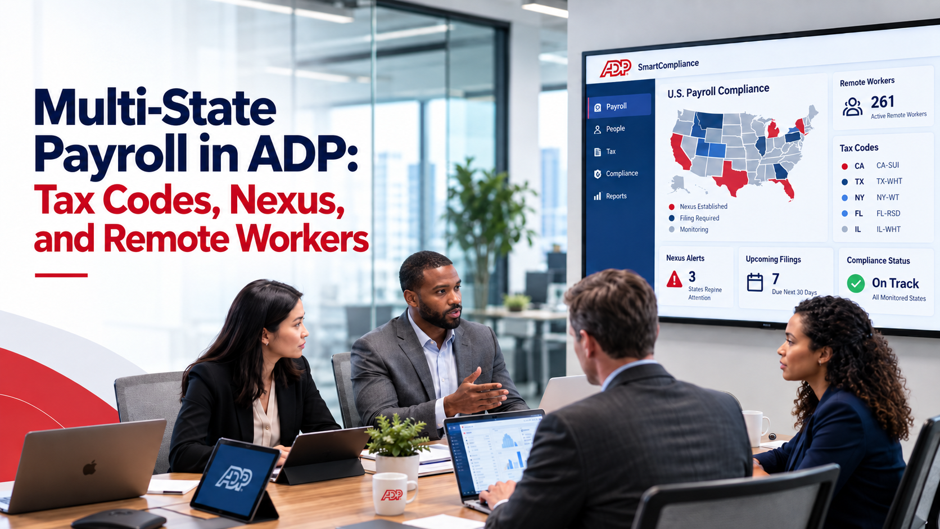
Payroll gets complicated when an employee works from a state where the company has no registered presence. That work can create state-specific obligations, but income-tax withholding, business registration, unemployment coverage, and other employment requirements follow different state rules and should be evaluated separately before payroll is run. Most payroll errors in multi-state compliance environments don’t come from calculating the wrong rate. They come from not knowing nexus exists until a state revenue agency sends a notice, from applying the home-office state’s rules uniformly across a workforce scattered across 8 states, or from running ADP with incomplete tax code configurations that generate inaccurate withholding for months.
As of 2026, more than 22% of U.S. employees work remotely at least part of the time, and every new remote hire in a new state creates a compliance footprint the payroll system has to reflect. This guide covers how tax nexus works, how ADP tax codes handle multi-state withholding, what SUI registration actually requires, and how to configure ADP Workforce Now correctly before running a single paycheck in a new jurisdiction.
TL;DR
| Topic | What to know |
| What creates nexus | Remote work can create state-specific obligations, but withholding, business registration, unemployment coverage, and employment-law requirements follow separate state tests |
| ADP tax code setup | Configure each state or local tax jurisdiction that actually applies under the relevant sourcing rules; do not assume every state touched by an employee requires identical setup |
| SUI obligation | Determine the employee’s covered unemployment state under localization rules; a true multistate worker is not automatically subject to SUI in every state where work occurs |
| Convenience rule states | Convenience rules are state-specific. New York, Delaware, Pennsylvania, and Alabama have their own versions; Connecticut and New Jersey use reciprocal approaches in specified cases |
| Reciprocity agreements | Reciprocity is limited to specific state pairs, with roughly 30 reciprocal arrangements across 16 states and DC; required exemption certificates and payroll treatment depend on the pair |
| Local taxes | Local taxes can depend on residence, work location, or both. New York City personal income tax is residence-based, while Philadelphia Wage Tax follows its own resident and nonresident rules |
| ADP configuration sequence | Determine applicable state/local withholding and UI coverage → register required accounts → add applicable ADP codes → assign work and residence locations → verify the UI rate where applicable → run a test payroll before live payroll |
Missing any one of these steps before running payroll creates retroactive exposure that is significantly more expensive to correct than the original setup would have cost.
What Tax Nexus Means for Payroll
Tax nexus is the legal connection between a business and a state that authorises the state to impose tax obligations on that business. For most of payroll history, nexus was triggered by a physical office, a warehouse, or a store. Remote work fundamentally changed that.
Remote work can create obligations in a state, but there is no single nationwide payroll nexus rule that automatically turns every remote workday into the same set of requirements. Income-tax withholding, business registration, unemployment coverage, workers’ compensation, and other employment rules use different state-specific tests. Payroll and HR teams should review each category separately when an employee begins working in a new state.
Common nexus triggers that payroll teams miss:
- An employee relocates to a new state and notifies HR weeks or months after the move
- A business traveller or project-based employee performs substantial work in another state for several months
- A contractor is reclassified as an employee and their work state differs from the company’s home state
- An employee works a hybrid schedule split across 2 states without the employer setting up withholding in both
- A new hire joins remotely without the hiring manager confirming which state they work from
Each of these can trigger a state-specific compliance review. The payroll team should determine the applicable withholding, registration, and unemployment requirements, configure the correct tax codes in ADP for multi-state payroll, and correct any withholding that ran under the wrong jurisdiction while the setup was incomplete.
What nexus actually obligates the employer to do:
Depending on the state’s rules, obligations may include registering for income tax withholding with the state Department of Revenue and determining the correct state unemployment insurance (SUI) coverage under the applicable unemployment rules. Employers may also need account numbers, deposit schedules, payroll returns, and compliance with wage payment, leave, overtime, workers’ compensation, and other employment requirements. These obligations should be evaluated separately rather than assumed to arise from one universal nexus test.
How ADP Tax Codes Work in a Multi-State Environment
ADP tax codes link an employee’s profile data to the rate tables and wage limits stored in the system. For multi-state payroll processing, the tax code structure determines which state’s rules apply to each paycheck, how income is allocated between states, and whether local taxes are calculated on top of state withholding.
The Core Tax Code Structure in ADP
ADP organizes tax codes across 3 tiers that must all be correctly configured before multi-state payroll can run accurately, and each tier carries distinct employer obligations.
Federal tax codes apply uniformly across all employees regardless of state: FICA Social Security at 6.2% on wages up to the 2026 wage base of $184,500, FICA Medicare at 1.45% with an additional 0.9% surtax above $200,000 for single filers, federal income tax withholding based on the W-4 filing status and allowances, and FUTA at 6% on the first $7,000 of wages with a credit offset for timely SUI payments.
State tax codes should be configured for each jurisdiction that applies under the relevant withholding rules. In ADP Workforce Now implementations, the path is System Admin → Payroll Setup → Tax Codes → State. Add the applicable withholding, unemployment, and disability codes only after determining which programs apply. States with no personal income tax may still require unemployment or other payroll-funded programs, but unemployment coverage for true multistate work should be determined under the localization rules rather than assumed in every state where work occurs. Leaving an applicable SUI code unconfigured can produce inaccurate employer cost reporting and missed filings.
Local tax codes apply under local rules that can depend on residence, work location, or both. New York City personal income tax is residence-based and applies to New York City residents. Philadelphia’s Wage Tax rates are 3.735% for residents and 3.425% for nonresidents as of July 1, 2026. Columbus, Ohio, and Portland-area jurisdictions are other examples of local payroll rules that may require separate setup. Configure local taxes according to the specific jurisdiction’s sourcing rule rather than assuming every local tax maps only to the work-location address.
Assigning Tax Codes to Employees and Work Locations
In ADP Workforce Now, the tax code assignment follows this hierarchy: the pay group defines the default state and SUI codes for employees without specific location overrides. Work location tax defaults by pay group can be set under System Admin → Autolink Payroll Setup → Tax Codes → Work Location Tax Defaults By Pay Group. When an employee works in a state that differs from their pay group default, the work location assignment overrides the default and applies the correct jurisdiction’s codes.
For employees working across multiple states in a single pay period, ADP requires state allocation. The system can allocate wages by days worked, by percentage, or by specific earnings codes assigned to each state. The allocation method must be configured before the payroll runs, a post-payroll correction for misallocated wages across states is significantly more complex than getting the allocation right the first time.
State Income Tax Withholding: The Rules That Differ
The foundational rule for state income tax withholding is that the employer withholds for the state where the work is performed, not where the company is headquartered. A remote employee in Oregon working for a Texas-based company owes Oregon income tax, not Texas (which has none). The company withholds Oregon state income tax from every paycheck. That rule sounds simple, and in a single-state scenario it is. Multi-state employment introduces 3 complications that override the basic work-state rule.
Reciprocity Agreements
Reciprocity is limited to specific state pairs. Current rules amount to roughly 30 reciprocal arrangements across 16 states and the District of Columbia. Where a valid agreement applies, an employee may be able to pay income tax only to the home state after providing the required exemption certificate to the work state. The exact treatment depends on the states involved and the employee’s documentation.
| State pair | Reciprocity agreement | Employee exemption form |
| Ohio ↔ Indiana | Yes, residents of each state who work in the other pay only home-state tax | Indiana: WH-47 / Ohio: IT 4NR |
| Virginia ↔ DC, MD, WV, KY, PA | Yes, Virginia residents working in these states pay only Virginia tax | State-specific non-residency certificate |
| Illinois ↔ Iowa, KY, MI, WI | Yes, residents of each pair pay only home-state tax | State-specific exemption certificate |
| California ↔ any state | No, California has no reciprocity agreements | Full withholding in California required |
| New York ↔ any state | No, New York has no reciprocity agreements | Full withholding in New York required |
Reciprocity should first be confirmed for the specific state pair and employee. The detailed ADP configuration and certificate-handling steps are covered in the reciprocity management section below.
The Convenience of the Employer Rule
Convenience-of-the-employer rules are state-specific rather than one uniform rule. New York, Delaware, Pennsylvania, and Alabama each apply their own version of the convenience of the employer rule for telecommuting in certain circumstances. Connecticut applies a reciprocal convenience rule, and New Jersey applies its reciprocal rule to certain nonresidents whose home state uses a similar convenience test. Nebraska has separate remote-work sourcing rules for 2025 and later. The employee’s residence, assigned office, physical work location, and the specific state’s sourcing test determine the result.
For example, a New Jersey resident who works remotely for a New York employer may still have New York State income-tax exposure under New York’s telecommuting rules, depending on the facts. That person is not liable for New York City personal income tax merely because the employer is located in New York City, because New York City personal income tax applies to city residents. New Jersey’s own resident-tax and credit rules must be evaluated separately.
In ADP, configure withholding only after the applicable state sourcing rules have been determined. Some employees may require withholding in more than one state, while others may qualify for an exemption or claim a resident-state credit through the tax-return process. Do not assume that every convenience-rule case uses the same dual-state withholding setup or that ADP applies a universal credit offset automatically.
Source Income Rules for Business Travellers
When an employee travels to another state for work, a conference, a sales meeting, a client project, they may earn income sourced to that state, triggering a withholding obligation. Most states have de minimis thresholds: a few states exempt income earned during stays of fewer than 14 days; others apply withholding from the first day in state. The threshold varies by jurisdiction and is not something ADP calculates automatically. The payroll team needs to track employee travel, identify the states visited and the duration, determine whether withholding thresholds were exceeded, and configure temporary state withholding codes for affected employees where required.
State Unemployment Insurance in ADP
SUI is the payroll compliance area that needs a separate analysis in multi-state payroll. Unemployment coverage is generally assigned to one state for an employee’s multistate service. The usual sequence considers whether the work is localized in one state and, if not, looks to the employee’s base of operations, place of direction or control, and residence. A permanent remote employee working only in one state will often be covered there, but a true multistate worker is not automatically subject to SUI in every state where work occurs.
The core SUI rules:
- Determine the covered SUI state for each employee under the unemployment localization rules rather than registering in every state the employee touches
- SUI taxable wage bases, rates, and filing deadlines vary by state and are updated annually
- New employers receive a new employer SUI rate, typically in the range of 2.7% to 3.4%, which transitions to an experience-based rate after a defined period of employment activity in the state
- The employer pays SUI; employees do not contribute except in states that have employee-side contributions (Alaska, New Jersey, and Pennsylvania have limited employee SUI contributions)
- SUI is filed quarterly in most states with specific deadlines that differ from federal FUTA deposit schedules
Configuring SUI in ADP Workforce Now:
Once the covered unemployment state is determined and registration is required, add the applicable SUI code under System Admin → Payroll Setup → Tax Codes → State. The SUI code requires the state account number obtained during registration, the experience rate assigned by the state, and the taxable wage base for the current year. If the SUI rate changes mid-year due to a state reassessment or an experience-rating update, update the rate in ADP promptly. Payroll runs after a required rate change but before the ADP update can produce incorrect employer SUI costs.
States with additional payroll-funded programs beyond SUI:
California requires SDI (State Disability Insurance) at 1.3% on all wages with no wage base cap in 2026. New York requires DBL (Disability Benefits Law) withholding and PFML (Paid Family Medical Leave) contributions. New Jersey requires both SUI employee contributions and separate family leave insurance withholding. Washington State requires WA PFML contributions from both employer and employee. Each of these programs requires a separate tax code in ADP, linked to the correct state wage base and rate for the year.
Reciprocity Agreements: Configuration and Employee Management
Reciprocity agreements simplify withholding for employees who live in one state and work in another, but they require active management in ADP. The system does not enforce reciprocity automatically.
Steps to configure reciprocity correctly in ADP:
Obtain the employee’s signed exemption certificate from the work state before modifying any tax codes. This document is the legal basis for stopping withholding in the work state and must be retained on file. Navigate to the employee’s tax profile in ADP and confirm the residence state withholding code is active at the correct rate. Set the work-state withholding code to exempt or zero, the specific method depends on the ADP module in use. Document the effective date of the reciprocity configuration in the employee record to support any future audit. If the employee subsequently moves to a third state not covered by the reciprocity agreement, the configuration must be updated and a new exemption certificate obtained.
What breaks reciprocity and creates re-withholding obligations:
An employee covered by a reciprocity agreement who moves to a non-reciprocal state loses the exemption immediately. An employee who works in the employer’s state rather than their home state, even a single day, may void the exemption certificate for that state, depending on how the states interpret the agreement. New York and California do not participate in any reciprocity agreements, so employees who live in a reciprocal state and take on work in New York or California face standard multi-state withholding rules for those states regardless of their home state’s agreements with others.
Remote Worker Compliance: What ADP Needs to Run Correctly
Remote workers represent the most common source of multi-state payroll error in remote and hybrid work, and the most common reason is simple: payroll teams don’t know where employees are working from. HR knows the hire date and the job title. Payroll needs the work state. If the employee’s work address in ADP is set to the company’s headquarters and the employee is actually working from a different state, every paycheck runs under the wrong jurisdiction.
The data ADP needs to run multi-state payroll correctly for remote workers:
| Required field | Where it matters in ADP | What happens if it’s wrong |
| Work state address | Work location assignment drives state tax code selection | Withholding may run under the wrong state; unemployment coverage may also need a separate localization review |
| Residence state address | Determines home-state tax code for reciprocity and credit calculations | Reciprocity configurations apply incorrectly; employee gets over or under-withheld |
| W-4 / state equivalent filing status | Drives the federal and state withholding calculation | Default to single/0 if not on file; employees under-withheld or over-withheld |
| Multi-state allocation method | Required for employees who work in multiple states in same pay period | Wages can be allocated to the wrong state for withholding; unemployment coverage is determined separately |
| SUI state | Assigned in tax profile; determines which state receives unemployment contributions | SUI may be reported to the wrong state, creating exposure in the state determined under the unemployment coverage rules |
| Local tax code | Depends on the local rule; some taxes follow work location, while others, such as New York City personal income tax, are residence-based | Applicable local tax may be missed or assigned to the wrong jurisdiction, creating employee or employer correction exposure |
The process for onboarding a new remote worker in ADP:
Before the first paycheck runs, a clear ADP onboarding workflow should confirm the employee’s work address is in ADP and reflects their actual work location, not the company’s headquarters. Determine the state’s withholding and registration requirements, then determine the employee’s covered unemployment state under the localization rules. Register and add only the applicable income-tax, SUI, and other payroll codes with the correct account numbers and rates. Confirm whether a reciprocity agreement or state-specific remote-work sourcing rule applies. Collect the employee’s state withholding certificate if the state uses one. Run the employee through a test payroll in sandbox or simulation mode before including them in a live payroll run.
Common ADP Configuration Errors in Multi-State Payroll
Errors in ADP’s tax code configuration produce inaccurate withholding that compounds over time and creates exposure across multiple states simultaneously. Catching and correcting these errors through payroll audit reviews early, before a full quarter of incorrect payroll has run, reduces the retroactive correction burden significantly and limits the penalty window.
Payroll runs before state registration is complete. ADP will process payroll without validating that the employer is registered in every tax jurisdiction involved. If a state is added as a tax code but the employer hasn’t yet received an account number from the state revenue agency, ADP will either fail the withholding or deposit to a placeholder that can’t be remitted. The payroll team must complete registration and obtain account numbers before the state tax code is activated for live payroll.
SUI coverage or code is missing. Adding income-tax withholding for a new work state without reviewing unemployment coverage can create a separate compliance gap. First determine the covered UI state under the localization rules. If the employer must report wages there, complete the required registration and configure the SUI code. Omitting required SUI setup can lead to back contributions, interest, and penalties.
Work location not updated after an employee relocation. When an employee moves states and HR updates their home address as part of year-end payroll data maintenance but not their work location in ADP, the tax codes continue calculating based on the original state. This is a particularly common error for employees who are both remote and considered “work from anywhere”, the payroll system calculates based on the last configured work location, regardless of where the employee actually is.
Reciprocity configured without the exemption certificate on file. Setting the work-state withholding to zero without retaining the employee’s signed exemption certificate creates audit exposure. If the state audits the employer’s payroll records, the missing certificate turns a compliant configuration into a documentation failure.
Local tax codes not added for cities with payroll taxes. Local payroll obligations can depend on work location, residence, or both. Philadelphia Wage Tax and other local rules may require work-location setup, while New York City personal income tax is residence-based. Payroll teams should configure only the local codes that apply under the jurisdiction’s rule and should not assume every local tax follows the employee’s work address.
FAQs
Does having one remote worker in a state really create tax nexus?
It can. A remote worker may create state withholding, business-registration, or other employment obligations, but the result depends on the state and the type of obligation. Unemployment coverage follows a separate localization test for multistate service. Employers should evaluate each category under the applicable state rules rather than assume that 1 employee automatically creates every payroll obligation from the first day.
What states have no income tax and what does that mean for ADP setup?
Nine states have no personal income tax: Alaska, Florida, Nevada, New Hampshire, South Dakota, Tennessee, Texas, Washington, and Wyoming. No state income-tax withholding code is needed for wages that are not subject to another state’s sourcing rule. Unemployment insurance is a separate question: determine the covered UI state under the localization rules and register/configure SUI there when required.
How does ADP handle employees who work in multiple states in the same pay period? ADP supports multi-state allocation within a single pay period using state allocation codes assigned to specific earnings. The employer configures an allocation method, by days worked in each state, by percentage of hours, or by earnings code, and the system calculates the withholding for each state’s portion of wages. This requires proactive setup and tracking of time worked by state. Employers who don’t configure allocation end up with all wages withheld under a single state, creating under-withholding in the other states.
What happens if we run payroll in a new state before completing registration?
ADP will process the payroll, but the taxes can’t be remitted to the state until account numbers exist. The employer will owe back taxes for the period the payroll ran without registration, plus interest on late deposits. States can also assess penalties for failure to register and failure to file. The correct sequence is always registration first, account numbers second, ADP configuration third, and live payroll fourth.
How do we handle an employee who moves states without telling HR?
Until HR updates the work address in ADP, the system withholds taxes for the old state. The practical correction involves updating the work location to the new state, configuring the new state’s tax codes, issuing a corrected W-2c for the affected period if the year has closed, filing amended returns in both states, and potentially recouping over-withheld amounts from the old state through a refund filing. Prevention is significantly cheaper: implement a policy requiring employees to notify HR of any relocation before the effective date, and train managers to report address changes immediately.
What is the convenience of the employer rule and which ADP setting does it affect?
Convenience-of-the-employer rules can source some remote wages to an employer state even when the employee works elsewhere, but the tests differ by state. New York may tax certain nonresident telecommuters under its rule, but nonresidents are not subject to New York City personal income tax merely because their employer is in the city. Connecticut and New Jersey use reciprocal approaches in specified cases, and Nebraska has separate remote-work sourcing rules for 2025 and later. In ADP, configure withholding only after determining the state-specific sourcing, exemption, and credit treatment; dual-state withholding is not automatic.
How often should we audit our multi-state ADP configuration?
At minimum annually, and any time a state changes its SUI rate, wage base, or income tax rates, which typically occurs at the start of each calendar year. A quarterly review of employee work locations against ADP tax code assignments catches address changes, new hires, and relocation events before they create a full quarter of incorrect withholding. A mid-year audit is particularly important after any significant hiring activity, acquisition, or work-from-anywhere policy change.
What is the penalty exposure for multi-state payroll errors?
Penalties vary significantly by state and error type. Failure to register typically carries a flat penalty plus interest on back taxes owed. Failure to withhold and remit income tax creates employee-side liability that can be recovered from the employer. SUI underpayment carries interest plus potential experience-rate adjustments. Worker misclassification in California, treating an employee as a contractor to avoid multi-state setup, can result in penalties of $5,000 to $25,000 per misclassified worker. The cumulative exposure across multiple states, multiple error types, and multiple years can exceed the cost of building a compliant multi-state payroll infrastructure by an order of magnitude.
