
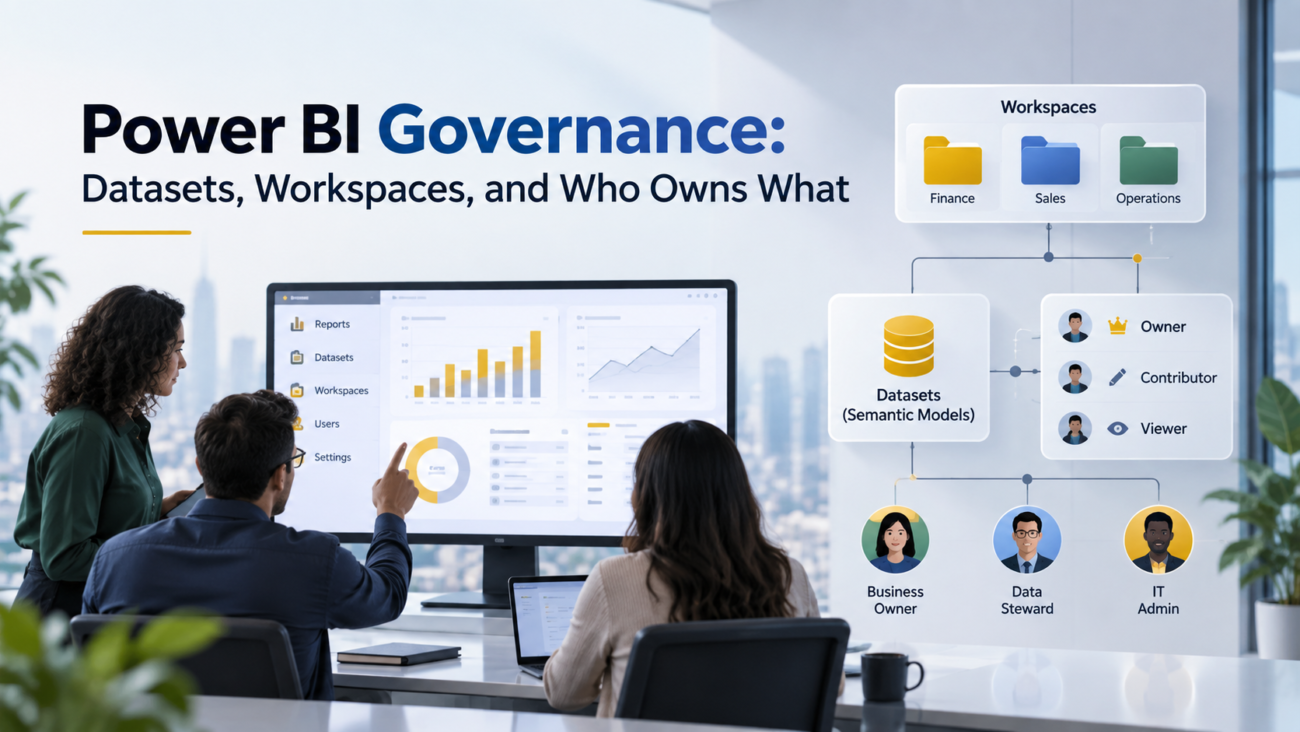
Power BI often starts small. A finance analyst publishes a report, operations builds another, and a few teams create their own workspaces. The trouble begins when the same metric appears in several models, access rules differ by workspace, refresh failures have no clear owner, and nobody wants to change a shared model because they don’t know which reports depend on it.
That is where Power BI governance becomes an operating issue rather than an admin task. The goal is to make ownership, access, reuse, release, and support decisions clear before the estate becomes hard to manage. Governance should tell people where content belongs, which semantic model they should trust, who can change it, who approves access, and what happens when an owner leaves.
Microsoft now uses the term semantic model for what Power BI previously called a dataset. This article uses semantic model for the product object and refers to datasets only where the older term helps explain search intent or existing team language. The core problem is the same: reports depend on shared data assets, and those assets need named responsibility.
TL;DR
Power BI governance works when responsibility is assigned at the object level. A workspace needs an accountable admin team. A semantic model needs a technical owner and a business owner for its definitions. Reports need content owners. Tenant settings need platform ownership, and security decisions need the right data or compliance owner involved.
Strong Power BI data governance also separates creation from consumption. Authors may need Contributor access in development, while most consumers should receive an app or Viewer access in production. Reusable Power BI semantic models should sit in governed locations, with Build permission granted intentionally. Production changes should follow a controlled release path, and audit data should be reviewed for stale content, access drift, and orphaned assets.
The practical rule is simple: every important Power BI object should answer 4 questions. Who owns the business meaning? Who owns the technical object? Who can change it? Who supports it when something breaks?
What Power BI Governance Actually Covers
Power BI governance is broader than workspace permissions. It covers the choices that determine how analytics content is created, reused, secured, changed, and retired. Microsoft frames governance as a set of policies and processes that support appropriate data use, clear stewardship, standard practices, and lower risk. Its Fabric governance guidance also stresses that governance should fit the organization’s data culture rather than become a blanket restriction. That matters because a control model that blocks routine work will usually be bypassed.
A useful Power BI data governance model separates the estate into layers so each layer has a clear governance decision instead of treating every control as a tenant-level setting.
| Layer | Main Governance Decision |
| Tenant | Which features, sharing options, and creation rights are allowed |
| Workspace | Who can create, edit, publish, and administer content |
| Semantic model | Who owns measures, refresh, security, and change approval |
| Report or app | Who owns the audience, presentation, and release |
| Data source | Who owns source quality, access, and upstream changes |
| Security | Who approves access to sensitive information |
This layered view prevents a common mistake: treating the person who can click an admin setting as the person who should make the business decision behind it. The platform admin can apply a policy, but the data owner should decide who is allowed to see a sensitive finance measure. The workspace admin can add a user, but the workspace owner should know why that access is needed.
Organizations that need help separating platform work from reporting ownership often start by reviewing their Power BI consulting services alongside their internal responsibility model. The useful outcome is a clear operating map, not a long policy document. People should know which team handles access, which team approves metric changes, and where support requests go.
Why Governance Breaks At The Dataset And Workspace Layer
Governance usually breaks where technical ownership and business ownership stop matching. A model may be created by one analyst, used by 20 reports, and trusted by executives, yet the service still shows one person as its owner. That person may know the DAX but have no authority to define revenue, headcount, backlog, or another business metric.
Power BI workspaces create a second source of confusion. Teams often treat them like shared folders and add broad Member or Contributor access to make collaboration easier. Over time, production content gains many editors, duplicated models appear, and the same user can reach data through more than one path. When access is removed from a report but remains through a workspace role or semantic model permission, the apparent fix may not change the actual exposure.
The third problem is lifecycle drift. Reports move from prototype to business critical use without an ownership review. A temporary workspace becomes permanent. A semantic model gains downstream reports that the original creator never expected. Power BI governance has to catch those transitions because the risk of a change rises as reuse grows.
A mature approach therefore treats ownership as metadata that must stay current. Workspace purpose, owner, support contact, sensitivity, lifecycle stage, and critical dependencies should be known for every production area. The exact place where that information is stored can vary, but the responsibility should not be implicit.
Power BI Semantic Models Need Named Technical And Business Owners
Power BI semantic models sit at the center of many governance failures because one model can feed many reports. The model contains relationships, calculations, security logic, refresh settings, and business terms that may affect decisions far beyond the workspace where it lives. That makes ownership more important than authorship.
Microsoft distinguishes semantic model permissions from ownership. Read, Build, Reshare, and Write control what a user can do, while the owner is a conceptual role with all model permissions. The owner also controls settings such as scheduled refresh and credentials. Microsoft’s semantic model permission model explains that ownership can change when another authorized user takes over the model, which is why departure and role-change procedures matter. A model that still depends on a disabled employee account is an avoidable operational risk.
Business owner versus technical owner
The service may show one semantic model owner, but governance usually needs 2 named responsibilities. The technical owner maintains the model, refresh path, gateway or connection settings, DAX changes, and release process. The business owner is accountable for definitions and acceptable use. A finance controller may own the meaning of gross margin while a BI engineer owns the model that calculates it.
This split keeps Power BI data governance connected to real decision rights. The technical owner shouldn’t redefine a finance measure because it is easier to calculate another way. The business owner shouldn’t edit production model settings unless that is part of the role. Changes should move through a small approval path that matches the impact of the model.
Minimum ownership record for a production model
A production semantic model should have enough metadata to survive staff changes and support requests. Record the technical owner, business owner, source systems, refresh expectation, sensitivity level, support route, approved audience, and major downstream reports. If certification is used, record the review criteria and who can approve it.
This is also where business intelligence and data science services can connect with governance work when an organization is rebuilding shared models. The useful design choice is to make model ownership part of delivery rather than a task added after publication. That keeps documentation, support, and metric accountability tied to the asset from the start.
Power BI Workspaces Should Have A Clear Purpose And Owner
Power BI workspaces are security and collaboration boundaries. They hold reports, Power BI semantic models, dashboards, and other items, but their main governance value comes from controlling who can create or change content. A workspace with an unclear purpose will usually collect content with different audiences, owners, and risk levels.
Microsoft’s workspace-level planning guidance recommends clarity around who creates, maintains, publishes, secures, and supports content. It also describes cases where separating data workspaces from reporting workspaces can make ownership clearer, especially when shared semantic models are maintained by a central team and reports are built by business units. That pattern is useful when one governed model supports many report teams.
Power BI workspaces should usually be created around a stable purpose such as a domain, product, application, or lifecycle stage. A naming standard helps, but naming alone is not governance. The important questions are who administers the workspace, who is allowed to edit production, what content belongs there, and when the workspace is reviewed or retired.
Development, test, and production separation can also reduce accidental changes. The exact setup depends on team size and release needs, but production should have fewer editors than development. A broad editing group in production weakens change control and can also change how RLS behaves for those users.
Organizations using Fabric can extend the same logic across a wider analytics estate. Calance’s article on Microsoft Fabric governance and workspace controls discusses workspace structure as part of platform control rather than a reporting afterthought. That becomes more important as Power BI content shares capacity and data assets with Fabric workloads.
Power BI Workspace Roles Define Editing Power, Not Business Ownership
Power BI workspace roles are Admin, Member, Contributor, and Viewer. They control what a user can do inside the workspace, but they don’t tell you whether that person should make a business decision. Governance should map each role to a job need and use groups where practical instead of adding individuals without review.
The Power BI workspace role matrix shows that Admins, Members, and Contributors can create, edit, and delete workspace content, while Viewers can view and interact. Admins manage the workspace and role assignments. Members can perform many publishing tasks and add users with lower permissions. Contributors can create and edit content but have fewer sharing and app administration rights.
| Role | Use It For | Governance Concern |
| Admin | Small set of people responsible for workspace administration | High privilege, so keep membership limited and reviewed |
| Member | Senior publishers or content managers who need broad publishing rights | Can grant lower access and manage major publishing tasks |
| Contributor | Authors who need to create and change content | Editing rights can bypass controls intended for viewers |
| Viewer | Consumers who need to view and interact | Best fit when users should consume without editing |
Power BI workspace roles also interact with semantic model permissions. Admin, Member, and Contributor roles carry model capabilities that a simple report consumer often doesn’t need. Viewer access is especially important where RLS is expected to filter users inside a workspace because Microsoft states that RLS restricts users with Viewer permissions, not workspace Admins, Members, or Contributors.
A sensible rule is to grant the lowest workspace role that supports the work. If someone only needs a finished report, an app or Viewer access is usually easier to govern than Contributor access. If someone needs to build a new report from a shared model, Build permission can be handled at the model level without turning that person into an editor of the model’s workspace.
Who Owns What In A Governed Power BI Estate
Power BI governance becomes easier when ownership is separated by decision type. The table below is a practical operating model rather than a Microsoft product requirement. It is designed to stop the common pattern where the Power BI admin becomes the default owner of every access question, metric dispute, failed refresh, and release request.
| Asset Or Decision | Accountable Owner | Responsible Operator | What The Owner Decides |
| Business metric definition | Business or data domain owner | BI analyst or model developer | Meaning, calculation intent, accepted source |
| Semantic model | Technical model owner | BI engineer or developer | Model changes, refresh, performance, release |
| Workspace | Workspace owner | Workspace Admin | Purpose, membership, lifecycle, production access |
| Report | Report or analytics product owner | Report developer | Audience, layout priorities, release, support |
| Source system | Application or data owner | Data engineer or system admin | Source access, quality, change notice |
| Tenant policy | Platform owner | Fabric or Power BI admin | Tenant settings, platform standards, exceptions |
| Sensitive data access | Data owner or compliance authority | Workspace or security admin | Who may see the data and under what conditions |
This model also helps resolve the question behind the phrase “who owns the dataset?” The service-level semantic model owner controls specific settings, but the business may still need a separate person who owns the meaning of the data. Power BI semantic models are technical assets with business consequences, so a single name in a settings page is rarely enough for enterprise accountability.
Ownership should also have a backup. A critical production workspace should not depend on one administrator, and a critical model should not depend on one employee account for support knowledge. Backup responsibility doesn’t mean giving broad permanent access to everyone. It means having a documented second path for administration, credentials, source knowledge, and business approval.
The same logic applies to Calance or any outside delivery partner. External specialists can build or support content, but the client organization should still retain named internal ownership for business meaning and access decisions. A supplier can operate a model. The data owner still decides what the model is allowed to represent and who may use it.
Shared Semantic Models Need Rules For Reuse And Build Permission
Shared models reduce duplicate logic when teams reuse one governed data layer instead of rebuilding measures in every report. They also raise the impact of a change. A renamed measure, altered relationship, or refresh issue can affect reports in other Power BI workspaces that the model owner may not see every day.
Microsoft supports reports that use semantic models from different workspaces. Its guidance on semantic models across workspaces explains that Build permission allows users to create new content from a model and that promoted or certified models can help authors find approved sources. Reuse works best when Build permission is deliberate and the model has a support owner.
A useful Power BI data governance rule is to separate “may view reports that use this model” from “may build new content on this model.” Build permission expands reuse and discovery. It can also create more downstream dependencies. Before granting it broadly, decide whether the model is stable enough for reuse, whether measures are documented, and how breaking changes will be announced.
Teams should also track which models are shared and which are local. A local model used by one report can have a lighter change process. A certified model used by many teams needs stricter release review because the blast radius is larger. That distinction keeps governance proportional to impact.
Security Governance Must Join Workspace Access, RLS, Sharing, And Labels
Security in Power BI is layered. Workspace access controls who can collaborate on content. Semantic model permissions control actions such as Read, Build, Reshare, and Write. RLS filters rows for users who consume the model under the right access conditions. Sharing and apps provide other delivery paths. Governance has to consider the combined result instead of reviewing each control in isolation.
Sensitivity labels add another layer for classifying Power BI content. Microsoft’s sensitivity label guidance states that labels from Microsoft Purview Information Protection can be applied to reports, dashboards, semantic models, dataflows, and PBIX files when the organization has the feature configured. Labels help carry information handling intent closer to the content, but they still need a policy that tells users which label to apply and what it means.
Power BI data governance should therefore include an access review path. The person approving access should understand the data, while the admin applying access should understand the platform. For sensitive models, group-based access is easier to review than long lists of direct user grants. Production workspaces should also avoid editor roles for consumers when the business expects RLS to apply.
Identity and analytics controls often sit inside a wider Microsoft environment. Calance’s Microsoft cloud consulting work connects Power BI with Entra ID, Fabric, Purview, and related Microsoft services. From a governance view, that connection matters because an access rule in Power BI may depend on identity groups, information protection, or source-system rights managed somewhere else.
Lifecycle Governance Covers Development, Release, Certification, And Retirement
Governance should follow content from creation to retirement. A prototype needs freedom to change. A production semantic model needs controlled release. A report that has no viewers for months may need review. The lifecycle state should change the amount of control applied to the item.
A practical flow is development, validation, production, maintenance, and retirement. Teams can use deployment pipelines, Git-based processes, or another release method that fits their tooling. The key governance point is that production changes should be traceable and approved at the right level. High-impact models may need business validation before release, while a low-risk visual change may only need normal report review.
Certification also needs meaning. Promotion can signal that an owner recommends an item, while certification should represent an organizational quality standard applied by authorized reviewers. Certification works only when the criteria are written down. Common checks include ownership, metric definitions, source lineage, security review, refresh health, and support readiness.
Lineage should be checked before major changes to shared assets. Power BI’s lineage view can show upstream and downstream relationships inside a workspace and external dependencies. Teams don’t need to map every low-risk report by hand, but they should know the likely impact before changing a widely reused model.
Calance’s approach to Power BI dashboard development includes development, validation, security testing, deployment, and ongoing review. That sequence is useful for governance because ownership and release decisions are easier to establish while the content is being built than after it has already become production critical.
Monitoring And Audit Keep Governance From Going Stale
Governance fails when the written model stays the same while the tenant changes. New workspaces appear, people change jobs, direct permissions accumulate, and old content remains published. Review work should therefore focus on exceptions and drift rather than repeating a large manual audit with no clear action.
Microsoft’s Power BI activity log guidance explains how administrators can retrieve user activity data and use it for governance, compliance, and adoption analysis. Activity data can help identify publishing patterns, sharing events, and other user actions. It is most useful when paired with a tenant inventory that records ownership and expected use.
A monthly or quarterly governance review can look for orphaned workspaces, models with departed owners, repeated refresh failures, stale reports, broad editor access, unusual sharing, and certified content that no longer meets its standard. The exact cadence should match the size and risk of the estate. High-risk areas may need more frequent access checks than a small internal reporting workspace.
Operational monitoring also matters because refresh and support failures are governance signals. Teams using Azure managed services or similar operational models often already review health, access, and platform events on a schedule. Power BI can fit into that routine when analytics is treated as a production service rather than a collection of files.
When reports or data pipelines need ongoing ownership after go-live, application support services can provide a useful comparison for the operating model. The key lesson is that production analytics needs named support, incident handling, and controlled change just like other business applications.
How To Build A Power BI Governance Operating Model
A Power BI governance operating model should be small enough that people can follow it. Start with the controls that reduce the largest ownership and access risks, then add detail as the estate grows. A 60-page policy that nobody uses is less useful than a short set of rules backed by clear owners and regular review.
Establish the governance scope
Start by listing what the model will govern. Include tenant settings, Power BI workspaces, Power BI semantic models, production reports, apps, sharing, certification, access, and lifecycle. Decide which areas are centrally controlled and which can be delegated to business units. This creates boundaries before teams argue about individual settings.
Define workspace types and creation rules
Document the approved workspace patterns. You may have development, test, production, domain, or project workspaces depending on how teams operate. Define who can request a workspace, what information is required, who approves it, and who becomes the owner. A workspace request should capture purpose and support ownership, not only a name.
Publish the Power BI workspace roles policy
Set a simple standard for Power BI workspace roles. Admin should be rare. Member should be limited to people who need its publishing and access capabilities. Contributor should be for active authors. Viewer or app access should cover most consumers. Use Entra ID groups where it makes access reviews easier, and document exceptions.
Create a semantic model ownership standard
Every production model should have a technical owner and a business owner. Power BI semantic models that are approved for reuse should also have documented definitions, refresh expectations, security rules, and a support route. If the service owner changes, update credentials and ownership before the old account is disabled.
Define release and certification rules
Set the minimum checks required before content enters production. The list can be short: owner confirmed, access tested, refresh tested, major measures validated, and downstream impact reviewed. Certification should have a separate standard because the badge tells other users that the item meets an organizational bar.
Set review triggers and review cadence
Governance reviews should happen on a schedule and when important events occur. Staff departures, workspace owner changes, security incidents, new data classifications, major model changes, and business reorganizations are all good triggers. Scheduled review catches slower drift such as unused content and role accumulation.
Measure whether the model works
Use a small set of operational measures. Track production workspaces with named owners, models with current support contacts, refresh failures that remain unresolved, stale assets awaiting a decision, and high-privilege access that has not been reviewed. These measures show whether governance is being practiced rather than merely documented.
Calance can fit into this type of operating model when internal teams need help with architecture, migration, or ongoing Power BI operations. The important point is to keep decision rights with the right business and platform owners. External help should make ownership clearer, not replace it.
Common Power BI Governance Failure Modes
Most governance problems are predictable. They appear when convenience wins over ownership for long enough that the tenant becomes hard to understand. The table below turns those patterns into audit red flags, with evidence to check and triggers that should prompt review.
| Red Flag | Evidence To Check | Review Trigger |
| Broad Contributor access | Workspace role membership, recent role changes, and users with edit rights in production workspaces. | Contributor or Member counts rise, consumers receive edit rights, or an RLS access issue is reported. |
| Critical model tied to one person | Semantic model ownership inventory, refresh credentials, backup contacts, and unresolved refresh failures. | An owner leaves or changes role, refresh starts failing, or no backup support path is recorded. |
| Duplicate models for the same KPI | Semantic model inventory, certification or promotion status, metric definitions, report lineage, and shared-model dependencies. | Several active models define the same KPI, reports disagree, or a new model duplicates an approved source. |
| Direct production edits | Activity logs, deployment history, production publish events, and any pipeline or source-control record used by the team. | A production change has no release record, or a user-impact incident follows an untracked edit. |
| Broad Build permission | Build and Reshare permissions, lineage view, shared-model dependencies, and new downstream report creation. | Downstream dependencies grow unexpectedly, or unplanned reports appear against a shared model. |
| Stale workspaces and content | Activity logs, last refresh and view dates, ownership inventory, workspace membership, and stale-content reports. | No meaningful activity for the review period, repeated refresh failures, a missing owner, or a business area change. |
The biggest mistake is waiting for a large cleanup before introducing controls. Power BI data governance is easier when each new workspace and model starts with an owner, a purpose, and a lifecycle state. Existing estates can be repaired in phases, starting with the most reused models and the workspaces that contain sensitive or business critical content.
Conclusion
Power BI governance becomes manageable when the organization stops treating ownership as a single field. A semantic model has technical ownership and business accountability. A workspace has an admin role and a purpose owner. Reports have content owners. Tenant settings have platform owners, and data access has an approval owner who understands the information being exposed.
Power BI workspaces, permissions, semantic models, and release processes all affect each other, so Power BI data governance needs one operating model across them. The best starting point is to identify production assets, assign owners, reduce unnecessary editor access, document shared models, and set a review cadence. From there, the controls can grow with the estate without making routine analytics harder than it needs to be.
Good Power BI governance should make ordinary questions easy to answer. Teams should know which model to use, where to publish, who can approve access, who can change production, and who is responsible when the data stops refreshing. If those answers are clear, governance is doing its job.
FAQs
What is Power BI governance?
Power BI governance is the set of ownership, access, release, security, lifecycle, and support rules used to manage Power BI content. It defines how workspaces and semantic models are created, who may change them, how trusted content is identified, and how production assets are reviewed over time.
What happened to Power BI datasets?
Microsoft renamed Power BI datasets as semantic models. The product documentation now uses semantic model for the data model that supports reports. Many teams and search queries still use “dataset,” so governance policies should make the terminology clear while treating the object as the same core reporting asset.
Who should own a Power BI semantic model?
A production semantic model should have a technical owner who manages the model and a business owner who is accountable for definitions and acceptable use. The service also records a semantic model owner for settings such as refresh and credentials, but that technical ownership alone doesn’t cover business accountability.
Can a Power BI workspace have more than one owner?
Power BI doesn’t provide a single “workspace owner” field in the same sense as a semantic model owner. Workspaces can have multiple Admins. Governance should still name one accountable team or role for the workspace purpose, lifecycle, access decisions, and support, with backup administration available.
What are the Power BI workspace roles?
The 4 Power BI workspace roles are Admin, Member, Contributor, and Viewer. Admin has the broadest workspace control. Member and Contributor support content creation with different publishing and access rights. Viewer is intended for people who need to view and interact without editing workspace content.
Which Power BI workspace role should report consumers have?
Most report consumers should use Viewer access or receive content through a Power BI app. Contributor, Member, and Admin roles provide editing or management capabilities that ordinary consumers don’t need. Viewer access is also important where RLS is expected to filter users inside a workspace.
Does row-level security work for workspace Admins and Contributors?
RLS doesn’t restrict users who have Admin, Member, or Contributor roles in the workspace. Microsoft applies RLS to users with Viewer permissions and to other consumption paths where the user doesn’t have edit rights that bypass those restrictions. Production role design should account for that behavior.
What is Build permission in Power BI?
Build permission lets a user create new content from a semantic model and use supported features that rely on model access. It is useful for governed self-service reporting, but it can create more downstream dependencies. Grant it to people who need to build from a model rather than to every report consumer.
Should semantic models and reports be in separate workspaces?
They can be, especially when a central team owns shared models while business teams own reports. Separate workspaces can make ownership and editing boundaries clearer. The tradeoff is more workspace administration, naming, release coordination, and dependency tracking, so the pattern should match the organization’s operating model.
What is the difference between promoted and certified Power BI content?
Promoted content is recommended by an owner or authorized creator, while certified content is meant to show that an item meets an organization’s defined quality standard. Certification should have written review criteria and authorized reviewers so the badge carries a consistent meaning across the tenant.
How should Power BI workspaces be named?
A useful naming standard should communicate purpose, domain, and lifecycle stage without becoming too long. Names may include a business area, product or subject, and environment such as Dev, Test, or Prod. The standard matters most when it helps users find the right workspace and supports admin review.
How often should Power BI access be reviewed?
The review cadence should match risk and scale. Sensitive production areas may need frequent checks, while lower-risk workspaces can be reviewed quarterly or on another set schedule. Staff departures, role changes, incidents, and reorganizations should also trigger an access and ownership review outside the normal cycle.
What should happen when a semantic model owner leaves the company?
Ownership should be transferred before the account is disabled where possible. The new owner should confirm credentials, refresh settings, gateway or connection dependencies, support contacts, and downstream reports. Governance should also check whether the departing user held workspace roles or direct permissions that need reassignment.
How do you govern self-service Power BI without blocking users?
Give users approved places to work and trusted models to reuse. Keep production editing limited, provide Build permission where authors need it, document workspace creation rules, and publish a clear support path. Controls work better when people can understand what is allowed and how to request an exception.
What should a Power BI governance checklist include?
A practical checklist should confirm workspace purpose, named ownership, role assignments, semantic model owners, source dependencies, refresh status, security rules, certification state, release path, support contact, and retirement criteria. The checklist should be short enough to use during normal delivery and regular reviews.
