
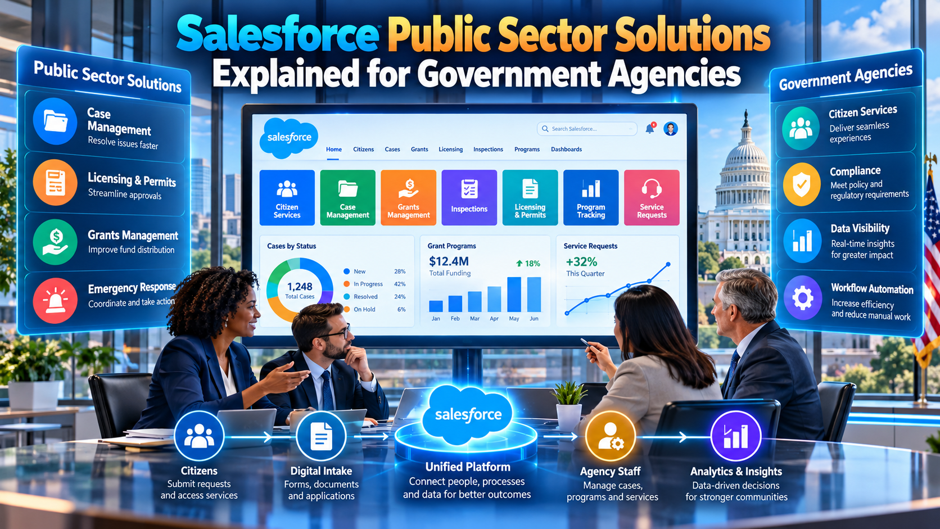
Consider an illustrative county agency that runs permits on paper, grants in spreadsheets and inspections on clipboards. A resident applies for a business license by mail, a clerk retypes the form into a database and an inspector visits the site with a printed checklist. Each step works, but nothing connects. The county manager wants a single place where staff can see an applicant’s history, and she has heard that Salesforce sells a product for exactly that. She asks what it contains, what it costs and whether it meets her security obligations.
This article explains Salesforce Public Sector Solutions for agency leaders: what the product covers, how Salesforce prices it, how it relates to Government Cloud hosting and what to ask before you buy. It draws on Salesforce’s own pricing and compliance pages, a 2023 article from the consultancy Cloud for Good and a procurement article from the pricing consultancy Monetizely. Vendor and consultant figures are mostly unsourced, so each number is attributed. Confirm current terms with Salesforce and with your procurement office.
TL;DR
- The product is a bundle of government-specific apps on the Salesforce platform. Cloud for Good describes pre-built apps for emergency program management, licensing and permitting, inspection management and grants. Salesforce’s pricing page lists editions from $275 to $650 per user per month, billed annually under an annual contract.
- Hosting and compliance need a separate check. Salesforce’s compliance site lists FedRAMP High among authorizations for Government Cloud Plus, yet its Public Sector Solutions pricing page says the Max edition runs on commercial infrastructure. Ask Salesforce in writing which hosting applies to the edition you plan to buy.
- Plan the whole cost. In an illustrative 60-user agency on the Core edition, licenses cost $198,000 a year, and adding Salesforce’s 15 percent Government Cloud Plus uplift on net spend would raise that to about $227,700. Implementation, integration and training come on top, and the sources give only unsourced ranges for them, which are best treated as prompts for your own estimates.
What the product covers at a glance
The table summarizes the capabilities that the sources describe. Cloud for Good’s article is a marketing piece from a Salesforce consulting firm, dated December 2023 with a later modification date, and Salesforce’s own pages describe editions and pricing, not workflows. Features change from release to release, so use the table as a checklist for demos. Ask Salesforce to show each row using your own forms, fees and approval steps. Bring the table to every demo.
| Area | What the sources describe | What to test in a demo |
| Licensing and permitting | Guided application forms, automated fee calculation and payment, email notifications, central view of applications | Your fee schedules and renewal rules |
| Inspection management | Mobile app with checklists, on-site image uploads for violations, stakeholder notifications | Offline use and photo handling |
| Grants management | Lifecycle from application review to award, fund distribution and reporting; templates and applicant portals | Your scoring, award and reporting rules |
| Emergency program management | Real-time updates on response, constituent communication, coordination of people and resources | Integration with existing dispatch and alert systems |
| Constituent view | A single record of a person or business across programs | Matching and duplicate handling |
| Configuration | Low-code and no-code tools | What your staff can change without a developer |
| Security | Single sign-on, authentication, encryption, Government Cloud hosting options | Which hosting applies to your edition |
What the platform is and who it’s for
It’s a configurable platform with government templates. Public Sector Solutions builds on the Salesforce platform and Service Cloud, according to Cloud for Good, and adds pre-built apps for common government functions. Staff configure forms, rules and workflows using low-code tools instead of writing software from scratch. That approach suits agencies with many small programs, each needing its own forms and approvals, because the same platform can run all of them.
It aims at a shared view of constituents. Cloud for Good describes a 360-degree view of constituents, so a clerk handling a permit can see that the same business holds a grant and an open inspection. For an agency whose programs run in separate systems, that view is the main attraction. The benefit depends on matching records correctly, so budget time for data cleanup and rules that decide when 2 records represent the same person or business.
It targets service delivery more than back-office accounting. The pricing page describes digital service delivery tools, low-code automation and AI, and the Field Service editions add field operations and asset management. Nothing in the sources suggests it replaces a financial system or a records management system. Plan integrations with the systems that hold your budget, payments and official records, and decide which system is the source of truth for each data type.
Vendor claims need a discount. Cloud for Good says deployment is quick, overhead falls and the platform handles growth, with no outcome data, and cites a Salesforce survey in which 60 percent of people think the government needs to modernize service delivery, without a sample size or year. Treat those as sales statements. Ask Salesforce and your consultant for references from agencies of your size and type, and call them. Reference calls settle it.
Agencies and programs it suits
The product fits agencies that deliver services to residents or businesses through applications, cases and inspections. County and city permitting offices, licensing boards, grant-making departments, code enforcement units and emergency management offices all match the use cases that Cloud for Good lists: crisis response, launching and administering grants, helping businesses obtain licenses and permits, and scheduling and documenting inspections. Smaller programs with simple forms may fit best, because configuration costs less than custom software.
Fit weakens as your needs become specialized. Programs with complex statutory rules, heavy case law or unusual calculations may need custom work on any platform. Large benefit programs with strict federal reporting may need purpose-built systems. The sources don’t discuss benefits administration, so ask Salesforce which programs it supports out of the box and which need extra build effort. Request a written gap analysis from the vendor or your implementation partner.
Think about scale and staffing. A platform that staff can configure still needs administrators who understand it. Agencies with a small IT team should plan for managed support or training, since a configurable system without a skilled owner drifts into inconsistency. Consider whether a shared services model, in which a central team supports several agencies, would spread the cost. Monetizely claims shared services cut per-agency costs by 20 to 40 percent, a figure it doesn’t source.
Core program areas
- Licensing and permitting. Cloud for Good describes guided application forms, automated fee calculation and payment, email notifications and a central view of applications. For a permit office, the value lies in fewer incomplete submissions and fewer status calls. Test your fee tables, renewal cycles and exceptions, since real fee rules are rarely as simple as the demo, and confirm how payments connect to your finance system. Ask for a live demonstration of an edge case.
- Inspection management. The article describes a mobile app with customizable checklists, on-site image uploads for violations and stakeholder notifications. Ask whether inspectors can work offline in areas with weak coverage, how photos are stored and how findings flow back to the permit or case record. Pilot with a few inspectors before any broad rollout, because their feedback will expose practical problems quickly. Ask your inspectors what they’d want from a mobile checklist before the demo.
- Grants management. Cloud for Good lists lifecycle support from application review through award, fund distribution and reporting, with templates and applicant portals. Agencies should map their scoring rules, committee reviews, award agreements and reporting duties to the tool. Ask how it records decisions for audit, and how it connects to the financial system that actually pays awardees. Include the compliance reporting that funders require, since a missed deadline can cost the agency future awards.
- Emergency program management. The article describes real-time updates, constituent communication and coordination of personnel and resources. This area carries higher stakes, since failure during a disaster is costly. Ask for references from agencies that used the tool in a real event, and test integrations with alerting, dispatch and mapping tools. Plan drills that include the system, as well as paper plans. Set aside time for staff training, because stressed teams fall back on old habits.
Editions and list prices
Salesforce’s pricing page lists 5 Public Sector Solutions editions in US dollars per user per month, billed annually, and says the offering requires an annual contract. The page also says the information is for information purposes only and subject to change, so confirm the numbers with a sales representative. Get the confirmation by email. I read the first part of a long page, so the list of add-ons may be incomplete.
| Edition | Price per user per month | Listed inclusions |
| Public Sector Service, Core | $275 | Configurable apps, digital service delivery tools, low-code automation and AI |
| Public Sector Service, Advanced | $500 | Enterprise Edition capabilities, up to 200 custom objects, unlimited custom apps |
| Public Sector Foundation Advanced, Field Service Enterprise | $350 | Government apps, service delivery tools, field operations and asset management |
| Public Sector Foundation Advanced, Field Service Unlimited | $600 | Foundation Advanced capabilities plus field operations and asset management, up to 200 custom objects |
| Public Sector Service, Max | $650 | Unlimited Edition capabilities, Flex Credits, Data Cloud connection, runs on commercial infrastructure |
Annualized, the Core edition is $3,300 per user, Advanced is $6,000 and Max is $7,800. Compare those figures with the user-based range Monetizely gives, $800 to $2,500 per user per year, which it doesn’t source. The Salesforce list prices sit above that range, so either Monetizely’s range reflects other products or discounts apply. Ask for a quote built from your user counts and programs, and ask what discounts public agencies typically receive.
Reading the pricing page closely
Flex Credits and AI usage. The page lists Flex Credits of 500,000 per org per year for Core and 1 million for Advanced, and says the Max edition includes Flex Credits capability with Data 360 provisioning at 2.5 million credits. Salesforce’s May 2025 pricing announcement set a price of 20 credits, or $0.10, per action, so 500,000 credits would cover about 25,000 actions and 1 million about 50,000. Ask what counts as an action in your configuration.
Data storage. The page lists 20 MB per user for Core and 1 GB per user for Advanced and Max, with an asterisk it doesn’t explain in the text I read. It also lists up to 120 MB for Field Service Unlimited, which looks inconsistent with the Advanced figure. Those discrepancies are exactly why you should ask for storage terms in writing. An agency that stores scanned permits, inspection photos and grant documents can consume storage quickly.
Backup, archive and collaboration. Advanced and Max include 10 GB of data and 10 GB of files for Salesforce Backup and Archive, and Core lists them as available for purchase. Core and Advanced include Slack Business+ with Slackbot, while the Field Service editions and Max include Slack Enterprise+. Check records retention rules for your agency, because backup and archive features affect how you meet retention schedules and public records requests.
Add-ons and what’s missing. The page lists security tools, Agentforce products, marketing, commerce and analytics options as available for purchase, and Salesforce Foundations as a $0 add-on for several editions. The Max edition includes a partner contact center, with telephony minutes at extra cost, and Experience Cloud for Public Sector with a small member and login quantity. Resident portals often need many logins, so ask for portal licensing in writing.
Compliance and hosting
Salesforce’s compliance site lists Government Cloud Plus with FedRAMP High, DoD Impact Level 2, CJIS, TX-RAMP and a SOC 1 report, among 14 entries I could only partly read. The page says each item’s scope is described in the service’s security, privacy and architecture documentation, and that dates shown are document dates rather than certificate validity. Ask Salesforce for current letters and scope statements. Request those letters in writing before you sign.
Salesforce’s Government Cloud pricing page lists Government Cloud Plus at 15 percent of net spend, billed annually, covering FedRAMP Class D, IRS 1075 and HIPAA, and a Defense edition at 25 percent with DoD IL5 and physical isolation. A Premium edition requires contacting Salesforce. The percentage applies to eligible products hosted in the dedicated instance. Terms differ, so ask which of your products are in scope. Ask for the current rate card.
The Public Sector Solutions pricing page says the Max edition runs on commercial infrastructure. Cloud for Good claims the platform complies with FedRAMP and CUI requirements without a source. Salesforce’s Government Cloud page presents Public Sector Solutions as extending Government Cloud. These statements don’t settle which hosting applies to which edition, so ask Salesforce for a written answer before you commit. A written answer will protect your agency if the hosting later changes.
The compliance site notes that FedRAMP-specific documents require access through a public sector compliance portal, with federal agencies submitting a request from a .gov or .mil address, and that state, local and quasi-governmental agencies and implementation partners must contact their account executive. Start that request early, since your security team needs the documents to complete its review and issue an authority to operate. Plan for that delay. Do that in the first week.
Procurement considerations
- Contract form and term. The pricing page says an annual contract is required and billing is annual. Check whether your procurement rules allow multi-year terms, how appropriation cycles affect commitments and what happens if funding lapses. Ask counsel to review termination, renewal and price-increase language, and request pricing for growth scenarios, as Monetizely advises, so that adding users doesn’t trigger a surprise. Put the answers in the procurement file so that successors can find them.
- Buying vehicles and resellers. The search results show that Carahsoft resells Salesforce to public sector buyers, which suggests contract vehicles may exist. I haven’t verified any vehicle or its terms. Ask your procurement office which cooperative contracts or schedules your agency can use, and ask Salesforce and any reseller to confirm pricing and terms in writing before you rely on them. A cooperative contract can shorten buying time, but only if your rules accept it.
- Itemized pricing and scope. Monetizely recommends defining requirements clearly, requiring itemized pricing and requesting pricing for different growth scenarios. Apply that to licenses, hosting uplift, storage, portal logins, support plans, implementation and training. A single bundled number hides trade-offs, and an itemized quote lets you compare Salesforce with alternatives on equal terms. Ask for the quote in a spreadsheet, with a row per line item and a note on which items are optional, so your finance staff can test each assumption.
- Phasing and pilots. Monetizely lists phased implementation, shared services across agencies and pilot programs as procurement strategies, noting that phasing may extend timelines and a poorly planned pilot can raise costs. Salesforce’s pricing page mentions a 30-day free trial with sample data for Government Cloud. A small, well-defined pilot can validate fit before a large commitment, provided you set success measures first. Write the success measures into the pilot plan before work starts.
Cost drivers beyond licenses
Licenses are only part of the bill. Monetizely lists customization at $150 to $250 per hour, adding 30 to 100 percent to base costs, integrations at $25,000 to $100,000 or more each, data migration at $50,000 to $500,000 or more, training at $10,000 to $50,000 agency-wide and premium support adding 10 to 20 percent to subscription costs. It sources none of these ranges, and it comes from a pricing consultancy that sells related services.
Integrations and data often cost more than the software. A permitting system that can’t read your property database or post to your payment processor creates manual work, and a migration that carries over duplicate or inaccurate records spreads the problem. List every system the new tool must connect to, estimate the effort for each and rank them by importance. Ask your implementation partner for a written estimate that separates configuration, integration, migration and training.
Include your own staff time. Subject-matter experts, program managers and IT staff will spend hours in workshops, testing and training, and that time has a cost even when it isn’t invoiced. Monetizely’s article cites studies for some figures, such as a 23 percent underestimate of infrastructure costs and migration at 15 to 25 percent of implementation costs, without links. Treat them as rough guides, and build a contingency into your budget.
A worked cost example
An invented county agency plans 60 named users on the Core edition at $275 per user per month. License cost is 60 × $275 × 12, or $198,000 a year. If it needed the Advanced edition at $500, the cost would be $360,000, and Max at $650 would be $468,000. If it also needed Government Cloud Plus at 15 percent of net spend on eligible products, $198,000 would add $29,700, for a total near $227,700.
| Item (illustrative) | Calculation | Annual cost |
| 60 users, Core | 60 × $275 × 12 | $198,000 |
| 60 users, Advanced | 60 × $500 × 12 | $360,000 |
| 60 users, Max | 60 × $650 × 12 | $468,000 |
| Core plus 15 percent hosting uplift | $198,000 × 1.15 | About $227,700 |
| Advanced plus 15 percent uplift | $360,000 × 1.15 | About $414,000 |
| 25 inspectors, Field Service Enterprise | 25 × $350 × 12 | $105,000 |
| Core plus inspectors | $198,000 + $105,000 | $303,000 |
The agency would have 60 × 20 MB, or 1.2 GB, of storage on Core, against 60 GB on Advanced if the 1 GB per user figure holds. Every number in this example is invented or taken from list prices that are subject to change. The hosting uplift may not apply to every product, and discounts may reduce the totals. Ask Salesforce for a written quote, and ask your finance team to model 3 years including implementation, support and growth.
Implementation approach
Start with outcomes and processes, not features. Pick 1 program, such as business licensing, and map the current process from application to renewal. Identify pain points, such as incomplete submissions, duplicate data entry and slow inspections, and set measurable goals, such as fewer status calls or shorter processing times. A narrow first scope produces visible results and teaches the team how the platform works before larger programs follow. Keep the first scope small.
Involve the people who do the work. Clerks, inspectors and program managers know the exceptions that never appear in the policy manual. Include them in design sessions, show them early versions and fix their complaints quickly. Also involve legal and records staff, who know the rules for notices, fees and retention. Cloud for Good promises quick deployment, but that depends on scope, data readiness and decision speed, so plan from your own situation.
Sequence the work in phases. Monetizely’s list of procurement strategies includes phased implementation, which spreads cost and risk. A typical sequence starts with configuration and a pilot group, moves to data migration and integration, then expands to more users and programs. Run the old process alongside the new process for a cycle or 2, compare results and decide on cutover. Keep a rollback plan for each phase. Document each decision as you go.
Plan for ongoing ownership. After go-live, someone must manage releases, change requests, user access and reporting. Salesforce issues 3 major releases a year, and each can affect your configuration. Assign an administrator and a business owner, set a change process and schedule reviews. If your IT team is small, consider managed support, and compare that cost with hiring, since a neglected system loses staff trust quickly. Budget for that role in the first year.
Data, security and records
Classify your data before you migrate. Agencies hold personal information, tax data, law enforcement data and health information, each with its own rules. Salesforce’s compliance site lists CJIS, IRS 1075 (on the pricing page) and HIPAA-related documents for Government Cloud Plus. Map each data type to the rules that apply, and decide which can live in the new system. Ask your security and legal staff to approve the classification before any data moves.
Control access carefully. A single view of constituents is powerful and risky. A clerk in the permit office shouldn’t see a resident’s protected case file in another program. Design roles, sharing rules and field-level security around the minimum access each job needs, and test them with real users. Log access to sensitive records, and review the logs. Cloud for Good mentions single sign-on and encryption, so check how they apply in your configuration.
Plan for records, retention and public requests. Public agencies must keep records for set periods and respond to public records requests. Ask how the system stores documents, how it applies retention schedules, how you export data and how you search across records. Backup and archive features appear in the pricing page, with included amounts that vary by edition. Test an export early, because an exit plan is part of responsible procurement.
Prepare for audits. Auditors will ask who changed what and when, how decisions were made and how controls work. Configure audit trails, keep documentation of configuration decisions and retain evidence of testing. The compliance site says some FedRAMP documents require portal access, so involve your compliance officer early. Treat the compliance documents as inputs to your own risk assessment, not substitutes for it. Keep a binder, or its digital equivalent, of every approval and test.
Questions to put to Salesforce
| Topic | Question | Why it matters |
| Hosting | Which hosting applies to each edition, and is it Government Cloud Plus? | The Max edition is listed on commercial infrastructure |
| Compliance | Can you provide current authorization letters and scope statements? | Dates on the compliance site aren’t certificate dates |
| Pricing | Which products does the Government Cloud percentage apply to? | The uplift is a share of net spend on eligible products |
| Storage | What are the storage terms per edition, and what does the asterisk mean? | Listed figures look inconsistent |
| Portals | How many resident logins are included, and what do extra logins cost? | Public portals can need many logins |
| AI usage | What counts as an action, and what happens when credits run out? | Credits are metered per org per year |
| Contract | What are renewal, price-increase and termination terms? | An annual contract is required |
| References | Which agencies like ours use the product in production? | Vendor and consultant claims lack outcome data |
Ask for the answers in writing, and keep them with the contract file. Compare them with the sources in this article, and resolve any difference before you sign. If the answers vary by sales representative, escalate to a named contact who can commit the company. A verbal assurance from a sales call carries little weight at an audit or a dispute, whereas a signed response gives your counsel something to enforce. Record who answered.
Preparing staff and the community
Staff adoption decides whether the system delivers. Employees who fear that automation will replace them or expose their errors will find workarounds. Explain the purpose, show how the tool removes tedious work and provide training before go-live and again after the first few weeks. Pick champions in each office who can help colleagues, and give them time to do it. Collect feedback and fix reasonable complaints quickly. Budget time for that support early.
Residents and businesses need clear communication as well. If you launch an online portal, tell applicants how to use it, offer help by phone or in person for those who can’t go online and keep paper options where the law requires them. Test the portal for accessibility, since public agencies have obligations to serve people with disabilities. Track how many applicants use each channel, and adjust as habits change. Publish the results quarterly.
Measure results openly. Report on processing times, error rates, status inquiries and user satisfaction before and after the change. Share the numbers with leadership and the governing board. Cloud for Good gives no outcome metrics, so your own measurements will be the best evidence available. If the results fall short, adjust configuration or training, and be honest about what the system can and can’t do. Publish a short summary for residents too.
Mistakes agencies make
- Buying on features and ignoring hosting. A product that meets every functional need but runs in the wrong environment can fail a security review. Ask for hosting and compliance statements before the demo, and don’t assume that a compliance claim for a single product applies to another. The Max edition’s commercial infrastructure listing shows why the question matters. Security reviewers can reject a product late in the process, which wastes the time already spent on demos and scoping.
- Underestimating integration and data work. Monetizely’s cost ranges are unsourced, yet the point holds: integrations and migration often cost more than expected. Inventory your systems and data early, assign owners and estimate each connection. Include data cleanup in the plan, and don’t migrate records you can’t explain or trust. Staff who know the old data usually find problems the tools miss, so ask them to sample the converted records and sign off on what they see.
- Skipping the pilot. A large rollout without a pilot spreads mistakes across programs and users. Select a program with clear rules and willing staff, set measurable goals and run it long enough to see a full cycle. Use the lessons to adjust the design, the training and the budget before the next phase. Pilot users also become the trainers and advocates who later explain the system to their colleagues in plain terms, and they carry credibility.
- Treating the contract as an afterthought. Annual contracts, percentage-based hosting uplifts and add-on pricing can raise costs over time. Involve procurement and counsel early, ask for itemized pricing and growth scenarios and check how appropriation cycles affect your commitments. A well-negotiated contract protects the agency when budgets or needs change. Ask counsel to flag clauses on data ownership and exit assistance, since those matter most if the relationship ends or the budget shrinks.
FAQs
What’s Salesforce Public Sector Solutions?
It’s a Salesforce product for government agencies built on the Salesforce platform and Service Cloud. Cloud for Good describes pre-built apps for emergency program management, licensing and permitting, inspection management and grants. Salesforce’s pricing page lists 5 editions. Features change over time, so confirm the current contents with Salesforce and test them in a demo. Ask Salesforce to name the exact edition and release you’d receive, because the product’s contents shift between releases.
How much does it cost?
Salesforce’s pricing page lists editions from $275 per user per month for Core to $650 for Max, billed annually under an annual contract. The page says the information is subject to change. Add hosting uplifts, implementation, integration, training and support. Ask for a written quote based on your users and programs. Your own total will depend on how many users you need and which edition fits, so treat the list prices as a starting point for negotiation rather than a quote.
Is FedRAMP authorized?
Salesforce’s compliance site lists FedRAMP High among authorizations for Government Cloud Plus. The Public Sector Solutions pricing page says the Max edition runs on commercial infrastructure, and Cloud for Good claims FedRAMP compliance without a source. Ask Salesforce in writing which hosting applies to your edition, and request current authorization documents through the proper channel. Federal agencies request the documents through a portal, while state and local agencies contact their account executive instead.
What’s Government Cloud Plus, and does it cost extra?
It’s Salesforce’s dedicated hosting for government customers. Salesforce’s Government Cloud pricing page lists it at 15 percent of net spend, billed annually, with a Defense edition at 25 percent and a Premium edition by contact. The percentage applies to eligible products in the dedicated instance. Ask which of your products are in scope. Confirm in the contract whether the percentage also applies to renewal terms and to products you add later in the subscription.
Can it handle grants, permits and inspections?
Cloud for Good describes pre-built apps for grants management, licensing and permitting and inspection management, including applicant portals, fee calculation and a mobile inspection app. Those are descriptions from a consultancy. Test each against your rules in a demo, and ask for references from similar agencies. Cloud for Good doesn’t mention benefits administration. Also ask how each app handles the exceptions your staff meet daily, because demos usually show only the clean path.
How long does implementation take?
The sources give no reliable timeline. Cloud for Good calls deployment quick without data, and Monetizely mentions phased implementation without durations. Timelines depend on scope, data quality, integrations and decision speed. Start with 1 program, ask your partner for a written plan with milestones and keep contingency for data and integration work. Ask for references that report real durations from agencies of your size, and compare their scope with yours before you accept any estimate.
What costs come beyond the license?
Implementation, customization, integration, data migration, training and support. Monetizely gives unsourced ranges, such as $150 to $250 per hour for customization and $25,000 to $100,000 or more per complex integration. Treat those as prompts. Request itemized quotes from your partner, and include your own staff time. A realistic budget also holds a contingency reserve, because data cleanup and interface work usually surface surprises after the first workshops. Ask your finance team to review the estimate before it goes to the governing board.
Do we need a pilot before buying?
A pilot is wise. Monetizely lists pilot programs as a procurement strategy that reduces risk, though it warns that a poorly planned pilot can add cost. Salesforce’s Government Cloud page mentions a 30-day trial with sample data. Define scope and success measures first, run the pilot through a full cycle and review the results with procurement and legal. Keep the pilot small enough to finish within the trial or a single budget cycle.
