
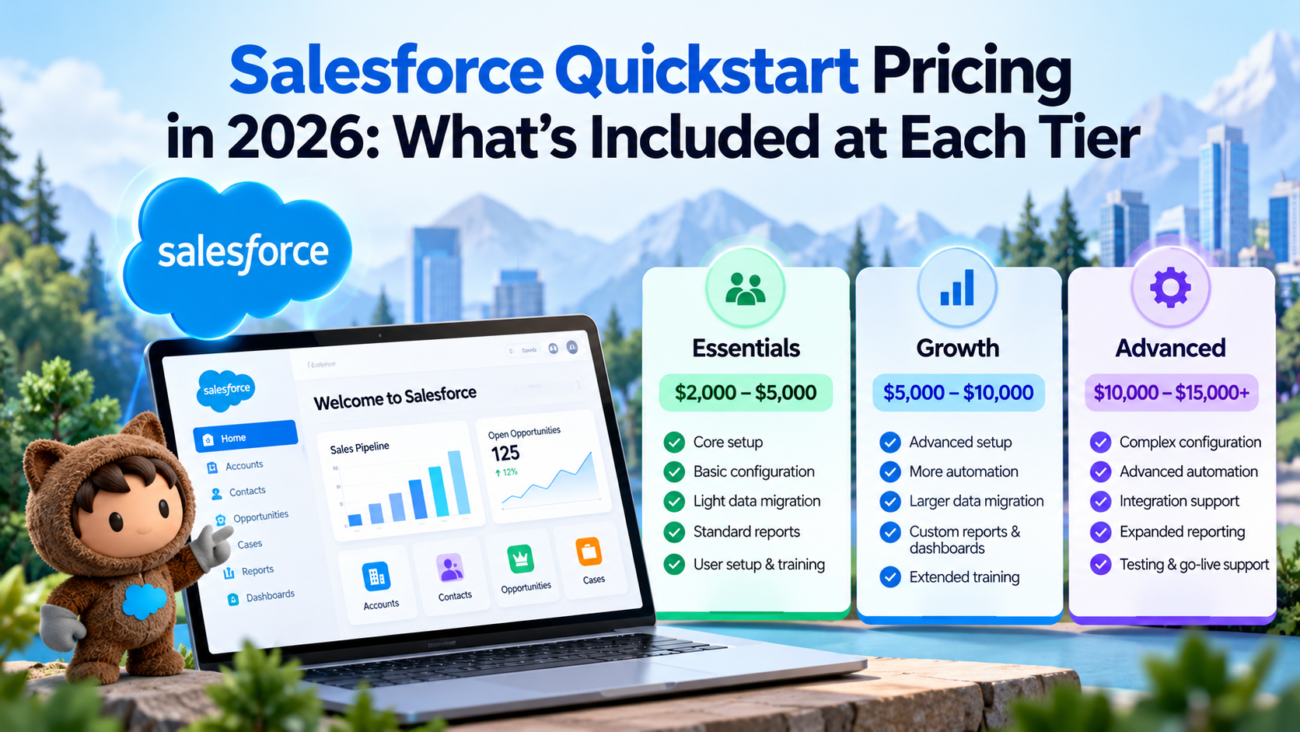
Salesforce Quickstart pricing in 2026 is easy to misunderstand because there isn’t one official Salesforce rate card for Quickstart implementations. Salesforce publishes product subscription prices and separate support or professional services information, while Quickstart projects are usually fixed-scope implementation packages sold by consulting partners. The fee you see for a Quickstart therefore pays for setup work, not the Salesforce licenses themselves.
That distinction matters when teams compare quotes. A low project fee can still sit on top of a large annual software bill, while a higher Quickstart can include migration, automation, training, and post-launch help that would otherwise become separate work. The right comparison is scope against scope, then implementation fee against implementation fee.
This guide uses 3 illustrative planning labels for Salesforce Quickstart pricing: Essentials at about $2,500 to $5,000, Growth at about $5,000 to $10,000, and Advanced at about $10,000 to $25,000 or more. Essentials, Growth, and Advanced are labels used only in this guide. They aren’t official Salesforce tiers or market-wide benchmarks, and public partner pricing can vary substantially. The exact Salesforce Quickstart cost depends on cloud, user count, data quality, automation, integrations, reporting, and how much work your own team can handle.
TL:DR
A Salesforce Quickstart package is a fixed-scope implementation meant to get one defined use case live faster than a full custom program. For planning, this guide uses about $2,500 to $5,000 for a very narrow low-cost package, $5,000 to $10,000 for expanded fixed scope, and $10,000 to $25,000+ for a larger Quickstart. These are illustrative scenarios rather than standard Salesforce tiers or market averages. Salesforce licenses are separate. Treat any quote as a scope document first and a price second.
What Salesforce Quickstart Pricing Means in 2026
A Quickstart is best understood as a constrained implementation project. The provider agrees to configure a defined set of Salesforce features within a short timeline and for a fixed or tightly bounded fee. That usually means less discovery, fewer custom requirements, limited migration, and a clear cap on automation or reporting. The point is to get a usable first release live without turning the project into a full CRM rebuild.
Salesforce doesn’t publish a universal Quickstart fee on its product pricing pages. ItsProfessional Services overview describes advisory and implementation help but directs buyers to engage Salesforce for the actual service arrangement, which is one reason buyers should separate vendor subscription pricing from partner project fees when reviewing a quote. A Salesforce Quickstart package can still be a sound buying model, but the term describes the delivery approach more than a standard product SKU.
Two providers can both call an offer a Quickstart while including very different amounts of data work, automation, reporting, security setup, and training. Comparing only the total fee hides those differences.
For buyers, the useful question is therefore not “What does a Salesforce Quickstart cost everywhere?” The useful question is “What level of scope fits our first release, and what should be included at that level?” The Essentials, Growth, and Advanced labels in this guide are an editorial planning framework. They help compare scope without implying that Salesforce or its partner market uses one standard tier system.
2026 Quickstart Pricing at a Glance
For planning, this guide uses 3 illustrative scope bands. The first is a very narrow configuration project for a small team. The second adds more business rules, reports, and data work. The third covers a larger fixed-scope release near the point where a phased implementation may make more sense. These labels help compare scope, but they aren’t standard Salesforce package tiers.
| Planning Tier | Illustrative Implementation Fee | Illustrative Delivery Window | Typical Fit | Common Scope |
| Essentials | $2,500 to $5,000 | 2 to 3 weeks | Small team with a simple first release | Core objects, basic fields, simple pipeline or case setup, light migration, basic reports, user setup |
| Growth | $5,000 to $10,000 | 3 to 5 weeks | Growing team with defined workflows | More configuration, several Flows, added reports, larger migration, stronger security setup, admin training |
| Advanced | $10,000 to $25,000+ | 4 to 8 weeks | Larger single-cloud launch or tightly bounded multi-process project | Deeper automation, more roles, more data, limited integrations, expanded reporting, testing, structured handoff |
These prices and delivery windows are illustrative planning scenarios, not a quote, a market average, or a Salesforce rate card. Data readiness, decision speed, integrations, and user acceptance testing can extend the delivery windows. Salesforce implementation cost can also move above these ranges when the work includes custom Apex, many integrations, complex data cleanup, multiple clouds, Experience Cloud, Revenue Cloud, large-scale change management, or strict regulatory controls. At that point, the safer approach is often to split the program into phases rather than force a large project under a Quickstart label.
The software budget is also separate. Salesforce’smain product pricing page lists subscription pricing by product family, while Salesforce implementation pricing sits outside those user or usage fees. A buyer who combines both numbers into one vague “Salesforce price” can easily lose track of what is recurring and what is a one-time project expense.
A good quote should state the assumed Salesforce edition, included tasks, scope limits, and what would trigger a price change. That gives the Salesforce implementation cost a clear business meaning.
Essentials Tier: About $2,500 to $5,000
The Essentials label in this guide fits a small team that needs a working CRM foundation and can accept a mostly standard Salesforce setup. The scope should stay narrow. A typical project centers on one primary process, such as lead-to-opportunity management in Sales Cloud or basic case management in Service Cloud. The best candidate already knows how the team wants to work and doesn’t need weeks of process redesign before configuration starts.
A Salesforce Quickstart package at this level will usually cover the org setup needed for the first group of users. That can include users and roles, standard objects, selected custom fields, page layouts, record types where needed, a small set of validation rules, and several reports or dashboards. Light automation may be included, but the package should state a hard limit so both sides know when the scope has moved into the next tier.
For Sales Cloud, the project often configures leads, accounts, contacts, opportunities, stages, activities, and a basic pipeline view. For Service Cloud, it may cover cases, queues, assignment rules, email-to-case, and a simple agent workspace. Salesforce implementation pricing shouldn’t be read as including user licenses unless the contract says so.
Data work in the Essentials tier should be modest. A clean spreadsheet or CRM export with a limited number of objects is a reasonable fit. Heavy duplicate cleanup, complex relationship repair, or historical activity migration can consume more time than the core setup itself. The provider should define the record count, source format, supported objects, and whether data cleaning is included.
Training at this level is often a short admin handoff plus one end-user session. That can be enough for a small group if the process is simple and managers are involved. The risk comes when a buyer expects role-specific training, extensive documentation, and weeks of post-launch support from a package priced for a narrow technical setup.
The Essentials tier works best when the team can live with standard Salesforce behavior. It becomes a poor fit when the new org must copy every legacy field, approval, dashboard, or screen.
Growth Tier: About $5,000 to $10,000
The Growth label in this guide gives the implementation team enough room to model a real business process without opening the door to unlimited customization. Salesforce Quickstart pricing in this band usually reflects more workshops, more automation, a larger migration, and more time spent testing the way different users work inside the system.
A Growth Salesforce Quickstart package may include lead assignment, several sales paths, approval logic, multiple Flows, more custom fields, more reports, manager dashboards, and stronger permission design. Service Cloud projects may add queues, routing rules, Knowledge setup, entitlement or service process work, and more detailed case reporting. The key is that these additions remain bounded by counts or named use cases.
Automation is one of the main reasons a project moves from Essentials to Growth. A Flow that updates a field is much easier to test than one that spans approvals, record creation, notifications, and exception handling. Scope should therefore name the business outcome for each automation rather than count Flows alone.
Data migration also gets more serious at this tier. The source may contain several related objects, legacy picklists, inactive users, duplicate records, or ownership rules that need mapping. The team should agree on who cleans the source data, who validates samples, how many test loads will be run, and what happens to records that fail validation. Those details affect Salesforce implementation cost far more than the raw row count suggests.
Training should also move beyond a single generic walkthrough. Admin training and manager training often deserve separate time because those users need to understand configuration, reporting, and ongoing data quality. End users can focus on the scenarios they perform each day. Salesforce’straining-plan guidance recommends defining training by audience and real work scenarios, which is a useful way to judge whether a Growth quote has enough enablement time.
A Growth-tier quote should still feel finite. If the provider can’t state the limits on automation, reporting, migration, and training, the Salesforce implementation pricing may look fixed while the scope remains open.
Advanced Tier: About $10,000 to $25,000 or More
The Advanced label in this guide sits near the edge of the Quickstart model. It can work for a larger single-cloud rollout or a narrow cross-functional use case, but the buyer needs stronger scope discipline because deeper configuration creates more dependencies. Salesforce Quickstart pricing above $10,000 should come with a clearer design record, more testing, and a firmer handoff than a low-cost starter package.
Typical scope can include multiple business units, several user profiles or permission sets, more involved automation, larger data migration, advanced dashboards, limited API work, or security requirements that need formal review. A provider may also include a sandbox-based build and testing cycle rather than making most changes directly in production. Salesforce’s currentsandbox guidance explains the available sandbox types and their use in development and testing, so buyers should check whether the proposed approach matches the edition they plan to license.
Integration is the biggest boundary to watch. A simple connection through an existing connector may fit an Advanced Quickstart. A custom bidirectional integration with complex error handling probably doesn’t. Salesforce’sintegration pattern guidance shows why integration design depends on direction, timing, volume, transaction behavior, and system ownership. Those choices can turn a fixed-scope project into architecture work very quickly.
This tier may also include a larger report and dashboard set, formal user acceptance testing, deployment support, and a short hypercare window after go-live. Those items matter because higher configuration depth creates more places where a requirement can be misunderstood. A few extra days of testing and handoff can be worth more than another feature squeezed into the package.
An Advanced project still needs a stop line. Many custom objects, substantial Apex, several external systems, or major process redesign usually point to a phased implementation instead.
What Every Quickstart Tier Should Include
Different tiers can contain different amounts of work, but a credible Quickstart should cover the same basic delivery stages. Price alone doesn’t determine whether the package is complete enough to launch. The provider should be able to show how requirements move from discovery into configuration, validation, training, and go-live.
Discovery should identify the process that the first release will support. That means naming the users, the records they create or update, the decisions the system needs to support, and the outputs managers need. A short discovery phase is fine when the business process is already understood. It becomes risky when a project skips discovery because the package is fixed-price.
Configuration should then stay tied to those agreed use cases. Salesforce’sWell-Architected Framework gives teams a useful way to review solution quality across trust, reliability, operational excellence, cost, and fairness. A Quickstart won’t require an enterprise architecture program, but it should still avoid choices that create obvious maintenance or security problems six months later.
Testing should cover the business scenarios promised in scope. At minimum, the team should verify permissions, required fields, automation behavior, reporting, and migration results. A small package may use a light test script. A larger package should have formal user acceptance criteria and named signoff owners.
Training and handoff should close the project. The internal owner needs to know what was configured, where routine changes belong, and which items were intentionally deferred.
Salesforce License Fees Are Separate From Quickstart Fees
The most common budgeting mistake is treating Salesforce Quickstart pricing as if it includes the recurring software subscription. In most partner-led projects, it doesn’t. The Quickstart fee covers professional services. Salesforce licenses, add-ons, usage fees, and support plans are separate unless the written proposal bundles them in a specific commercial arrangement.
As of September 2026, Salesforce’s U.S.Sales Cloud pricing lists Starter Suite at $25 per user per month, Pro Suite at $100, Core at $195, Advanced at $395, and Max at $550, with different billing terms by edition. The product page also says pricing can change, so a purchasing decision should use the live quote rather than a copied number from an old article.
Service Cloud follows its own product table. Salesforce’sService Cloud pricing page currently shows Starter Suite at $25 per user per month, Pro Suite at $100, Core at $195, Advanced at $395, and Max at $550 in the U.S. pricing view. Feature coverage differs by edition, which can change the implementation scope even when 2 customers buy the same Quickstart tier.
Small-business buyers may compare Starter and Pro Suite rather than higher editions. Salesforce’ssmall-business pricing page lists Starter at $25 per user per month and Pro at $100 in the U.S. view. The implementation scope should match the features available in the chosen edition.
Support is another separate line. Salesforce’sCustomer Success pricing lists Standard Success as included with licenses and Premier Success at 30% of net license fees for applicable products, while Signature pricing requires contact with Salesforce. That support spend shouldn’t be confused with the implementation partner’s post-launch support or managed services.
Sales Cloud, Service Cloud, and Other Products Change the Scope
Salesforce implementation pricing depends heavily on the product being configured because each cloud has different process depth and add-ons. A basic Sales Cloud launch can stay small when the work is limited to pipeline management, standard forecasting, a few automations, and clean data. Service Cloud can become more involved when the scope adds case routing, entitlements, Knowledge, digital channels, or contact-center requirements.
The fastest way to compare quotes is to ask which business capability each line item enables. “Service Cloud setup” is too broad. “Email-to-Case, 3 queues, 4 assignment rules, 1 support process, 10 reports, and 2 dashboards” can be tested. The same is true for Sales Cloud. Named deliverables make Salesforce Quickstart pricing easier to evaluate because the buyer can see what the fee actually buys.
Marketing, data, and AI products can change the budget model again because they don’t always follow the same per-user structure as core CRM. A Quickstart built around those products shouldn’t be compared with a basic Sales Cloud package as if the service effort were identical.
Agentforce can also add consumption or per-user costs outside the implementation project. Salesforce’sAgentforce pricing currently includes Flex Credit, conversation, and user-based options. If a Quickstart includes an agent use case, the proposal should say whether it covers agent design and testing only or also estimates the production usage charges the customer may incur later.
The practical rule is to define the product stack before comparing Quickstart tiers. A $6,000 Sales Cloud setup and a $6,000 Service Cloud setup may require different work. The shared price doesn’t mean the scope or long-term operating cost is the same.
Data Migration Can Move a Project Up a Tier
Data migration is one of the biggest reasons a Salesforce Quickstart package becomes more expensive than expected. Moving rows into Salesforce is often easy. Making sure those rows are clean, correctly related, owned by the right users, mapped to the right fields, and accepted by Salesforce validation is the real work.
Salesforce provides several import methods. ItsTrailhead data import guidance explains that the Data Import Wizard can handle up to 50,000 records at a time for supported objects, while Data Loader is used for larger or more technical imports. Those tool limits don’t tell you how much consulting time migration will take because source quality and relationship complexity are separate issues.
An Essentials-tier migration might be one clean CSV with accounts and contacts. A Growth project may include leads, opportunities, activities, cases, or custom objects with several mapping rules. An Advanced Quickstart may need multiple test loads, owner remapping, duplicate rules, legacy status translation, or migration from more than one source.
The quote should state the record count or file size assumption, supported objects, source systems, number of test loads, and data-cleaning responsibility. It should also say whether attachments, emails, files, activity history, or archived records are excluded. Those items can expand Salesforce implementation cost far faster than adding a few custom fields.
Buyers can reduce the Salesforce Quickstart cost by preparing data before the project starts. Remove obvious duplicates, close out records that don’t need to move, agree on field definitions, and identify the records that must be retained for legal or operational reasons. Cleaner source data gives the implementation team more time to configure Salesforce instead of repairing years of CRM history.
Integrations and Automation Need Hard Scope Limits
Integrations and automation are the 2 areas most likely to break fixed Salesforce Quickstart pricing. Both can look small during discovery and turn into large testing problems once real exceptions appear. A package should therefore name the integration endpoints and automation use cases instead of promising a vague number of “workflows” or “connections.”
For automation, define what each Flow is expected to do. A lead assignment Flow is different from an approval process that updates several records and sends notifications after multiple conditions. Salesforce’s currentFlow limits documentation is useful background, but project effort depends more on business logic and test cases than on the platform limit itself.
For integrations, ask whether the package uses a native connector, AppExchange product, middleware, or custom API work. The quote should also define which side owns authentication, field mapping, error handling, monitoring, and retry behavior. Those details decide whether Salesforce implementation cost stays within the tier or moves into a separate development project.
An Essentials tier should normally avoid custom integration work. A Growth tier may include 1 simple connector or tightly bounded integration. An Advanced tier can support more involved integration only when the endpoint, data direction, fields, frequency, and error behavior are known before the project starts.
This is also where Salesforce implementation pricing can stop being fixed in practice. If a third-party system has poor documentation or requires vendor coordination, the Salesforce partner can’t control all of the effort. A fair proposal should call out those dependencies early and state what happens if the external system doesn’t behave as expected.
User Count, Security, Training, and Adoption Affect Price
User count affects more than license spend. More users can mean more roles, permission sets, queues, territories, approval paths, dashboards, training groups, and support questions. A 10-user company with one sales process is easier to launch than a 50-user company split across several teams even when both use the same Salesforce edition.
Security setup should be part of the quoted scope. The provider needs to decide how users get access to objects, fields, records, and administrative features. A basic Quickstart can use a small number of roles and permission sets. A larger project may need more careful record-sharing rules and separation between teams. That design work deserves explicit time instead of being hidden under “user setup.”
Training needs also rise with role diversity. If managers, administrators, sales reps, and service agents use Salesforce differently, they shouldn’t all receive the same generic session.
Adoption measurement can also be planned from the start. Salesforce’sadoption metrics guidance points to login activity, record creation, record updates, and data quality as useful signals. A larger package may include a small adoption dashboard or post-launch review when that work is defined in advance.
The buyer’s internal time matters too. Someone has to answer process questions, review configuration, prepare data, attend testing, and approve the release. A cheap Salesforce Quickstart cost can turn into an expensive delay when no internal owner has time to make decisions.
What a Quickstart Usually Excludes
A Quickstart works because it excludes work that would make the project open-ended. Those exclusions should be written as clearly as the included tasks. If the proposal only lists what is included, ask for the boundary conditions before signing.
Common exclusions include large custom development, broad business-process redesign, many third-party integrations, major historical data cleanup, custom mobile development, extensive Experience Cloud work, advanced Revenue Cloud configuration, enterprise change management, and long-term administration. Some providers may include one of these in an Advanced tier, but it should be narrow and measurable.
Ongoing support is another common gap. A package may include a few days or a short hypercare window after launch, but that doesn’t mean the partner will administer the org indefinitely. Separate managed services, enhancement retainers, or support blocks can raise Salesforce implementation cost after the Quickstart closes.
License purchases are also normally excluded. Salesforce Quickstart pricing should be shown beside the assumed Salesforce edition so buyers understand the dependency, but the service fee shouldn’t be treated as a substitute for the Salesforce contract. The same applies to AppExchange apps, middleware, email tools, telephony, data products, and other third-party services.
Custom reports can also create quiet scope growth. A proposal that says “reports and dashboards” should state how many, which business questions they answer, and whether the work includes data-model changes to support them. Reporting is easy when the required data already exists in the right objects. It gets expensive when the dashboard request exposes missing fields, inconsistent definitions, or new automation requirements.
How to Choose the Right Quickstart Tier
Choose the tier from the work required for the first usable release, not from company size alone. A 200-person company can still use an Essentials Quickstart for one small team. A 15-person company may need an Advanced project if it has complex approvals, dirty legacy data, and a required integration. Scope is the better predictor of Salesforce implementation cost.
Start by writing the 5 to 10 business outcomes the first release must support. Then map each outcome to Salesforce records, automation, reports, data migration, and user roles. If the list stays close to standard configuration with one clean data source, Essentials may be enough. If several workflows need automation and the migration is more involved, Growth is a safer budget.
Move toward Advanced when the first release needs multiple user groups, heavier security rules, several automations, larger migration, or limited integrations. If you find yourself adding multiple clouds, large custom code requirements, several external systems, or a long list of exceptions, stop trying to fit the work into a Quickstart. A phased implementation gives the team more room to design and test the system properly.
Also compare proposals using the same checklist. Record the included objects, custom fields, automations, integrations, reports, dashboards, migration limits, training sessions, test cycle, deployment work, and post-launch support for every vendor. That makes Salesforce implementation pricing far easier to compare than a one-line package price.
The best Quickstart tier is the one whose limits match your first release. Paying for Advanced scope when you only need standard setup wastes budget. Buying Essentials for a complex rollout usually pushes necessary work into change requests or a second project.
What a Realistic 2026 Quickstart Budget Looks Like
A realistic first-year Salesforce budget should separate the one-time implementation fee from the recurring software and operating costs that follow it. Keeping each cost category visible makes vendor comparisons clearer and prevents a low implementation quote from hiding a larger first-year spend.
| Budget Component | What to Plan For |
| Quickstart implementation | The fixed-scope project fee for discovery, configuration, migration, testing, training, deployment, and handoff within the written scope. |
| Salesforce subscriptions | User or usage-based product fees for the Salesforce edition and products assumed by the implementation design. |
| Add-ons and third-party apps | AppExchange products, middleware, telephony, data tools, email products, or other services the solution depends on. |
| Optional Success Plan | Any paid Salesforce Success Plan that sits outside the base license price. |
| Internal delivery time | Staff time for process decisions, data preparation, review, user acceptance testing, training, and release approval. |
| Ongoing administration and support | Post-hypercare admin work, enhancement support, managed services, or internal Salesforce ownership after the Quickstart closes. |
The implementation proposal should state which Salesforce edition and add-ons it assumes. Product names, features, billing terms, and usage rules can change during the year, so recurring software should be checked against Salesforce’s live pricing before purchase.
Keep these cost categories separate when comparing vendors. A change to the implementation scope should affect the project line, while a new license, app, or support plan should remain visible as recurring spend. That makes the first-year Salesforce budget easier to explain and reduces the chance of treating several different costs as one vague Salesforce price.
FAQs
What Is Salesforce Quickstart Pricing in 2026?
Salesforce Quickstart pricing in 2026 usually refers to a fixed-scope implementation fee charged by a Salesforce consulting provider. Salesforce doesn’t publish one universal Quickstart rate card. For illustration, this guide uses about $2,500 to $5,000 for a very narrow low-cost package, $5,000 to $10,000 for expanded fixed scope, and $10,000 to $25,000 or more for a larger Quickstart. Public partner pricing varies, so these figures should be used as planning scenarios rather than market averages.
Does Salesforce Sell an Official Quickstart Package?
Salesforce offers Professional Services and a partner ecosystem, but buyers will find many Quickstart offers defined by individual consulting providers rather than one universal Salesforce package with a single published price. Scope, delivery model, and included work can vary between providers.
Is the Salesforce License Included in a Quickstart Fee?
Usually no. The Quickstart fee normally covers implementation services. Salesforce user licenses, product add-ons, usage charges, Success Plans, AppExchange products, and other subscriptions are separate unless the proposal states that they are bundled.
What Does an Essentials Salesforce Quickstart Package Include?
An Essentials package normally focuses on standard configuration for one main process. It may include core objects, user setup, basic fields and layouts, light automation, several reports, a small data import, basic testing, training, and a short handoff.
What Does a Growth Salesforce Quickstart Package Include?
A Growth package usually adds more automation, security setup, reporting, a larger migration, more user roles, and more structured training. It can also include a simple connector or tightly defined integration when the external system and data flow are known.
What Does an Advanced Salesforce Quickstart Package Include?
An Advanced package may include deeper automation, more user groups, larger data migration, stronger permission design, expanded reporting, limited integrations, formal user acceptance testing, deployment help, and short post-launch support. The work should still remain tightly bounded.
How Long Does a Salesforce Quickstart Take?
For illustration, a small Quickstart may take about 2 to 3 weeks, a Growth scenario may take about 3 to 5 weeks, and an Advanced scenario may take about 4 to 8 weeks. These aren’t standard delivery commitments. Data readiness, decision speed, integrations, user acceptance testing, and other external dependencies can extend the schedule.
What Increases Salesforce Quickstart Cost the Most?
The biggest cost drivers are usually complex data migration, integrations, automation, security design, multiple user groups, and unclear requirements. Custom development and multi-cloud work can move the project beyond a normal Quickstart budget.
Is Data Migration Included in Salesforce Quickstart Pricing?
Many Quickstart packages include limited migration, but the limits vary. The proposal should state which objects are covered, how many records or files are assumed, how many test loads are included, and whether data cleanup is the provider’s responsibility or the customer’s.
Are Integrations Included in a Salesforce Quickstart?
Basic integrations may be included in higher tiers when the connector and scope are known. Custom API integrations often require separate scoping because authentication, mapping, error handling, testing, and third-party coordination can expand the work quickly.
Does Salesforce Quickstart Pricing Include Training?
Training is commonly included, but the amount varies. A basic package may provide one end-user session and an admin handoff. Larger packages may include role-based sessions, manager training, documentation, recordings, and post-launch support.
Can Service Cloud Cost More to Implement Than Sales Cloud?
Yes. Service Cloud can require more configuration when the scope includes case routing, queues, Knowledge, entitlements, digital channels, or contact-center processes. Sales Cloud can also become expensive when it includes complex forecasting, approvals, integrations, or sales process rules.
When Is a Quickstart the Wrong Implementation Model?
A Quickstart is a poor fit when the first release requires major process redesign, several complex integrations, extensive custom code, multiple large cloud deployments, heavy historical migration, or broad change management. A phased implementation gives those requirements more room for design and testing.
How Should I Compare Salesforce Quickstart Quotes?
Compare the scope line by line. Check the included objects, fields, automations, integrations, reports, dashboards, migration limits, user groups, training, testing, deployment, and post-launch support. Also compare exclusions and the process for handling changes.
What Should I Budget Beyond the Quickstart Fee?
Budget for Salesforce licenses, applicable add-ons, third-party apps, integration tools, support plans, internal staff time, future administration, and later enhancement work. The implementation fee is only one part of the first-year Salesforce budget.
