
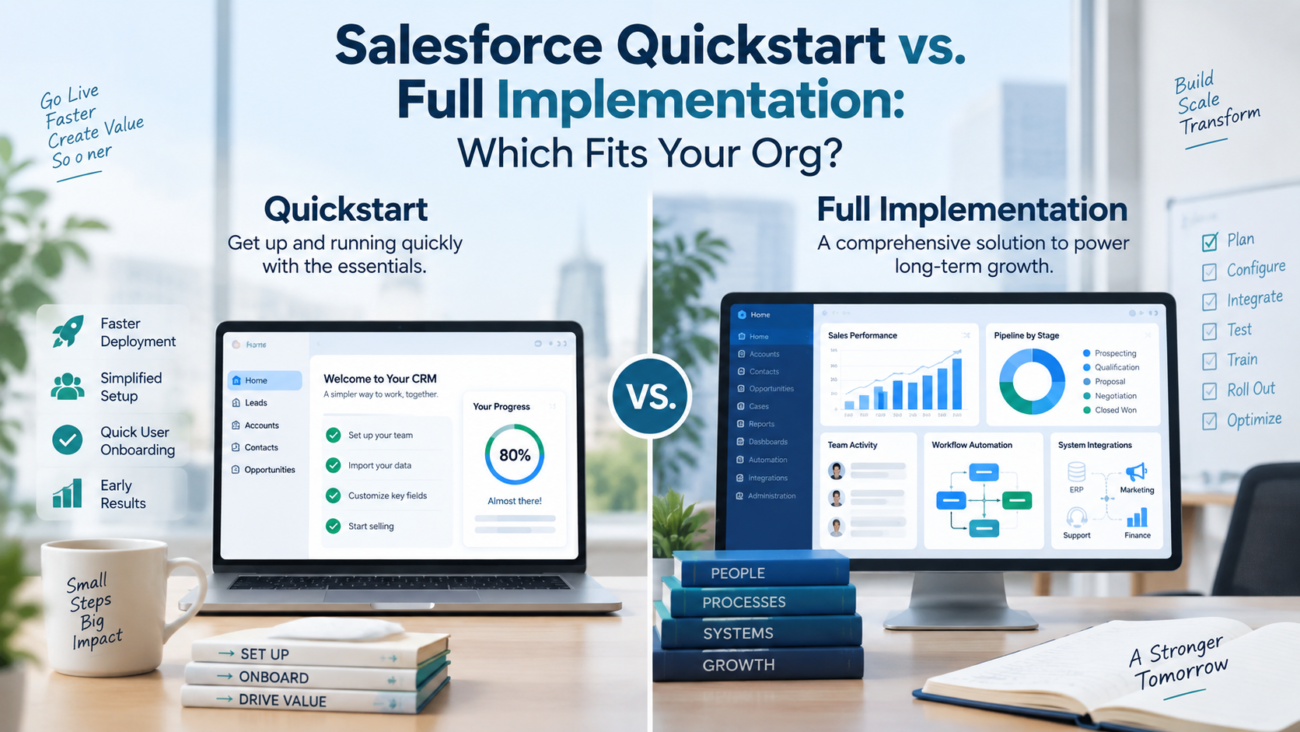
A Salesforce project can fail before configuration starts if the delivery model doesn’t match the work. The choice depends on whether your requirements are contained enough for a fixed-scope launch. Broader needs call for deeper discovery and architecture. They also need broader testing and change planning.
A Salesforce Quickstart can work well when one team needs a defined set of core capabilities, the process is already understood, integrations are limited. Data can be prepared without a major cleanup program. A full Salesforce implementation fits a different situation. It’s better suited to multi-team processes, complex security, heavier migration, custom logic, several connected systems, or a rollout that changes how the business operates.
The distinction matters because implementation choices become operating choices. HyphenXSolutions describes its Salesforce implementation services around discovery, configuration, migration, testing, training, and go-live work. This is useful context when deciding how much of that lifecycle your project actually needs. A smaller engagement can still use sound delivery controls. It can’t absorb unlimited scope without losing the speed and price certainty that made it attractive in the first place.
This guide explains where the boundary sits and what usually belongs in each model. It also covers the warning signs. The goal is to choose without forcing your org into a package that is too small or a program that is larger than necessary.
TL;DR
Choose a Salesforce Quickstart when the business process is clear and one cloud or use case is the main focus. The build should rely mostly on standard configuration. Data migration should be modest. Integrations should be few, and decision-makers should respond quickly. The project scope should be specific enough that the team can agree what is included before work starts.
Choose a full Salesforce implementation when the project crosses teams or business units and depends on several systems. It also fits when migration or custom development is significant. Complex security or data rules are another sign. Use it when a formal Salesforce rollout must cover a large user base. A larger project should spend more time on architecture, environment planning, test coverage, release control, training, and operating ownership.
Timeline alone is a poor sizing rule. A complex program remains complex under a short deadline, and a small org can still need a larger project. The deciding factors are dependency count, process variation, data condition, integration depth, risk, and how much business change the new system will create.
What a Salesforce Quickstart Actually Is
A Salesforce Quickstart is best understood as a constrained delivery model. It usually has a fixed or tightly bounded scope and a short discovery phase. The build covers a limited set of objects and processes. Migration inputs, reporting, user setup, testing, and handoff are agreed in advance. The exact contents vary by provider. This is why the statement of work matters more than the package name.
The model works because it reduces decision surface. A team might configure leads, accounts, contacts, opportunities, a sales process, a small set of reports, permission sets, and a controlled data import. The delivery team can move quickly because adjacent processes stay outside the project. That makes a Salesforce Quickstart a useful fit for a focused first launch. It can also fit a contained business unit that already knows how it wants to work.
Speed still depends on discipline. Salesforce itself recommends planning implementation changes, documenting expected impact, and considering timing before moving work into production. Its implementation planning guidance reinforces the point that even a small change needs a plan when users and production operations are affected. A Salesforce CRM implementation shouldn’t skip basic controls simply because the engagement is short.
The limits are equally important. A Quickstart normally assumes that major architecture questions won’t emerge halfway through the project. If discovery uncovers conflicting regional sales processes or difficult sharing rules, the original Salesforce implementation scope may no longer be realistic. ERP dependencies can create the same problem. Large volumes of poor-quality data or custom approval logic can also break the original boundary. At that point, preserving the package at all costs creates more risk than changing the delivery model.
What a Full Salesforce Implementation Covers
A full Salesforce implementation covers a wider business problem and gives the team room to resolve it before and during the build. The project may span Sales Cloud, Service Cloud, Experience Cloud, Data 360, custom apps, or other products. It can also include integrations, data migration, role and sharing design, custom automation, custom code, release management, training, and post-launch support.
The key difference is depth of dependency. A full project can investigate where data originates and which system owns each record type. It can define access by role and trace processes that cross departments. It can also determine what happens when an integration fails and which support team owns the design after launch. Those questions take time because wrong answers can affect reporting, security, user work, and future changes.
Architecture becomes a first-class activity. The Salesforce Well-Architected Framework gives architects a structured way to review solution quality across its life. It covers trust and reliability. It also addresses operational discipline, resource use, and fairness. In a full Salesforce implementation, those concerns are too important to leave until the end. They shape design choices made during discovery and build.
A larger Salesforce CRM implementation also gives stakeholders more room to test alternatives before committing to a design. HyphenXSolutions’ Salesforce consulting services describe process analysis, org assessment, architecture planning, implementation, and ongoing support as connected activities. That sequence makes sense when the project has enough complexity that a rushed configuration could create rework later.
Quickstart vs. Full Implementation at a Glance
The table below shows the practical difference between the 2 models. These are decision patterns, not fixed Salesforce rules. The actual contract, cloud, edition, data volume, and internal operating model can change what belongs in either engagement.
| Decision Area | Quickstart | Full Implementation |
| Scope | Narrow, agreed before build | Broader, may be phased across capabilities or teams |
| Discovery | Short and focused | Deeper process, data, security, and architecture discovery |
| Configuration | Mostly standard features with limited extension | Standard features plus deeper configuration and custom development where needed |
| Data | Small or controlled migration with known mapping | Larger migration, cleansing, reconciliation, history, or multiple source systems |
| Integrations | None or a small number of simple connections | Multiple systems, complex flows, middleware, error handling, or ownership rules |
| Security | Straightforward roles and permission design | Complex sharing, segmentation, regulatory, or cross-business access needs |
| Testing | Focused functional testing and UAT | Broader functional, integration, regression, performance, security, and UAT coverage as needed |
| Change impact | One team or a contained group | Several teams, regions, business units, or operating processes |
| Commercial model | Often fixed scope and fixed fee | Commonly phased fixed scope, time and materials, or a hybrid model |
| Handoff | Admin guidance, basic documentation, short support period | Formal operating model, technical documentation, release process, training, and support transition |
The biggest mistake is treating every row as independent. A difficult integration can control the project even with few users. Poor migration sources can dominate an otherwise familiar sales process. A complex sharing model can drive design effort even when the feature list is short. The agreed scope has to reflect the hardest dependencies, because those dependencies usually control schedule and risk.
Choose a Quickstart When These Conditions Are True
A Salesforce Quickstart fits best when the project can be described with clear boundaries. The team should know which users are in scope and which process they need to support. They should also know which data will move and which features must be ready at go-live. If those answers keep changing, use a delivery model that allows more discovery.
A good candidate usually has a stable business process. The sales stages, case workflow, intake model, or reporting needs may need refinement. Stakeholders should already agree on the basic operating model. That allows the implementation team to map known needs into Salesforce rather than run a long business transformation exercise.
The technical surface should also be contained. One or 2 straightforward integrations can sometimes fit if the interfaces and ownership rules are known. The assumptions must be explicit. HyphenXSolutions’ Salesforce API integration services separate planning, connection setup, data movement, testing, and production support. This shows why an integration that looks like a single line item can add several workstreams to a Salesforce rollout. When those workstreams become substantial, the project can outgrow a Quickstart quickly.
Use a Quickstart when most of these statements are true:
· One primary team or business unit is going live.
· The process is already documented or easy to document.
· Standard Salesforce objects and Flow can cover most requirements.
· Data sources are limited and the records are reasonably clean.
· Security can be handled with a simple role, permission, and sharing design.
· Reporting needs are known, with limited dependence on external data work.
· Stakeholders can make decisions within days, not weeks.
· User training can be focused on a small number of roles.
· The team accepts that later phases may add features outside the first release.
A Salesforce CRM implementation with those characteristics can gain from a fixed boundary because the boundary protects the schedule. The Salesforce implementation scope stays useful only if change control is real. New requests should be deferred, swapped for something of similar effort, or formally added with a revised plan.
Choose a Full Implementation When Complexity Crosses the Line
A broader implementation becomes the safer fit when requirements interact across teams or systems. Complexity often appears at those boundaries. Sales may want one account model while finance uses another. Service may add different access needs. The design has to consider the full process so one group’s choices don’t break reporting or access elsewhere.
Integration count is one warning sign. Integration behavior matters more. Salesforce’s integration patterns guidance distinguishes several ways systems can exchange data and process requests. Real-time and batch work have different timing needs. Inbound, outbound, and virtual access patterns also differ in failure handling and ownership. A Salesforce rollout that depends on several of these patterns usually calls for architecture work beyond a compressed package.
Data complexity is another boundary. Moving contacts from a clean spreadsheet is relatively contained. Consolidating customer records across several CRMs or ERP tables is different. Legacy IDs, activity history, and duplicate account structures add more work. The full project may need profiling, cleansing rules, staging, mapping, trial loads, reconciliation, and cutover controls. The effort belongs in the Salesforce implementation scope rather than being treated as a minor task after configuration.
Security can also force the issue. The Salesforce platform sharing architecture emphasizes that record access design must meet current and future needs. Access design can become a major workstream when territories or record rules are complex. External users and sensitive fields add more work. Delegated administration or several business units can add another layer.
A broader implementation is usually the better fit when several of the following apply:
· More than one major business process is changing at the same time.
· Multiple clouds or custom applications are part of the first release.
· Several integrations are required for the process to function.
· Custom Apex, Lightning Web Components, or advanced orchestration is expected.
· Data comes from several systems or requires significant repair.
· Security rules differ by region, product line, legal entity, or user type.
· The project needs formal release governance across environments.
· A large user population needs role-based training and change support.
· The implementation affects revenue, service, compliance, or other critical operations.
How Scope Changes Data Migration, Integrations, and Security
The fastest way to test whether a package is too small is to examine data, integrations. Security together. These areas create dependencies that are easy to underestimate during sales discussions because each can look manageable in isolation.
For data, ask how much preparation must happen before the first load. Salesforce recommends using a small test file before a larger import and preparing source data before loading it. Its data import guidance is simple. The principle scales: prove mappings and quality assumptions early. A Quickstart can handle a controlled migration well when source fields are known and duplicates are limited. Ownership should be clear. Historical requirements should also be modest.
A larger project may need repeated migration cycles. Teams can load a sample, validate relationships, refine transformation rules, run a larger rehearsal, and perform final reconciliation before cutover. If account hierarchies, products, contracts, cases, activities, or external IDs must remain consistent across systems, the migration plan needs its own acceptance criteria.
Integrations create a similar test. A simple connection may only exchange a small set of records on a known schedule. A deeper design must define the system of record, conflict handling, error queues, retry behavior, monitoring, credentials, volume limits, and support ownership. Unanswered questions mean the Salesforce implementation scope still lacks critical work.
Security should be designed before configuration becomes difficult to unwind. A Salesforce CRM implementation may begin with user roles and permission sets. Larger programs can require complex sharing rules, segregation between business units, external access, or audit requirements. Those needs affect object design, automation, reporting, and integration behavior. HyphenXSolutions’ Salesforce consulting material places data structure, architecture, migration, integration, and phased planning in the same delivery sequence. This reflects how closely these decisions depend on one another.
How Testing, Training, and Adoption Differ
Testing effort should match business risk, not project branding. A Quickstart still needs functional testing and user acceptance testing. The difference is that a contained scope usually creates fewer combinations to validate. A larger Salesforce rollout may require integration tests, regression coverage, permission testing, migration validation, deployment rehearsals, and performance testing in addition to UAT.
Salesforce defines UAT as end-user testing in a sandbox or test environment. It confirms that the solution works as intended and matches what was requested. Its UAT guidance is especially relevant when deciding who signs off and what evidence is needed before release. A larger project should make that sign-off explicit because several stakeholder groups may have different acceptance criteria.
Environment strategy changes with size as well. Salesforce documents multiple sandbox types for development, testing, training, integration work, and staging. Its sandbox guidance notes that different sandbox types serve different purposes, including UAT, integration testing, training, performance testing, and load testing. A small project may use a simple environment path. A larger Salesforce CRM implementation needs clearer separation between development, test, UAT, and release stages.
Training has the same pattern. A Quickstart can often use a focused admin handoff plus role-based sessions for a small group. A large program needs training mapped to job roles, new processes, managers, support staff, and future hires. HyphenXSolutions’ Salesforce adoption and user enablement material focuses on day-to-day usage, process clarity, and ongoing behavior. This matters because adoption problems can survive a technically successful go-live.
The post-launch plan should therefore include measures for use after launch. Teams need measures beyond login counts. Track the behaviors tied to the new process. That may include opportunity updates and required field completion. Case handling, forecast use, or manager review may matter too. Those measures reveal whether the system became part of real work.
Cost, Timeline, and Staffing: What Really Drives the Gap
Salesforce implementation cost is driven by work, uncertainty, and risk. A Quickstart can often use a fixed fee because the provider limits what will be delivered. The price becomes harder to fix when requirements are still evolving or data quality is unknown. Several required system connections add uncertainty. The same is true when stakeholders haven’t agreed on the target process.
The same logic applies to time. A Salesforce Quickstart can move quickly because it narrows discovery and limits build choices. That advantage disappears when the team adds too much work without moving the deadline. Multi-cloud design and major migration can do that quickly. Several integrations or a broad change program can do the same. A compressed calendar usually shifts pressure into testing and stakeholder review. It can also move unresolved work into post-launch repair.
Staffing also changes. A contained Salesforce CRM implementation may be delivered by a consultant or small team with admin, business analysis, and configuration skills. A larger implementation may need a solution architect and a business analyst. Developers, integration specialists, and data specialists may also be required. QA, project management, and change or training support can add more roles. One person can cover more than one role. The work still exists.
A useful cost review separates these drivers:
| Cost Driver | Lower-Effort Pattern | Higher-Effort Pattern |
| Process design | One known process | Several processes with conflicting requirements |
| Configuration | Standard objects and settings | Deep configuration and custom logic |
| Data | Clean, limited sources | Multiple sources, history, duplicate resolution, reconciliation |
| Integration | Few simple interfaces | Several systems with complex timing and error handling |
| Security | Simple roles and permissions | Detailed sharing, external users, sensitive access rules |
| Testing | Focused functional tests and UAT | Integration, regression, security, performance, and broader UAT |
| Change support | Small user group | Multiple roles, regions, managers, and support teams |
| Release control | Simple deployment path | Several environments, release governance, and repeated deployments |
Avoid generic price benchmarks unless the scope is comparable. The Salesforce implementation scope should be specific enough that buyers can see what assumptions sit behind the estimate. If a quote excludes data cleanup or integration work, a lower starting price may simply move cost into later work. Training and post-go-live support can shift cost in the same way.
A Decision Framework for Your Org
The best choice comes from testing your project against a small set of decision questions. Start with the number of dependencies the project must resolve before users can work safely in production. Company size can be a secondary signal.
Process clarity
Ask whether the current process is already understood and whether stakeholders agree on the future process. A Salesforce Quickstart benefits from decisions that are mostly made. If workshops keep uncovering different definitions of a qualified lead or account ownership, discovery is doing more than confirming configuration. Disagreement about approvals, service priority, or forecast stages points the same way. That points toward a broader engagement.
Technical dependency
List every system that must send data to Salesforce, receive data from it, authenticate users, supply documents, or trigger downstream work. Then mark which interfaces are required for day-1 operations. A phased launch can still start small if later integrations are genuinely optional. It becomes a full program when core work can’t happen until several systems operate together.
Data readiness
Profile the real source data before committing to a migration estimate. Check duplicates, missing owners, invalid values, broken relationships, inconsistent picklists, historical records, attachments, and external IDs. If the migration requires business decisions as well as technical mapping, a larger implementation gives the team more space for rehearsal and validation.
Security and governance
Confirm who can see, create, edit, export, approve, and administer each class of record. Simple answers support a smaller Salesforce CRM implementation. Complex exceptions across departments or regions create design work that should be settled before configuration spreads.
Change impact
Estimate how many roles will work differently after launch. Salesforce’s adoption planning guidance stresses early executive alignment and documenting current processes before implementing new technology. That advice becomes more important as the number of affected teams grows.
Decision rule
If the process is clear, dependencies are few, data is ready, and security is straightforward, a Salesforce Quickstart is a sensible starting point. The user group should also be contained. If 2 or more of those areas are materially complex, treat the project as a candidate for deeper discovery before fixing timeline and price. The purpose of the framework is to prevent a package label from deciding the architecture.
When a Quickstart Should Become Phase 1 of a Larger Roadmap
A Salesforce Quickstart can serve as phase 1 of a larger roadmap when the team designs the boundary intentionally. A focused first release works well when the organization needs value from one process now but knows additional clouds, integrations, or business units will follow. The first phase should establish decisions that later work can reuse. That includes naming conventions, ownership rules, core objects, permission patterns, data standards, release practices, and documentation. The goal is to preserve a clean path for later phases without trying to predict every future requirement.
Rollout strategy also matters. HyphenXSolutions’ guide to Salesforce implementation approaches compares big-bang, phased, and parallel rollout choices. This is useful when a first release is part of a wider Salesforce rollout. A phased model can reduce change at any one time. It creates dependencies between releases that need clear ownership.
A Salesforce CRM implementation can use a roadmap with gates rather than a long wish list. For example, phase 1 might launch one sales process and clean core account data. Phase 2 can add an ERP integration after data ownership is stable. Phase 3 can extend service workflows once sales and service agree on customer records. Each gate should have a business outcome, entry conditions, and acceptance criteria.
A full program may still be the right choice from the start when architecture can’t be separated. If the first process depends on the same data model, integrations, or security rules as later phases, splitting delivery may create duplicate work. Phase planning helps only when the boundaries are real.
Common Selection Mistakes to Avoid
The most common mistake is buying a timeline instead of defining the work. A promise of a fast launch is useful only if the required Salesforce implementation scope fits inside that promise. If the scope remains vague, the project will either expand, cut requirements late, or go live with unresolved dependencies.
Another mistake is calling standard configuration “simple” without checking business rules. Standard objects can still support complicated processes. Opportunity stages may differ by business unit. Case routing can depend on product, geography, entitlement, and account tier. Permissions may require exceptions. The technical tool can be standard while the design effort is substantial.
Teams also underestimate post-launch ownership. Someone must handle user requests, permission changes, failed automation, release updates, data issues, and new requirements. HyphenXSolutions’ Salesforce support services cover administration, troubleshooting, data quality, security review, release readiness, and enhancements. This illustrates the work that continues after implementation. A Salesforce rollout should identify that owner before go-live, whether the work stays internal or moves to a support partner.
Documentation is another frequent casualty of speed. A short project may need fewer artifacts. It still needs enough information for someone other than the original consultant to understand key settings, data rules, automation, integrations, and deployment decisions. HyphenXSolutions’ Salesforce implementation documentation and handover standard argues for defining handover artifacts and owners early rather than recreating them at the end. That principle applies to both delivery models.
Finally, use complexity and risk as the primary sizing signals. User count is secondary. A 30-user org can require more design than a 200-user org. A difficult ERP integration or strict record access can make the smaller org more complex than one with a simple sales process.
Conclusion
The right implementation model matches the shape of the work. A Quickstart fits a contained process with known requirements and manageable data. Technical dependencies should be limited. The user group should be able to adopt the change without a large program around it. Its strength is the boundary. Keep that boundary clear. The project can move quickly without skipping basic planning, testing, training, or handoff.
A full implementation fits when processes cross teams or data needs significant work. It also fits when integrations are central or security is complex. The larger model is appropriate when the platform launch changes how a large part of the business operates. Real dependencies make deeper discovery and architecture part of the required delivery work. They help produce a system that can be operated after launch.
The practical decision is to define the Salesforce implementation scope before choosing the package. Map the process, inspect the data, list the systems, confirm access rules, identify affected users, and decide what must work on day 1. Those facts will usually make the right delivery model clear.
FAQs
What is a Salesforce Quickstart?
A Salesforce Quickstart is a short, fixed or tightly bounded implementation used to launch a defined set of Salesforce capabilities. It often covers core configuration, user setup, basic reports, limited data migration, testing, training, and handoff. The exact contents vary by provider. The statement of work should define what is included.
How is a Salesforce Quickstart different from a full Salesforce implementation?
A Quickstart limits discovery, configuration, migration, integration, and change work to a narrow scope. A full Salesforce implementation can cover several teams, clouds, systems, data sources, security models, custom features, and a larger release program. The difference is mainly the size and interaction of the dependencies.
Is a Quickstart only for small businesses?
No. A larger company can use a Quickstart for a contained team, proof of value, new business unit, or focused capability. A small company can still need a larger project if its data, integrations, security, or operating process is complex.
How long does a Salesforce Quickstart take?
There is no universal Salesforce timeline because Quickstart packages are defined by individual providers. Short engagements are common. Duration depends on scope, stakeholder availability, data readiness, testing, and whether integrations are included. Treat any timeline as valid only for the work written into the contract.
What should be included in a Quickstart statement of work?
It should define users, objects, processes, configuration limits, automation, and reports. It should also state migration inputs and integrations. Security setup, testing, training, documentation, deployment, support, assumptions, exclusions, and change control should be clear as well. A clear Salesforce implementation scope protects both timeline and budget.
Can a Quickstart include data migration?
Yes. A controlled migration can fit when source data is limited, mapping is known, and quality is acceptable. Migration becomes a larger workstream when several systems, large history sets, duplicate resolution, relationship repair, or repeated reconciliation are required.
Can a Quickstart include integrations?
Yes, if the integrations are few and well understood. A connection can push the project beyond a normal Quickstart boundary if it needs complex transformation or several systems. High volume and real-time recovery add more work. Difficult ownership rules can do the same.
When should I choose a full Salesforce implementation?
Choose the larger model when several teams or clouds are involved. Core operations may depend on multiple integrations, or migration may be difficult. Complex security is another sign. Significant custom development or a Salesforce rollout with formal change and release management also points to the larger model.
Does a full implementation always require custom code?
No. A full project can rely heavily on standard configuration and Flow. The project is “full” because of the breadth of the work. That work may span process, data, integration, security, testing, or change. Apex or Lightning Web Components may be unnecessary.
How should we compare Salesforce implementation cost between providers?
Compare scope and assumptions before comparing totals. Check what each quote includes for discovery, configuration, data, integration, testing, training, documentation, deployment, and support. A lower Salesforce implementation cost can reflect a narrower scope rather than a lower cost for the same work.
What makes a Salesforce rollout risky?
Risk rises when requirements are unsettled or data quality is unknown. Untested core integrations and unclear access rules add more risk. Slow business decisions also hurt the project. Users must be prepared for the new process before launch. These risks matter more than the package name.
Should we start with a Quickstart and expand later?
That can work when phase 1 has a real boundary and the first design won’t block later work. Define core data standards, ownership, security patterns, documentation, and release practices early so later phases can build on a stable base.
How much testing does a Quickstart need?
At minimum, test the configured process, permissions, data load, reports, automation, and user acceptance scenarios that are in scope. Add integration, regression, performance, or security testing when project risk requires it. Even a short delivery model needs proof that critical work functions before release.
Who should own Salesforce after go-live?
Name an internal platform owner, admin team, managed service provider, or shared model before launch. That owner needs responsibility for user access, support, data quality, releases, small changes, and escalation. Ownership gaps often turn minor issues into larger recovery work.
What is the best way to decide between the 2 models?
Define the day-1 process, inspect source data, list required integrations, map security, identify affected roles, and document acceptance criteria. If those areas are contained and settled, a Quickstart can fit. If several are complex or still uncertain, deeper discovery and a full implementation model are safer.
