
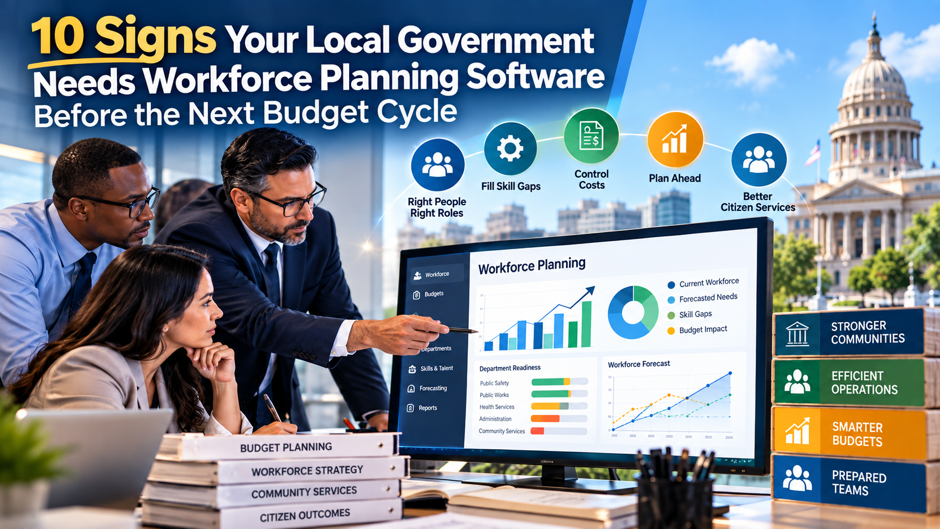
A department head walks into a budget hearing with a headcount request built entirely on last year’s numbers, plus a rough guess at how many people are likely to retire, because nobody in the organization can actually produce a reliable forecast of what staffing the department will genuinely need 12 months out. The finance director across the table asks a reasonable follow-up question, and the honest answer is that nobody really knows, because the data needed to answer it lives scattered across 3 different spreadsheets, a legacy HRIS report, and someone’s institutional memory of how things have generally gone in past years.
This scene plays out in local governments across the country every single budget cycle, and it reflects a genuine, structural gap rather than a one-off planning failure. BLS recorded 738,000 job openings across government in December 2025, including 641,000 in state and local government. Separately, MissionSquare’s 2025 state and local workforce survey found that 46% of respondents expect their largest retirement wave is still ahead and 61% don’t have a succession-planning process. Against that backdrop, walking into a budget cycle without genuine workforce planning software isn’t simply an inconvenience; it’s a structural risk that compounds every single year it goes unaddressed. This guide walks through the 10 clearest signs a local government has already outgrown its current approach, and what waiting until after the next budget cycle to fix it actually costs.
TL;DR
| Sign | What it reveals |
| 1. Spreadsheet-based headcount tracking | Data is stale before anyone finishes reading it, undermining every downstream planning decision |
| 2. A retirement cliff with no succession plan | Institutional knowledge walks out the door with no documented transfer process in place |
| 3. Budget scenario questions nobody can answer quickly | Basic “what if we cut or add X positions” questions require weeks of manual work to resolve |
| 4. Double-digit vacancy rates that keep climbing | A double-digit rate is a warning signal that needs context from duration, role criticality, time-to-fill, and service impact |
| 5. Budget requests anchored to last year’s headcount | Forecasting is backward-looking rather than genuinely predictive of actual future need |
| 6. Skill gaps discovered only after a role sits vacant | Capability gaps surface reactively instead of being identified and addressed proactively |
| 7. Disconnected systems for pay rules, bargaining, and budget | Civil service rules, union agreements, and funding cycles are managed in silos that don’t talk to each other |
| 8. Department heads competing for headcount with no objective comparison | Budget requests get evaluated on persuasiveness rather than genuine, data-driven organizational need |
| 9. No way to model a blended workforce mix | Full-time, part-time, gig, and contractor staffing options can’t be compared against actual demand |
| 10. A multi-week fire drill to reconcile data before budget season | Workforce data lives in silos across HR, finance, and department spreadsheets, consuming weeks just to assemble a starting picture |
The thread running through every sign above is the same: a local government relying on fragmented, backward-looking data walks into each new budget cycle already behind, while one equipped with genuine workforce planning software walks in with an actual, defensible forecast instead of an educated guess.
Why This Moment Specifically Demands Attention
Before working through the 10 signs individually in genuine, careful detail, it’s worth taking a moment to understand exactly why this particular period in local government workforce management carries considerably more genuine urgency today than it might genuinely have carried even just a few years earlier than now.
The Scale of the Current Vacancy and Retirement Pressure
The combination of persistent vacancies and an approaching wave of retirements has created a genuinely unusual level of strain across local government workforce specifically. MissionSquare’s 2025 survey of state and local government employers found that 46% expect their largest retirement wave is still ahead, while 61% don’t have a succession-planning process. That combination matters because retirement exposure becomes harder to manage when organizations can’t identify critical roles, likely departure timing, replacement needs, or knowledge-transfer priorities early enough to include them in the next budget cycle.
Why Budget Cycles Make This Pressure Considerably Worse
Local government operates under a planning environment fundamentally different from private-sector organizations, shaped by civil service rules, collective bargaining agreements, fixed budget-cycle funding, and genuine political accountability that constrains flexibility in ways a private employer simply doesn’t face. This means a workforce planning gap that might be merely inconvenient in a more flexible organization becomes genuinely costly in local government, since a missed forecast doesn’t just create a staffing headache, it can mean an entire budget cycle passes before the organization gets another real opportunity to correct course.
Why Waiting Compounds the Problem Rather Than Simply Delaying It
Each budget cycle a local government continues operating without genuine workforce planning software, the underlying data gaps, disconnected systems, and reactive scheduling habits become more deeply embedded into how the organization actually operates, making the eventual transition to better tools and processes considerably more disruptive than it would have been had the shift happened a cycle or 2 earlier. The 10 signs below aren’t abstract warning signs; they’re the concrete, observable symptoms of exactly this compounding pattern already underway.
The 10 Signs in Detail
With the broader context now genuinely established and clearly understood at this point in the discussion, the sections below walk through each of the 10 signs individually and in turn, explaining specifically why each one genuinely matters and what it typically looks like in daily, real-world practice.
Sign 1: You’re Tracking Headcount and Vacancies in Spreadsheets That Are Already Outdated
A spreadsheet-based approach to tracking headcount and vacancies is functionally obsolete the moment it’s updated, since any subsequent hire, departure, or transfer immediately makes the underlying numbers stale again, and reconciling that drift across multiple departments consistently consumes far more staff time than most organizations realize. Genuine workforce planning software solves this specific problem by pulling live data directly rather than depending on someone remembering to manually update a shared file after every single personnel change.
Sign 2: A Meaningful Share of Your Workforce Is Retirement-Eligible With No Documented Succession Plan
Retirement exposure can concentrate in specific public-sector roles where experience is difficult to replace quickly. Without a documented knowledge-transfer plan, departures can remove capability as well as headcount. The software gap appears when existing HRIS reports and spreadsheets can’t model retirement exposure by role and likely departure date, link critical positions with successors, or carry replacement scenarios into the next budget cycle. Process changes can improve knowledge transfer, but planning software becomes necessary when those dependencies can’t be modeled consistently across departments.
Sign 3: Basic Budget Scenario Questions Take Weeks to Answer
The specific kinds of scenario questions that should take hours, not weeks, to answer with genuine workforce planning software:
- What would actually happen to service delivery capacity if a specific department’s headcount were reduced by a given number of positions
- How many new hires would genuinely be needed to offset the department’s currently known retirement-eligible population over the next budget cycle
- Which specific roles carry the highest combined risk of vacancy and critical skill scarcity, if the organization had to prioritize recruitment effort
- What the true, fully loaded cost of a proposed reorganization would be, accounting for pension obligations, benefits, and recruitment costs together
Sign 4: Your Vacancy Rate Has Crossed Into Double Digits and Shows No Sign of Correcting Naturally
A vacancy rate above 10% is a warning indicator, not a universal cutoff between a temporary staffing gap and a structural workforce crisis. The percentage needs context from how long vacancies remain open, whether they cluster in critical roles, time-to-fill, overtime, service-level effects, and turnover among the employees absorbing the work. The software gap appears when existing HR, finance, and department tools can’t connect those vacancy patterns with service demand, staffing costs, and budget scenarios in one shared model, leaving leaders unable to test whether the problem is temporary, concentrated, or likely to persist.
Sign 5: Budget Requests Are Anchored to Last Year’s Headcount Rather Than Genuine Forecaster Need
Building a new budget cycle’s staffing request primarily off the prior year’s approved headcount, adjusted only slightly for known changes, produces a forecast that’s backward-looking by design, rather than one genuinely reflecting the organization’s actual, current service demands and anticipated workforce changes. This approach might have been defensible when workforce conditions stayed relatively stable year over year, but it becomes considerably riskier during a period of accelerating retirements and persistent vacancy pressure, when last year’s headcount increasingly fails to reflect what the coming year genuinely requires.
Sign 6: Skill Gaps Only Surface After a Position Has Already Sat Vacant for Months
Discovering a critical skill gap only once a specific role has already been vacant long enough to genuinely disrupt service delivery reflects a fundamentally reactive approach to workforce planning, one that proactive skill-gap analysis is specifically built to prevent. Organizations using genuine workforce planning software can identify which specific roles carry both elevated vacancy risk and scarce, hard-to-replace skills well before that gap actually opens, giving recruitment and training efforts a genuine head start rather than starting only once the disruption has already begun.
Sign 7: Civil Service Rules, Bargaining Agreements, and Budget Funding Live in Disconnected Systems
Local government workforce planning must account for civil service rules, collective bargaining agreements, pay structures, and budget funding together across departments and planning periods. When these requirements live in separate systems, staffing decisions become a manual reconciliation exercise. Planning software can model configured rules and flag decisions for review, but it doesn’t guarantee compliance. HR, finance, labor-relations, or legal owners still need to validate applicable rules, source data, assumptions, and exceptions before approval.
Sign 8: Department Heads Compete for Headcount With No Objective Basis for Comparison
Headcount requests become a software gap when current tools can’t compare all departments consistently against the same cost, vacancy, service-demand, capacity, and budget assumptions in one shared model:
- Departments with more persuasive or politically connected leadership tend to secure disproportionate headcount relative to their genuine operational need
- Finance leadership has no consistent, comparable basis for evaluating competing requests against each other during a constrained budget cycle
- Departments facing the most acute retirement or vacancy risk may not receive proportionate attention if their leadership simply advocates less forcefully than a department facing less genuine urgency
- The overall organization ends up allocating scarce budget capacity based on internal negotiating dynamics rather than genuine, data-driven workforce need
Sign 9: You Have No Way to Model a Blended Workforce Mix Against Actual Demand
A more agile talent ecosystem, blending full-time staff, part-time workers, gig arrangements, contractors, and increasingly AI-assisted task handling, is emerging specifically in response to the staffing pressures covered throughout this guide, yet many local governments still lack any genuine way to model how different combinations of this blended mix would perform against actual projected demand. Without this modeling capability, an organization defaults to the traditional full-time hiring model by habit, even in situations where a different staffing mix might genuinely serve both budget constraints and service delivery needs more effectively.
Sign 10: Reconciling Workforce Data Before Budget Season Becomes a Multi-Week Fire Drill
When workforce data lives scattered across HR systems, finance spreadsheets, and individual department tracking tools with no shared source of truth connecting them, simply assembling an accurate starting picture before budget season can consume several weeks of staff time that could otherwise go toward genuine analysis and planning. This fire drill repeats every single budget cycle in organizations without genuine workforce planning software, representing a considerable, recurring cost in staff time alone, well before any actual planning or decision-making work can even begin.
What the Software Must Support Across Planning Horizons
The planning horizon matters because the software has to connect immediate staffing choices with the workforce assumptions that shape the next budget cycle. Local governments still need both strategic and operational planning, but the useful distinction here is which system capability each horizon requires and how those outputs feed budget decisions.
The 2 Planning Horizons and the Software Support They Require
| Planning level | Time horizon | Software support needed for the budget cycle |
| Strategic workforce planning | Spans multiple years | Multi-year retirement, succession, skill-demand, and workforce-cost scenarios that can feed future budget assumptions |
| Operational workforce planning | Days to weeks | Current vacancies, workload, position costs, and short-term staffing changes that affect the active budget and service delivery |
Connect Both Horizons to the Next Budget Cycle
Operational planning should show current vacancies, workload pressure, position costs, and near-term real locations while those decisions can still affect the active budget. Strategic planning should model retirements, succession exposure, skill demand, and multi-year staffing scenarios early enough for finance and department leaders to test alternatives before requests are fixed.
Why the Connection Matters
The software should let the same assumptions move between both horizons instead of forcing HR, finance, and departments to rebuild them in separate spreadsheets. A vacancy identified today can affect a near-term service decision and the next budget scenario, while a retirement forecast can become a hiring, succession, or training action with visible cost and timing. The practical requirement is one planning model connecting current operations with the workforce choices the next budget cycle must fund.
What Waiting Until After the Budget Cycle Actually Costs
Instead of repeating the workforce risks already covered in the 10 signs, quantify the cost of waiting with inputs the organization can calculate from its own records. The goal is to give HR and finance a defensible estimate of what another manual budget cycle consumes before comparing that cost with a software investment.
Build a 4-Input Cost-of-Delay Estimate
Use the same period for every input, usually the most recent full budget cycle, and document the source behind each number:
- Reconciliation hours: total the staff hours spent collecting, cleaning, matching, and reconciling workforce data across HR, finance, and department files, then multiply those hours by the applicable loaded labor cost.
- Vacancy and overtime cost: calculate overtime, temporary coverage, contractor spend, or other measurable costs tied to positions that stayed open, and separate critical-role vacancies where service impact was materially higher.
- Retirements in critical roles: count expected departures in roles with scarce skills or limited succession coverage, then estimate the recruiting, overlap, training, and knowledge-transfer cost the next budget may need to fund.
- Budget decisions delayed by weak scenarios: identify requests that couldn’t be answered on time because staffing alternatives, service demand, or cost assumptions couldn’t be modeled quickly, and record the fiscal or operational consequence where it can be quantified.
Use the Estimate in the Next Budget Cycle
Add the measurable inputs without pretending every workforce risk converts cleanly into dollars. The result is an internal planning baseline, not a universal ROI claim. It lets budget leaders compare recurring reconciliation, vacancy, retirement, and decision-delay costs with the price and implementation effort of a planning platform. Repeating the calculation after implementation also tests whether the software reduced the manual work and delays that justified the purchase in budget cycles.
What to Actually Look for in Workforce Planning Software
Once an organization genuinely recognizes several of the 10 signs covered above throughout this entire guide, the next practical, genuinely important question becomes exactly what specific capabilities genuinely matter most when evaluating the many different vendors and platforms currently competing in this particular, increasingly crowded space.
The Core Capability Categories Worth Evaluating
| Capability | Why it matters specifically for local government |
| Workforce modeling and scenario planning | Enables testing how different staffing and reorganization scenarios would actually play out before committing budget to any single approach |
| Retirement and skill-gap forecasting | Identifies which specific roles carry the highest combined risk of vacancy and scarce, hard-to-replace expertise well ahead of an actual departure |
| Compliance tracking for civil service and bargaining rules | Models configured civil-service, pay, bargaining, and funding rules and helps flag staffing decisions that need HR, finance, labor-relations, or legal review |
| Live data integration with existing HRIS and finance systems | Ensures the workforce planning platform reflects current, accurate data rather than another disconnected system requiring separate manual updates |
| Analytics and budget-ready reporting | Produces the kind of clear, defensible reporting a budget hearing or council presentation genuinely requires, without a separate, manual reporting exercise |
Why Compliance-Specific Functionality Shouldn’t Be an Afterthought
Civil service rules, collective bargaining agreements, and public-sector pay structures are genuinely specific to government employment in ways a generic, private-sector workforce management platform typically doesn’t handle negatively, and treating this functionality as a minor add-on rather than a core evaluation criterion risks selecting a tool that looks impressive in a demonstration but requires constant manual workarounds once actually deployed within a real local government environment.
Why Integration Depth Matters More Than Feature Breadth Alone
A platform offering an impressively long feature list still delivers limited genuine value if it can’t actually connect to an organization’s existing HRIS and finance systems with real, live data flowing between them, since disconnected systems simply recreate the same fragmented, reconciliation-heavy problem this entire guide has been describing. Evaluating whether the underlying HCM platform can connect people data and planning information across systems, rather than focusing only on feature count, helps separate platforms capable of solving the underlying problem from those that simply add another disconnected application.
Common Mistakes When Evaluating Workforce Planning Software
Beyond simply recognizing the signs that indicate a genuine need in the very first place, several recurring, genuinely predictable mistakes show up consistently among local governments evaluating and selecting workforce planning software, and avoiding them meaningfully improves the odds of a successful, genuinely lasting implementation overall.
Selecting a platform built primarily for private-sector workforce management. A tool without genuine, built-in support for civil service rules, collective bargaining requirements, and public-sector budget-cycle constraints will require constant manual workarounds, undermining much of the efficiency gain the software was meant to deliver in the first place.
Prioritizing operational scheduling features while neglecting strategic planning capability. A platform that handles day-to-day scheduling well but offers little genuine support for multi-year succession planning and retirement forecasting leaves the organization’s most consequential, longer-horizon workforce risk largely unaddressed.
Underestimating the data cleanup required before a new system can deliver genuine value. Migrating fragmented, inconsistent data from multiple legacy spreadsheets and systems into a new platform typically requires more upfront data cleanup effort than most organizations initially budget for, and underestimating this work risks a rushed, incomplete implementation that fails to deliver the accurate forecasting the organization actually needs.
Implementing new software without genuine buy-in from department heads who’ll actually use it daily. A workforce planning system imposed top-down without meaningful input from the department leaders who’ll rely on it for their own budget requests consistently sees weaker adoption than one built with genuine, early involvement from those same stakeholders.
Treating the software purchase as the finish line rather than the starting point. Genuine value from workforce planning software depends on an organization actually changing how it builds budget requests and staffing decisions around the new data and forecasting capability, and a purchase that isn’t followed by real process change delivers considerably less value than the investment genuinely warrants.
Choosing the lowest-cost option without weighing genuine long-term fit. A platform selected primarily on upfront price, without genuine consideration of how well it will scale with the organization’s evolving needs or how deeply it can actually integrate with existing systems, frequently ends up costing more over time through workarounds, limited functionality, and an eventual, disruptive switch to a more capable platform down the road.
Who Should Be Involved in Building the Case for This Investment
Given how directly strategic workforce planning touches both human capital decisions and broader organizational goals, being genuinely deliberate about exactly which stakeholders get involved in helping build the case for this investment matters just as much as the underlying data itself genuinely does.
The Stakeholders Worth Involving From the Start
The specific roles that should genuinely be part of building and presenting the case for workforce planning software:
- HR leadership, who can speak directly to the retirement, vacancy, and skill-gap risks covered throughout the 10 signs, grounded in the organization’s own actual current data
- Finance and budget leadership, who can translate the cost of continued delay into the kind of concrete fiscal terms a council or governing board genuinely responds to
- Department heads facing the most acute combination of vacancy rate and retirement risk, whose direct, specific experience makes the abstract case considerably more concrete and credible
- IT leadership, who can speak to genuine integration feasibility with existing HRIS and finance systems, heading off implementation concerns before they become an obstacle later in the process
Why a Cross-Functional Case Tends to Land More Effectively Than an HR-Only Pitch
A budget request built and presented entirely by HR, without direct input and visible support from finance and affected department heads, risks being perceived as a departmental technology request rather than what it genuinely is: an organization-wide risk-reduction investment with direct, measurable fiscal consequences. Connecting the workforce plan directly with the financial plan gives finance leadership a clearer role in the case-building process and helps surface practical objections earlier, when they’re considerably easier and less costly to address than after a decision has already been made.
Why Elected Officials and Governing Boards Need a Specifically Tailored Version of the Case
The technical, capability-focused case that resonates with HR and IT leadership isn’t necessarily the version that lands most effectively with elected officials or a governing board evaluating a competitive budget request, who generally respond considerably more directly to framing around service continuity risk, fiscal exposure from reactive rather than proactive staffing, and the concrete, comparative cost of inaction. Preparing this distinct, board-appropriate version of the case, rather than assuming the same technical framing will resonate equally well with every audience, meaningfully improves the odds the investment actually clears this critical final decision-making stage.
FAQs
How many of the 10 signs does an organization need to recognize before workforce planning software is genuinely warranted?
There’s no fixed threshold, but recognizing even 2 or 3 of these signs, particularly a climbing vacancy rate combined with a significant retirement-eligible population and no documented succession plan, already represents genuine, structural risk worth addressing before another budget cycle passes without a real solution in place.
Is workforce planning software only relevant for larger local governments with substantial HR departments?
No, and smaller local governments often face proportionally greater risk from these same pressures, since a smaller organization typically has less internal capacity to absorb the workload of a vacant position or the knowledge loss from a retiring senior employee. Workforce planning software scaled appropriately for a smaller organization’s size and budget can deliver genuine value even without a large, dedicated HR analytics team in place.
How long does it typically take to see genuine value after implementing workforce planning software?
Organizations that begin with a focused pilot, addressing the most urgent sign identified from the 10 covered in this guide rather than attempting full deployment across every department simultaneously, tend to see genuine, measurable value within a single budget cycle. The deeper, more comprehensive value, fully integrated strategic and operational planning across the entire organization, typically takes longer to build, but meaningful initial value doesn’t require waiting for that fuller implementation to be complete.
Should workforce planning software replace an existing HRIS system entirely, or work alongside it?
In most cases, workforce planning software is designed to work alongside an existing HRIS rather than replace it entirely, pulling live data from the HRIS and other existing systems to power forecasting, scenario planning, and analytics the underlying HRIS typically wasn’t built to handle on its own. Organizations should evaluate specifically how well a given workforce planning platform integrates with their current HRIS, rather than assuming a full system replacement is genuinely necessary to gain the forecasting and planning capability they actually need.
How should a local government build the budget justification for this kind of software investment?
The clearest justification typically centers on quantifying the current cost of delay covered earlier in this guide, the staff time currently consumed reconciling fragmented data each budget cycle, the risk exposure from an unaddressed retirement wave, and the recruitment costs driven by reactive rather than proactive staffing decisions, then comparing that ongoing cost against the software’s actual price. Framing the investment around risk reduction and staff time recovered, rather than purely as a new technology expense, tends to resonate considerably more clearly with budget decision-makers evaluating a genuinely constrained fiscal environment.
What’s the biggest risk of continuing to rely on spreadsheets and manual processes instead of adopting genuine workforce planning software?
The biggest risk is that the organization continues making consequential, budget-defining staffing decisions based on incomplete, backward-looking data precisely during the period when workforce pressures, retirements, vacancies, and skill scarcity, are intensifying rather than easing, meaning the gap between what manual processes can reliably deliver and what the organization genuinely needs will likely keep widening with each successive budget cycle that passes without a real solution in place.
Does workforce planning software genuinely help with the collective bargaining process itself, or only with staffing decisions around it?
Genuine workforce planning software typically doesn’t replace the negotiation process itself, but it considerably strengthens an organization’s position going into bargaining by providing clear, data-backed visibility into current staffing levels, vacancy patterns, and projected future needs, information that historically required considerable manual effort to assemble accurately before any negotiation could even begin. Having this data readily available and genuinely trustworthy also helps ensure staffing decisions made during and after bargaining stay properly aligned with the specific terms actually negotiated, rather than drifting out of compliance through simple administrative oversight.
How does a local government know if it’s choosing a workforce planning platform that will still fit its needs as the organization grows or changes?
Asking a prospective vendor directly how their platform has adapted for other public sector clients as those organizations’ workforce size, department structure, or regulatory requirements changed over time offers a genuinely useful, concrete signal beyond whatever a sales demonstration alone can show. A platform built with genuine configuration around department structure, evolving bargaining agreements, and changing compliance requirements will scale considerably more gracefully with an organization’s own future changes than one built around a rigid, one-size-fits-all model that happened to fit the organization’s needs only at the specific moment of initial purchase.
What’s a reasonable first step for an organization that recognizes several of these signs but isn’t ready for a full software procurement process yet?
A genuinely useful first step is conducting an internal audit specifically mapping which of the 10 signs the organization currently exhibits, and roughly quantifying the staff time and risk exposure each one represents, since this internal groundwork both clarifies the organization’s actual, specific needs and produces the concrete data that makes a later, formal procurement case considerably stronger. This kind of internal audit can typically be completed with existing staff and existing data over a matter of weeks, well before any formal vendor evaluation or budget request process needs to begin in earnest.
Can workforce planning software genuinely help address the specialized skills scarcity local governments increasingly face, or only headcount numbers?
Genuine workforce planning software addresses both dimensions together, since raw headcount numbers alone don’t reveal which specific roles carry scarce, hard-to-replace expertise versus which roles could reasonably be filled through more standard recruitment channels. By combining vacancy and retirement forecasting with genuine skills data, these platforms help an organization distinguish a routine staffing gap from a genuinely urgent capability risk, allowing recruitment and training investment to concentrate specifically where the scarcity is most acute rather than being spread evenly across every open position regardless of how genuinely difficult that specific role actually is to fill.
