
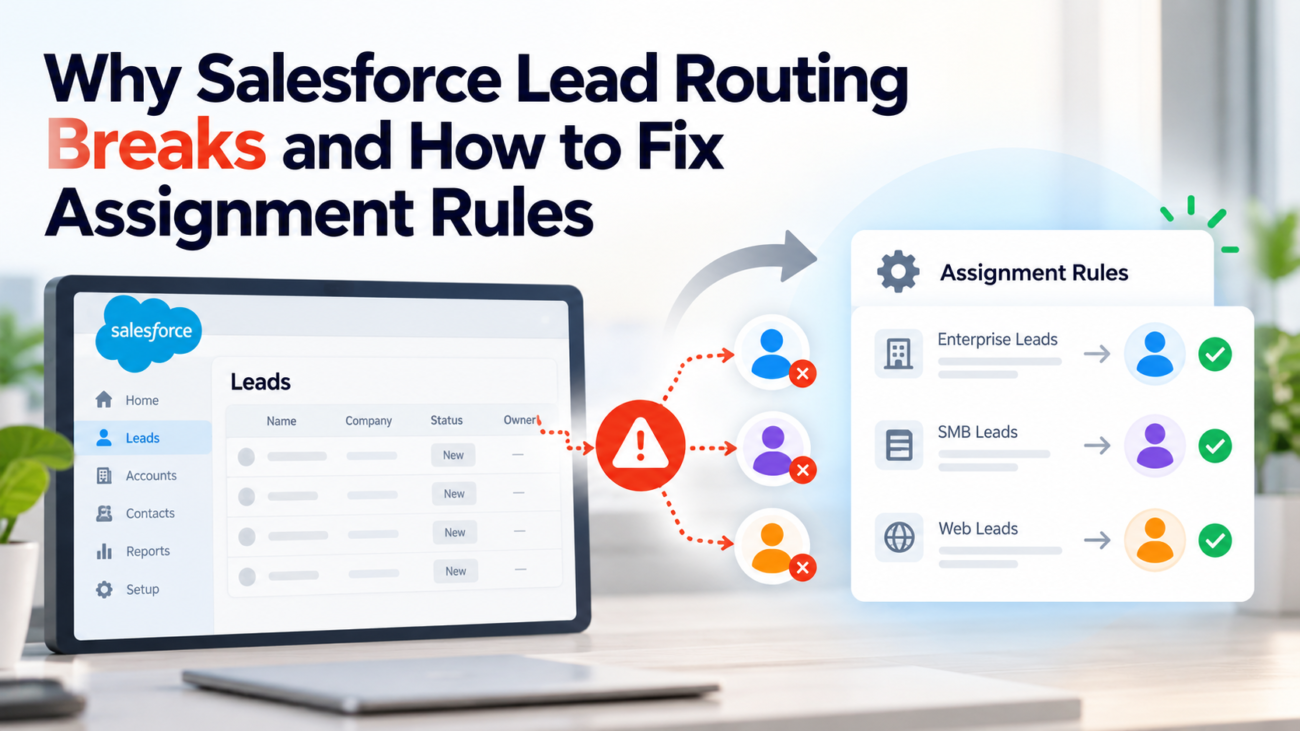
A lead can enter Salesforce without reaching the person who should handle it. The record appears in the CRM, yet its owner is the integration user, a holding queue, or the wrong sales rep. By the time someone notices, the lead may already have waited through the first useful response window. For support with this, see HyphenX’s data migration services.
Salesforce lead routing often fails because the assignment rule never ran, the record didn’t match the expected entry, or another automation changed its owner afterward. Each Salesforce lead distribution problem calls for a different fix. Editing rule conditions without checking how the lead arrived can make the problem harder to trace.
This guide explains how to find the break, repair Salesforce lead assignment rules, and test the full path from submission to final ownership. It covers manual leads, website forms, imports, APIs, Flow, Apex, queues, and the cases where routing seems correct until a later update changes the result.
TL;DR
Start with one affected lead and find out whether the active assignment rule ran. If it didn’t, check the creation channel and the setting or API behavior that controls assignment. If it ran but chose the wrong owner, inspect the first matching rule entry and the field values present at that moment. If it chose the right owner and the owner later changed, inspect Flow, Apex, and other updates. Keep a final catch-all entry for records without a clear match, and test each source separately. Reliable Salesforce lead routing depends on the whole record path, rather than the rule screen alone.
How Salesforce Lead Assignment Rules Work
Salesforce lead assignment rules evaluate a lead’s fields and select an owner. That owner can be a user or a queue. An administrator creates a rule, adds ordered entries, specifies the matching conditions, and selects the destination for each entry. Only one lead assignment rule can be active at a time, even if the organization has saved several versions.
The important detail is that Salesforce stops at the first matching entry. A lead that matches entry 10 won’t reach entry 20, even if entry 20 seems more specific to a person reading the rule later. The official assignment rule setup instructions describe this first-match behavior and recommend a final entry without criteria to catch anything the earlier entries miss. That last entry needs a real owner or monitored queue.
A Simple Example of Rule Evaluation
Imagine an organization with separate teams for strategic accounts and geographic territories. A sample lead has Country = United States and Segment = Strategic. If the first entry sends all US leads to the general US queue, Salesforce assigns it there and stops. A later strategic-account entry never gets a chance. Moving the strategic entry above the broad country entry changes the outcome without changing either condition.
Assignment rules are therefore closer to a decision list than a collection of independent filters. The position of each entry matters as much as the condition itself. This is why an apparently minor change to ordering can affect thousands of later records.
Salesforce lead distribution also depends on the operation that created or changed the record. A form, an import wizard, a custom integration, and a person editing a lead might not invoke the same path. Salesforce lead routing can’t work when that path doesn’t run the rule. Keep those 2 questions separate: did the rule execute, and what did it decide?
Diagnose the Failure Before Changing a Rule
The fastest way to investigate Salesforce lead routing errors is to follow one known record from its origin. Pick a lead with an unexpected owner and capture its record ID, creation time, created-by user, lead source, current owner, and the owner the business expected. Then find the form submission, import batch, or integration request that produced it. Salesforce lead distribution varies across those paths.
Don’t assume that the owner shown today is the owner assigned when the record was created. An after-save flow may have changed it. An integration may have updated it a few seconds later. A rep may have claimed it from a queue. If you have suitable owner history or automation logs, compare those timestamps with the record’s creation time.
A useful diagnostic separates 3 cases:
| What You Observe | Likely Area to Check | First Verification |
| Lead stays with creator or integration user | Assignment didn’t run | Entry channel and invocation settings |
| Lead goes to the wrong queue or rep immediately | Wrong entry matched | Rule order and saved field values |
| Lead starts with the correct owner, then changes | Later automation or user action | Owner history, Flow, Apex, and updates |
This split matters because each case has a different owner of the problem. The form administrator may need to fix a missing field. A Salesforce admin may need to reorder entries. A developer may need to change an API header or remove an extra update.
Next, reproduce the record with a fresh test lead. Record exactly which source created it and whether required fields were populated before save. Try the same values through a second source. If the website version fails while the manual version succeeds, you’ve learned far more than another glance at the rule definition could tell you.
Fix Inactive Rules and Incorrect Rule Order
To check Salesforce lead routing, open Setup, search for Lead Assignment Rules, and confirm which rule is marked Active. Administrators sometimes build a new rule, test its entries, and forget that an older rule remains active. A saved rule that isn’t active won’t handle ordinary active-rule requests.
Open the active rule and review the entries from top to bottom. The Salesforce guidance for editing assignment rules explains how to change entries and reorder them. Make a copy of the current configuration or record its entries before changing anything, so you can restore known behavior if a test fails.
Place narrow exceptions ahead of broader rules. A named-account exception should appear before a general territory condition. A high-priority product inquiry may need to come before the regional queue. A broad condition such as Country = United States can swallow many leads if it sits above the entries intended for special handling.
Check each condition for unintended matches. Salesforce documents a subtle problem with extra commas in certain multi-value conditions: a leading or trailing comma can cause the entry to match records more broadly than expected. Its wrong-owner troubleshooting article provides the precise example. Review any criteria built from a comma-separated set before assuming the routing engine is at fault.
Check the Do Not Reassign Owner setting when an entry matches an existing lead. It can preserve the current owner during an update even when the conditions match. Confirm that this choice fits the intended reassignment policy.
Finish with an intentional fallback. An entry without criteria can route unmatched leads to a review queue where someone has clear responsibility for checking them. Without a managed fallback, records may land with a default owner that wasn’t chosen for sales follow-up. A catch-all won’t repair bad segmentation, but it makes omissions visible and recoverable.
Correct Missing Fields and Match Criteria
Salesforce lead routing can run and still produce the wrong result if the lead has incomplete or inconsistent data. Lead assignment criteria use field values that Salesforce can evaluate at the relevant step. If a form sends a blank country, a territory rule based on country has nothing useful to match. If a field is filled only after assignment has taken place, the correct information arrived too late for that decision.
Check the values on a failed record rather than relying on what the form appeared to show. Country might be saved as United States, USA, or US across different sources. Product interest may be stored as a picklist value in one channel and free text in another. A region field might be empty because the process that calculates it runs after the initial assignment.
Salesforce’s assignment rule guidelines emphasize planning which record attributes the entries will use. Set lead assignment criteria using fields that are available when the rule executes and give each source a consistent way to supply them. A mapped picklist with controlled choices is usually easier to maintain than several free-text variations for the same territory.
Match the Saved Value, Not the Display Label
When lead assignment criteria depend on a custom field, confirm its API mapping and actual saved value. A marketing form can show a friendly label yet send an unexpected value through its integration. A hidden field can carry an older campaign or territory code. Review both the input and the resulting Salesforce record.
Also inspect how your lead assignment criteria are combined. An entry intended for Country = Canada AND Product = Support shouldn’t use OR. That change can send every Canadian lead and every support inquiry to the same team. For nested conditions, check the full filter logic instead of reading each line in isolation.
Check Manual Lead Creation and Reassignment
Manual lead entry provides a useful Salesforce lead routing test, but it has its own behavior. In Salesforce Classic, users can select the option to assign a lead using the active assignment rule. If they leave it unselected when creating a lead, the lead may stay with the person who created it. The lead creation guidance documents this Classic checkbox and also notes the different behavior of lead creation in Lightning Experience.
That distinction matters when a team switches interfaces. Don’t tell users to find a Classic checkbox on a standard Lightning page where the documented option isn’t available in the same way. Test the actual Lightning action, quick action, or custom screen flow that your team uses. A custom entry screen may run a different save process from the standard New button.
Editing an existing lead raises another question: should its owner change at all? A seller correcting a phone number shouldn’t normally lose ownership because a broad territory rule ran again. The Salesforce lead editing reference explains that applying the active rule on edit can cause reassignment, and an unmatched lead can move to the default lead owner in that path. It also notes that open activities aren’t automatically reassigned with the rule.
For a controlled manual correction, decide whether the user should change the owner directly or request reassignment through a dedicated action. Test that action with a lead containing an open task. Verify the resulting lead owner and activity ownership separately. This prevents a routing repair from leaving work assigned to someone who no longer owns the lead.
Repair Web-to-Lead and Marketing Form Handoffs
Website leads pass through more than one system before Salesforce lead routing assigns an owner. A page form captures values, a connector or Web-to-Lead endpoint creates the record, Salesforce applies validation and other automation, and ownership is set according to the applicable path. A failure near the start may look like a routing problem even when no usable lead was created.
Start with a fresh form submission and verify that a lead record appears before looking for lead routing errors. If it doesn’t, troubleshoot the form and record creation first. Salesforce’s Web-to-Lead troubleshooting steps cover enabling Web-to-Lead, reviewing required fields, checking validation rules, and using logs when a submission fails. An assignment change won’t fix a form that never created a record.
If the record exists, compare the submitted values with the saved fields used by the rule. Check hidden inputs, field mappings, required values, and transformations in the marketing platform. It is common for a country dropdown to look correct on the page while a connector writes a blank region or a legacy picklist value into Salesforce. The useful evidence is the saved record, not a screenshot of the form.
Separate native Web-to-Lead from a marketing system that creates leads through an API. Both may look like website submissions to the sales team, but their assignment behavior must be tested separately. For each source, record who creates the lead, which fields are present before assignment, and whether another automation updates ownership.
Build at least 2 tests for every important form: a normal submission that should match a defined route and a submission missing an optional routing field that should reach the fallback queue. Add a test for duplicate email addresses if your organization blocks or updates duplicates. The expected outcome must say whether a new lead should exist before anyone judges the assignment.
Handle Imports and API Assignment Correctly
Imported leads need their own Salesforce lead routing test because import tools don’t all behave like a person clicking New. For consistent Salesforce lead distribution, review the options used in the Data Import Wizard or any data-loading tool, then import a small controlled batch. Confirm whether the active rule was applied, who owns the records after import, and what happens when none of the entries matches.
Related reading: Salesforce Too Expensive? 8 Ways to Get More Value Before You Cancel
For a custom REST integration, inspect the request rather than assuming that APIs always skip lead assignment. Salesforce’s REST assignment header documentation says `Sforce-Auto-Assign` accepts TRUE, FALSE, or an assignment rule ID. It also states that when this header is omitted, the REST API defaults to TRUE. An integration that explicitly sends FALSE can therefore behave differently from another integration that omits the header.
The SOAP API uses a separate mechanism. Its AssignmentRuleHeader guide explains `useDefaultRule` and `assignmentRuleId`. Those values are alternatives, and a specific rule ID can direct processing to a selected rule. Check the request actually made by the connected application and avoid copying REST assumptions into SOAP or Apex code.
Test Create and Update Operations Separately
A create request and an update request may have different business purposes. A new inbound lead should usually be assigned. A later enrichment update should not casually move it to a different rep. Salesforce lead routing can appear unstable when an integration uses assignment behavior during both stages without a defined owner policy.
Ask the developer or integration owner for a sample request with private information removed. Confirm the operation, header or assignment options, field payload, and response. Then review the record after all connected automation finishes. Keep the sample as part of the routing test record so the next integration change can be checked against it.
Do not run a broad production import to verify a fix. Use a sandbox or a small approved batch with identifiable records. Include one unmatched record. After the test, compare the owner of every record against the expected result, rather than judging success from the import tool’s completion message alone.
Resolve Flow and Apex Ownership Conflicts
Assignment rules can make the expected choice and still lose it later in the save process. A record-triggered flow might assign a lead to a queue for review. An Apex trigger might set OwnerId for a separate business rule. Another integration might update the same record after creation. The result looks like inconsistent Salesforce lead routing unless you compare ownership across the full transaction and later updates.
Begin by listing active automation on the Lead object, especially anything that writes OwnerId or fields used by lead assignment criteria. Review record-triggered flows, Apex triggers, scheduled work, and integration updates. Salesforce publishes an order-of-execution diagram because save behavior involves multiple stages. Use the actual execution path and logs for your org instead of guessing which component ran last.
There’s also a specific 2026 issue to check. Salesforce says the Apply Lead Assignment Rules invocable action in a record-triggered flow’s immediate path can fail to apply when a lead is saved from the UI without selecting the assignment option. Its Flow assignment fix recommends using an asynchronous or scheduled path for that action in the affected design. Test the change with the actual lead entry screen, since moving an action changes when ownership is set.
Decide Which Automation Owns the Final Decision
Give one process clear responsibility for final ownership at each stage. For example, let the active assignment rule route new leads by territory, then let a separate approved process handle later transfers caused by account ownership changes. That separation is easier to test than 3 independent automations all writing OwnerId whenever a region or status changes.
If you use Flow to enrich a field before routing, confirm whether that field is available before the rule evaluates it. If it arrives afterward, consider moving the preparation earlier or invoking a clearly defined reassignment action when enrichment completes. Guard any later process against moving an actively worked lead without a business reason.
In Apex, search for assignments to OwnerId and any DML options that request assignment rules. Don’t stop at a single trigger file. Handler classes and asynchronous jobs may contain the relevant update. Check whether a second save was caused by your own automation. A flow that updates the same lead can create a longer path than the original form or API operation suggests.
Use debug logs to prove the sequence. Capture the entry event, assignment decision where visible, later updates, and final owner. If the record was correct immediately after creation but wrong after a later scheduled job, focus the repair on that later job. Lead routing errors caused by ownership conflicts won’t disappear when you add another broad assignment entry.
Fix User, Queue, and Fallback Ownership
Salesforce lead distribution can be technically correct and still fail the sales process. With Salesforce lead assignment rules, a lead sent to a queue has a queue as its owner until someone or some other process takes it. If nobody checks that queue, the record is parked rather than worked. A team that expects round-robin assignment to named reps shouldn’t assume that placing leads in a queue automatically rotates individual ownership.
Review each destination in Salesforce lead assignment rules. Confirm that users are active, queues support the Lead object, members have the access they need, and someone is responsible for the queue’s workload. In Salesforce’s lead distribution guidance, routing to a lead inbox queue and routing directly to partner users are distinct choices. Make the choice explicit in your own design.
Unmatched records deserve an owner policy too. A catch-all queue is useful only when it has a regular review process. Define who claims those leads, which missing values should be corrected, and how an unresolved record gets escalated. Otherwise, the fallback becomes another place where sales inquiries wait unseen.
Notifications need separate checking. A correct OwnerId doesn’t prove an email reached the recipient. Salesforce’s assignment notification article describes settings and automated field updates that can affect Web-to-Lead notifications. Check the assignment email template, queue email behavior, deliverability, and user expectations before calling a missing message an ownership failure.
Design Rules for Territories and Exceptions
Routing design becomes harder as an organization adds regions, product teams, strategic accounts, and shared coverage. The answer isn’t automatically to create more entries. Start by deciding which factor takes precedence when a lead belongs to more than one group. A strategic-account exception might outrank geography. A restricted product inquiry might need a specialist queue regardless of state.
Translate those decisions into ordered lead assignment criteria. Each entry should be easy to explain with one sentence: if this lead meets these conditions, send it to this owner. Avoid fields whose meaning changes across departments. If region is derived from country, choose one approved definition and keep the mapping outside someone’s personal spreadsheet.
Consider a sample routing policy for a business selling 2 product lines across US territories. This is an illustration, not a claim about any specific Salesforce organization.
| Priority | Condition | Destination |
| First | Strategic account flag = True | Strategic accounts queue |
| Next | Product = Security and Country = US | US security team |
| Next | Country = US | General US team |
| Next | Country = Canada | Canada team |
| Last | No earlier match | Lead review queue |
The table clarifies the decision before anyone opens Salesforce Setup. It also exposes ambiguity. What happens if the strategic flag isn’t set until after creation? What if the product value is blank? Which team handles countries outside the defined territories? Answer these questions in the routing policy before adding entries.
Salesforce lead assignment rules can express straightforward field-based decisions. For true round-robin rotation, availability-based routing, or account-owner matching that depends on several related records, test whether native criteria alone satisfy the requirement. Salesforce documents a round-robin rule example, but an implementation still needs testing for team changes and the actual fields that drive rotation.
Keep Salesforce lead routing exceptions limited to genuine business needs. Each exception adds a chance that another entry will never match. Test each new exception against current territories and the catch-all before release.
Test Every Lead Path With a Routing Matrix
A lead assignment repair isn’t finished when one hand-created test succeeds. The real Salesforce lead distribution test is whether each source produces the correct final owner and leaves existing work alone when later updates occur. Build a routing matrix with expected results before changing production settings. Use test records that match actual business scenarios without using real prospects unnecessarily.
The matrix should cover normal matches, priority exceptions, missing values, and the channels that your company actually uses. Record the input values, creation method, expected initial owner, expected final owner after automation, and outcome. Add a separate column for notification results if email alerts matter to the workflow.
A compact set of high-value scenarios includes:
· A website lead with complete territory and product fields.
· A website lead missing the field used for territory assignment.
· A manual lead created through the team’s actual Lightning action.
· A small import batch containing a matched and unmatched record.
· A REST or SOAP lead created through the production integration configuration.
· An existing lead updated after a rep has begun working it.
· A priority exception that also meets a broader geographic entry.
· A lead routed to a queue during a user’s absence.
Run those scenarios in a sandbox or other approved test environment. Check the final owner after synchronous work and after any relevant asynchronous or scheduled automation. The Flow testing guidance recommends testing each outcome and using sandbox testing to avoid changing real records. A passing immediate save is only partial evidence when the org has later processes.
For each failed case, record what happened instead of changing several settings at once. Keep one suspected cause per test cycle where possible. If the rule order was changed, rerun the scenarios that previously matched the moved entries. If an API header changed, retest create and update requests. If a flow changed, retest manual creation and the integration path.
Monitor Routing After Deployment
Lead routing errors can return when sales territories change, integrations are updated, or users leave. Monitoring helps catch them while the record can still be handled. Create views or reports that show leads owned by default users or intake queues, leads with missing routing fields, and leads that have waited beyond the team’s stated follow-up target.
Include a way to distinguish a deliberate queue assignment from a stuck lead. Queue ownership isn’t automatically an error. A lead becomes a problem when its queue has no working review process or it remains there beyond the accepted time. Similarly, a record created by an integration user isn’t a failure if the correct owner was set before the handoff finished.
When a problem reappears, use Salesforce’s debug log instructions to trace the affected user or automation context and reproduce the action. Keep the test case and the fixed cause together. That history prevents teams from reopening the same investigation after every new connector or form change.
Treat deployment as another failure point. A rule that references a queue, user, or field unavailable in the destination environment may not deploy or behave as expected. Salesforce’s deployment issue guide calls out missing queues, inactive users, and dependent fields. Confirm those references before activation, then rerun the routing matrix in the target org.
Good monitoring measures whether leads reach an accountable owner. Track records awaiting review and exceptions by source so a form-specific problem can be separated from a broad assignment issue. Salesforce lead routing stays dependable when someone owns the exceptions as well as the rule configuration.
Keeping Lead Ownership Predictable
A working assignment rule is one part of a working lead handoff. The lead must be created successfully, carry usable routing fields, enter the right assignment path, and keep an appropriate owner after other automation completes. Every handoff needs an expected result that can be tested.
When lead routing errors send a record to the wrong person, check execution before editing criteria. When an entry matches too widely, correct its condition or position. When the owner changes later, identify the process making that second decision. These repairs are smaller and safer than rebuilding the entire routing setup around a symptom.
The best long-term measure is practical: a new lead reaches the right person or monitored queue without leaving a mystery for the sales team. Maintain the rule order, test each source, and make exceptions visible. That is how Salesforce lead routing becomes a process the team can trust.
FAQs
Why Are My Salesforce Lead Assignment Rules Not Working?
The rule may be inactive, the creation path may not invoke it, or the lead may miss every entry’s conditions. Start with a failed record and determine whether the active rule ran. Then check entry order, saved field values, and any later ownership updates. A visible rule configuration doesn’t prove it executed for that record.
Can Salesforce Have More Than One Active Lead Assignment Rule?
Salesforce allows several saved lead assignment rules, but only one can be active at a time for leads. That active rule may contain many ordered entries. Use the entries for your current routing cases and keep other saved rules as inactive alternatives only when there’s a clear reason.
Related reading: Salesforce for Hospitality and Travel: Guest Data and Group Sales
Why Does a Lead Go to the Wrong Sales Rep?
The first matching entry may be broader than expected, or a field could contain an unexpected value. The correct assignment from Salesforce lead assignment rules may also be replaced by a later Flow or Apex update. Compare the owner immediately after creation with the final owner, then inspect the first rule match and subsequent changes.
How Does Salesforce Decide Which Assignment Rule Entry Runs?
Salesforce evaluates entries in their configured order and stops at the first match. An early general-country entry can prevent a later strategic-account entry from running. Put specific exceptions before broad territory entries, then test records that qualify for both.
What Happens When No Lead Assignment Criteria Match?
The outcome depends on the entry path and its fallback behavior. Web-to-Lead, an import, and manual editing can handle unmatched leads differently. A final no-criteria entry gives your team an explicit destination. Use a queue that someone checks and resolve missing routing values there.
Do Assignment Rules Run When a Lead Is Updated?
They can when the update path requests assignment, but an ordinary update shouldn’t be assumed to rerun them. The Salesforce Classic edit screen has an assignment option, and APIs support assignment controls. Test the specific update path because unintended reassignment can disrupt an existing rep’s work.
Why Does Manual Lead Creation Route Differently From Web-to-Lead?
The 2 paths can use different assignment options and may populate fields differently. Salesforce Classic offers a manual assignment checkbox, while a web form has its own submission process. Compare the actual entry actions and the field values saved before assignment instead of treating both creations as identical.
Can Salesforce Route Leads to a Queue Instead of a User?
Yes. A rule entry can assign a lead to a queue that supports the Lead object. The queue remains the owner until someone or another process takes ownership. Check membership and review responsibility because queue assignment alone doesn’t guarantee a rep has accepted the lead.
Why Are Lead Assignment Emails Not Being Sent?
The assignment may be correct even if the notification fails. Check whether an email template is set, the destination queue’s email settings, automation-related notification behavior, and mail delivery. Verify the OwnerId first so the team doesn’t change routing criteria to fix an email problem.
Do Salesforce REST API Leads Use Assignment Rules Automatically?
Salesforce documents that its REST API defaults to applying active assignment rules when `Sforce-Auto-Assign` is omitted. A client can explicitly pass FALSE or a rule ID, which changes the result. Inspect the actual request and test both create and update calls instead of assuming every connector uses the default.
How Can Flow Affect Lead Assignment Rules?
A Flow may change OwnerId or a routing field before or after assignment. An immediate Apply Lead Assignment Rules action also has a documented UI-checkbox interaction. Review the flow’s path and timing, then test the final owner after any asynchronous work completes.
Can I Use Lead Assignment Rules for Round-Robin Routing?
Salesforce provides a round-robin configuration example using a calculated field and ordered rule entries. That design needs maintenance when team membership changes. For Salesforce lead distribution, a queue by itself doesn’t rotate ownership to individual reps, so confirm whether the business needs shared ownership or an actual person assigned on arrival.
How Should I Route Leads With Missing Country or Product Fields?
Use a monitored fallback queue and make missing values easy to identify. Repair the source mapping where possible so future records arrive complete. If you enrich fields after creation, choose a controlled reassignment process and protect leads that already have active work.
What Should I Test Before Activating a Changed Rule?
Test priority exceptions, broad territories, unmatched leads, form submissions, manual entry, imports, and connected APIs that your business uses. Include a lead update that should preserve ownership. Check final ownership after automation, not just the first visible result when the lead saves.
How Do I Find the Cause of Repeated Lead Routing Errors?
Track failures by creation source and expected owner, then compare saved values with the active rule and later updates. Use debug logs for the affected execution context. Repeated lead routing errors tied to one form or connector usually call for fixing that path, while failures across sources point to shared rules or automation.
