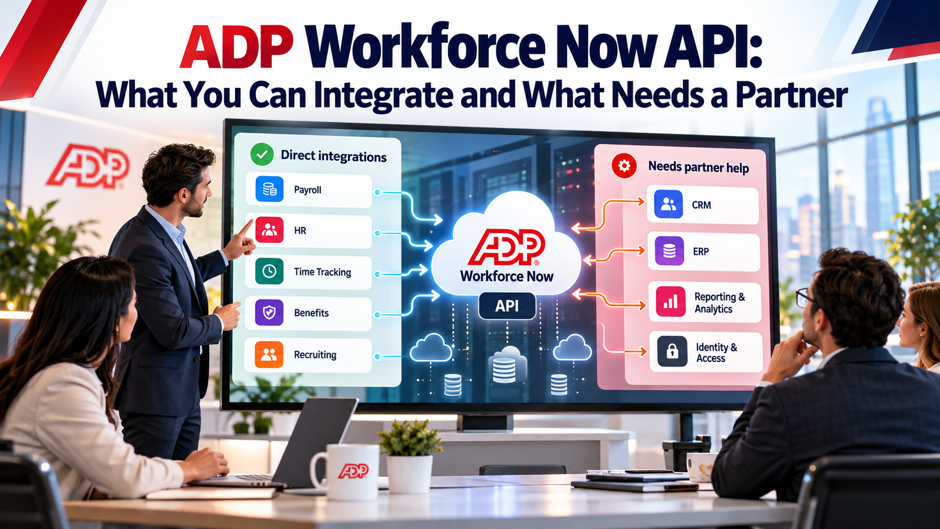
Picture a 250-person software company that wants its HR system to push new hires into its identity tool, send approved time off to a team calendar and feed payroll totals to the general ledger. The engineer assigned to the project finds a developer portal, an OAuth flow and a sandbox, then learns that access starts with a paid add-on and a customer-specific credential. Within a couple of weeks, the question changes from “how do we call the endpoints” to “who has to approve this, and which parts should somebody else build?” This scenario is invented for illustration and doesn’t describe a real company.
This post sorts ADP Workforce Now integration work into what a team can usually build directly and what tends to need a partner. It draws on Knit’s integration guide, Supergood’s API report card, 3 unified API vendors’ pages, an ADP Marketplace connector listing and a recruiter job posting, each attributed where it appears. ADP’s own developer portal didn’t render in my tools, so I couldn’t verify official documentation. Vendor claims are unverified, and the cost models are invented. Confirm every term with ADP.
TL;DR
- Plan on a paid add-on and per-customer setup. Knit, an integration vendor, says ADP API Central is a paid add-on whose pricing ADP doesn’t publish, and that credentials are created per customer account. Supergood, an API vendor with a commercial interest, rates access POOR for similar reasons. Budget time for approvals before engineering starts, and ask ADP in writing what the add-on costs, which APIs it includes and who approves scope for your application.
- Build reads first and treat writes as unconfirmed. Sources describe employee, payroll, time, benefits and event data, but they disagree on write access: Knit shows write examples, Supergood says writers need extra approvals, and Merge doesn’t confirm write support. Supergood also calls webhook coverage limited. Prove each write and event path in the sandbox before you promise it to a customer or a business owner, and keep a polling fallback.
- Use a partner when the work repeats across customers. An ADP Marketplace connector, a unified API vendor or a consultant can cost less than a custom build for a few integrations. An invented model puts 3 builds at 260 hours, or $39,000 to $78,000 at $150 to $300 an hour. Vendor claims are unverified, so test the exact fields and directions you need before you commit to a contract.
What the interface exposes at a glance
The table below gathers what the sources say about data coverage. Knit, which sells a unified API, lists employee demographics, payroll, time and attendance, benefits and HR events such as hires, terminations and job changes, and adds that availability depends on the ADP product and which use cases are enabled in API Central. Supergood lists HR, payroll read, time, benefits, talent, recruiting and organization structure. None of these is ADP’s own documentation, so confirm the catalog for your product. Add rows for anything you need that isn’t listed.
| Domain | What the sources say | Caveat |
| Worker and HR data | Workers, worker lifecycle, compensation and demographics (Knit); HR coverage (Supergood) | Endpoints differ between Workforce Now and RUN per Knit |
| Payroll | Payroll Data Input API v1 (Knit); payroll read (Supergood) | Writes restricted per Supergood; Knit shows a deduction change example |
| Time and attendance | Listed by Knit and Supergood | Depends on product and enabled use cases |
| Benefits | Listed by Knit and Supergood | Depends on product and enabled use cases |
| Recruiting and talent | Job applications, applicants and requisitions in Unified’s required list; talent and recruiting per Supergood | Scope must be added by an ADP representative |
| Events | Event notifications described by Knit; limited webhooks per Supergood | Delivery details unpublished |
How access works before you write any code
Access starts with the customer, not the developer. Knit’s guide says setup begins with a self-service marketplace registration code from the customer’s HR or payroll administrator, followed by a Marketplace account and an application registration. Its FAQ adds that API Central must be purchased, a project created and OAuth credentials generated, all per customer account. Unified.to, another unified API vendor, says the same paid application is required and that your ADP representative adds APIs to your application scope. Plan the conversation with the customer early.
Unified.to’s steps give a sense of the work. In API Central you select or create a project, choose a domain, open Development Credentials for the client ID, secret key and certificates, then use Manage Certificate to produce a PEM key. The guide says to allow a few minutes for the certificate to process, and to provide your organization name, application name and API list to your ADP representative. It doesn’t mention a separate partner account or any approval beyond that, and it doesn’t explain how the private key is obtained. Allocate time for each step rather than assuming a single afternoon.
Supergood reports a similar picture and rates access POOR: each customer must buy the paid add-on and complete per-client credentialing. Its overall grade is A+, and the page doesn’t explain how it weighs those scores against each other. Knit says ADP doesn’t publish API Central pricing, and that costs are negotiated through an ADP account team. Treat the add-on as a procurement item with its own lead time, and ask who the customer signs for it. Ask the customer who signs purchase orders for add-ons.
Credentials and security you’ll handle
- OAuth tokens expire. Knit says most endpoints use OAuth 2.0 and that tokens expire periodically, so your integration must handle refresh logic. Build OAuth 2.0 token refresh, retry and error handling from the start, not as a patch after the first outage. Knit lists 401 for an expired or invalid token, 403 for missing scopes and 400 for malformed requests, which makes a useful starting set of error cases for your monitoring. Test the refresh path by forcing an expired token in the sandbox.
- Certificates add a second layer. Knit says ADP supports mutual TLS with certificate-based authentication and a certificate signing request for high-security cases, and Supergood describes OAuth 2.0 and OpenID Connect over mutual TLS with ADP-issued X.509 certificates. Plan how you’ll store private keys, who rotates certificates and what happens when a certificate expires. A missed renewal can stop every integration at once, so calendar the dates and alert on them. Keep a spare contact for renewals.
- Scopes decide what you can read. A 403 for missing scopes usually means the application scope or the customer’s permissions don’t cover the endpoint, and in Unified.to’s guide the scope is added by an ADP representative. Ask for the smallest set of APIs that supports the use case, document why each is needed and review them annually. Narrow scopes limit damage from a leaked credential and make customer security reviews shorter. Keep a register of scopes by application.
- Credentials belong to each customer. Because credentials are created per customer account, a product serving 25 customers manages 25 credential sets. Store each in a secrets manager, tag it with an owner and an expiry and log every use. Plan for customers who leave, since you must revoke access and delete the data you hold. Ask counsel what your contracts require, and confirm the details with ADP. Keep that inventory current.
What you can usually build yourself
Read-heavy syncs of worker data. Pulling employee records into a directory, an identity tool or an analytics warehouse fits a direct build when the fields exist in the endpoints you’re approved for. The sources list demographics, compensation and lifecycle events, and Knit says the HR API covers workers and worker lifecycle. Start with a nightly full read and a small set of fields. Add fields only when a business owner can name the decision they support. Measure how often each field really changes.
Payroll and time feeds into your own systems. Supergood describes payroll read and time coverage, and Knit lists payroll, time and attendance. A feed that delivers payroll totals to a general ledger or hours to a project tool is a common first build. Reconcile each feed against a report your finance team already trusts, because the first run will show mapping gaps in pay codes, cost centers or earnings types. Expect the mapping work to take longer than the calls. Involve the payroll team in the first review.
Event-driven updates where events exist. Knit describes an event-based pattern that provides notifications when resources change, but gives no delivery, payload or setup details, and Supergood calls webhook coverage limited, so many partners fall back to polling. Treat events as an extra you verify, not a dependency. Build a polling path first, add events where the sandbox proves they arrive, and keep reconciliation jobs that catch anything a notification missed. Record the measured delay for every event type you test.
Where the sources conflict
Several answers differ by source, which is a reason to test rather than assume. The table lists the main conflicts. Each publisher sells something related to integrations, so none is a neutral referee. When a claim matters to your plan, ask ADP for it in writing, and prove it in the sandbox with synthetic data before you tell a customer the feature exists. Record each answer in a shared decision log with the date and source.
| Topic | Source A says | Source B says | What to confirm |
| Write access | Knit shows a POST that changes a payroll deduction and a worker photo upload, with no restrictions stated | Supergood says writes on payroll, benefits and time are restricted or need extra approvals | Which writes your scope allows and who approves |
| Events | Knit describes event notifications; Merge says real-time webhooks are supported | Supergood says webhook coverage is limited, so polling is common | Which events fire, with what delay and payload |
| Sandbox | Knit recommends testing in a sandbox with sample data | Supergood says the sandbox is limited, so full testing needs a live instance | What the sandbox can’t simulate |
| Rate limits | Merge says it adheres to ADP’s limits and throttles near them | Knit gives no numeric limits | Actual limits for your credentials |
| Full read and write | Apideck claims full CRUD | Apideck’s own preview shows read-only time off and mostly read-only employee fields | Field-level permissions |
Why polling and rate limits matter
Polling means asking for changes on a schedule, and it’s the fallback when events are thin. An invented example shows the load. If you poll 3 resources every 15 minutes, that’s 96 calls per resource per day and 288 calls per day per customer, or 8,640 calls over 30 days. Multiply by your customer count and the numbers grow quickly. The sources give no numeric rate limits, so ask ADP what yours are and design with margin. Choose the interval from the business need rather than habit.
Polling also creates lag and blind spots. A change made right after a poll waits up to 15 minutes to appear, and a failed poll can go unnoticed until someone checks. Log every run with a start time, a record count and a status, and alert on gaps. Use incremental reads where an endpoint supports a changed-since filter, and schedule a daily full reconciliation to catch what incremental reads miss. Tell users how fresh the data is.
Throttling deserves a plan. Merge says it queues or throttles requests near ADP’s limits, and your direct build should do the same. Use exponential backoff on errors, cap concurrency per customer and spread schedules so 25 customers don’t all poll at the top of the hour. Knit lists rate limiting as a possible cause of 4xx and 5xx errors, so treat repeated errors as a signal to slow down before you escalate. Test the plan with a burst of requests in the sandbox.
What needs a partner
Marketplace data connectors. ADP Marketplace lists partner-built connectors for Workforce Now. ZayZoon’s listing classifies its app as a data connector that reads first and last name, the last 4 digits of the Social Security number, birthdate, hours, wages and payroll data, and sends back a single payroll direct deposit line item. It lists real-time sync, single sign-on and a 60-minute setup session, and says it applies to Workforce Now and TotalSource. The listing says ADP has no responsibility for third-party apps. Ask the partner which fields can be switched off.
Unified API vendors. Merge, Apideck and Unified sell a single API across many HR systems, and each handles the ADP connection for you. Merge’s page lists normalized objects such as Employee, Employment, PayrollRun and TimeOff. Apideck lists employees and time off requests, and Unified.to documents the credential steps. They fit products that must connect to many customers’ HR systems. They add a subscription, a data hop and the vendor’s own limits, and customers still need their own ADP credentials. Check each vendor’s list of supported fields before you compare prices.
Implementation consultants. A recruiter posting from Darwin Recruitment, undated, lists a Workforce Now technical consultant role at $140,000 a year with duties that include owning all Workforce Now integrations, building secure REST-based integrations and developing, testing and maintaining APIs using API Central. That tells you the skill set exists in the market and is scarce. A consultant fits single builds, rescue work and mapping complexity, and costs hours rather than a subscription. Ask for references on API work, rather than only payroll configuration. Ask for a sample of earlier work.
Questions for a unified vendor
- Which objects and directions does the ADP connector support? Merge’s page says it offers 13 normalized objects but lists 12 names: Benefit, Company, Employee, EmployeePayrollRun, EmployerBenefit, Employment, Group, Location, PayrollRun, Team, TimeOff and TimeOffBalance. It also doesn’t say whether writing back to ADP is supported. A page that miscounts its own list is a reason to ask for the field-level matrix, with read and write marks for each field. Ask for it in a spreadsheet.
- How do events and sync frequency work? Merge says syncs can run daily, weekly or monthly and that real-time webhooks are supported. Apideck’s copy calls them virtual webhooks in some places and real-time in others, and its webhook text mentions invoices, customers and payments, which don’t apply to an HR connector and may be recycled text. Ask for a demonstration of an ADP change arriving, with the measured delay. Ask for logs from a recent test.
- Who holds the credentials and the data? Customers still need ADP API Central and their own credentials, per Unified.to’s steps. Ask where the vendor stores tokens and certificates, how long it retains synced data, who can access it and how it deletes data when a customer leaves. Ask for its security attestations and for the contractual terms on breach notification. Have counsel review the data processing terms. Ask for the answers in writing.
- What happens when ADP changes something? Any intermediary adds a dependency. Ask how quickly the vendor fixes breakage after an ADP change, what its status page shows and what credit you get for downtime. Also ask whether the pricing grows per customer, per connection or per call. Merge labels its page Beta in a spot that may or may not apply to this connector, so confirm production readiness directly. Ask for examples from the past year.
Build, buy or connect: an invented cost model
This model is invented to show the arithmetic. Suppose you need 3 integrations: a general ledger feed at 80 hours, an applicant tracking sync at 120 hours and a benefits feed at 60 hours, for 260 hours in total. The rate range of $150 to $300 an hour comes from OutSail, a third-party consultancy, in earlier research I haven’t re-verified, and it describes HR consulting rather than developer pay specifically. At those rates the builds cost $39,000 to $78,000, and the applicant tracking sync alone costs $18,000 to $36,000. Change the hours to match your own backlog.
Now add the customer side. If your product serves 25 customers and each needs 1.5 hours of credential setup, that’s 37.5 hours, or $5,625 at $150, before you count the add-on each customer buys. An invented unified API subscription of $1,000 a month is $12,000 a year, which is under a third of the $39,000 low-end build. The subscription repeats every year, while the build doesn’t, so the comparison depends on your horizon and on what you’d still build around the vendor. Customer count drives this line more than anything else.
The model says very little about maintenance, which is where direct builds quietly cost more. Every ADP change, every new customer configuration and every new field request needs maintenance engineering time. Budget a standing allocation, such as 10 to 20 percent of build hours a year, which is my rule of thumb rather than a sourced figure. Ask each vendor and consultant for a written estimate, then replace the invented numbers with real ones. Track maintenance hours from the first release.
Decision matrix by use case
Use the matrix as a starting point for your own analysis. It isn’t a sourced ranking, and each cell reflects the tradeoffs described in this post. The right choice depends on how many customers you serve, which fields you need and whether you need to write data back. If you only serve a single employer, a direct build is usually the simplest path. If you serve many, a connector or unified vendor starts to look attractive. Add rows for your own use cases.
| Use case | Build directly | Marketplace connector | Unified vendor |
| A single employer reading worker data | Good fit; add-on and credentials needed once | Only if a listed connector matches | Overkill |
| Many customers, read-only HR data | Costly per-customer setup | Possible if listed | Strong fit if fields match |
| Payroll write-back | Needs proof that writes are approved | Check the listing’s directions | Confirm write support in writing |
| Narrow product feature, such as earned wage access | Possible, but slow to launch | Strong fit; ZayZoon’s listing is an example | Rarely needed |
| Time and benefits feeds with custom mapping | Good fit with a consultant | Limited customization | Check field coverage |
Data protection and scope control
- Pull the minimum. ZayZoon’s listing shows how much a connector can read, including the last 4 digits of the Social Security number and birthdate. Before you approve any integration, list every field it reads and ask why each is needed. Remove what isn’t needed, and prefer derived values, such as a yes or no flag, over raw personal data. Smaller data sets mean smaller breaches and shorter security reviews. Revisit the list every quarter.
- Get consent in writing for each data domain. Supergood describes a consent connector model that requires customers to authorize each app per data domain. Whatever the mechanics, document who the customer approved which data, when and for what purpose. Keep that record with your integration documentation. If a customer’s administrator changes, the next person should be able to see what was approved and why. Store the approvals where support can find them.
- Store secrets properly. Client secrets, private keys and tokens belong in a secrets manager, never in code, tickets or chat. Restrict who can read them, rotate them on a schedule and alert on unusual use. Log access to synced payroll data, because payroll records hold bank details and tax identifiers. Confirm with counsel which privacy and breach notification rules apply to the data you hold. Test the rotation procedure before you need it.
- Plan for deletion and exit. When a customer cancels, you should be able to revoke credentials, stop syncs and delete or return the data you hold. Write the procedure down and test it. Ask partners the same question, including how a unified vendor deletes cached data. The ADP Marketplace listing for ZayZoon says ADP isn’t responsible for third-party apps, so your contract is the main protection. Test the procedure once a year.
Testing and rollout
Test in the sandbox with synthetic data. Knit says ADP offers a sandbox with sample data and recommends synthetic data before going live. Supergood says the sandbox is limited, so full testing needs a live instance with the add-on enabled. Use the sandbox for authentication, error handling and basic reads, then plan a controlled production test with a friendly customer. Document what the sandbox couldn’t prove, and carry those items into your launch checklist. Keep the synthetic data set under version control.
Roll out to a single customer first. Start with a customer who has a clean configuration and an engaged administrator. Run the integration in read-only mode for a pay cycle, compare outputs against reports they trust and fix mapping gaps in pay codes and custom fields before you turn on any write path. Expect surprises in pay codes, custom fields and terminated employees. A pilot costs a few weeks and prevents a bad first impression with every customer that follows. Agree in advance on what success looks like.
Monitor from day 1. Track token refresh failures, 401 and 403 rates, sync duration, record counts and lag between an ADP change and its appearance downstream. Alert on gaps rather than only on errors, since a silent integration looks healthy until someone notices stale data. Review the metrics weekly during the pilot and monthly after. Keep a runbook for the common failures, including expired certificates and revoked credentials. Share the dashboard with the customer.
Support, ownership and who gets paged
Every integration needs an owner on each side. On your side, name an engineer responsible for the code, a product owner who decides which fields matter and an escalation contact. On the customer side, name the payroll or HR administrator who holds the ADP relationship. Knit says API Central requests flow through an account team, so know who that contact is before an incident. Write down the paths for credentials, scope changes and outages. Put both names in the runbook.
Support quality varies by layer. Supergood says support is the most-cited complaint in G2 reviews of Workforce Now, and notes slow large report runs and intermittent glitches, though it’s a vendor with a commercial interest and gives no dates. If you add a unified vendor or a marketplace partner, you add another support desk. Ask each for response time commitments, an escalation path and named contacts, and test them with a real question before you sign. Ask how each desk handles after-hours incidents.
Document the split of responsibility in writing. When a sync fails, you need to know whether the cause is your code, the vendor’s connector, ADP’s service or the customer’s configuration. A short incident template that records the symptom, the timeline and the likely layer saves hours during an outage. Review incidents quarterly, and update scopes, runbooks and contracts based on what they teach. Share the template with every partner you use and with the customer’s administrator.
A sample rollout timeline
This timeline is invented to show a plausible sequence for a first integration, such as a read-only worker sync. It assumes a single friendly customer, a developer who hasn’t used ADP’s interface before and an ADP representative who responds within days. Credential approvals can add elapsed time that nobody bills for, so treat the day ranges as placeholders. Use the table to ask candidates and vendors how they’d sequence the work. Compare the vendors’ dates against this shape.
| Weeks | Activity | Output |
| 1 | Confirm add-on, scope and contacts with ADP and the customer | Written scope and approvals |
| 2 | Create project, credentials and certificate; test authentication | Working token in the sandbox |
| 3 to 4 | Build read paths, mapping and error handling | Sandbox sync with synthetic data |
| 5 | Production credentials; read-only pilot for 1 pay cycle | Reconciliation report |
| 6 | Fix mapping gaps; add monitoring and runbook | Alerts and documentation |
| 7 to 8 | Enable approved writes or events if proven; train support | Launch checklist signed off |
Mistakes that stall integrations
Starting the build before the access question is settled. Teams write code against the documentation and discover later that the add-on isn’t purchased, the scope doesn’t include the endpoint or the customer’s administrator hasn’t approved the connection. Knit’s FAQ names the separate API Central purchase as the main onboarding bottleneck. Settle access and scope first, in writing, and treat the first sandbox call as a milestone, not a starting point. Add the settled answers to your project charter.
Promising writes and events before proving them. The sources disagree on both, and a sales promise made in week 1 can become an engineering problem in week 9. Test each write and event in the sandbox and then in a controlled production run. If a capability isn’t proven, say so, and offer a polling or read-only alternative. Customers prefer a modest feature that works over a promised feature that doesn’t. Keep a list of proven and unproven capabilities.
Pulling more data than you need. It’s tempting to read every field because it’s available. Extra fields raise your security burden, lengthen customer reviews and increase the cost of a breach. Start with the minimum, justify each addition and delete what you don’t use. A connector that reads the last 4 digits of the Social Security number and birthdate should have a documented reason for both. Review fields at every launch.
Ignoring the second customer. The first integration usually works because the first customer is a friendly account. The second has different pay codes, custom fields and an administrator who answers slowly. Design the mapping layer to be configured, not hard-coded, and track setup hours for each customer so you can see the true cost. If setup stays high, that’s the signal to consider a partner. Capture those hours in a simple log.
FAQs
Does ADP Workforce Now have an API?
Yes, but access isn’t automatic. Knit, an integration vendor, says ADP API Central is a paid add-on whose pricing ADP doesn’t publish, and that credentials are created per customer account. Supergood says REST API families are documented on ADP’s developer portal and rates access POOR because of the add-on and credentialing. I couldn’t load ADP’s portal, so confirm the current terms, scope and pricing with ADP before you plan. Plan for lead time.
What data can I integrate with the API?
Sources list employee demographics, payroll, time and attendance, benefits and HR events such as hires, terminations and job changes. Knit says availability depends on the ADP product and the use cases enabled in API Central, and Supergood adds talent, recruiting and organization structure. Coverage by field isn’t published in the sources I could read. Ask ADP for the endpoint catalog for your product, and test each field in the sandbox. Check the list again before each release.
Can I write data back to ADP?
The sources conflict, so treat it as unconfirmed. Knit shows a POST that changes a payroll deduction and a worker photo upload, while Supergood says writes on payroll, benefits and time are restricted or need extra approvals. Merge’s page doesn’t say whether it writes back, and Apideck’s preview shows mostly read-only fields despite a full CRUD claim. Ask ADP in writing which writes your scope allows, and test them before promising anything. Keep the result of each test.
Does the API support webhooks?
Not clearly. Knit describes an event-based pattern with notifications when resources change but gives no delivery or payload details, Merge says real-time webhooks are supported through its platform, and Supergood describes webhook coverage as limited, so many partners poll. Build a polling path first, verify any event in the sandbox with measured delay, and keep a daily reconciliation to catch missed changes. Treat every event claim as unproven until you’ve measured it yourself.
When should I use a unified API vendor?
Use a unified vendor when your product must connect to many customers’ HR systems and a single ADP integration is just a single entry among many. Merge, Apideck and Unified each offer ADP connectors, and each is a vendor with a commercial interest. Customers still need their own ADP credentials. Compare field coverage, read and write support, sync frequency, data retention and pricing, and test the exact fields you need before signing. Pilot with a single customer first.
What does an ADP Marketplace connector do?
It connects a partner’s product to Workforce Now through ADP’s marketplace. ZayZoon’s listing, for example, describes a data connector that reads names, the last 4 digits of the Social Security number, birthdate, hours, wages and payroll data, and sends back a payroll direct deposit line item, with a 60-minute setup session. The listing says ADP has no responsibility for third-party apps, so review the partner’s terms and security. Ask for a reference customer.
How much does an integration cost?
No source publishes a price. An invented model puts 3 integrations at 260 hours, or $39,000 to $78,000 at $150 to $300 an hour, using a third-party consulting range I haven’t re-verified. Add the API Central add-on, which ADP doesn’t publish pricing for, plus maintenance and any vendor subscription. Request written estimates from ADP, your consultant and any unified vendor, using the same scope. Ask each party for estimates in writing.
How do I get started?
Start by confirming with the customer’s administrator and your ADP representative that API Central is purchased, which APIs are in scope and who approves access. Then create the project and credentials, test authentication in the sandbox, and build a read-only sync with synthetic data. Pilot with a single friendly customer for a pay cycle before you enable any writes. Confirm the legal and security terms with counsel. Keep the approvals on file.
