
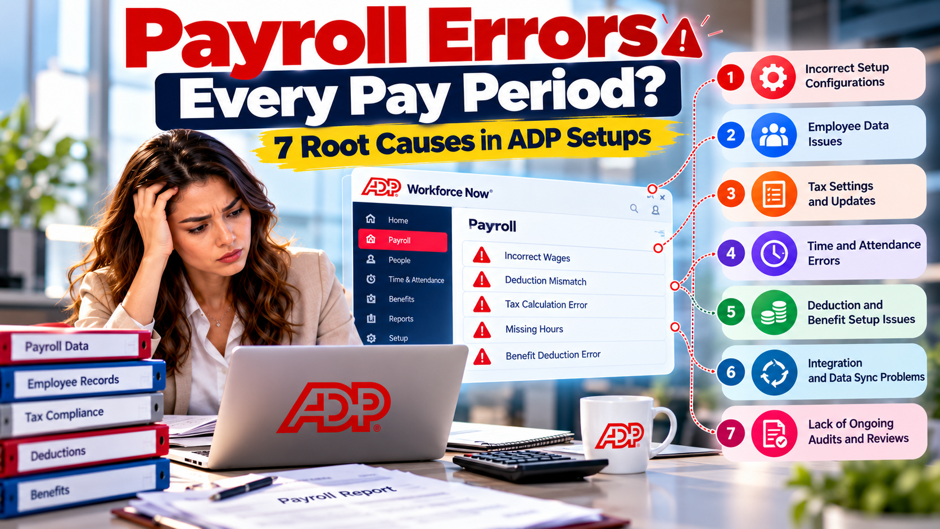
Picture a 60-person company on biweekly payroll whose administrator fixes something after nearly every run. A raise shows up late, a benefit deduction runs after coverage changed, a missing punch shorts someone by 3 hours, and the next payroll brings a different set of surprises that feel unrelated. After 6 payrolls she tallies 25 errors and sees that they come from just a few places. This scenario is invented for illustration and doesn’t describe a real company or a real ADP account.
This post sorts recurring payroll errors into 7 root causes and shows how to find which ones your setup has. It draws on 3 ADP articles, a payroll review of ADP RUN by Merchant Maverick, and vendor guides from Paycom, Justworks and Stealth Agents, each attributed and each written by a company with something to sell. I found no public ADP Workforce Now setup documentation, since ADP’s guides sit behind a login, so ask your representative in writing. All dollar examples are invented unless attributed. Confirm legal points with counsel.
TL;DR
- Most repeat errors trace to 7 causes. Stale employee records, hours that don’t match payroll, earnings and overtime setup, deductions that drift from enrollment, tax setup, changes made outside the normal flow, and no review before approval. ADP’s reconciliation article lists similar discrepancies. In my invented log, 25 errors across 6 payrolls sort into these 7 causes with none left over.
- Fix the process rather than only the paycheck. Correct each error, then record its root cause and change the setup or step that allowed it. ADP says to reconcile at 3 points every pay period: before the cycle, before approval and after close. Vendor error-cost statistics conflict and often lack sources, so size the cost with your own counts and your own wage rates.
- Know the correction rules before you act. A vendor guide says to get a written employee agreement before deducting an overpayment, to pay significant underpayments off-cycle, and to use Form 941-X or W-2c for tax errors. State rules vary and I haven’t verified them. Confirm with counsel, and ask ADP in writing how corrections post in your account.
Why the same errors repeat
Look for patterns before blaming people. An error that happens once is a mistake, and an error that happens in every run is a process. ADP’s reconciliation article lists the usual discrepancies: overpayments and underpayments, duplicate payments, wrong salaries or hourly rates, missing or incorrect time records, benefit deductions misaligned with enrollment, terminated employees still paid, new hires not paid and wrong tax withholdings. If your corrections look like that list, the fix lives in setup and handoffs rather than in a careless keystroke.
Treat vendor statistics as context only. Paycom’s blog quotes EY figures of $339 to fix an error, up from $291 in 2022, with 1 in 5 payrolls containing errors and 29 weeks a year lost per full-time payroll employee. The page doesn’t link the EY report, the 29-week figure looks implausibly high, and its Forrester data was commissioned by Paycom, a competitor of ADP. The Stealth Agents page lists ADP buckets for resolution time that sum to only 94 percent, so I use none of these numbers as facts.
Count your own errors. For the next 6 payrolls, log every correction with the date, the employee, the dollar amount, who found it and the cause. The log takes minutes per entry and pays back quickly, because after 6 runs the pattern shows up on its own. Use the 7 causes below as your categories, and add an eighth bucket called unknown that you try to empty within a week. Keep the log in a shared file that payroll, HR and finance can all read.
The 7 causes at a glance
The table lists the 7 causes in the order this post covers them. Each row gives the symptom that usually points to the cause and the first place to look. The causes overlap in real life, since a late raise can also be a manual change, so pick the cause that, if fixed, would have prevented the error. The sources for each row are named in the section that follows, and the table adds my own synthesis of those sources and of the invented log, which isn’t a standard taxonomy.
| Cause | What you’ll see | First place to check |
| Stale employee records | Late raises, wrong rates, terminated staff paid, new hires missed | Change requests and effective dates |
| Hours that don’t match payroll | Missing punches, unapproved time, wrong PTO | Time exceptions before the cutoff |
| Earnings and overtime setup | Overtime short, bonuses or differentials ignored | Pay code rules and the regular rate |
| Deduction drift | Benefit deductions that don’t match enrollment | Carrier files and deduction register |
| Tax setup | Wrong withholding, jurisdiction or fringe treatment | Employee forms and tax profile |
| Changes outside the normal flow | Off-cycle checks, retro pay, voids, manual items | Off-cycle log and approvals |
| No review before approval | Errors visible on the preview that nobody caught | Preview checklist and variance report |
Cause 1: stale employee records
Payroll is only as current as the data feeding it. ADP’s reconciliation article names incorrect salaries or hourly rates, new hires not receiving pay and terminated employees still receiving payment as common discrepancies. Paycom adds bad direct deposit details, addresses and phone numbers to its list. The Merchant Maverick review of ADP RUN, which doesn’t cover Workforce Now, tells users to check status, pay rates, direct deposit, tax forms, benefits deductions and recent changes before approving a run, and says new hires need complete personal information, tax forms and pay rates.
Timing is the usual culprit. Suppose a raise from $24.00 to $25.50 an hour takes effect on the first day of a pay period, but the manager’s request reaches payroll after the run is approved. For an 80-hour period the employee is short 80 times $1.50, which is $120. Set a change cutoff before each payroll, publish it, and make HR and managers send changes with effective dates. Late requests go into the next run with a note, rather than being squeezed into the current run.
Preventive checks are cheap. Pull a report of every data change made since the last payroll and review it before the run, comparing each change with its approval. Compare the active employee list with HR’s headcount, and investigate any difference. Review terminations the same day they happen, since a missed termination produces a payment to someone who has left, and the same controls used for ADP terminations and final pay can help keep separation dates and payroll timing aligned. Ask your representative which change reports exist.
Cause 2: hours that don’t match payroll
- Missing punches and unapproved time. Merchant Maverick’s review says to resolve timecard warnings, missing hours and payroll exceptions before approval, since these cause underpayments and overpayments. In an invented case, an employee earning $22.00 an hour forgets to punch out and the manager corrects 3.25 hours after the cutoff. The pay is short by $71.50 until the next run. A review of recurring ADP Time & Attendance errors can help separate punch problems from pay-rule or accrual problems before payroll closes.
- Imports that change the numbers. Time systems and payroll systems can round differently, map pay codes differently or handle shifts that cross midnight differently. Compare total hours in the time system with total hours imported for the same period, by employee, every run. A difference of a few minutes per person adds up across 60 employees and 26 runs, and it usually points to a rounding or mapping rule rather than a typing mistake.
- Time off that posts late. PTO and sick time requests approved after the cutoff either miss the run or post in the wrong period. The ADP audit checklist tells employers to check hours worked against time and attendance records and to verify variable pay and reimbursements. Add leave balances to that check, because a paid-leave error often hides until the employee asks about a balance weeks later. Compare leave balances after every run.
- Manual re-keying. Paycom lists manual timekeeping and re-keyed hours among its root causes, which is a competitor’s claim, but the logic holds for any system. Every time a person types hours that already exist elsewhere, an error can enter. Where an integration exists, use it, and where it doesn’t, have a second person compare the keyed total with the source total before approval. Make the comparison part of the approval checklist, not an extra task.
Cause 3: earnings codes and overtime setup
Pay codes carry the rules. Each earning code in a payroll system tells it how to treat the money: whether it’s taxable, whether it counts toward overtime and whether it’s a rate or a flat amount. A code set up wrongly once produces the same error in every run. Years of duplicate or obsolete codes are also a common form of ADP Workforce Now configuration drift, so ask your representative for a report that lists every earning code with its overtime and tax flags.
Variable pay belongs in the regular rate. Take an invented non-exempt employee who works 46 hours at $22.00 and earns a $100 shift bonus. Straight-time pay is $1,012 and the bonus brings the total to $1,112, so the regular rate is $24.17. The overtime premium is half of that rate for 6 hours, or $72.52. The Department of Labor explains how bonuses and other compensation can affect the regular rate used for overtime calculations, so a system that ignores includable variable pay can repeatedly understate overtime.
Classification drives the codes. ADP’s list of top mistakes includes misclassifying employees and denying overtime to non-exempt salaried staff, and Justworks lists exempt versus non-exempt errors among its correction types. If an employee is coded as exempt when the duties and salary don’t support it, no later formula fixes the underpayment. Review the exempt list with HR and counsel once a year, and whenever a role changes in a way that touches duties or pay. Keep the reasoning for each decision in writing.
Cause 4: deductions that drift from enrollment
Benefits enrollment and payroll deductions live in different places, and the handoff between them breaks often. ADP’s reconciliation article lists benefits deductions misaligned with enrollment as a common discrepancy, and Paycom blames poor communication between benefits enrollment and payroll. ADP’s top-mistakes article adds garnishments, noting that fines, taxes, child support and other orders each follow different rules and that employees can struggle to recover money processed in error. Deductions therefore deserve their own check every run.
Consider an invented case. An employee’s coverage changes from family to employee-only after a qualifying event, so the correct deduction falls from $210 to $95 per pay period. Payroll isn’t updated and keeps deducting $210 for 3 periods. The employee has been over-deducted 3 times $115, or $345. The employer owes a refund, and if the deduction was pretax, the employee’s taxable wages were also understated for those periods, so tell your tax preparer. The wrong amount came from a missing handoff, not from a calculation error.
The control is a monthly comparison. Take the carrier or benefits administrator’s enrollment file and compare it, employee by employee, with the deduction register. Investigate every employee whose deduction doesn’t match the plan and tier on file. For garnishments, keep a copy of each order, confirm the amount and priority with counsel or the issuing agency, and review the list whenever an order is received, changed or released. This takes an hour or so a month and prevents the most irritating kind of error for employees.
Cause 5: tax setup
Tax errors are expensive because they repeat quietly. A wrong state, a missing local tax or an outdated employee form affects every paycheck until someone notices, and the correction may involve amended returns. Employees should have a current federal withholding certificate on file, and the IRS publishes the current Form W-4 and withholding certificate materials for that purpose. State and local rules differ, and I haven’t verified them for any state, so use the table below as a prompt for questions to your tax advisor and ADP rather than as an answer.
| Setup item | What can go wrong | Check |
| Employee withholding forms | Missing or incorrectly completed Form W-4; Paycom cites an EY cost of $628 per incorrectly completed form | Compare the form on file with the payroll profile |
| Work and home jurisdictions | Wrong state or local tax, especially for remote or multistate staff | Ask your advisor which jurisdiction applies to each employee |
| State unemployment rate | Old rate used after the state issues a new notice | Compare the rate on file with the latest notice |
| Taxable fringe benefits | ADP’s article says stock options, achievement travel and employee discounts are generally taxable | Review every non-cash benefit with your preparer |
| Deposit schedule | Wrong schedule leads to late deposits; ADP warns of hefty fees | Confirm monthly or semiweekly status each year |
| Wage base limit | Social Security stops at $184,500 for 2026 per the Form 941 instructions; Medicare has no cap | Test employees who cross the cap |
Work and home jurisdictions deserve separate attention for distributed teams. A payroll profile can look correct federally and still be wrong at the state or local level, so compare your tax profiles with the employee’s actual work location and review the setup against your multi-state payroll process in ADP before a move or new-state hire becomes a quarter-end correction.
Deposit schedules can also create recurring errors that don’t show on an employee paycheck. The IRS explains that employers generally follow either monthly or semiweekly employment tax deposit schedules based on the lookback-period liability, so confirm the current Form 941 deposit requirements rather than carrying last year’s schedule forward automatically.
Cause 6: changes made outside the normal flow
- Off-cycle payrolls. Off-cycle runs handle bonuses, corrections and terminations between regular cycles. Merchant Maverick’s review names off-cycle payroll as a run type but gives no steps for it. The risk is that an off-cycle payment isn’t coordinated with the regular run, so it’s taxed on a different basis, is missed in a reconciliation or duplicates a payment already made. Keeping the reason and approver with every ADP off-cycle or manual check gives quarter-end reviewers a record of why the payment exists.
- Manual checks and voids. A check cut by hand, or a payment voided and reissued, exists in more than a single place, and every place needs updating. The review I read doesn’t cover reversing or voiding payroll, and I found no public ADP procedure either, so ask your representative how voids and reissues flow to tax filings and reports before you need a void. Log each manual check with its number, amount and approver.
- Retro adjustments. ADP’s reconciliation article says discrepancies found after close show up in the following pay cycle. That’s a reasonable default, but it means a retro adjustment lands in a later period than the error, which can confuse employees and wage reports. A written process for retro pay and payroll corrections in ADP can help keep the original period, corrected amount, tax treatment and approval together. Keep a running list of open adjustments so none is forgotten when the following cycle closes.
- Single-use items. Bonuses, commissions, reimbursements and garnishments all have to be entered or imported each time, according to the Merchant Maverick review. Each manual entry is a chance for a typo, a wrong code or a missing item. Collect single-use items on a standard form with an approver, enter them from the form, and compare the payroll total with the form total before approval. Keep the signed form in the payroll file for later reference.
Cause 7: no review step before approval
The last cause is the cause that lets the other 6 through. ADP’s audit article says employers should reconcile payroll every time it’s processed and run a full audit at least annually, and it calls an audit at every pay period the best practice. Building the same evidence into recurring ADP payroll audit reports gives the reviewer a repeatable set of checks rather than relying on memory at approval time.
Most small teams skip the middle stage because the deadline is close. Merchant Maverick’s review tells users to preview payroll before approving it and says that, although ADP calculates taxes and deductions from your setup, you should still review totals for accuracy. In the invented log, 2 of the 25 errors were visible on the preview and approved anyway, which is a review failure rather than a setup failure. A preview nobody reads is only a delay.
Paycom claims that traditional payroll processes limit validation, with no source, and the claim is marketing for its own approach. The safer reading is that any process lacks validation unless someone builds it. Give the preview a named owner, a written checklist and a signature or initial for each run, and give that owner the authority to delay approval when something looks wrong. The cost of a delay of a day is almost always smaller than the cost of a correction.
Reading the preview like an auditor
Compare to the prior cycle. ADP’s reconciliation article says to review the register against the prior cycle and to inspect large variances further. Pick a threshold, such as a 5 percent change in gross pay or any change above a set dollar amount per employee, and investigate everything over it. Seasonal swings and raises explain many variances, and the rest are the errors you’re looking for. The same variance discipline used in a clean ADP quarter-end close is useful before approval because it catches the difference while the source data are still fresh.
Check the headcount. Count the employees on the register and compare the total with the HR list, then list who was added and who was removed since the last run. ADP’s audit checklist tells employers to confirm only active employees are paid. A single added or missing name is easy to see on a short list and nearly invisible in a long report, so look at the differences rather than the whole register.
Test gross to net. Choose a handful of employees with different situations, such as hourly with overtime, salaried with a deduction change and a new hire, and recompute their pay by hand or in a spreadsheet. ADP’s reconciliation article names gross-to-net validation as a processing-stage check. If your recomputation matches the register for all of them, confidence rises, and if it doesn’t, you’ve found a setup problem worth more than the error itself.
Review the exceptions. Look at every warning, every missing hours flag and every employee with net pay of $0 or less, since each is a symptom. Merchant Maverick tells users to resolve warnings and exceptions before approval. Keep a list of the warnings that recur, because a warning that appears every run and gets dismissed every run may point to a setup issue you’ve learned to ignore. Review that list every month with the owner.
Fixing errors after approval
- Pay underpayments quickly. Justworks advises an off-cycle payroll for significant underpayments and says minor ones may wait for the next regular run if the reasoning is documented. The article also says federal law requires prompt payment of wages and some states set stricter deadlines, without naming them. I haven’t verified those claims, so ask counsel how fast you must pay in each state where you employ staff, and tell the employee in writing what was wrong and when it’ll be paid.
- Recover overpayments carefully. Justworks says to get written agreement from the employee before making any deduction, and notes that many states restrict how overpaid wages can be recovered without naming them. For employees who have left, it points to unclaimed property rules without explaining them. Treat recovery as a legal question first and a payroll question second, and never reduce a check without checking your state’s rules. Document the employee’s consent and the amount.
- Fix the tax filings. Justworks lists Form 941-X for corrected quarterly returns, with a separate return for each affected quarter, and Forms W-2c and W-3c for wage statements corrected after filing. The IRS confirms that Form 941-X is used to correct a previously filed Form 941 and generally requires a separate 941-X for each quarter being corrected. Ask your preparer to confirm which forms your correction needs.
- Keep the records. ADP’s top-mistakes article says the Fair Labor Standards Act requires 3 years of pay records, including hours worked, pay rates and pay dates, and that some states require longer. Department of Labor recordkeeping guidance likewise says employers generally preserve payroll records for at least 3 years and wage-computation records for 2 years, so use the FLSA recordkeeping requirements when you build the correction file. Store it where an auditor can find it.
An invented error log
The table summarizes the invented log from the opening scenario, which has 25 errors across 6 payrolls for a 60-employee company, sorted by root cause. The cost column multiplies each count by $291, the average per-error cost that the Stealth Agents page attributes to a 2022 EY survey, as a placeholder only. The counts, the shares and the totals are made up to demonstrate the method, and the real numbers in your log will differ. Run the arithmetic on your own data and replace the placeholder with your own cost per correction.
| Root cause | Errors | Share | Cost at $291 |
| Stale employee records | 4 | 16 percent | $1,164 |
| Hours that don’t match payroll | 6 | 24 percent | $1,746 |
| Earnings and overtime setup | 3 | 12 percent | $873 |
| Deduction drift | 5 | 20 percent | $1,455 |
| Tax setup | 2 | 8 percent | $582 |
| Changes outside the normal flow | 3 | 12 percent | $873 |
| No review before approval | 2 | 8 percent | $582 |
| Total | 25 | 100 percent | $7,275 |
Sizing the cost with your own counts
The log shows 25 errors in 6 payrolls, or about 4.17 per run. Over 26 biweekly runs that annualize to about 108 errors. At the $291 placeholder the annual cost is $31,525, and at the $339 figure that Paycom attributes to a newer EY survey it’s $36,725, a difference of $5,200. Neither number is a measurement of your business. They show how sensitive the total is to the cost you assume, and why a vendor’s headline figure shouldn’t drive a decision.
Compare rates carefully, too. The invented log has 25 errors on 360 pay records, which is 6.94 percent of records. The EY figure that 1 in 5 payrolls contain errors counts payrolls rather than records, so the figures don’t compare. The Stealth Agents page also reports ADP survey accuracy of 78 percent and an EY average of 80.15 percent without defining accuracy. Define your own measure, such as errors per 100 pay records, and track it every run.
Your true cost is the time spent finding and fixing each error, the pay delays and the effect on employee trust, plus any penalties. Estimate time first, since it’s the part you control. Ask payroll staff to record minutes spent on each correction for 6 runs, multiply by a loaded hourly rate, and add any fees or penalties. That number is the budget for fixing causes, and the log tells you which cause to fix first.
Questions for your ADP representative
- How do change cutoffs work? Ask how the system handles an effective-dated change entered after payroll has been processed, whether it triggers a retro calculation automatically and where the adjustment appears. Ask for the answer in writing. I found no public ADP documentation on this, and the answer determines whether late raises, status changes and rate corrections are caught by the system or only by your staff. Ask for a screenshot or a sample report.
- How do you post corrections? Ask whether a correction after approval is made by reversal, by an adjustment in the next run or by an off-cycle payment, and how each choice shows on the employee’s pay statement and on tax filings. ADP’s reconciliation article says post-close adjustments appear in the following cycle, but that’s a general statement rather than a description of your account. Ask for a sample pay statement that shows a corrected amount from a test.
- Which reports show changes and variances? Ask for the report names that list changes to pay rates, deductions, tax profiles and bank details since the last payroll, and for the variance report that compares each cycle with the prior cycle. A report that exists but nobody runs doesn’t help, so ask for a sample, then schedule it for the day before each approval. Test the reports on a sample employee before relying on them.
- Who maintains tax rates and jurisdictions? Ask who updates state unemployment rates and local tax settings, how you’re notified of changes and what you must supply. ADP’s materials I read say payroll tax filing varies by package, so confirm what your package covers. Get the answer in writing, and keep it with the notices your agencies send you. Ask how a missed notice from an agency would be handled, and who gets told.
A 30-day plan
Week 1: start the log. Create the shared error log with the 7 causes as categories. Record every correction from the last 3 payrolls if you can reconstruct them, then add new ones as they appear. Assign a person to own the log and an executive to read it. Don’t try to fix anything yet, because a week of honest data will change what you think the biggest problem is.
Week 2: add the controls. Publish a change cutoff and a time approval deadline, and set up the preview checklist with a named owner. Start the monthly deduction comparison and the off-cycle log. These steps need no new software, only discipline, and they address the causes that account for the largest shares in the invented log. Tell managers and HR what changes and why before the first run under the new rules.
Week 3: ask the vendor. Send the representative the 4 questions above, and ask your tax advisor to review the tax setup table. Request the change report and the variance report. Ask counsel about underpayment and overpayment rules in your states and confirm the written-agreement process for deductions. Record every answer and its date, because a verbal answer from a call won’t help in a later dispute. Share the answers with finance and HR.
Week 4: review and repeat. Run the new controls for a full payroll, then review the log. Which causes shrank, which didn’t and which new ones appeared? Pick the top cause and write a change to the process or setup that would have prevented its last 3 errors. Then repeat the cycle. Before year-end, carry those fixes into the ADP Workforce Now W-2 cleanup process so recurring payroll errors don’t become January correction work. The aim is a shorter log each month.
FAQs
What causes payroll errors every pay period?
Repeated errors usually come from setup or handoffs rather than from a single careless entry. In this post I group them into 7 causes: stale employee records, hours that don’t match payroll, earnings and overtime setup, deductions that drift from enrollment, tax setup, changes made outside the normal flow, and no review before approval. ADP’s reconciliation article lists similar discrepancies. Log each error and its cause for 6 runs to see yours.
How common are payroll errors?
Sources disagree, and most come from vendors. Paycom quotes EY as finding that 1 in 5 payrolls contain errors, and the Stealth Agents page lists an EY average accuracy of 80.15 percent from a 2022 survey, with ADP’s own survey at 78 percent. None of these define their measures the same way, and some figures lack links. Measure your own error rate per 100 pay records instead. Compare rates only when the denominators match.
How do I find the root cause of a payroll error?
Start with the error log. For each correction, ask what data, setup or step allowed it to happen, and keep asking why until you reach something you can change. A late raise may trace to a missing cutoff rather than to a slow manager. Sort the answers into the 7 causes in this post, and fix the cause with the most errors first, not the error that annoyed you most.
Can I fix an underpayment in the next payroll?
It depends on the amount and on state law. Justworks says significant underpayments should be paid through an off-cycle run and minor ones may wait for the next regular payroll if the reasoning is documented. It also says some states require payment within days but names none, and the claim lacks a source. Ask counsel about the deadline in each state where you employ staff, and tell the employee in writing.
Can I deduct an overpayment from the next paycheck?
Possibly, but get legal advice first. Justworks says to obtain written agreement from the employee before making any deduction and warns that many states restrict how overpaid wages are recovered, without naming them. Deductions that reduce pay below legal minimums can create separate problems. For former employees, recovery is harder still. Check your state’s rules and document the employee’s consent before changing a check. Ask counsel before you adjust any check or notice.
When do I need Form 941-X or W-2c?
Justworks says Form 941-X corrects a quarterly return, with a separate form for each affected quarter, and that Forms W-2c and W-3c correct wage statements after they’ve been filed. If Copy A hasn’t gone to the Social Security Administration, it says you may void and reissue instead. Your preparer should confirm which forms apply and when, since the answer depends on the type of error and its timing. Keep the proof with the error log.
How often should I reconcile payroll?
ADP’s audit article says to reconcile every time payroll is processed and to perform a full audit at least annually, and it calls per-pay-period audits the best practice. Its reconciliation article describes 3 checkpoints in each cycle: before it begins, before approval and after it closes. Both come from a payroll vendor, but the cadence is sensible for any employer, and you can scale the depth to your size. Start small if you must.
Does ADP catch payroll errors automatically?
Not on its own, according to the public material I found. The Merchant Maverick review of ADP RUN, which doesn’t cover Workforce Now, says ADP calculates taxes and deductions from your setup but that you should still review totals before approving. I found no public documentation on automatic error checks in Workforce Now, so ask your representative what validation exists and which of your setup errors it would flag. Document the answer you receive.
