
Picture an illustrative service team that has run an Einstein Bot on its help site for 3 years. The bot answers order-status questions and collects case details, and it does both reliably. Yet the team keeps adding dialogs for every new question, the intent training list keeps growing and customers still type “agent” within 30 seconds of any unusual request. The manager hears that Agentforce can reason through requests instead of following scripts, and asks whether it’s time to switch. The honest answer is that it depends on which conversations are costing the team the most.
This article compares the 2 approaches, lists what service teams can gain by moving some of their traffic to an agent and flags what doesn’t transfer. It draws on Salesforce’s own pricing announcement and developer blog, which are vendor material, and on an article from an independent reference site that sells Agentforce learning content. All 3 sources have an interest in your decision, so every claim is attributed and flagged where it’s unverified. Confirm current features, limits and prices with Salesforce.
TL;DR
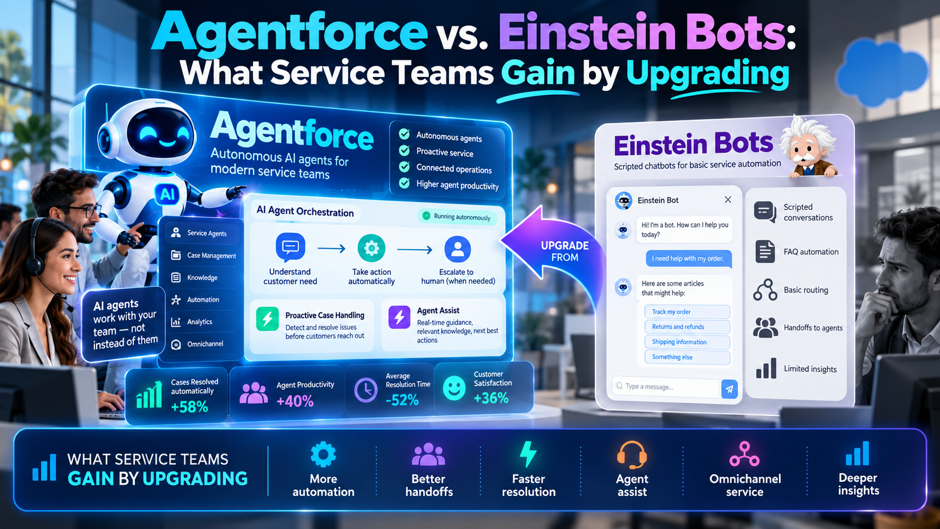
- The 2 tools work differently. An Einstein Bot follows dialogs you script and routes by trained intents. An Agentforce agent reads topic instructions and chooses its own steps, within the guardrails you set. Salesforce’s developer blog describes a hybrid in which bots handle high-volume, rule-based tasks and agents handle complex ones. Both have a place.
- The move is a rebuild, not a migration. The Salesforce Dictionary, an independent reference site that sells Agentforce learning content, says the 2 share no authoring objects. Flows, invocable Apex and integrations carry over, but dialogs and intent training data don’t, so plan the work as new construction.
- Cost works differently too. Salesforce prices Flex Credits at $500 per 100,000 credits, with each action using 20 credits, or $0.10. In an illustrative example, 10,000 conversations with 3 actions each cost $3,000 a month if all go to the agent and about $1,500 if a bot handles 60 percent.
What each tool actually is
Einstein Bots are scripted conversation flows. You build dialogs, train intents with sample phrases and define entities. When a customer writes something, the bot matches it to an intent and runs the matching dialog. That makes behavior predictable. It also means every new question needs a new dialog, and any phrasing that falls outside the training data lands in a fallback or a transfer. The Salesforce Dictionary describes an example bot with 40 dialogs, about a dozen intents and 4,000 tagged utterances, which is illustrative.
Agentforce agents are instruction-driven. You define topics, which are scoped areas of responsibility, along with instructions in plain language and a set of actions the agent may call. The agent reads the customer’s request, picks the relevant topic and decides which actions to run and in what order. The Salesforce Dictionary puts it this way: the agent decides the order and you don’t. That flexibility handles unexpected phrasing, and it also means behavior needs testing in a different way.
Both run inside Salesforce and share some plumbing. Flows and invocable Apex that a bot calls can often be registered as agent actions with minimal change, per the same source. Omni-Channel queues survive, though routing configuration is rebuilt. Messaging channels matter as well, since the Salesforce Dictionary says an org still on legacy channels must finish the move to Enhanced Messaging first. Check your channels before you plan the project.
They’re built for different kinds of conversation. Salesforce’s developer blog says enhanced bots suit high-volume, rule-based tasks with low latency and strict compliance, and that agents suit complex, non-deterministic problems. That’s vendor guidance, yet it matches common sense. A password reset or a case-status check needs no reasoning, while a customer disputing a bill with 3 prior contacts probably does. Match the tool to the task. Test it. Check both.
Why the question comes up now
Teams ask about the move because a bot’s cost of maintenance grows with its coverage. Each new product, policy or promotion adds dialogs and training phrases, and someone has to keep them current. The Salesforce Dictionary claims that Einstein Bots receive maintenance and no new investment, and that no end-of-life date has been published. That’s the author’s characterization and the page doesn’t prove it, so check Salesforce’s roadmap and release notes before basing a decision on it.
Pressure also comes from customers. People now expect to type a request in their own words and get a useful reply, and a bot that answers 20 questions well and fails on the 21st feels worse than no bot to some of them. Agents can handle a wider range of phrasing without a dialog for each variation, which is the main benefit vendors describe. Whether that holds for your content depends on your data, your instructions and your testing.
Retirements elsewhere in the service stack add urgency. The Salesforce Dictionary notes that Legacy Chat, formerly Live Agent, was scheduled to retire on February 14, 2026, and that Einstein Bots Answers support ended in Spring 2025, with a final cutoff on December 31, 2025. Those are examples of how Salesforce retires older components. They don’t prove anything about the bot itself, but they’re a reason to read release notes each cycle and keep an upgrade path in mind.
What service teams can gain
- Coverage of long-tail questions. A bot answers what you scripted, and an agent can work from your knowledge and records to answer questions you didn’t script. Salesforce describes grounding in data and a trust layer in the path. For a team with hundreds of rare questions, that could replace the dialog-per-question pattern. Measure it on your own transcripts, since vendor claims don’t predict your results. Check a sample of rare questions.
- Less script maintenance. Topics and instructions are written in prose, and the agent chooses actions. When a policy changes, you edit an instruction instead of rewriting several dialogs and retraining intents. The Salesforce Dictionary says intent classification is replaced by prose topic descriptions. That can save admin time, though you’ll spend new time on testing and monitoring. Count the hours your admins spend on dialogs today, so you can compare them with the effort of reviewing conversations and tuning instructions.
- Actions that finish the job. Flows and Apex that the bot called can be registered as actions the agent calls, so the agent can check an order, update a record or open a case in the same conversation. Vendors present this as resolving requests rather than deflecting them. Verify it with a pilot on a single process and check that the actions return reliable data. Test each action alone first.
- A better handoff to people. Salesforce’s developer blog describes routing a conversation to the right agent, queue or skill based on the inquiry type the customer gave. A well-designed handoff passes context to the human, which saves customers from repeating themselves. Design the fallback queue carefully, since the same post shows a fallback as a resilience measure. Test with real agents on shift, and ask them what context they need in the first message, because their answers should shape what the handoff passes along.
Capability comparison
The table compares the 2 tools on the points service teams ask about most. The entries come from the 3 sources and from general product descriptions, and they’re vendor or vendor-adjacent claims. None comes from a controlled test. Use the table to decide what to ask Salesforce and what to measure in a pilot, and replace each cell with what you verify in your own org. Mark each row. Verify each cell.
| Dimension | Einstein Bot | Agentforce agent |
| How it decides | Matches an intent, runs a scripted dialog | Reads topic instructions, chooses actions |
| Authoring | Dialogs, intents, entities, variables | Topics, instructions, actions |
| Behavior | Predictable, same steps each time | Flexible, order chosen by the agent |
| New question coverage | Needs a new dialog and training phrases | May handle if topics and data cover it |
| Compliance control | Strict, scripted wording | Guardrails and testing needed |
| Cost model | Included entitlement (per Salesforce Dictionary, 25 conversations per month per eligible license) | Consumption-based; Flex Credits and other models |
| Best for | High-volume, rule-based tasks | Complex, multi-step requests |
What doesn’t carry over
The Salesforce Dictionary calls the move a rebuild, and its reasoning is simple. The 2 share no authoring objects, so dialogs, intent training sets, entity definitions and most conversation variables have no direct destination. A dialog is a script with a fixed order, while a topic is a boundary inside which the agent chooses the order. Copying a script into an instruction field usually produces a worse agent than writing the instruction fresh.
Intent training is the clearest example. A bot depends on sample phrases for each intent, and teams often spend months refining them. An agent replaces that work with prose descriptions of topics and what the agent should do in each. Your training data still has value, since it shows what customers ask and how they phrase it. Use it to write topic descriptions and test cases, and don’t expect any tool to convert it automatically.
Salesforce offers a beta tool to create agents from existing bots. The Salesforce Dictionary says it creates a scaffold of topics and initial actions, and that it doesn’t handle escalation design, channel wiring, grounding, variable mapping or testing. It also says Beta Services terms mean no support commitment and no stability guarantee. Treat the tool as a head start for planning and confirm its status and required editions in Salesforce’s documentation before you depend on it.
What does carry over
- Flows and invocable Apex. The Salesforce Dictionary says they can be registered as agent actions with minimal change. That’s the most valuable carry-over, since much of a bot’s real work lives in these automations. Review each automation for assumptions that came from the dialog, such as inputs a script always collected first, and make sure the agent can supply the same data. Test each action alone. Test each action twice.
- Integrations and credentials. Named credentials and callouts used by the bot’s flows remain available to the actions that call them. Check the permissions and the data each integration returns, because an agent may call an action in a different order or more often than a script did. Add rate limits and error handling where an unexpected call pattern could cause trouble. Review access scopes before you register any action, and log each call during the pilot so you can spot odd patterns early.
- Queues and messaging channels. The Salesforce Dictionary says Omni-Channel queue records survive, though routing configuration is rebuilt, and that Enhanced Messaging and Enhanced Omni-Channel Routing must be in place first. If your org still uses legacy chat, treat the channel move as its own project, because it’s a prerequisite and a source of delay. Confirm the channel prerequisites with your admin, and put the dates in the project plan so that nothing waits on an overlooked setup step late in the schedule.
- Knowledge and content. Articles and records that fed the bot can ground the agent, and the Salesforce Dictionary says grounding moves to the Agentforce Data Library with the trust layer in the path. Clean content matters more with an agent, since it reads and summarizes what it finds. Review articles for accuracy, ownership and expiry before you connect them. Name an owner for each source, and set review dates so stale articles don’t undermine the agent’s answers over time.
Guardrails, grounding and testing
Set guardrails before launch. A scripted bot can only say what you wrote. An agent can compose its own replies, so you need clear instructions on what it may and may not do, which actions need confirmation and when it must hand off to a person. Salesforce describes a trust layer, though you remain responsible for the instructions and for what the agent is allowed to change in your records. Write the rules down and review them with legal and compliance.
Ground the agent in clean data. An agent is only as good as the knowledge and records it can read. Duplicate articles, outdated policies and inconsistent fields produce inconsistent answers. Before you launch, audit the sources you plan to connect, remove anything stale and decide who owns each source. Plan an owner for ongoing updates, because a policy change that reaches the article but not the instructions causes errors. Track updates.
Test with real conversations. The Salesforce Dictionary recommends a parallel run with the bot and the agent live, and mentions a Testing Center for regression. Build a test set from past transcripts, including difficult and hostile ones, and score responses for accuracy, tone and correct handoff. Rerun the set after every change to instructions or data. Treat the test set as a living asset, owned by someone with time to maintain it.
Monitor after launch. Review a sample of conversations each week, especially at the start. Track wrong answers, unneeded handoffs and customer complaints, and feed the findings back into instructions and content. Set a threshold at which you pause a topic and revert to the bot or to people. Having a rollback plan makes the launch less risky and gives your sponsor confidence. Share findings weekly with the owner of each topic.
Pricing models and cost mechanics
Pricing is the largest difference in how the 2 tools are bought. Salesforce’s May 2025 announcement describes Flex Credits sold in packs of 100,000 for $500, with each action using 20 credits, which works out to $0.10 per action. It also says customers on Enterprise Edition or higher can get 100,000 Flex Credits at no charge through Salesforce Foundations, and that per-user options and other payment models were announced with later dates. Prices change, so confirm the current terms.
| Item | Figure | Source |
| Price per action | $0.10 (20 Flex Credits) | Salesforce announcement, May 15, 2025 |
| Flex Credits pack | 100,000 credits for $500 | Salesforce announcement |
| Actions per pack | 5,000 (100,000 divided by 20) | Calculation |
| Free starting credits | 100,000 with Enterprise Edition or higher via Foundations | Salesforce announcement |
| Bot entitlement | 25 conversations per month per eligible license | Salesforce Dictionary, unverified |
| Per-user and flexible payment options | Announced with later dates | Salesforce announcement |
The bot’s entitlement is small. At 25 conversations per month per eligible license, a team with 40 licenses would have 1,000 conversations a month included, according to the Salesforce Dictionary, which I couldn’t verify. Check your own contract for the numbers, and ask Salesforce which usage counts toward each model. An action-based model means 1 conversation can use several actions, so costs scale with what the agent does, as well as with how many people it serves.
A worked cost example
An illustrative team handles 10,000 conversations a month, and the average conversation triggers 3 actions. If the agent handles every conversation, that’s 30,000 actions, or 600,000 credits, which is 6 packs and $3,000 a month, or $36,000 a year. Now suppose a bot continues to handle 60 percent of conversations as routine tasks and the agent handles the other 4,000. That’s 12,000 actions and 240,000 credits, or 2.4 packs, which you’d buy as 3 packs for $1,500 a month, $18,000 a year.
The hybrid saves $18,000 a year in this example, a gap that comes from keeping simple traffic on the cheaper path. Salesforce’s developer blog makes the same point when it says offloading routine traffic can reduce Flex Credits and conversation consumption. The example ignores bot entitlements, build costs, testing, support and the value of better answers, so it understates the full cost of either path. Replace every input with your numbers, and ask Salesforce to model your usage.
Cost per conversation isn’t the only measure. If the agent resolves more issues without a person, the savings show up in staffing. Suppose containment rises from 25 percent to 40 percent on 10,000 monthly conversations. Humans would then handle 6,000 instead of 7,500, which is 1,500 fewer contacts. At an invented $6 per human contact, that’s $9,000 a month, or $108,000 a year. Every number is made up, and the improvement isn’t guaranteed. Measure your own baseline before you promise a result.
When to keep the bot
- Simple, high-volume tasks. If most of your traffic is password resets, order status or business hours, a bot handles it cheaply and predictably. Salesforce’s own developer blog recommends enhanced bots for rule-based tasks with low latency. Moving that traffic to an agent adds cost and variability for little gain, so keep it where it sits and spend your effort on harder conversations. Review volumes quarterly. Track fallback rates. Keep notes.
- Strict compliance wording. Some replies must use exact approved language, such as disclosures, cancellations or regulated statements. A script guarantees the wording, and an agent may paraphrase. Where the exact words matter, keep the scripted path or constrain the agent tightly, and ask legal to review the final design. Document which topics use scripted replies and why. Keep approved wording on file, with the date legal approved it, so that audits can trace every statement the customer saw.
- Low conversation volume. If you handle a few hundred conversations a month, the cost and effort of building, testing and monitoring an agent may exceed the benefit. A bot that works well needs little attention. Revisit the question when volume grows or when the bot’s fallback rate shows that customers are hitting its limits. Check the numbers each quarter and set a trigger for revisiting the choice, such as a volume threshold or a rising fallback rate.
- Limited capacity to maintain an agent. An agent needs an owner who reviews conversations, updates instructions and manages content. If nobody has time, quality will drift. Be honest about capacity before you start, and consider a smaller pilot with a clear owner, or a partner who can provide monitoring until your team is ready. Name the owner before you buy credits, and block time on that person’s calendar each week for review and updates.
The hybrid handoff pattern
Salesforce’s developer blog describes a pattern in which an enhanced bot handles entry points such as case status and logging a case, then routes complex needs to an agent. The post’s example uses a Talk to an expert dialog that asks the customer for an inquiry type, writes that value to a field on the messaging session and uses an omni-channel flow to route the work. It separates billing from technical support and includes a fallback queue. The post states no limitations, and it describes a single fictional scenario.
| Step | What happens | Why it matters |
| Bot greets and handles simple requests | Rule-based dialogs resolve routine items | Keeps cost and latency low |
| Customer asks for an expert | A dialog collects the inquiry type | Gives routing something to use |
| Flow writes the category | A custom field stores the value | Passes context to the next step |
| Routing flow selects the target | A decision sends work to the matching agent | Matches the request to a topic |
| Fallback queue catches gaps | Unmatched requests go to a person or default queue | Prevents dead ends |
| Review of results | Teams track resolution and handoff rates | Shows what to move or keep |
Use the pattern as a starting point, and test it in a sandbox with your own channels and categories. The post gives the setup in a linked repository, so check the steps there. Avoid routing a session to a human and an agent at the same time, as the Salesforce Dictionary warns, and decide who owns the conversation at every point. Document the final design. Review it monthly. Record changes.
A phased migration plan
Inventory the bot first. The Salesforce Dictionary recommends listing dialogs by volume, dependencies and last edit date, and retiring low-traffic dialogs. It suggests using 90 days of volume data and focusing on the dialogs that cover about 80 percent of traffic. These are the author’s planning figures rather than Salesforce rules. Use them as a prompt, and set your own thresholds based on how your traffic is distributed. Keep the inventory current.
Pick a single topic with high volume and low risk. Order status, rescheduling and return eligibility are the examples the source gives. Choose a topic where mistakes are cheap and success is easy to measure. Build the actions first, then the topic instructions, then the escalation path. Get a business owner to approve the wording of the instructions before testing begins. Write the success measure down. Choose an owner. Write it down.
Run both in parallel. The Salesforce Dictionary proposes weeks 10 to 12 of a 12-week plan for a parallel run, with the bot and the agent live, and regression testing in the Testing Center. Treat that timeline as a single author’s suggestion. Your schedule depends on channels, data and the size of the bot. Cut over topic by topic, not bot by bot, so you can reverse a single change. Log the differences.
Review and expand. After the first topic is stable, add the next topic and keep the bot for traffic where it performs well. Report results to leadership using the same measures you set at the start. Update the plan as you learn, and record the lessons so the next topic moves faster. Check release notes each cycle, because features and limits change. Keep notes on every change. Update the plan.
Risks and limits to plan for
An agent can give a wrong answer with confidence. Grounding and guardrails reduce the risk and don’t remove it, and a poor answer in a regulated setting could have legal or financial consequences. Identify the topics where an error costs the most, keep a person in the loop for those and test them more heavily than the rest. Have legal and compliance review the instructions, the allowed actions and the data the agent can read.
Cost can surprise you. Because pricing depends on actions, a design that calls many actions per conversation or loops on retries may cost more than the estimate. Monitor consumption weekly during the pilot, and set alerts or limits where the platform allows. Ask Salesforce how credits are counted for each type of action, and compare your first month’s usage with the forecast. Set weekly alerts if possible. Review usage daily at first.
Limits on scope matter. The Salesforce Dictionary says service agents handle inbound conversations only, so outbound-triggered bot logic needs a different design. It also says editions and prerequisites apply, including Enterprise or higher and specific Einstein or Agentforce licenses. Check these constraints against your org early. A surprise requirement in week 8 can stop a project that looked ready, and the fix may involve a contract change. Ask for a written list of prerequisites.
Metrics to track
- Containment and resolution. Track the share of conversations resolved without a person, and separate resolution from deflection. A customer who gives up isn’t a success. Pair containment with a follow-up measure, such as repeat contacts within 7 days, so you can see whether the issue was solved. Compare the bot and the agent on the same topic and period. Report it weekly to the project owner. Share the trend monthly.
- Handoff quality. Measure how often the agent hands off, why and how well context passes to the human. A high handoff rate may mean the instructions are too narrow, or the topic doesn’t suit an agent. A low rate with poor satisfaction may mean the agent is holding on to conversations it should pass along. Review handoff transcripts weekly. Ask human agents for feedback. Fix gaps quickly. Review them with agents.
- Accuracy and complaints. Sample conversations and score them for correct facts, correct actions and appropriate tone. Log complaints that mention the bot or agent, and trace each complaint to a cause in instructions, data or actions. Share the findings with the owner of each topic so fixes happen quickly, and keep a record of changes and their effects. Review the worst cases first. Log every correction. Share it with the owners.
- Cost per resolved conversation. Divide total consumption cost, including Flex Credits and any licenses, by resolved conversations. Include admin and monitoring time if you can. Compare the figure with the cost of a human contact and the cost of the bot path. A number that rises over time is a warning that actions or retries are growing. Report it monthly. Compare it with the bot’s cost. Track the trend. Report it monthly.
Decision matrix by team situation
| Situation | Likely choice | Reason |
| Mostly routine, high-volume questions | Keep the bot | Cheap, predictable, and effective |
| Many long-tail questions and growing dialogs | Pilot an agent on 1 topic | Prose instructions may reduce script upkeep |
| Strict wording requirements | Bot or tightly constrained agent | Exact language matters |
| Complex multi-step requests with data lookups | Agent with actions | Flexibility and tool use help |
| Org still on legacy chat channels | Move channels first | Prerequisite for the new approach |
| Limited admin capacity | Small pilot or partner support | Agents need ownership |
| Mixed traffic | Hybrid with routing | Match each request to the right path |
Use the matrix as a conversation starter. Few teams fit a single row, and many will use a hybrid for a long time. The decision isn’t permanent. Start with a small pilot, measure against the bot’s baseline and expand only where the results justify it. Keep records of what you tried and what you learned, since the product and its pricing will keep changing. Revisit it each quarter. Share it.
FAQs
What’s the main difference between Einstein Bots and Agentforce?
An Einstein Bot follows dialogs you script and routes by trained intents, so its behavior is predictable. An Agentforce agent works from topic instructions and chooses its own actions and their order within your guardrails. Salesforce’s developer blog describes using bots for rule-based, high-volume tasks and agents for complex ones. Confirm current capabilities with Salesforce before you decide. Ask for a demo using your own data and your hardest request.
Can I migrate my Einstein Bot directly to Agentforce?
Not directly. The Salesforce Dictionary says the 2 share no authoring objects, so dialogs, intents and entities don’t convert. Flows and invocable Apex can be registered as agent actions with minimal change. A beta tool can create a scaffold of topics and actions, but the source says it doesn’t cover escalation, grounding or testing. Treat the project as a rebuild. Plan the work as new construction. Ask Salesforce about the beta tool.
How much does Agentforce cost?
Salesforce’s May 2025 announcement lists Flex Credits at $500 per 100,000 credits, with each action using 20 credits, or $0.10 per action. It also lists 100,000 free credits for Enterprise Edition customers through Salesforce Foundations. Other models were announced for later dates. Prices change, so ask Salesforce for current terms and a usage model for your volume. Ask Salesforce to model your usage. Ask for a usage forecast. Check the dates.
Should I replace my bot or run both?
Many teams will run both. Salesforce’s developer blog describes a hybrid in which the bot handles routine requests and routes complex ones to an agent, and says offloading routine traffic can reduce consumption. Keep the bot where it performs well and where exact wording matters, and pilot an agent on 1 high-volume, low-risk topic before you expand. Review the split every quarter. Compare results monthly and move traffic only when numbers support it.
What do service teams gain from upgrading?
Vendors describe better coverage of long-tail questions, less script maintenance, actions that complete tasks and smoother handoffs to people. Those are claims to test in a pilot, not guarantees. Measure resolution, handoff quality, accuracy and cost per resolved conversation against your bot’s baseline, and expand only where the results support it. Ask for proof from a pilot. Ask each vendor to show proof from a customer with similar volume and content.
How long does a move take?
It varies. The Salesforce Dictionary suggests a 12-week plan, with an inventory in weeks 1 and 2, a topic selected in weeks 3 and 4, building in weeks 5 to 9 and a parallel run in weeks 10 to 12. That’s a single author’s suggestion. Channels, data quality and the size of the bot will change your schedule, so plan from your own inventory. Start with the inventory. Build your own schedule from your inventory.
What are the risks of using an AI agent in service?
The main risks are wrong answers, actions taken in error, cost overruns and weak handoffs. Reduce them with clear instructions, clean grounding data, a test set built from real transcripts, human review for high-stakes topics and weekly monitoring. Have legal and compliance review the design, and keep a rollback plan. Plan for each risk before launch. Write a plan for each risk and name an owner for it before launch.
Is Einstein Bots being retired?
The Salesforce Dictionary says no end-of-life date has been published and describes the product as receiving maintenance rather than new investment, but that’s the author’s characterization and I couldn’t verify it. Check Salesforce’s release notes and roadmap, and keep an upgrade path in mind, since other older service components have been retired on published dates. Read release notes each cycle. Ask your account team for the product roadmap. Verify it.
