
Take an illustrative 25-person company that has outgrown spreadsheets and wants a CRM. A salesperson from Salesforce quotes the middle edition, a friend who runs a similar business swears by the cheapest edition and the IT contractor says the top tier is the only sensible choice. All 3 advice-givers have a reason for their view, and none has looked at the company’s real needs. The wrong choice costs money in 1 of 2 directions: paying for features nobody uses, or hitting a limit in month 8 and paying more to fix it.
This article compares the 3 Sales Cloud editions most small and mid-sized buyers consider: Starter Suite, Pro Suite and Enterprise. It draws on a pricing page from a licensing advisory firm, a vendor blog on edition differences and a consultancy’s older comparison, all written by firms with something to sell. Their figures are mostly unsourced, and a single source dates from 2019, so each number is attributed and flagged. Confirm current prices, limits and terms with Salesforce before you decide.
TL;DR
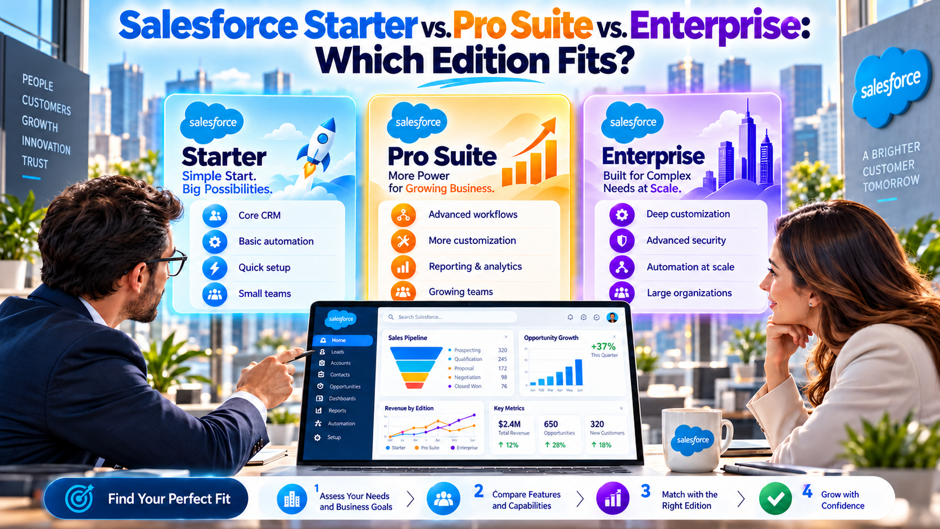
- Each edition is built for a different stage. Redress Compliance, an advisory firm that sells services, lists Starter Suite at $25 per user per month for up to 10 users, Pro Suite at $100 and Enterprise at about $175. Starter covers basic CRM, Pro adds quotes and price books and Enterprise adds the customization and integration depth most growing teams end up needing. Match the stage to your own plan.
- Integrations and limits drive upgrades more than price does. Both Redress and GRAX, a backup vendor, say the lower editions don’t include API access by default. If your CRM must connect to billing, marketing or support systems, the cheaper edition may cost more once you add workarounds.
- The cheapest edition isn’t always the lowest cost. In an illustrative 25-user example, Pro Suite costs $30,000 a year and Enterprise $52,500, a $22,500 gap. Run your own numbers with a written quote and a requirements list.
What each edition is built for
Starter Suite is built for a very small team that needs basic CRM. Redress describes it as supporting up to 10 users, with basic CRM and no API access. That fits a founder-led business with a handful of sellers who track leads, contacts and deals and don’t need quotes, approvals or system integrations. It can be the right answer for a year or 2, if you accept that a hiring plan beyond 10 users means a move to another edition.
Pro Suite is built for a growing sales team with a standard process. Redress lists products, price books, quotes and expanded pipeline reporting, with no API-based integrations. GRAX describes the older Professional edition as capping active flows, roles, profiles and record types. For a team with a single sales process, a defined price list and little need for outside systems, that may be enough. The limits become visible when the process gets more complicated.
Enterprise is built for teams that need to customize and connect. GRAX says API access is included by default, with limits tied to license count, and describes partial sandboxes and most flow and permission limits removed. ScienceSoft’s older comparison lists workflow and approvals, territory management, opportunity teams and Flow Builder. Redress calls Enterprise the most widely deployed tier but lists no features, so confirm the current feature list with Salesforce itself.
The names and boundaries shift over time. Salesforce has renamed and reshaped its editions more than once. ScienceSoft’s 2019 article uses Essentials and Professional, and the current marketing uses Starter Suite and Pro Suite. Treat older blog posts as history. A limit that was true in 2019 may have changed, so verify every claim against Salesforce’s current edition documentation before you rely on it. Check the date on each source.
How to read list prices
- List prices are a starting point. GRAX says list prices are a starting point rather than a final number, and Redress claims negotiated Sales Cloud rates run 20 to 40 percent below list, without a source. Treat both statements with care. Discounts depend on volume, term and timing, and small buyers usually get less room than large ones, so ask for a written quote. Ask for the quote early. Get it in writing.
- Prices have moved recently. Salesforce announced a 6 percent list price increase effective August 1, 2025. Redress reports that Enterprise rose from about $165 to about $175, and says, without citing a source, that Starter and Pro were excluded from the increase. A quote from last year may no longer hold, so ask for a current quote. Ask the account team to confirm today’s list price for each edition before you build a budget.
- Billing terms matter. Redress lists Starter Suite and Pro Suite as billed annually. That means a commitment for 12 months at a time, and a user count you can’t easily reduce mid-term. Ask how adding and removing users works, how the quote handles partial years and whether pricing changes at renewal. Ask about the cost of adding seats mid-term, the process for removing them and whether the renewal quote keeps today’s rates or resets them to list, because that single answer decides how flexible the contract really is.
- Add-ons and support sit on top. Redress lists add-on list prices such as CPQ and Inbox with no source, and Tropic-style playbooks show support priced as a percentage of contract value. Treat the per-user figure as the floor of your cost. Ask for a full quote with support, sandboxes, add-ons and any usage-based items included. Compare total quotes line by line, including the items that arrive after the base license, so that each edition is priced on the same footing.
Edition comparison at a glance
The table pulls together what the sources report. The prices come from Redress’s 2026 page, and the limits come from GRAX and from ScienceSoft’s 2019 article, which predates the current edition names and is marked as dated. None of these is Salesforce’s own documentation. Use the table to decide which questions to ask, and verify each row before you rely on it, since limits and prices change. Check each row.
| Dimension | Starter Suite | Pro Suite | Enterprise |
| List price per user per month (Redress) | $25 | $100 | About $175 |
| User cap (Redress) | Up to 10 users | Not stated | Not stated |
| API access | None (Redress) | None by default; add-on needed (GRAX) | Included; limits tied to license count (GRAX) |
| Quotes and price books | Not listed | Yes (Redress) | Yes (ScienceSoft, older edition names) |
| Automation | Basic | Capped active flows (GRAX) | Most limits removed (GRAX) |
| Roles, profiles, permission sets | Limited | Capped (GRAX) | Largely uncapped (GRAX) |
| Sandboxes | Not listed | Not stated | Partial sandboxes (GRAX) |
| Typical fit | Up to 10 users, simple CRM | Single sales process, standard pricing | Complex process, integrations, growth |
Where the entry edition fits and where it stops
Starter Suite fits when your needs are simple and your team is small. Redress says it covers basic CRM for up to 10 users with no API access. If your sellers track leads, log activity and manage a short pipeline, it can be enough. It also gives you a low-risk way to learn Salesforce before you commit to a larger edition, and the $3,000 annual cost for 10 users is small against the cost of a failed implementation.
The limits show up quickly, though. A hire beyond the cap forces an edition change, and the jump in cost can be steep. In the illustrative example, 10 users on Starter at $25 cost $3,000 a year, while 11 users on Pro Suite at $100 cost $13,200, 4.4 times as much. That jump happens because the 11th person doesn’t just add 1 seat. It moves the entire team to a higher price. Plan for it before you hire.
Integration is the other common stopping point. If you need to connect the CRM to billing, marketing automation or a support desk, a plan without API access forces manual exports or paid connectors. Weigh that effort honestly. A few hours of manual work each week can cost more than the edition upgrade, and manual processes introduce errors that undermine trust in the data. Count the hours first. Ask each vendor for an estimate.
What the middle tier adds and what it still lacks
- Products, price books and quotes. Redress lists these as part of Pro Suite, and they matter for any business that sells from a price list. Sellers can build a quote from standard products instead of typing prices into notes. If you quote often and want consistency, this feature alone can justify the step up from Starter, so test it with your real products. Test with real products. Run a sample quote.
- Expanded pipeline reporting. Redress lists broader reporting as a Pro Suite feature. Managers can see pipeline by stage, owner and forecast category, which helps a growing team stay aligned. Ask which reports you need today, and check whether the edition provides them without extra configuration, because reporting gaps often become visible only after rollout. Ask to see sample dashboards built on your own fields, and confirm that managers can answer their usual forecast questions without custom work or paid add-ons.
- Caps on customization. GRAX describes the older Professional edition as capping active flows, roles, profiles and record types, and ScienceSoft’s 2019 article lists 2 profiles, 2 roles and 10 permission sets for Professional. These numbers are dated and unverified. The practical point is that a Pro Suite org with several teams and special approvals will hit limits, so ask Salesforce for current figures. Ask for current numbers. Compare them with your plan.
- No API-based integrations. Redress says Pro Suite has no API-based integrations, and GRAX says API access isn’t included in Professional by default and requires an add-on. If this is accurate for your edition, any connection to an outside system needs the add-on or a different edition. Get the cost in writing before you compare quotes. Ask whether the add-on has its own limits, and how its cost changes as the user count grows, since a per-user add-on can erase most of the saving over time.
Upgrade triggers to watch for
Most upgrades follow a predictable path. A team outgrows a user cap, needs a feature that the lower edition lacks or hits a limit on automation or customization. The table lists the triggers reported by the sources, along with the question to ask before you buy. ScienceSoft’s list is from 2019 and uses old edition names, so treat it as a prompt rather than a specification. Plan for the likely triggers.
| Trigger | Typically moves you from | To | Question to ask |
| Team grows beyond 10 users | Starter Suite | Pro Suite | What does the quote look like at 15 and 25 users? |
| Need for quotes, price books or contracts | Starter Suite | Pro Suite | Which quoting features come standard? |
| Need for API-based integrations | Pro Suite | Enterprise | Is API access an add-on, and what does it cost? |
| Need for approvals, territories or opportunity teams | Pro Suite | Enterprise | Which features are included at each edition? |
| Hitting limits on flows, roles or permission sets | Pro Suite | Enterprise | What are today’s caps? |
| Need for more sandboxes or testing environments | Pro Suite | Enterprise | How many and what types are included? |
What the upper tier adds
Integration and API access. GRAX says Enterprise includes API access by default, with limits tied to license count and reset on a rolling 24-hour basis. ScienceSoft lists APIs among Enterprise features. For any business that needs the CRM to share data with billing, marketing or support systems, this is often the deciding factor. Ask for the current API limits in writing, and ask how they scale as you add users.
Deeper automation and approvals. GRAX describes most limits removed, with multi-step flows and complex approvals available. ScienceSoft lists workflow and approvals and Flow Builder. A business with discount approvals, multi-stage handoffs or custom routing will likely need this level. Map your most complicated process on paper first, then ask which edition supports it without workarounds. Ask for a demo of your own approval chain, built in the edition you’re considering, before you sign.
Sandboxes for safer changes. GRAX mentions partial sandboxes in Enterprise, and ScienceSoft’s older article lists developer sandboxes. A sandbox lets you test changes before they reach users, which matters once more than 1 person is building. Without it, changes go straight into production and mistakes reach customers. Ask how many sandboxes and what types your quote includes, since this varies. Ask about refresh limits too. Check refresh limits. Ask how many are included.
Territory management, teams and advanced reporting. ScienceSoft lists Enterprise Territory Management, Opportunity Teams and Splits and advanced reporting. These help organizations with several sales groups or shared deals. With a single team and a simple process, you may never use them, and paying the Enterprise premium for features you ignore is the most common source of waste. Ask whether your team would use these in the first year. Decide before you pay.
Hidden costs in the cheaper editions
The edition’s list price is only part of the cost. A cheaper edition that lacks an API pushes integration work onto your team or onto a paid connector. A plan with tight limits on automation pushes process work into manual steps. Each workaround costs time, and time has a price. Ask your team to estimate the hours per week the workaround would take, multiply by loaded hourly cost and compare the result with the edition difference.
Consider support too. Redress says Unlimited adds Premier Support, and other sources describe support as a percentage of contract value. Lower editions typically come with standard support only. If your CRM is mission critical, a slow response during a failure can cost more than a year of the price difference. Ask what support level comes with each quote and what a faster response would cost. Ask for response times in writing.
Then look at the future. A cheaper edition that fits today but blocks growth leads to a forced move at a time you didn’t choose. GRAX claims, without data, that lower editions often cost more over time. Treat that as a hypothesis, then test it against your plan for hiring, new products and system connections over the next 24 months. The right edition is whichever fits that plan with the least waste.
Questions to settle before you request quotes
- How many users do you expect in 12 and 24 months? Starter Suite is capped at 10 users, per Redress, so hiring plans decide whether it’s viable at all. Include part-time sellers, managers who need dashboards and anyone who will need a license for approvals. Count honestly, since a forced edition jump in the middle of a term is the costliest way to learn your real number. Write the plan down.
- Which systems must the CRM connect to? List billing, marketing automation, support, data warehouse and any product database. Ask for each connection whether it needs API access, a connector or a manual export. If the answer is API access, confirm that your edition includes it and what the limits are, because the sources say lower editions may not include it by default. Ask each system’s owner what the connection needs.
- How complicated is your sales process? Count the stages, approvals, handoffs and special pricing rules. A simple process fits a lower edition, while a complicated process will probably push you toward Enterprise. Draw the process on a single page and take it to Salesforce, then ask which edition supports it without custom code and which limits you might hit. Show the diagram to the vendor and ask what it would take to support each step.
- What will you customize yourself? If a power user or an admin plans to build flows, fields and reports, check the caps on each. GRAX describes caps on active flows, roles, profiles and record types in the older Professional edition. Ask for current numbers and ask what happens when you reach them, including the cost of the next step up. Ask what happens if you hit a cap. Name the builder.
Worked cost comparison
The example uses a 25-user team and the list prices Redress reports. At $100 per user per month, Pro Suite costs $30,000 a year. At about $175, Enterprise costs $52,500, a $22,500 difference, or 75 percent more. The table also shows what a negotiated discount might do, using Redress’s unsourced claim of a 20 to 40 percent reduction, which is a hypothesis rather than an expectation. Every figure is rounded.
| Scenario (illustrative) | Calculation | Annual cost |
| 25 users on Pro Suite at list | 25 × $100 × 12 | $30,000 |
| 25 users on Enterprise at list | 25 × $175 × 12 | $52,500 |
| Difference | $52,500 minus $30,000 | $22,500 |
| Enterprise with a 20 percent discount | $52,500 × 0.80 | $42,000 |
| Enterprise with a 40 percent discount | $52,500 × 0.60 | $31,500 |
| 60 users on Pro Suite at list | 60 × $100 × 12 | $72,000 |
| 60 users on Enterprise at list | 60 × $175 × 12 | $126,000 |
The numbers are invented for illustration, and the discounts are unverified. Notice that Enterprise at a 40 percent discount lands close to Pro Suite at list, which is why a written quote matters. Salesforce may not offer the discount to a small buyer, and Pro Suite may carry discounts of its own. Replace every figure with your quote, and add the cost of any add-ons or workarounds you’d need on each path.
Decision rules by company type
A founder-led team of up to 10. If your needs are basic, Starter Suite is a reasonable place to begin, since it costs about $3,000 a year for 10 users on Redress’s list price. The risk is the cap. If you expect to hire past 10 within the term, price the move to Pro Suite now, and decide whether starting on the larger edition avoids a disruptive migration later. Check the cap.
A growing team of 11 to 50 with standard pricing. Pro Suite may fit, particularly if you quote from a price list and don’t need outside integrations. Test it against your process before you commit. If you need API connections, approvals or several sandboxes, the apparent saving disappears, and Enterprise becomes the more honest choice from the start. Test it on your own quotes and reports during a trial before you commit to the term.
A team with complex processes or many connections. Enterprise is the likely fit, even at a smaller size. GRAX describes API access, deeper automation and sandboxes at this level. Pay for the features you’ll use, and skip the ones you won’t. Negotiate the user count and terms carefully, and review the contract for how you can add or remove licenses. Ask for the API limits and sandbox allowance in writing.
A regulated or high-support environment. If you need strong audit capability, premium support or extra sandboxes, ask about Unlimited too. Redress lists Premier Support, additional sandboxes and expanded Einstein capabilities there. The price is higher, at about $330 on its list, so confirm that the benefits justify the difference. Get the support terms and response targets in writing before you decide. Ask counsel to review the terms. Compare quotes side by side.
Mistakes that cost money
- Buying the top edition for a small team. Paying the Enterprise premium for features nobody uses is the most common waste. Start from the requirements list, and select the lowest edition that meets it with room for 12 to 24 months of growth. Ask your admin to confirm in writing which features you’ll use in the first year. Review the choice every renewal. Ask your admin to list the features used each month, and compare that list with the edition’s feature list.
- Buying the lowest edition without checking limits. A low price attracts buyers who haven’t mapped their integrations or processes. When the limit appears, the fix costs more than the original saving. Verify user caps, API access, automation limits and sandbox allowances before signing, and get answers from Salesforce as well as from a blog. Ask the vendor to confirm each limit in writing, and keep the reply with your quote so that surprises later have a paper trail.
- Trusting an old comparison. ScienceSoft’s article is from 2019, with prices and edition names that no longer match, and its team-size ranges overlap. Check the date on every source. Use older posts to learn the categories of limits, then get current numbers from Salesforce, because limits and pricing change over time. Look for a publication date at the top of every page you read, and treat a missing date as a reason to verify twice before you rely on any number or edition name inside.
- Forgetting the move costs. An edition change takes planning, testing and sometimes new configuration. ScienceSoft’s article says you pay the price difference through the year-end without waiting for the contract to end, though it gives no detail, so confirm how your contract treats a mid-term upgrade. Ask for the upgrade price in advance. Ask your admin or partner for an estimate of the hours involved in a move, including testing, retraining and any rebuilt automation, then add that cost to the price difference when you compare paths.
Moving between editions mid-term
| Question | Why it matters | Who to ask |
| Can I upgrade mid-term, and at what price? | ScienceSoft says you pay the difference through year-end, with no detail | Salesforce account executive |
| Can I downgrade at renewal? | Reduces cost if growth stalls | Account executive and counsel |
| Do user counts and prices lock for the term? | Limits flexibility in a slow year | Account executive |
| Do all users need the same edition? | SalesforceBen has reported that users must share an edition for some products | Account executive |
| How are add-ons and support priced after an upgrade? | Percentage-based items change with the base | Account executive |
| What happens to data and configuration in the move? | Avoids rework | Your admin or partner |
Move the questions into a written request and keep the reply with your contract file. Edition rules can differ by product and by agreement, and a verbal answer from a salesperson doesn’t bind anyone. If the answer affects a large amount of money, ask counsel to read the clause. Ask for a reply with a date, and set a reminder to follow up if the answer is late, so that unanswered questions don’t slip past the point where they could still change your decision.
Verifying claims against Salesforce itself
Everything in this article comes from third parties, and every source sells something. Redress sells benchmarking and advisory services, GRAX sells backup products and ScienceSoft sells consulting. Their claims may be accurate, yet none replaces the source. Before you decide, ask Salesforce for the current edition comparison, the limits for your edition and a written quote that lists every line item. Keep the documents together. Keep the originals. Check the date of each.
Ask your admin or implementation partner to check each requirement against the documentation, line by line. Use a spreadsheet with columns for the requirement, the edition that supports it, the source document and the date you checked. A short exercise like this exposes assumptions, and it gives your leadership a record of why you chose as you did. If you’re working with a partner, ask for the same table from them.
Consider a pilot. Salesforce may offer trials or sandboxes that let you test key processes before you buy, and a few weeks of testing can prevent a year of regret. Run your most difficult use cases first, such as a quote with special pricing, an integration or an approval chain. If the edition handles them, you can buy with confidence, and if it doesn’t, you’ve learned it cheaply. Write down the results.
A 30-minute fit checklist
- List your users now and in 24 months. Write the number of full users, occasional users and managers who only view dashboards. Add planned hires by quarter. If the total crosses 10 at any point, Starter Suite is a short-term answer at best. If the total passes 50, expect to need Enterprise features. Share the list with finance so budgets reflect it, and revisit the numbers every quarter. Update it quarterly.
- List your required connections and features. Write each system that must connect, each approval or pricing rule and each report leadership expects. Mark every item as required, helpful or optional. Required items decide the minimum edition, and helpful items break ties. Optional items shouldn’t drive the choice, however attractive they look in a demo. Share the list with every bidder so quotes are comparable and nobody prices a different scope.
- Price each path. For each edition that meets the required list, write the annual cost at your user count, plus add-ons, support and any workarounds. Include the cost of an eventual upgrade. Compare the 3-year total for each path as well as the first year, since the cheapest first year often isn’t the cheapest over time. Ask finance to check the math and the assumptions behind the workaround estimates. Ask finance to review.
- Decide who signs off. Name the sponsor, the admin and the finance lead. Share the requirements list, the cost table and the quotes, and record the decision and the date. Set a calendar reminder for the notice date before renewal, so you can revisit the choice with real usage data instead of guesses. Record who agreed to what, and give each person a copy of the final comparison before the contract is signed.
FAQs
What’s the difference between Salesforce Starter Suite, Pro Suite and Enterprise?
Per Redress Compliance, Starter Suite lists at $25 per user per month for up to 10 users with basic CRM and no API access, Pro Suite lists at $100 and adds products, price books, quotes and expanded reporting without API-based integrations and Enterprise lists at about $175. GRAX says Enterprise adds API access and fewer automation limits. Confirm current details with Salesforce. Confirm each figure with Salesforce. Check current pricing.
How many users can Starter Suite support?
Redress says up to 10 users. If your team will grow past that, plan the move to a larger edition before you hire, since the cost jump can be steep. In an illustrative example, 10 users on Starter cost $3,000 a year, while 11 on Pro Suite cost $13,200. Ask Salesforce to confirm the cap and how an upgrade works. Ask for the cap in writing. Ask for a written quote.
Does Pro Suite include API access?
Redress says Pro Suite has no API-based integrations, and GRAX says the older Professional edition doesn’t include API access by default and requires an add-on. If you need connections to billing, marketing or support tools, ask Salesforce whether the add-on exists, what it costs and what limits apply. Compare that total with the cost of Enterprise before deciding. Get both prices in writing, with limits. Ask about renewal pricing too.
Is Enterprise worth the extra cost?
It depends on what you’d use. GRAX describes API access, deeper automation, more flexible permissions and partial sandboxes. If you need integrations, approvals or testing environments, the premium may pay for itself by avoiding workarounds. If you don’t, you’re paying for unused features. In an illustrative 25-user example, Enterprise at list costs $22,500 a year more than Pro Suite. Ask for a pilot to test the claim. Test the claim in a trial.
Can I negotiate Salesforce edition pricing?
Sometimes. Redress claims negotiated Sales Cloud rates run 20 to 40 percent below list, without a source. Small buyers typically get less room than large ones, and discounts depend on volume, term and timing. Ask for a written quote, compare it with list prices and ask what you’d need to commit to for a better rate. Have counsel read the contract terms. Ask for the discount in writing. Ask for the discount in writing.
How do I know which edition fits my business?
List your users now and in 24 months, the systems the CRM must connect to, your approval and pricing rules and the reports leadership needs. Match each requirement to an edition using Salesforce’s current documentation, then price each path. Choose the lowest edition that meets the required list with room for growth, and test your hardest use case in a trial. Write each requirement down and date the list. Date and keep the list.
Are older comparisons still reliable?
Not for prices or limits. ScienceSoft’s comparison is from 2019 and uses old edition names and prices. Salesforce also raised list prices by 6 percent on August 1, 2025. Use older posts to learn which questions to ask, then get current numbers from Salesforce. Check the date on every source you rely on. Always check the date. Check dates on all sources and ask Salesforce to confirm prices in writing. Treat any undated page as unreliable until verified.
Can I upgrade my edition in the middle of a contract?
ScienceSoft’s article says you pay the price difference through the end of the year without waiting for the contract to end, though it gives no detail. Your own agreement governs. Ask your account executive in writing how a mid-term upgrade is priced, whether the term resets and what happens to add-ons and support. Have counsel read the clause. Ask for the upgrade price in writing before you sign, and ask counsel to confirm the term, billing and any effect on add-ons or support.
